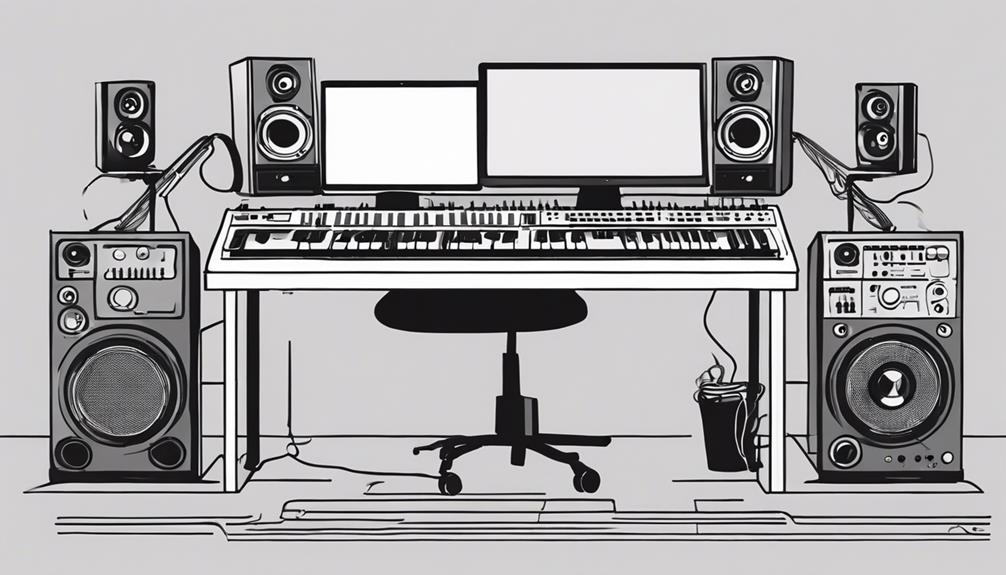

Gain staging inside and outside the box is essential for achieving clear, balanced audio. Inside the box, you adjust faders, plugin levels, and digital meters to prevent clipping and noise, ensuring your effects and mixes stay clean. Outside the box, you’ll manage signal flow through hardware like preamps and mixers, keeping levels ideal without distortion. Mastering these steps helps you create professional sound, and if you continue exploring, you’ll discover how to perfect your entire gain staging process.
Key Takeaways
- Inside the box involves adjusting levels within DAWs and plugins to prevent clipping and ensure clarity.
- Outside the box refers to managing signal flow and levels on analog gear like mixers and preamps.
- Proper gain staging maintains consistent loudness and prevents distortion both digitally and analogically.
- Calibration ensures digital meters reflect true signal levels, aligning in-the-box and out-of-the-box gain practices.
- Both environments require careful measurement and listening to optimize sound quality and avoid level-related issues.

Have you ever wondered how professional recordings achieve their clear, balanced sound? One key factor is proper gain staging, which guarantees every element in your audio chain works harmoniously. Whether you’re working inside a digital audio workstation (DAW) or with analog equipment, understanding how to manage gain levels is vital. It all starts with effects processing and audio calibration. These steps help you set the right levels early on, preventing distortion and noise while maximizing clarity.
When you’re working inside the box—meaning entirely within your DAW—gain staging becomes a matter of adjusting faders, input levels, and plugin settings. You want to set the initial input gain so that your recordings don’t clip, but are also loud enough to work with comfortably. Effects processing plays an essential role here; applying EQ, compression, or reverb can alter your signal, so you need to calibrate your levels after each effect to avoid overloading subsequent plugins or tracks. Audio calibration is about setting the correct reference levels, ensuring that your digital meters accurately reflect the true loudness of your sound. This prevents you from pushing signals too hard or leaving them too quiet, which can cause issues down the line. Additionally, understanding your contrast ratio helps you appreciate how dynamic range impacts your mix quality.
Outside the box, gain staging involves managing the signal flow through analog gear, such as mixers, preamps, and outboard processors. Here, audio calibration becomes even more vital because analog equipment can introduce subtle changes to your sound, including noise or distortion if levels aren’t properly set. You’ll want to start by setting your preamp gain so that your input level peaks around -12 dB to -6 dB on your meters. From there, you carefully adjust each piece of gear, making sure that effects processing—like adding reverb or delay—doesn’t push the signal into distortion. Proper calibration across all devices ensures a clean, balanced signal from start to finish.
Whether inside or outside the box, the goal is consistent, ideal gain levels. This requires a keen ear and precise measurements. Effects processing should enhance your sound without muddying it, and audio calibration ensures your levels are accurate at every step. When you master gain staging, you’ll notice your recordings sound clearer, more professional, and more polished. It’s about controlling your signal path so your final mix has the clarity and punch you’re aiming for. By paying close attention to these details, you’ll prevent issues like clipping, noise, or imbalance, making your production process smoother and your results much more impressive.
Frequently Asked Questions
How Does Gain Staging Affect Overall Mix Clarity?
Gain staging directly impacts your mix clarity by ensuring your signals stay within ideal levels, preventing distortion and noise. When you properly manage signal flow, each element remains clean and well-defined. You avoid unwanted distortion, which can muddy the mix, and maintain clarity across tracks. Good gain staging makes your mix sound balanced, transparent, and professional, allowing each instrument and vocal to shine without competing or becoming unclear.
Can Improper Gain Staging Cause Equipment Damage?
Yes, improper gain staging can cause equipment damage. When you set gains too high, you risk overloading your gear, which can lead to equipment failure or damage. Additionally, incorrect gain levels can cause signal distortion, affecting sound quality and potentially harming sensitive components. To guarantee equipment safety, always monitor your levels carefully and keep signals within recommended ranges, avoiding unnecessary stress on your gear.
What Tools Are Best for Visualizing Gain Levels?
To visualize gain levels effectively, you should use metering techniques like peak, RMS, and LUFS meters, which offer clear visual feedback. These tools help you monitor audio signals in real-time, ensuring proper gain staging. By paying attention to these meters, you avoid clipping and maintain ideal levels, preventing equipment damage and achieving a balanced sound. Accurate metering techniques are essential for professional audio production and consistent results.
How Does Gain Staging Differ Between Analog and Digital Setups?
Did you know that 60% of audio engineers find gain staging more intuitive in digital setups? In analog systems, you focus on maintaining signal integrity by carefully adjusting physical knobs to prevent distortion. Digital setups, however, rely on precise software levels, making gain staging more about calibration and avoiding clipping. The key difference is that analog requires real-time monitoring, while digital offers more flexibility through visual meters and automation.
Is Gain Staging Necessary for All Types of Audio Recordings?
Yes, gain staging is essential for all audio recordings because it helps you maintain ideal dynamic range and signal integrity throughout your setup. Proper gain staging prevents distortion and noise, ensuring your recordings sound clear and professional. Whether you’re working with analog or digital gear, managing gain levels at each stage keeps your signal strong and balanced, making your final mix more polished and consistent.
Conclusion
Mastering gain staging inside and outside the box isn’t just a skill—it’s your secret weapon for crushing mixes like a pro. When you fine-tune each stage, your sound will shine brighter than a supernova, enthralling every listener. Don’t underestimate the power of proper gain staging; it’s the foundation that turns chaos into clarity. Keep practicing, stay vigilant, and watch your mixing game reach legendary status. Your tracks deserve nothing less than stellar precision!