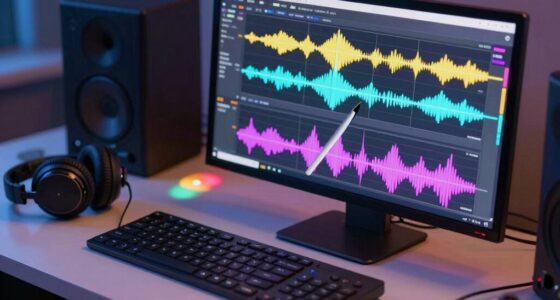

To create better FX without random plugin stacking, focus on your core sounds by identifying the main element you want to enhance. Use automation to subtly evolve your effects, like gradually increasing pitch or adjusting reverb decay, which keeps the sound dynamic and engaging. Avoid piling on multiple plugins, as this can muddle your mix. Instead, aim for intentional, well-crafted sounds. Keep experimenting with these techniques, and you’ll discover how to produce more polished, professional effects.

Get audio and creator gear delivered free with Prime
- Fast, free delivery on millions of items
- Prime Video, Amazon Music and more included
- Member-only deals all year
Key Takeaways
- Focus on the core sound or cue and automate its parameters to evolve effects naturally.
- Use automation to control volume, pitch, and effects for dynamic, purposeful sound design.
- Avoid stacking multiple plugins; instead, refine and manipulate a single or few well-chosen effects.
- Develop subtle variations through automation to prevent static or repetitive sounds.
- Prioritize sound cohesion and balance frequencies to enhance realism and clarity.
Have you ever wondered how to make your visual effects more convincing and impactful? The secret isn’t just in stacking random plugins or adding countless layers of effects but in mastering your sound design and using automation techniques effectively. When it comes to creating better FX, the goal is to craft a cohesive, immersive experience without clutter or overprocessing. This starts with understanding that each effect should serve a specific purpose, enhancing your visuals rather than overwhelming them.
Sound plays an essential role in elevating visual effects. Thoughtful sound design can make a subtle explosion feel more powerful or a flickering light more ominous. Instead of relying on multiple plugins to generate noise or distortion, focus on carefully designing sounds that match the visual elements. You can use automation techniques to dynamically control parameters like volume, pitch, or filter cutoff, guaranteeing your FX evolve naturally over time. For example, if a fireball is about to explode, gradually increasing the pitch or adding a slight distortion can simulate rising tension, making the effect more visceral.
Thoughtful sound design and automation make visual effects more powerful and immersive.
Automation techniques enable you to refine your effects with precision, avoiding the temptation to stack numerous plugins in hopes of achieving a perfect result. Instead of piling on effects, identify the core sound or visual cue and automate it to grow or fade at just the right moments. This approach helps maintain clarity, prevents muddiness, and makes your FX feel more intentional. When you automate parameters such as reverb decay or delay feedback, your effects become more dynamic and engaging, drawing the viewer into the scene without overwhelming their senses. Developing a cohesive sound design approach can significantly enhance the overall impact of your FX. A deep understanding of sound design principles also allows you to craft more nuanced and expressive effects. Additionally, honing your listening skills can help you identify subtle issues or opportunities for improvement in your sound design. Moreover, understanding how to balance frequencies ensures your effects don’t clash with other audio elements, maintaining clarity and impact.
Additionally, focusing on sound design allows you to create a unique sonic identity for your effects. Rather than relying on canned sounds or generic presets, craft your own sounds from scratch or manipulate recordings in purposeful ways. Use automation to introduce subtle variations, so your FX don’t feel static or repetitive. This attention to detail ensures that each effect contributes meaningfully to the overall scene, making it more believable and immersive. Developing a strong understanding of sound design principles helps you produce more polished and professional results.
Popular right now

Ninja Crispi 5-in-1 Glass Air Fryer System, Emerald, FN103BF

Hisense 55-Inch E6SR Series Hi-QLED 4K UHD Smart Roku TV (2026 Model)

Ninja Flip Toaster Oven and Air Fryer, 8-in-1, Stainless Steel, SP151
As an affiliate, we earn on qualifying purchases.
Frequently Asked Questions
How Do I Choose the Right FX for My Track?
You choose the right FX for your track by considering sound design and genre considerations. Think about the mood and style you’re aiming for, then select effects that complement those elements. Experiment with different plugins, focusing on how they enhance or shape your sound. Trust your ears, and don’t be afraid to tweak parameters until the FX blend seamlessly, adding depth and interest without overwhelming your mix.
What Are Common Mistakes to Avoid With FX?
You should avoid common mistakes like overusing FX, which can cause frequency masking and phase cancellation, muddying your mix. Don’t rely solely on random plugin stacking; instead, carefully select effects that complement each other. Keep your FX subtle and purpose-driven, ensuring they enhance your track without overwhelming it. Regularly check your mix in mono to catch phase issues early, maintaining clarity and balance throughout your production.
How Can I Automate FX for Dynamic Effects?
You can automate FX for dynamic effects by using automation techniques within your DAW. Focus on dynamic modulation to create movement and interest, such as automating parameters like filter cutoff, reverb decay, or delay feedback. Experiment with drawing automation curves or recording real-time adjustments to make your effects evolve naturally. This approach gives your sound more life and helps avoid static, unchanging effects, making your mix more engaging.
What’s the Best Way to Balance Multiple FX Layers?
Imagine your FX layers as a vibrant tapestry, each thread adding depth and texture. To balance multiple FX layers, focus on frequency balancing—cutting or boosting specific ranges to prevent muddiness. Use EQ to carve space for each effect, ensuring they complement rather than compete. Adjust volume and panning thoughtfully, so each layer maintains its unique presence. This harmony transforms a chaotic jumble into a cohesive, mesmerizing soundscape.
How Do I Create a Unique FX Sound?
To create a unique FX sound, you should experiment with sound design techniques like resampling, pitch shifting, and layering unconventional sounds. Use experimental techniques such as granular synthesis or reversing audio to add texture. Don’t hesitate to manipulate EQ, distortion, and modulation creatively. By blending these methods intentionally and exploring different sources, you craft distinctive FX that stand out, pushing the boundaries of typical sound design.
Conclusion
By focusing on crafting intentional, layered effects rather than relying on random plugin stacking, you can substantially boost your sound design skills. Studies show that producers who meticulously craft their FX spend 30% less time fixing issues later, leading to more efficient workflows. When you understand the core principles and prioritize quality over quantity, your mixes become clearer and more impactful. So, take control, plan your FX thoughtfully, and watch your productions elevate to the next level.