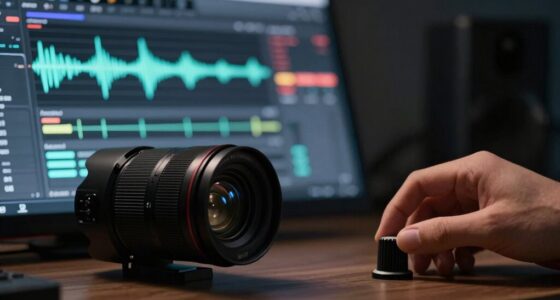

To make minimal tracks feel bigger, you can add subtle texture layers like gentle ambient sounds, organic textures, or soft noise beneath your main elements. Use sound design and mixing techniques like EQ, reverb, and stereo imaging to blend these textures seamlessly, creating a sense of space and depth. Automate and gradually introduce these layers to maintain the minimal aesthetic while adding size. Continue exploring to discover more effective ways to enhance your tracks with textures.

Get audio and creator gear delivered free with Prime
- Fast, free delivery on millions of items
- Prime Video, Amazon Music and more included
- Member-only deals all year
Key Takeaways
- Incorporate subtle ambient textures or noise beneath main elements to add depth without cluttering the mix.
- Use stereo imaging and reverb to position textures in space, enhancing perceived size.
- Apply gentle EQ to carve out frequency space, preventing textures from muddying the core sounds.
- Gradually introduce or remove textures to create a dynamic sense of evolution and expansiveness.
- Blend organic and synthetic textures subtly to enrich the sonic environment while maintaining minimalism.
Adding a texture layer to minimal tracks can considerably enhance their depth and visual interest without overwhelming the clean aesthetic. This is where smart sound design and clever mixing techniques come into play. When you introduce subtle textures, you’re not cluttering your track; instead, you’re creating a richer sonic environment that draws listeners in. The key lies in choosing the right textures—think of soft noise, gentle ambient sounds, or even unconventional elements that add a sense of space and dimension. These layers act as a sonic backdrop, giving your minimal arrangement a bigger, more immersive feel. Incorporating sound design principles can help you craft these textures more effectively, ensuring they complement your core sounds seamlessly.
Adding subtle textures can deepen your minimal tracks, creating an immersive, spacious sound without compromising clarity.
In terms of sound design, you want to focus on elements that complement your core sounds without overpowering them. Using field recordings, organic textures, or even synthesized noise can provide a sense of movement and complexity. Experiment with different sound sources and process them to fit your track’s vibe. For example, adding a low-level, textured noise beneath a bass line can make the entire foundation feel more substantial. When you craft these textures, pay attention to their frequency content, ensuring they fill out the frequency spectrum without muddying the mix. Additionally, understanding frequency spectrum and how different textures occupy various ranges can greatly improve your mixing decisions.
Mixing techniques are equally essential. You should subtly blend these textures into your track, avoiding any sharp or distracting contrasts. Use EQ to carve out space for your textures—cut unnecessary low frequencies or harsh high-end to keep them from clashing with your main elements. Reverb and delay can also help situate these textures within the stereo field, making them feel more natural and integrated. Parallel processing can be effective too; by layering a heavily processed version of your textures alongside the dry sound, you can add depth without losing clarity.
Another trick is automation. Gradually introducing or removing textures throughout the track can create dynamic interest and a sense of evolution. This prevents the textures from becoming static or monotonous. Remember, the goal is to enhance the track’s size and presence subtly. When done right, these textures can turn a minimal piece into a full, expansive soundscape, engaging your audience on a deeper level.
Ultimately, the secret to making minimal tracks feel bigger is balancing simplicity with richness. Thoughtful sound design combined with precise mixing techniques allows your textures to breathe life into your music. They add the perceived size and depth that make your track stand out, all while maintaining that clean, minimal aesthetic that keeps it compelling and fresh.
ambient sound textures for music mixing
As an affiliate, we earn on qualifying purchases.
As an affiliate, we earn on qualifying purchases.
Frequently Asked Questions
Can Texture Layers Be Added Digitally or Only Physically?
You can definitely add texture layers digitally, not just physically. Digital layering allows you to incorporate various textures seamlessly into your music, giving minimal tracks a fuller feel. You can also use physical textures by recording or sampling real-world sounds and then integrating them into your mix. Both methods enhance the sense of depth and size, so feel free to experiment with digital layering or physical textures to achieve the desired impact.
What Are the Best Materials for Creating Subtle Textures?
For subtle textures, you should experiment with ambient textures like soft cloths, gauze, or paper. These materials add gentle depth without overwhelming your sound. Using materials that respond well to vibration, such as foam or felt, allows you to craft nuanced layers. Material experimentation helps you discover unique textures that evoke a sense of space and intimacy, making minimal tracks feel more expansive and alive.
How Does Texture Influence the Overall Mood of a Track?
Texture influences the overall mood of a track by adding atmospheric depth and emotional resonance. When you incorporate subtle textures, you create a richer soundscape that draws listeners in, evoking feelings and enhancing the track’s atmosphere. These layers can make your music feel more expansive and immersive, guiding the listener’s emotional journey. By carefully shaping textures, you craft a mood that’s compelling and emotionally impactful.
Are There Specific Genres That Benefit Most From Texture Layers?
You’ll find that genres like ambient, electronic, and indie benefit most from texture layering techniques, as they thrive on mood and atmosphere. Genre-specific effects enhance these layers, creating immersive worlds. In these genres, texture layers add depth, richness, and emotion, making every sound feel more expansive. By emphasizing subtle nuances and intricate details, you craft a more compelling listening experience, drawing your audience deeper into your musical story.
How Do I Balance Texture Without Cluttering Minimal Tracks?
To balance texture without cluttering minimal tracks, use layering techniques that emphasize texture contrast. Start with a clean core, then add subtle layers that complement rather than overwhelm. Focus on contrasting textures—smooth against gritty—to create depth. Keep each layer restrained, adjusting volume and EQ to guarantee they enhance the track without muddying the mix. Regularly step back and listen critically, removing any textures that don’t serve the overall clarity.
Conclusion
By adding a subtle texture layer, you transform minimal tracks into something more expansive and engaging. It’s about creating depth without overwhelming the listener, making even the simplest beats feel full and alive. Do you really want your tracks to sound flat and empty, or do you aim for a richer, more immersive experience? With just a touch of texture, you can elevate your music to a whole new level—so why not give it a try and see the difference for yourself?
Columbus Day / Indigenous Peoples' Day Picks
long weekend sales
As an affiliate, we earn on qualifying purchases.