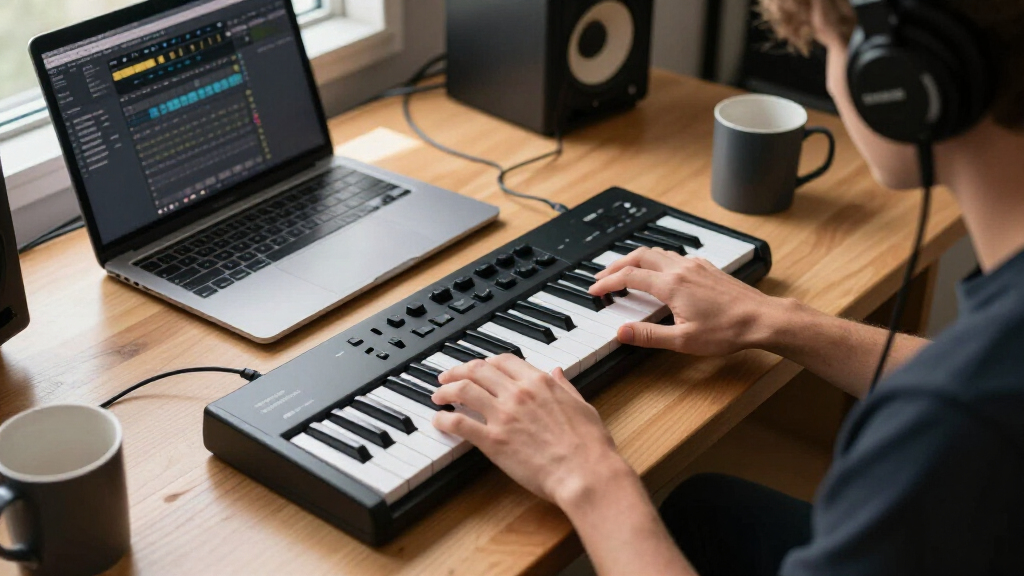

For most new producers, I’d start with the Akai Professional MPK Mini IV: its 25 keys and hands-on controls offer a capable first setup without taking over a desk. The Akai MPK Mini Plus is a stronger fit if you want more keys and room to grow, while the M-Audio Keystation 49 MK3 favors piano-style playing over drum pads and compact controls. The main tradeoff is between portable, feature-packed mini keyboards and larger keybeds that feel more natural for playing melodies. Software compatibility, setup, and whether you need standalone sounds also affect the choice. Read on for the full comparison and recommendations by beginner type.

Get audio and creator gear delivered free with Prime
- Fast, free delivery on millions of items
- Prime Video, Amazon Music and more included
- Member-only deals all year
Complete the kit


Key Takeaways
- The Akai MPK Mini IV is the best overall starting point for learners who want a compact controller with performance controls, while the white version offers the same named model in a different finish.
- Key count changes the playing experience more than a long feature list suggests: the 49-key M-Audio Keystation suits two-handed practice better, and the 37-key Akai MPK Mini Plus and Arturia MiniLab 37 offer a middle ground.
- Small keyboards are not all alike: the Akai MPK Mini models emphasize pads and controls, while the Arturia MicroLab Mk3 focuses on a compact, straightforward keyboard format.
- Standalone sound is a distinct convenience: the Akai MPK Mini Play MK3 is the pick for practicing without relying on a computer, unlike conventional USB MIDI controllers.
- Wireless operation and low-cost feature claims need careful checking: the DaierTek adds Bluetooth and USB connectivity, while generic 25-key models may suit simple setups but offer less clearly differentiated workflows.
| Donner N-32 32-Key USB MIDI Keyboard Controller |  | Best for a Wider Playing Range in a Compact Controller | Keys: 32 velocity-sensitive keys | Connectivity: USB | Compatible platforms: Android, iOS, Mac, Windows | VIEW LATEST PRICE | See Our Full Breakdown |
| Akai Professional MPK Mini IV 25-Key USB-C MIDI Keyboard Controller, Black |  | Best All-Around Compact Controller for Guided Experimentation | Keys: 25 velocity-sensitive mini keys | Knobs: 8 assignable 360° knobs | Pads: 8 velocity- and pressure-sensitive RGB MPC pads | VIEW LATEST PRICE | See Our Full Breakdown |
| Rhymo 25-Key Portable USB MIDI Controller with Arpeggiator |  | Best for Wireless-Minded, On-the-Go Setups | Keys: 25 velocity-sensitive keys | Connectivity: USB-C and Bluetooth MIDI | Controls: X-Y joystick, arpeggiator, loop, tap tempo, transpose, octave buttons | VIEW LATEST PRICE | See Our Full Breakdown |
| Donner N-25 25-Key Mini MIDI Keyboard Controller |  | Best Beginner Pick for Learning with Included Lessons | Keys: 25 velocity-sensitive mini keys | Connectivity: USB-MIDI | Controls: 4 programmable banks, arpeggiator, sustain, octave, tap tempo, pitch-bend wheel | VIEW LATEST PRICE | See Our Full Breakdown |
| Akai Professional MPK Mini Plus 37-Key USB MIDI Keyboard Controller |  | Best for Beginners Ready to Grow into Hardware Production | Keys: 37 velocity-sensitive mini keys | Connectivity: USB, MIDI I/O, CV/Gate | Pads: 8 RGB MPC pads | VIEW LATEST PRICE | See Our Full Breakdown |
| Akai Professional MPK Mini MK3 25-Key USB MIDI Keyboard Controller |  | Best All-in-One Control Layout | Keys: 25 velocity-sensitive mini keys | Beat pads: 8 backlit velocity-sensitive MPC-style pads | Knobs: 8 assignable 360-degree knobs | VIEW LATEST PRICE | See Our Full Breakdown |
| Donner DMK 25 Pro USB-C MIDI Keyboard Controller, 25 Keys, 8 Drum Pads, Black |  | Best for Guided Feature Exploration | Keys: 25 | Drum pads: 8 | Connectivity: USB-C | VIEW LATEST PRICE | See Our Full Breakdown |
| Nektar SE61 USB MIDI Controller Keyboard |  | Best for Learning on Full-Size Keys | Keys: 61 velocity-sensitive keys | Connectivity: USB | Compatible platforms: Mac, Windows PC, Linux, and iOS | VIEW LATEST PRICE | See Our Full Breakdown |
| DaierTek 25-Key Portable Bluetooth and USB MIDI Keyboard Controller |  | Best for Wireless Mobile Setups | Keys: 25 velocity-sensitive keys | Connectivity: Bluetooth and USB | Pads: 8 RGB backlit, velocity-sensitive pads with aftertouch | VIEW LATEST PRICE | See Our Full Breakdown |
| Vangoa Worlde Tuna Mini 25-Key MIDI Keyboard Controller |  | Best for Customizable Desk Controls | Keys: 25 velocity-sensitive keys | Connectivity: USB | Drum pads: 8 RGB pads with 2 banks | VIEW LATEST PRICE | See Our Full Breakdown |
| M-Audio Keystation 49 MK3 USB MIDI Controller |  | Best for Learning on Full-Size Keys | Keys: 49 full-size velocity-sensitive keys | Connectivity: USB-MIDI | Power: USB-powered | VIEW LATEST PRICE | See Our Full Breakdown |
| Akai Professional MPK Mini IV 25-Key USB-C MIDI Keyboard Controller, White |  | Best for Hands-On Beatmaking | Keys: 25 velocity-sensitive mini keys | Connectivity: USB-C | MIDI output: Full-size MIDI Out | VIEW LATEST PRICE | See Our Full Breakdown |
| Arturia MiniLab 37 MIDI Keyboard Controller |  | Best Compact Option for Two-Handed Play | Model: MiniLab 37 mk3 | Keys: 37 slim keys | Connectivity: USB Type-C | VIEW LATEST PRICE | See Our Full Breakdown |
| Akai Professional MPK Mini Play MK3 25-Key USB MIDI Keyboard Controller |  | Best for Playing Without a Computer | Keys: 25 | Drum pads: 8 velocity-sensitive MPC pads | Knobs: 4 assignable rotary encoder knobs | VIEW LATEST PRICE | See Our Full Breakdown |
| Arturia MicroLab Mk3 25-Key USB MIDI Controller, White |  | Best Simple Compact Starter | Model: MicroLab Mk3 | Keys: 25 | Connectivity: USB Type-C | VIEW LATEST PRICE | See Our Full Breakdown |
| midi keyboard controllers for beginner | Keys | Connectivity |
|---|---|---|
| Donner N-32 32-Key USB MIDI Ke | 32 velocity-sensitive keys | USB |
| Akai Professional MPK Mini IV | 25 velocity-sensitive mini keys | USB-C and full-size MIDI Out |
| Rhymo 25-Key Portable USB MIDI | 25 velocity-sensitive keys | USB-C and Bluetooth MIDI |
| Donner N-25 25-Key Mini MIDI K | 25 velocity-sensitive mini keys | USB-MIDI |
| Akai Professional MPK Mini Plu | 37 velocity-sensitive mini keys | USB, MIDI I/O, CV/Gate |
| Akai Professional MPK Mini MK3 | 25 velocity-sensitive mini keys | USB 2.0 Type B |
| Donner DMK 25 Pro USB-C MIDI K | 25 | USB-C |
| Nektar SE61 USB MIDI Controlle | 61 velocity-sensitive keys | USB |
| DaierTek 25-Key Portable Bluet | 25 velocity-sensitive keys | Bluetooth and USB |
| Vangoa Worlde Tuna Mini 25-Key | 25 velocity-sensitive keys | USB |
| M-Audio Keystation 49 MK3 USB | 49 full-size velocity-sensitive keys | USB-MIDI |
| Akai Professional MPK Mini IV | 25 velocity-sensitive mini keys | USB-C |
| Arturia MiniLab 37 MIDI Keyboa | 37 slim keys | USB Type-C |
| Akai Professional MPK Mini Pla | 25 | USB |
| Arturia MicroLab Mk3 25-Key US | 25 | USB Type-C |
More Details on Our Top Picks
Donner N-32 32-Key USB MIDI Keyboard Controller
The Donner N-32 gives beginners more room to play than 25-key options such as the Donner N-25 or Akai MPK Mini IV, without moving into a larger keyboard format. Its 32 velocity-sensitive keys make simple melodies and two-handed parts less cramped, while the chord and arpeggiator controls can help new producers build parts before their keyboard technique catches up. Pitch and modulation controls, sustain support, and a sequencer add useful ways to shape sounds in a DAW. It also works with desktop and mobile platforms and includes software plus access to 40 keyboard lessons. The tradeoff is that its keys remain scaled down, and it cannot make sound on its own: a compatible device and music software are required.
Pros:- 32 velocity-sensitive keys offer more playing range than the 25-key Donner N-25 and Akai MPK Mini IV.
- Chord, arpeggiator, pitch, modulation, and sustain controls support expressive parts and experimentation.
- Works with Android, iOS, Mac, and Windows, as well as several major DAWs.
- Includes music production software and access to 40 keyboard lessons.
Cons:- Scaled-down keys may not suit players who want to learn on a conventional keyboard layout.
- Requires compatible software and a connected device to produce sound.
- The larger key count is less compact than 25-key controllers.
Best for: New producers who want more than 25 keys for melodies and basic two-handed parts, plus guided keyboard lessons.
Not ideal for: Players learning on full-size keys or anyone wanting a keyboard that makes sound without connecting to a computer or mobile device.
- Keys:32 velocity-sensitive keys
- Connectivity:USB
- Compatible platforms:Android, iOS, Mac, Windows
- Supported software:Ableton Live, Avid Pro Tools, Logic Pro, Studio One
- Controls and features:Digital display, sequencer, chord arpeggiator, pitch and modulation controls, sustain pedal support
- Included items:Type-C cable, manual, music production software
- Material:Plastic
Our verdict“Choose the N-32 if you want a little more room to play than a 25-key mini controller while keeping lessons and creative controls close at hand.”
Akai Professional MPK Mini IV 25-Key USB-C MIDI Keyboard Controller, Black
The Akai MPK Mini IV makes a strong first controller for beginners who want more than keys: its color display, eight assignable knobs, and eight pressure-sensitive RGB pads put sound shaping and beat making within easy reach. Chord and Scale modes can help newcomers create musically coherent parts, while DAW integration and included software provide a route into production. Compared with the Donner N-32, the MPK Mini IV is more focused on hands-on control and portability than keyboard range; its 25 mini keys limit longer passages and two-handed playing. USB-C and full-size MIDI Out also give it flexibility beyond a basic computer connection. Still, the added controls may take time to learn, and this controller needs a compatible computer or mobile setup to access its instruments and DAW features.
Pros:- Chord and Scale modes offer accessible ways to build parts while learning.
- Eight velocity- and pressure-sensitive RGB pads support expressive beat making.
- Color display and eight assignable knobs provide clear, hands-on control.
- USB-C, full-size MIDI Out, DAW integration, and included software offer flexible setup options.
Cons:- The 25 mini keys provide limited range for two-handed playing and longer melodies.
- Its many controls and modes may take time for a first-time user to learn.
- Software instruments and DAW features require a compatible connected device.
Best for: Beginners who want one compact controller for learning keys, making beats, and adjusting software instruments with physical controls.
Not ideal for: Learners focused on piano technique or longer keyboard parts who would benefit more from the Donner N-32’s additional keys or a full-size keyboard.
- Keys:25 velocity-sensitive mini keys
- Knobs:8 assignable 360° knobs
- Pads:8 velocity- and pressure-sensitive RGB MPC pads
- Connectivity:USB-C and full-size MIDI Out
- Display:Full-color screen
- Software:Studio Instrument Collection with 1,000+ sounds; Ableton Live Lite 12 and other DAW integrations
- Compatibility:Mac, Windows, and mobile setups
- Features:Arpeggiator, Chord mode, Scale mode, NKS support
Our verdict“Pick the MPK Mini IV if you want a portable first controller with guided musical modes and controls for both keys and beats.”
Rhymo 25-Key Portable USB MIDI Controller with Arpeggiator
The Rhymo 25-key controller stands apart from the USB-only Donner N-25 with listed Bluetooth MIDI as well as USB-C, giving mobile producers another way to connect. Its X-Y joystick handles pitch and modulation, and the arpeggiator, loop function, tap tempo, and transpose controls offer plenty of creative options without relying only on DAW menus. Octave buttons expand the playable range, but they do not change the fact that the physical keyboard has just 25 velocity-sensitive keys. A sustain-pedal input and 3.5mm TRS MIDI output add useful connections for a beginner who may later add external gear. The listing names broad operating-system and DAW compatibility, but supplies little detail about included software or bundled learning resources; buyers who want a more established starter package may prefer the Donner N-25’s included lessons.
Pros:- Bluetooth MIDI and USB-C provide flexible connection options for computers and tablets.
- X-Y joystick, arpeggiator, loop, tap tempo, and transpose controls support hands-on creation.
- Octave buttons extend the available range beyond the physical 25-key layout.
- Sustain-pedal input and 3.5mm TRS MIDI output support pedals and external MIDI gear.
Cons:- The 25-key layout still limits comfortable two-handed playing despite octave controls.
- The product information does not specify included software or beginner lesson resources.
- A compact controller’s many functions may require time to learn and configure.
Best for: Mobile-focused beginners who want Bluetooth MIDI, a USB-C connection, and performance controls for GarageBand, FL Studio, or other DAWs.
Not ideal for: Learners who need a wider physical keyboard, bundled lessons, or clearer details about included production software.
- Keys:25 velocity-sensitive keys
- Connectivity:USB-C and Bluetooth MIDI
- Controls:X-Y joystick, arpeggiator, loop, tap tempo, transpose, octave buttons
- MIDI channels:16 user-selectable channels
- Connections:USB-C, 3.5mm TRS MIDI output, 6.35mm sustain pedal interface
- Compatibility:Mac, PC, iOS
- Supported software:GarageBand, FL Studio, Ableton Live, Logic Pro, Cubase
- Power:USB-C powered
Our verdict“Choose the Rhymo if Bluetooth MIDI and mobile-friendly creative controls matter more than a wider keyboard or bundled learning materials.”
Donner N-25 25-Key Mini MIDI Keyboard Controller
For a first MIDI keyboard, the Donner N-25 keeps the setup focused: its 25 velocity-sensitive mini keys connect to a Mac or PC over USB, and the package includes music production software and 40 teaching courses. That learning support gives it an advantage over the Rhymo 25-key controller, whose feature list emphasizes Bluetooth and performance tools rather than lessons. The N-25 also has an arpeggiator, programmable banks, sustain and octave controls, tap tempo, and a pitch-bend wheel, so beginners can explore basic expression without a crowded control surface. Its compact size suits a desk or travel bag, but the mini keys can feel cramped, and smartphone connection may call for an OTG adapter. Compared with the wider Donner N-32, this model is easier to keep small but offers less playing range.
Pros:- Includes music production software and 40 keyboard teaching courses.
- Velocity-sensitive keys and pitch-bend wheel support expressive playing.
- Arpeggiator, programmable banks, sustain, octave, and tap-tempo controls provide useful beginner tools.
- Supports Mac, Windows, iOS, and Android, with USB-MIDI connectivity.
Cons:- Mini keys may feel cramped for players with larger hands or those studying piano technique.
- Smartphone connections may require a separate OTG adapter.
- Its 25-key range is narrower than the Donner N-32’s 32-key layout.
Best for: First-time producers who want a compact USB controller with structured keyboard lessons and straightforward DAW use.
Not ideal for: Players who prefer full-size keys, need more than 25 keys, or want a direct phone connection without an OTG adapter.
- Keys:25 velocity-sensitive mini keys
- Connectivity:USB-MIDI
- Controls:4 programmable banks, arpeggiator, sustain, octave, tap tempo, pitch-bend wheel
- Compatibility:Mac, Windows, iOS, Android
- Included items:USB cable, music production software, 40 teaching courses
- Color:Black
- Warranty:90 days
Our verdict“Choose the N-25 if lessons and a simple, portable first setup matter more than a wider keyboard or wireless connection.”
Akai Professional MPK Mini Plus 37-Key USB MIDI Keyboard Controller
The Akai MPK Mini Plus is the most expandable choice here for a beginner who expects to add instruments or build more involved parts. Its 37 velocity-sensitive mini keys give more physical range than the 25-key Akai MPK Mini IV, while the 64-step sequencer can create drum and melodic patterns without making every idea depend on a DAW timeline. USB, MIDI I/O, and CV/Gate connections also make it a better bridge to external hardware than the Donner N-32, which is centered on USB use. Eight RGB pads and assignable knobs add hands-on control, and MPC Beats provides a software starting point. The tradeoff is a more complex setup and mini keys rather than full-size keys; its DAW software also requires a compatible computer.
Pros:- 37 keys provide more playing range than the 25-key Akai MPK Mini IV.
- Built-in 64-step sequencer supports drum and melodic pattern creation.
- USB, MIDI I/O, and CV/Gate connectivity allow use with a broader range of gear.
- Eight RGB MPC pads, eight assignable knobs, and MPC Beats support hands-on production.
Cons:- Mini keys are not a substitute for full-size keys when learning piano technique.
- Sequencing and multiple connection types add setup and learning complexity.
- DAW software requires a compatible computer.
Best for: Curious beginners who want extra key range, built-in sequencing, and connections for external MIDI or CV/Gate instruments.
Not ideal for: Piano learners who need full-size keys or newcomers who want the simplest possible computer-only controller.
- Keys:37 velocity-sensitive mini keys
- Connectivity:USB, MIDI I/O, CV/Gate
- Pads:8 RGB MPC pads
- Knobs:8 assignable rotary knobs
- Sequencer:64-step sequencer
- Compatible platforms:Mac, Windows
- Included software:MPC Beats
- Integration:Native Instruments presets and Komplete 15 Select bundles
Our verdict“Choose the MPK Mini Plus if you want a beginner controller with room to expand into sequencing and external hardware, and can accept mini keys.”
Akai Professional MPK Mini MK3 25-Key USB MIDI Keyboard Controller
The MPK Mini MK3 is a strong first controller for beginners who want to try both melody and beat-making without a large keyboard taking over their desk. Its 25 velocity-sensitive mini keys sit alongside eight MPC-style pads and eight assignable knobs, giving you more ways to shape a session than a keys-only option such as the Nektar SE61. The joystick, arpeggiator, and Note Repeat also put expressive and rhythmic controls within reach, while the included MPC Beats, virtual instruments, and sound content offer a useful starting toolkit. The tradeoff is the compact keybed: players learning two-handed parts may find it cramped, especially compared with the SE61’s full-size keys. It also needs a computer and DAW to make sound, so it is not a standalone instrument.
Pros:- Combines 25 velocity-sensitive keys with eight pads and eight assignable knobs.
- Joystick, arpeggiator, and Note Repeat add hands-on pitch and rhythm control.
- Includes MPC Beats, three virtual instruments, and 2 GB of sound content.
- USB-powered design is easy to add to a compact computer setup.
Cons:- Mini keys can feel cramped for piano-style practice or two-handed parts.
- Requires a computer running music software to produce sound.
Best for: New producers working at a small desk who want keys, beat pads, hands-on controls, and starter software in one portable controller.
Not ideal for: Piano learners who need full-size keys or players seeking an instrument that makes sound without a connected computer and DAW.
- Keys:25 velocity-sensitive mini keys
- Beat pads:8 backlit velocity-sensitive MPC-style pads
- Knobs:8 assignable 360-degree knobs
- Connectivity:USB 2.0 Type B
- Compatibility:Windows and Mac
- Additional controls:4-way joystick, arpeggiator, Note Repeat, and Full Level
- Included software:MPC Beats, 3 virtual instruments, and 2 GB of sound content
Our verdict“Choose the MPK Mini MK3 if you want a compact beginner setup that covers keys, beat-making, and software control, but skip it if full-size keys are your priority.”
Donner DMK 25 Pro USB-C MIDI Keyboard Controller, 25 Keys, 8 Drum Pads, Black
The DMK 25 Pro gives beginners several built-in aids for learning notes and building patterns, rather than relying only on a DAW and trial and error. Its 16 scale modes, chord and arpeggio functions, and note repeat can make it easier to create musical phrases, while the OLED display helps show settings at a glance. Compared with the Akai MPK Mini MK3, it adds scale-focused tools, USB-C, and 40 keyboard lessons, but the Akai’s listed package includes MPC Beats, virtual instruments, and sound content. The Donner also has eight pads and six transport controllers for basic DAW operation. It remains a controller, not a sound-producing keyboard: you need a connected device running music software, and mobile use may call for a separate adapter.
Pros:- Scale modes, chord functions, arpeggio, and note repeat support early music-making.
- OLED display makes controller settings easier to check.
- Includes 40 keyboard lessons and four DAW software options.
- USB-C connectivity and support for computers and compatible mobile devices.
Cons:- Cannot produce sound without a connected device running DAW software.
- Some mobile devices may need a separately purchased adapter.
- The 25-key range is restrictive for extended two-handed parts.
Best for: Beginners who want scale and chord aids, an onboard display, and lesson content while learning to control a DAW on a computer or mobile device.
Not ideal for: Buyers who want an independent instrument with built-in sounds, or mobile users who do not want to manage adapters and DAW setup.
- Keys:25
- Drum pads:8
- Connectivity:USB-C
- Display:OLED
- Scale modes:16
- Controls:Pitch/mod touch bar, 4 control wheels, and 6 transport controllers
- Compatible platforms:Android, Mac, Windows, and iOS
- Supported software:Cubase LE, Cubasis, and WaveLab LE
- Sound generation:Requires connection to a device running DAW software
Our verdict“Pick the DMK 25 Pro if its learning aids and display appeal more than the MPK Mini MK3’s included sound library, and you are comfortable setting up a DAW.”
Nektar SE61 USB MIDI Controller Keyboard
For beginners who want to learn keyboard parts rather than prioritize drum-pad performance, the SE61’s 61 velocity-sensitive keys are its clearest advantage. The larger range and full-size layout make it easier to practice familiar piano hand positions and play parts that exceed the two-octave span of compact controllers such as the Vangoa Worlde Tuna Mini. Nektar DAW integration and a Bitwig Studio 8-Track license give you a route into music software, and compatibility stretches across Mac, Windows, Linux, and iOS. The tradeoff is focus: unlike the MPK Mini MK3, the SE61 does not list drum pads or an array of performance controls, so beat makers may prefer a more compact, pad-equipped model. It also needs a connected device and software to produce sound.
Pros:- 61 velocity-sensitive keys offer more range than 25-key mini controllers.
- Full-size layout suits piano-style practice and wider musical parts.
- Works with a broad range of MIDI software and operating systems.
- Includes Nektar DAW integration and a Bitwig Studio 8-Track license.
Cons:- Larger footprint is less convenient for portable or crowded setups.
- No drum pads are listed, making it less suited to pad-led beat creation.
- Requires a computer or compatible device and music software to make sound.
Best for: Beginners with room for a longer keyboard who want full-size keys for melodies, chords, and piano-style practice in a DAW.
Not ideal for: Beat-focused beginners seeking built-in pads and multiple performance controls, or anyone needing a standalone keyboard with its own sounds.
- Keys:61 velocity-sensitive keys
- Connectivity:USB
- Compatible platforms:Mac, Windows PC, Linux, and iOS
- Supported software:Bitwig, Cubase, GarageBand, Logic, Nuendo, Digital Performer, Mixcraft, Reason, Reaper, Sonar, and Studio One
- Dimensions:7.75 × 38.77 × 2.75 in
- Weight:3 kg
- Included components:SE61 keyboard, USB cable, Bitwig Studio 8-Track license card, and user manual
- Warranty:2 years
Our verdict“Choose the SE61 if full-size keys and room to play matter more than portability or drum pads; choose a 25-key controller if desk space is tight.”
DaierTek 25-Key Portable Bluetooth and USB MIDI Keyboard Controller
The DaierTek is the most travel-oriented choice here for beginners who want to make music away from a fixed computer desk. Its Bluetooth and USB connections pair with a built-in battery rated for about 16 hours, so it can suit a compatible phone or tablet setup as well as a computer. Eight RGB pads with aftertouch and eight assignable encoders give it a broad control layout, while smart chord, smart scale, and arpeggio features can help newcomers build phrases. Compared with the Donner DMK 25 Pro, it favors wireless convenience and battery operation over a listed OLED display, 16 scale modes, and included keyboard lessons. The main caveat is setup: Bluetooth MIDI depends on device and app compatibility, and, like the other controllers, it has no built-in sound.
Pros:- Bluetooth and USB connectivity support flexible desktop and mobile setups.
- Built-in 2,000 mAh battery is rated for about 16 hours of operation.
- Velocity-sensitive keys and pads with aftertouch offer expressive control.
- Smart chord, smart scale, and arpeggio functions can assist early composition.
Cons:- Does not produce sound without compatible music software or a DAW.
- Bluetooth MIDI setup depends on compatible devices and apps.
- The compact 25-key range limits piano-style parts.
Best for: Beginners creating on a compatible phone, tablet, or laptop who value wireless operation and want pads and expressive controls in a portable unit.
Not ideal for: Buyers who need a standalone keyboard, prefer a straightforward wired setup, or want a clearly specified lesson package and display.
- Keys:25 velocity-sensitive keys
- Connectivity:Bluetooth and USB
- Pads:8 RGB backlit, velocity-sensitive pads with aftertouch
- Knobs:8 assignable encoders
- Battery:2,000 mAh; about 16 hours of operation
- Compatibility:Windows, Mac OS, Android, and iOS
- Supported software:Ableton Live, FL Studio, Cubase, GarageBand, and other compatible DAWs
- Built-in sound:No
Our verdict“Choose the DaierTek for a battery-powered wireless workflow, but prefer the Donner DMK 25 Pro if you want its listed lessons and OLED display instead.”
Vangoa Worlde Tuna Mini 25-Key MIDI Keyboard Controller
The Tuna Mini stands out among compact beginner controllers for the number of physical controls it puts beside its keys: eight pads, eight knobs, and eight sliders. That layout can help new producers map mixer levels, effects, or software instruments to hands-on controls rather than relying entirely on a mouse. It also includes a sustain pedal input, a useful addition for keyboard parts that is not listed for the Akai MPK Mini MK3. Both offer 25 keys and pads, but the Akai adds a joystick, arpeggiator, and included production software, while the Vangoa’s appeal is its extra sliders and adjustable key response. Its USB connection keeps the setup simple, though it offers less connection flexibility than the battery-powered, Bluetooth-capable DaierTek. It still needs a connected device and sound source.
Pros:- Eight assignable sliders add hands-on control beyond the keys, pads, and knobs.
- Eight RGB pads provide a dedicated surface for drum parts and triggers.
- Adjustable key response lets players tailor velocity behavior.
- Sustain pedal input supports sustained keyboard parts.
Cons:- USB-only connectivity lacks the wireless flexibility of the DaierTek.
- Does not produce sound without a connected device and sound source.
- The 25-key range can restrict wider melodies and two-handed playing.
Best for: Beginners building a compact computer-based studio who want assignable sliders for mixer or instrument control and a sustain pedal input.
Not ideal for: Mobile-first users who want Bluetooth or battery operation, or beginners who prefer included production software and extra built-in performance functions.
- Keys:25 velocity-sensitive keys
- Connectivity:USB
- Drum pads:8 RGB pads with 2 banks
- Knobs:8 assignable
- Sliders:8 assignable
- Pedal input:Sustain pedal
- Compatible devices:PC and Mac
- Supported software:Ableton Live, FL Studio, Logic Pro, Cubase, Studio One, and GarageBand
Our verdict“Choose the Tuna Mini if assignable sliders and a sustain input matter more than wireless use or the MPK Mini MK3’s included software.”
M-Audio Keystation 49 MK3 USB MIDI Controller
For a beginner learning melodies, chords, or basic piano technique, the 49 full-size velocity-sensitive keys provide more room than the 25-key Akai MPK Mini IV or MicroLab Mk3. That extra range can reduce octave switching during lessons and make two-handed practice more comfortable. The Keystation keeps its controls focused: pitch and modulation wheels, octave buttons, and transport and directional controls cover common playing and DAW tasks without a dense control panel to decipher. It is USB-powered and plug-and-play on Mac and PC, and its included software gives new users several starting points for making music. The tradeoff is size: it is less grab-and-go than the smaller controllers here, and the sustain pedal is a separate purchase. I’d pick it for desk-based learning, not battery-free mobile playing.
Pros:- 49 full-size velocity-sensitive keys offer more playing room than the 25-key controllers
- USB power and plug-and-play Mac and PC connectivity keep setup simple
- Pitch and modulation wheels, octave buttons, and transport controls support practice and DAW use
- Includes music software and online lessons to help beginners get started
Cons:- Sustain pedal is sold separately
- The 49-key format is less compact for mobile setups than the MPK Mini IV or MicroLab Mk3
- iOS connection requires a separately sold Apple to USB Camera Adapter
Best for: Beginners who want full-size keys and enough range for lessons, melodies, and basic two-handed practice at a computer.
Not ideal for: Travel-focused learners or anyone who needs a sustain pedal included; this controller is larger than the 25-key options, and the pedal is sold separately.
- Keys:49 full-size velocity-sensitive keys
- Connectivity:USB-MIDI
- Power:USB-powered
- Compatibility:Mac and PC; iOS devices via Apple to USB Camera Adapter, sold separately
- Controls:Volume fader, transport and directional buttons, pitch and modulation wheels, octave buttons
- Sustain pedal input:1/4 in (6.3 mm)
- Included software:MPC Beats, Ableton Live Lite, Velvet, XPand2, Mini Grand, Touch Loops
Our verdict“Choose the Keystation 49 MK3 if full-size keys and a wider playing range matter more than portability or an included sustain pedal.”
Akai Professional MPK Mini IV 25-Key USB-C MIDI Keyboard Controller, White
The MPK Mini IV gives beginners more ways to shape a part than the stripped-back MicroLab Mk3: eight assignable encoders, eight pressure- and velocity-sensitive RGB pads, and a full-color display put adjustments and beat-making controls within reach. Its chord and scale modes and arpeggiator can help new players build musical ideas without needing advanced keyboard technique. The compact 25-key mini layout is easy to fit beside a laptop, but it limits range and may feel cramped for anyone learning on piano-sized keys. Compared with the MPK Mini Play MK3, this model centers on connected software production rather than built-in sounds and speaker playback. USB-C, full-size MIDI Out, and DAW integration give it broader studio control, though it still needs a connected device for USB power. I’d choose it for a beginner who wants to make beats and explore software instruments, not for full-range keyboard practice.
Pros:- Eight pressure- and velocity-sensitive RGB pads support expressive beat programming
- Eight assignable encoders and a color display provide hands-on control and feedback
- Arpeggiator, chord mode, and scale mode offer accessible ways to develop musical ideas
- USB-C, full-size MIDI Out, and included production software support varied studio setups
Cons:- 25 mini keys offer less range and key size than the Keystation 49 MK3 or MiniLab 37
- USB-powered operation requires a connected device
- The many controls may be more than a beginner needs for straightforward keyboard practice
Best for: Laptop-based beginners who want pads, assignable controls, guided chord and scale tools, and DAW integration in one compact controller.
Not ideal for: Learners who prefer full-size keys, need a wider range for two-handed practice, or want standalone sounds without a connected device.
- Keys:25 velocity-sensitive mini keys
- Connectivity:USB-C
- MIDI output:Full-size MIDI Out
- Controls:8 assignable encoders
- Pads:8 velocity- and pressure-sensitive RGB MPC pads
- Display:Full-color screen
- Features:Arpeggiator, chord mode, scale mode
- Included software:Studio Instrument Collection with 1,000+ sounds; Ableton Live Lite 12; 30-day Melodics trial; 2 months of Splice
Our verdict“Pick the MPK Mini IV if beatmaking and hands-on software control are your priorities, and skip it if you need full-size keys or standalone play.”
Arturia MiniLab 37 MIDI Keyboard Controller
The 37-key layout is the MiniLab 37’s main advantage for beginners: it offers more room for melodies and basic two-handed parts than the 25-key MicroLab Mk3 and MPK Mini IV, while staying smaller and lighter than a 49-key controller such as the Keystation 49 MK3. Slim keys make that compact footprint possible, so it won’t feel like a traditional full-size piano keyboard. A real-time mini display, DAW-integrated pads and faders give learners useful feedback and controls without relying only on mouse clicks. Its arpeggiator, Chord mode, and transposition controls can help generate ideas, though they add more options than a beginner seeking a simple practice keyboard may need. At 1.17 kg, it suits a small desk or mobile setup. I’d favor it when extra range matters, but not when full-size keys are the deciding factor.
Pros:- 37 keys provide more playing range than the MicroLab Mk3 and MPK Mini IV
- Pads, faders, and a real-time display offer hands-on DAW control and feedback
- Arpeggiator, Chord mode, and transposition controls can support early creative exploration
- Light 1.17 kg build suits compact studios and mobile setups
Cons:- Slim keys offer less spacing than a full-size keyboard such as the Keystation 49 MK3
- USB Type-C may require an adapter for devices without that connection
- The additional performance and DAW controls may be unnecessary for basic keyboard practice
Best for: Beginners who want more than 25 keys for basic two-handed playing but need a controller compact enough for a small desk or mobile setup.
Not ideal for: Piano learners who want full-size keys, or beginners seeking the simplest possible controller with few extra controls.
- Model:MiniLab 37 mk3
- Keys:37 slim keys
- Connectivity:USB Type-C
- Pads:8, arranged in a 2 × 4 layout
- Dimensions:20.98 × 7 × 3.11 in (D × W × H)
- Weight:1.17 kg
- Compatible platforms:Mac OS X, Windows
- Warranty:2 years
Our verdict“Choose the MiniLab 37 if you want a useful step up in key range without moving to a full-size controller, and can work with slim keys.”
Akai Professional MPK Mini Play MK3 25-Key USB MIDI Keyboard Controller
Unlike the MPK Mini IV, the MPK Mini Play MK3 has onboard instruments and a built-in speaker, so a beginner can play without first opening a DAW or connecting a computer. Battery operation and more than 128 instruments and drum kits make it the lineup’s most self-contained choice for casual practice away from a desk. Its 25-key range, velocity-sensitive keys, eight pads, and four assignable knobs also leave room to explore basic beatmaking. The compromise is that those mini keys are limiting for longer melodies or two-handed parts; the Keystation 49 MK3 is a better fit for learners focused on keyboard technique. This model needs batteries, which are not included, and its included software still calls for a computer-based production setup. I’d choose it for portable, immediate playing, not as a substitute for a larger practice keyboard.
Pros:- Built-in speaker and onboard sounds allow standalone playing
- Battery operation supports portable use away from a desk
- Velocity-sensitive keys and MPC pads offer expressive basic playing and beatmaking
- Includes music production software and Melodics lessons
Cons:- 25-key layout limits playing range compared with the 37- and 49-key options
- Batteries are not included
- The included production software requires a computer-based setup
Best for: Beginners who want to play sounds and drum kits away from a computer, including casual practice at home or while traveling.
Not ideal for: Piano-focused learners who need more than 25 keys, or buyers who want a larger keyboard range for two-handed practice.
- Keys:25
- Drum pads:8 velocity-sensitive MPC pads
- Knobs:4 assignable rotary encoder knobs
- Onboard sounds:Over 128 instruments and drum kits
- Connectivity:USB
- Built-in speaker:Yes
- Battery life:14+ hours
- Headphone output:1/8-inch
- Included software:MPC Beats, AIR Music Tech instruments, Melodics lessons
Our verdict“Pick the MPK Mini Play MK3 for standalone, portable practice; choose the Keystation 49 MK3 instead if learning across a wider key range matters more.”
Arturia MicroLab Mk3 25-Key USB MIDI Controller, White
The MicroLab Mk3 keeps the basics compact: 25 slim keys, four buttons, and two touch strips make it a straightforward choice for a beginner who wants to control software instruments without a panel full of knobs and pads. Its small footprint suits a crowded desk or a bag, while the included Analog Lab Intro presets and Ableton Live Lite provide a place to start exploring sounds and music production. Compared with the more feature-packed Akai MPK Mini IV, the MicroLab gives up pads, assignable encoders, and a display; in return, its controls are less involved. The 25-key range is still restrictive for two-handed playing, and it depends on a computer for the listed software and setup. USB Type-C is simple with a compatible computer, but may call for an adapter on other devices. I’d choose it for compact software-based learning, not standalone play.
Pros:- Compact, lightweight format suits small studios and mobile use
- Slim keys provide a responsive option for playing software instruments
- Includes Analog Lab Intro with 500 presets and Ableton Live Lite
- USB connectivity supports plug-and-play use with compatible computers
Cons:- 25 keys limit range for two-handed parts and longer melodies
- Requires a computer for the listed software and setup
- Fewer hands-on production controls than the Akai MPK Mini IV
Best for: Beginners with limited desk space who want a light, simple controller for exploring virtual instruments and starting with Ableton Live Lite.
Not ideal for: Learners who need a wider keyboard, standalone sounds, or pads and assignable controls for hands-on beatmaking.
- Model:MicroLab Mk3
- Keys:25
- Connectivity:USB Type-C
- Controls:Four buttons and two touch strips
- Compatible platforms:Mac, Windows 10, Windows 11
- Included software:Analog Lab Intro, Ableton Live Lite
- Materials:Plastic, rubber
- Color:White
Our verdict“Choose the MicroLab Mk3 if you want a compact, uncomplicated way to start playing software instruments, but not if you need pads or a wider range.”

How We Picked
I ranked these controllers around the needs that shape a beginner’s first setup: how easily a new user can connect and map the device, whether the key count supports the intended playing style, how useful the pads and knobs are for learning a DAW, and whether the form factor fits a desk or travel kit. I also weighed practical distinctions such as standalone sound, Bluetooth connectivity, and the difference between a compact mini keybed and a larger keyboard. A controller’s feature count only helps when the controls make common tasks easier to learn.
The Akai MPK Mini IV leads because it balances compact size and hands-on music-making features for a wide range of first-time producers. Options with more keys rank higher for piano practice or room to grow, but not automatically for every beginner: they take up more space and may be less portable. Simpler and generic mini controllers remain useful for limited budgets or basic needs, while picks with a specific advantage—such as standalone play or wireless connection—rank for those use cases rather than as universal winners. Model names and listed features do not settle compatibility or bundled-software details, so buyers should confirm those against their computer, DAW, and current product listing.
Factors to Consider When Choosing Midi Keyboard Controllers For Beginners
Before choosing a controller, I’d decide what you want to learn with it: piano parts, beat-making, arranging in a DAW, or a mix. That choice often matters more than the number of controls on the front panel. These factors can help you avoid buying a keyboard that looks capable but does not suit your space, software, or playing habits.
Choose Key Count Around the Music You Want to Play
A 25-key controller is easy to fit on a crowded desk, but its limited range can mean frequent octave switching during melodies or chords. If your main goal is piano practice, two-handed parts, or learning positions across the keyboard, a 49-key model is less restrictive. A 37-key option can split the difference, though it still does not feel like a full piano. Beginners sometimes buy the smallest option because it seems easiest, then discover that their playing style needs more range. On the other hand, a large keyboard can be awkward if you mainly tap in short bass lines or drum patterns. Match the keybed to the parts you expect to play, not to a vague idea of future skill.
Understand Mini Keys Versus Piano-Style Playing
Mini keys save space, but they are physically smaller than standard piano keys and may feel unfamiliar to someone learning piano technique. That difference is less of a problem for entering notes, creating loops, or working with synth lines than for developing accurate finger placement. Check the keybed description and, if possible, try a similar-sized keyboard before committing. Do not assume every 25-key controller will feel the same: key shape, spacing, and response can affect comfort. A larger keybed is not automatically better if portability and desk space matter most. If piano learning is central, consider whether a compact controller will still suit you after the first few months.
Buy Controls You Will Actually Use
Pads, knobs, wheels, and transport controls can reduce mouse work, but extra controls also add a learning curve. Drum pads are useful for tapping beats and triggering samples; knobs can make adjusting software instruments more tactile. A beginner who mostly records piano parts may benefit more from a comfortable keybed than from a large pad section. Before paying for more controls, check whether your DAW supports convenient mapping and whether the controller’s layout fits the tasks you plan to repeat. Some controls may need manual setup rather than working automatically with every program. A clear, limited set of useful controls can be easier to learn than a crowded panel.
Check Software, Computer, and Connection Needs
A MIDI controller sends performance data; many models do not produce sound on their own. You will usually need a computer or compatible device, a DAW or instrument app, and a way to monitor its audio. Verify the operating system, connector type, and any adapter needs before ordering, especially if your computer has only USB-C ports. Also check whether the listed software is included, whether it is a trial, and whether it supports your setup. A controller described as compatible with a DAW may still need mapping or configuration. For a first setup, simple connection and dependable software support can save more frustration than a longer feature list.
Decide Whether Wireless or Standalone Play Matters
Bluetooth can reduce cable clutter, but wireless MIDI does not necessarily remove the need for a computer, app, or separate sound source. Check which devices and software support the connection, and whether the controller also works over USB if wireless setup is inconvenient. Standalone sound is a different feature: it can let you practice without opening a DAW, but it may not replace the flexibility of software instruments. Beginners who mainly produce at a desk may prefer the simpler, wired route. Those who want to sketch ideas away from a computer should weigh wireless pairing, power needs, and built-in sounds as separate requirements. Do not treat “portable” as proof that a keyboard can make sound independently.
Plan for Space, Power, and Future Use
Measure the desk or bag where the controller will live, including room for a laptop, mouse, and cables. A 49-key board offers more playing range but can be harder to store and carry than a mini controller. Check how the device is powered and whether you will need a separate power source for the way you intend to use it. Beginners can also overbuy for hypothetical future needs; extra keys are worthwhile when you expect to play parts that need them, not just because they seem like a safer choice. At the same time, replacing a cramped first keyboard later can cost time and money. Choose the smallest size that supports the music you genuinely plan to make.
Frequently Asked Questions
Should I choose 25 keys or 49 keys for my first MIDI controller?
I’d choose 25 keys if desk space, portability, or beat-making matters most, and 49 keys if you expect to play piano-style parts or practice with both hands. The smaller format can handle many beginner production tasks, but octave changes become common when a part spans a wide range. A 49-key controller takes more room and is less convenient to carry, so it is not automatically the better fit. If you are undecided, think about whether your first projects will be built mainly from short loops or played melodies. The right size is the one that supports the music you intend to make without making your setup cumbersome.
Can a MIDI keyboard controller make sound without a computer?
Most MIDI controllers send note and control information to another device rather than producing sound themselves. You will generally need a computer, compatible mobile device, or external sound module with an instrument app or software. The Akai MPK Mini Play MK3 is the standout in this group for built-in standalone sound, while the other listed options are primarily controllers for software-based setups. A headphone socket or USB connection does not by itself mean a keyboard has built-in instruments. Check the product’s sound-generation and power details if practicing away from a computer is a priority.
Do I need drum pads and knobs as a beginner?
No; they are helpful for some workflows, but they are not a requirement for learning MIDI or making music. Pads can make beat entry and sample triggering more direct, while knobs can provide hands-on control of software parameters. If you plan to record mostly keyboard parts, a larger or more comfortable keybed may matter more than additional controls. Also check whether the controls integrate with your DAW or require custom mapping, since setup effort can vary. I’d pay for controls only when you can name a task they will make easier.
Will these controllers work with GarageBand, Ableton Live, or FL Studio?
Many USB MIDI controllers can send notes to common music software, but compatibility is not always the same as automatic setup. Confirm the current operating-system support, connection requirements, and DAW mapping for the exact model you plan to buy. Some functions may work immediately while pads, knobs, or transport buttons need configuration. Bundled software can also change, so check what is currently included rather than relying on an old product description. If you are new to production, a controller that connects reliably and has clear setup instructions may be easier than one with more features but less straightforward mapping.
Is a Bluetooth MIDI keyboard a better choice for a beginner?
Bluetooth can be useful if you want fewer cables or plan to connect to a compatible mobile device, but it does not guarantee a simpler setup. Your device and music app must support the relevant wireless MIDI connection, and you may still need a separate sound source. USB is often the more predictable choice for a fixed computer setup and can avoid pairing questions. The DaierTek is the wireless-focused option in this roundup, but its Bluetooth feature is most useful to buyers who already have a compatible workflow in mind. Check both wireless and wired operation before choosing it for your first controller.
Conclusion
For a broadly useful first controller, I recommend the Akai Professional MPK Mini IV as the best overall; its compact size and hands-on controls suit a range of beginner production tasks. The best value depends on your actual needs: the Donner N-25 is a straightforward compact option, while the Nektar SE61 may make more sense if you want a larger key range without a pad-focused layout. For a best premium step-up, I’d shortlist the Arturia MiniLab 37 for a more expansive compact setup or the Akai MPK Mini Plus for added range and controls. Beginners focused on piano-style playing should look first at the M-Audio Keystation 49 MK3, while those who want standalone practice should choose the Akai MPK Mini Play MK3. If wireless connection is your specific priority, compare the DaierTek against your device and app before buying; the best controller is the one that fits your playing, software, and available space.