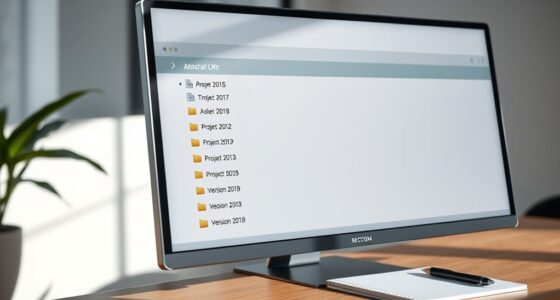
To prevent chaos, adopt a consistent file naming system that includes key elements like date, project name, and version number. Use clear, descriptive labels separated by underscores or hyphens, and follow a predictable order. Stick to one format across all files, regularly review your system, and use automated tools to keep everything uniform. Combining this with organized folders and cloud storage guarantees quick access and safe backups. Keep exploring to discover more ways to stay perfectly organized.

Get audio and creator gear delivered free — and shop member deals
- Fast, free delivery on millions of items
- Access to Prime Big Deal Days deals on October 6–7
- Prime Video, Amazon Music and more included
Key Takeaways
- Implement a standardized naming convention including date, project name, and version for uniformity.
- Use clear, descriptive labels and separators like underscores or hyphens for readability.
- Organize files within a logical folder structure aligned with your naming system.
- Regularly review and update naming practices to maintain consistency and clarity.
- Leverage cloud storage and version control to prevent data loss and track changes effectively.
Ever wondered how to keep your digital files organized and easily accessible? The secret lies in establishing a solid file naming system that prevents chaos and saves you time. When you use a consistent, logical approach, managing your files becomes much simpler, especially if you rely on cloud storage. Cloud storage platforms like Google Drive or Dropbox make it easy to access your files from any device, but without a proper naming convention, finding the right document can still be a hassle. That’s where a clear, systematic naming strategy comes into play.
A good file naming system starts with choosing a standard format you’ll follow every time. For example, you might include the date, project name, and version number in your filenames. This way, files are automatically sorted in chronological order, making it easier to locate recent versions or historical data. When you incorporate version control into your naming system, you prevent confusion caused by multiple drafts or outdated files. Instead of vague names like “Final,” use explicit labels such as “ProjectReport_v2_2023-10-03.” This makes it obvious which version is current, reducing the risk of editing an outdated file or losing track of progress.
Consistency is key. Once you decide on a format, stick to it. Avoid mixing styles or using inconsistent abbreviations, because that can lead to confusion and wasted time searching. Use underscores or hyphens to separate elements for clarity, and keep filenames short but descriptive. Think about what details are most important to you—date, project, client, or version—and include those in a predictable order. Incorporating standardized naming conventions helps ensure your system remains effective as your collection of files grows. Additionally, employing consistent formatting can further enhance the clarity and uniformity of your filenames. Adopting a logical structure for your naming system can greatly improve your overall digital organization. Regularly reviewing and refining your system ensures it continues to meet your evolving needs, preventing file chaos from taking over your workspace. Incorporating automated tools can also assist in maintaining consistency and streamlining your organization process.
Another essential aspect is organizing your files into relevant folders aligned with your naming system. This layered approach—folders for broad categories, filenames for specifics—maximizes efficiency. When combined with cloud storage, your files are not only accessible from anywhere but also protected against data loss. Plus, many cloud platforms support version history, allowing you to revert to previous versions if needed. This feature complements your version control efforts, ensuring you always have a backup of earlier drafts without cluttering your main workspace.
file naming convention templates
As an affiliate, we earn on qualifying purchases.
As an affiliate, we earn on qualifying purchases.
Frequently Asked Questions
How Does the System Handle Version Control?
You manage version control by consistently updating filenames with version numbers, guaranteeing metadata stays clear and accurate. The system allows naming flexibility, so you can adapt file names to different projects while still maintaining a logical sequence. By including version info in the filename, you prevent confusion, making it easy to track updates. This approach keeps your files organized, reduces errors, and ensures everyone works with the latest version effortlessly.
Can This Naming System Be Automated?
Yes, you can automate this system—if you enjoy a wild ride with metadata consistency and user training. Imagine software that enforces naming rules, keeps track of versions, and sprinkles in metadata like fairy dust. Sure, it takes some upfront training, but once set, you’ll hardly lift a finger. Just remember, automation thrives on disciplined users, or chaos will sneak back in faster than you can say “file naming.”
Is It Suitable for Large Organizations?
Yes, this file naming system suits large organizations because it enhances file organization and maintains consistent naming conventions across departments. By implementing standardized rules, everyone follows the same structure, reducing confusion and making searches more efficient. Automation can further support this system, ensuring naming consistency at scale. Overall, adopting this approach helps large teams stay organized, saves time, and minimizes errors in managing vast amounts of digital files.
How Often Should Naming Conventions Be Reviewed?
You should review your naming conventions regularly, ideally every six months or annually, to maintain file consistency and accommodate changes in your organization. Frequent reviews help you identify areas where naming flexibility can be improved, making sure your system stays effective as your needs evolve. By proactively updating your conventions, you prevent chaos, keep files organized, and ensure everyone follows the same standards for easy retrieval and management.
What Tools Support This File Naming System?
You can use tools like digital asset management systems, which enforce metadata standards and guarantee naming consistency across files. File naming plugins and automation scripts also help by standardizing names during saving or uploading processes, reducing errors. Cloud storage platforms often include version control features to maintain consistent naming conventions. These tools support your efforts in keeping your files organized, making retrieval easier and maintaining a clear, systematic structure.
Conclusion
By now, you see how a simple, consistent file naming system can save you from endless frustration and chaos. It’s not about perfection, but about creating a system that works for you. Imagine searching for that one important document without wasting time—sounds pretty great, right? So, why not take a few minutes to implement these tips? After all, isn’t a little organization worth a lot of saved stress?
Fall Picks
fall essentials
As an affiliate, we earn on qualifying purchases.