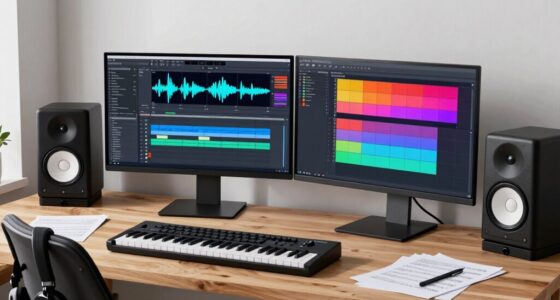

Many musicians overlook backup routines until disaster strikes, risking lost projects, samples, or recordings. You might save files sporadically or rely on a single device, thinking it’s enough. But hardware failures, theft, or accidental deletion can wipe out your work in an instant. Establishing a reliable backup system—using automatic, redundant storage like cloud services and external drives—protects your creations and saves you stress when it counts. Keep going to discover how to implement an effective backup routine.

Get audio and creator gear delivered free with Prime
- Fast, free delivery on millions of items
- Prime Video, Amazon Music and more included
- Member-only deals all year
Key Takeaways
- Musicians often neglect automated, incremental backups, risking significant data loss during hardware failures or crashes.
- Backup routines are frequently overlooked until a critical failure disrupts live performances or project progress.
- Relying solely on a single storage method increases vulnerability; redundant solutions are often ignored.
- Musicians rarely test their backup systems under real conditions, leading to unpreparedness during emergencies.
- Regularly updating and reviewing backup strategies is overlooked, creating gaps in data protection.

Backup routines are often overlooked until disaster strikes, but establishing a reliable system beforehand saves you time, stress, and potential career setbacks. In music production, your digital files—project files, samples, plugins, and recordings—are the heart of your work. Without proper backups, a single hardware failure could erase everything you’ve built. Regularly saving to an external drive, cloud storage, or a dedicated backup service ensures your files are protected. Don’t wait until you’ve finished a project; backup incrementally as you work. This way, if something goes wrong, you can restore to a recent version without losing significant progress. Automating backups is key, especially if your workflow involves frequent updates or multiple devices. Set up your system to back up automatically at the end of each session or after major edits, so you don’t have to remember to do it manually. Additionally, understanding the importance of data protection can help you prioritize your backup strategy more effectively, ensuring your creative output remains safe from unforeseen incidents. Implementing redundant storage solutions further reduces the risk of data loss during critical periods.
When it comes to live performance, backups are just as crucial. Imagine you’re on stage, ready to perform, and suddenly your laptop crashes or your MIDI controller malfunctions. If you haven’t prepared a backup plan—like a secondary device or a simplified set—your show could be cut short or ruined entirely. Many musicians carry a USB stick with essential files or have a second laptop ready to step in if needed. Additionally, using cloud-based rehearsal setups allows you to access your files from multiple devices, reducing the risk of a technical failure ruining your gig. Always test your backup setup before the performance so you’re confident it works seamlessly under pressure. Building a reliable backup system and testing it regularly ensures peace of mind during critical moments.
Ignoring backups may seem like a time-saver in the moment, but it’s a gamble that can cost you dearly later. Building a routine that includes regular, automated backups ensures that your music production and live performances stay protected. It’s better to invest a few minutes now than to face hours or days of work lost when disaster hits unexpectedly. A solid backup system isn’t just a safety net; it’s a vital part of your professional toolkit that keeps your creativity flowing, no matter what technical setbacks come your way. Proper backup routines are essential for safeguarding your digital assets and maintaining your workflow efficiency. Regularly reviewing and updating your backup strategy as your collection grows can help prevent gaps in your protection.
external hard drive for music backups
As an affiliate, we earn on qualifying purchases.
As an affiliate, we earn on qualifying purchases.
Frequently Asked Questions
How Often Should Musicians Back up Their Files?
You should back up your files regularly, ideally after each recording session or significant project update. Keep your file organization consistent to avoid confusion, and use cloud synchronization for real-time backups and easy access across devices. By establishing a routine—say weekly or bi-weekly—you minimize the risk of losing important work. Regular backups guarantee your music, demos, and project files stay safe, saving you from potential disaster.
What Are the Best Backup Storage Options for Musicians?
You should consider cloud synchronization and physical redundancy for the best backup storage options. Cloud services like Dropbox or Google Drive let you access your files from anywhere, providing real-time backups. Pair that with physical redundancy—using external hard drives or NAS systems—so you have a local backup in case internet access is limited or the cloud cannot be relied upon. Combining both strategies ensures your music stays safe, no matter what happens.
How Can Musicians Ensure Their Backups Are Secure?
To keep your backups secure, you should encrypt your files and store them in multiple locations, like external drives and cloud services. Make sure your backup systems comply with music copyright laws and licensing strategies to avoid legal issues. Regularly test your backups, update security measures, and keep your software current. This proactive approach protects your work from loss or theft, ensuring your music remains safe and legally compliant.
What Software Tools Are Recommended for Backing up Music?
Think of your backup tools as your digital vault, guarding your musical treasures. Recommended software includes Acronis True Image for thorough backups, SyncBack for automation, and cloud options like Dropbox or Google Drive for quick access. These tools help protect your music copyright and streamline digital distribution. Using reliable backup software ensures your creations stay safe, even if unforeseen issues threaten your studio, giving you peace of mind to focus on your art.
How to Recover Data After a Hardware Failure?
When recovering data after a hardware failure, you should first check your backup copies, including live performance backups and music licensing files. Use recovery software to restore your music files from external drives or cloud backups. Verify your backup system was thorough and up to date. Regularly updating your backups and keeping copies of music licensing agreements prevent data loss, making recovery smoother and faster when disaster strikes.
Conclusion
Don’t delay, don’t dodge your data’s date with disaster. Diligently double, back up, and safeguard your sound files before a mishap makes your music marooned and muffled. A simple, steady routine can save your songs and sanity, shielding your creations from catastrophic crashes. Stay savvy, stay secure—so when the storm strikes, your melodies remain untouched, and your musical journey stays joyful and uninterrupted. Protect your passion, prevent the panic.
Halloween Picks
halloween
As an affiliate, we earn on qualifying purchases.