

To reduce mistakes, adopt a consistent export naming system that includes key details like project name, date, and version number. Avoid vague labels like “Final” or “Updated” and instead use precise descriptions that easily identify the file’s content and stage. Automate the process if possible, and regularly review your naming conventions. This disciplined approach helps prevent overwrites, confusion, and lost files. Keep exploring, and you’ll discover even more techniques to streamline your workflow.

Get audio and creator gear delivered free with Prime
- Fast, free delivery on millions of items
- Prime Video, Amazon Music and more included
- Member-only deals all year
Key Takeaways
- Use a consistent, descriptive naming format including project, date, version, and keywords for clarity.
- Incorporate version numbers and dates to distinguish file progress and prevent overwrites.
- Automate naming conventions through scripts or workflows to ensure uniformity and reduce human error.
- Avoid vague labels like “Final” or “Updated”; instead, specify content and stage explicitly.
- Regularly review and update naming practices to maintain discipline and minimize mistakes.
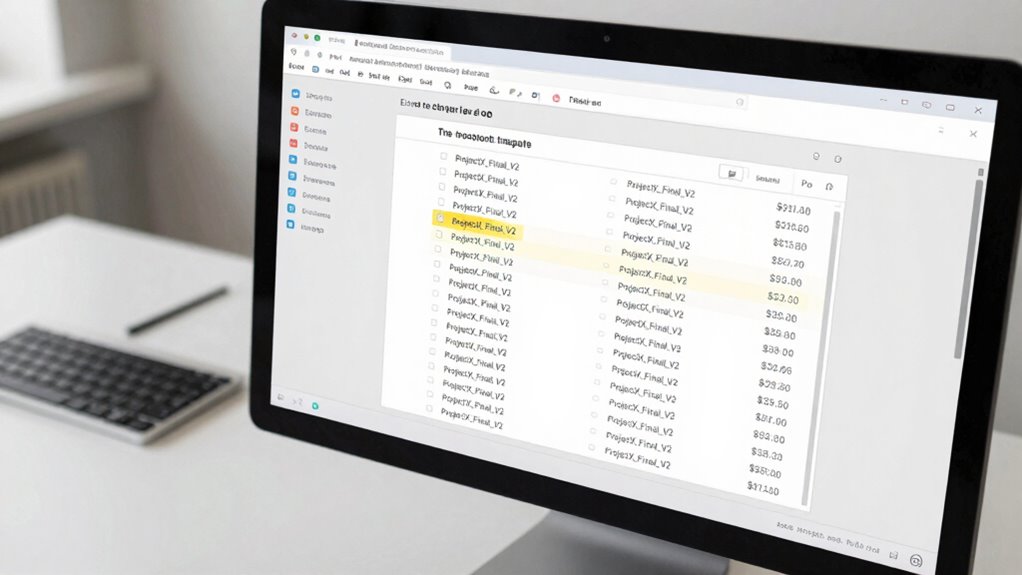
Have you ever struggled to keep track of exported files or faced confusion when managing multiple versions? If so, you’re not alone. Without a clear system, it’s easy to lose track of which file is the latest or to accidentally overwrite important versions. The key to avoiding these pitfalls lies in implementing effective export naming conventions and solid file versioning strategies. By establishing a consistent naming approach, you can save yourself time and prevent costly mistakes.
Consistent naming and versioning prevent file mix-ups and save time.
Start by creating a simple, logical naming convention that everyone on your team can follow. This might include key details like project name, date, version number, and descriptive keywords. For example, “ProjectX_2023-10-05_v2_final” instantly conveys what the file is, when it was exported, and which version it is. Consistency is essential—stick to the same format every time, so searching and sorting files becomes straightforward. This approach minimizes confusion, especially when multiple team members are involved or when files are stored across different locations. Incorporating file naming standards can help reinforce this discipline.
In addition to naming conventions, adopting robust file versioning strategies is crucial. Always include a version number in your file names, incrementing it each time you make a significant change. This way, you can easily identify the most recent iteration without opening files. Some teams prefer date-based versioning, but combining dates with version numbers can add clarity—like “v2_2023-10-05” versus “v3_2023-10-06.” Also, consider archiving older versions separately once a new one is finalized, so your workspace remains organized and clutter-free. Implementing consistent file management practices can greatly enhance your overall organization. Additionally, leveraging version control tools or workflows can streamline this process further, especially when working collaboratively.
Another helpful tip is to avoid vague or generic file names like “Final” or “Updated.” Instead, be precise. For instance, instead of “Design_Final,” use “Homepage_Design_v3_final.” This helps you and your team quickly recognize the content and its stage of completion. Additionally, establishing a routine for exporting files—such as always saving the latest version with a specific suffix—can further reduce mistakes. Automate parts of this process if possible, using scripts or digital workflows that enforce your naming conventions.
In the end, the most effective export naming trick is to develop a disciplined system and stick to it. Clear export naming conventions combined with thoughtful file versioning strategies aren’t just about organization—they’re about safeguarding your work from errors and saving you time. When everyone follows a shared standard, managing multiple files becomes easier, reducing the risk of overwriting the wrong version or losing important work. With a little upfront effort, you’ll find that your workflow becomes smoother, more reliable, and less stressful.
As an affiliate, we earn on qualifying purchases.
Frequently Asked Questions
How Does Export Naming Impact File Recovery?
Your export naming directly impacts file recovery by making it easier to identify the correct version quickly. Clear, consistent file naming helps you track changes and locate specific files during recovery strategies. When you use descriptive names, you reduce confusion and save time, ensuring you can retrieve the right file efficiently. Proper naming conventions streamline recovery, minimize errors, and keep your workflow organized, especially during urgent file restoration situations.
Are There Industry Standards for Export Naming Conventions?
You might be surprised, but industry standards for export naming conventions do exist to guarantee clarity and consistency. These export standards often include specific formats, date codes, and version numbers. Maintaining naming consistency helps you quickly identify files, avoid confusion, and streamline workflows. By following these conventions, you reduce errors and make file recovery easier, turning a simple naming trick into a powerful tool for efficient project management.
Can Export Naming Prevent Version Control Issues?
Yes, proper export naming can prevent version control issues by ensuring metadata management and naming consistency. When you use clear, standardized names, it’s easier to track different versions and avoid confusion. Consistent naming conventions also help team members quickly identify the latest files, reducing errors caused by mislabeling or outdated versions. This simple practice streamlines workflow and keeps your project organized, saving you time and frustration.
How Do I Implement a Consistent Naming System Across Teams?
Think of your file system as a well-organized library. To implement a consistent naming system, establish clear naming conventions for your team, such as including dates, project codes, and version numbers. Communicate these standards clearly, and enforce them through shared guidelines or templates. Regularly review and update the naming conventions, fostering team collaboration and ensuring everyone’s on the same page, minimizing confusion and streamlining your workflow.
What Tools Support Automated Export Naming?
Tools like Adobe Bridge, Bridge CC, and Adobe Lightroom support automated export naming, helping you maintain metadata consistency and streamline naming automation. These tools let you create custom naming templates, ensuring files are consistently named across projects. Additionally, automation scripts in Adobe Photoshop or third-party solutions like Dropbox and Google Drive can help automate export processes, reducing errors and saving time while keeping your naming conventions uniform across teams.
Conclusion
Think of this export naming trick as planting a well-marked trail in a dense forest. When you follow your clear, consistent labels, you avoid the tangled underbrush of mistakes and confusion. It’s your shortcut to a smooth journey, guiding you effortlessly through your work. Embrace this method, and soon, exporting files will feel like strolling a familiar path—simple, confident, and free of missteps. Happy exporting!
Halloween Picks
halloween
As an affiliate, we earn on qualifying purchases.