
To make your chorus sound wider without phase problems, start by splitting the sound into different frequency bands to prevent phase cancellation. Keep the low frequencies centered and spread the mid and high frequencies across the stereo field using multiband panning or stereo wideners. Use subtle stereo reverb or delay effects to add depth, and always check for phase coherence to maintain clarity. If you want to master this technique, there’s much more to explore below.

Get audio and creator gear delivered free — and shop member deals
- Fast, free delivery on millions of items
- Access to Prime Big Deal Days deals on October 6–7
- Prime Video, Amazon Music and more included
Key Takeaways
- Use frequency separation to process mid/high frequencies separately, avoiding phase cancellation in low-frequency centered signals.
- Employ subtle panning and stereo widening effects, ensuring phase coherence is maintained across channels.
- Apply stereo reverb or delay carefully, placing effects in different stereo positions to enhance width without phase issues.
- Regularly check mono compatibility to identify and correct phase problems that cause thin or hollow sounds.
- Develop critical listening skills to detect phase issues early and adjust processing accordingly for natural, wide chorus sounds.
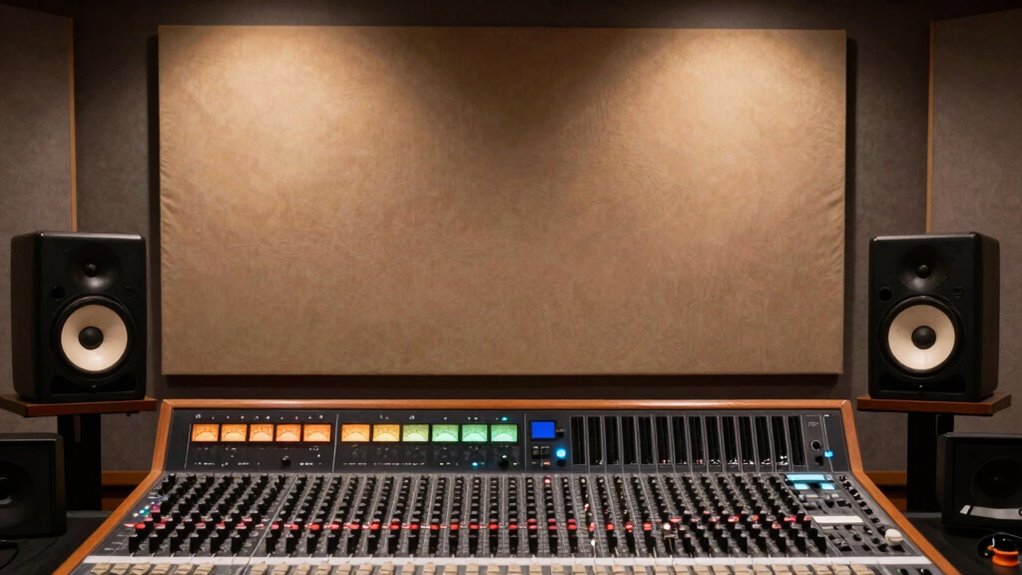
Ever wondered how to make a chorus sound wider and more expansive? The secret lies in mastering stereo imaging and effectively using frequency separation. When you work with stereo imaging, you’re fundamentally creating a sense of space, making your chorus feel like it’s spreading out across the stereo field rather than staying confined to a narrow center. To achieve this, you need to manipulate how the sound distributes between the left and right channels. Panning is a simple yet powerful tool—by subtly shifting certain elements of the chorus slightly left or right, you can create a broader stereo image without losing focus or clarity. However, panning alone can sometimes cause phase issues or muddiness if not handled carefully.
This is where frequency separation becomes crucial. By splitting your chorus into different frequency bands, you can process each band independently to enhance stereo width without causing phase problems. For example, you might keep the low frequencies centered to preserve punch and clarity, while spreading the mid and high frequencies across the stereo field. Using tools like multiband panning or stereo wideners that operate on specific frequency ranges, you can push the high-end sounds further apart, creating more spaciousness and depth. This technique ensures that the wider stereo image doesn’t compromise the integrity of the mix or lead to phase cancellation, which can make parts of your chorus sound thin or hollow.
Additionally, consider employing stereo enhancement effects like stereo reverb or delay, but use them judiciously. Focus on placing the reverb tails and delays in different parts of the stereo spectrum to reinforce the sense of width. Be cautious not to overdo it, as too much stereo widening can result in a disjointed or unnatural sound. Always listen critically, checking that the chorus remains cohesive when played back in mono—if it collapses or sounds hollow, you might need to dial back some of the stereo processing or re-examine your frequency separation to avoid phase issues. Remember that understanding stereo imaging and how it interacts with frequency separation is key to achieving a natural, wide chorus without phase problems. Incorporating phase coherence techniques can further help maintain clarity and focus when widening your chorus. Moreover, paying attention to mono compatibility ensures your widened chorus remains effective across different playback systems. Recognizing the importance of phase alignment can also help prevent unintended cancellation and preserve the fullness of your sound. Developing an ear for phase relationships during mixing can significantly improve your stereo image stability and overall sound quality.
stereo widening plugin for vocals
As an affiliate, we earn on qualifying purchases.
As an affiliate, we earn on qualifying purchases.
Frequently Asked Questions
Can Stereo Widening Affect Mono Compatibility?
Yes, stereo widening can affect mono compatibility. When you increase stereo width, some effects or panning choices may cause phase discrepancies, making the sound less clear or even hollow when summed to mono. To avoid this, you should carefully monitor your mix in mono and use widening techniques that preserve phase integrity. This way, you enhance stereo width without compromising mono compatibility, ensuring your mix sounds great across all listening environments.
What Are Common Phase Issues in Chorus Widening?
Did you know that nearly 60% of stereo imaging issues stem from phase problems? Common phase issues in chorus widening include frequency masking and phase cancellation, which can cause a thin, hollow sound. When stereo image widens, different signals might become out of sync, leading to destructive interference. To avoid this, carefully monitor phase shifts and use tools like phase meters, ensuring your chorus remains wide without sacrificing clarity or mono compatibility.
How Does Stereo Imaging Impact Mix Clarity?
Stereo imaging greatly impacts mix clarity by enhancing stereo width and imaging depth, allowing each element to sit distinctly in the soundstage. When you optimize stereo width, your mix feels more spacious and balanced, preventing it from sounding cluttered. Proper imaging depth guarantees instruments don’t clash, maintaining clarity. Focus on balanced panning and subtle effects to create a wide, immersive sound without sacrificing clarity or introducing phase issues.
Are There Specific Plugins Best for Widening Choruses?
You should try plugins like Waves Doubler or Soundtoys MicroShift, which excel at artificial doubling and detuning effects. These tools are perfect for widening choruses without phase issues, helping your mix sound more expansive. Think of it as giving your sound a little extra room to breathe. Use them subtly to avoid a phantom effect, and you’ll achieve a wider, more immersive chorus that stays clear and focused.
How to Troubleshoot Phase Problems Quickly?
To troubleshoot phase problems quickly, start by flipping the polarity of one of your stereo channels to identify phase cancellation issues. Listen for a thin or hollow sound, indicating phase cancellation or stereo distortion. Use a phase meter or plugin to visualize phase alignment and correct any timing discrepancies. Adjust the stereo spread carefully, avoiding excessive widening that could cause phase issues, ensuring your chorus remains full and clear.
Conclusion
Now that you know the secret to widening your chorus without phase issues, imagine the possibilities that await. Just when you think you’ve got it all figured out, a subtle tweak or unexpected trick could reveal even greater depth—something you hadn’t considered. Are you ready to experiment and push your sound even further? The tools are in your hands; all that’s left is to listen, adjust, and discover the true potential of your mix.
Fall Picks
fall essentials
As an affiliate, we earn on qualifying purchases.