
For most music producers, the 2024 iMac with M4, 24GB memory, and 512GB SSD is the best overall fit here: it pairs the lineup’s newest processor with more working memory and storage than the base M4 configurations. The 2024 M4 iMac with 16GB memory is a simpler route for lighter sessions, while the 27-inch 5K iMac with 32GB RAM offers a larger workspace for buyers who want room for a mixer, plug-ins, and editing windows. The main tradeoffs are newer Apple silicon versus older Intel compatibility, memory headroom versus configuration cost, and internal storage versus external drives. Read on for the full breakdown of which setup suits your DAW, project size, and studio space.

Get audio and creator gear delivered free with Prime
- Fast, free delivery on millions of items
- Prime Video, Amazon Music and more included
- Member-only deals all year
Complete the kit


Key Takeaways
- The M4 iMac with 24GB memory and a 512GB SSD stands out as the strongest all-rounder because it combines the newest chip in this lineup with more memory and internal workspace than the 16GB/256GB M4 configurations.
- The two 16GB/256GB M4 models have the same core configuration; their listed difference is color, so choose between them by appearance and availability rather than expecting a performance distinction.
- The 2019 27-inch 5K iMac with 32GB RAM has the clearest case among the Intel options for larger sessions and a spacious display, but its older platform makes it a more specialized choice than the M4 models.
- Several older iMacs pair 8GB RAM with a mechanical or unspecified 1TB drive, which can constrain demanding sessions and slow everyday project handling; their display size alone does not make them better production machines.
- For a music-production setup, RAM and storage capacity matter alongside processor speed: sample libraries, virtual instruments, and multitrack projects can fill a small internal SSD quickly.
| Apple iMac 21.5-inch 2.7GHz Core i5 All-in-One Desktop (Renewed) |  | Best for a Basic, Low-Cost Studio Setup | Display: 21.5 inches | Processor: 2.7GHz Core i5 | Memory: 8GB DDR3 SDRAM | VIEW ON AMAZON | See Our Full Breakdown |
| Apple 27-inch Retina 5K iMac (Early 2019) with 3.0GHz 6-core Intel Core i5, 32GB RAM, 1TB SSD, Silver (Renewed) |  | Best for Large, Sample-Heavy Sessions | Display: 27-inch Retina 5K, 5120 × 2880 | Processor: 3.0GHz 6-core Intel Core i5 | Memory: 32GB RAM | VIEW ON AMAZON | See Our Full Breakdown |
| Apple 2024 iMac All-in-One Desktop Computer with M4 Chip, 24-inch Retina Display, 24GB Memory, 512GB SSD, Blue |  | Best Overall for Modern Music Production | Display: 24-inch Retina | Processor: Apple M4 with 10-core CPU and 10-core GPU | Memory: 24GB unified memory | VIEW ON AMAZON | See Our Full Breakdown |
| Apple 2024 iMac All-in-One Desktop Computer with M4 Chip, 24-inch Retina Display, 16GB RAM, 256GB SSD, Pink |  | Best Compact M4 Pick for Smaller Projects | Display: 24-inch Retina | Processor: Apple M4 with 8-core CPU and 8-core GPU | Memory: 16GB unified memory | VIEW ON AMAZON | See Our Full Breakdown |
| 2019 Apple iMac with Retina 4K Display (21.5-inch, 8GB RAM, 1TB Storage) (Renewed) |  | Best Renewed Pick for a Sharper Small-Screen Workspace | Display: 21.5-inch Retina 4K, 3840 × 2160 | Processor: 3GHz quad-core Intel Core i5 | Memory: 8GB DDR4 RAM; maximum 16GB | VIEW ON AMAZON | See Our Full Breakdown |
| Apple 2017 iMac with Intel Core i5, 21.5-inch, 8GB RAM, 1TB Storage – Silver (Renewed) |  | Best Entry-Level Pick for Basic Home Studios | Processor: 7th-generation Intel Core i5, 2.3GHz | Memory: 8GB DDR4 | Storage: 1TB HDD | VIEW ON AMAZON | See Our Full Breakdown |
| Apple 2024 iMac All-in-One Desktop Computer with M4 Chip, 24-inch Retina Display, 16GB RAM, 256GB SSD, Green |  | Best for Modern, Compact Studios | Processor: Apple M4, 8-core CPU and 8-core GPU | Memory: 16GB unified memory | Storage: 256GB SSD | VIEW ON AMAZON | See Our Full Breakdown |
| Apple iMac with Retina 5K Display (27-inch, 8GB RAM, 512GB SSD) |  | Best for a Large Visual Workspace | Processor: 3.3GHz 6-core Intel Core i5 | Memory: 8GB DDR4, expandable up to 128GB | Storage: 512GB SSD | VIEW ON AMAZON | See Our Full Breakdown |
| music production imac | Display | Processor | Memory | Storage |
|---|---|---|---|---|
| Apple iMac 21.5-inch 2.7GHz Co | 21.5 inches | 2.7GHz Core i5 | 8GB DDR3 SDRAM | 256GB SSD |
| Apple 27-inch Retina 5K iMac | 27-inch Retina 5K, 5120 × 2880 | 3.0GHz 6-core Intel Core i5 | 32GB RAM | 1TB SSD |
| Apple 2024 iMac All-in-One Des | 24-inch Retina | Apple M4 with 10-core CPU and 10-core GPU | 24GB unified memory | 512GB SSD |
| Apple 2024 iMac All-in-One Des | 24-inch Retina | Apple M4 with 8-core CPU and 8-core GPU | 16GB unified memory | 256GB SSD |
| 2019 Apple iMac with Retina 4K | 21.5-inch Retina 4K, 3840 × 2160 | 3GHz quad-core Intel Core i5 | 8GB DDR4 RAM; maximum 16GB | 1TB; storage type not specified |
| Apple 2017 iMac with Intel Cor | 21.5-inch LED, 1920 x 1080 | 7th-generation Intel Core i5, 2.3GHz | 8GB DDR4 | 1TB HDD |
| Apple 2024 iMac All-in-One Des | 24-inch Retina, 4.5K | Apple M4, 8-core CPU and 8-core GPU | 16GB unified memory | 256GB SSD |
| Apple iMac with Retina 5K Disp | 27-inch Retina 5K, 5120 x 2880 | 3.3GHz 6-core Intel Core i5 | 8GB DDR4, expandable up to 128GB | 512GB SSD |
More Details on Our Top Picks
Apple iMac 21.5-inch 2.7GHz Core i5 All-in-One Desktop (Renewed)
This renewed 21.5-inch iMac is the entry point in this group for a small music setup: its 256GB SSD helps apps and projects open quickly, while the all-in-one format keeps a desk uncluttered. The 2.7GHz Core i5 can suit basic recording, editing, and modest track counts, but its 8GB of RAM leaves less room for large sample libraries or running a DAW alongside demanding plug-ins. Compared with the 2019 iMac with Retina 4K Display, this model has less storage and a lower-resolution screen; its SSD may still feel snappier for everyday access than a system with a hard drive. The bigger concern for music production is macOS 10.12 Sierra, which may limit support for current DAWs and audio interfaces. I’d choose it only for a simple, compatibility-checked setup.
Pros:- 256GB SSD supports quick startup and project loading
- All-in-one design reduces desk clutter
- 2.7GHz Core i5 is suited to everyday tasks and modest audio projects
Cons:- macOS 10.12 Sierra may not support current DAWs, plug-ins, or audio-interface drivers
- 8GB RAM can constrain sample-heavy sessions and multitasking
- 256GB internal storage leaves limited room for audio projects and libraries
Best for: Beginners building a basic home studio with a verified Sierra-compatible DAW, interface, and a modest number of tracks.
Not ideal for: Producers who need current macOS software support, large sample libraries, or many simultaneous virtual instruments.
- Display:21.5 inches
- Processor:2.7GHz Core i5
- Memory:8GB DDR3 SDRAM
- Storage:256GB SSD
- Graphics:Intel integrated graphics
- Operating system:macOS 10.12 Sierra
- Connectivity:Ethernet, Thunderbolt, USB 3.0, Wi-Fi
- Weight:12.5 pounds
Our verdict“Choose this renewed iMac for basic music production only if your audio software and hardware are confirmed to work with macOS Sierra.”
Apple 27-inch Retina 5K iMac (Early 2019) with 3.0GHz 6-core Intel Core i5, 32GB RAM, 1TB SSD, Silver (Renewed)
For producers who need room to run a DAW, virtual instruments, and other creative tools together, this renewed 27-inch iMac makes a stronger case than the smaller Intel models here. Its 32GB RAM and 1TB SSD offer substantially more headroom than the 8GB, 1TB 2019 iMac with Retina 4K Display, while the 6-core processor is better suited to demanding multitasking. The 5K display gives a mixer more space for tracks, plug-in windows, and editing tools without relying on an external monitor. The tradeoff is age: the listing doesn’t specify a macOS version, so I’d check DAW and interface compatibility before buying, especially against the newer M4 iMac. It is also a large renewed desktop, and its warranty or included peripherals may be less certain than with a new system.
Pros:- 32GB RAM supports heavier multitasking and larger instrument sessions
- 1TB SSD provides room for projects, apps, and some sample content
- Six-core Intel Core i5 offers more processing capacity than the older dual-core option
- 27-inch 5K display provides generous space for arranging and mixing
Cons:- Renewed condition can mean less certainty about warranty and peripherals
- Older Intel platform may have a shorter runway for future software support than the M4 iMac
- Large 27-inch chassis takes more desk space than the 24-inch models
Best for: Producers who keep many tracks and virtual instruments open, want a large built-in workspace, and have confirmed their software supports this Intel iMac.
Not ideal for: Buyers who prioritize the newest Apple silicon, a compact setup, or clear details about included peripherals and warranty.
- Display:27-inch Retina 5K, 5120 × 2880
- Processor:3.0GHz 6-core Intel Core i5
- Memory:32GB RAM
- Storage:1TB SSD
- Graphics:AMD Radeon Pro 570X with 4GB GDDR5
- Operating system:macOS (version not specified)
- Connectivity:Bluetooth 4.2, Wi-Fi 802.11ac
- Weight:21 pounds
Our verdict“Pick this 2019 5K iMac for a spacious, RAM-rich Intel studio workstation, but confirm software support and renewal terms first.”
Apple 2024 iMac All-in-One Desktop Computer with M4 Chip, 24-inch Retina Display, 24GB Memory, 512GB SSD, Blue
This M4 configuration is my strongest all-around choice here for a new music-production setup: it pairs a 10-core CPU with 24GB of unified memory, giving demanding DAW sessions more room than the 16GB M4 model. Compared with the renewed 2019 27-inch iMac, it has less internal storage and a smaller screen, but the newer M4 platform is the more forward-looking pick for buyers who want current-generation hardware. Its 512GB SSD is a workable starting point for software and active projects, though sample libraries may call for external storage. The 24-inch display keeps the footprint manageable, and support for two 6K displays offers a way to expand the workspace. I’d favor this over the pink 256GB M4 configuration for larger sessions, while noting that both share the same compact all-in-one design.
Pros:- M4 10-core CPU and GPU provide current-generation processing and graphics
- 24GB unified memory gives more headroom than the 16GB M4 configuration
- 512GB SSD offers more internal project space than the 256GB M4 model
- Four Thunderbolt 4 ports and support for two 6K displays allow a flexible studio setup
Cons:- 512GB internal storage may fill quickly with sample libraries and multitrack recordings
- 24-inch display is smaller than the 27-inch 5K renewed iMac
- The all-in-one design limits hardware upgrades compared with a modular desktop
Best for: Producers starting a current-generation Mac studio who need more memory for plug-ins and multitasking, and can use external storage for larger libraries.
Not ideal for: Buyers who need a large built-in 5K workspace or extensive internal storage for sample libraries and recorded audio.
- Display:24-inch Retina
- Processor:Apple M4 with 10-core CPU and 10-core GPU
- Memory:24GB unified memory
- Storage:512GB SSD
- Connectivity:Four Thunderbolt 4 ports, Wi-Fi 6E, Bluetooth 5.3
- External display support:Up to two 6K displays
- Color:Blue
- Weight:9.77 pounds
Our verdict“Choose this M4 iMac for a modern, capable DAW workstation if you’re comfortable adding external storage for larger audio libraries.”
Apple 2024 iMac All-in-One Desktop Computer with M4 Chip, 24-inch Retina Display, 16GB RAM, 256GB SSD, Pink
This 2024 iMac suits a compact studio where a current-generation processor matters more than extensive internal capacity. The M4 chip and 16GB unified memory provide a modern base for recording, editing, and moderate plug-in use, while the 24-inch screen keeps the system easier to fit into a bedroom or shared workspace than the renewed 27-inch 5K iMac. Compared with the blue M4 configuration in this roundup, this version has 8GB less memory and half the SSD capacity, so I’d reserve it for lighter sessions and plan on external storage early. The listed 8-core CPU and GPU are also a step below that model’s 10-core configuration. Its main appeal is a compact, colorful all-in-one rather than maximum session headroom; producers relying on large sample libraries may outgrow the 256GB drive quickly.
Pros:- M4 chip provides a current-generation platform for DAW work
- Compact 24-inch all-in-one footprint suits smaller workspaces
- Thunderbolt 4 connectivity supports external storage and display expansion
- Supports up to two 6K displays for a larger studio workspace
Cons:- 256GB SSD leaves little room for large audio projects and sample libraries
- 16GB unified memory is lower than the 24GB blue M4 configuration
- 8-core CPU and GPU configuration has less headroom than the 10-core M4 model
Best for: Home producers with a small desk, moderate track counts, and an external-drive plan who want a current M4 Mac.
Not ideal for: Producers running large sample libraries, complex virtual-instrument arrangements, or many simultaneous plug-ins who need more memory and internal storage.
- Display:24-inch Retina
- Processor:Apple M4 with 8-core CPU and 8-core GPU
- Memory:16GB unified memory
- Storage:256GB SSD
- Connectivity:Up to four Thunderbolt 4 ports, Wi-Fi 6E, Bluetooth 5.3
- External display support:Up to two 6K displays
- Color:Pink
- Weight:9.72 pounds
Our verdict“Choose this pink M4 iMac for a space-conscious studio with modest sessions, but pick the 24GB, 512GB M4 version for heavier production work.”
2019 Apple iMac with Retina 4K Display (21.5-inch, 8GB RAM, 1TB Storage) (Renewed)
This renewed 2019 iMac is a middle ground for buyers who want a sharper built-in display and more listed storage than the basic Sierra iMac, without stepping up to the large 27-inch 5K model. Its Retina 4K screen gives audio editors a crisp view of waveforms and plug-in interfaces, and the included keyboard and mouse mean fewer setup pieces to source. The 1TB storage is useful for keeping projects on the machine, but the listing doesn’t identify it as an SSD, so I wouldn’t assume the same loading speed as the 256GB SSD in the renewed 2.7GHz iMac. With 8GB RAM and a four-core Intel processor, it is better suited to moderate sessions than large sample-heavy arrangements. Compared with the M4 models, it is an older platform with less listed memory and less certain long-term software compatibility.
Pros:- 21.5-inch Retina 4K display provides a sharp workspace for editing
- 1TB listed storage offers more capacity than the 256GB SSD model
- Four-core Core i5 processor suits moderate audio workloads
- Keyboard and mouse are included
Cons:- 8GB RAM can restrict larger sessions and extensive plug-in use
- Storage type is not specified, so performance may not match an SSD
- Renewed Intel hardware is older than the 2024 M4 options
Best for: Producers who want a renewed, compact 4K Mac with included keyboard and mouse for recording and moderate editing sessions.
Not ideal for: Buyers who need current-generation performance, more than 8GB RAM, or confirmed fast SSD storage for large DAW projects.
- Display:21.5-inch Retina 4K, 3840 × 2160
- Processor:3GHz quad-core Intel Core i5
- Memory:8GB DDR4 RAM; maximum 16GB
- Storage:1TB; storage type not specified
- Graphics:Integrated GDDR5
- Operating system:macOS Mojave
- Included input devices:Keyboard and mouse
- Connectivity:Bluetooth, USB Type-C, Wi-Fi
Our verdict“Pick this renewed 4K iMac for a compact, sharper-screen setup with included peripherals, but choose an M4 model for heavier sessions and newer hardware.”
Apple 2017 iMac with Intel Core i5, 21.5-inch, 8GB RAM, 1TB Storage – Silver (Renewed)
The 2017 21.5-inch iMac is the most modest music-production option here, suited to learning a DAW, arranging smaller sessions, and handling everyday studio tasks. Its 1TB hard drive gives you room for projects and sample libraries, but loading sessions and transferring audio will feel slower than on the SSD-equipped 2020 27-inch iMac or the M4 model. The 8GB of RAM also leaves less room for large sample instruments and many plug-ins at once, and it cannot be upgraded according to the supplied product details. Compared with the newer 2024 M4 iMac, this renewed model trades speed, current software support, and display quality for a simpler, older setup. I’d choose it for basic recording and editing, not as a foundation for demanding or expanding work.
Pros:- 1TB hard drive provides substantial room for projects and audio files
- 21.5-inch display offers a built-in workspace for arranging and editing
- Four USB 3.0 ports and two Thunderbolt ports support common studio peripherals
- Gigabit Ethernet provides a wired network option for file transfers
Cons:- Mechanical hard drive is slower for booting, loading sessions, and opening libraries than the SSDs in the other listed iMacs
- 8GB RAM limits headroom for demanding plug-in chains and large sampled instruments
- Ships with macOS Sierra, which may need updating and may not support newer music software
Best for: First-time producers working on small projects, basic recording, and light editing who want a desktop with ample built-in hard-drive capacity.
Not ideal for: Producers using large sample libraries, many virtual instruments, or recent macOS-dependent software; the 8GB memory and older operating system may constrain those workflows.
- Processor:7th-generation Intel Core i5, 2.3GHz
- Memory:8GB DDR4
- Storage:1TB HDD
- Display:21.5-inch LED, 1920 x 1080
- Graphics:Intel Iris Plus Graphics 640
- Operating system:macOS Sierra
- Ports:4 USB 3.0, 2 Thunderbolt, RJ-45
- Wireless:Wi-Fi 802.11ac, Bluetooth 4.2
Our verdict“Choose this renewed iMac for light, small-scale music projects where storage capacity matters more than fast loading or room to grow.”
Apple 2024 iMac All-in-One Desktop Computer with M4 Chip, 24-inch Retina Display, 16GB RAM, 256GB SSD, Green
For a current, tidy music-production setup, this 2024 iMac pairs the M4 chip with 16GB of unified memory and a sharp 24-inch Retina display. That makes it a stronger fit for responsive DAW use and a clean desktop workspace than the older 2017 21.5-inch iMac, whose hard drive and 8GB memory are more limiting. The tradeoff is 256GB of internal SSD storage: the fast drive helps applications and projects load quickly, but sample libraries and multitrack recordings can fill it, so an external drive may be part of the setup. Its compact all-in-one design is easier to place than the 27-inch 5K iMac, though that larger model offers more screen area and a discrete Radeon GPU. I’d pick the M4 for a modern, space-conscious studio, not for buyers who need generous built-in storage.
Pros:- M4 chip with an 8-core CPU and 8-core GPU provides a current platform for music applications
- 16GB unified memory gives more working room than the 8GB configurations in the older iMacs listed
- 24-inch Retina display offers a sharp workspace in a compact all-in-one design
- Thunderbolt 4 and Wi-Fi 6E support modern peripherals and networking
Cons:- 256GB SSD can fill quickly with sample libraries, recordings, and project files
- No dedicated GPU option is listed
- Less screen area than the 27-inch 5K iMac for users who like a wide DAW mixer and timeline side by side
Best for: Home producers who want a current Apple desktop for DAW work, a compact footprint, and a high-quality display, and are comfortable using external storage.
Not ideal for: Producers who keep large sample libraries or extensive project archives on the internal drive, or who need a discrete graphics option.
- Processor:Apple M4, 8-core CPU and 8-core GPU
- Memory:16GB unified memory
- Storage:256GB SSD
- Display:24-inch Retina, 4.5K
- Ports:Thunderbolt 4 ports, up to 4
- External display support:Supports 2 external 6K displays
- Wireless:Wi-Fi 6E, Bluetooth 5.3
- Weight:9.72 pounds
Our verdict“Pick this M4 iMac for a modern, compact studio workstation if you can manage its limited internal storage with external drives.”
Apple iMac with Retina 5K Display (27-inch, 8GB RAM, 512GB SSD)
The 2020 27-inch iMac earns its place for producers who want a broad, detailed screen and room to expand memory later. Its 27-inch 5K display makes a dense DAW session easier to spread across tracks, mixer channels, and plug-in windows than on the 24-inch M4 iMac. The six-core Intel Core i5, Radeon Pro 5300, and 512GB SSD also make it a more capable fit for multimedia work than the 2017 entry-level model. Its key compromise is the supplied 8GB RAM: the listed upgrade capacity offers a path to more headroom, but the base configuration is thin for heavy sample-based sessions. It is also an older Intel system, while the M4 iMac gives buyers a newer chip and 16GB memory out of the box. I’d favor this model for screen space and expandability, not for a compact or current-generation setup.
Pros:- 27-inch 5K display provides substantial room for tracks, mixing, and editing
- Six-core Intel Core i5 supports demanding desktop and multimedia workloads
- 512GB SSD offers faster project and application loading than the 2017 iMac’s HDD
- Memory can be expanded up to 128GB according to the supplied specifications
Cons:- Included 8GB RAM may constrain large sessions until upgraded
- Older Intel platform compared with the 2024 M4 iMac
- Larger, heavier all-in-one is less suited to space-constrained studios
Best for: Producers who want a large 5K canvas for complex DAW layouts and value the option to expand memory beyond the included 8GB.
Not ideal for: Buyers who need a compact desktop, want a current Apple silicon platform, or plan to run demanding sessions without upgrading beyond the included 8GB RAM.
- Processor:3.3GHz 6-core Intel Core i5
- Memory:8GB DDR4, expandable up to 128GB
- Storage:512GB SSD
- Display:27-inch Retina 5K, 5120 x 2880
- Graphics:AMD Radeon Pro 5300 with 4GB GDDR5
- Ports:6 USB ports, 2 Thunderbolt 3 ports
- Wireless:Wi-Fi 802.11ac, Bluetooth, Ethernet
- Weight:19.7 pounds
Our verdict“Choose the 27-inch 5K iMac if screen space and memory expansion matter more to your studio than a newer chip or compact footprint.”
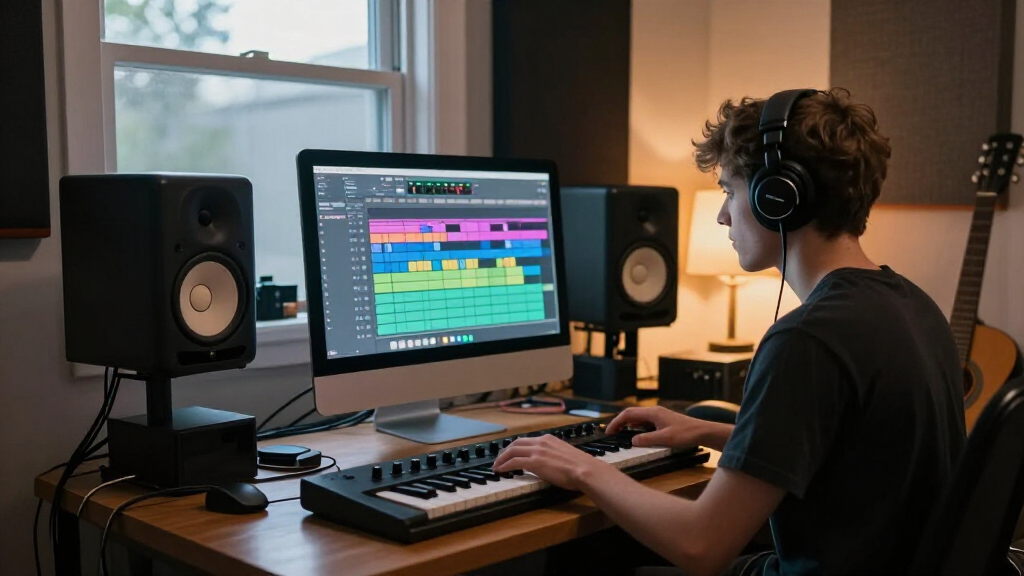
How We Picked
I ranked these iMacs around the needs of a DAW workstation: running sessions smoothly, keeping room for virtual instruments and plug-ins, managing project and sample-library storage, and providing a useful display for arranging and editing. I gave the strongest position to the 2024 M4 model with 24GB memory and a 512GB SSD because it has the newest processor generation represented here and the most generous memory and SSD configuration among the M4 choices. The 16GB/256GB M4 models follow as capable options for lighter workloads, while the 2019 27-inch model with 32GB RAM earns a distinct place for buyers who prioritize a large screen and more memory.
Older renewed Intel models rank lower when their listed configurations show 8GB RAM or less capable storage, since those limits can be harder to work around as sessions grow. I also weighed display size, the practical limits of all-in-one upgrades, and the uncertainty buyers face when purchasing renewed hardware. I did not treat color or a high-resolution screen as substitutes for memory or storage capacity. Since the list includes differing configurations and ages, each pick is framed around a specific kind of producer rather than as a universal recommendation.
| music production imac | Graphics | Operating system | Connectivity |
|---|---|---|---|
| Apple iMac 21.5-inch 2.7GHz Co | Intel integrated graphics | macOS 10.12 Sierra | Ethernet, Thunderbolt, USB 3.0, Wi-Fi |
| Apple 27-inch Retina 5K iMac | AMD Radeon Pro 570X with 4GB GDDR5 | macOS (version not specified) | Bluetooth 4.2, Wi-Fi 802.11ac |
| Apple 2024 iMac All-in-One Des | — | — | Four Thunderbolt 4 ports, Wi-Fi 6E, Bluetooth 5.3 |
| Apple 2024 iMac All-in-One Des | — | — | Up to four Thunderbolt 4 ports, Wi-Fi 6E, Bluetooth 5.3 |
| 2019 Apple iMac with Retina 4K | Integrated GDDR5 | macOS Mojave | Bluetooth, USB Type-C, Wi-Fi |
| Apple 2017 iMac with Intel Cor | Intel Iris Plus Graphics 640 | macOS Sierra | — |
| Apple 2024 iMac All-in-One Des | — | — | — |
| Apple iMac with Retina 5K Disp | AMD Radeon Pro 5300 with 4GB GDDR5 | — | — |
Factors to Consider When Choosing Music Production Imac
Choosing an iMac for music production is less about chasing the biggest specification and more about matching the computer to your sessions, software, and storage habits. I would set a realistic workload first, then compare memory, drive capacity, display space, and platform compatibility before deciding how much to spend.
Match Memory to Your Session Size
Memory affects how comfortably a DAW can keep large projects, instruments, and plug-ins active at once. A singer-songwriter recording a few tracks can work with less headroom than a producer using orchestral sample libraries or many software instruments. Avoid choosing only by processor name if your sessions are memory-heavy; a fast chip cannot make a tight memory configuration limitless. Because memory in many iMac configurations is not a simple later upgrade, it is sensible to buy for the sessions you expect to make over the computer’s useful life. If your workload is modest, put the saved budget toward a reliable audio interface, headphones, or an external drive.
Plan Storage Around Samples and Projects
A DAW application may take far less space than its sound libraries, recorded takes, stems, and backups. A 256GB internal SSD can feel restrictive once software and active projects share space, even when external storage is available. Before buying, estimate the space used by your current libraries and decide which files need fast access during sessions. External SSDs can expand capacity and keep an internal drive from filling, but they add cables and another item to manage in a desktop studio. Keep a separate backup plan as well: an external working drive is not a substitute for a second copy of important sessions.
Choose Between Apple Silicon and Intel With Software in Mind
The M4 models offer a newer platform than the renewed Intel iMacs, which makes them the more straightforward pick for buyers building a fresh setup around current software. An older Intel iMac can still make sense if a specific plug-in, audio tool, or studio workflow depends on Intel compatibility. Check the requirements for your DAW, interfaces, control surfaces, and essential plug-ins rather than assuming every part of an older setup will behave the same on a newer machine. Also check the operating-system support and update history of any renewed computer before relying on it for paid work. A compatibility need can justify an older model, but it should be a deliberate choice rather than a guess.
Decide How Much Display Space Your Workflow Needs
A larger screen can keep the arrangement, mixer, and plug-in windows visible at once, which may reduce window switching during detailed edits. That benefit is most relevant to producers who spend long sessions editing multitrack arrangements or mixing without a second monitor. A compact 24-inch iMac takes up less desk space and can suit a home studio where the screen shares room with a MIDI keyboard or other gear. Do not treat display resolution as a measure of processing capability; a sharp screen will not compensate for limited memory or a crowded SSD. If you use an external display, check your chosen iMac’s display support and your available desk connections before purchase.
Treat Renewed Hardware as a Condition and Support Decision
Renewed iMacs can offer configurations that are no longer sold new, including larger displays or substantial memory, but the exact condition and included accessories may vary by seller. Confirm the return window, warranty terms, battery-free desktop condition details, and whether the keyboard, mouse, or power cable are included. Ask whether the storage is an SSD or a hard drive when the listing does not make that clear; drive type changes both responsiveness and day-to-day project handling. An older model also has less time ahead for software support than a current-generation machine. The lower entry cost only helps if the machine’s condition, software compatibility, and expected lifespan fit your studio plans.
Frequently Asked Questions
Is the 16GB/256GB M4 iMac enough for a DAW?
It can suit recording, editing, and mixing projects with moderate track counts and a restrained number of virtual instruments. The M4 processor is the newest platform in this group, but 256GB of internal storage can fill quickly with applications and sample libraries. An external SSD can help with libraries and completed projects, though it adds another device to your setup. If you regularly run large sample-based sessions, the 24GB/512GB configuration gives more room to work. Choose the smaller configuration when your workload is lighter and you are comfortable managing external storage.
Should I choose the 24GB M4 iMac or the 27-inch Intel iMac with 32GB RAM?
Choose the M4 model if you want a newer processor platform and a more current starting point for a new studio computer. The 27-inch Intel model is more appealing if screen area and its listed 32GB of RAM matter more to your workflow, especially for large arrangements or many active instruments. That older machine may be a better fit for a setup tied to Intel-era software, but its age and support outlook deserve careful checking. Compare the actual drive type and condition too, since the listing’s memory figure does not tell the whole story. For most buyers starting fresh, the M4 is the simpler long-term direction; the Intel model is a targeted choice.
Can I produce music on an iMac with 8GB of RAM?
Yes, an 8GB iMac can handle basic recording and modest projects, particularly when sessions rely mostly on audio tracks rather than large virtual instruments. Its limits are more likely to show as projects grow, plug-in counts rise, or sample libraries remain loaded. The 8GB models in this roundup are older machines, so their age and storage configuration matter alongside memory. I would not choose one as a new long-term workstation for demanding production unless the budget or a specific compatibility need makes it worthwhile. Before buying, check whether the memory can be upgraded on that exact model and confirm the seller’s condition details.
Is a renewed Intel iMac a sensible choice for a home studio?
It can be sensible when you need a larger display, a particular Intel-compatible workflow, or a lower-cost way to set up a basic studio. The 2019 27-inch model with 32GB RAM is a stronger production candidate than the listed older 8GB options because it has more memory headroom. Still, renewed condition varies, and an older computer may have a shorter software-support runway. Check compatibility for your DAW, plug-ins, interface drivers, and any control hardware before buying. Treat the purchase as a specific fit for your current setup, not a way to guarantee support for future software.
Do I need the 27-inch 5K iMac for music production?
No; screen size and resolution affect workspace, not how many audio tracks the computer can process. A 27-inch display can make it easier to keep the mixer, timeline, and plug-ins visible together, which is useful for detailed editing or mixing. A 24-inch M4 iMac can be a better overall production computer if you value its newer platform and have a more modest screen-space requirement. You can also pair a smaller iMac with an external display if the model supports your preferred setup. Prioritize memory and software compatibility before paying extra attention to screen size.
Conclusion
Best overall: I recommend the 2024 M4 iMac with 24GB memory and a 512GB SSD for producers who want the strongest balance of current processing, memory headroom, and internal storage. Best value: the 2024 M4 iMac with 16GB/256GB is the sensible pick for lighter sessions, provided you plan for external storage. Best premium-style workspace: the 2019 27-inch 5K iMac with 32GB RAM suits buyers who place a high value on screen area and memory, and who have checked Intel software compatibility. Best for beginners: the 16GB M4 models offer a simple entry point for learning a DAW without starting on an older 8GB machine. For a specific Intel-dependent workflow, consider a renewed Intel option only after verifying its condition, drive type, and software support; otherwise, I would choose an M4 configuration and size storage to match the sample libraries and projects you plan to keep close at hand.
Fall Picks
fall essentials
As an affiliate, we earn on qualifying purchases.