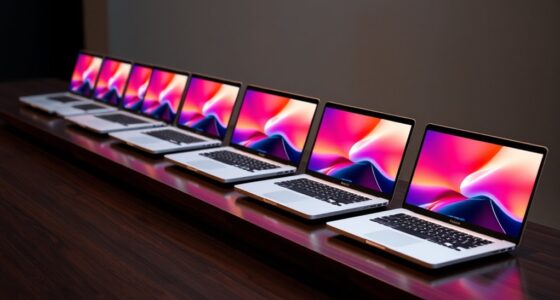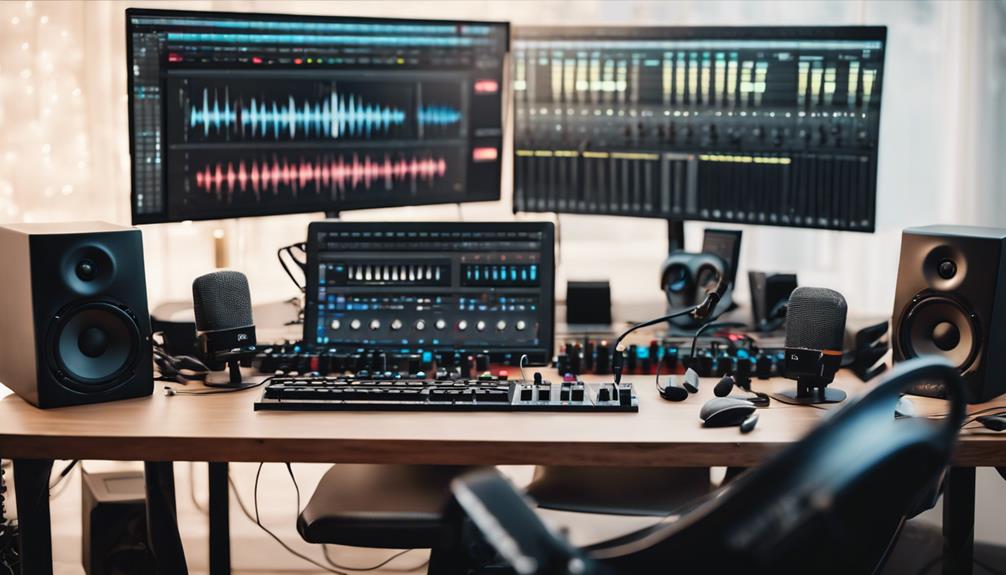

Choosing a computer for music production under $1,000 means weighing processor performance, memory, storage, and the kind of studio setup you need. My top pick for heavier sessions is the Dell Precision 3620: its 32GB of RAM, Core i7 processor, and dual-drive storage suit larger projects, though its older platform and renewed condition deserve attention. The NIMO 15.6-inch laptop is the better fit when portability and a spacious SSD matter, while the HP desktop bundle offers a ready-to-use screen and accessories for a home setup.

Get audio and creator gear delivered free with Prime
- Fast, free delivery on millions of items
- Prime Video, Amazon Music and more included
- Member-only deals all year
These are not interchangeable machines. A digital audio workstation (DAW) can benefit from extra memory and fast storage, but the processor, cooling, ports, and reliability of a renewed computer also affect day-to-day sessions. I rank the Dell first for its workstation-oriented configuration, the NIMO second for flexible mobile use, and the HP third because its Ryzen 3 PRO and limited listed connectivity make it harder to recommend for demanding sessions. The provided listings do not establish actual selling prices, so check the current price and configuration before buying.
Complete the kit



Key Takeaways
- Dell Precision 3620: My first choice for a mostly stationary DAW setup, with 32GB RAM, a Core i7-6700, a 512GB SSD, and a 2TB hard drive.
- NIMO laptop: The most practical pick for producing in different rooms or locations, with 32GB RAM and a 1TB SSD in a 15.6-inch portable system.
- HP desktop bundle: Includes a 24-inch curved monitor and input accessories, but its Ryzen 3 PRO processor and listed single USB port are meaningful limitations for studio growth.
- For large projects, compare CPU workload and cooling as well as RAM; the listed processor generation and laptop power limits matter when sessions use many plug-ins.
- All three listings are described as renewed. Check the seller’s condition, included accessories, return policy, and warranty details before committing.
| Dell Precision 3620 Entry Level Music Production Workstation PC, Intel i7-6700, 32GB RAM, 512GB SSD + 2TB HDD, Windows 11 Pro (Renewed) |  | Best Overall for a Stationary Home Studio | Processor: Intel Core i7-6700, 3.4GHz, up to 4.0GHz Turbo | Memory: 32GB DDR4 | Storage: 512GB SSD + 2TB HDD | VIEW ON AMAZON | See Our Full Breakdown |
| NIMO 15.6″ IPS FHD Student Laptop, Intel Core i3-1215U, 32GB RAM, 1TB SSD, Backlit Keyboard, Fingerprint, Blue (Renewed) |  | Best Portable Pick for a Small Studio | Processor: Intel Core i3-1215U, 6-core | Memory: 32GB DDR4 | Storage: 1TB SSD | VIEW ON AMAZON | See Our Full Breakdown |
| HP Half Dark Desktop PC Lambo AMD Ryzen 3 Pro, 16GB RAM, 512GB SSD, Windows 11 |  | Best All-in-One Starter Bundle | Processor: AMD Ryzen 3 PRO, 3.5GHz | Memory: 16GB DDR4 | Storage: 512GB SSD | VIEW ON AMAZON | See Our Full Breakdown |
| computer for music production under 1000 | Processor | Memory | Storage | Operating system |
|---|---|---|---|---|
| Dell Precision 3620 Entry Leve | Intel Core i7-6700, 3.4GHz, up to 4.0GHz Turbo | 32GB DDR4 | 512GB SSD + 2TB HDD | Windows 11 Pro |
| NIMO 15.6" IPS FHD Student Lap | Intel Core i3-1215U, 6-core | 32GB DDR4 | 1TB SSD | — |
| HP Half Dark Desktop PC Lambo | AMD Ryzen 3 PRO, 3.5GHz | 16GB DDR4 | 512GB SSD | Windows 11 |
More Details on Our Top Picks
Dell Precision 3620 Entry Level Music Production Workstation PC, Intel i7-6700, 32GB RAM, 512GB SSD + 2TB HDD, Windows 11 Pro (Renewed)
The Dell Precision 3620 takes the top spot because its listed configuration is the most workstation-like of these three: a Core i7-6700, 32GB of RAM, and both a 512GB SSD and a 2TB hard drive. That combination gives a producer room to run a DAW with a substantial number of tracks and keep less frequently used projects or sample files on the larger drive. The SSD can handle the operating system and active software more responsively than the hard drive alone.
Compared with the NIMO laptop, the Dell has more total storage and a desktop chassis, making it a stronger match for a fixed studio where space and mobility matter less. It also lists 10 USB ports, HDMI, and DisplayPort, a practical advantage when an audio interface, MIDI controller, keyboard, and external storage all need connections. The NIMO counters with a newer-generation listed processor and a built-in screen, so it is a more convenient option for moving between locations.
The age of the platform is the central tradeoff. The i7-6700 is an older processor, and the listing identifies the system as a renewed 2016 model; buyers should not assume it will match the efficiency, warranty, or upgrade options of a new workstation. The integrated graphics are not a concern for ordinary audio work, but this is a large desktop rather than a portable studio. I would choose it for value-conscious production at a desk, not for travel or graphics-heavy work.
Pros:- 32GB RAM supports larger sessions and multitasking.
- 512GB SSD plus 2TB HDD combines quick system storage with substantial file capacity.
- Ten listed USB ports provide more connection flexibility than the HP listing.
- HDMI and DisplayPort support a range of monitor setups.
Cons:- The i7-6700 and 2016 model year make this the oldest listed platform.
- Renewed condition means buyers should verify warranty and unit condition.
- Large desktop form is less convenient than the NIMO laptop for mobile production.
Best for: Home-studio producers who want generous memory, several device connections, and room to store projects on a desktop.
Not ideal for: Buyers who need a lightweight computer, a recent platform, or confirmed modern upgrade and warranty support.
- Processor:Intel Core i7-6700, 3.4GHz, up to 4.0GHz Turbo
- Memory:32GB DDR4
- Storage:512GB SSD + 2TB HDD
- Operating system:Windows 11 Pro
- Graphics:Intel HD Graphics 530
- Connections:10 USB ports, HDMI, DisplayPort
- Form factor:Desktop tower
- Condition and model year:Renewed; listed model year 2016
Our verdict“I rank the Dell first for a stationary studio that values memory, storage, and ports over portability or a newer processor generation.”
NIMO 15.6″ IPS FHD Student Laptop, Intel Core i3-1215U, 32GB RAM, 1TB SSD, Backlit Keyboard, Fingerprint, Blue (Renewed)
The NIMO 15.6-inch laptop is the most flexible choice here if production does not happen in one fixed room. Its 12th Gen Intel Core i3-1215U, 32GB of RAM, and 1TB SSD make a more balanced mobile package than the HP desktop bundle, which has a smaller SSD and no stated mobility. The NIMO’s 1TB drive provides useful space for DAW software, active projects, and a starter collection of samples without needing a separate internal storage drive.
Against the Dell, the NIMO gains portability and a built-in 1920-by-1080 IPS screen, but gives up the Dell’s 2TB hard drive and broader listed USB count. Its USB-C, USB-A, HDMI, and headphone connections offer several ways to connect studio gear, though anyone running multiple controllers and drives may still need a hub. The listing gives no specific audio-interface compatibility information, so I would check the interface requirements rather than assume every peripheral will connect directly.
The processor’s U designation identifies a mobile-class chip, so buyers should not treat the 32GB RAM figure as proof that it will handle every demanding session as well as a desktop workstation. Heavy sample libraries and many effects can stress a portable system, and the listing does not provide detailed cooling or sustained-performance data. At 3.75 pounds, it is portable enough to move around, though not an especially featherweight option. Renewed condition is another point to verify. I would pick it over the Dell for mobility, but choose the Dell for a fixed setup with more listed ports and storage capacity.
Pros:- 12th Gen Core i3-1215U is the newest listed processor generation among these options.
- 32GB RAM gives substantial headroom for multitasking.
- 1TB SSD offers more fast internal storage than the other two listed SSDs.
- Built-in 15.6-inch FHD IPS display and multiple connection types suit mobile work.
Cons:- Mobile U-series processor may be less suited to sustained heavy workloads than a well-cooled desktop.
- Listed connections are fewer than the Dell’s 10 USB ports.
- Renewed condition and warranty terms require verification.
Best for: Producers who want one computer for study, everyday work, and recording or editing sessions in more than one location.
Not ideal for: Users who expect long, plug-in-heavy sessions, need abundant built-in ports, or want a new computer with clearly stated warranty coverage.
- Processor:Intel Core i3-1215U, 6-core
- Memory:32GB DDR4
- Storage:1TB SSD
- Display:15.6-inch, 1920 × 1080 FHD IPS
- Graphics:Intel integrated graphics
- Connections:HDMI 1.4, USB-C, two USB-A, microSD, 3.5mm combo
- Battery and weight:53.58Wh; 3.75lb
- Operating system and condition:Windows 11; renewed
Our verdict“I recommend the NIMO when a built-in screen and portable 1TB SSD matter more than desktop expansion and maximum connection count.”
HP Half Dark Desktop PC Lambo AMD Ryzen 3 Pro, 16GB RAM, 512GB SSD, Windows 11
The HP desktop bundle is the easiest of these picks to picture as a simple home setup: it includes a 24-inch curved monitor, keyboard, mouse, and soundbar along with the PC. That can reduce the number of separate components a first-time buyer needs to source. Its 512GB SSD also gives the operating system and software a faster home than a traditional hard drive. For basic recording, editing, and learning a DAW, the supplied configuration may be enough, depending on the software and session demands.
Its bundle is the main reason to choose it, not its production capacity. The HP has 16GB RAM, half the memory listed for both the Dell and NIMO, and a Ryzen 3 PRO processor whose generation and core count are not specified in the supplied information. Compared with the Dell, it has less memory, less total storage, and far fewer listed connections. Compared with the NIMO, it offers a larger included monitor and stationary setup but loses the laptop’s 1TB SSD and portability.
The connection details are a serious question for a music workstation: the listing specifies only one USB port and one HDMI port. An audio interface may occupy that USB connection, leaving little room for a MIDI controller or external drive without a hub. Confirm the actual rear and front ports on the exact unit before buying. The product is also described as renewed and aimed at home and office use, so I would not treat the included RGB accessories as a substitute for stronger processor specifications. It makes most sense as a basic starter bundle, not for producers planning large, expanding sessions.
Pros:- Includes a 24-inch curved monitor, keyboard, mouse, and soundbar.
- 512GB SSD supports quick startup and software loading.
- 16GB RAM can suit basic projects and general multitasking.
- Windows 11 is pre-installed.
Cons:- 16GB RAM is less than the 32GB in both the Dell and NIMO.
- Only one USB port is listed, a constraint for common studio peripherals.
- Processor generation and core count are not supplied, making performance harder to judge.
- Renewed condition may include wear; verify the seller’s terms.
Best for: First-time producers who want a desktop starter package with a monitor and basic accessories included.
Not ideal for: Producers running large sessions, connecting several USB devices, or prioritizing clearly documented CPU capacity and expansion.
- Processor:AMD Ryzen 3 PRO, 3.5GHz
- Memory:16GB DDR4
- Storage:512GB SSD
- Operating system:Windows 11
- Monitor:24-inch curved monitor included
- Listed connections:1 USB port, 1 HDMI port
- Included accessories:RGB keyboard and mouse, soundbar, USB Wi-Fi adapter, Bluetooth
- Condition:Renewed
Our verdict“I would choose the HP for a bundled, entry-level desktop setup, but not over the Dell or NIMO for demanding production or peripheral-heavy work.”

How We Picked
I compared these three computers as music-production machines, not as general office PCs. My ranking gives the most weight to the listed processor and memory, since those affect how comfortably a DAW can run tracks, virtual instruments, and effects together. Storage matters too: a fast SSD helps with system and project loading, while extra capacity is useful for sample libraries and archived sessions.
I also considered practical studio fit: desktop expandability and port count, laptop mobility and screen size, and whether the included setup has enough connectivity for an audio interface, MIDI controller, external drive, and other gear. The product information does not identify exact cooling performance, motherboard expansion options, audio-interface compatibility, or the precise condition of renewed units. I do not assume those details. The Dell ranks first for its workstation configuration and large storage pool; the NIMO follows for its newer listed processor and portable 1TB SSD setup; the HP comes third because the bundled monitor is convenient, but the listed processor and port count leave less room for demanding sessions and peripherals.
My recommendations are based only on the supplied specifications. A computer’s suitability also depends on your DAW, plug-in load, audio interface, project size, and the seller’s actual configuration. Before purchase, confirm the exact unit, available connections, and renewal terms.
| computer for music production under 1000 | Processor | Operating system | Graphics |
|---|---|---|---|
| Dell Precision 3620 Entry Leve | Intel Core i7-6700, 3.4GHz, up to 4.0GHz Turbo | Windows 11 Pro | Intel HD Graphics 530 |
| NIMO 15.6" IPS FHD Student Lap | Intel Core i3-1215U, 6-core | — | Intel integrated graphics |
| HP Half Dark Desktop PC Lambo | AMD Ryzen 3 PRO, 3.5GHz | Windows 11 | — |
Factors to Consider When Choosing Computer For Music Production Under 1000
I would choose a music-production computer by matching its limits to the sessions I plan to run, then checking that the physical setup works with my gear. These three listings differ most in desktop versus laptop use, listed memory, and connection options.Prioritize the processor for your session size
The processor has a major role when a DAW must handle software instruments, real-time effects, and many active tracks. The Dell’s Core i7-6700 is an older desktop chip, while the NIMO lists a newer-generation Core i3-1215U designed for a laptop. The HP gives a Ryzen 3 PRO name and clock speed but no generation or core count, leaving less information for a buyer to judge. These specs alone do not establish exact DAW performance. If your sessions use demanding plug-ins, check independent workload tests for the exact CPU and confirm the computer’s cooling and configuration.
Treat RAM as session headroom, not a CPU replacement
Both the Dell and NIMO list 32GB RAM, which gives more room for large projects, sample-based instruments, and other programs running alongside a DAW than the HP’s 16GB. That does not make the two 32GB systems equal in processing power: the CPU and its cooling still affect how well a session runs. For basic recording and smaller projects, 16GB may be workable, but a buyer choosing the HP should be comfortable with its more limited memory and should check whether an upgrade is possible on the exact renewed unit.
Balance fast storage with library capacity
An SSD can make system startup, DAW launches, and project loading feel more responsive. The NIMO leads on listed SSD capacity with 1TB; the Dell has a 512GB SSD plus a separate 2TB hard drive, offering a larger total pool but not the same speed across every file. The HP lists a 512GB SSD. Large sample collections can fill internal storage quickly, so think about where active projects and libraries will live. Check whether you can add another internal drive, or budget for a suitable external SSD and a free connection.
Count the connections your studio actually needs
An audio interface, MIDI keyboard, control surface, external drive, and other gear can use several ports at once. The Dell’s 10 USB ports give it a clear listed connectivity advantage, although port type and placement should be checked on the exact machine. The NIMO lists USB-C and USB-A connections plus HDMI, while the HP listing identifies only one USB port and one HDMI output. If your setup has multiple USB devices, a powered hub may help, but confirm compatibility with your audio interface and avoid choosing the HP without checking its actual port layout.
Choose the form factor around your studio
A desktop suits a permanent desk and may be easier to connect to a separate monitor and peripherals; a laptop combines the computer and display for work in different rooms. The Dell and HP both need an external screen in ordinary use, though the HP includes a 24-inch curved monitor. The NIMO includes a 15.6-inch display and weighs 3.75 pounds, making it the only clearly portable system here. If you produce on the move, also consider battery life under DAW workloads: the supplied listing gives battery capacity, not runtime.
Check renewed condition and seller details
All three products are presented as renewed, so the listing’s configuration is only part of the decision. Before ordering, read the seller’s description for warranty coverage, return terms, included power cables and accessories, and cosmetic condition. For a desktop, confirm that the monitor and any accessories shown are included with the specific unit. For the laptop, check battery condition and charging equipment. I would also verify the installed operating system, exact memory and storage configuration, and the ports on the unit rather than relying on a generic product title.
Frequently Asked Questions
Which of these three computers is the best choice for music production?
I rank the Dell Precision 3620 first for a stationary home studio because it combines 32GB RAM, a Core i7 desktop processor, 10 listed USB ports, and an SSD plus a 2TB hard drive. The NIMO may be a better match if you need a portable system and more SSD capacity, while the HP is best viewed as a basic bundle for a first setup. Your DAW, plug-in load, interface, and project size can change which one fits best.
Is 16GB of RAM enough for producing music?
16GB can work for learning a DAW, recording modest track counts, and using a limited set of virtual instruments. More demanding projects may benefit from 32GB, particularly when sample libraries and several applications are open. That is one reason I favor the Dell and NIMO over the HP for growing sessions. RAM does not replace processor performance, so check the needs of your DAW and plug-ins before choosing.
Is the NIMO laptop a better buy than the Dell desktop?
The NIMO is the stronger fit if you need an integrated screen and want to move your setup between rooms or locations; it also lists a 1TB SSD and a newer-generation processor. The Dell is better suited to a permanent studio with many USB devices, since it lists 10 USB ports and includes 2TB of additional hard-drive storage. I would favor the Dell for a desk-based setup and the NIMO for mobility, while checking performance data for your specific DAW workload.
Can I connect a professional audio interface to these computers?
The listings provide general ports, not confirmed compatibility with a specific interface. The Dell lists USB, HDMI, and DisplayPort; the NIMO lists USB-C, USB-A, HDMI, and a 3.5mm combo jack; the HP identifies one USB port and one HDMI port. Check the interface’s connection and operating-system requirements, then confirm the exact computer has an available compatible port. The HP’s limited listed USB count may require a hub for an interface and other devices.
What should I check before buying a renewed computer for music production?
Confirm the exact CPU, memory, storage, port layout, and included accessories for the unit being sold. Read the seller’s terms for condition, return window, and warranty, and ask about laptop battery condition where relevant. For the HP, verify whether its monitor and peripherals are included; for the Dell, check its renewed configuration and operating system; for the NIMO, confirm charging equipment and battery details. Also compare the computer’s specifications with the needs of your DAW and audio interface.
Conclusion
For a stationary home-studio producer who wants ample memory, many listed USB connections, and room for project storage, I would start with the Dell Precision 3620—while accepting its older platform and checking renewal terms. For someone who records or edits in more than one place, the NIMO laptop offers the most useful mix of portability, 32GB RAM, and 1TB SSD storage, though its mobile processor may not suit every heavy session. For a beginner who values an included monitor and accessories over expansion, the HP bundle is the straightforward entry point, but I would verify its ports and expect less headroom. Match the computer to your DAW workload, interface, and studio habits, then confirm the exact renewed unit before buying.
Halloween Picks

Spirit Halloween Scary Sitting Scarecrow Animatronic, 4 ft 6 in

DomKom 6 ft Halloween Inflatable Ghosts Roasting Marshmallows

Kalolary 11 ft Halloween Inflatable Archway Ghost House Tunnel
As an affiliate, we earn on qualifying purchases.