To create effective session templates for live recording days, organize your schedule with clear setup, artist timings, and technical checks. Include checklists for equipment, artist flow, and safety protocols, and use visual layouts to clarify setup plans. Structuring the day with buffers for delays ensures smooth progressions and maximum efficiency. By following these principles, you’ll streamline your recording sessions—if you keep going, you’ll uncover more tips to perfect your workflow.

Get audio and creator gear delivered free with Prime
- Fast, free delivery on millions of items
- Prime Video, Amazon Music and more included
- Member-only deals all year
Key Takeaways
- Develop a detailed schedule covering setup, artist arrivals, recording times, and breaks to streamline the day.
- Include checklists for equipment, personnel, and procedural steps to ensure nothing is overlooked.
- Allocate buffer periods for technical issues or delays, maintaining flexibility in the timeline.
- Use visual layouts and diagrams of equipment placement to facilitate quick setup and clear workflow.
- Share the template with all team members and artists beforehand to promote transparency and adherence.

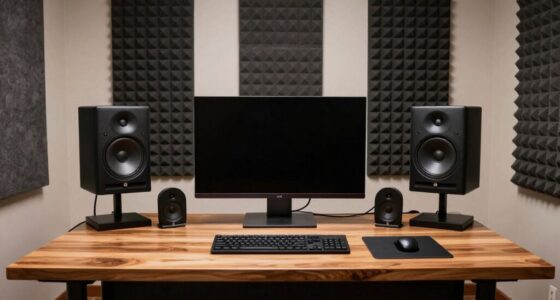
Planning ahead for live recording days can substantially improve your session’s efficiency and quality. When you prepare a detailed plan, you minimize downtime and avoid chaos, ensuring everyone knows what to expect and when. One of your top priorities should be equipment setup. By organizing your gear in advance, you reduce the risk of technical issues during the session. Double-check that all microphones, cables, interfaces, and monitors are functioning properly. Create a checklist so nothing gets overlooked, and consider labeling cables and equipment to streamline the setup process. This way, when recording day arrives, you can focus on capturing performances instead of troubleshooting gear.
Proper equipment organization and checklists ensure smooth recording sessions and minimize technical issues.
Equally important is artist scheduling. Coordinating musician arrival times and breaks prevents overlaps and confusion. Confirm the availability of each artist beforehand and communicate clear start times for their recordings. If you have multiple artists, consider grouping sessions based on genre or instrument to maximize efficiency. Setting expectations in advance helps everyone stay on track and reduces idle periods. It’s wise to build buffer time into your schedule for unforeseen delays or technical hiccups. This ensures your day stays on course without rushing artists or sacrificing quality.
Having a session template that covers equipment setup and artist scheduling gives you a structured framework to follow. Before the recording day, review your template thoroughly. Share it with your team and artists so everyone understands the plan. This transparency fosters cooperation and keeps everyone accountable. During the session, refer back to your template to stay organized — check off completed setups, confirm artist arrivals, and adjust as needed. Flexibility is key, but a solid template acts as your roadmap, helping you adapt without losing momentum.
You should also consider creating visual aids or diagrams for your equipment layout, especially if your setup is complex. Visuals help technicians and artists understand the flow, reducing confusion and setup time. For artist scheduling, a clear timeline displayed in a central location can keep everyone aligned. The goal is to eliminate unnecessary pauses, so each artist can perform at their best without feeling rushed or disorganized. Additionally, reviewing relevant policies and procedures beforehand can help prevent unexpected issues and ensure compliance during your recording sessions.
microphone checklists for recording sessions
As an affiliate, we earn on qualifying purchases.
As an affiliate, we earn on qualifying purchases.
Frequently Asked Questions
How Do I Customize Session Templates for Different Genres?
To customize session templates for different genres, start by creating genre-specific presets that suit each style’s unique sound. Use template customization tips like adjusting track layouts, effects, and instruments tailored to each genre. Save these as separate templates, so you can quickly switch between them during live recording days. This approach guarantees you maintain consistency while catering to the distinct needs of each genre, streamlining your workflow efficiently.
Can I Share Session Templates Across Multiple Users?
Yes, you can share session templates across multiple users by utilizing template sharing features. You’ll want to set user permissions to regulate who can access, edit, or use these templates. By managing user permissions, you guarantee the right people have access while maintaining control over your templates. This way, collaboration becomes seamless, and everyone stays on the same page during live recording days.
What Are the Best Practices for Organizing Session Templates?
You might find it surprising how organizing your session templates can streamline your workflow. Start by maintaining consistent session management and use template versioning to track changes efficiently. Group templates by project or recording type, and clearly label versions for easy reference. Regularly review and update them to prevent clutter. With these practices, you’ll save time, reduce errors, and keep your recording sessions running smoothly.
How Do I Troubleshoot Issues With Session Template Loading?
When troubleshooting session template loading issues, first check for session template errors that might be causing delays. Clear your cache and restart your software to improve loading speed issues. Confirm your templates are correctly saved and not corrupted. If problems persist, update your software and verify your system meets all requirements. Contact support if you continue experiencing issues, providing details about the specific errors and steps you’ve already taken.
Are There Templates Optimized for Remote Live Recording Sessions?
Yes, there are templates optimized for remote live recording sessions. These templates offer flexible configurations tailored to remote setups, ensuring smooth collaboration and minimal latency. You can customize them to fit different recording environments and equipment, making your remote sessions more efficient. By leveraging these optimized templates, you enhance your session flexibility, streamline workflows, and maintain high-quality recordings even when working remotely.
Conclusion
By planning your session templates carefully, you create a structured foundation for your recording day. Yet, amidst the order, there’s room for spontaneity and creative surprises. While templates guide your workflow, they also leave space for unexpected inspiration to flourish. Embrace this balance—where meticulous preparation meets the unpredictability of live recording. It’s this dance between control and chaos that transforms a routine session into a truly dynamic and memorable experience.
Fall Picks
fall essentials
As an affiliate, we earn on qualifying purchases.