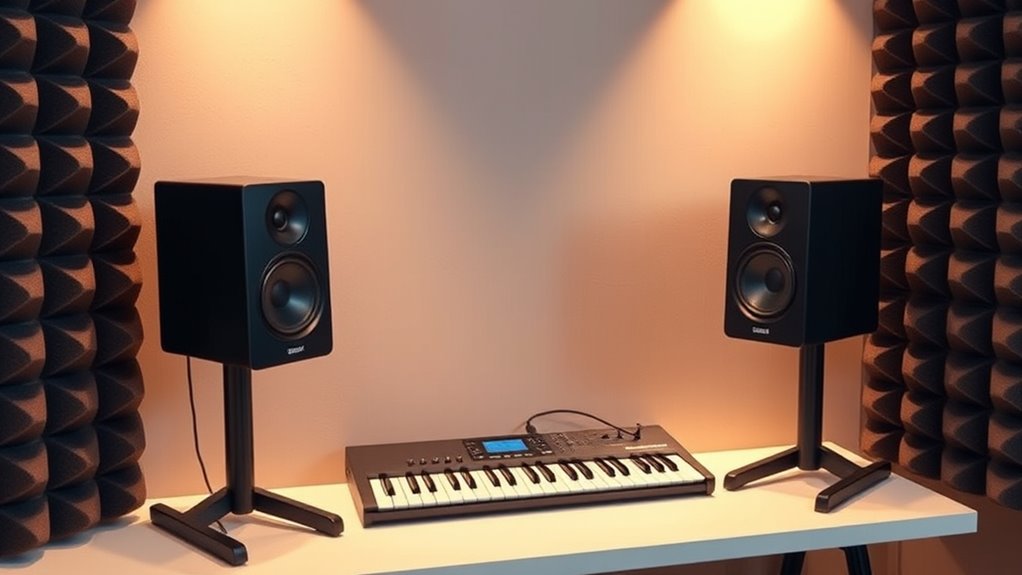

Finding reliable budget studio monitors can be challenging, especially when balancing performance against cost. The M-AUDIO BX3 stands out as the best overall choice for its balanced sound and durability, while the PreSonus Eris E4.5 offers impressive clarity for its price. Other options like the Yamaha HS3 excel in simplicity and ease of use, making them great for beginners. The main tradeoffs in this category often involve size, power, and sound accuracy, which can vary significantly at lower price points. Continue reading for a detailed comparison to help you make the best decision for your studio setup.

Get audio and creator gear delivered free — and shop member deals
- Fast, free delivery on millions of items
- Access to Prime Big Deal Days deals on October 6–7
- Prime Video, Amazon Music and more included
Complete the kit



Key Takeaways
- The size of the monitor (3.5-inch vs 4.5-inch vs 5.25-inch) impacts bass response and overall sound accuracy.
- Power output varies, influencing how loud and clear the monitors can perform in different room sizes.
- PreSonus models tend to offer more balanced sound with better midrange clarity at this price point.
- Build quality differences are noticeable, with some models feeling more durable and reliable over time.
- Compatibility features like Bluetooth are rare but can add convenience for casual listening or secondary use.
| M-AUDIO BX3 3.5-inch Wired Studio Monitors Pair |  | Best Overall for Versatile Studio Monitoring | Driver Size: 3.5 inches | Woofer Material: Kevlar | Tweeter Type: Silk dome | VIEW ON AMAZON | See Our Full Breakdown |
| Mackie CR3.5 Studio Monitors (Pair), 3.5″ Woofers, Tone Knob, Black |  | Best Compact for Small Desks and Streaming | Quantity: Pair | Woofer Size: 3.5 inches | Color: Black | VIEW ON AMAZON | See Our Full Breakdown |
| PreSonus Eris 3.5 Bluetooth Powered Desktop Studio Monitors Pair – 50W, Black |  | Best Wireless Option for Compact Spaces | Power: 50W | Connectivity: Bluetooth 5.0, TRS, RCA, Aux | Speaker Size: 3.5 inches | VIEW ON AMAZON | See Our Full Breakdown |
| PreSonus Eris E4.5 2-Way 4.5″ Near Field Studio Monitor (Pair) |  | Best for Accurate Studio Mixing | Woofer Size: 4.5 inches | Amplification: 50 Watts (25W per speaker) | Inputs: ¼-inch TRS, RCA, ⅛-inch TRS aux | VIEW ON AMAZON | See Our Full Breakdown |
| PreSonus Eris E5 2-Way 5.25-Inch Near Field Studio Monitor |  | Best for Balanced Nearfield Monitoring | Woofer Size: 5.25 inches | Tweeter Type: Silk-dome | Amplification: 80 watt, Class AB | VIEW ON AMAZON | See Our Full Breakdown |
| PreSonus Eris 3.5 Powered Studio Monitors, Pair |  | Best Overall for Compact Desktop Monitoring | Size: 3.5 inches | Power: 50 watts | Frequency Range: 80 Hz–20 kHz | VIEW ON AMAZON | See Our Full Breakdown |
| Yamaha HS3 Powered Studio Monitor (Pair) |  | Best for Accurate High-Frequency Response | Type: 2-way bass-reflex powered speaker | Woofer Size: 3.5 inches | Tweeter Size: 0.75 inches | VIEW ON AMAZON | See Our Full Breakdown |
| PreSonus Eris 3.5 Powered Desktop Studio Monitors, Pair – 50W, White |  | Best for Studio-Quality Sound in Compact Size | Power: 50W | Woofer Size: 3.5 inches | Tweeter Type: Silk-dome | VIEW ON AMAZON | See Our Full Breakdown |
| M-AUDIO BX4 4.5-inch Wired Studio Monitors Pair |  | Best for Accurate Sound and Versatile Connectivity | Driver Size: 4.5 inches | Woofer Material: Kevlar | Tweeter Type: Silk dome | VIEW ON AMAZON | See Our Full Breakdown |
| budget studio monitor | Inputs | Woofer Size |
|---|---|---|
| M-AUDIO BX3 3.5-inch Wired Stu | 1/4-inch, 1/8-inch, RCA | — |
| Mackie CR3.5 Studio Monitors | — | 3.5 inches |
| PreSonus Eris 3.5 Bluetooth Po | — | — |
| PreSonus Eris E4.5 2-Way 4.5" | ¼-inch TRS, RCA, ⅛-inch TRS aux | 4.5 inches |
| PreSonus Eris E5 2-Way 5.25-In | XLR, 1/4-inch, RCA | 5.25 inches |
| PreSonus Eris 3.5 Powered Stud | TRS, RCA, aux | — |
| Yamaha HS3 Powered Studio Moni | XLR/TRS, RCA, Stereo Mini | 3.5 inches |
| PreSonus Eris 3.5 Powered Desk | — | 3.5 inches |
| M-AUDIO BX4 4.5-inch Wired Stu | 1/4-inch, 1/8-inch, RCA | — |
More Details on Our Top Picks
M-AUDIO BX3 3.5-inch Wired Studio Monitors Pair
The M-AUDIO BX3 stands out for delivering professional-quality sound in a compact, wired package, making it a strong contender for those who want reliable studio monitors without breaking the bank. Its 3.5-inch Kevlar woofers and silk dome tweeters produce clear highs and punchy bass, comparable to pricier options like the PreSonus Eris E4.5, but with a more straightforward setup. While its wired-only connection limits flexibility, the multiple inputs and front AUX make it easy to connect various devices, and the bass reflex design enhances low-end response. However, its size might be bulky for tiny desks, and setup takes some adjustment to optimize sound. Overall, this model is ideal for producers or content creators seeking balanced, professional sound on a budget, provided they don’t need wireless features or ultra-compact form factors.
Pros:- High-quality sound with clear highs and punchy bass
- Multiple input options for flexible connectivity
- Front AUX and headphone jack for easy late-night use
- Includes software and accessories for quick setup
Cons:- May be bulky for very small desks
- Requires some tuning to optimize sound profile
Best for: Small home studios or desktop users who prioritize sound quality and versatile inputs
Not ideal for: Users with very limited space or those seeking wireless connectivity
- Driver Size:3.5 inches
- Woofer Material:Kevlar
- Tweeter Type:Silk dome
- Power Output:120W
- Inputs:1/4-inch, 1/8-inch, RCA
- Additional Features:Front AUX and headphone jack, EQ controls, bass reflex design, MDF cabinet
Our verdict“This pick is best for users who want reliable, professional-grade sound in a wired format without sacrificing size or features.”
Mackie CR3.5 Studio Monitors (Pair), 3.5″ Woofers, Tone Knob, Black
The Mackie CR3.5 is tailored for users with limited space, such as streamers and small studio setups, offering accurate sound reproduction with simple controls. Its 3.5-inch woofers provide decent bass, though less robust than larger monitors like the PreSonus Eris E4.5, which can handle more demanding audio tasks. The tone knob and bass correction switch allow quick tonal adjustments based on placement, making it flexible for desk environments. However, its small woofer size limits bass extension, which might be noticeable during critical listening. Designed mainly for desk use or casual mixing, it’s less suited for larger rooms or professional mixing environments. Overall, it excels as an affordable, space-saving monitor for hobbyists or streamers who need accurate sound with straightforward controls.
Pros:- Compact size perfect for small spaces
- Accurate sound reproduction for streaming and casual mixing
- Adjustable tone knob and bass switch for room placement
- Includes isolation pads and cables
Cons:- Limited bass response due to small woofers
- Not suitable for large or acoustically challenging rooms
Best for: Content creators and gamers with small desks needing accurate sound and simple controls
Not ideal for: Users requiring deep bass or large-room monitoring for professional mixing
- Quantity:Pair
- Woofer Size:3.5 inches
- Color:Black
- Includes:Monitors, isolation pads, cables
Our verdict“This monitor is ideal for those who need a compact, accurate speaker for desk use and casual production, but not for bass-heavy or large-room applications.”
PreSonus Eris 3.5 Bluetooth Powered Desktop Studio Monitors Pair – 50W, Black
The PreSonus Eris 3.5 Bluetooth offers a compelling blend of portability and power, making it suitable for small studios, gaming, or streaming setups that benefit from wireless connectivity. Its 50W output provides clear, distortion-free sound that rivals larger monitors like the Eris E4.5, but with the added convenience of Bluetooth 5.0 streaming. The adjustable high- and low-frequency controls help tailor the sound for near-field listening, although its compact size means it’s not ideal for large rooms or critical mixing. The basic design might not appeal to those seeking a high-end aesthetic, but the versatility and wireless feature set make it a strong choice for casual producers or content creators. The lack of a built-in battery means it still needs a power source, limiting true portability.
Pros:- Wireless Bluetooth streaming for convenience
- Powerful, clear sound with adjustable tuning
- Compact and space-efficient
- Multiple input options for wired devices
Cons:- Limited to near-field applications
- Basic aesthetic might not suit all decor
Best for: Casual producers, gamers, or streamers who want wireless convenience and decent sound in a small footprint
Not ideal for: Professional audio engineers or those needing large-room monitoring
- Power:50W
- Connectivity:Bluetooth 5.0, TRS, RCA, Aux
- Speaker Size:3.5 inches
- Frequency Response:80 Hz–20 kHz
- Mounting Type:Tabletop
- Features:Integrated headphone output, adjustable high- and low-frequency controls
Our verdict“This monitor makes sense for users who value wireless flexibility combined with decent sound quality in a small, desk-friendly form.”
PreSonus Eris E4.5 2-Way 4.5″ Near Field Studio Monitor (Pair)
The PreSonus Eris E4.5 is designed for detailed mixing and multimedia work, offering a slightly larger 4.5-inch woofer compared to smaller models like the Mackie CR3.5. Its 50W dual amplification and room tuning controls enable precise sound customization, making it suitable for more serious hobbyists or semi-professional use. The balanced sound and wide sweet spot are advantages over smaller monitors, but its size demands more space and proper acoustic treatment. Unlike the Eris E5, which provides more bass and power, the E4.5 strikes a balance between size and performance, but may still require a subwoofer for bass-heavy genres. Overall, it’s a versatile choice for users who want accurate sound without a hefty price tag.
Pros:- Delivers studio-quality, accurate sound
- Versatile inputs for multiple devices
- Room tuning controls for tailored sound
- Compact yet powerful design
Cons:- May need an additional sub for deep bass
- Complex controls may overwhelm beginners
Best for: Home producers or multimedia creators needing accurate sound and room tuning capabilities
Not ideal for: Large studio environments or bass-dependent genres without an additional subwoofer
- Woofer Size:4.5 inches
- Amplification:50 Watts (25W per speaker)
- Inputs:¼-inch TRS, RCA, ⅛-inch TRS aux
- Tweeter:1-inch silk-dome
- Power Saving Mode:Yes
- Optional Subwoofer:Eris Sub 8BT
Our verdict“This monitor is best for those seeking detailed, balanced sound with room-adjustment features in a compact size, though it might need extra subwoofers for bass-heavy work.”
PreSonus Eris E5 2-Way 5.25-Inch Near Field Studio Monitor
The PreSonus Eris E5 offers a larger 5.25-inch woofer with Class AB bi-amplification, providing rich, balanced sound for serious nearfield monitoring. Its 80W power output and maximum SPL of 102 dB mean it can handle louder volumes without distortion, making it a better choice than smaller monitors like the Mackie CR3.5 for critical listening or mixing. The multiple input options—XLR, ¼-inch, and RCA—coupled with acoustic tuning controls, give users the ability to fine-tune their sound environment. Its protective features guard against electrical and thermal issues, adding durability. The size and power make it less suitable for tiny setups or casual listening, but for dedicated home studios, it provides excellent clarity and precision.
Pros:- High-quality, balanced sound with minimal distortion
- Multiple input options for flexible connectivity
- Acoustic tuning controls for optimal sound
- Built-in protection features for durability
Cons:- Requires adequate space for proper setup
- May be overpowered for small or casual environments
Best for: Home studio owners needing accurate, high-quality monitoring with flexible inputs
Not ideal for: Casual users or those with very limited space for larger monitors
- Woofer Size:5.25 inches
- Tweeter Type:Silk-dome
- Amplification:80 watt, Class AB
- Maximum SPL:102 dB
- Inputs:XLR, 1/4-inch, RCA
- Protection Features:RF interference, output current limiting, over-temperature, transient, subsonic
Our verdict“This monitor is ideal for dedicated home producers seeking detailed, reliable sound with room for customization, but it’s less suited for small or casual setups.”
PreSonus Eris 3.5 Powered Studio Monitors, Pair
The PreSonus Eris 3.5 stands out as the best overall pick for those seeking professional sound in a small form factor. Its 50W power delivers clean, distortion-free audio at any volume, making it suitable for mixing, streaming, or gaming on a desktop. Compared to the Yamaha HS3, it offers more adjustable tuning controls, allowing for a more tailored listening experience. However, the small 3.5-inch driver limits deep bass reproduction, which might be noticeable for producers needing full-range sound. Its multiple input options add versatility, but it’s primarily designed for desktop use, so larger or room-filling setups might find it insufficient. Ideal for desktop creators who prioritize clarity and customization in a compact package.
Specs: Size: 3.5 inches, Power: 50 watts, Frequency Range: 80 Hz–20 kHz, Inputs: TRS, RCA, aux, Included: Stereo pairPros:- High-quality, studio-grade sound
- Powerful and distortion-free at any volume
- Customizable sound with built-in tuning controls
- Multiple input options for versatile connectivity
Cons:- Limited to 3.5-inch drivers, may lack deep bass
- No wireless connectivity options
Best for: Desktop producers, streamers, and gamers who need a compact, versatile monitor with custom tuning.
Not ideal for: Users needing deep bass or working in large rooms—these monitors lack the driver size for substantial low-end performance.
- Size:3.5 inches
- Power:50 watts
- Frequency Range:80 Hz–20 kHz
- Inputs:TRS, RCA, aux
- Included:Stereo pair
Our verdict“This monitor set is perfect for desktop-focused users who want clear, customizable sound without taking up much space.”
Yamaha HS3 Powered Studio Monitor (Pair)
The Yamaha HS3 delivers precise sound with a focus on clarity, making it ideal for critical listening and mixing. Its 2-way bass-reflex design with a 3.5-inch woofer and 0.75-inch dome tweeter provides a broader frequency response from 70 Hz to 22 kHz, compared to the more limited range of the PreSonus Eris 3.5. While it offers multiple input options including XLR/TRS and RCA, its 26W power may fall short in larger rooms or louder environments, requiring an external audio interface for optimal use. Bass response is naturally limited by the small woofer, so it’s less suited for producers needing deep low-end. The included accessories and anti-slip pads make setup straightforward. Best suited for musicians and producers who prioritize accurate high frequencies and detailed stereo imaging.
Specs: Type: 2-way bass-reflex powered speaker, Woofer Size: 3.5 inches, Tweeter Size: 0.75 inches, Frequency Response: 70 Hz – 22 kHz, Power Output: 26 W, Inputs: XLR/TRS, RCA, Stereo MiniPros:- High-quality, clear high and low frequencies
- Multiple input options for versatile connectivity
- Includes useful accessories like cable and pads
- Accurate stereo imaging
Cons:- Limited bass response due to small woofer
- Power output may be insufficient for larger spaces
Best for: Musicians, mixing engineers, and audio enthusiasts seeking high-fidelity sound for small to medium rooms.
Not ideal for: Those requiring substantial bass or working in larger spaces—its limited power and bass response can fall short.
- Type:2-way bass-reflex powered speaker
- Woofer Size:3.5 inches
- Tweeter Size:0.75 inches
- Frequency Response:70 Hz – 22 kHz
- Power Output:26 W
- Inputs:XLR/TRS, RCA, Stereo Mini
Our verdict“This monitor excels at detailed sound reproduction for critical listening, especially in small to medium setups.”
PreSonus Eris 3.5 Powered Desktop Studio Monitors, Pair – 50W, White
The PreSonus Eris 3.5 (White) offers a color-coded aesthetic paired with the same core features as its black counterpart, making it an excellent choice for users who value visual customization. Its 50W power ensures distortion-free sound across a variety of applications, from music production to gaming. The silk-dome tweeters and adjustable high/low controls help refine the sound to suit individual tastes. Compared to the Yamaha HS3, it provides a more flexible tuning experience, although both share a similar driver size that limits deep bass. Its multiple inputs support various devices, but its size confines it to desktop use, and it lacks Bluetooth. This pick is best for creatives needing reliable, professional sound in a small workspace.
Specs: Power: 50W, Woofer Size: 3.5 inches, Tweeter Type: Silk-dome, Frequency Range: 80 Hz–20 kHz, Color: WhitePros:- Delivers professional studio-quality sound
- Powerful, distortion-free 50W amplification
- Adjustable high- and low-frequency controls
- Multiple input options including TRS, RCA, and aux
Cons:- Limited to desktop use due to size
- No built-in Bluetooth connectivity
Best for: Creative professionals and hobbyists who want studio-quality sound with customizable tuning in a compact, visually appealing package.
Not ideal for: Users needing wireless audio or working in large, open environments—these monitors are designed primarily for desktop use.
- Power:50W
- Woofer Size:3.5 inches
- Tweeter Type:Silk-dome
- Frequency Range:80 Hz–20 kHz
- Color:White
Our verdict“Ideal for small-scale creators who want reliable, adjustable studio sound in a stylish package.”
M-AUDIO BX4 4.5-inch Wired Studio Monitors Pair
The M-AUDIO BX4 offers a larger 4.5-inch driver, making it a strong choice for users who need more punch and fuller sound than smaller monitors. Its bi-amplified design with Kevlar woofers and silk dome tweeters results in clear, accurate audio with a solid low-end response, especially compared to the PreSonus Eris 3.5. The inclusion of software and all necessary accessories makes it a comprehensive package for serious hobbyists or semi-professionals. While its size demands more space and careful placement, it provides a more balanced sound profile suitable for both mixing and gaming. However, it may be overkill for those with tight desktop setups or casual listening needs. This model is best for users wanting more substantial sound and EQ customization in a wired setup.
Specs: Driver Size: 4.5 inches, Woofer Material: Kevlar, Tweeter Type: Silk dome, Inputs: 1/4-inch, 1/8-inch, RCA, Included Accessories: Passive and active speakers, foam feet, interconnect cables, softwarePros:- High-quality, accurate audio with punchy bass
- Multiple input options for flexible connectivity
- Includes software and accessories for immediate setup
- Customizable EQ controls
Cons:- Requires ample space for proper placement
- Overkill for simple desktop use
Best for: Semi-professional producers, gamers, and streamers who want more bass and customizable sound in a wired format.
Not ideal for: Casual listeners or those with very limited space—its larger size and wired setup may be less convenient.
- Driver Size:4.5 inches
- Woofer Material:Kevlar
- Tweeter Type:Silk dome
- Inputs:1/4-inch, 1/8-inch, RCA
- Included Accessories:Passive and active speakers, foam feet, interconnect cables, software
Our verdict“This monitor set is well-suited for users seeking a more powerful, adjustable sound profile in a wired configuration.”

How We Picked
These monitors were selected based on a combination of performance, build quality, user reviews, and value for money. I prioritized models that deliver clear sound, reliable durability, and versatility without exceeding typical budget constraints. The rankings reflect how well each product balances these factors, along with considerations like power output, size options, and additional features. Products were also assessed for their suitability for different user needs — whether for beginner, semi-professional, or casual use — to provide a comprehensive overview for varied buyers.Factors to Consider When Choosing Budget Studio Monitors
Choosing the right budget studio monitor involves more than just price. To get the best value, consider how size, power, sound profile, and connectivity align with your specific needs. Avoid common pitfalls like overestimating room size requirements or opting for larger monitors that may overwhelm small spaces. Understanding the tradeoffs between sound accuracy and size can help you avoid buying a model that doesn’t match your environment or skill level. Here are some key factors to keep in mind.Size and Sound Coverage
Monitor size directly influences bass response and overall sound projection. Smaller models like 3.5-inch speakers are more suited for compact spaces and near-field listening, but they often lack deep bass. Larger models, such as 5.25-inch variants, can fill bigger rooms more effectively but may be overkill in small setups. Matching size to your room dimensions and intended use ensures your monitors deliver accurate sound without overpowering your space.
Power Output and Volume
Power ratings determine how loud your monitors can get without distortion. Budget monitors typically range from 25W to 50W per speaker. If you work in a larger room or need higher volume for tracking, models with higher wattage will serve you better. However, excessively powerful monitors can be louder than necessary and may cause room reflections or sound fatigue in smaller spaces, so choose a power level aligned with your environment.
Sound Profile and Accuracy
At this price point, sound accuracy can vary widely. Look for monitors that offer a flat or neutral response, especially if you’re mixing or editing. Some models might boost bass or treble, which can distort your perception of true sound. Reading reviews about tonal balance helps ensure you pick monitors that reveal details without coloring the sound, preventing costly mistakes in your final mixes.
Build Quality and Reliability
Budget monitors can sometimes feel flimsy or prone to issues over time. Paying attention to the materials, finish, and user feedback on durability helps avoid frequent replacements. Well-constructed models with sturdy cabinets and reliable components tend to last longer and provide consistent performance, making them a smarter investment even at lower prices.
Connectivity and Compatibility
Most budget monitors connect via standard audio jacks, but some include additional features like Bluetooth, RCA, or XLR inputs. Consider what outputs your audio interface or computer provides, and choose monitors with compatible connections. Wireless features can add convenience but may introduce latency or audio quality compromises, so weigh their benefits carefully based on your workflow.
Frequently Asked Questions
Will these monitors work well in a small room?
Yes, many of these monitors, especially the 3.5-inch and 4.5-inch models, are designed for near-field listening, making them suitable for small rooms. Their size helps minimize room reflections and overexposure to bass, providing a more accurate sound for mixing and editing in limited spaces. However, always consider room acoustics as well, since even the best monitors need proper placement and treatment for optimal performance.
Should I prioritize power or sound accuracy?
Sound accuracy generally has a bigger impact on mixing quality, so it’s often better to choose monitors that offer a flat, neutral response rather than just high power. Power is important if you need to fill a larger room or require higher volume levels, but if your space is small, lower wattage models with accurate sound will serve your needs better. Striking a balance between the two based on your room size and use case is key.
Are Bluetooth monitors worth considering at this price?
Bluetooth connectivity can be convenient for casual listening or secondary tasks, but at this price point, it’s less common and may introduce latency or compromise sound fidelity. For critical listening and mixing, wired connections remain more reliable and offer better sound quality. If Bluetooth is a must-have feature, choose models that don’t sacrifice core sound performance for wireless convenience.
Is it better to buy larger or smaller monitors for a beginner?
For beginners, smaller monitors like 3.5-inch or 4.5-inch models tend to be more forgiving in small spaces and easier to position for optimal sound. They also tend to be more affordable and less overwhelming in terms of volume. Larger monitors provide more bass and room-filling sound but require careful placement and a suitable environment, which can be challenging for new users.
How much should I expect to spend for good quality budget monitors?
Quality budget monitors typically range from $50 to $150 per pair. At this price, you should find models that offer decent clarity, balanced sound, and reliable build quality. Spending closer to the higher end of this range often yields better sound fidelity and durability, making it worth considering if your budget allows for a slightly higher investment in your studio setup.
Conclusion
For those just starting out or working in small spaces, the M-AUDIO BX3 offers excellent overall performance at an accessible price. If you’re seeking the best balance of clarity and affordability, the PreSonus Eris E4.5 makes a compelling case. Beginners who want simplicity and ease of use might lean toward the Yamaha HS3, while more experienced hobbyists may appreciate the extra power of models like the PreSonus Eris 3.5. For serious budget-conscious buyers, focusing on size, sound accuracy, and connectivity will lead to the best long-term results.
As an affiliate, we earn on qualifying purchases.Halloween Picks
halloween