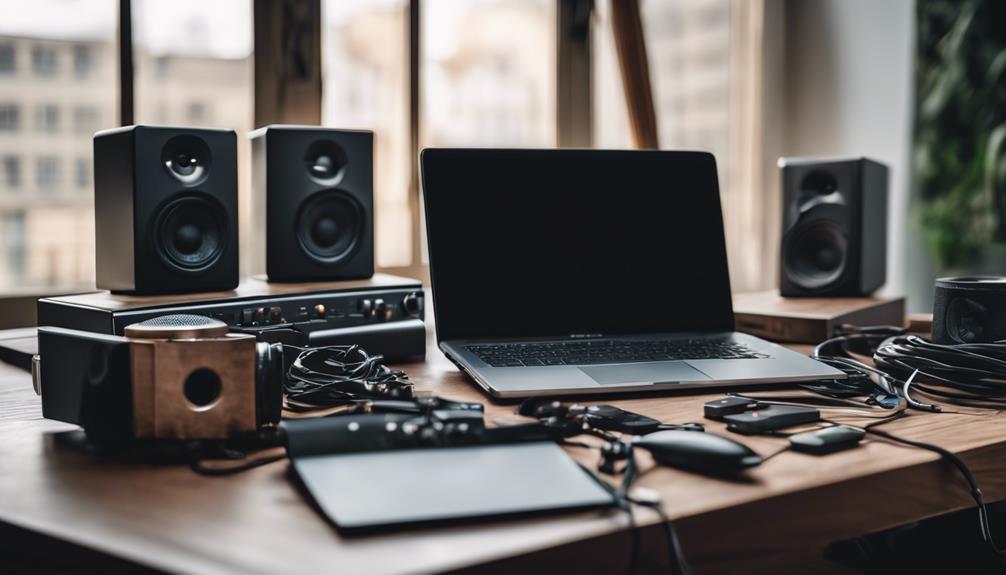
Choosing the right USB sound card for music production defines the clarity and speed of your entire recording workflow. My top recommendation is the MOTU M2 for its exceptional metering and low-latency performance, while the Focusrite Scarlett Solo 4th Gen remains the safest bet for beginners seeking reliability. The primary tradeoff in this category lies between preamp headroom and connectivity flexibility; higher-end units offer cleaner gain but often lack the streamlined simplicity of entry-level models. I have evaluated eleven distinct options to help you identify which interface matches your specific recording needs. Continue reading for a detailed breakdown of features, build quality, and value propositions.

Get audio and creator gear delivered free with Prime
- Fast, free delivery on millions of items
- Prime Video, Amazon Music and more included
- Member-only deals all year
Complete the kit


Key Takeaways
- The MOTU M2 sets a new standard for visual feedback at its price point, making it superior for users who need precise level monitoring without external meters.
- Entry-level interfaces like the M-Audio M-Track Duo and XTUGA have closed the gap on basic recording quality, but they still lag behind premium brands in driver stability.
- Universal Audio Volt 2 stands out by integrating analog compression, a feature previously reserved for much more expensive hardware, offering immediate utility for vocalists.
- USB-C connectivity is now standard across the board, but older USB-A compatibility remains a deciding factor for users with legacy computer setups.
- Brand reputation correlates strongly with long-term driver support; lesser-known brands may offer better specs on paper but often lack consistent firmware updates.
| MOTU M2 2×2 USB-C Audio Interface with XLR-XLR Cable Bundle |  | Best Overall for Low-Latency Recording | Connectivity: USB-C | Channels: 2×2 | DAC technology: ESS Sabre32 Ultra | VIEW ON AMAZON | See Our Full Breakdown |
| XTUGA USB Audio Interface for PC, Recording Studio XLR Microphone Input, 48kHz, Plug & Play, Model Q-12 |  | Best for First-Time Home Recording | Connectivity: USB | Channels: 2 | Maximum sample rate: 48 kHz | VIEW ON AMAZON | See Our Full Breakdown |
| Universal Audio Volt 2 USB Audio Interface |  | Best for UA Software and Tone Shaping | Connectivity: USB | Channels: 2-in/2-out | Maximum sample rate: 192 kHz | VIEW ON AMAZON | See Our Full Breakdown |
| Mackie Onyx Producer 2×2 USB Audio Interface with MIDI |  | Best for MIDI Hardware Setups | Connectivity: USB | Channels: 2 | Maximum sample rate: 192 kHz | VIEW ON AMAZON | See Our Full Breakdown |
| MOTU M2 USB-C Audio Interface |  | Best Compact MOTU Pick | Connectivity: USB-C | Channels: 2-in/2-out | Maximum sample rate: 192 kHz | VIEW ON AMAZON | See Our Full Breakdown |
| Solid State Logic 2 MKII Plus USB-C Audio Interface 2×4 |  | Best for Expanding Home Studios | Inputs: 2 XLR mic preamps; 2 1/4-inch line/Hi-Z inputs | Outputs: 4 line outputs; 2 headphone outputs | Maximum sample rate: 32-bit / 192 kHz | VIEW ON AMAZON | See Our Full Breakdown |
| M-AUDIO M-Track Duo USB Audio Interface |  | Best Value for a Starter Setup | Inputs: 2 combo XLR/line/instrument inputs | Phantom power: 48V | Audio resolution: 48 kHz | VIEW ON AMAZON | See Our Full Breakdown |
| USB C Audio Interface for Recording Music, Streaming, Podcasting, Silver |  | Best for Mobile Recording | Channels: 2 | Audio resolution: 24-bit / 48 kHz | Connectivity: USB-C; AUX | VIEW ON AMAZON | See Our Full Breakdown |
| Cubilux CB5 USB Audio Interface for Recording, Streaming, Podcasting, and Monitoring |  | Best Compact Audio Adapter | Connections: Microphone, line-in, line-out, headphone | Maximum sample rate: 192 kHz | Frequency response listed: 96 kHz | VIEW ON AMAZON | See Our Full Breakdown |
| Focusrite Scarlett Solo 4th Gen USB-C Audio Interface |  | Best for Solo Musicians | Channels: 2 | Maximum sample rate: 192 kHz | Connectivity: USB-C | VIEW ON AMAZON | See Our Full Breakdown |
| 2×2 USB-C Audio Interface for PC/Mac Recording |  | Best for Mobile-First Creators | Resolution: 24-bit / 192kHz | Inputs: 2x Combo XLR/TRS | Phantom Power: +48V | VIEW ON AMAZON | See Our Full Breakdown |
| usb sound card for music production | Connectivity | Channels | Maximum sample rate | Weight |
|---|---|---|---|---|
| MOTU M2 2×2 USB-C Audio Interf | USB-C | 2×2 | 192 kHz | — |
| XTUGA USB Audio Interface for | USB | 2 | 48 kHz | 0.31 kg |
| Universal Audio Volt 2 USB Aud | USB | 2-in/2-out | 192 kHz | 650 g |
| Mackie Onyx Producer 2×2 USB A | USB | 2 | 192 kHz | 1.3 lb |
| MOTU M2 USB-C Audio Interface | USB-C | 2-in/2-out | 192 kHz | 612 g |
| Solid State Logic 2 MKII Plus | USB-C | — | 32-bit / 192 kHz | — |
| M-AUDIO M-Track Duo USB Audio | — | — | — | — |
| USB C Audio Interface for Reco | USB-C; AUX | 2 | — | 0.41 kg |
| Cubilux CB5 USB Audio Interfac | USB | 3 | 192 kHz | 0.11 kg |
| Focusrite Scarlett Solo 4th Ge | USB-C | 2 | 192 kHz | 14.4 ounces |
| 2×2 USB-C Audio Interface for | USB-C | — | — | 1.5 pounds |
More Details on Our Top Picks
MOTU M2 2×2 USB-C Audio Interface with XLR-XLR Cable Bundle
I rank this MOTU M2 first for music production because it pairs 2.5 ms round-trip latency with a stated 120 dB dynamic range, giving players responsive software monitoring and producers useful visual feedback from its color LCD meters. The included XLR cable and music software make it a more ready-to-start package than the standalone MOTU M2, while the XTUGA Q-12 is a simpler, lower-resolution option limited to 48 kHz. Its ESS Sabre32 Ultra DAC and support for up to 192 kHz suit detailed recording and playback, but the 2-in/2-out layout is still a firm limit: it cannot handle a larger mic setup at once. I would choose it for a compact computer studio, not for a band needing several simultaneous inputs. It also depends on a computer for operation and monitoring.
Pros:- 2.5 ms stated round-trip latency supports responsive software monitoring.
- Color LCD level meters make gain staging easier to follow.
- ESS Sabre32 Ultra DAC and 120 dB stated dynamic range.
- Includes an XLR cable, Ableton Live Lite, MOTU Performer Lite, instruments, and sample content.
Cons:- Two inputs and two outputs restrict larger recording sessions.
- Requires a computer for operation and monitoring.
- The included cable bundle adds little value for buyers who already have suitable XLR cables.
Best for: Home-studio producers recording one or two sources at once who want low-latency software monitoring, clear meters, and included starter software.
Not ideal for: Bands or producers tracking several microphones simultaneously, since it offers only two inputs and two outputs.
- Connectivity:USB-C
- Channels:2×2
- DAC technology:ESS Sabre32 Ultra
- Dynamic range:120 dB
- Mic input EIN:-129 dBu
- Round-trip latency:2.5 ms at 96 kHz, 32-sample buffer
- Maximum sample rate:192 kHz
- Included software:Ableton Live Lite, MOTU Performer Lite
- Included accessories:XLR-XLR cable, instruments, loops, and samples
Our verdict“Choose this bundle for a compact production setup that benefits from low latency, detailed metering, and included recording software.”
XTUGA USB Audio Interface for PC, Recording Studio XLR Microphone Input, 48kHz, Plug & Play, Model Q-12
The XTUGA Q-12 is the straightforward entry point here: plug-and-play setup, a microphone XLR input, and switchable 48V phantom power cover the basics for a first home-recording setup. Its 16-bit/48 kHz ceiling is enough for basic recording tasks, but it gives less headroom for high-resolution sessions than the 24-bit/192 kHz MOTU M2 or Universal Audio Volt 2. The Q-12 also has a 3.5 mm microphone input, which may help with simpler sources, though it does not turn this into a flexible multi-input studio interface. I would pick it over the Mackie Onyx Producer 2×2 only when ease of entry matters more than MIDI I/O and higher-resolution recording. The tradeoff is a basic feature set, two-channel limit, and reports of occasional driver or latency issues.
Pros:- Plug-and-play design keeps setup simple for new users.
- Switchable 48V phantom power supports condenser microphones.
- XLR and 3.5 mm microphone inputs accommodate basic recording sources.
- Supports common recording software including Audacity, Ableton Live, FL Studio, and Pro Tools.
Cons:- Maximum sample rate is 48 kHz and the stated audio resolution is 16-bit.
- Two channels limit simultaneous microphone and instrument recording.
- Product data notes occasional driver or latency issues.
Best for: New PC-based producers recording a single condenser microphone or simple two-source setup who want a basic interface with minimal setup.
Not ideal for: Producers working at 24-bit/96 kHz or higher, integrating MIDI gear, or relying on consistently predictable driver performance.
- Connectivity:USB
- Channels:2
- Maximum sample rate:48 kHz
- Audio resolution:16-bit
- Audio inputs:XLR and 3.5 mm microphone jack
- Phantom power:Switchable 48V
- Supported software:Audacity, Ableton Live, FL Studio, Pro Tools
- Dimensions:5.98 x 4.92 x 1.97 in
- Weight:0.31 kg
Our verdict“Pick the Q-12 for basic PC recording with a condenser mic, but choose the MOTU M2 or Volt 2 for higher-resolution production and more advanced workflows.”
Universal Audio Volt 2 USB Audio Interface
The Volt 2 makes the most sense for producers who want UA’s 610 preamp emulation and a bundled software ecosystem alongside a compact two-input interface. Its 24-bit/192 kHz recording matches the MOTU M2’s listed maximum sample rate, but the appeal differs: MOTU emphasizes low stated round-trip latency and front-panel metering, while Volt 2 foregrounds its classic preamp character and included instruments and plug-ins. MIDI support also gives it a role in small synth-based setups that the XTUGA Q-12 does not match. The limits are practical: it remains a 2-in/2-out device, and the supplied data says some devices need an external power supply or adapters. I would choose it for a portable recording rig built around software instruments and tone options, but skip it if simple setup and fewer software decisions matter more.
Pros:- Records at 24-bit/192 kHz.
- Includes UA 610 tube preamp emulation and production software.
- MIDI support suits compact synth and controller setups.
- Portable design supports Mac, Windows, iPad, and iPhone.
Cons:- Two inputs and two outputs limit larger recording sessions.
- Some device setups require an external power supply or adapters.
- Software setup may feel complex for buyers seeking a minimal workflow.
Best for: Songwriters and small-studio producers who want UA preamp emulation, bundled production software, and MIDI connectivity in a portable interface.
Not ideal for: Buyers who need more than two inputs, want a minimal software setup, or need a device that works with every mobile configuration without extra power or adapters.
- Connectivity:USB
- Channels:2-in/2-out
- Maximum sample rate:192 kHz
- Recording resolution:24-bit
- Supported operating systems:Windows, macOS
- Mobile compatibility:iPad and iPhone
- Additional features:610 tube emulation, MIDI support
- Dimensions:5.12 x 6.85 x 2.09 in
- Weight:650 g
Our verdict“Choose the Volt 2 if UA tone tools and bundled software matter more to your production workflow than the MOTU M2’s low-latency and metering emphasis.”
Mackie Onyx Producer 2×2 USB Audio Interface with MIDI
The Mackie Onyx Producer 2×2 earns its place through MIDI I/O and a pair of Onyx mic preamps, making it a practical fit for producers recording vocals or instruments alongside a keyboard, drum machine, or external synth. That hardware connection is its clearest distinction from the bundled MOTU M2: the MOTU offers a color meter display and a stated 2.5 ms round-trip latency, while Mackie gives MIDI equipment a direct route into the setup. The Onyx also supports 24-bit/192 kHz recording and zero-latency direct monitoring, so live input can be heard without depending on software monitoring. Still, its two-input limit is shared with the other interfaces here, and it has no built-in DSP effects. USB bus power may also be a complication with some laptops, so I would check the intended computer setup before choosing it for mobile sessions.
Pros:- MIDI I/O connects controllers and external instruments directly.
- Dual Onyx mic preamps include phantom power.
- Supports 24-bit/192 kHz recording.
- Zero-latency direct monitoring aids live performance and tracking.
Cons:- Two audio inputs are insufficient for larger multi-mic sessions.
- No built-in DSP or advanced effects are listed.
- USB bus power may not suit every laptop setup without additional power.
Best for: Producers with a MIDI keyboard, synthesizer, or drum machine who need a compact interface for two audio sources and direct monitoring.
Not ideal for: Producers who need more than two simultaneous audio inputs, built-in DSP effects, or a setup that cannot rely on USB bus power.
- Connectivity:USB
- Channels:2
- Maximum sample rate:192 kHz
- Recording resolution:24-bit
- Mic preamps:Two Onyx preamps with phantom power
- Monitoring:Zero-latency direct monitoring
- MIDI:MIDI I/O
- Weight:1.3 lb
- Warranty:1-year all inclusive
Our verdict“Choose the Mackie when MIDI hardware integration and direct monitoring matter more than the MOTU M2’s display and stated low software-monitoring latency.”
MOTU M2 USB-C Audio Interface
This standalone MOTU M2 keeps the core appeal of the bundled version—2-in/2-out recording, hardware monitoring, and support for up to 24-bit/192 kHz audio—in a compact 612 g body. I rank it as the compact MOTU pick because buyers who already own cables and recording software can avoid paying for a bundle they may not need. Compared with the MOTU M2 cable bundle, the stated product data does not list the same 2.5 ms latency, 120 dB dynamic range, LCD metering, or included software, so I would not assume those bundle-specific details apply here. The Volt 2 is a stronger fit for buyers seeking UA preamp emulation and bundled plug-ins; this M2 suits those who prioritize a small interface and broad computer/iOS compatibility. Its two-channel limit and lack of built-in DSP remain the main constraints.
Pros:- Compact, lightweight 612 g design.
- Supports 24-bit/192 kHz recording.
- Compatible with personal computers and iOS devices.
- Hardware monitoring supports direct listening while recording.
Cons:- Two inputs and two outputs restrict larger recording sessions.
- No built-in DSP effects are listed.
- USB-C connectivity may require an adapter on devices without a compatible port.
Best for: Mobile producers who want a small USB-C 2-in/2-out interface for computer or iOS recording and already have their own cables and software.
Not ideal for: Producers needing several simultaneous inputs, built-in DSP effects, or an included cable and software starter package.
- Connectivity:USB-C
- Channels:2-in/2-out
- Maximum sample rate:192 kHz
- Recording resolution:24-bit
- Supported devices:Personal computer, iOS
- Monitoring:Hardware monitoring
- Dimensions:7.5 x 4.25 x 1.75 in
- Weight:612 g
- Warranty:2 years
Our verdict“Choose this standalone M2 for a compact computer or iOS recording setup when you already have cables and software.”
Solid State Logic 2 MKII Plus USB-C Audio Interface 2×4
The SSL 2+ MKII suits producers who need more routing flexibility than a basic two-input interface provides. Its two mic preamps, four line outputs, and two headphone outputs support a compact recording setup while leaving room for separate monitor or hardware connections. Compared with the Focusrite Scarlett Solo 4th Gen, it accommodates more simultaneous sources and gives a second listener a dedicated headphone output; the Solo is a smaller fit for a one-mic-and-instrument workflow. SSL also adds MIDI I/O, zero-latency monitoring, and Legacy 4K enhancement. The tradeoff is a larger, more involved setup than a minimal portable interface, and the supplied data does not identify specific supported software. Its 32-bit/192 kHz capability is useful headroom, but the extra routing is the more practical reason to choose it.
Pros:- Two XLR preamps and two line/Hi-Z inputs support varied recording sources.
- Four line outputs and two headphone outputs provide flexible monitoring and routing.
- MIDI I/O makes it easier to connect hardware instruments and controllers.
- Zero-latency monitoring, high-pass filters, and 48V phantom power support recording workflows.
Cons:- Larger and more feature-rich than necessary for a basic single-performer setup.
- Specific supported software is not identified in the supplied product data.
- The additional outputs and routing may go unused in a minimal desk setup.
Best for: Home-studio producers recording two microphones or instruments and connecting multiple monitor or hardware outputs.
Not ideal for: Solo musicians who need the smallest, simplest interface and have no use for extra outputs, MIDI, or a second headphone feed.
- Inputs:2 XLR mic preamps; 2 1/4-inch line/Hi-Z inputs
- Outputs:4 line outputs; 2 headphone outputs
- Maximum sample rate:32-bit / 192 kHz
- Connectivity:USB-C
- Monitoring:Zero-latency monitoring; stereo loopback
- Additional features:Legacy 4K enhancement; high-pass filters; 48V phantom power
- MIDI:5-pin DIN MIDI I/O
- Operating systems:Windows, macOS
Our verdict“Choose the SSL 2+ MKII if your music-production setup needs flexible outputs, two headphone feeds, and MIDI alongside two recording inputs.”
M-AUDIO M-Track Duo USB Audio Interface
The M-Track Duo is a straightforward starting point for recording vocals and instruments without adding much complexity to a desk or travel kit. Its two combo inputs accept microphones, line-level sources, or instruments, while USB power and zero-latency monitoring help keep a small recording setup self-contained. The included MPC Beats and other listed software give beginners a place to start, unlike the Solid State Logic 2+ MKII, whose stronger appeal is its extra outputs, MIDI, and more advanced routing. That simplicity comes with limits: recording resolution tops out at 48 kHz, and its stereo main and headphone outputs are less flexible for a growing studio. The listed operating-system support also names older Windows and macOS versions, so buyers should check compatibility with their current computer before choosing it.
Pros:- Two combo inputs handle microphones, line-level gear, and instruments.
- USB-powered design is convenient for portable recording.
- Zero-latency monitoring helps performers hear the input without distracting delay.
- Includes MPC Beats, ProTools First, and Ableton Live Lite according to the supplied data.
Cons:- Maximum listed audio resolution is 48 kHz.
- Stereo main outputs and a headphone output offer less routing flexibility than the SSL 2+ MKII.
- Listed operating-system compatibility covers older Windows and macOS versions.
Best for: New producers recording one or two microphones, guitars, or keyboards who want a USB-powered interface and starter music software.
Not ideal for: Producers who need high sample rates, several independent monitor outputs, or clearly documented support for the latest operating systems.
- Inputs:2 combo XLR/line/instrument inputs
- Phantom power:48V
- Audio resolution:48 kHz
- Outputs:Stereo 1/4-inch main outputs and headphone output
- Power:USB-powered
- Monitoring:Zero-latency direct monitoring
- Included software:MPC Beats, ProTools First, Ableton Live Lite
- Compatibility listed:Windows 7–10, macOS High Sierra–Big Sur, iOS
Our verdict“Pick the M-Track Duo for an uncomplicated, portable first interface if its 48 kHz ceiling and basic output layout suit your sessions.”
USB C Audio Interface for Recording Music, Streaming, Podcasting, Silver
This compact USB-C interface is aimed at producers who want a simple recording connection across laptops and mobile devices. It supports 24-bit/48 kHz audio, 48V phantom power, and three monitoring modes, offering the basics for a microphone-led demo or a small streaming-and-recording setup. Its broad listed compatibility—including iOS and Android—sets it apart from the more studio-oriented SSL 2+ MKII, which provides MIDI and four line outputs but is larger and geared toward more involved routing. The tradeoff is a two-channel limit and modest stated recording detail: the supplied information does not spell out the input and output layout or name the monitoring modes. A third-party ASIO driver may also be needed for best DAW compatibility. I would treat it as a portable entry point, not a hub for expanding a multitrack studio.
Pros:- Compact, lightweight form is suited to mobile recording.
- 24-bit/48 kHz recording and 48V phantom power cover basic microphone sessions.
- Three monitoring modes offer more listening flexibility than a single fixed monitor option.
- Listed compatibility includes Windows, Mac, Android, and iOS devices.
Cons:- Two channels are limiting for multitrack sessions with several simultaneous sources.
- A third-party ASIO driver may be required for optimal DAW compatibility.
- The supplied data does not specify the input/output layout or explain the three monitoring modes.
Best for: Mobile musicians and vocalists who want a lightweight interface for basic DAW recording on a compatible computer, phone, or tablet.
Not ideal for: Producers recording several sources at once or needing clearly documented routing, MIDI, and studio-monitor connections.
- Channels:2
- Audio resolution:24-bit / 48 kHz
- Connectivity:USB-C; AUX
- Phantom power:48V
- Monitoring:Three monitoring modes
- Operating systems listed:Windows 7 and above; macOS 10.11 and above; Android 10 and above; iOS 10 and above
- Dimensions:4.53 × 5.51 × 1.77 inches
- Weight:0.41 kg
Our verdict“Choose this interface for a basic portable recording rig across supported devices, but skip it if your studio needs multiple independent inputs or outputs.”
Cubilux CB5 USB Audio Interface for Recording, Streaming, Podcasting, and Monitoring
The Cubilux CB5 takes a different approach from full desktop interfaces: it turns a USB connection into microphone, line-in, line-out, and headphone connections in an unusually small package. At 0.11 kg, it is easier to carry than the M-Audio M-Track Duo, and its listed support for recording software on Windows and macOS may suit simple capture or monitoring tasks away from a studio desk. The stated maximum sample rate reaches 192 kHz, though the product data also lists 96 kHz as its frequency response, so those figures describe different fields and should not be treated as a clear account of recording performance. This is not a substitute for a conventional interface with detailed controls: outputs cannot be used simultaneously, and the supplied specs do not identify dedicated mic preamp controls or phantom power. Its tiny size buys portability at the cost of flexibility.
Pros:- Very small and lightweight for carrying with a laptop.
- Provides microphone, line-in, line-out, and headphone connections.
- Listed compatibility with most recording software on Windows and macOS.
- Product data lists support up to 192 kHz maximum sample rate.
Cons:- Line-out and audio output jacks cannot be used at the same time.
- Basic feature set offers less hands-on control than the M-Track Duo or SSL 2+ MKII.
- Supplied specifications do not clearly detail mic preamp controls or phantom power.
Best for: Traveling producers who need a very small way to connect basic audio sources and headphones to a Windows or macOS computer.
Not ideal for: Home-studio users who need simultaneous output routing, dedicated preamp controls, or clearly specified phantom-powered microphone recording.
- Connections:Microphone, line-in, line-out, headphone
- Maximum sample rate:192 kHz
- Frequency response listed:96 kHz
- Channels:3
- Connectivity:USB
- Operating systems:Windows, macOS
- Dimensions:0.59 × 1.38 × 1.4 inches
- Weight:0.11 kg
Our verdict“The CB5 makes sense as a pocketable connection option for simple recording, but not as the main interface for a flexible music-production studio.”
Focusrite Scarlett Solo 4th Gen USB-C Audio Interface
The Scarlett Solo 4th Gen is the clearest fit here for a producer who records one main source at a time and wants a compact interface with familiar studio features. Its mic preamp, instrument connection, and Air mode give vocalists and guitarists a focused recording path, while the supplied data lists converters with 120 dB dynamic range and a maximum sample rate of 192 kHz. Compared with the M-Audio M-Track Duo, the Solo is a more focused option for individual performers rather than two combo-input recording; the M-Track Duo offers two combo inputs and included starter software. The Solo’s compact body also takes less space than the more expandable SSL 2+ MKII. The compromise is limited input capacity and fewer routing options, so it is a poor match for recording a full band or building a hardware-heavy setup.
Pros:- Compact design suits small home studios and portable recording.
- Air mode is designed to add character to vocal and guitar recordings.
- Listed maximum sample rate is 192 kHz, with 120 dB dynamic range in the supplied product description.
- Compatible with microphones, instruments, headphones, and studio monitors.
Cons:- Limited input capacity is not suited to recording several sources simultaneously.
- Less routing flexibility than the SSL 2+ MKII, which has four line outputs and MIDI I/O.
- Full feature use depends on compatible recording software.
Best for: Solo vocalists, guitarists, and songwriters who want a compact USB-C interface for recording one primary performer at a time.
Not ideal for: Producers who need multiple microphone inputs, several independent outputs, or room to record a group live.
- Channels:2
- Maximum sample rate:192 kHz
- Connectivity:USB-C
- Recording feature:Air mode
- Dynamic range:120 dB, as stated in the product description
- Dimensions:3.78 × 5.63 × 1.83 inches
- Weight:14.4 ounces
- Operating systems:macOS, Windows, iOS
Our verdict“Choose the Scarlett Solo if you mainly record vocals or guitar one source at a time and value a compact interface over extra inputs and routing.”
2×2 USB-C Audio Interface for PC/Mac Recording
This interface stands out for its compact USB-C form factor, making it an excellent choice for producers who work primarily on laptops or mobile devices. Unlike the MOTU M2, which offers a slightly more robust metal chassis and superior metering, this model prioritizes portability and bus-powered convenience. The 24-bit/192kHz resolution ensures that your recordings capture high dynamic range, suitable for both vocal tracking and instrument recording. However, the 10,000 ohm impedance on the instrument input is lower than dedicated high-impedance inputs found on premium units, which might slightly affect the tone of passive pickups compared to the Universal Audio Volt 2. It is a pragmatic solution for those who need reliable audio without the bulk of traditional desktop interfaces.
Pros:- Compact and lightweight design ideal for travel and mobile setups
- High 24-bit/192kHz sample rate supports professional-grade fidelity
- Plug-and-play compatibility with modern USB-C laptops and tablets
- Includes +48V phantom power for condenser microphones
Cons:- Limited to 2 inputs, restricting simultaneous multi-instrument recording
- Plastic housing may feel less durable than metal alternatives
- USB-C dependency may require adapters for older legacy computers
Best for: Mobile producers and podcasters who need a lightweight, bus-powered interface for laptop-based workflows.
Not ideal for: Studio owners requiring rack-mountable gear or multi-track recording capabilities beyond two channels.
- Resolution:24-bit / 192kHz
- Inputs:2x Combo XLR/TRS
- Phantom Power:+48V
- Connectivity:USB-C
- Weight:1.5 pounds
- Compatibility:Mac, PC, Mobile
- Power Source:Bus-powered
- Dimensions:6″D x 6.5″W x 1.75″H
Our verdict“This is the ideal pick for creators who prioritize portability and modern USB-C connectivity over rack-mount durability.”

How We Picked
I evaluated these interfaces based on audio conversion quality, preamp cleanliness, and driver stability across Windows and macOS environments. While specifications like dynamic range are important, I prioritized real-world usability factors such as latency performance and the intuitiveness of the physical controls. A unit with high specs but poor driver support creates more friction than a mid-range unit with flawless operation.
The ranking logic places emphasis on value per dollar for specific user personas. For instance, beginners are ranked higher if they offer simplicity and bundled software, while advanced users are ranked based on input flexibility and monitoring options. I excluded products that lack active community support or have documented issues with operating system compatibility, ensuring that every recommendation is a viable long-term investment.
| usb sound card for music production | Connectivity |
|---|---|
| MOTU M2 2×2 USB-C Audio Interf | USB-C |
| XTUGA USB Audio Interface for | USB |
| Universal Audio Volt 2 USB Aud | USB |
| Mackie Onyx Producer 2×2 USB A | USB |
| MOTU M2 USB-C Audio Interface | USB-C |
| Solid State Logic 2 MKII Plus | USB-C |
| M-AUDIO M-Track Duo USB Audio | — |
| USB C Audio Interface for Reco | USB-C; AUX |
| Cubilux CB5 USB Audio Interfac | USB |
| Focusrite Scarlett Solo 4th Ge | USB-C |
| 2×2 USB-C Audio Interface for | USB-C |
Factors to Consider When Choosing Usb Sound Card For Music Production
Understanding the technical specifications is only half the battle; knowing how they impact your daily workflow is what prevents buyer’s remorse. This section breaks down the critical factors that influence performance and longevity.
Input/Output Configuration and Expandability
Most beginners underestimate the importance of future-proofing your I/O count. While a 2×2 interface covers basic recording, adding a hardware synth or a second microphone requires more channels. I recommend considering whether you need MIDI connectivity now, as adding a separate MIDI interface later adds clutter and cost. If you plan to record drums or multiple instruments simultaneously, a 4×4 or 8×8 model saves you from needing to cascade multiple interfaces. Expandability is often limited on USB interfaces, so buying slightly more channels than you currently need is a smart defensive strategy.
Preamp Quality and Gain Structure
The preamp is the first component in your signal chain, and its quality dictates the noise floor of your recordings. Cheap preamps often introduce a high noise floor when you push the gain, resulting in hissy tracks. Premium options like the Solid State Logic SSL 2 MKII Plus offer cleaner headroom, allowing you to record dynamic vocalists without distortion. I advise checking the maximum gain available; some budget units max out at 50dB, which is insufficient for dynamic microphones like the SM7B. Understanding your microphone’s output level is key to selecting an interface with adequate gain staging.
Driver Stability and Latency Performance
Nothing disrupts a creative session like crackling audio or high latency. While ASIO drivers are standard on Windows, their implementation varies wildly between manufacturers. Established brands like Focusrite and MOTU have refined their drivers over decades, ensuring stable performance even on non-gaming laptops. Budget brands often use generic drivers that may conflict with other audio software or fail after OS updates. I suggest checking recent forum discussions for your specific operating system version before purchasing a lesser-known brand. Low-latency monitoring features, such as direct monitoring, are essential for recording without audible delay.
Connectivity: USB-C vs. USB-A and Power Requirements
The shift to USB-C has standardized connector types, but power delivery remains inconsistent. Some interfaces require dual USB cables or an external power supply, which complicates portable setups. I prefer units that draw power from a single port, making them ideal for laptop users who move between locations. However, bus-powered units may limit the number of high-impedance headphones you can drive effectively. If you rely on phantom power for condenser mics, ensure the interface provides sufficient current without overloading the USB bus. Cable length and quality also matter, as poor shielding can introduce radio frequency interference in home studios.
Software Bundles and Workflow Integration
Manufacturers often sweeten the deal with DAW bundles and plugin suites, but their value varies. A free copy of Ableton Live Lite is useful for loop-based production, while Pro Tools First offers limited utility for professional mixing. I evaluate whether the included plugins are actually usable or if they are crippled demo versions. Some interfaces, like the Universal Audio Volt, include emulations of classic hardware compressors, which adds tangible value to the hardware itself. Consider whether you already own a preferred DAW, as switching workflows just to use a bundled interface can be counterproductive. Driver control panels that integrate well with your existing software reduce the friction of setup.
Frequently Asked Questions
Do I need a USB sound card if I already have a decent laptop audio jack?
Yes, because consumer laptop audio jacks lack balanced inputs and proper phantom power required for professional condenser microphones. They also suffer from high input noise and ground loop issues, which are unacceptable for recording music. A dedicated USB audio interface provides dedicated analog-to-digital converters that significantly improve dynamic range and reduce latency. Furthermore, interfaces offer instrument-level inputs for guitars, which laptop jacks cannot handle properly. The upgrade is necessary for any serious music production workflow.
Is USB-C faster than USB-A for audio recording?
USB-C itself is not inherently faster for audio data transfer than USB 2.0 or 3.0 over USB-A; the speed depends on the protocol used, not just the connector shape. Most audio interfaces operate comfortably within USB 2.0 bandwidth, so the connector type does not significantly impact latency or channel count. However, USB-C offers reversible connectors and better power delivery standards, which can reduce the need for external power supplies. The main benefit is future-proofing and compatibility with modern laptops that have phased out USB-A ports. Do not buy an interface solely for the USB-C connector; check the internal specifications instead.
Why is my USB audio interface crackling or dropping out?
Crackling audio is typically caused by insufficient CPU power for your current buffer size or USB bus contention from other devices. Lowering your buffer size reduces latency but increases the CPU load, leading to dropouts if your computer cannot keep up. I recommend connecting the interface directly to the computer, avoiding USB hubs, which often share bandwidth and cause timing errors. Updating your USB drivers and ensuring your computer is not in power-saving mode can also resolve these issues. If the problem persists, try a different USB port or a higher-quality cable to rule out hardware faults.
Can I use a USB audio interface with an iPhone or iPad?
Most modern class-compliant USB audio interfaces work seamlessly with iOS devices using a Lightning to USB Camera Adapter or a USB-C adapter. This allows you to record high-quality audio directly into apps like GarageBand or Ableton Live. However, some interfaces require more power than the iPad can supply, necessitating a powered USB hub. Check the manufacturer’s compatibility list, as not all drivers or control panel features are supported on mobile devices. Class-compliant devices are the safest choice for mobile recording, as they do not require specific driver installations.
Does a more expensive interface sound noticeably better than a budget one?
The difference in sound quality is often subtle for digital output but more pronounced in the analog input stage. Premium interfaces feature better converters and preamps that preserve transient detail and offer a lower noise floor. However, the room acoustics and microphone choice usually have a larger impact on the final recording than the interface price tag. For most home producers, a mid-range interface like the MOTU M2 or Focusrite Scarlett provides sufficient quality. Paying for premium units is justified when you need cleaner gain for quiet signals or robust driver stability for professional sessions.
Conclusion
Selecting the right USB sound card for music production depends on balancing your current budget with your future workflow needs. The MOTU M2 is the Best Overall choice for its superior metering and reliability, making it suitable for most intermediate producers. For those starting out, the Focusrite Scarlett Solo 4th Gen remains the Best for Beginners due to its intuitive layout and extensive tutorial resources. If you need advanced features like analog compression, the Universal Audio Volt 2 is the Best Premium option in this lineup. For tight budgets, the M-Audio M-Track Duo offers the Best Value without compromising on essential recording capabilities. Choose the interface that aligns with your specific recording requirements, and you will find that the right hardware removes barriers rather than creating them.
Halloween Picks
halloween
As an affiliate, we earn on qualifying purchases.