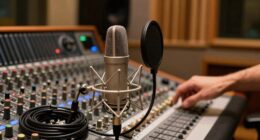
Choosing the right tools for music production can dramatically impact your workflow and creative potential. The best overall pick, Fender Studio Pro 8, offers a versatile and user-friendly DAW with professional features. For those prioritizing portability, the Akai MPK Mini MK3 provides a compact MIDI controller that fits into any setup. Meanwhile, the PreSonus AudioBox USB 96 stands out as an excellent starter package for newcomers seeking quality recording gear. Every option involves tradeoffs—some tools excel in ease of use but lack advanced features, while others offer deep customization at the expense of a steeper learning curve. Keep reading for a detailed breakdown of these picks and how to choose the right tools for your music production journey.

Get audio and creator gear delivered free with Prime
- Fast, free delivery on millions of items
- Prime Video, Amazon Music and more included
- Member-only deals all year
Complete the kit



Key Takeaways
- The top DAW, Fender Studio Pro 8, balances professional features with intuitive design, making it suitable for both beginners and experienced producers.
- MIDI controllers like Akai MPK Mini MK3 are essential for hands-on control but vary significantly in size, features, and price, affecting portability and workflow.
- Recording packages such as PreSonus AudioBox USB 96 deliver great value for newcomers, but more advanced users might need higher-end audio interfaces.
- Compatibility with your existing setup and software ecosystem remains a critical factor—some tools integrate better with popular DAWs like Pro Tools or FL Studio.
- Price and expandability often dictate long-term satisfaction; investing in versatile, upgradeable hardware and software can save money down the line.
| Fender Studio Pro Perpetual License – Music Production Software & DAW |  | Best Overall for Ownership and Video Integration | License Type: Perpetual | Platform: Digital Audio Workstation (DAW) | Amp Models: Mustang Guitar and Rumble Bass | VIEW ON AMAZON | See Our Full Breakdown |
| Akai Professional MPK Mini MK3 25-Key USB MIDI Keyboard Controller |  | Best for Portable Control and Beat Making | Keys: 25 velocity-sensitive keys | Pads: 8 backlit MPC-style drum pads | Knobs: 8 assignable knobs | VIEW ON AMAZON | See Our Full Breakdown |
| PreSonus AudioBox USB 96 25th Anniversary Studio Recording Package |  | Best for Beginners and Home Recordists | Interface: AudioBox USB 96 | Microphone: M7 large-diaphragm condenser | Headphones: HD7 | VIEW ON AMAZON | See Our Full Breakdown |
| Pro Tools for Music Production: Recording, Editing and Mixing |  | Best for Learning and Skill Development | VIEW ON AMAZON | See Our Full Breakdown | |||
| Pro Tools for Music Production: Recording, Editing, and Mixing |  | Best for Beginners and Advanced Users Alike | VIEW ON AMAZON | See Our Full Breakdown | |||
| MixPad Multitrack Recording Software for Sound Mixing and Music Production |  | Best Overall for Versatile Multitrack Recording | Supports sample rates: 6 kHz to 96 kHz | Bit depth: up to 32 bits floating point | Tracks: Unlimited | VIEW ON AMAZON | See Our Full Breakdown |
| Fender Studio Pro 8 – Music Production Software & Digital Audio Workstation |  | Best for Guitarists and Musicians Seeking Authentic Amp Models | License: Perpetual | Subscription: 12-month Fender Studio Pro+ | Amp Models: Mustang Guitar, Rumble Bass | VIEW ON AMAZON | See Our Full Breakdown |
| FL Studio 20 Producer Edition |  | Best for MIDI Sequencers and Electronic Music Creators | Compatible Devices: PC, Laptop | Supported Software: FL Studio | Connectivity Technology: USB | VIEW ON AMAZON | See Our Full Breakdown |
| MixPad Multitrack Recording Software for Sound Mixing and Music Production |  | Best for Mac Users and Voice/Audio Mixing | Platform: Mac | Features: Multi-track recording, editing tools, audio effects | Supports: Multiple tracks | VIEW ON AMAZON | See Our Full Breakdown |
| Akai Professional MPD218 – USB MIDI Controller with 16 MPC Drum Pads, 6 Assignable Knobs, Note Repeat and Full Level Buttons, and Production Software |  | Best Portable MIDI Controller for Beat-Making and Live Performance | Number of Pads: 16 | Assignable Knobs: 6 | Pad Banks: 3 | VIEW ON AMAZON | See Our Full Breakdown |
More Details on Our Top Picks
Fender Studio Pro Perpetual License – Music Production Software & DAW
This software stands out for offering a lifetime license with a comprehensive suite of recording, mixing, and mastering tools, making it ideal for creators who want a one-time investment without ongoing fees. Compared to Pro Tools, which often involves subscriptions or upgrades, Fender Studio Pro provides a more straightforward ownership experience. Its integration of authentic Fender amp models and extensive effects makes it especially appealing for guitarists and bassists seeking realistic tone shaping. However, its complex interface may challenge beginners, and the lack of external plugin support limits flexibility for advanced users. This pick makes the most sense for musicians seeking a perpetual license with video capabilities and a focus on guitar/bass tones, rather than newcomers or those needing a lightweight, simple DAW.
Pros:- Lifetime ownership with no ongoing fees
- Includes authentic Fender amp models and effects
- AI-powered creative tools enhance workflow
- Supports video playback and live performance
Cons:- Complex interface may require a learning curve
- Limited to Fender Studio Pro features, no external plugin support
Best for: Professional or semi-professional guitarists and bass players who want a lifetime license with integrated amp modeling and video support.
Not ideal for: Beginners or producers who prefer a simple, easy-to-learn interface or need extensive third-party plugin compatibility.
- License Type:Perpetual
- Platform:Digital Audio Workstation (DAW)
- Amp Models:Mustang Guitar and Rumble Bass
- Effects:100+ FX pedals, cabinets, 45+ native effects
- Tracks:Unlimited
- Video Support:Yes
Our verdict“Best suited for guitarists and bassists who want a comprehensive, ownership-based DAW with video features and authentic Fender tones.”
Akai Professional MPK Mini MK3 25-Key USB MIDI Keyboard Controller
The Akai MPK Mini MK3 shines as a compact, highly portable MIDI controller that packs a punch with 25 velocity-sensitive keys, 8 drum pads, and 8 assignable knobs. It’s a clear choice for producers needing hands-on control in small spaces or on the move, especially when compared to larger controllers like the Fender Studio Pro, which focuses on software rather than hardware control. Its inclusion of NKS support and a sound library makes it versatile for both studio and live settings. The tradeoff is its limited number of keys, which might frustrate more advanced musicians requiring more range, and the learning curve involved in mastering its software integration. This controller makes the most sense for electronic producers, beat makers, and mobile musicians who prioritize portability and real-time control.
Pros:- Highly portable and compact design
- Includes comprehensive control with pads, knobs, and thumbstick
- NKS integration and software bundle for professional use
- Built-in arpeggiator and pitch/modulation controls
Cons:- Limited to 25 keys, which may be restrictive for some musicians
- Requires setup and familiarity with software, potentially steep learning curve
Best for: Electronic musicians, beat makers, and producers who need a portable MIDI solution with comprehensive control features.
Not ideal for: Advanced keyboard players or those seeking a full-sized controller for complex performances or studio arrangements.
- Keys:25 velocity-sensitive keys
- Pads:8 backlit MPC-style drum pads
- Knobs:8 assignable knobs
- Connectivity:USB powered
- Included Software:MPC Beats, 3 Virtual Instruments, 2GB sound content
- Additional Features:4-way thumbstick, built-in arpeggiator
Our verdict“Ideal for producers needing a portable, feature-rich MIDI controller to enhance their music creation on the go.”
PreSonus AudioBox USB 96 25th Anniversary Studio Recording Package
This all-in-one recording package is tailored for newcomers and home musicians, offering a high-quality audio interface, a versatile condenser microphone, and studio headphones, all bundled with professional software like Studio One Artist. Compared with dedicated DAWs like Pro Tools, this package emphasizes ease of setup and immediate usability, making it ideal for those just starting out. The inclusion of necessary cables and accessories means less hassle for beginners, but it might be overkill for casual hobbyists who only need simple recording tools. The main tradeoff is that it’s more expensive than basic interfaces and the included software can have a learning curve. This kit makes the most sense for aspiring home recordists or podcasters who want a complete, ready-to-record setup without additional purchases.
Pros:- Complete, professional-grade recording package
- Includes high-quality microphone and headphones
- Cables and accessories included for immediate setup
- Comes with popular software like Studio One Artist
Cons:- May be more than casual users need
- Software may require time to learn for beginners
Best for: Beginner musicians, podcasters, and home studio enthusiasts seeking a complete, ready-to-use recording setup.
Not ideal for: Advanced producers or those with existing gear who need high-end studio equipment or extensive upgrade options.
- Interface:AudioBox USB 96
- Microphone:M7 large-diaphragm condenser
- Headphones:HD7
- Software:Studio One Artist, Studio Magic Suite, Ableton Live Lite
- Included Accessories:Cables, desktop mic stand
- Preamp:Two class-A mic preamps
- Inputs:Combo input jacks
Our verdict“Perfect for newcomers and home recordists looking for an all-in-one, plug-and-play recording solution.”
Pro Tools for Music Production: Recording, Editing and Mixing
This instructional book offers a broad overview of using Pro Tools for recording, editing, and mixing, making it suitable for those who prefer learning through guided reading rather than software hardware. Unlike the Fender Studio Pro or MIDI controllers, it doesn’t include any hardware, focusing instead on techniques and workflows. It’s a good resource for both beginners and experienced users aiming to deepen their understanding of Pro Tools’ features. The main tradeoff is that it lacks detailed insights into the latest software updates or hardware integrations, and it won’t replace hands-on experience. This guide is most useful for students, educators, or producers who want a solid theoretical foundation and practical tips rather than a plug-and-play solution.
Pros:- Comprehensive coverage of Pro Tools features
- Suitable for all skill levels
- Practical tips for recording, editing, and mixing
- Focuses on core workflows
Cons:- No hardware included or detailed software updates
- Lacks hands-on hardware or software access
Best for: Students, educators, and DIY producers looking to master Pro Tools through structured learning.
Not ideal for: Producers seeking a hardware-inclusive package or those wanting quick-start software solutions.
Our verdict“Best for learners and professionals aiming to deepen their understanding of Pro Tools workflows and techniques.”
Pro Tools for Music Production: Recording, Editing, and Mixing
This book offers a thorough guide to Pro Tools that appeals across skill levels, with practical advice for recording, editing, and mixing. Unlike the previous title, it emphasizes applicability for both newcomers and seasoned producers, providing adaptable tips for various workflows. However, it shares the limitation of not including any software, hardware, or recent updates, which could make it less practical as a standalone resource for immediate production. Its value lies in the detailed coverage of core features, but without customer reviews or explicit specs, it’s more of a reference guide. It’s best suited for those who already have access to Pro Tools and want a structured, comprehensive manual to improve their skills.
Pros:- Extensive coverage of Pro Tools functions
- Suitable for both beginners and advanced users
- Provides practical tips for all stages of production
- Focuses on core recording, editing, and mixing techniques
Cons:- No actual software or hardware included
- Lacks recent updates or version-specific guidance
Best for: Producers and students who already own Pro Tools and seek a detailed, multi-level guide to enhance their workflow.
Not ideal for: Absolute beginners without access to the software or those seeking a quick-start tutorial.
Our verdict“Best for experienced users and students who want a detailed, multi-level reference to improve their production skills.”
MixPad Multitrack Recording Software for Sound Mixing and Music Production
MixPad stands out as a highly adaptable multitrack recording platform that balances ease of use with professional features. Its support for unlimited tracks and high-quality exports makes it a strong choice for beginners who want a straightforward interface, but it also appeals to more experienced users seeking a flexible tool. Compared to FL Studio, MixPad lacks the extensive MIDI and plugin ecosystem, which may limit advanced editing. However, its simplicity means less time learning complex workflows, making it ideal for quick projects. The main tradeoff is that it requires installation and offers limited built-in effects or plugin integration, which can be a drawback for users seeking a fully integrated DAW experience.
Pros:- Supports unlimited tracks for complex projects
- High-quality export options in multiple formats
- User-friendly interface suitable for all skill levels
Cons:- Requires download and installation, not web-based
- Limited information on advanced editing features
- No integrated effects or plugin support
Best for: Home studio owners and hobbyists needing easy multitrack recording without a steep learning curve
Not ideal for: Professional producers requiring advanced editing, effects, or plugin support
- Supports sample rates:6 kHz to 96 kHz
- Bit depth:up to 32 bits floating point
- Tracks:Unlimited
- Export formats:WAV, high compression formats
Our verdict“MixPad is a flexible, easy-to-use option best suited for beginners and small-scale projects needing straightforward multitrack recording.”
Fender Studio Pro 8 – Music Production Software & Digital Audio Workstation
Fender Studio Pro 8 offers a robust DAW experience with the benefit of authentic Fender amp modeling, effects, and AI-powered tools. Its unlimited tracks and advanced editing features make it a compelling choice for musicians who want studio-quality sounds integrated into their workflow. Unlike FL Studio, which excels in MIDI sequencing and plugin support, Fender Studio Pro emphasizes guitar and bass tones with real amp emulation, making it ideal for recording electric instruments. Its complex interface may overwhelm beginners, and the need for a powerful computer can be a barrier for some users. Still, for guitarists and producers wanting Fender’s signature sound, this software provides a tailored experience.
Pros:- Includes authentic Fender amp models and effects
- Unlimited tracks and advanced editing tools
- AI-powered features like audio to MIDI and chord detection
Cons:- Complex interface with a learning curve
- Requires a high-performance computer for smooth operation
Best for: Guitarists, bassists, and producers focused on guitar tones and amp modeling
Not ideal for: Beginners or users primarily interested in MIDI sequencing or electronic music production
- License:Perpetual
- Subscription:12-month Fender Studio Pro+
- Amp Models:Mustang Guitar, Rumble Bass
- Effects:45+ native effects, FX pedals, cabinets
- Tracks:Unlimited
- Compatibility:Mobile and desktop
Our verdict“Fender Studio Pro 8 is ideal for guitarists and producers seeking authentic Fender tones within a comprehensive DAW environment.”
FL Studio 20 Producer Edition
FL Studio 20 Producer Edition is a powerhouse for electronic music producers, offering extensive MIDI sequencing, multi-track recording, and a rich ecosystem of VST plugins. Its intuitive interface makes it easier for beginners to start, yet its deep features appeal to seasoned producers. Compared with MixPad, FL Studio’s strength lies in its comprehensive plugin support and MIDI capabilities, but it demands a computer with solid specs and some familiarity with music production software. It does not include hardware, so users will need an audio interface for recording. For those committed to electronic music or beat-making, FL Studio provides a flexible, professional environment—albeit with a steeper learning curve.
Pros:- Powerful multi-track recording and editing
- Supports MIDI sequencing and VST plugins
- Compatible with Windows and Mac OS
Cons:- Requires a compatible computer and some software knowledge
- No included hardware or audio interface
- Limited to FL Studio software environment
Best for: Electronic musicians, beatmakers, and MIDI-heavy producers
Not ideal for: Producers seeking integrated hardware support or a simple interface for quick projects
- Compatible Devices:PC, Laptop
- Supported Software:FL Studio
- Connectivity Technology:USB
- Operating System:Windows 7/8/10, Mac OS 10.11+
- Item Weight:250 g
Our verdict“FL Studio 20 Producer Edition is best suited for electronic music creators who need advanced MIDI and plugin support, with a learning curve for newcomers.”
MixPad Multitrack Recording Software for Sound Mixing and Music Production
This version of MixPad, tailored for Mac, emphasizes ease of use with its intuitive editing tools and support for recording multiple tracks simultaneously. While it shares core features with the Windows version, it’s especially appealing to voice-over artists, podcasters, and small studio users who prioritize straightforward mixing and effects like EQ and reverb. Compared with the B00YNRD4D6 version, this Mac-specific edition may lack some advanced features or plugin support, but it compensates with a clean interface and effective editing workflows. Its main limitation is the potential need for purchase after the free trial, and a lack of detailed info on its full suite of features, which could be a concern for more demanding users.
Pros:- User-friendly interface with intuitive editing tools
- Includes a variety of audio effects like EQ, compression, and reverb
- Supports recording multiple tracks at once
Cons:- Limited info on advanced features or limitations
- No Windows version available
- Potential additional cost after trial period
Best for: Mac-based voice-over artists, podcasters, and home musicians needing simple multitrack mixing
Not ideal for: Producers requiring extensive plugin support or advanced editing features on Windows
- Platform:Mac
- Features:Multi-track recording, editing tools, audio effects
- Supports:Multiple tracks
Our verdict“This Mac version of MixPad suits voice-over artists and podcasters seeking easy, effective multitrack mixing with basic effects.”
Akai Professional MPD218 – USB MIDI Controller with 16 MPC Drum Pads, 6 Assignable Knobs, Note Repeat and Full Level Buttons, and Production Software
The Akai MPD218 shines as a compact, portable MIDI controller that integrates seamlessly with many DAWs, including FL Studio and Ableton Live. Its 16 MPC-style pads and assignable knobs give producers expressive control over beats, samples, and effects, making it ideal for on-the-go production or live shows. Compared with software-only solutions like MixPad or FL Studio, the MPD218 adds tangible control and tactile feedback, essential for beatmakers and performers. Its limitation lies in its small number of pads per bank, which may require additional controllers for larger setups. Also, the need to purchase the included software separately adds a layer of setup before use, but it significantly enhances its creative potential.
Pros:- Lightweight, portable design for mobile production
- Multiple assignable controls for customization
- Includes professional software like Ableton Live Lite and MPC Beats
Cons:- Requires separate purchase of Camera Connection Kit for iOS
- Limited to 16 pads per bank, may need additional units for larger setups
Best for: Beatmakers, live performers, and producers seeking portable, tactile control over their DAW
Not ideal for: Producers needing extensive pads or hardware for complex arrangements without additional controllers
- Number of Pads:16
- Assignable Knobs:6
- Pad Banks:3
- Assignable Controls:18 potentiometers
- Software Included:Ableton Live Lite, MPC Beats, Drum Synth 500
- Connectivity:USB, iOS via Camera Connection Kit
Our verdict“The MPD218 provides essential tactile control for beatmakers and performers who value portability and flexibility in their workflow.”

How We Picked
Products were selected based on their relevance to various levels of music producers, from beginners to seasoned professionals. We prioritized performance, usability, build quality, and value for money. Each tool was evaluated on its feature set, ease of integration into existing setups, and how well it balances price with capabilities. The ranking reflects a combination of versatility, user feedback, and overall reliability, ensuring that each pick serves a distinct purpose for different types of music creators. Our goal was to highlight options that either streamline production or expand creative possibilities without overwhelming the user.
Factors to Consider When Choosing Tools For Music Production
Choosing tools for music production involves balancing several factors that directly influence your workflow and creative output. It’s essential to consider your current skill level, the type of music you produce, and your budget. Properly assessing these elements can help you avoid costly mistakes, like overspending on features you won’t use or buying hardware incompatible with your setup. The following sections outline key considerations to keep in mind when selecting your music production tools.
Compatibility and Ecosystem
Ensuring your new tools work seamlessly with your existing hardware and software is vital. Compatibility issues can cause delays and frustration, especially if you need to switch between different DAWs or hardware interfaces. Look for tools that are known to integrate smoothly with your preferred setup, whether it’s Mac, Windows, or specific DAW software like Ableton, FL Studio, or Pro Tools. Investing in ecosystem-friendly gear often results in a more stable and efficient workflow.
Usability and Learning Curve
Some tools, like advanced DAWs or hardware controllers, come with steep learning curves that can slow your progress if you’re just starting out. Conversely, user-friendly interfaces and straightforward controls help new producers hit the ground running. Consider your experience level and choose tools that match your comfort zone but still allow room for growth. Overly complex equipment may require additional time and resources to master, which could hinder your creative momentum.
Features and Expandability
Think about the features that matter most to your music style—whether it’s extensive plugin support, MIDI control, or multi-track recording. Tools with expandability options, such as additional hardware inputs or software upgrades, can grow with your skills. However, avoid paying extra for features you won’t use; focus on core functionalities that boost your productivity now and in the future. Versatile tools that can be customized often offer better long-term value.
Price and Long-term Value
Balance your budget with the potential longevity of your investment. Cheaper tools might save money upfront but could lack durability or advanced features necessary for professional work. Conversely, premium tools often come with better build quality and support but may be overkill for casual or beginner producers. Aim for a solution that offers the best value—features that meet your current needs with room to upgrade as your skills develop.
Portability and Space Requirements
If you’re working in multiple locations or have limited space, consider compact, portable options like small MIDI controllers or lightweight audio interfaces. These tools enable flexibility without sacrificing performance. Larger, more complex equipment might deliver higher-quality results but could hinder mobility and clutter your workspace. Always match your setup to your physical environment and production style.
Frequently Asked Questions
How do I choose between a hardware controller and a software plugin?
Choosing between hardware controllers and software plugins depends on your workflow preferences and setup. Hardware controllers provide tactile control, which many producers find more intuitive and inspiring, especially during live performance or mixing. Software plugins, on the other hand, are more flexible and often less expensive, making them ideal for producers working within limited space or budget. Consider how much hands-on control you want and whether your setup can accommodate additional hardware without cluttering your workspace.
Are all DAWs compatible with all plugins and hardware?
While most modern DAWs strive for broad compatibility, some hardware and plugins are optimized for specific systems or formats. For example, certain plugins may only work with Windows or Mac, and some hardware controllers might require specific drivers. Before purchasing, verify that your preferred tools are fully compatible with your operating system and DAW. Compatibility issues can lead to troubleshooting delays, so it’s best to choose hardware and software that are tested and widely supported within your ecosystem.
Is it better to invest in a high-end DAW or start with a more affordable option?
Deciding whether to buy a premium DAW or an entry-level version depends on your current needs and future plans. High-end DAWs often offer more advanced features, better support, and greater stability, which can enhance professional workflows. However, for beginners or hobbyists, more affordable options like FL Studio or Ableton Live Intro can provide sufficient tools to develop skills without overwhelming complexity. Upgrading later is always an option, so start where your budget allows and scale up as your skills grow.
What features should I prioritize when choosing a MIDI controller?
Key features to consider include the number of keys, velocity sensitivity, and the presence of assignable knobs and pads. A compact design might be ideal for small spaces, but larger controllers often offer more control options. Compatibility with your DAW and software, as well as build quality, are also important. Prioritize controllers that allow easy mapping and customization, helping you streamline your workflow and focus on creativity rather than technical setup.
How important is expandability in music production tools?
Expandability can significantly extend the lifespan and versatility of your setup. Tools that support additional hardware, plugins, or software upgrades allow you to adapt and grow without replacing your entire system. While initial investments in expandable gear might be higher, they often save money over time by reducing the need for frequent upgrades. However, if you’re just starting out, focusing on core features that meet your current needs might be more practical before planning for future expansion.
Conclusion
For those seeking a comprehensive, user-friendly setup, the Fender Studio Pro 8 offers a versatile DAW with a balance of features and simplicity. Beginners or casual producers will find the PreSonus AudioBox USB 96 an excellent starter package that provides reliable recording capabilities at a reasonable price. If portability and hands-on control are priorities, the Akai MPK Mini MK3 delivers compact, intuitive MIDI control suitable for mobile setups or limited space. Advanced users aiming for professional-grade production should consider investing in premium tools that offer expandability and deeper feature sets, ensuring long-term value. Ultimately, your choice depends on your experience level, budget, and specific production goals.
Halloween Picks
halloween
As an affiliate, we earn on qualifying purchases.