
Choosing a Razer laptop for music production is less about gaming graphics and more about balancing processor headroom, memory, storage, screen space, and the weight you are willing to carry. My leading picks are the Blade 16 for its 64GB of memory and 2TB SSD, the Blade 14 for a more portable recording setup, and the Blade 18 for large sessions that benefit from a spacious display and expandable memory. Each can run a demanding creative workflow, but they serve different studios.

Get audio and creator gear delivered free with Prime
- Fast, free delivery on millions of items
- Prime Video, Amazon Music and more included
- Member-only deals all year
The key tradeoff is clear: the largest and most powerful models offer room for heavier sessions and external displays, while the smaller Blade 14 is easier to transport and lists longer battery life. The older Blade 17 has a capable i7 and useful connectivity, yet its 16GB of RAM and older platform make it the most limited choice here for growing projects. I rank these laptops by their practical fit for production, not by gaming performance alone.
Complete the kit


Key Takeaways
- Blade 16 is my strongest all-round studio pick: 64GB of memory and a 2TB SSD give it more headroom for sample libraries and large sessions than the 32GB, 1TB Blade 14.
- Blade 14 is the portability choice: at 3.59 pounds with a stated battery life of up to 11 hours, it is easier to take between home, rehearsal, and recording spaces than the Blade 17 or 18.
- Blade 18 favors a desk-based studio: its 18-inch screen, 32GB of expandable memory, dual M.2 slots, and broad ports make it the most flexible for fixed setups, but its 7.06-pound chassis is a real carry burden.
- Blade 17 is the budget-conscious configuration only if its limits fit: the 11th Gen Intel i7 and 1TB SSD are usable, but 16GB RAM is the least generous starting point in this group.
- Audio interfaces and workflow matter more than the GPU: all four laptops list powerful graphics, but music production buyers should prioritize CPU, RAM, storage, port compatibility, and a stable audio setup.
| Razer Blade 16 Gaming Laptop – RTX 5080, 64GB DDR5, 2TB SSD, Black |  | Best Overall for Large DAW Sessions | Processor: AMD Ryzen AI 9 365, 10 cores / 20 threads | Graphics: NVIDIA GeForce RTX 5080 Laptop GPU, up to 160W TGP | Memory: 64GB DDR5-8000 LPDDR5X | VIEW ON AMAZON | See Our Full Breakdown |
| Razer Blade 14 (2025) Gaming Laptop with RTX 5070, 32GB DDR5 RAM, 1TB SSD, Black | 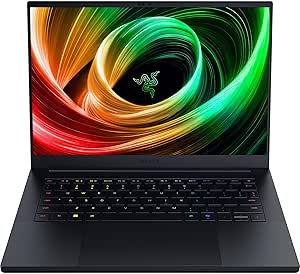 | Best Compact Choice for Mobile Producers | Processor: AMD Ryzen AI 9 365 | Graphics: NVIDIA GeForce RTX 5070, up to 115W TGP | Memory: 32GB DDR5X, 8000MHz | VIEW ON AMAZON | See Our Full Breakdown |
| Razer Blade 18 (2026) Gaming Laptop, RTX 5080, 32GB DDR5, 1TB, Black |  | Best for a Fixed Studio and Expandable Setup | Processor: Intel Core Ultra 9 290HX, 24 cores, up to 5.5GHz | Graphics: NVIDIA RTX 5080, 16GB GDDR7, 175W TGP | Memory: 32GB DDR5-6400, expandable to 128GB | VIEW ON AMAZON | See Our Full Breakdown |
| Razer Blade 17 Gaming Laptop with NVIDIA GeForce RTX 3060 and 11th Gen Intel i7 |  | Best for Existing Gear and Basic Studio Sessions | Processor: 11th Gen Intel Core i7 | Graphics: NVIDIA GeForce RTX 3060, 6GB VRAM | Memory: 16GB | VIEW ON AMAZON | See Our Full Breakdown |
| razer lapfor music production | Processor | Graphics | Memory | Storage |
|---|---|---|---|---|
| Razer Blade 16 Gaming Laptop | AMD Ryzen AI 9 365, 10 cores / 20 threads | NVIDIA GeForce RTX 5080 Laptop GPU, up to 160W TGP | 64GB DDR5-8000 LPDDR5X | 2TB PCIe Gen 4 NVMe SSD, expandable to 8TB |
| Razer Blade 14 | AMD Ryzen AI 9 365 | NVIDIA GeForce RTX 5070, up to 115W TGP | 32GB DDR5X, 8000MHz | 1TB SSD |
| Razer Blade 18 | Intel Core Ultra 9 290HX, 24 cores, up to 5.5GHz | NVIDIA RTX 5080, 16GB GDDR7, 175W TGP | 32GB DDR5-6400, expandable to 128GB | 1TB SSD; dual M.2 slots support up to 8TB each |
| Razer Blade 17 Gaming Laptop w | 11th Gen Intel Core i7 | NVIDIA GeForce RTX 3060, 6GB VRAM | 16GB | 1TB SSD |
More Details on Our Top Picks
Razer Blade 16 Gaming Laptop – RTX 5080, 64GB DDR5, 2TB SSD, Black
For a music producer who wants one laptop to handle dense arrangements and a substantial collection of virtual instruments, the Blade 16 is my first choice. Its 64GB of memory is the biggest capacity in this roundup, while the 2TB SSD gives sample libraries and active projects more local room than the 1TB drives in the Blade 14, Blade 17, and Blade 18 configurations. That combination is more directly useful for audio work than the RTX 5080 graphics card, though the GPU may help if the same machine also serves video or other visual workloads.
The 16-inch QHD+ OLED display offers a middle ground between the compact Blade 14 and the enormous Blade 18. A larger, sharp display can make mixer channels and arrangement views easier to keep visible, while OLED color and the listed DCI-P3 coverage matter more to producers who also edit video or design artwork. Compared with the Blade 18, the Blade 16 is the more balanced choice for a desk that occasionally moves; compared with the Blade 14, it supplies twice the listed memory and storage.
There are caveats. The Ryzen AI 9 365 has 10 cores and 20 threads, but the provided information does not establish how it performs against the newer 24-core Core Ultra 9 in the Blade 18 for a particular DAW. Its thin design also leaves a question mark around cooling noise during sustained sessions, and the product details do not state its weight. I would choose it for the configuration, not assume the gaming GPU makes it automatically superior for audio. The supplied memory is LPDDR5X, so I would verify upgradeability before purchase rather than count on adding RAM later.
Pros:- 64GB of memory offers the most listed headroom for large sessions and sample-heavy instruments.
- 2TB SSD provides more built-in project and library space than the 1TB configurations.
- 16-inch QHD+ OLED screen balances usable DAW workspace with a smaller footprint than the Blade 18.
- Wi-Fi 7 and HDMI provide modern connections for network access and external displays.
Cons:- The listed high-end GPU is more relevant to visual workloads than most audio production tasks.
- Weight and battery-life figures are not supplied, making portability harder to judge.
- The supplied LPDDR5X memory may limit future memory upgrades; confirm the exact configuration.
Best for: Producers who run memory-hungry virtual instruments, keep large sample libraries on the laptop, and want a strong balance of screen area and studio capability.
Not ideal for: Buyers who need a confirmed RAM upgrade path, a very lightweight travel machine, or a laptop chosen mainly for a quiet recording-room fan profile.
- Processor:AMD Ryzen AI 9 365, 10 cores / 20 threads
- Graphics:NVIDIA GeForce RTX 5080 Laptop GPU, up to 160W TGP
- Memory:64GB DDR5-8000 LPDDR5X
- Storage:2TB PCIe Gen 4 NVMe SSD, expandable to 8TB
- Display:16-inch QHD+ OLED, 240Hz, 100% DCI-P3
- Operating system:Windows 11 Home
- Battery:90Wh lithium polymer
- Connectivity:Wi-Fi 7, Bluetooth 5.4, HDMI
Our verdict“I would pick the Blade 16 for the strongest ready-to-work mix of memory, SSD capacity, and screen size in this lineup.”
Razer Blade 14 (2025) Gaming Laptop with RTX 5070, 32GB DDR5 RAM, 1TB SSD, Black
The Blade 14 is the easiest fit for a producer who works in more than one place. At 3.59 pounds, it is far lighter than the Blade 17 and Blade 18, and its stated battery life of up to 11 hours is the most encouraging figure in this group. Those details make it a more practical companion for writing sessions, rehearsals, or mobile recording than the heavier models, although I would not treat the advertised runtime as a promise during sustained DAW use.
Its 32GB of memory is a solid starting point for many production workflows, and the Ryzen AI 9 365 gives it a capable modern processor. However, the Blade 16 doubles the memory and storage, so producers with extensive orchestral libraries or sprawling projects may prefer the larger model. The Blade 14’s 14-inch 3K OLED display is crisp and portable, but the smaller workspace can mean more scrolling and window switching in a complex mixer than on the Blade 16 or 18.
Two USB4 Type-C ports and Wi-Fi 7 suit a compact setup, but the supplied specifications do not list the full range of ports. I would confirm connections for an audio interface, MIDI controller, and external drive before relying on it as a one-cable studio hub. Its 1TB SSD may also fill quickly if sample libraries stay local. The RTX 5070 is strong for creator tasks, but audio buyers should not let the GPU distract from the more meaningful limits: smaller screen, less storage, and half the memory of the Blade 16.
Pros:- At 3.59 pounds, it is the lightest laptop in the comparison.
- 32GB DDR5X memory is a substantial starting point for many DAW sessions.
- Up to 11 hours of stated battery life supports work away from an outlet.
- Two USB4 Type-C ports offer fast connections for compatible studio gear.
Cons:- The 14-inch screen gives less room for a complex arrangement and mixer than the Blade 16 or 18.
- 1TB storage is less generous than the Blade 16’s 2TB and may call for external drives.
- The complete port selection is not specified; check interface and accessory needs.
Best for: Mobile producers, songwriters, and recording musicians who want a light Windows laptop with 32GB of memory and a capable processor.
Not ideal for: Users who keep huge sample libraries locally, need a large mixer view, or want the highest listed memory and SSD capacity without external storage.
- Processor:AMD Ryzen AI 9 365
- Graphics:NVIDIA GeForce RTX 5070, up to 115W TGP
- Memory:32GB DDR5X, 8000MHz
- Storage:1TB SSD
- Display:14-inch OLED, 2880 x 1800, 120Hz, 400 nits
- Weight:3.59 pounds
- Battery:72Wh, up to 11 hours stated
- Connectivity:Wi-Fi 7, dual USB4 Type-C ports
Our verdict“I recommend the Blade 14 to producers who value carrying comfort more than the Blade 16’s extra memory and built-in storage.”
Razer Blade 18 (2026) Gaming Laptop, RTX 5080, 32GB DDR5, 1TB, Black
When the laptop will spend most of its time on a desk, the Blade 18 makes a strong case as a studio workstation. Its 18-inch display offers the most physical workspace here, which can help keep an arrangement, mixer, and plugin windows visible at once. The 24-core Intel Core Ultra 9 290HX and 32GB of DDR5 memory are well matched to demanding creative use on paper, and the memory can be expanded up to 128GB. That upgrade ceiling gives it a more explicit growth path than the supplied Blade 14 and Blade 16 memory details.
The Blade 18 also leads on connectivity. Thunderbolt 5 and 4, HDMI 2.1, USB-A, an SD UHS-II reader, and 2.5Gb Ethernet give a producer plenty of options for interfaces, storage, networking, and displays. Its dual M.2 slots support substantial SSD expansion, unlike the more modest built-in 1TB configuration. Compared with the Blade 16, it trades a larger screen and clearer upgrade options for more weight and less built-in storage; compared with the Blade 14, it is much less convenient to carry.
At 7.06 pounds, this is not a casual commute laptop. Its dual-mode 18-inch display is specified for high refresh rates and broad color coverage, but those gaming-oriented display modes do not directly improve a DAW session. The high-performance components may also draw more power, and the supplied details do not give a battery-life figure or acoustic measurements. I would select it for a permanent or semi-permanent studio where expansion and a large screen matter, not for quiet tracking unless fan behavior has been checked under the intended workload.
Pros:- 18-inch display offers the largest workspace for arranging and mixing.
- 24-core Intel Core Ultra 9 and 32GB DDR5 support demanding multitasking.
- Memory is expandable to 128GB, and dual M.2 slots allow extensive SSD expansion.
- Thunderbolt, USB-A, HDMI, Ethernet, and SD UHS-II cover a broad range of studio connections.
Cons:- At 7.06 pounds, it is the heaviest option and poorly suited to frequent travel.
- The included 1TB SSD is smaller than the Blade 16’s 2TB drive.
- Battery life and fan-noise measurements are not provided.
Best for: Producers building a desk-centered setup who want a large display, extensive ports, and a documented path to more memory and SSD capacity.
Not ideal for: Musicians who travel often, record in quiet spaces without checking fan behavior, or need a lighter machine with longer stated battery life.
- Processor:Intel Core Ultra 9 290HX, 24 cores, up to 5.5GHz
- Graphics:NVIDIA RTX 5080, 16GB GDDR7, 175W TGP
- Memory:32GB DDR5-6400, expandable to 128GB
- Storage:1TB SSD; dual M.2 slots support up to 8TB each
- Display:18-inch UHD+ 240Hz / FHD+ 440Hz, 600 nits
- Weight:7.06 pounds
- Battery:99Wh
- Connectivity:Thunderbolt 5 and 4, HDMI 2.1, USB-A, SD UHS-II, 2.5Gb Ethernet, Wi-Fi 7
Our verdict“I would choose the Blade 18 for an expandable desktop-style studio, but not if portability is part of the brief.”
Razer Blade 17 Gaming Laptop with NVIDIA GeForce RTX 3060 and 11th Gen Intel i7
The Blade 17 is the practical legacy pick for someone who wants a large screen and familiar ports without needing the newest platform. Its 11th Gen Intel Core i7, 16GB of RAM, and 1TB SSD can support basic recording, editing, and moderate DAW projects. The listed Thunderbolt 3, USB connections, Wi-Fi 6, and SD card reader give it useful flexibility for peripherals and file transfers.
Against the newer Blade 14, the Blade 17 is much heavier at 6.1 pounds and has half the listed memory, but its 17.3-inch screen may feel more comfortable for arranging and mixing. Against the Blade 18, it has a less powerful generation of processor, less memory, and fewer expansion details. Its main advantage is that the configuration remains straightforward for a producer who already has a suitable interface and does not need large virtual-instrument templates.
The main limit is 16GB of RAM, the least in this roundup. That can become restrictive with multiple sample-heavy instruments, many plugin instances, or large sessions, so I would check whether the exact model allows a memory upgrade before purchase. The description lists several possible displays, including FHD, QHD, and 4K options; the exact panel configuration should be confirmed because resolution affects workspace and battery use. Its stated battery life is around seven hours, and its weight makes it less appealing than the Blade 14 for mobile production. This is not my pick for a new, growth-focused studio, but it can fit simpler workflows.
Pros:- 11th Gen Intel Core i7 and 1TB SSD are suitable for basic and moderate production workflows.
- 17.3-inch display provides more workspace than the Blade 14.
- Thunderbolt 3, USB, Wi-Fi 6, and an SD card reader offer useful connectivity.
- Multiple listed display configurations allow a choice of resolution and refresh rate.
Cons:- 16GB RAM is the lowest capacity here and may limit larger sessions.
- At 6.1 pounds, it is heavy for a laptop intended for regular travel.
- The exact display option and memory-upgrade capability should be confirmed.
Best for: Producers with modest session demands who want a large screen, 1TB of storage, and a laptop that can connect to a range of existing peripherals.
Not ideal for: Users planning large sample libraries, dense plugin sessions, frequent travel, or a system they expect to keep expanding over several years.
- Processor:11th Gen Intel Core i7
- Graphics:NVIDIA GeForce RTX 3060, 6GB VRAM
- Memory:16GB
- Storage:1TB SSD
- Display:17.3-inch, available FHD 360Hz / QHD 165Hz / 4K UHD options
- Weight:6.1 pounds
- Battery:Around 7 hours stated
- Connectivity:Wi-Fi 6, Bluetooth 5, Thunderbolt 3, USB, SD card reader
Our verdict“I would consider the Blade 17 only for moderate audio work where its older processor and 16GB of RAM are enough.”

How We Picked
I ranked these four Razer Blade configurations around the work a music-production laptop must handle: running a DAW, keeping multiple instruments and effects available, loading sample libraries, and connecting an audio interface or other studio gear. The most useful supplied specifications are the processor, memory capacity, storage, ports, screen size, battery, and physical weight. A large GPU can be valuable for video, visual production, or GPU-accelerated tasks, but it is not a substitute for enough RAM or fast project storage in a typical audio session.
The ranking favors the Blade 16 because its listed 64GB of memory and 2TB SSD make it the most ready for complex sessions without immediately relying on upgrades or external drives. The Blade 14 comes next for producers who value mobility and still want 32GB of memory. I place the Blade 18 third: it offers the most expansive workspace and the clearest memory and storage expansion path, but its bulk and gaming-focused display configuration are less compelling for a mobile audio rig. The Blade 17 sits fourth because it is the oldest and has just 16GB of RAM, despite its capable processor and useful connectivity.
I have not treated listed battery figures as guarantees during DAW use, since audio workloads, screen brightness, and connected devices can change endurance. Product descriptions also do not specify fan noise under recording loads, audio-interface compatibility, or detailed processor benchmarks, so I avoid claiming certainty on those points. Before buying, I would check the exact configuration and confirm that the ports, operating system, and chosen audio interface work with the intended studio setup.
| razer lapfor music production | Graphics | Connectivity |
|---|---|---|
| Razer Blade 16 Gaming Laptop | NVIDIA GeForce RTX 5080 Laptop GPU, up to 160W TGP | Wi-Fi 7, Bluetooth 5.4, HDMI |
| Razer Blade 14 | NVIDIA GeForce RTX 5070, up to 115W TGP | Wi-Fi 7, dual USB4 Type-C ports |
| Razer Blade 18 | NVIDIA RTX 5080, 16GB GDDR7, 175W TGP | Thunderbolt 5 and 4, HDMI 2.1, USB-A, SD UHS-II, 2.5Gb Ethernet, Wi-Fi 7 |
| Razer Blade 17 Gaming Laptop w | NVIDIA GeForce RTX 3060, 6GB VRAM | Wi-Fi 6, Bluetooth 5, Thunderbolt 3, USB, SD card reader |
Factors to Consider When Choosing Razer Lapfor Music Production
I would choose a Razer Blade for music production by starting with the DAW workload and studio layout, then checking the less glamorous details that shape daily use. Graphics performance is secondary for many audio sessions; memory, processor capacity, storage, port fit, and noise behavior should guide the decision.Match memory to the session
RAM affects how comfortably a laptop can keep large instruments, samples, and active projects available. In this group, the Blade 16’s 64GB gives it the most room out of the box. The Blade 14 and Blade 18 each list 32GB, which may be enough for many productions, while the Blade 18 has a defined upgrade path to 128GB. The Blade 17 starts at 16GB, so I would be cautious if your sessions depend on orchestral libraries or many simultaneous plugins. Check whether memory is upgradeable on the exact configuration before treating a future upgrade as an option.
Choose processor capacity for your DAW
Audio software relies on the CPU to process instruments and effects, particularly when a project runs many tracks live. The Blade 18 lists a 24-core Core Ultra 9, while the Blade 16 and Blade 14 use the Ryzen AI 9 365 and the Blade 17 uses an older 11th Gen Intel i7. Core counts alone do not settle which laptop will perform best in a specific DAW, plugin chain, or buffer setting. I would compare current software requirements and independent workload benchmarks for the exact configurations, rather than treating the largest GPU as a shortcut to better audio performance.
Plan sample libraries and project storage
Sample collections can occupy substantial space, and projects benefit from room for working files and backups. The Blade 16 starts with a 2TB SSD, while the other three list 1TB. The Blade 18 stands out for its dual M.2 slots and substantial stated expansion support, making it a strong choice for a studio that expects to add internal storage. The Blade 14 and Blade 17 may need external drives sooner if libraries stay on the laptop. I would leave room for the operating system, applications, active sessions, and a separate backup plan instead of filling the internal drive with samples alone.
Check audio-interface connections before buying
A laptop’s ports shape how neatly it fits into an existing studio. The Blade 18 has the broadest listed selection, including Thunderbolt 5 and 4, USB-A, HDMI, Ethernet, and an SD reader. The Blade 17 lists Thunderbolt 3 and USB, while the Blade 14 specifies two USB4 Type-C ports. The Blade 16 listing names Wi-Fi, Bluetooth, and HDMI but provides less port detail. I would verify the interface’s connection type, driver support, and need for a powered hub before choosing; a port that appears convenient on paper may not replace the adapters a studio already uses.
Consider screen space, weight, and recording conditions
A roomy display reduces window switching when arranging or mixing, which favors the 18-inch Blade 18 and 17.3-inch Blade 17. The 16-inch Blade 16 is a useful middle point, while the 14-inch Blade 14 saves space and weight at the cost of a smaller DAW view. Portability is clearest on the Blade 14 at 3.59 pounds; the Blade 17 and Blade 18 weigh 6.1 and 7.06 pounds. Battery claims vary, and a demanding audio session may not match an advertised figure. The listings do not provide fan-noise measurements, so I would check acoustic behavior if the laptop will sit beside a microphone during recording.
Treat gaming specifications as secondary
All four are gaming-oriented laptops with discrete graphics, but many DAW workflows do not rely heavily on a dedicated GPU. A powerful RTX card can still be useful if I also edit video, create visual content, or use compatible accelerated software. For a primarily audio-focused purchase, I would not trade away RAM, SSD space, or convenient ports just to get a higher graphics tier. A reliable interface setup, adequate CPU capacity, and enough memory are more relevant starting points for most recording and production projects.
Frequently Asked Questions
Which Razer Blade is best for music production?
I rank the Blade 16 first for most producers because it combines 64GB of memory with a 2TB SSD and a 16-inch display. The Blade 18 is a better fit for a fixed studio that values a large screen, extensive ports, and documented expansion. If carrying weight matters most, the Blade 14 is the more suitable pick. The Blade 17 is best reserved for simpler sessions where 16GB of RAM is adequate.
Is 32GB of RAM enough for music production?
For many recording and production projects, 32GB can be a capable starting point, but the answer depends on how many tracks, plugins, and sample-heavy instruments are active at once. The Blade 14 and Blade 18 both list 32GB. The Blade 16’s 64GB gives more room for large sessions, while the Blade 18 has a stated path to 128GB. I would match memory to the instruments and session sizes I expect to use rather than assume every producer needs the maximum.
Do I need an RTX graphics card for a DAW?
Usually, a dedicated RTX GPU is not the main requirement for typical audio production. A DAW session generally benefits more directly from adequate CPU capacity, memory, and storage. These Razer laptops include strong graphics hardware that can be useful for gaming, video editing, and other visual work, but it should not be the deciding factor for an audio-only setup. I would prioritize the parts of the configuration that affect the actual production workflow.
Which model is easiest to take to rehearsals or recording sessions?
The Blade 14 is the clear portability choice in this comparison: it weighs 3.59 pounds and lists up to 11 hours of battery life. That makes it easier to transport than the 6.1-pound Blade 17 and 7.06-pound Blade 18. Real battery runtime can change during DAW use, especially with an interface and a bright screen, so I would still plan access to power for longer recording days.
What should I check before connecting a Razer laptop to my studio?
I would confirm that the exact laptop configuration has a port compatible with the audio interface, then check the interface’s Windows driver and DAW support. Also account for MIDI controllers, external SSDs, monitors, and any powered hub that the setup needs. The Blade 18 lists the broadest range of connections, while the Blade 14 lists two USB4 Type-C ports. Since the Blade 16’s supplied port details are limited, check the full specification before buying it for a port-dependent setup.
Conclusion
For a main studio laptop with room for ambitious projects, I would choose the Blade 16: its 64GB of memory and 2TB SSD give it the most generous ready-to-use audio configuration here. Producers who move between locations should pick the Blade 14, trading screen and storage space for a much lighter chassis. If the laptop will live on a desk and expandable memory, storage, and ports matter most, the Blade 18 is the better workstation-style fit. I would choose the Blade 17 only for moderate projects or a setup where its older processor and 16GB of RAM are known to be sufficient. Before committing to any of them, I would verify audio-interface compatibility, exact configuration details, and fan behavior for the intended recording environment.