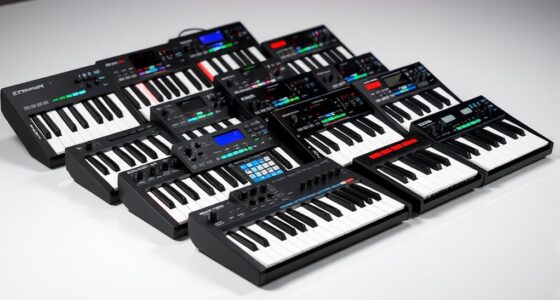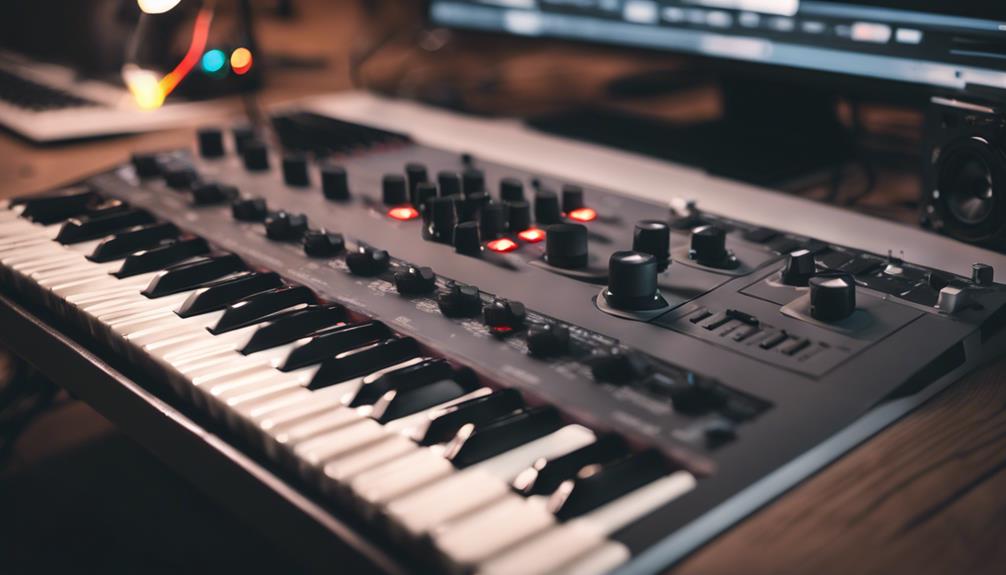
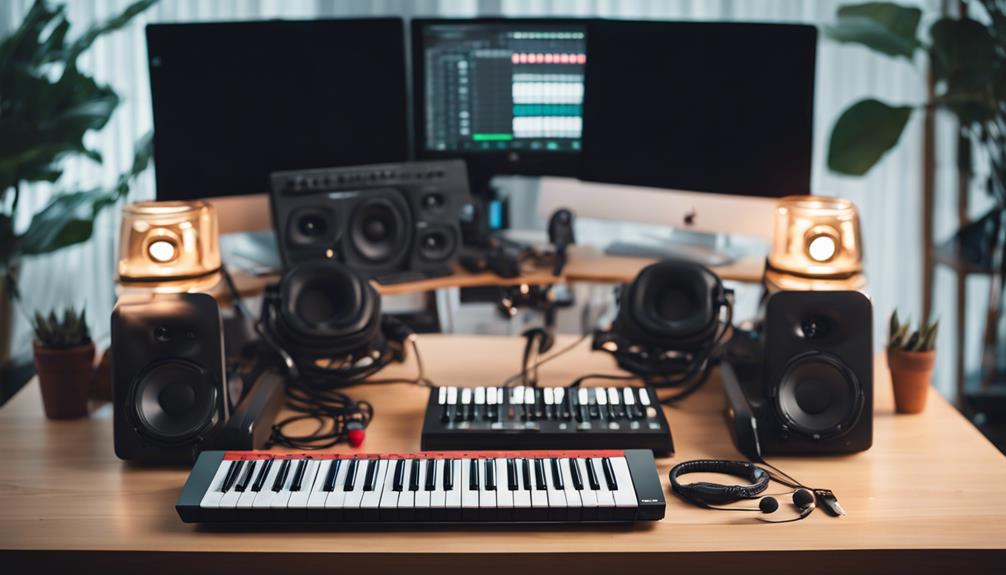
The best music production instruments depend on whether you want to make beats on a computer, create without one, or explore sounds in a compact format. I’d choose the Akai MPC One G2 as the best overall pick for its standalone production approach, while the Akai MPK Mini Plus is a more computer-friendly choice for keyboard-led work and the Roland AIRA P-6 suits portable sampling. The lineup spans full production centers, MIDI controllers that rely on software, and small instruments built more for playful sound creation than complete tracks. Those differences affect setup, creative control, and how much you can do away from a computer. Read on for the full breakdown and a guide to matching a device to your workflow.

Get audio and creator gear delivered free with Prime
- Fast, free delivery on millions of items
- Prime Video, Amazon Music and more included
- Member-only deals all year
Complete the kit


Key Takeaways
- The MPC One G2 is the clearest choice for computer-free production; most of the keyboards and pad controllers here need a computer and compatible music software to make a complete setup.
- The MPK Mini Plus offers a stronger keyboard-centered path than the smaller MPK Mini MK3, while the MK3 makes more sense when desk space and portability matter more than an expanded playing surface.
- The APC Mini MK2 and MPD218 serve different pad workflows: one is aimed at controlling clip-based music software, while the other is a more direct pad controller for finger drumming and triggering sounds.
- The Roland AIRA P-6 and Akai MPC Sample prioritize portable sampling, but buyers should compare their intended performance and production workflow rather than treating every sampler as a standalone studio.
- The Otamatone and pocket Stylophone models are creative instruments, not substitutes for a production controller; the Stylophone BEAT adds rhythm-oriented features, while the original and Bowie editions lean toward compact melodic play.
| Otamatone Japanese Electronic Synthesizer Musical Instrument Toy – Black |  | Best for Playful Sound Experiments | Brand: Otamatone | Color: Black | Dimensions: 1.7 x 5.4 x 14.9 inches | VIEW ON AMAZON | See Our Full Breakdown |
| Stylophone BEAT – Compact Stylus Drum Machine with 4 Drum Kits & 4 Bass Sounds |  | Best Compact Pattern Maker | Drum kits: 4 | Bass sounds: 4 | Dimensions: 7.09 x 4.8 x 1.5 inches | VIEW ON AMAZON | See Our Full Breakdown |
| Stylophone Original Pocket Electronic Synthesizer |  | Best for Retro Lead Lines | Model: Original | Color: Silver | Material: Metal | VIEW ON AMAZON | See Our Full Breakdown |
| Akai Professional APC Mini MK2 USB MIDI Pad Controller |  | Best for Ableton Live Performance | Pad matrix: 8×8 RGB pads | Faders: 9 assignable | Connectivity: USB | VIEW ON AMAZON | See Our Full Breakdown |
| Donner STARRYPAD MIDI Pad Beat Maker Machine with 16 Pads and Music Production Software |  | Best Value for DAW-Based Beatmaking | Pads: 16 customizable backlit pads | Connectivity: USB | Supported software: DAW software such as Cubase LE and Wavelab LE | VIEW ON AMAZON | See Our Full Breakdown |
| Bowie Stylophone – Limited Edition Synthesizer |  | Best for Collectors and Portable Sound Sketches | Brand: Stylophone | Model: Bowie Stylophone (STYLODB) | Sound profile: Classic analog | VIEW ON AMAZON | See Our Full Breakdown |
| Akai Professional MPK Mini Plus 37-Key USB MIDI Keyboard Controller |  | Best for Hybrid Studio Setups | Keys: 37 mini keys | Pads: RGB MPC pads | Connectivity: USB, MIDI, CV/Gate | VIEW ON AMAZON | See Our Full Breakdown |
| Akai Professional MPC One G2 Next-Generation Standalone Production Center |  | Best Standalone Production Workstation | Pads: 16 velocity- and pressure-sensitive RGB pads | Display: 7-inch touchscreen | Workflow: Standalone sampling, sequencing, and arrangement | VIEW ON AMAZON | See Our Full Breakdown |
| Akai Professional MPC Sample Portable Sampler |  | Best for Portable Sampling | Pads: 16 MPC pads | Display: 2.4-inch full-color display | Power: Rechargeable lithium-ion battery | VIEW ON AMAZON | See Our Full Breakdown |
| Akai Professional MPK Mini MK3 25-Key USB MIDI Keyboard Controller |  | Best Compact MIDI Keyboard | Keys: 25 velocity-sensitive keys | Connectivity: USB 2.0 Type-B | Power and operation: USB connection | VIEW ON AMAZON | See Our Full Breakdown |
| DaierTek 25-Key Portable MIDI Keyboard Controller with Bluetooth and USB, Backlit Drum Pads, Knobs, and Music Software |  | Best Compact Keyboard Controller | Keys: 25 velocity-sensitive keys | Connectivity: Bluetooth and USB | Controls: Backlit drum pads, assignable knobs, buttons, and dial | VIEW ON AMAZON | See Our Full Breakdown |
| Akai Professional MPD218 USB MIDI Pad Controller |  | Best for Beat-Making | Pads: 16 velocity-sensitive pads | Pad banks: 3 | Assignable knobs: 6 | VIEW ON AMAZON | See Our Full Breakdown |
| Roland AIRA P-6 Creative Sampler |  | Best for Portable Sound Design | Model: AIRA P-6 | Included components: Built-in microphone, onboard keyboard, and P-6 Sample Tool software | Connectivity: USB-C | VIEW ON AMAZON | See Our Full Breakdown |
| music production instrument | Connectivity |
|---|---|
| Otamatone Japanese Electronic | — |
| Stylophone BEAT | Wired headphones, USB |
| Stylophone Original Pocket Ele | 3.5mm stereo line input |
| Akai Professional APC Mini MK2 | USB |
| Donner STARRYPAD MIDI Pad Beat | USB |
| Bowie Stylophone | Auxiliary |
| Akai Professional MPK Mini Plu | USB, MIDI, CV/Gate |
| Akai Professional MPC One G2 N | — |
| Akai Professional MPC Sample P | — |
| Akai Professional MPK Mini MK3 | USB 2.0 Type-B |
| DaierTek 25-Key Portable MIDI | Bluetooth and USB |
| Akai Professional MPD218 USB M | USB |
| Roland AIRA P-6 Creative Sampl | USB-C |
More Details on Our Top Picks
Otamatone Japanese Electronic Synthesizer Musical Instrument Toy – Black
The Otamatone is the most toy-like instrument here, but its sliding pitch control makes it a playful way to explore melodic gestures and expressive sound. Touch the stem to change pitch, then squeeze the cheeks for vibrato; that physical control gives it a different feel from the button-grid workflow of the Stylophone Original. It is light enough to take on trips and simple enough for a beginner to start making noises without setting up a computer or DAW. The tradeoff is that its sound palette is basic, so it is better for musical play, sketches, and novelty parts than detailed production. Unlike the APC Mini MK2, it cannot launch clips or control a software session, and its plastic construction and battery requirement suit casual use more than studio duties.
Pros:- Sliding pitch control and cheek-squeeze vibrato encourage expressive, hands-on playing.
- Lightweight body is easy to carry for travel or casual use.
- Simple controls make it approachable for new players.
- Operates without a computer or DAW.
Cons:- Basic sound capabilities limit its range in polished production.
- Requires three AAA batteries, which are not included.
- Plastic build and toy-oriented design may not suit a serious studio setup.
Best for: Beginners, families, and producers seeking a portable hands-on instrument for playful melodies, sound experiments, or occasional recording.
Not ideal for: Producers who need a broad sound library, DAW control, or a flexible instrument for building complete arrangements.
- Brand:Otamatone
- Color:Black
- Dimensions:1.7 x 5.4 x 14.9 inches
- Weight:0.11 kg
- Material:Plastic
- Operation:Manual
- Power:3 AAA batteries required
Our verdict“Choose the Otamatone for portable, expressive musical play, not as a replacement for a production controller or a versatile synth.”
Stylophone BEAT – Compact Stylus Drum Machine with 4 Drum Kits & 4 Bass Sounds
The Stylophone BEAT is the most direct choice here for sketching rhythm ideas without opening a DAW. Its four drum kits and four bass sounds give it more beat-focused material than the melodic Stylophone Original, while multi-layer recording and pattern creation help turn quick taps into a developing loop. A built-in speaker and volume control make it practical for portable sessions; wired headphones are available when you want to work more quietly. The small plastic unit is less suited to detailed arrangement than the Donner STARRYPAD, which is designed to send MIDI into DAW software and offers additional pads and controls. The BEAT’s limits are its compact feature set and wired connections: producers wanting extensive sequencing options or a broader sound palette may outgrow it, and its three AA batteries are not included.
Pros:- Four drum kits and four bass sounds provide a focused palette for beat sketches.
- Can record multiple layers and create patterns.
- Built-in speaker with volume control supports portable use without headphones.
- Compact size makes it easy to carry.
Cons:- Basic feature set may constrain more advanced production workflows.
- Connectivity is limited to wired headphones and USB.
- Requires three AA batteries, which are not included.
Best for: Beatmakers who want a small, self-contained device for building and layering simple drum-and-bass patterns away from a computer.
Not ideal for: Producers who need extensive sequencing, advanced sound shaping, or a versatile MIDI controller for a DAW-based setup.
- Drum kits:4
- Bass sounds:4
- Dimensions:7.09 x 4.8 x 1.5 inches
- Weight:10.1 ounces
- Connectivity:Wired headphones, USB
- Power:3 AA batteries required
- Material:Plastic
Our verdict“Pick the Stylophone BEAT for portable, self-contained rhythm sketching; choose a DAW-oriented pad controller for broader production control.”
Stylophone Original Pocket Electronic Synthesizer
The Stylophone Original earns its place as a pocket-sized lead instrument with a distinctive retro sound and a metal touch surface that invites short melodic phrases. Its three-octave range offers more note span than the Otamatone’s simple sliding-pitch approach, while the optional vibrato adds a basic expressive touch. A headphone jack and 3.5mm stereo line input give it a more studio-friendly connection path than the Otamatone, though the listed connectivity does not make it a full-featured MIDI controller. Compared with the APC Mini MK2, this is an instrument for producing sound directly, not for launching clips or managing Ableton Live. The appeal is also the limitation: its small range and minimal controls suit quirky hooks and sound experiments, but not players seeking broad synthesis or detailed sound design.
Pros:- Distinctive warm, vintage, retro sound profile.
- Touch-sensitive metal playing surface is compact and straightforward to use.
- Three-octave range supports melodic parts in a pocket-size instrument.
- Includes a headphone jack and 3.5mm stereo line input.
Cons:- Three-octave range can restrict parts that need a wider register.
- Basic controls offer little scope for detailed sound shaping.
- Requires three AA batteries for operation.
Best for: Producers and musicians who want a portable, immediately playable retro-toned lead for hooks, demos, and musical experiments.
Not ideal for: Players who need a wide keyboard range, extensive synthesis controls, or clip and track control inside a DAW.
- Model:Original
- Color:Silver
- Material:Metal
- Dimensions:2.05 x 3.41 x 1.86 inches
- Weight:8.8 ounces
- Number of octaves:3
- Power:3 AA batteries
- Connectivity:3.5mm stereo line input
Our verdict“Choose the Stylophone Original for compact, retro-sounding melodies, but skip it if you need deep synthesis or DAW control.”
Akai Professional APC Mini MK2 USB MIDI Pad Controller
The Akai APC Mini MK2 is the clearest pick here for controlling an Ableton Live session, rather than generating sound on its own. Its 8×8 RGB pad matrix gives clip launches and scene changes a visual layout, while nine assignable faders provide hands-on level control across tracks and the master. That makes it a stronger live-performance surface than the Donner STARRYPAD when the workflow centers on Ableton clips, though the Donner is described as compatible with a wider range of DAWs. The APC Mini MK2’s dedicated software focus is also its main constraint: it depends on a computer and USB power, so it cannot operate as a standalone instrument. Its compact format fits a portable setup, but buyers wanting keys or a self-contained production center should look elsewhere.
Pros:- 8×8 RGB pad matrix provides clear visual feedback for clip-based work.
- Nine assignable faders support hands-on track and master control.
- Dedicated scene launch buttons suit live Ableton arrangements.
- USB connection and compact design fit portable studio setups.
Cons:- Designed around Ableton Live, limiting its appeal for users of other DAWs.
- Requires a computer and USB power; it does not operate standalone.
- Does not provide keyboard keys for playing melodic parts.
Best for: Ableton Live users who want a compact controller for launching clips, triggering scenes, and adjusting track levels in studio or live sessions.
Not ideal for: Musicians who need a standalone instrument, keyboard keys, or a controller built to work broadly across DAWs without Ableton-specific workflows.
- Pad matrix:8×8 RGB pads
- Faders:9 assignable
- Connectivity:USB
- Supported software:Ableton Live
- Platforms:Mac, Windows
- Control method:Track faders, clip launching
- Additional controls:Scene launch buttons
Our verdict“Choose the APC Mini MK2 if Ableton clip launching and fader control are central to your workflow; skip it for standalone music making.”
Donner STARRYPAD MIDI Pad Beat Maker Machine with 16 Pads and Music Production Software
The Donner STARRYPAD is a practical entry point for beatmakers who want velocity-sensitive-style pad work and extra controls in a DAW setup. Its 16 customizable backlit pads, faders, and knobs offer a more general MIDI-control approach than the APC Mini MK2, whose layout is more specifically geared toward Ableton clip launching. Compatibility with DAW software such as Cubase LE and Wavelab LE, plus included courses and software, gives beginners a path into production without positioning the controller as a sound source. That distinction matters: the STARRYPAD must connect to DAW software to produce sound, unlike the self-contained Stylophone BEAT. It also requires some setup for iPhone or iPad use with adapters. Buyers seeking standalone beatmaking or an integrated production workstation should choose another kind of instrument.
Pros:- Sixteen customizable backlit pads help organize and trigger parts.
- Faders and knobs add hands-on control beyond the pad grid.
- Supports DAW software including Cubase LE and Wavelab LE.
- Includes music production software and courses for getting started.
Cons:- Requires DAW software to produce sound and is not a standalone instrument.
- Connecting to iPhone or iPad may require adapters and additional setup.
- USB-only connectivity may limit flexible hardware connections.
Best for: Newer DAW-based beatmakers who want customizable pads and hands-on controls for triggering sounds and learning a software workflow.
Not ideal for: Producers who need a standalone beat machine, a self-contained sound engine, or immediate mobile setup without adapters.
- Pads:16 customizable backlit pads
- Connectivity:USB
- Supported software:DAW software such as Cubase LE and Wavelab LE
- Platforms:Mac OS X, Windows 10
- Control method:Touch
- Additional controls:Faders and knobs
- Hardware interface:USB keyboard
Our verdict“Choose the STARRYPAD for learning pad-based beatmaking in a DAW, but pick the Stylophone BEAT if you want patterns without a computer.”
Bowie Stylophone – Limited Edition Synthesizer
The Bowie Stylophone is the most characterful pocket instrument in this group: its compact, battery-powered design and three sound modes suit quick melodic ideas, playful performance, or a Bowie-focused collection. Compared with the Akai MPK Mini MK3, it makes sound on its own rather than acting as a software controller, but it offers far fewer production controls and no documented sequencing or recording features. The white finish and embossed Bowie logo are a major part of its appeal, not a substitute for a full studio instrument. Its small format is easy to carry, while the limited connectivity details and lack of included accessories narrow its usefulness in a larger setup. I’d choose it for distinctive analog-style sounds and portability, not as a primary production hub.
Pros:- Three modes offer several classic analog-style synth and bass sounds
- Compact, battery-powered design is easy to carry and use away from a studio
- Limited-edition Bowie styling gives it distinct collector appeal
Cons:- Provides far less hands-on production control than the Akai MPK Mini MK3
- Product details give limited information about connectivity and additional features
- No accessories are included beyond the instrument
Best for: Bowie fans and producers who want a self-contained, portable instrument for simple synth and bass ideas
Not ideal for: Producers seeking a keyboard controller, sequencer, or clearly documented studio connectivity
- Brand:Stylophone
- Model:Bowie Stylophone (STYLODB)
- Sound profile:Classic analog
- Modes:3
- Power:Battery-powered
- Connectivity:Auxiliary
- Dimensions:7.09 x 4.16 x 1.82 inches
- Color:White
Our verdict“Choose this for portable, Bowie-themed sound making, but not as a replacement for a MIDI controller or production workstation.”
Akai Professional MPK Mini Plus 37-Key USB MIDI Keyboard Controller
The MPK Mini Plus earns its place as the most flexible keyboard controller here for producers who want more than a compact keybed. Its 37 mini keys, RGB MPC pads, arpeggiator, and MIDI and CV/Gate connections can bridge computer-based production with compatible hardware. That makes it a broader control choice than the MPK Mini MK3, whose smaller 25-key layout is easier to pack but offers less room for two-handed playing. The tradeoff is that this remains a controller, not a standalone instrument: it needs external software or sound-making gear, and it has no built-in speakers or audio output. The extra connections make the setup more adaptable, but they may be unnecessary for someone who only wants a simple USB keyboard for entering notes.
Pros:- 37 keys provide more playing range than the MPK Mini MK3
- MIDI and CV/Gate connectivity supports compatible hardware workflows
- RGB MPC pads and built-in arpeggiator add performance and sequencing control
- MPC Beats software is included
Cons:- Mini keys may feel cramped for players accustomed to full-sized keyboards
- Requires external software or sound-generating hardware for audio
- No built-in speakers or audio output
Best for: Computer-based producers who want a portable keyboard and pad controller that can also connect to compatible MIDI or CV/Gate gear
Not ideal for: Players who need full-sized keys, built-in sounds, speakers, or a standalone production device
- Keys:37 mini keys
- Pads:RGB MPC pads
- Connectivity:USB, MIDI, CV/Gate
- Arpeggiator:Built-in
- Software compatibility:DAWs compatible with Windows and Mac
- NKS integration:Supported
- USB ports:1
- Color:Black
Our verdict“Pick the MPK Mini Plus if you want compact keys with broader hardware connections; choose a standalone Akai MPC if you want to produce without a computer.”
Akai Professional MPC One G2 Next-Generation Standalone Production Center
The MPC One G2 is the strongest choice here for building complete productions without keeping a computer at the center of the workflow. Its standalone sampling, sequencing, and arranging capabilities, paired with a 7-inch touchscreen and 16 velocity- and pressure-sensitive pads, put it well beyond the controller role of the MPK Mini Plus. USB-C, MIDI, TRS, and SD-card connections also suit a hybrid studio where the MPC needs to exchange material with other gear. That independence comes with a steeper learning curve for newcomers to MPC workflows, and the 16 pads are not a substitute for a playable keyboard. Unlike the portable MPC Sample, this is pitched as a broader production center rather than a grab-and-go sampler. It makes most sense when song arrangement and standalone operation matter more than minimal setup.
Pros:- Standalone workflow supports making and arranging songs without a computer
- 7-inch touchscreen provides a larger interface for production tasks
- USB-C, MIDI, TRS, and SD-card connections support varied studio setups
- Velocity- and pressure-sensitive RGB pads provide expressive hands-on input
Cons:- MPC workflows may take time to learn for producers new to the platform
- 16 pads offer no keyboard for melodic playing
- A full studio setup may require additional external devices
Best for: Producers who want to sample, sequence, and arrange full tracks on a standalone unit, with options to connect it to a computer or studio gear
Not ideal for: Keyboard-focused musicians, beginners wanting a simple controller, or beatmakers prioritizing a small battery-powered sampler
- Pads:16 velocity- and pressure-sensitive RGB pads
- Display:7-inch touchscreen
- Workflow:Standalone sampling, sequencing, and arrangement
- Hardware interface:USB Type-C
- Connectors:USB, TRS, MIDI, SD card, power adapter
- Supported software:Ableton Live
- Platforms:Mac, Windows
- Control type:Touch
Our verdict“Choose the MPC One G2 for computer-free song production and studio integration, not for keyboard playing or the simplest portable beatmaking setup.”
Akai Professional MPC Sample Portable Sampler
The MPC Sample puts portable sample-based beatmaking ahead of full workstation breadth. Its rechargeable battery, built-in speaker, internal microphone, 16 pads, and onboard effects make it possible to capture and shape ideas without a computer or a separate speaker. Compared with the MPC One G2, it is the more mobile, focused option; the One G2 is better suited to a larger standalone arrangement workflow and offers a bigger touchscreen. The Sample’s 2.4-inch display and 16-pad layout keep the device compact, but they give less room for detailed navigation and keyboard-style input. Its 60 effects and internal sample engine add substantial creative range, while MIDI input and output require an adapter that is not included. I’d pick it for portable sampling and performance, rather than as the central workstation for every studio task.
Pros:- Rechargeable battery and built-in speaker support portable, computer-free use
- Internal microphone allows sound capture without a separate recording device
- 60 effect types and four internal FX processors support onboard sound shaping
- Stereo line connections, headphone output, and microSD storage expand its working options
Cons:- MIDI in and out require an adapter that is not included
- 16 pads and a 2.4-inch display limit input and screen space
- No built-in Wi-Fi or internet connectivity
Best for: Beatmakers and performers who want a rechargeable sampler with pads, effects, and basic monitoring in a compact standalone unit
Not ideal for: Producers who need a large screen, keyboard input, or a full standalone arrangement center like the MPC One G2
- Pads:16 MPC pads
- Display:2.4-inch full-color display
- Power:Rechargeable lithium-ion battery
- Storage:microSD card
- Audio connections:Stereo 1/4-inch TRS line in/out; 1/8-inch headphone output
- MIDI and sync:MIDI in/out (adapter required); sync out
- Effects:60 effect types; 4 internal FX processors
- Included components:MPC Sample, MPC Software download card, quickstart guide, USB-C cable
Our verdict“Choose the MPC Sample for self-contained portable sampling; choose the MPC One G2 for a larger, more workstation-oriented production setup.”
Akai Professional MPK Mini MK3 25-Key USB MIDI Keyboard Controller
The MPK Mini MK3 is the straightforward choice when desk space and portability matter more than a broad playing range. Its 25 velocity-sensitive keys, MPC-style pads, arpeggiator, and programmable controls give DAW users a compact way to enter melodies, trigger drums, and shape performances. Compared with the MPK Mini Plus, it takes up less musical territory with its smaller keybed and has a simpler USB-only connection profile; the Plus is the better fit for producers linking a controller to MIDI or CV/Gate hardware. The MK3 still needs a computer and DAW to make and record sound, and its 25-key range can feel restrictive for two-handed parts. For a first controller or a travel-friendly addition to an existing software setup, its focused layout is a sensible fit, though newcomers may need time to learn the controls.
Pros:- Compact 25-key layout suits small desks and portable setups
- Velocity-sensitive keys and MPC-style pads support both melodic and drum input
- Built-in arpeggiator and programmable controls add hands-on performance options
- Works with DAWs compatible with Mac and Windows
Cons:- 25 keys limit playing range compared with the MPK Mini Plus
- Requires a USB connection for power and operation
- Needs a computer and software to generate and record sound
Best for: DAW-based beginners and mobile producers who want a small keyboard-and-pad controller for note entry and drum triggering
Not ideal for: Players who need a wider keyboard, standalone sounds, or the hardware connections offered by the MPK Mini Plus
- Keys:25 velocity-sensitive keys
- Connectivity:USB 2.0 Type-B
- Power and operation:USB connection
- Pads:Touch-sensitive MPC-style pads
- Arpeggiator:Built-in
- Programmable controls:Yes
- Software compatibility:DAWs compatible with Windows and Mac
- Platforms:Mac, Windows
Our verdict“Choose the MPK Mini MK3 for compact DAW control and basic note entry, but step up to the MPK Mini Plus if you need more keys and hardware connectivity.”
DaierTek 25-Key Portable MIDI Keyboard Controller with Bluetooth and USB, Backlit Drum Pads, Knobs, and Music Software
The DaierTek combines a 25-key velocity-sensitive keyboard with backlit drum pads and assignable knobs, making it a flexible starting point for sketching melodies and controlling beats in one portable unit. Its Bluetooth option can reduce cable clutter when working with a compatible laptop, tablet, or phone; USB remains available when a wired setup is preferable. Compared with the Akai Professional MPD218, this is the better fit for producers who want keys alongside pads rather than a dedicated beat controller. Smart scale and arpeggio modes can help when building ideas, but they do not replace a full keyboard for two-handed parts. It also needs a DAW or other music software to make sound, and wireless pairing may take extra setup on some devices.
Pros:- Combines velocity-sensitive keys, backlit pads, and assignable knobs in one controller
- Offers both Bluetooth and USB connectivity
- Portable design suits music-making away from a fixed studio
- Scale and arpeggio modes can make quick idea generation more approachable
Cons:- The 25-key range limits performance of broader piano parts
- Requires a DAW or other compatible software to produce sound
- Bluetooth setup can be less straightforward than a wired connection
Best for: Mobile beginners and laptop-based producers who want keys, pads, and knobs in one compact controller for melody and beat sketches.
Not ideal for: Pianists who need room for two-handed playing, or buyers seeking a standalone instrument with built-in sounds and speakers.
- Keys:25 velocity-sensitive keys
- Connectivity:Bluetooth and USB
- Controls:Backlit drum pads, assignable knobs, buttons, and dial
- Compatible devices:Laptop, PC, tablet, and smartphone
- Supported software:Ableton Live, FL Studio, GarageBand, and Cubase
- Platform compatibility:Android, Windows, and iOS
Our verdict“Choose the DaierTek if you want a portable keyboard-and-pad controller for sketching in a DAW, but skip it if you need a full-range or standalone instrument.”
Akai Professional MPD218 USB MIDI Pad Controller
The MPD218 is the most focused choice here for producers who build tracks by tapping samples and drum hits. Its 16 velocity-sensitive MPC pads and three pad banks give each performance access to more sounds than the physical pad count alone suggests, while six assignable knobs add hands-on control for software instruments and effects. Unlike the DaierTek 25-Key Controller, it has no keyboard, so it takes less of a split-role approach and puts its controls toward pad performance. That makes it a natural fit for beat sessions, though it is less useful for entering melodic parts without a separate keyboard. USB power keeps the setup simple on a computer; iOS users need a separate Camera Connection Kit. Its pad-and-knob layout may also feel limited in more elaborate control setups.
Pros:- Sixteen velocity-sensitive pads support expressive drum and sample triggering
- Three pad banks provide additional mapped pad layouts
- Six assignable knobs offer hands-on software control
- USB-powered design and included production software support a compact computer setup
Cons:- No keyboard, so melodic input requires another controller or mouse-based workflow
- iOS connection requires a separately purchased Camera Connection Kit
- The 16-pad and six-knob layout may be restrictive for complex control needs
Best for: Beatmakers who primarily trigger drum hits and samples in a computer-based workflow and want a portable, pad-first controller.
Not ideal for: Producers who need keys for melodic input, standalone sounds, or a large surface of pads and controls for complex live sets.
- Pads:16 velocity-sensitive pads
- Pad banks:3
- Assignable knobs:6
- Connectivity:USB
- Dimensions:8 × 18 × 2 inches
- Weight:2 pounds
- Supported software:Ableton Live Lite and MPC Beats
- Platform compatibility:Windows, iOS, and Mac
Our verdict“Pick the MPD218 for a portable, dedicated beat-making surface; choose the DaierTek instead if keys are part of your core workflow.”
Roland AIRA P-6 Creative Sampler
The Roland AIRA P-6 is the most self-contained sound-design option in this group: its built-in microphone, sampler, sequencer, and onboard effects support making and shaping material away from a full studio setup. Granular processing gives it a different creative role from the MPD218, which controls sounds in connected software rather than serving as a sampler itself. Its compact size and USB-C connectivity suit mobile production, while the onboard keyboard offers a way to enter or trigger ideas without adding another controller. The tradeoff is a more specialized workflow: producers who want a familiar piano layout may prefer the DaierTek, and the P-6’s interface can take time to learn. Full editing also depends on its companion software, so it is not a complete replacement for a DAW.
Pros:- Built-in microphone supports quick sound capture
- Granular sound manipulation offers creative sample-shaping options
- Onboard sequencer and effects enable portable idea-building
- Compact body and USB-C connectivity suit mobile setups
Cons:- The interface may require time to learn
- Full editing capabilities require companion software
- Its sampler-focused workflow is less suited to players seeking a conventional keyboard controller
Best for: Mobile producers and experimental sound designers who want to capture audio, reshape samples, and sequence ideas in a compact dedicated device.
Not ideal for: Keyboard-focused producers or beginners who want a straightforward MIDI controller and expect broad editing to happen without companion software.
- Model:AIRA P-6
- Included components:Built-in microphone, onboard keyboard, and P-6 Sample Tool software
- Connectivity:USB-C
- Dimensions:7.44 × 3.19 × 1.44 inches
- Weight:10.72 ounces
- Materials:Plastic
- Sound-shaping features:Granular sound manipulation and onboard effects
- Sequencing:Onboard sequencer
Our verdict“Choose the P-6 for portable sampling and experimental sequencing, but opt for the DaierTek if you want a more familiar keyboard-led controller.”

How We Picked
I ranked these music production instruments by how well they support a defined creative task: building complete tracks, controlling computer-based software, finger drumming, sampling, or making sounds for fun. I weighed workflow independence, controls that directly support the intended task, portability, flexibility, and how much extra gear or software a buyer may need. A device with broad production capability ranks ahead of a novelty instrument for a buyer seeking a full music-making setup, but the smaller instruments still earn a place when their focused role is the point.
The ranking reflects usefulness as a production tool, not a claim that every product competes in the same category. Standalone production and sampling options rank higher for buyers who want less reliance on a computer; controllers rank according to how clearly their controls suit a particular software workflow. Compact synth toys sit lower for full-track production because their creative scope is narrower. I also account for practical tradeoffs: a compact device may be easier to carry but less expressive, and more controls only help when they suit the way you work.
Factors to Consider When Choosing Music Production Instruments
Before choosing among these music production instruments, decide what job you want the device to do. A controller, sampler, and self-contained instrument can all contribute to making music, but they place different demands on your computer, software, and setup. These broader checks can help prevent buying a device that feels inspiring at first but does not fit your day-to-day workflow.
Choose Between a Controller and a Standalone Instrument
A MIDI controller sends performance or control information to music software; it generally does not create a finished track by itself. A standalone device can handle more of the sound-making or sequencing internally, which may suit sessions away from a computer. A common mistake is to buy a controller while expecting it to include its own sounds and arrangement tools. Check what the unit does on its own, what software is included, and what still requires a computer. If you already have a well-equipped software setup, a controller may be the simpler addition; if you want fewer dependencies, favor a device with a self-contained workflow.
Match the Controls to the Way You Make Music
Think about whether your ideas begin with melodies, drum patterns, samples, or live clip launching. Keyboard keys support note entry and melodic playing, while velocity-sensitive pads suit rhythmic performance and triggering. Knobs and other hands-on controls can reduce time spent reaching for a mouse, but they matter only if your software maps them to actions you use. Buying the most control-heavy unit is a poor shortcut if its layout fights your habits. Write down your three most frequent production tasks and prioritize controls that make those tasks easier.
Plan for the Whole Setup, Not Just the Instrument
A music-making device rarely sits alone: you may also need a computer, production software, headphones, cables, or an audio interface, depending on the product and your goals. Included software can help you start, but check whether it supports the workflow you intend to keep using. Portability can also come with practical limits around connections, power, and how comfortably you can work for a full session. Before buying, map the signal path from the sound source to recording or playback. This can reveal hidden setup needs that a feature list does not make obvious.
Treat Portability as a Workflow Choice
Small instruments are easier to carry and can make spontaneous idea capture appealing, but compact size often means fewer keys, pads, or controls. That tradeoff is useful when sketching on the move and less appealing when you want extended performance or detailed editing. A portable sampler can be a better fit than a miniature keyboard if your process starts with recordings and chopped sounds. Think about where you will actually make music, not just whether a device fits in a bag. If most sessions happen at a desk, a larger surface may save time and feel more natural.
Separate Creative Play from Production Requirements
Some instruments are designed to make unusual sounds and encourage playful exploration; others are intended to control a production session. Both roles have value, but they are not interchangeable. A compact novelty synth may spark a distinctive part without offering the sequencing, recording, or software control needed to build a full arrangement. Buyers often overestimate what a fun sound source can replace in a studio setup. Choose a playful instrument as a focused addition, and choose a production controller or standalone system when track-building is the primary goal.
Pay More for Capability You Will Use
A more capable instrument can provide broader control or reduce reliance on other equipment, but extra features are not automatically useful. If you only need note input, a compact keyboard may serve you better than a larger device with a workflow you will not explore. Paying for standalone operation makes more sense when working without a computer is a real priority, not a hypothetical one. Also account for the time needed to learn a more involved device. The best fit is the instrument whose added capability solves a recurring limitation in your current setup.
Frequently Asked Questions
Can I make complete tracks with a MIDI controller alone?
Usually, a MIDI controller is an input device rather than a complete production system. It sends notes and control data to software, which supplies sounds, recording, sequencing, and arrangement tools. That makes options such as the MPK Mini models useful when you already have a computer-based workflow. If you want to produce without a computer, look at standalone production devices instead. Confirm the included software and connection requirements before treating a controller as a full setup.
Which type of instrument is best if I want to produce away from my computer?
Look for a device designed to handle meaningful production tasks on its own, rather than one whose main role is controlling desktop software. Standalone production systems and portable samplers can support more self-contained sessions, though their workflows and capabilities differ. A portable format does not automatically mean a device can record, arrange, and finish a track independently. Check which functions work without a computer and what equipment is needed for monitoring or exporting. Your choice should follow the work you want to complete away from your desk.
Should I start with a keyboard, drum pads, or a sampler?
Start with the tool that matches how you most naturally generate musical ideas. Choose keys if you want to play melodies, chords, or bass lines; pads are a direct fit for finger drumming and triggering clips or samples. A sampler suits a process built around recording, chopping, and reshaping sounds. You can make music with any of these, but one will usually make your first steps feel more direct. Avoid buying multiple overlapping controllers before you know which part of your workflow needs help.
Are the Otamatone and Stylophone models suitable as primary production instruments?
They are better treated as focused sound-making instruments than as complete production centers. Their compact, distinctive play styles can add melodic ideas or unusual tones to a track, but they do not replace a full recording and arrangement workflow. The Stylophone BEAT is the rhythm-oriented option in this group, while the Otamatone and other Stylophone models emphasize playful melodic performance. You will need a way to capture or incorporate their sound if you want to use them in a larger production. Choose one for its character, not as a substitute for a DAW or standalone workstation.
What should I check before buying a controller for my music software?
Check software compatibility, connection type, and whether the controls can be mapped to the actions you use. Included software can be a useful starting point, but it may not match the application you already prefer. Consider the physical layout too: a compact controller can save desk space but may limit comfortable playing or hands-on control. Confirm whether the product sends MIDI over the connection you plan to use and whether any needed cables or adapters are separate. A controller is a better fit when it complements your existing setup rather than asking you to rebuild it.
Conclusion
For the broadest all-around production path, I recommend the Akai MPC One G2 as best overall, especially for buyers who want a more self-contained center for making music. The Akai MPK Mini MK3 is a sensible value-oriented choice for compact, computer-based work, while the MPK Mini Plus better suits buyers who want a more keyboard-centered controller. Beginners who already have a computer can start with a straightforward MIDI controller; those who want to work without one should look toward a standalone option instead. For clip-focused software control, consider the APC Mini MK2; for portable sampling, compare the Roland AIRA P-6 and MPC Sample. Choose the Otamatone or a Stylophone when distinctive, playful sound is the goal—not when you need a complete production system.
Halloween Picks
halloween
As an affiliate, we earn on qualifying purchases.