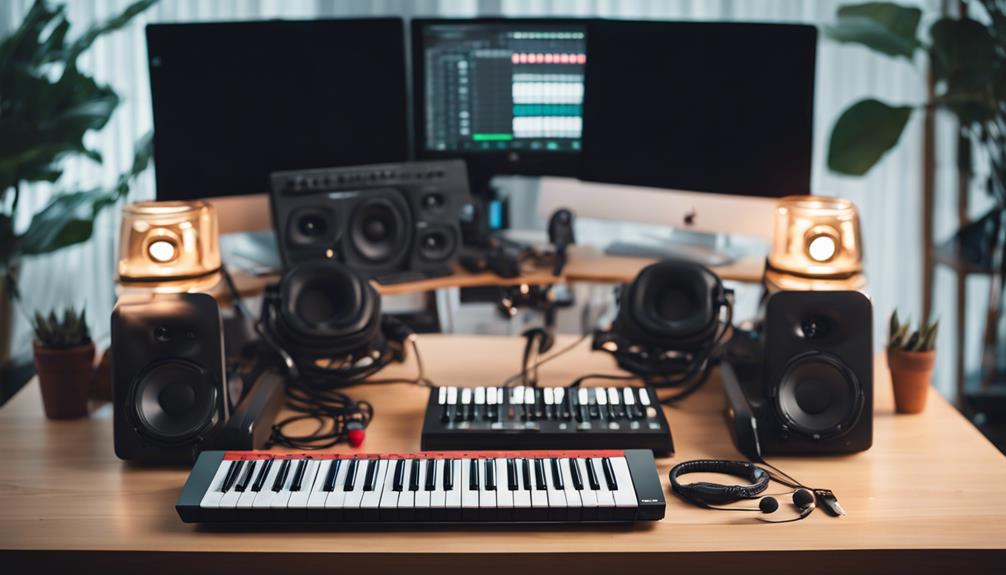

Selecting the right music production hardware requires balancing workflow efficiency with creative flexibility. The Akai Professional MPC One G2 stands out as the best overall choice for producers who want a powerful, standalone ecosystem without relying on a computer. For those prioritizing portability and sampling, the Roland SP-404MKII offers unmatched tactile control and iconic effects, while the Focusrite Scarlett Solo 4th Gen remains the standard for reliable audio interfacing. Buyers often face tradeoffs between standalone independence and software integration, as well as between compact portability and expanded control surfaces. Continue reading to see how these devices compare in build quality, workflow logic, and long-term value.

Get audio and creator gear delivered free with Prime
- Fast, free delivery on millions of items
- Prime Video, Amazon Music and more included
- Member-only deals all year
Complete the kit


Key Takeaways
- Standalone units like the MPC One G2 and MPC Key 37 G2 eliminate computer latency and distractions, appealing to producers who prefer a hardware-centric workflow.
- Entry-level MIDI controllers like the MPK Mini MK3 offer high value for beginners but lack the depth and tactile feedback of premium options like the MPK Mini Plus.
- Audio interfaces such as the Focusrite Scarlett Solo and M-Audio M-Track Duo are now largely standardized in performance, making connectivity (USB-C vs. USB-A) and driver stability the primary differentiators.
- The Roland SP-404MKII and Akai MPC Sample serve different creative niches: the former excels in live performance and lo-fi aesthetics, while the latter focuses on portable sampling and sequencing.
- Hybrid devices like the RØDECaster Pro II blur the line between production and broadcasting, offering features like onboard processing that traditional DAWs handle via plugins.
| Akai Professional APC Mini MK2 USB MIDI Pad Controller |  | Best for Ableton Live Clip Launching | Connectivity: USB | Supported software: Ableton Live | Pads: 64 RGB pads | VIEW ON AMAZON | See Our Full Breakdown |
| Yamaha SEQTRAK Mobile Music Ideastation, Advanced Sequencer with Onboard Sampling, Built-In Speakers and Microphone, Black |  | Best All-in-One Portable Sketchpad | Brand: Yamaha | Model: SEQTRAK | Model number: SEQTRAK BK | VIEW ON AMAZON | See Our Full Breakdown |
| Roland AIRA P-6 Creative Sampler |  | Best Compact Sampler for Sound Design | Brand: Roland | Model: P-6 | Connectivity: USB Type-C | VIEW ON AMAZON | See Our Full Breakdown |
| Akai Professional MPC Sample Portable Sampler |  | Best Battery-Powered Standalone Sampler | Brand: Akai Professional | Model: MPC Sample | Model number: MPCSAMPLE | VIEW ON AMAZON | See Our Full Breakdown |
| Akai Professional MPC Key 37 G2 Next-Gen Standalone Production Keyboard |  | Best Premium Standalone Production Keyboard | Keys: 37 synth-action keys | Display: 7-inch touchscreen | Controls: MPC pads, including backlit and touch-sensitive pads | VIEW ON AMAZON | See Our Full Breakdown |
| Akai Professional MPK Mini MK3 25-Key USB MIDI Keyboard Controller |  | Best Compact MIDI Controller | Key Count: 25 Velocity-Sensitive Keys | Connectivity: USB 2.0 Type B | Pads: 8 Backlit MPC Pads | VIEW ON AMAZON | See Our Full Breakdown |
| M-AUDIO M-Track Duo USB Audio Interface |  | Best Entry-Level Audio Interface | Inputs: 2 Combo XLR/1/4″ Inputs | Outputs: Stereo 1/4″ Main, 1/4″ Headphone | Resolution: 24-bit / 48kHz | VIEW ON AMAZON | See Our Full Breakdown |
| RØDE RØDECaster Pro II All-in-One Audio Production Studio |  | Best All-in-One Studio Hub | Channels: 9 Total Inputs | Mic Preamps: 4 XLR Inputs | Connectivity: USB, Bluetooth, Wi-Fi | VIEW ON AMAZON | See Our Full Breakdown |
| Akai Professional MPK Mini MK3 25-Key USB MIDI Keyboard Controller, Black |  | Best Color Variant for Aesthetics | Key Count: 25 Velocity-Sensitive Keys | Color: Black | Pads: 8 Backlit MPC Pads | VIEW ON AMAZON | See Our Full Breakdown |
| Focusrite Scarlett Solo 4th Gen USB-C Audio Interface |  | Best Premium Entry Interface | Inputs: 1 XLR Mic, 1 Instrument | Resolution: 24-bit / 192kHz | Dynamic Range: 120dB | VIEW ON AMAZON | See Our Full Breakdown |
| Akai Professional MPK Mini Plus 37-Key USB MIDI Keyboard Controller |  | Best Hybrid Controller for Melodic and Rhythmic Control | Keys: 37 Mini Keys | Pads: 8 RGB Backlit MPC Pads | Connectivity: USB-C, CV/Gate, MIDI I/O | VIEW ON AMAZON | See Our Full Breakdown |
| PreSonus ATOM Production & Performance MIDI Pad Controller with Studio One Artist and Ableton Live Lite |  | Best Value Pad Controller for Software Integration | Pads: 16 Velocity and Pressure-Sensitive RGB Pads | Connectivity: USB 2.0 | Software: Studio One Artist, Ableton Live Lite | VIEW ON AMAZON | See Our Full Breakdown |
| Roland SP-404MKII Creative Sampler and Effector |  | Best Portable Sampler for Beatmakers | Pads: 17 Velocity-Sensitive RGB Pads | Storage: 16 GB Internal, SD Card Support | Polyphony: 32 Voices | VIEW ON AMAZON | See Our Full Breakdown |
| Akai Professional MPC One G2 Next-Generation Standalone Production Center |  | Best Standalone Production Center for Complete Workflows | Display: 7-Inch Touchscreen | Pads: 16 Velocity and Pressure-Sensitive RGB Pads | Connectivity: USB-C, MIDI, TRS, SD Card | VIEW ON AMAZON | See Our Full Breakdown |
| music production hardware | Connectivity | Pads |
|---|---|---|
| Akai Professional APC Mini MK2 | USB | 64 RGB pads |
| Yamaha SEQTRAK Mobile Music Id | — | — |
| Roland AIRA P-6 Creative Sampl | USB Type-C | — |
| Akai Professional MPC Sample P | USB-C audio/MIDI, stereo line input/output, headphone jack, optional MIDI adapter | 16 |
| Akai Professional MPC Key 37 G | USB-C, USB, TRS, MIDI, SD card, power adapter | — |
| Akai Professional MPK Mini MK3 | USB 2.0 Type B | 8 Backlit MPC Pads |
| M-AUDIO M-Track Duo USB Audio | — | — |
| RØDE RØDECaster Pro II All-in- | USB, Bluetooth, Wi-Fi | — |
| Akai Professional MPK Mini MK3 | USB 2.0 Type B | 8 Backlit MPC Pads |
| Focusrite Scarlett Solo 4th Ge | USB-C | — |
| Akai Professional MPK Mini Plu | USB-C, CV/Gate, MIDI I/O | 8 RGB Backlit MPC Pads |
| PreSonus ATOM Production & Per | USB 2.0 | 16 Velocity and Pressure-Sensitive RGB Pads |
| Roland SP-404MKII Creative Sam | USB-C, MIDI, Audio In/Out | 17 Velocity-Sensitive RGB Pads |
| Akai Professional MPC One G2 N | USB-C, MIDI, TRS, SD Card | 16 Velocity and Pressure-Sensitive RGB Pads |
More Details on Our Top Picks
Akai Professional APC Mini MK2 USB MIDI Pad Controller
The APC Mini MK2 is the most focused controller here: its 64 RGB pads make launching clips and following a session’s layout easier than using the Yamaha SEQTRAK as an all-in-one sketchpad. Nine assignable faders add hands-on level and parameter control, while USB power keeps the setup simple for a laptop-based studio or live rig. Its compact footprint makes it easy to carry, but it is a controller rather than a standalone production device, so a computer and compatible software remain central to the workflow. The included Ableton Live Lite gives newcomers a starting point, though the APC’s strongest fit is still Ableton Live. Buyers using other DAWs or seeking onboard sound generation should look to a sampler such as the Roland P-6 instead.
Pros:- 64 RGB pads provide clear visual feedback for clip launching
- Nine assignable faders offer direct control over levels and parameters
- Compact, USB-powered design suits mobile and desktop setups
- Ableton Live Lite is included for getting started
Cons:- Its main workflow is closely tied to Ableton Live
- USB power means it cannot operate independently of a host or power source
- It generates no sounds on its own and may need other hardware for a more involved setup
Best for: Ableton Live users who want a portable grid for launching clips, controlling tracks, and performing from a laptop.
Not ideal for: Producers seeking standalone operation, battery-powered use, or broad compatibility with DAWs beyond Ableton Live.
- Connectivity:USB
- Supported software:Ableton Live
- Pads:64 RGB pads
- Faders:9 assignable faders
- Power:USB powered
- Platform compatibility:Mac and Windows
- Additional features:Backlit drum pads, compact, portable, programmable
Our verdict“Choose the APC Mini MK2 if Ableton Live clip control matters more than standalone sound creation.”
Yamaha SEQTRAK Mobile Music Ideastation, Advanced Sequencer with Onboard Sampling, Built-In Speakers and Microphone, Black
The Yamaha SEQTRAK combines drums, synths, sampling, and sequencing in one portable unit, making it a better fit for building a musical idea away from a computer than the Akai APC Mini MK2, which depends on a host and software. Built-in speakers and a microphone support quick sketches without extra audio gear, and the onboard sampling broadens what can become part of a pattern. The tradeoff is that its compact all-in-one approach does not offer the same depth of hands-on editing as a larger production setup; detailed work relies partly on the SEQTRAK app. Compared with the more sampling-focused Roland P-6, Yamaha offers a wider set of creation tools in one box, but buyers should be comfortable with app-assisted editing and a streamlined workflow.
Pros:- Combines drums, synths, sampling, and sequencing in one unit
- Built-in speakers and microphone support quick standalone sketching
- Portable design suits creating away from a studio
- Companion app provides access to deeper editing
Cons:- Some detailed editing depends on the compatible app
- Its compact interface may feel limited for complex production work
- The all-in-one sound and workflow may not suit buyers seeking more specialized hardware
Best for: Mobile producers and beatmakers who want drums, synths, sampling, sequencing, and basic monitoring in one portable device.
Not ideal for: Producers who want extensive hands-on editing, a computer-free interface for every task, or a dedicated sampler with a narrower workflow.
- Brand:Yamaha
- Model:SEQTRAK
- Model number:SEQTRAK BK
- Production tools:Drums, synths, sampling, and sequencing
- Built-in features:Speakers and microphone
- Included components:Dedicated MIDI cable, quick operation guide, and USB-C to USB-C cable
- Color:Black
- Warranty:One-year manufacturer warranty
Our verdict“Pick the SEQTRAK for portable, broad-based music sketching, but choose a dedicated sampler or larger setup for deeper control.”
Roland AIRA P-6 Creative Sampler
The Roland AIRA P-6 is the most sound-design-oriented option in this group: its sampling and granular tools make it better suited to reshaping audio than the broader, instrument-and-sequencer approach of the Yamaha SEQTRAK. A built-in microphone makes it easy to capture sounds on the spot, and the compact USB-C device is practical for a small mobile rig. That focus comes with limits. The P-6 has no built-in display, and fuller sample editing relies on its companion software, so it is less self-contained than the Akai Professional MPC Sample, which includes a display and speaker. I would choose Roland for portable sample manipulation and granular experimentation, not as a complete production center or a device for buyers who want a large, immediately visible control surface.
Pros:- Granular sound-design tools support more than straightforward sample playback
- Built-in microphone allows quick environmental sampling
- Compact size and low weight suit mobile production setups
- P-6 Sample Tool software supports sample editing and management
Cons:- No built-in display makes visual navigation more limited
- Fuller editing depends on companion software
- Small format offers less direct control than larger production hardware
Best for: Sound designers and beatmakers who want a pocket-sized sampler for capturing and manipulating audio, including granular textures.
Not ideal for: Producers who need a full standalone workstation, extensive onboard visual feedback, or detailed editing without companion software.
- Brand:Roland
- Model:P-6
- Connectivity:USB Type-C
- Dimensions:7.44 x 3.19 x 1.44 inches
- Weight:10.72 ounces
- Included hardware:Built-in microphone and onboard keyboard
- Included software:P-6 Sample Tool for macOS and Windows
- Warranty:See manufacturer’s website for details
Our verdict“Choose the P-6 if compact sampling and granular sound design matter more than a screen-led, all-in-one workflow.”
Akai Professional MPC Sample Portable Sampler
The Akai Professional MPC Sample stands out for making a sampling-and-sequencing workflow portable without requiring a computer: battery power, a built-in speaker, and an internal microphone make it ready for sketching in places where a laptop setup would be cumbersome. Its 16 pads and full-color display also give it a more immediate performance feel than the screen-free Roland P-6. The tradeoff is that it is a focused sampler and sequencer, not the keyboard-led production workstation represented by the MPC Key 37 G2. Larger sample collections depend on microSD storage, and full MIDI connectivity requires an optional adapter. I’d favor this MPC for standalone beatmaking and quick capture; producers who need keys, broader arrangement work, or a more expansive instrument setup should look elsewhere.
Pros:- Battery-powered operation supports production away from a computer
- Built-in speaker and microphone enable quick standalone playback and sampling
- Full-color display and 16 pads support direct, hands-on operation
- USB-C audio/MIDI and stereo line I/O offer useful connection options
Cons:- Full MIDI connectivity requires a separately sold adapter
- Larger sample libraries rely on microSD storage
- Its sampler-focused workflow is less suited to keyboard-led production than the MPC Key 37 G2
Best for: Beatmakers who want a battery-powered sampler and sequencer for standalone sketching, finger drumming, and recording sounds on the go.
Not ideal for: Producers who need a keyboard workstation, large internal sample storage, or full MIDI connectivity without buying an additional adapter.
- Brand:Akai Professional
- Model:MPC Sample
- Model number:MPCSAMPLE
- Pads:16
- Display:Full-color display
- Connectivity:USB-C audio/MIDI, stereo line input/output, headphone jack, optional MIDI adapter
- Storage:microSD card
- Included components:MPC Sample, MPC Software download card, quickstart guide, USB-C cable
Our verdict“Choose the MPC Sample for self-contained, battery-powered beatmaking; pick the MPC Key 37 G2 if keys and broader production control are priorities.”
Akai Professional MPC Key 37 G2 Next-Gen Standalone Production Keyboard
The Akai Professional MPC Key 37 G2 is the most workstation-like choice here, pairing 37 synth-action keys with MPC pads, a 7-inch touchscreen, and standalone sampling, sequencing, and arrangement. That gives it a broader role than the MPC Sample, which is easier to take out for quick beat sketches but lacks the keyboard-led scope described here. USB-C and DAW integration also let the MPC Key 37 G2 work within a computer-based setup, while its standalone operation keeps production possible without a computer. The cost in complexity is clear: the MPC workflow takes learning, and 37 keys may constrain players who want a wider keyboard range. This is a strong match for producers seeking one central production instrument, but a poor fit for casual users who only need a compact controller.
Pros:- Standalone operation supports full music creation without a computer
- Combines 37 keys, MPC pads, and a 7-inch touchscreen
- Sampling, sequencing, and arrangement suit a broad production workflow
- USB-C and Ableton Live Control Mode support DAW integration
Cons:- MPC workflow requires time to learn
- 37 keys may be restrictive for parts that need a wider range
- Its extensive workstation approach can be more than casual users need
Best for: Producers who want a standalone workstation for composing, sampling, sequencing, and arranging, with both keys and performance pads.
Not ideal for: Casual users seeking a simple MIDI controller, players who need more than 37 keys, or beginners unwilling to learn the MPC workflow.
- Keys:37 synth-action keys
- Display:7-inch touchscreen
- Controls:MPC pads, including backlit and touch-sensitive pads
- Connectivity:USB-C, USB, TRS, MIDI, SD card, power adapter
- Supported software:Any DAW compatible with Windows or macOS
- DAW integration:Ableton Live Control Mode
- Color:Grey
- Materials:Durable high-grade plastic
Our verdict“Choose the MPC Key 37 G2 if you want a keyboard-led, standalone production center rather than a simple controller or portable sampler.”
Akai Professional MPK Mini MK3 25-Key USB MIDI Keyboard Controller
The Akai MPK Mini MK3 stands out for its portability and MPC-style workflow. Compared to the larger MPC Key 37 G2, this model sacrifices key count for extreme travel-friendliness, making it ideal for laptop producers. The velocity-sensitive keys and drum pads allow for expressive beat-making without a full studio setup. However, the 25-key limit can feel restrictive for complex chord progressions. While the NKS integration offers deep software control, beginners might find the initial mapping process less intuitive than simpler plug-and-play interfaces. It is a focused tool for beat creation rather than full piano performance.
Pros:- Ultra-compact form factor fits in any backpack
- MPC-style pads and knobs enable hands-on beat production
- Native Instruments NKS integration for quick sound browsing
Cons:- 25 keys limit melodic complexity
- Requires software registration for full feature set
- No standalone operation; strictly tethered to a computer
Best for: Traveling producers and beatmakers who need a lightweight, pad-focused controller for laptop studios.
Not ideal for: Pianists or composers who require a full octave range for complex harmonies.
- Key Count:25 Velocity-Sensitive Keys
- Connectivity:USB 2.0 Type B
- Pads:8 Backlit MPC Pads
- Knobs:8 Assignable Q-Link Knobs
- Features:Built-in Arpeggiator
- Compatibility:Mac, Windows, iOS (with adapter)
Our verdict“This controller is the go-to choice for mobile producers prioritizing pad-based workflow over keyboard range.”
M-AUDIO M-Track Duo USB Audio Interface
The M-Audio M-Track Duo serves as a budget-friendly entry point into high-quality recording. Unlike the Focusrite Scarlett Solo 4th Gen, which offers slightly higher sample rates, the Duo provides essential combo inputs with phantom power at a more accessible price. It supports 48kHz resolution, which is sufficient for most home studio podcasts and demos. The zero-latency monitoring ensures performers hear themselves in real-time. However, it lacks the advanced converter technology found in premium units. This interface is designed for simplicity, stripping away unnecessary features to focus on reliable, basic recording tasks.
Pros:- Affordable price for dual-input functionality
- Includes phantom power for condenser microphones
- Simple zero-latency direct monitoring
Cons:- Limited to 48kHz sample rate
- Plastic chassis feels less durable than metal competitors
- Basic software bundle may require upgrades
Best for: Podcasters and singer-songwriters starting out who need reliable XLR and instrument inputs without breaking the bank.
Not ideal for: Musicians recording multiple instruments simultaneously or those requiring 192kHz high-resolution audio.
- Inputs:2 Combo XLR/1/4″ Inputs
- Outputs:Stereo 1/4″ Main, 1/4″ Headphone
- Resolution:24-bit / 48kHz
- Phantom Power:+48V Switchable
- Monitoring:Direct Monitoring with Balance Control
- Power:USB Bus-Powered
Our verdict“A solid, no-frills interface that delivers reliable sound quality for beginners and podcasters.”
RØDE RØDECaster Pro II All-in-One Audio Production Studio
The RØDECaster Pro II redefines the all-in-one production studio, blending hardware mixing with software-like flexibility. It differs significantly from the M-Audio M-Track Duo by offering four XLR inputs and onboard processing, eliminating the need for a computer for basic mixing. The programmable sound pads and RGB lighting enhance live streaming and podcasting workflows. While the multitrack recording to SD cards is powerful, the complex setup can overwhelm beginners. This unit is a powerhouse for creators who want to consolidate multiple pieces of gear into one tactile interface, though it demands dedicated desk space.
Pros:- Four high-quality preamps with onboard processing
- Multitrack recording directly to SD card or USB
- Customizable sound pads with RGB illumination
Cons:- Large footprint requires significant desk space
- Steep learning curve for advanced features
- Premium cost compared to standard interfaces
Best for: Professional podcasters, streamers, and content creators who need multi-person recording and onboard effects.
Not ideal for: Home studio musicians who only need a simple interface to connect a mic to their DAW.
- Channels:9 Total Inputs
- Mic Preamps:4 XLR Inputs
- Connectivity:USB, Bluetooth, Wi-Fi
- Recording:Multitrack to SD/USB
- Processing:Onboard Dynamics & EQ
- Power:AC Adapter (Included)
Our verdict“This is the ultimate hardware hub for serious content creators who value tactile control and integrated processing.”
Akai Professional MPK Mini MK3 25-Key USB MIDI Keyboard Controller, Black
Functionally identical to the standard MPK Mini MK3, this Black variant offers the same compact MIDI capabilities with a sleeker aesthetic. It retains the velocity-sensitive keys and MPC pads that make the MK3 series popular for beat production. When compared to the MPK Mini Plus 37-Key, this model remains more portable, fitting easily into smaller bags. The black finish may appeal to users preferring a minimalist studio look, but it offers no technical advantages over the standard version. Buyers should choose this version solely for visual preference, as the internal hardware and software integration remain unchanged.
Pros:- Identical performance to the standard MK3 model
- Sleek black finish for a modern studio look
- Full compatibility with existing MPK Mini accessories
Cons:- No functional difference from the standard version
- Same 25-key limitation for melodic work
- USB-powered only; no battery option
Best for: Producers who already own the standard MK3 and want a matching aesthetic, or those preferring a black studio setup.
Not ideal for: Users looking for different functionality or features compared to the standard MPK Mini MK3.
- Key Count:25 Velocity-Sensitive Keys
- Color:Black
- Pads:8 Backlit MPC Pads
- Knobs:8 Assignable Knobs
- Connectivity:USB 2.0 Type B
- Features:Arpeggiator & NKS Support
Our verdict“Choose this version only if you prefer the black colorway, as it performs exactly like the standard model.”
Focusrite Scarlett Solo 4th Gen USB-C Audio Interface
The Focusrite Scarlett Solo 4th Gen elevates the standard home studio experience with 192kHz resolution and USB-C connectivity. Compared to the M-Audio M-Track Duo, it offers superior dynamic range and the Air mode, which adds high-frequency boost to vocals. The studio-grade converters provide a cleaner signal path, making it suitable for critical listening and professional demos. While it is limited to two inputs, the quality of those inputs is exceptional. This interface is ideal for musicians who prioritize audio fidelity and modern connectivity over multi-channel recording capabilities.
Pros:- High-end 192kHz/24-bit converters
- Air mode enhances vocal and guitar presence
- Modern USB-C connection for future-proofing
Cons:- Only two input channels total
- USB-C cable required (adapter needed for older PCs)
- Higher price point than basic entry-level units
Best for: Vocalists and guitarists who want the highest possible audio quality for single-track recordings.
Not ideal for: Users needing to record two sources simultaneously with separate preamps or those with older USB-A computers.
- Inputs:1 XLR Mic, 1 Instrument
- Resolution:24-bit / 192kHz
- Dynamic Range:120dB
- Features:Air Mode, Clip Safe
- Connectivity:USB-C
- Monitoring:Direct Monitor Switch
Our verdict“The best choice for solo musicians who demand premium audio quality and modern connectivity in a compact package.”
Akai Professional MPK Mini Plus 37-Key USB MIDI Keyboard Controller
This controller stands out by bridging the gap between simple pad controllers and full-sized keyboards. Compared to the PreSonus ATOM, which relies solely on pads, the MPK Mini Plus offers 37 mini keys, making it better suited for playing chords and melodies without needing a separate instrument. The inclusion of CV/Gate outputs is a significant differentiator for analog synth users who want to integrate hardware into their setup. While the RGB MPC pads provide tactile feedback, the mini key action may feel cramped for those with larger hands or accustomed to weighted keys. It requires a computer to function, unlike standalone units, so it is not a self-contained studio but rather a powerful interface for one.
Pros:- Hybrid layout combines 37 mini keys with 8 RGB MPC pads
- CV/Gate outputs allow direct control of analog hardware
- NKS integration streamlines workflow with Native Instruments plugins
- Compact size fits easily into mobile or small studio setups
Cons:- Mini keys may feel uncomfortable for larger hands
- Requires a computer and DAW for full functionality
- No standalone audio interface capabilities
Best for: Producers who need both piano-style input and drum pads in a portable package, especially those using analog synths with CV/Gate.
Not ideal for: Keyboardists seeking realistic piano feel or beginners who want a standalone device that does not require a computer.
- Keys:37 Mini Keys
- Pads:8 RGB Backlit MPC Pads
- Connectivity:USB-C, CV/Gate, MIDI I/O
- Software:MPC Beats, NKS Support
- Power:USB Bus-Powered
- Platform:Mac, Windows
Our verdict“Choose this if you need a portable controller that handles both melodic lines and beats while interfacing with analog gear.”
PreSonus ATOM Production & Performance MIDI Pad Controller with Studio One Artist and Ableton Live Lite
This unit is defined by its exceptional software bundle, making it a strong value proposition for new producers. Unlike the Akai MPC One G2, which is a standalone powerhouse, the ATOM is strictly a controller, relying on your computer for processing. However, its pressure-sensitive pads offer expressive dynamics that many budget controllers lack. The compact, bus-powered design makes it easy to carry, but it lacks the independent audio engine found in samplers like the Roland SP-404MKII. It is an ideal entry point for those committed to Ableton Live or Studio One, as the deep integration reduces setup time. If you do not plan to use these specific DAWs, the value diminishes significantly compared to more generic controllers.
Pros:- Includes Studio One Artist and Ableton Live Lite software
- Pressure-sensitive RGB pads allow for expressive playing
- Ultra-compact and bus-powered for easy portability
- Deep integration with supported DAWs for seamless workflow
Cons:- No standalone audio engine or sampling capabilities
- Limited connectivity options beyond USB
- Feature set is optimized for specific software ecosystems
Best for: Beginners and electronic musicians who primarily use Ableton Live or Studio One and want an affordable, expressive pad controller.
Not ideal for: Producers who need standalone functionality or those who use DAWs other than PreSonus and Ableton products.
- Pads:16 Velocity and Pressure-Sensitive RGB Pads
- Connectivity:USB 2.0
- Software:Studio One Artist, Ableton Live Lite
- Compatibility:Windows, Mac, iOS, Android
- Power:USB Bus-Powered
- Form Factor:Compact Pad Controller
Our verdict“This is the best choice if you already use or plan to use Ableton or Studio One and want a low-cost, expressive controller.”
Roland SP-404MKII Creative Sampler and Effector
The SP-404MKII is a cult favorite for its unique workflow, particularly its real-time resampling capabilities. Compared to the Akai MPC One G2, it offers a more focused, lo-fi aesthetic and simpler interface, appealing to those who prefer immediate sound manipulation over complex sequencing. The 17 velocity-sensitive pads provide excellent playability, though the 16 GB internal storage is a notable limitation for large sample libraries. It does not replace a full DAW but excels as a dedicated sketchpad for beats. While the MPK Mini Plus is better for melodic composition, the SP-404MKII shines in rhythmic creativity and effect processing, making it ideal for hip-hop and electronic producers who value character over flexibility.
Pros:- Real-time resampling and extensive onboard effects
- Portable design with battery-powered operation
- Vivid OLED display for easy sample navigation
- 17 velocity-sensitive pads for expressive drumming
Cons:- Limited 16 GB internal storage requires SD cards for large projects
- Not a full standalone production center like the MPC One
- Advanced features can be unintuitive for absolute beginners
Best for: Beatmakers and electronic producers who prioritize quick sampling, resampling, and lo-fi effect processing over complex arrangement tools.
Not ideal for: Users who need extensive sample libraries onboard or require a full multi-track sequencer for complex song arrangements.
- Pads:17 Velocity-Sensitive RGB Pads
- Storage:16 GB Internal, SD Card Support
- Polyphony:32 Voices
- Display:OLED
- Connectivity:USB-C, MIDI, Audio In/Out
- Power:USB, AA Batteries, AC Adapter
Our verdict“Pick this if you want a dedicated, portable sampler that encourages creative experimentation with effects and loops.”
Akai Professional MPC One G2 Next-Generation Standalone Production Center
This device is a complete music production computer in a compact form factor. Unlike the PreSonus ATOM, which is merely an interface, the MPC One G2 samples, sequences, and arranges without a laptop. The 7-inch touchscreen significantly modernizes the classic MPC workflow, making it more accessible than older MPC models. While it lacks the physical keys of the MPK Mini Plus, its plugin support and processing power allow for professional-grade mixing and mastering. The tradeoff is the learning curve; mastering the MPC3 OS takes time. It is overkill for simple pad triggering but essential for producers who want a self-contained studio capable of finishing full tracks anywhere.
Pros:- Fully standalone operation with no computer required
- High-performance processor supports complex projects and plugins
- 7-inch touchscreen simplifies navigation and editing
- Extensive connectivity for hybrid studio setups
Cons:- Steep learning curve for new MPC users
- No physical keyboard for melodic input
- Higher cost compared to controller-only options
Best for: Serious producers who want a standalone, all-in-one device for sampling, sequencing, and mixing without relying on a computer.
Not ideal for: Beginners on a tight budget or those who prefer the tactile feedback of physical piano keys for melodic work.
- Display:7-Inch Touchscreen
- Pads:16 Velocity and Pressure-Sensitive RGB Pads
- Connectivity:USB-C, MIDI, TRS, SD Card
- Software:MPC3 OS, Plugin Support
- Function:Standalone Production Center
- Platform:Standalone
Our verdict“This is the definitive choice if you need a powerful, standalone machine capable of producing finished tracks without a computer.”

How We Picked
I evaluated these devices based on workflow integration, build durability, and software ecosystem support. For MIDI controllers, I prioritized key action, pad sensitivity, and the intuitiveness of mapping controls. Standalone units were judged on their ability to function independently of a computer, including storage capacity, sampling depth, and export options. Audio interfaces were compared on preamp clarity, latency performance, and driver reliability across different operating systems.
Ranking logic favored devices that reduce friction in the creative process. A product that requires extensive manual configuration or lacks robust community support was ranked lower than one with intuitive defaults and active software updates. I also considered the long-term viability of each manufacturer’s software updates and plugin compatibility, ensuring that the hardware remains useful as production standards evolve.
Factors to Consider When Choosing Music Production Hardware
Choosing music production hardware involves more than just picking the device with the most knobs. You must align your purchase with your workflow, space constraints, and technical comfort level. Here are the key factors to weigh before buying.Standalone vs. Computer-Connected Workflow
The biggest decision is whether you want a device that works independently or one that relies on a DAW. Standalone units like the Akai MPC One G2 allow you to produce complete tracks without a laptop, which reduces latency and minimizes digital distractions. However, they often limit you to the manufacturer’s specific software and file formats. Computer-connected controllers, such as the Akai MPK Mini MK3, offer vast plugin libraries and unlimited track counts but introduce computer-related variables like driver issues and CPU spikes. If you value immediacy and tactile play, go standalone. If you need unlimited sound design flexibility, choose a controller.
Interface Connectivity and Latency
Audio interfaces like the Focusrite Scarlett Solo 4th Gen and M-Audio M-Track Duo are the bridge between your instruments and your computer. While many entry-level interfaces sound similar, driver stability and latency performance vary significantly between brands. Check if the device uses USB-C for better power delivery and data transfer speeds, which is becoming the standard in 2027. Also, consider the number of inputs; a two-input interface is sufficient for solo recording, but if you plan to record drums or multiple instruments simultaneously, you will need more channels. Avoid interfaces with poor driver support for your specific operating system, as this can cause dropouts during critical sessions.
Portability and Build Quality
If you produce on the go, weight and durability matter more than feature count. The Roland SP-404MKII is designed for live performance and travel, featuring a robust chassis and battery-powered options. In contrast, larger studio units like the RØDECaster Pro II are heavy and meant to stay on a desk. Look for metal enclosures over plastic for long-term durability, especially if you plan to transport the gear. Potentiometer quality is also a key indicator; cheap knobs can wobble and degrade over time, affecting precise adjustments. A device that feels solid in hand usually translates to better reliability in demanding environments.
Software Ecosystem and Future-Proofing
Hardware is only as good as the software that supports it. Manufacturers like Akai and Roland offer robust ecosystems with regular updates, ensuring that your device remains compatible with new operating systems. Before buying, research the manufacturer’s history of software support. A device that abandons support after two years becomes obsolete quickly. Additionally, check if the hardware comes with bundled software like Ableton Live Lite or Studio One Artist, which can add significant value. However, be aware that bundled software often has limitations compared to the full versions, so budget for potential upgrades if you plan to scale your production capabilities.
Learning Curve and Usability
Some devices, like the Yamaha SEQTRAK, are designed for immediate sound creation with minimal setup, making them ideal for beginners or quick idea capture. Others, such as the MPC Key 37 G2, require a deeper understanding of sampling, sequencing, and signal routing. Complexity is not inherently bad, but it must match your willingness to learn. If you are new to production, start with a device that has intuitive controls and strong community tutorials. Overly complex hardware can lead to frustration and abandoned projects. Consider your current skill level and how much time you are willing to invest in mastering the interface before expecting professional results.
Frequently Asked Questions
Do I need a standalone sampler if I already have a computer?
You do not strictly need a standalone sampler, but it changes your workflow significantly. A standalone unit like the Akai MPC One G2 allows you to work without a computer, which can boost creativity by removing distractions and technical barriers. It also offers a tactile, hardware-focused experience that many producers find more engaging than clicking a mouse. However, if you rely heavily on specific software plugins or need unlimited track counts, a computer-based workflow with a MIDI controller is more flexible. The choice depends on whether you prioritize immediacy and tactile control or software versatility and depth.
Is the difference between entry-level and pro audio interfaces noticeable?
For most bedroom producers, the difference between a Focusrite Scarlett Solo and a high-end interface is subtle in the final mix, provided you are not recording complex multi-channel setups. The primary differences lie in preamp headroom, dynamic range, and driver stability under heavy loads. Entry-level interfaces are perfectly capable of recording vocals, guitars, and synths with high clarity. You should upgrade to pro-grade interfaces if you need pristine analog coloration, extremely low latency for live monitoring, or more than two inputs. For beginners, investing in better microphones or acoustic treatment often yields a more audible improvement than upgrading the interface.
Can I use a MIDI controller without a computer?
Most standard MIDI controllers, like the Akai MPK Mini MK3, require a computer or mobile device to generate sound because they do not contain onboard synthesizers or samplers. They send MIDI data to a DAW or software instrument to trigger sounds. However, some hybrid devices like the Roland AIRA P-6 or Yamaha SEQTRAK have onboard sounds and sequencers, allowing them to function independently. If you want to play sounds without a computer, you must look for hardware with built-in synthesis or sampling capabilities, not just MIDI controllers.
How important is USB-C vs. USB-A for production hardware?
USB-C is becoming the standard for power efficiency and data transfer speed, but USB-A devices still work perfectly fine with the right cables or adapters. The connector type itself does not affect audio quality. However, USB-C often supports better power delivery, which can be useful for bus-powered interfaces and controllers that might otherwise require external power. When buying in 2027, prioritize USB-C devices if you want to reduce cable clutter and ensure compatibility with newer laptops that may have dropped USB-A ports. It is a future-proofing feature rather than a performance upgrade.
Should I buy a bundle with software or just the hardware?
Hardware bundles often include Lite or Artist versions of DAWs, which are sufficient for learning and basic production. These bundles can save money initially, but they may lack advanced features like unlimited audio tracks or specific plugin types found in full versions. If you are a beginner, the bundled software is an excellent starting point. As your skills grow, you might need to upgrade to the full version, so factor that potential cost into your decision. Sometimes, buying the hardware alone and purchasing a discounted educational or student version of a DAW separately offers more flexibility and long-term value.
Conclusion
Choosing the right music production hardware depends on your specific workflow needs and creative goals. The Akai Professional MPC One G2 is the best overall choice for producers who want a complete, standalone ecosystem that encourages deep focus and tactile control. For those on a budget or just starting out, the Akai MPK Mini MK3 offers the best value, providing essential control and portability at an accessible price point. If you need reliable audio interfacing, the Focusrite Scarlett Solo 4th Gen remains the standard for beginners and hobbyists alike. For the creative sampler or live performer, the Roland SP-404MKII stands out for its unique sound and immediate usability. Finally, the RØDECaster Pro II is the premium pick for those who blend music production with podcasting or broadcasting needs. Assess your primary use case, budget, and workflow preferences to make the final decision.
Halloween Picks

HOPOCO Halloween Pumpkin Fog Machine with 12 LED Colors & Remote Control

Jenaai 5.3-Foot Motion-Activated Halloween Animatronic Skeleton

10.5 ft Lighted Pumpkin and Ghost Halloween Inflatable Archway
As an affiliate, we earn on qualifying purchases.