
TL;DR

Get audio and creator gear delivered free with Prime
- Fast, free delivery on millions of items
- Prime Video, Amazon Music and more included
- Member-only deals all year
Building your own AI workstation used to be cheaper, but today, prebuilt options often match or beat DIY costs thanks to component shortages and bulk buying. The choice hinges on control versus convenience, with support and thermal validation playing key roles.
Imagine this: you need an AI workstation now, not in two weeks. Your options boil down to two choices—build or buy. But the landscape has shifted. In 2026, the usual rule—DIY is cheaper—no longer holds true.
Component shortages, inflation, and bulk buying have pushed prices up for DIY parts. Meanwhile, prebuilt vendors have locked in deals, making their systems surprisingly affordable. So, your decision isn’t just about savings anymore. It’s about speed, support, and control, all wrapped into one.
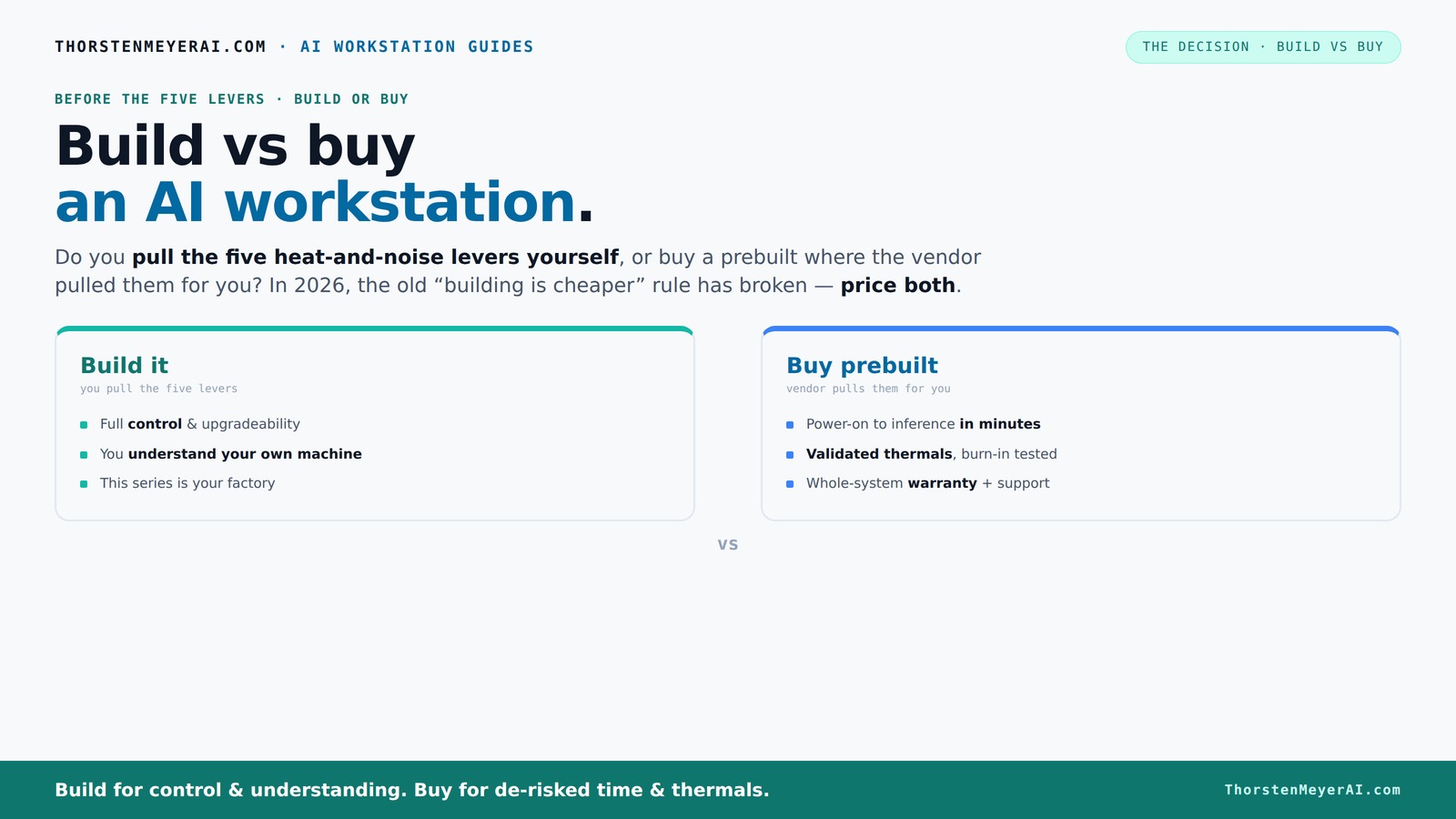
Build vs buy
an AI workstation.
The real question behind this whole series: do you pull the five heat-and-noise levers yourself, or buy a prebuilt where the vendor pulled them for you? And in 2026, the old “building is cheaper” rule has broken. Match your situation in Part 3.
Key Takeaways
- In 2026, prebuilt AI workstations often cost less or match DIY prices due to component shortages and bulk buying, reversing the traditional advantage.
- Choosing between build and buy hinges on control versus convenience—DIY offers full customization, while prebuilts offer validated thermals and support.
- For complex multi-GPU setups and professional workloads, prebuilts often include factory-validated cooling and thermal management, reducing risk.
- Building your own system is ideal if you enjoy tweaking, need specific hardware, or want maximum upgrade flexibility.
- Support and warranty play a critical role—prebuilts provide peace of mind, while DIY troubleshooting demands troubleshooting skills.
As an affiliate, we earn on qualifying purchases.
Why Building Your Own AI Workstation Isn’t Always Cheaper Anymore
Building used to be the clear win for cost, but not anymore. In 2026, component shortages for GPUs, DDR5 RAM, and SSDs have shot prices up by 20-30%, pushing DIY builds well over $1,250 for a mid-range rig. Meanwhile, many prebuilt systems are hitting similar or even lower prices thanks to bulk purchasing.
For example, a custom build with a high-end RTX 4090 GPU, 128GB RAM, and a fast NVMe SSD now costs about $2,300 if you buy parts retail. A prebuilt, tuned for AI workloads, might come in at $2,200, with validated thermals and a warranty. The old rule—build cheaper—no longer applies across the board.
While DIY can still be cost-effective if you are skilled at sourcing deals and assembling, the increased component prices and the time investment required mean that the financial advantage is shrinking. Additionally, the time spent troubleshooting compatibility issues or thermal tuning can offset cost savings, especially when quick deployment is critical. This shift also implies that for many users, the value of time and reliability provided by prebuilt systems outweighs the marginal savings from DIY, especially as market volatility continues.
Who Pulls the Levers? Control vs Convenience in Heat and Noise
When it comes to heat and noise, the core difference is who handles the fine-tuning. Buy a prebuilt — the vendor has already tested, tuned fan curves, and optimized cooling, often with water cooling and ultra-quiet fans. They validate the system under load, so you get a machine ready to run tirelessly.
Building it yourself means you pull those levers. You select a quiet GPU, undervolt it, choose a case with sound-dampening features, and set up airflow for maximum silence. For example, you might choose a low-noise case and pair it with a quiet GPU. For example, you might choose a low-noise case and pair it with a quiet GPU. It’s more effort, but you get exactly the environment you want.
The implications are significant: prebuilt systems that are factory-validated for thermal performance and noise levels provide peace of mind and reduce the risk of thermal throttling or hardware failure. Conversely, DIY solutions offer customization but require a deeper understanding of thermal dynamics and airflow management. Poorly tuned DIY systems can suffer from overheating, noise issues, or reduced hardware lifespan, which can compromise performance and reliability over time. Therefore, the tradeoff involves balancing the convenience and assurance of pre-validated thermal solutions against the flexibility and personalization of DIY tuning.
Comparison Table: Build vs Buy in 2026
| Feature | Build Your Own | Buy Prebuilt |
|---|---|---|
| Cost | Often cheaper upfront if sourcing parts efficiently, but rising prices and time investment complicate that. The true cost includes your time and potential troubleshooting expenses. | Often similar or lower due to bulk buying, validated design, and warranty coverage, making it a more predictable investment. |
| Time to Deploy | Weeks, including sourcing, assembly, and testing. This can delay project timelines and increase planning complexity. | Ready in days; plug-and-play, minimizing downtime and accelerating project start dates. |
| Control & Customization | Full control over parts, cooling, and tuning—ideal for bespoke configurations or experimental setups. However, it requires technical expertise. | Limited to vendor options but optimized for thermals, noise, and reliability based on extensive testing. |
| Support & Warranty | DIY troubleshooting; limited warranty on individual parts. You’re responsible for fixing issues, which can be time-consuming. | Vendor support, often 3-5 years warranty, providing peace of mind and reducing downtime during failures. |
| Upgradability | Highly flexible; easy to swap or add components, extending system lifespan and adaptability to future needs. | Depends on vendor; often limited but may include straightforward upgrades like RAM or GPU replacements. |
| Thermal & Noise Optimization | You tune it yourself, which allows precise control but requires expertise and time. Mistakes can lead to overheating or excessive noise. | Factory-tested, validated, and optimized for balanced performance, thermal stability, and quiet operation, reducing guesswork. |
Frequently Asked Questions
Is a prebuilt AI workstation worth it for small teams?
Absolutely. Prebuilts save time and reduce setup headaches, especially for teams that need to deploy quickly or lack hardware expertise. They come with validated thermals and support, making them a reliable choice.Can I upgrade a prebuilt AI workstation later?
It depends. Many vendors design systems with upgradeability in mind—adding RAM, swapping GPUs is often straightforward. But some models might limit CPU or power supply upgrades, so check vendor specs before buying.How do I know if a prebuilt uses quality parts?
Look for vendors that validate their builds, run stress tests, and offer warranties. Reviews and direct inquiries about component brands and testing processes can also help ensure quality.Is building my own AI workstation risky for long-term stability?
It can be if you’re inexperienced. Proper thermal management, component compatibility, and assembly quality matter. Follow expert guides and consider testing your build extensively before critical workloads.Should I buy an AI PC with NPU, or is a GPU enough?
It depends on your workload. GPUs are versatile and widely supported, but NPUs can accelerate specific AI tasks. Check whether your AI models benefit from specialized hardware before choosing.Conclusion
The real decision in 2026 isn’t just about saving money. It’s about how much control you want versus how quickly you need to get started. If you value immediate deployment with proven thermals, a prebuilt is your best bet. But if you love tinkering and customizing, building your own remains rewarding.
Remember, in the AI world, speed, support, and reliability often matter more than a few dollars saved. Choose what fits your workflow and confidence best—your future AI projects will thank you for it.
Fall Picks
fall essentials
As an affiliate, we earn on qualifying purchases.