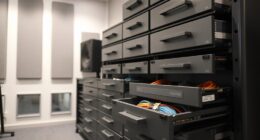
To avoid a cable disaster in your sit-stand studio, plan your layout carefully by evaluating all devices and routing cables neatly with clips, sleeves, and Velcro straps. Use under-desk cable trays and mount power strips to keep everything organized and accessible. Incorporate ergonomic accessories like adjustable monitor arms and wireless peripherals to reduce clutter further. Regularly review and adjust your setup as devices change, and you’ll create a safe, tidy workspace that supports productivity and comfort. Keep exploring for more tips to perfect your setup.
Key Takeaways
- Plan cable routes carefully, minimizing crossing and tangling for a tidy, accessible workspace.
- Use cable management accessories like clips, sleeves, and trays to keep cords organized and hidden.
- Mount power strips and chargers underneath desks to reduce visible clutter and improve safety.
- Incorporate wireless peripherals to eliminate unnecessary cables and enhance flexibility.
- Regularly review and adjust cable setups to accommodate device changes and maintain an orderly environment.

Setting up a sit-stand workspace can substantially boost your comfort and productivity throughout the day. But if you’re not careful, it can also turn into a cable disaster, cluttering your space and creating hazards. Fortunately, with a little planning and some strategic accessories, you can keep your cables organized and your setup sleek. Cable management isn’t just about aesthetics; it’s about safety, ease of use, and efficiency. When your cables are neatly tucked away, you won’t have to hunt for that charger or worry about tripping over loose cords. Start by evaluating all the devices you’ll connect—monitor, keyboard, mouse, chargers, and any additional peripherals—and plan a route for each cable that minimizes tangling and crossing. Using cable clips or cable sleeves helps keep everything aligned, preventing cables from sprawling across your desk or onto the floor. Additionally, understanding cable management techniques can help you implement an effective system from the start. Incorporate ergonomic accessories into your setup to enhance both comfort and organization. Adjustable monitor arms, for example, keep your screen at eye level and reduce cable strain by allowing you to position cables neatly along the arm. Cable trays or under-desk baskets are excellent for hiding power strips and excess cords out of sight, maintaining a clean workspace. Velcro straps or reusable cable ties are simple, effective tools to bundle cables together, preventing them from twisting and tangling over time. When choosing these accessories, prioritize flexibility and durability—your setup will evolve, and so should your cable management system. A key step is investing in quality power strips with enough outlets for all your devices. Mounting the power strip underneath your desk or inside a cable management tray keeps cords off the floor and reduces clutter. When possible, opt for wireless peripherals like wireless keyboards and mice; they eliminate the need for extra cables altogether, creating a cleaner look and reducing cable management efforts. Use cable sleeves or spiral wraps to bundle multiple cables into a single conduit, making everything look tidy and preventing accidental unplugging or damage. Finally, regularly revisit your cable setup. As you add or remove devices, adjust your cable management system accordingly. A tidy workspace isn’t a one-time effort but an ongoing process. By integrating cable management strategies and ergonomic accessories, you’ll not only avoid the cable disaster but also create a functional, comfortable, and inspiring sit-stand studio that supports your productivity and well-being.
Frequently Asked Questions
What Are the Best Cable Management Tools for Sit-Stand Desks?
You should use cable labeling to identify and organize cords easily, preventing tangles. Cable spiral wraps are also essential; they bundle multiple cables neatly and protect them from damage. Combine these tools with cable clips or sleeves to keep everything secure and out of sight. This setup helps you avoid cable clutter, making your sit-stand desk safer and more efficient for daily use.
How Can I Prevent Cable Tangling During Height Adjustments?
To prevent cable tangling during height adjustments, you should focus on cable length management and proper cable routing techniques. Make sure cables are long enough to accommodate movement, but not so long that they loop or tangle. Use cable clips or sleeves to secure cables along the desk frame, and route them through designated channels. Regularly check and adjust these routes to keep cables organized, ensuring smooth, snag-free height changes.
Are Wireless Alternatives Effective for Studio Setups?
Wireless alternatives are quite effective for studio setups, offering a clutter-free environment. Imagine a clean, open space where wireless connectivity and battery-powered devices eliminate tangled cables and trip hazards. These devices provide flexibility and ease of movement, making adjustments seamless. While they might have limitations like battery life, proper planning guarantees your studio remains organized and efficient, giving you the freedom to focus on your work without cable constraints.
What Safety Measures Should I Consider With Numerous Cables?
You should prioritize cable insulation and grounding safety to prevent electrical hazards. Use quality insulated cables, ensuring they’re rated for your equipment’s power needs. Keep cables organized and secured to avoid tripping hazards, and regularly inspect for damage. Proper grounding safety is essential; connect all equipment to grounded outlets. This approach minimizes risks, keeps your studio safe, and maintains smooth operation without unexpected electrical issues.
How Often Should I Inspect and Replace Cables in My Studio?
You should inspect your cables at least every three to six months to guarantee safety and peak performance. Don’t wait until you notice issues—cable lifespan can vary, but regular inspection catches wear and tear early. Replace any damaged or frayed cables immediately. This proactive approach prevents accidents and keeps your studio running smoothly. Staying vigilant with inspection frequency ensures your setup remains safe, reliable, and clutter-free.
Conclusion
By organizing your cables, you create a workspace that’s tidy, safe, and inspiring. You avoid the chaos of tangled cords, the frustration of accidental disconnections, and the hazards of tripping. You foster a studio environment that’s sleek, efficient, and inviting. With every cable managed, your focus sharpens, your creativity flows, and your productivity soars. Embrace the order, and watch your sit-stand studio transform into a seamless space where ideas thrive and distractions fade away.