
To stop sample chaos, implement a clear organization system by creating structured folders labeled with descriptive details like instrument, tempo, or key. Use consistent naming conventions and develop a folder hierarchy that categorizes sounds logically. Regularly clean and archive outdated samples, and consider tagging files with metadata for quick searchability. Maintaining this discipline streamlines your workflow and saves you time. Keep going to discover how to fine-tune your sample library even further.

Get audio and creator gear delivered free with Prime
- Fast, free delivery on millions of items
- Prime Video, Amazon Music and more included
- Member-only deals all year
Key Takeaways
- Implement a clear folder hierarchy with main categories and subfolders to organize samples systematically.
- Use consistent, descriptive labels including instrument, tempo, key, or project details for quick identification.
- Regularly review and archive unused or outdated samples to keep the active library streamlined.
- Incorporate metadata tagging for genre, mood, or project notes to enhance searchability and categorization.
- Utilize sample management software for bulk renaming, tagging, and advanced search functions to maintain order efficiently.
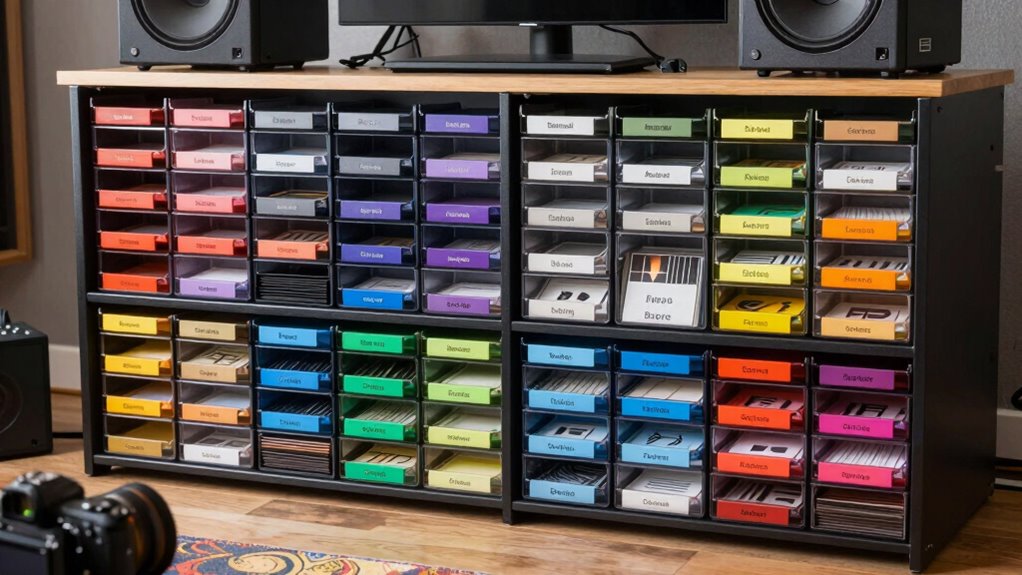
If you’re tired of digging through endless folders and chaotic folders, implementing a structured organization system for your samplers can transform your workflow. The key is effective sample management, which means setting up a system that makes it easy to locate, access, and update your samples quickly. One of the most straightforward ways to accomplish this is through consistent folder labeling. Clear, descriptive labels eliminate confusion and save you time when searching for specific sounds or project files. Instead of vague names like “Vocal” or “Loop,” include details such as the instrument, tempo, key, or project name. For example, label a folder “Piano_120bpm_C_Major” to instantly identify its contents at a glance. This level of clarity minimizes the need to open multiple files or folders just to find what you need, streamlining your entire production process. Establishing a standardized naming convention can further enhance your organization by ensuring consistency across all your samples. Implementing a logical hierarchy within your folder structure is equally important. Create main folders for broad categories like “Drums,” “Vocal Samples,” or “Synths,” then subdivide these into smaller, more specific groups. For instance, under “Drums,” you might have “Kicks,” “Snares,” and “Hi-Hats,” each containing related samples. This layered approach reduces clutter and helps you develop a mental map of your library, so you instinctively know where to find a particular sound. Consistent folder labeling across all categories keeps things uniform, preventing confusion that can occur if some folders are named differently or vaguely. Beyond visual clarity, good sample management involves regular maintenance. Periodically review your sample library, delete duplicates, and move outdated or unused samples to an archive folder. This keeps your active folders lean and relevant. Use descriptive labels for archived samples too, like “Old_808_Kicks” or “Unused_Vocal_Trials,” so you know their status without opening each file. Tagging your samples with metadata—such as genre, mood, or project notes—further enhances searchability, especially when you’re working on multiple projects simultaneously. Investing in a dedicated sample management system or software can also make a difference if your library becomes extensive. These tools often include features like batch renaming, tagging, and advanced search options, making folder labeling less of a chore and more of a strategic part of your production workflow. Ultimately, adopting a disciplined approach to sample management and folder labeling means less time hunting for sounds and more time creating. A structured setup not only boosts efficiency but also keeps your creative flow uninterrupted, allowing you to produce with confidence and consistency.
As an affiliate, we earn on qualifying purchases.
Frequently Asked Questions
How Do I Categorize Samples for Different Genres?
To categorize samples for different genres, start with a genre-based folder hierarchy, creating folders for each genre like hip-hop, EDM, or jazz. Use genre-specific tagging to label samples within each folder, making it easy to find and sort later. Consistently apply these tags and organize your samples by genre, which streamlines your workflow and keeps your sample library clean and accessible for any project.
What Tools Are Best for Organizing Digital Samples?
You should use digital sample organization tools that focus on tag management and metadata tagging. Software like ADSR Sample Manager, SONAR, or Ableton Live’s browser let you assign tags and detailed metadata to each sample. This way, you can quickly filter by genre, instrument, or mood. Keeping your tags consistent and detailed guarantees you find the right sample fast, reducing chaos and boosting your workflow.
How Often Should I Back up My Sample Library?
You should back up your sample library weekly, monthly, and after major updates. Regular backups prevent loss due to hardware failure, accidental deletion, or corruption. Use clear sample naming conventions to keep track of files, and choose reliable storage solutions like cloud services or external drives. By backing up consistently, maintaining organized sample naming, and choosing solid storage options, you guarantee your library stays safe, accessible, and well-managed over time.
Can Organization Systems Improve Workflow Efficiency?
Yes, organization systems can substantially improve your workflow efficiency. By implementing sample tagging, you can quickly locate and categorize sounds, saving time during projects. Combining this with workflow automation streamlines repetitive tasks, allowing you to focus more on creativity rather than searching or sorting. An organized system reduces chaos, enhances productivity, and helps you work faster, making your music production process smoother and more enjoyable.
How Do I Handle Duplicate Samples?
To handle duplicate samples effectively, start by implementing solid metadata management. Use consistent tagging strategies to identify similar samples quickly. Regularly review your tags and metadata to spot duplicates, then merge or delete them as needed. This keeps your library streamlined and prevents chaos. Staying organized with clear labels and systematic updates guarantees you spend less time searching and more time creating.
Conclusion
By implementing this organization system, you’ll tame the chaos and turn your sampler collection into a sleek, efficient setup—no more rummaging through stacks like a frantic alchemist. Think of it as your modern-day navigation chart, guiding you through your musical journey with clarity. Remember, even in a world of chaos, order can be your greatest ally. So, get started now—your future self will thank you, just like a wise old sage from a classic novel.
Halloween Picks
halloween
As an affiliate, we earn on qualifying purchases.