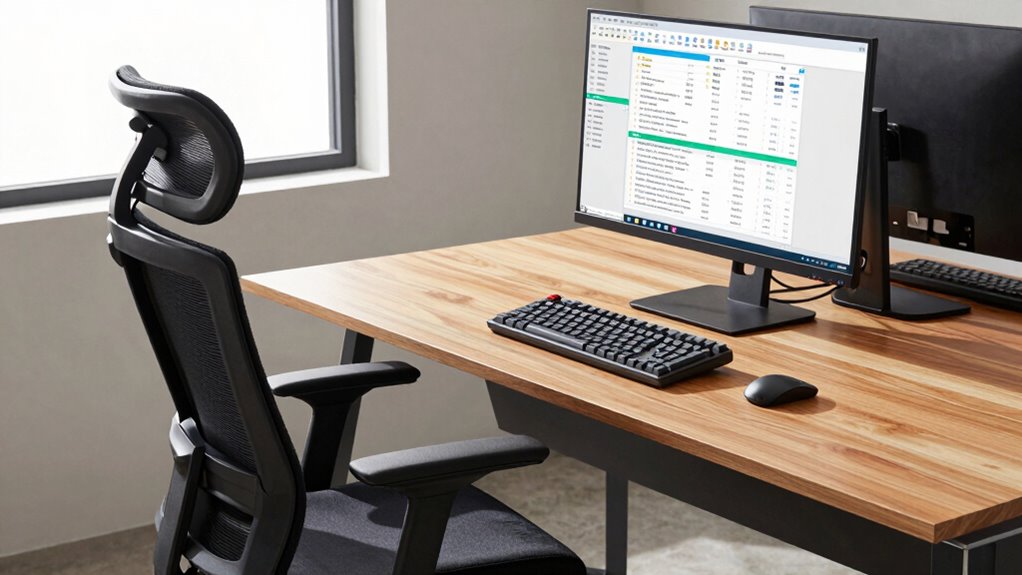

To improve your producer ergonomics, start with an adjustable chair that offers good lumbar support, ensuring your feet are flat and knees at 90 degrees. Position your keyboard so your elbows stay close to your body and your wrists remain straight, using wrist rests if needed. Place your monitor directly in front of you at eye level, at an arm’s length away. Correct setup helps prevent injuries and boosts comfort—continue exploring for detailed tips to optimize your workspace.
Key Takeaways
- Choose an adjustable ergonomic chair with lumbar support to maintain proper posture and reduce back strain.
- Position your keyboard and MIDI controller to keep elbows close to your body and wrists straight.
- Place your monitor directly in front at eye level to prevent neck tilting and eye strain.
- Keep your workspace clean and dust-free to promote comfort and prevent respiratory issues during long sessions.
- Ensure your feet are flat on the floor with knees at a 90-degree angle for optimal ergonomic support.
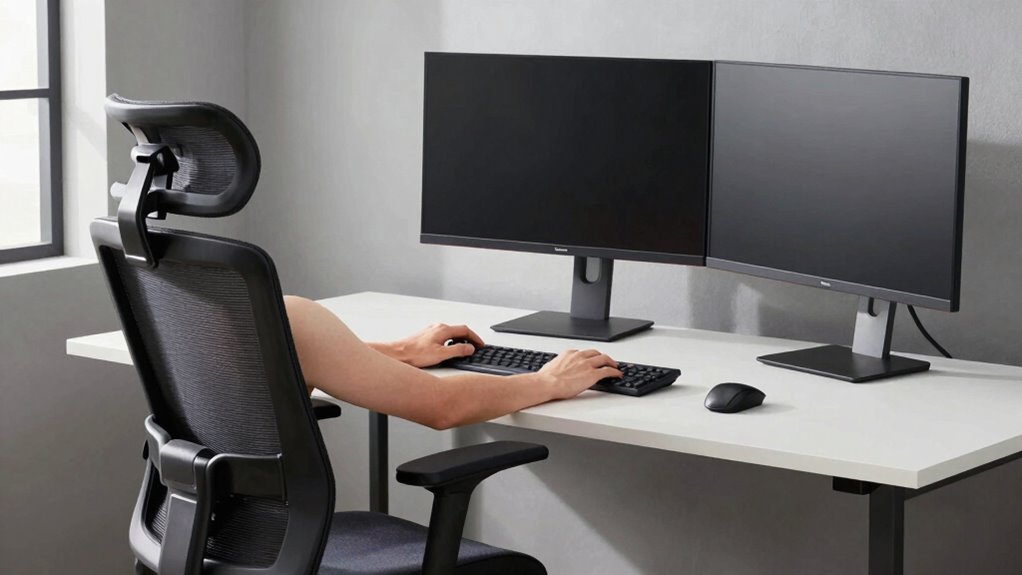
Have you ever considered how your work environment impacts your productivity and well-being as a producer? When you’re deep into music production, every detail of your studio setup matters. The way you arrange your chair, keyboard, and screen isn’t just about comfort; it can profoundly influence your creativity, focus, and even prevent long-term injuries. Your studio setup should support your body’s natural posture and reduce strain, allowing you to work longer and more efficiently.
Your studio setup influences your creativity, focus, and health—support your posture for longer, more efficient music production.
Start with your chair. If you’re sitting for hours, it needs to provide proper lumbar support and be adjustable to match your height. When your chair is too low or high, it forces you into awkward positions that can cause back pain or neck tension. Make sure your feet are flat on the floor and your knees are at a 90-degree angle. This alignment minimizes pressure on your lower back and keeps your circulation flowing. If your chair isn’t adjustable, consider investing in one designed for ergonomic support, especially if you spend considerable time in your studio. An ergonomic chair isn’t a luxury—it’s a necessity for anyone serious about music production.
Next, your keyboard placement plays an essential role. Your MIDI controller or keyboard should be positioned so that your elbows are close to your body and your wrists are straight when typing or playing. Avoid reaching forward or twisting your wrists awkwardly, as this can lead to repetitive strain injuries. Elevate your keyboard to a height where your forearms are parallel to the ground, and keep your wrists in a neutral position. Using a wrist rest can help maintain proper alignment and reduce fatigue during long sessions. Proper keyboard placement ensures that you can work comfortably for hours without risking carpal tunnel syndrome or other hand-related issues.
Finally, your monitor setup is vital to reducing eye strain and maintaining good posture. Your screen should be directly in front of you, about an arm’s length away, with the top of the monitor at or just below eye level. This position prevents you from tilting your head up or down repeatedly, which can lead to neck and shoulder pain. Consider using adjustable stands or monitor arms to fine-tune the height and angle of your screen. Good monitor placement minimizes eye fatigue and keeps your neck in a natural, relaxed position, so you can focus on your music production without discomfort. Additionally, ensuring your workspace is properly sanitized and free of dust can prevent respiratory issues and promote overall comfort during long sessions.

Nettbe 60 PCS 6 Inches Reusable Cable Ties, Adjustable Cord Straps Wire Organizer Cord Wrap and Hook Loop Cable Management
- Reusable nylon cable ties: Made from durable, eco-friendly nylon
- Versatile cable organizer: Wraps all loose cords effectively
- Multi-purpose use: Suitable for home, office, garage, outdoor
As an affiliate, we earn on qualifying purchases.
Frequently Asked Questions
How Often Should I Adjust My Ergonomic Setup During Work?
You should adjust your ergonomic setup at least once every hour to maintain proper posture correction and prevent discomfort. Regularly check your workspace lighting to avoid eye strain and make sure your screen is at eye level. Small adjustments, like repositioning your chair or keyboard, help sustain comfort and productivity. Staying mindful of these tweaks keeps your workspace ergonomic, reducing fatigue and potential strain during long work sessions.
Are There Specific Ergonomic Chairs Recommended for Long Hours?
You should look for ergonomic chairs with adjustable features, lumbar support, and breathable materials. Chairs with ergonomic cushions help reduce pressure points, while adjustable armrests, seat height, and tilt allow you to customize comfort. For long hours, prioritize chairs that promote good posture, support your lower back, and keep you comfortable. Brands like Herman Miller, Steelcase, and Humanscale offer options designed for extended use, ensuring you stay productive and pain-free.
What Are Signs That My Workspace Setup Is Causing Discomfort?
If you notice persistent aches, tingling, or stiffness, your workspace setup might be causing discomfort. You may also feel your posture correction needs attention, especially if you slump or crane your neck. Additionally, lacking proper arm support can lead to fatigue and strain. These signs indicate that adjusting your chair, keyboard, or screen height can help improve comfort, reduce pain, and promote better ergonomics during long hours.
Can Ergonomic Adjustments Improve Productivity and Focus?
Yes, ergonomic adjustments can boost your productivity and focus. Using ergonomic accessories like an adjustable chair, keyboard, and monitor helps maintain proper posture awareness, reducing discomfort and fatigue. When you prioritize these adjustments, you create a workspace that supports your body, allowing you to work more efficiently and stay concentrated longer. Investing in ergonomic solutions guarantees you work comfortably and stay productive throughout your day.
How Do I Maintain Ergonomic Furniture and Equipment Over Time?
You keep your desk posture in check and regularly clean your ergonomic accessories to prevent wear. Like tending a garden, you adjust your chair and monitor height, ensuring comfort stays consistent. Swap out worn cushions or keyboard wrist rests when needed, and check screws or hinges for looseness. By making these small, routine tweaks, your ergonomic furniture remains supportive, helping you stay focused and productive every day.
Conclusion
Imagine sinking into your chair, your screen at just the right height, and your keyboard within easy reach. When you fix your workspace, you create a sanctuary where your body feels supported and your mind stays sharp. Don’t wait until discomfort shadows your day—act now to set up a comfortable, ergonomic environment. Your body will thank you, and your productivity will soar. Make these small changes today and enjoy the difference tomorrow.