Choosing the right gear for VST synth music production often means balancing tactile control with software flexibility. My top recommendation for most producers is the Arturia KeyLab Essential mk3, which pairs intuitive hardware mapping with the powerful Analog Lab V software. For those focused on creative performance and beat-making, the PreSonus ATOM offers a distinct advantage with its dedicated pad layout and integrated DAW control. However, if your goal is to understand the underlying mechanics of synthesis or build your own plugins, educational resources like Developing Virtual Synthesizers with VCV Rack provide deeper technical value than standard instruments. This list covers everything from hardware interfaces to plugin development guides, helping you decide whether to buy ready-made sounds or create your own.

Get audio and creator gear delivered free with Prime
- Fast, free delivery on millions of items
- Prime Video, Amazon Music and more included
- Member-only deals all year
Complete the kit

Key Takeaways
- Hardware controllers like the Arturia KeyLab Essential mk3 significantly speed up workflow by providing physical knobs mapped directly to VST parameters, reducing reliance on mouse clicking.
- Educational resources focused on synthesis theory, such as The 4 Element Synth, offer long-term skill retention that generic preset packs cannot replicate.
- Software-only solutions like FL Studio 20 Producer Edition include native synthesizers that are often more integrated and efficient than third-party VSTs for beginners.
- For developers and advanced users, tools like JUCE and VCV Rack allow for custom plugin creation and modular patching, offering unique sonic possibilities unavailable in standard synths.
- Hybrid setups combining hardware sequencers or controllers with software synths provide the tactile feedback of analog gear with the recall and flexibility of digital production.
| PreSonus ATOM Production & Performance MIDI Pad Controller with Software |  | Best for Pad-Driven VST Performance | Pads: 16 velocity- and pressure-sensitive RGB pads | Assignable buttons: 20 | Rotary encoders: 4 | VIEW ON AMAZON | See Our Full Breakdown |
| Sound Synthesis with VST Instrument | 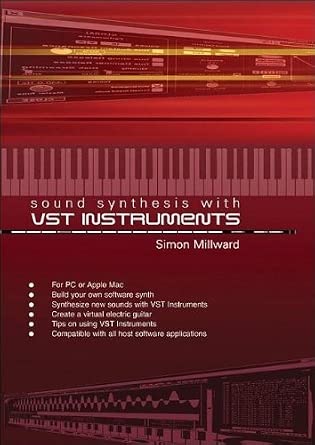 | Best for Practical VST Sound Design | Format: Book | Subject: Sound synthesis with VST instruments | Focus: Creating and manipulating sounds | VIEW ON AMAZON | See Our Full Breakdown |
| Arturia KeyLab Essential mk3 – 49-Key USB MIDI Keyboard Controller with Analog Lab V Software Included |  | Best Keyboard Controller for VST Presets | Keys: 49 velocity-sensitive synth-action keys | Pads: 8 velocity- and pressure-sensitive pads | Faders and encoders: 9 | VIEW ON AMAZON | See Our Full Breakdown |
| Users’ Guide to Sound Synthesis with VST Instruments |  | Best VST Synthesis Reference Guide | Format: Book | Subject: Sound synthesis with VST instruments | Coverage: Synthesis techniques and tools | VIEW ON AMAZON | See Our Full Breakdown |
| Developing Virtual Synthesizers with VCV Rack |  | Best for Modular Synth Building | Format: Book | Software focus: VCV Rack | Subject: Virtual synthesizer development | VIEW ON AMAZON | See Our Full Breakdown |
| Audio Plugin Development with JUCE: VST, AU, and AAX from Scratch |  | Best for Technical Developers | Format: Book | Language: C++ | Framework: JUCE | VIEW ON AMAZON | See Our Full Breakdown |
| The Complete Sound Design Learning Guide |  | Best for Creative Sound Design | Format: Book | Focus: Sound Design Fundamentals | Applications: Music, Film, Games | VIEW ON AMAZON | See Our Full Breakdown |
| Modular Synthesizer Mastery – Volume 0 | 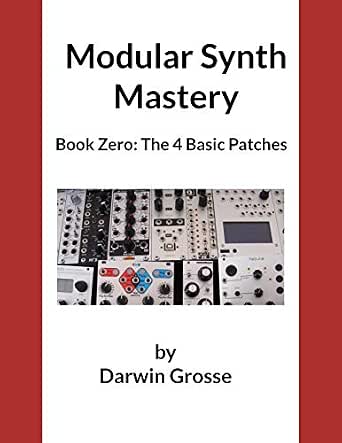 | Best for Hardware Enthusiasts | Format: Book | Focus: Modular Synthesis | Target Audience: Beginners and Enthusiasts | VIEW ON AMAZON | See Our Full Breakdown |
| Yamaha MX49BK 49-Key Music Production Synthesizer, Black |  | Best Hardware for Immediate Production | Keys: 49 | Sound Engine: MOTIF | Polyphony: 128 notes | VIEW ON AMAZON | See Our Full Breakdown |
| The 4 Element Synth: The Secrets of Subtractive Synthesis |  | Best for Synthesis Theory | Format: Book | Focus: Subtractive Synthesis | Core Concepts: Oscillators, Filters, Envelopes, LFOs | VIEW ON AMAZON | See Our Full Breakdown |
| Image-Line FL Studio 20 Producer Edition |  | Best All-in-One DAW for VST Workflow | Platform: Windows and macOS | Version: FL Studio 20 Producer Edition | Primary Function: Digital Audio Workstation | VIEW ON AMAZON | See Our Full Breakdown |
| IK Multimedia SampleTron |  | Best Vintage Flavor Plugin | Type: VST/AU Instrument Plugin | Sound Source: Sample-based | Primary Use: Vintage Keyboard Emulation | VIEW ON AMAZON | See Our Full Breakdown |
| Designing Software Synthesizer Plugins in C++ |  | Best for Audio Developers | Format: Paperback Book | Language Focus: C++ | Topic: VST Plugin Development | VIEW ON AMAZON | See Our Full Breakdown |
| The Music Producer’s Ultimate Guide to FL Studio 20 |  | Best Educational Companion | Format: Paperback Book | Software Focus: FL Studio 20 | Skill Level: Beginner to Intermediate | VIEW ON AMAZON | See Our Full Breakdown |
More Details on Our Top Picks
PreSonus ATOM Production & Performance MIDI Pad Controller with Software
The PreSonus ATOM suits producers who want to trigger VST instruments and samples with expressive pads rather than play parts on a keyboard. Its 16 velocity- and pressure-sensitive RGB pads can add dynamic variation to drum programming and performance, while the assignable controls can put common software functions within reach. Compared with the Arturia KeyLab Essential mk3, ATOM gives up keys and a larger set of keyboard-oriented controls in favor of a compact, pad-first workflow. The included Studio One Artist, Ableton Live Lite, and Studio Magic Plug-In Suite offer a useful starting software bundle, but buyers should check that their preferred DAW and plug-ins fit their setup. This is a controller, not a standalone synth, and some controls may need manual assignment. It makes the most sense for beatmakers and live performers who value tactile triggering over keyboard range.
Pros:- Sixteen velocity- and pressure-sensitive RGB pads support expressive playing and performance.
- Twenty assignable buttons and four rotary encoders allow a customizable control layout.
- Includes Studio One Artist, Ableton Live Lite, and the Studio Magic Plug-In Suite.
- Works with most music production and performance software over USB.
Cons:- Does not provide piano-style keys for conventional melodic or chord input.
- Assignable controls may require setup in the chosen DAW or plug-ins.
- Its usefulness depends on a computer and compatible music software.
Best for: Beatmakers and live performers who want expressive pads to trigger VST instruments, drums, and samples from a computer-based setup.
Not ideal for: Keyboard-focused players who need note entry across several octaves or anyone seeking a standalone hardware synthesizer.
- Pads:16 velocity- and pressure-sensitive RGB pads
- Assignable buttons:20
- Rotary encoders:4
- Included software:Studio One Artist, Ableton Live Lite, Studio Magic Plug-In Suite
- Compatibility:Most music production and performance software
- Connection:USB
Our verdict“Choose ATOM if expressive pad input matters more to your VST workflow than a playable keyboard.”
Sound Synthesis with VST Instrument
Sound Synthesis with VST Instrument is the most direct learning pick here for readers who want to shape sounds inside software rather than buy another controller. Its stated focus is on synthesis techniques and sound manipulation, making it a better match for learning how to work with virtual instruments than the hardware-oriented PreSonus ATOM. Unlike Developing Virtual Synthesizers with VCV Rack, which focuses on building modular synthesizer systems, this book is described as guidance for using VST instruments. That distinction matters: it points toward practical sound creation in a production setup, not module development. The available product information does not identify a specific VST, DAW, edition, or included project files, so buyers cannot gauge software compatibility from the listing alone. It is a focused educational choice, but less concrete on implementation details than a manual tied to a named instrument.
Pros:- Focuses specifically on synthesis using VST instruments.
- Covers techniques for creating and manipulating sounds.
- The described subject can suit both newer producers and experienced sound designers.
Cons:- The available information does not name supported instruments or DAWs.
- No included software or project files are specified.
- The product details do not clarify its depth, format, or chapter coverage.
Best for: Producers and sound designers who want guidance on creating and modifying sounds with VST instruments rather than learning controller technique.
Not ideal for: Readers who need software, sample projects, or instructions tailored to a particular VST or DAW.
- Format:Book
- Subject:Sound synthesis with VST instruments
- Focus:Creating and manipulating sounds
- Intended audience:Music producers and sound designers
- Included software:Not specified
- Supported VST instruments:Not specified
Our verdict“Pick this book for a VST-centered introduction to sound synthesis, but check the full contents if you need software-specific lessons.”
Arturia KeyLab Essential mk3 – 49-Key USB MIDI Keyboard Controller with Analog Lab V Software Included
The Arturia KeyLab Essential mk3 is the strongest fit in this group for producers who want to play VST parts from keys and control software without relying only on a mouse. Its 49 synth-action keys support two-handed parts more naturally than the pad-first PreSonus ATOM, while eight pads, nine faders and encoders, and a display add hands-on control. The included Analog Lab V gives it a clear preset-focused angle: it is especially appealing to players who want a broad virtual-instrument starting point, rather than readers seeking synthesis instruction from books such as Sound Synthesis with VST Instrument. Deep integration is listed for several popular DAWs, but this is still a USB controller, not an independent sound source. Its 49-key range may constrain pianists, and the many controls can take time to learn. Choose it when keys and software control matter more than compact size.
Pros:- Forty-nine velocity-sensitive synth-action keys support melodic and chord parts.
- Eight velocity- and pressure-sensitive pads add tactile triggering options.
- Nine faders and encoders plus a digital display provide hands-on software control.
- Includes Analog Lab V and supports deep integration with several named DAWs.
Cons:- The 49-key layout offers less range than a full-size keyboard.
- Requires a USB-connected computer and does not operate as a standalone instrument.
- Its controls and integration features may take time to configure and learn.
Best for: Computer-based producers and keyboard players who want 49 keys, hands-on DAW controls, and an included virtual-instrument suite for VST-based writing.
Not ideal for: Pianists needing a larger key range, producers wanting standalone sound generation, or buyers who prefer a compact pad-only controller.
- Keys:49 velocity-sensitive synth-action keys
- Pads:8 velocity- and pressure-sensitive pads
- Faders and encoders:9
- Display:Digital display
- Software included:Analog Lab V and virtual instruments
- Connectivity:USB
- Compatible computers:PC and Mac
- Supported software:FL Studio, Logic Pro, Ableton Live, Cubase, Bitwig Studio
- Additional feature:Multi-mode arpeggiator
Our verdict“Choose the KeyLab Essential mk3 if you want a playable keyboard and integrated VST control in one computer-based setup.”
Users’ Guide to Sound Synthesis with VST Instruments
Users’ Guide to Sound Synthesis with VST Instruments is a book-first option for producers who want to understand techniques for creating and shaping sounds in a DAW. Its stated coverage of synthesis methods and tools makes it a closer fit for learning than the Arturia KeyLab Essential mk3, which supplies physical controls and software but is not itself a synthesis guide. Compared with Sound Synthesis with VST Instrument, this title is also described as covering a range of techniques and tools, though the available details do not establish how the books differ chapter by chapter. The listing says it serves beginners and advanced users, but gives no named VSTs, sample projects, or hardware-integration guidance. That makes it less immediately actionable for readers who want exercises tied to their exact setup. It suits readers seeking conceptual and practical reference material, not a ready-made production toolkit.
Pros:- Covers sound synthesis techniques and tools for use in digital audio workstations.
- The described scope is suitable for beginners as well as more advanced users.
- Provides a learning-focused alternative to buying another MIDI controller.
Cons:- No supported VST instruments or DAWs are specified in the available information.
- No sample projects are listed.
- Hardware integration guidance is not described.
Best for: VST users who want a reference on sound-synthesis methods and tools to apply within their own DAW and virtual instruments.
Not ideal for: Learners who need step-by-step lessons tied to a named VST, included practice projects, or controller setup instructions.
- Format:Book
- Subject:Sound synthesis with VST instruments
- Coverage:Synthesis techniques and tools
- Use context:Digital audio workstations
- Intended audience:Beginners and advanced users
- Sample projects:None listed
Our verdict“Choose this guide for a broad VST synthesis reference, but look elsewhere if you need software-specific exercises or projects.”
Developing Virtual Synthesizers with VCV Rack
Developing Virtual Synthesizers with VCV Rack takes the most specialized route in this set: instead of teaching general VST sound shaping, it focuses on designing and customizing synthesizer modules in VCV Rack. That makes it a better match for curious builders than Users’ Guide to Sound Synthesis with VST Instruments, which is described as a broader synthesis guide. Its step-by-step approach and practical examples point toward learning how modular synth systems are assembled, giving readers a hands-on path into virtual instrument design rather than simply operating presets. The tradeoff is scope: VCV Rack’s modular environment is not interchangeable with every conventional VST instrument or DAW workflow. The product information does not specify software versions, sample projects, or technical requirements, so readers should verify those details before buying. This is the niche pick for people who want to build systems, not just play them.
Pros:- Concentrates on building and customizing virtual synthesizers in VCV Rack.
- Described as covering foundational concepts alongside practical techniques.
- Step-by-step instruction and examples support a build-oriented learning process.
Cons:- Its VCV Rack focus is narrower than general VST synthesis guidance.
- Software version and technical requirements are not specified in the available details.
- No sample projects or included software are listed.
Best for: Sound-design learners and modular enthusiasts who want guided instruction in creating and customizing synthesizer modules with VCV Rack.
Not ideal for: Producers seeking general-purpose VST preset design, a ready-to-use instrument, or lessons centered on a specific commercial DAW.
- Format:Book
- Software focus:VCV Rack
- Subject:Virtual synthesizer development
- Coverage:Fundamentals, practical techniques, and module customization
- Instruction style:Step-by-step guidance with examples
- Intended audience:Beginners and experienced users
Our verdict“Choose this book if your goal is to build modular virtual synths in VCV Rack rather than simply use VST presets.”
Audio Plugin Development with JUCE: VST, AU, and AAX from Scratch
This book stands out for those who want to build their own VST instruments rather than just use them. Unlike The 4 Element Synth, which focuses on sound design theory, this guide teaches the C++ programming required to create cross-platform plugins. It covers the JUCE framework, ensuring your creations work in Ableton, Logic, and Pro Tools. However, it assumes you already understand object-oriented coding, making it a steep climb for non-programmers. The lack of pre-written code samples means you must type everything, which is slow but educational. If your goal is to engineer audio software instead of making music, this is the most direct path to professional results.
Pros:- Teaches cross-platform development for VST, AU, and AAX formats.
- Uses the industry-standard JUCE framework.
- Explains the architecture of synthesizers and effects plugins.
Cons:- Requires prior knowledge of C++ and object-oriented programming.
- No downloadable code or software assets included.
- Steep learning curve for non-developers.
Best for: Software engineers and C++ coders who want to build commercial-grade audio plugins from scratch.
Not ideal for: Musicians and producers who want to make music but lack programming experience.
- Format:Book
- Language:C++
- Framework:JUCE
- Plugin Types:VST, AU, AAX
- Skill Level:Intermediate to Advanced
- Includes Code:No
Our verdict“This is the definitive guide for coders wanting to engineer their own audio plugins.”
The Complete Sound Design Learning Guide
This guide differentiates itself by focusing on sonic texture and atmosphere rather than just technical synthesis. Compared to Modular Synthesizer Mastery, which is hardware-specific, this book applies its lessons to software, film, and games. It breaks down how to shape sounds using modulation and effects, making it highly relevant for producers using VSTs like Serum or Vital. The strength here is the creative application of synthesis concepts. However, it lacks the deep technical depth found in Audio Plugin Development with JUCE. If you already know how a filter works but struggle to create unique timbres, this book fills that gap effectively.
Pros:- Applies sound design principles to music, film, and games.
- Focuses on creative techniques for shaping timbre.
- Covers modulation effects and texture creation.
Cons:- Lacks specific tutorials for particular software plugins.
- May feel too abstract for those needing step-by-step software guides.
Best for: Producers and sound designers looking to expand their palette beyond standard preset sounds.
Not ideal for: Developers seeking to understand the code behind synthesizers.
- Format:Book
- Focus:Sound Design Fundamentals
- Applications:Music, Film, Games
- Topics:Synthesis, Modulation, Effects
- Skill Level:Beginner to Intermediate
- Software Specific:No
Our verdict“Ideal for creators who want to move beyond presets and craft their own sonic identities.”
Modular Synthesizer Mastery – Volume 0
This volume serves as an excellent introductory bridge between traditional synthesis and the complex world of modular systems. Unlike The 4 Element Synth, which stays strictly within subtractive synthesis, this book explores signal flow and patching concepts that apply to hardware like Eurorack. It is particularly useful for producers who want to understand the logic behind modular patches before investing in expensive gear. The downside is the lack of multimedia content; you must read carefully to visualize the signal paths. Compared to the Yamaha MX49, which offers instant gratification with presets, this book demands patience but rewards you with a deeper understanding of modular architecture.
Pros:- Provides a clear conceptual framework for modular synthesis.
- Suitable for beginners with no prior hardware experience.
- Explains practical patching techniques and signal flow.
Cons:- No accompanying videos or audio examples.
- Lacks specific technical specs for modern modular modules.
Best for: Beginners interested in Eurorack or hardware modular systems who need a conceptual foundation.
Not ideal for: Producers who only use software synthesizers and have no interest in hardware patching.
- Format:Book
- Focus:Modular Synthesis
- Target Audience:Beginners and Enthusiasts
- Content Type:Conceptual and Practical
- Multimedia:None
- Volume:0
Our verdict“A solid conceptual starting point for anyone intimidated by the complexity of modular hardware.”
Yamaha MX49BK 49-Key Music Production Synthesizer, Black
The Yamaha MX49 offers a tangible alternative to software-only workflows by providing 1000+ voices from the legendary MOTIF engine. Unlike the Arturia KeyLab Essential mk3, which relies entirely on bundled software, the MX49 generates sound on-board, reducing CPU load on your computer. Its class-compliant USB allows for plug-and-play connectivity with iOS, Mac, and PC without driver hassles. However, the 49-key form factor limits complex piano passages, and the synth engine is less editable than modern VSTs like Vital. It is best for producers who need reliable, immediate sounds for live performance or quick sketching rather than deep sound design.
Pros:- Over 1000 high-quality MOTIF voices built-in.
- Class-compliant USB audio/MIDI works instantly with most DAWs.
- 128-note polyphony ensures no dropped notes during dense arrangements.
Cons:- 49 keys are too small for complex keyboard performances.
- Sound engine is less flexible than software synthesizers.
- Limited deep editing capabilities for sound design.
Best for: Producers who want high-quality on-board sounds without relying on computer processing power.
Not ideal for: Sound designers who need extensive parameter control and deep editing capabilities.
- Keys:49
- Sound Engine:MOTIF
- Polyphony:128 notes
- Voices:1000+
- Connectivity:USB Audio/MIDI
- Compatibility:Mac, PC, iOS
- Warranty:1 Year
Our verdict“A reliable, plug-and-play hardware synth for producers who prioritize immediate access to quality sounds.”
The 4 Element Synth: The Secrets of Subtractive Synthesis
This book is the foundational text for understanding subtractive synthesis, the core method behind most popular VSTs. Unlike The Complete Sound Design Learning Guide, which covers broader creative applications, this title drills down into the four key elements: oscillators, filters, envelopes, and LFOs. It is an excellent companion to using software like Serum or Vital, helping you understand why turning a knob changes the sound. The tradeoff is its academic tone; it lacks the specific software tutorials found in Developing Virtual Synthesizers with VCV Rack. If you feel lost when navigating a synth interface, this book provides the mental model needed to master any subtractive plugin.
Pros:- Explains the four core elements of subtractive synthesis clearly.
- Helps users understand how synthesizers actually create sound.
- Applicable to almost all hardware and software synthesizers.
Cons:- Lacks step-by-step tutorials for specific software plugins.
- Can feel dry or academic for practical producers.
Best for: Beginners who want to understand the theory behind synthesizers before using them.
Not ideal for: Advanced users already comfortable with synthesis terminology and modulation routing.
- Format:Book
- Focus:Subtractive Synthesis
- Core Concepts:Oscillators, Filters, Envelopes, LFOs
- Audience:Musicians and Sound Designers
- Practical Examples:Yes
- Software Specific:No
Our verdict“The essential theory guide for anyone wanting to truly understand how synthesizers work.”
Image-Line FL Studio 20 Producer Edition
FL Studio 20 Producer Edition stands out as a complete ecosystem for VST synth music production, offering a seamless bridge between arrangement and synthesis. Unlike standalone instruments like IK Multimedia SampleTron, which focus on specific sound palettes, FL Studio provides the host environment where those sounds are sculpted into full tracks. Its piano roll editor is widely regarded as superior for MIDI sequencing, making complex synth patterns easier to program than in many competing DAWs. However, this power comes with a learning curve; beginners might find the interface dense compared to simpler tools. It requires a compatible computer, meaning it is not a standalone solution for mobile producers. For those who want to build songs from scratch using third-party synths, this DAW offers the necessary routing, automation, and mixing capabilities without needing additional software.
Pros:- Industry-leading piano roll for precise MIDI and synth automation
- Lifetime free updates for the Producer Edition
- Extensive library of native instruments alongside VST support
Cons:- Steep learning curve for new users
- Requires a dedicated desktop or laptop computer
- Interface can feel cluttered with advanced features
Best for: Producers who need a robust host for multiple VST plugins and prefer pattern-based composition.
Not ideal for: Mobile musicians or those seeking a lightweight, single-purpose synth plugin rather than a full studio environment.
- Platform:Windows and macOS
- Version:FL Studio 20 Producer Edition
- Primary Function:Digital Audio Workstation
- VST Support:Yes
- Recording:Multitrack Audio and MIDI
- Included Components:Software License
Our verdict“This is the definitive choice for producers who want a flexible, powerful host for their VST synth collections.”
IK Multimedia SampleTron
SampleTron serves as a specialized sample-based instrument designed to inject character into electronic productions. While FL Studio 20 provides the canvas, SampleTron supplies the unique textures, focusing heavily on vintage keyboard sounds that modern subtractive synths often lack. It is not a general-purpose synth; instead, it excels at adding grit, warmth, and analog imperfections to tracks. This makes it an ideal companion for producers who already have a DAW but feel their digital sounds are too clean. The tradeoff is its narrow focus; it does not offer the deep synthesis engines found in modular setups or complex FM synthesizers. It is a tool for color, not construction. If your goal is to create new sounds from scratch, other options in this roundup will serve you better, but for instant vibe, it delivers distinct results.
Pros:- Curated library of vintage keyboard samples
- Easy to integrate into existing DAW sessions
- Adds immediate analog character to digital tracks
Cons:- Limited synthesis capabilities compared to full-featured synths
- Niche application may not suit all genres
- Older interface design compared to modern plugins
Best for: Electronic producers seeking authentic analog warmth and vintage keyboard textures without complex synthesis.
Not ideal for: Sound designers who need deep parameter control or users looking for a standalone production environment.
- Type:VST/AU Instrument Plugin
- Sound Source:Sample-based
- Primary Use:Vintage Keyboard Emulation
- Platform:PC and Mac
- Integration:Host Dependent
- Category:Creative Instrument
Our verdict“A targeted plugin for adding retro charm, best used as a layering tool within a broader production setup.”
Designing Software Synthesizer Plugins in C++
This book shifts the focus from using synths to building them, targeting those who want to create custom VST plugins rather than just purchasing them. Unlike practical guides like The Music Producer’s Ultimate Guide to FL Studio 20, which teach workflow, this text dives into the C++ code behind DSP and plugin architecture. It is essential for developers aiming to contribute to the ecosystem that supports tools like FL Studio. The content is dense and technical, requiring prior programming knowledge, which makes it inaccessible for most musicians. However, for the right audience, it provides the foundational knowledge to create unique instruments that off-the-shelf plugins cannot offer. It is a career-enabling resource for software engineers interested in audio, not a quick fix for music creation challenges. If you cannot write code, this book will not help you make music, but if you can, it unlocks the source of the sound.
Pros:- Deep technical insight into DSP and plugin architecture
- Practical C++ examples for audio development
- Bridges the gap between coding and audio synthesis
Cons:- Requires strong prior C++ and math knowledge
- Not applicable to end-users of music software
- Theoretical depth may overwhelm non-developers
Best for: C++ programmers and audio engineers wanting to develop their own VST instruments from scratch.
Not ideal for: Musicians and producers without programming experience who want to make music, not software.
- Format:Paperback Book
- Language Focus:C++
- Topic:VST Plugin Development
- Target Audience:Software Developers
- Skill Level:Advanced
- Publisher:CRC Press
Our verdict“A specialized technical manual for developers, irrelevant for producers who only wish to use existing plugins.”
The Music Producer’s Ultimate Guide to FL Studio 20
This guide acts as a structured curriculum for mastering FL Studio 20, focusing on efficient workflows and professional mixing techniques. While the software itself (see Image-Line FL Studio 20) is powerful, the learning curve can be intimidating. This book mitigates that by providing step-by-step instructions that bridge the gap between knowing what a button does and understanding when to use it. It is more accessible than technical dev books like Designing Software Synthesizer Plugins in C++, making it ideal for musicians who want to improve their output quickly. The limitation is its specificity; it does not teach general music theory or synthesis principles outside the FL Studio context. It is a force multiplier for the DAW, not a standalone educational resource for all things audio. If you already own the DAW, this book accelerates your proficiency; if you do not, its value diminishes significantly.
Pros:- Clear, step-by-step tutorials for FL Studio 20
- Focuses on practical workflow and mixing tips
- Suitable for both beginners and intermediate producers
Cons:- Specific to FL Studio, not applicable to other DAWs
- May lack depth for advanced audio engineering topics
- Content is tied to a specific software version
Best for: FL Studio users who want to accelerate their learning curve and improve mixing and arrangement skills.
Not ideal for: Users of other DAWs like Ableton or Logic Pro, or complete beginners who haven’t chosen a software yet.
- Format:Paperback Book
- Software Focus:FL Studio 20
- Skill Level:Beginner to Intermediate
- Topics:Production, Mixing, Mastering
- Author:Music Production Experts
- Utility:Instructional Guide
Our verdict“The best investment for FL Studio owners seeking to transform from novices into efficient producers.”

How We Picked
I evaluated these tools based on their impact on workflow efficiency, sound quality, and educational value. For hardware, I prioritized build quality and the depth of software integration, ensuring that controllers like the Arturia KeyLab Essential mk3 offer seamless mapping to popular VST formats. For software and educational materials, I looked for clarity of instruction and the applicability of the concepts to modern production standards. Resources that teach fundamental synthesis principles, such as subtractive or modular techniques, ranked higher than those offering superficial preset libraries.
Ranking logic favored versatility and long-term utility. Tools that serve multiple roles—such as a DAW that includes a robust synth engine or a controller that works across multiple platforms—were prioritized over single-function devices. I also considered the learning curve, balancing ease of entry for beginners against the depth required for advanced sound design and plugin development.
Factors to Consider When Choosing Vst Synth Music Production
Selecting the right tools for VST synth music production requires understanding your primary role: are you a performer, a sound designer, or a developer? Each category demands different hardware and software priorities.Hardware Integration and Workflow
Physical controls dramatically change how you interact with software synthesizers. Knob-heavy controllers allow for real-time manipulation of parameters like filter cutoff and resonance, which is difficult to achieve with a mouse. When choosing hardware, check if the included software provides deep integration or if it requires complex MIDI mapping. Devices with transport controls and dedicated macros save time during arrangement phases. Avoid controllers that feel disconnected from your DAW’s ecosystem, as this friction disrupts creative flow.
Sound Engine Versatility
The core value of a synth lies in its ability to generate diverse sounds. Wavetable engines offer dynamic, evolving textures suitable for modern electronic genres, while subtractive engines excel at classic analog-style leads and basses. Consider whether the tool provides raw synthesis capabilities or relies heavily on preset libraries. A versatile engine encourages experimentation, whereas a preset-heavy approach may limit sonic identity. Look for tools that expose the underlying architecture, allowing you to understand how the sound is constructed rather than just selecting it.
Educational Depth and Skill Transfer
For those aiming to master synthesis rather than just use it, educational resources are critical. Books and guides that explain signal flow and modulation matrices provide skills that transfer across different plugins. Generic tutorials often focus on specific buttons, which becomes obsolete when software updates. Theory-focused materials teach the why behind sound design choices. If you plan to create your own plugins, resources covering C++ development or modular frameworks offer the technical foundation needed for custom tool creation.
DAW Compatibility and Ecosystem
Not all VSTs and controllers play nicely with every Digital Audio Workstation. Verify that your chosen synth supports the VST3 or AU formats required by your DAW. Some hardware controllers are optimized for specific platforms, offering deeper integration there than elsewhere. Ecosystem lock-in can be a benefit if you are committed to one platform, but it limits flexibility. Ensure that any software you buy receives regular updates to maintain compatibility with newer operating systems and DAW versions.
Performance vs. Studio Use
Decide if your primary use case is live performance or studio composition. PAD-based controllers like the PreSonus ATOM are designed for triggering samples and drums, making them ideal for beat-making and live sets. In contrast, keyboard-based controllers are better suited for melodic composition and chord progressions. Hybrid devices offer both but may compromise on the tactile quality of each. Consider your genre; electronic music often benefits from pad controllers, while synthpop or jazz might favor keyboards.
Frequently Asked Questions
Do I need a hardware controller to produce music with VST synths?
No, you do not strictly need a hardware controller to produce music with VST synths, as most DAWs allow you to automate parameters using the mouse and keyboard. However, hardware controllers like the Arturia KeyLab Essential mk3 significantly enhance the creative process by allowing tactile manipulation of sound parameters in real time. This hands-on approach often leads to more expressive performances and faster sound design iterations. If you are on a tight budget, you can start with a mouse, but adding a controller later can drastically improve your workflow efficiency and musicality.
Is it better to learn synthesis theory or just use presets?
While presets allow for quick results, learning synthesis theory provides long-term creative independence. Resources like The 4 Element Synth or guides on subtractive synthesis teach you how to craft sounds from scratch, enabling you to create unique textures that match your specific vision. Relying solely on presets can lead to a generic sound, as many producers use the same stock libraries. Understanding the underlying mechanics allows you to tweak presets meaningfully and troubleshoot issues when a sound does not sit well in the mix.
What is the difference between a VST synth and a modular synth platform like VCV Rack?
A traditional VST synth typically offers a fixed architecture with predefined modules and signal paths, making it easier to use but less flexible. In contrast, platforms like VCV Rack allow you to build custom signal chains from individual modules, offering unlimited sound design possibilities. This modular approach mimics hardware modular systems and is ideal for experimental and complex soundscapes. However, it requires a steeper learning curve to understand signal flow and module interactions compared to the streamlined interface of a standard VST.
Can I use educational books to create my own VST plugins?
Yes, specific technical guides can provide the coding knowledge necessary to develop your own VST plugins. Resources focused on JUCE framework development or C++ audio programming teach you how to build the interface and audio processing engine from scratch. This path is significantly more complex than using existing synths and requires strong programming skills. It is best suited for developers or those deeply interested in the engineering side of audio software, rather than producers looking for immediate musical results.
Which is better for beginners: FL Studio Producer Edition or a dedicated synth like SampleTron?
For beginners, FL Studio Producer Edition is generally the better starting point because it provides a complete production environment with integrated synthesizers, effects, and recording capabilities. Dedicated tools like IK Multimedia SampleTron specialize in specific workflows, such as sample manipulation, which may be too niche for a general introduction. FL Studio allows you to experiment with composition, mixing, and sound design in one place, reducing the cognitive load of managing multiple software licenses. You can always add specialized tools later as your skills develop.
Conclusion
Choosing the right tool for VST synth music production depends heavily on your current skill level and creative goals. For the majority of producers seeking a balance of tactile control and software power, the Arturia KeyLab Essential mk3 stands out as the best overall choice due to its seamless integration with Analog Lab V. If you are just starting out and want an all-in-one solution, FL Studio 20 Producer Edition offers the best value by providing a robust DAW with excellent built-in synths. For those focused on beat-making and performance, the PreSonus ATOM is the ideal compact controller. Advanced users and developers looking to expand their technical capabilities should consider Developing Virtual Synthesizers with VCV Rack or Audio Plugin Development with JUCE to push the boundaries of sound creation. Ultimately, the best tool is the one that removes friction from your creative process, allowing you to focus on making music.