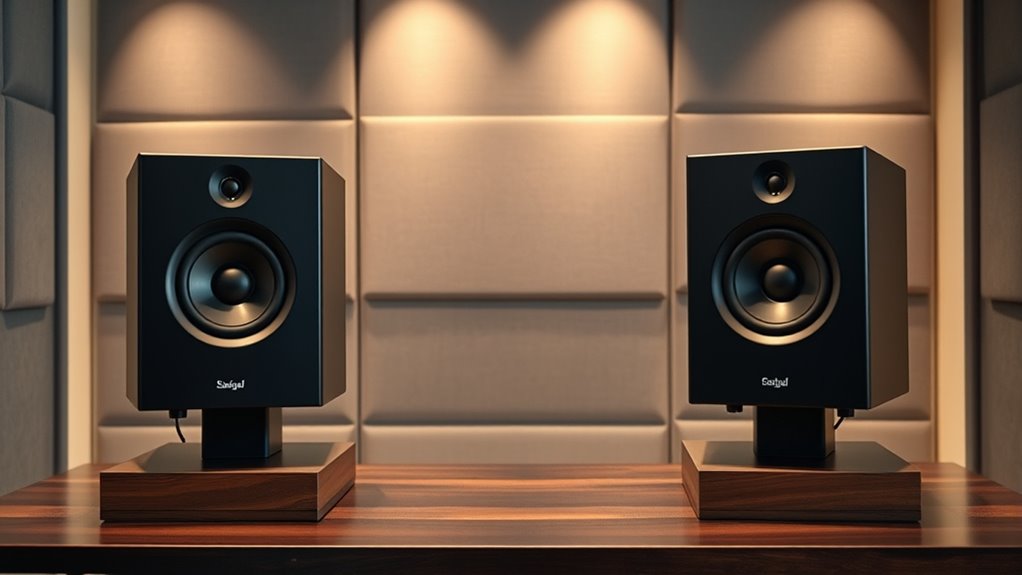

For most home-studio mixing setups, I’d start with the JBL Professional 305P MkII: its 5-inch format and room-control options make it a versatile near-field choice. The Yamaha HS5 stands out for mixers who want a revealing presentation, while the KRK Classic 7 offers a larger driver for rooms that can accommodate it. The main tradeoffs are desk space, bass extension, room acoustics, and whether a monitor’s presentation helps you make reliable mix decisions. Smaller models such as the PreSonus Eris 3.5 and Edifier MR4 are easier to place, but they offer less low-end reach than larger speakers. Read on for the full comparison and guidance on matching a pair to your room and workflow.

Get audio and creator gear delivered free with Prime
- Fast, free delivery on millions of items
- Prime Video, Amazon Music and more included
- Member-only deals all year
Complete the kit



Key Takeaways
- The JBL 305P MkII leads for all-around mixing use because it combines a 5-inch format with room adjustment options, making it more adaptable than basic desktop pairs.
- The Yamaha HS5 is the clearer fit for a revealing, focused presentation, but its low end needs careful checking against headphones or another reference.
- Small speakers are a placement advantage, not a shortcut to full-range bass. The Eris 3.5, BX3, and MR4 suit compact desks, while their limited low-frequency reach calls for reference checks.
- The KRK Classic 7 favors room capacity over desk convenience. Its larger driver can suit a more spacious setup, but it is a less practical match for cramped work areas.
- Connectivity and voicing features should support, not replace, mix accuracy. Bluetooth and tone controls can help with listening flexibility, but a consistent wired monitoring path and room-aware placement matter more.
| Yamaha HS4 Powered Studio Monitor in Black, Pair |  | Best Compact Monitor for Mixing | Configuration: Powered monitor pair | Woofer: 4.5 inches | Tweeter: 1-inch dome | VIEW ON AMAZON | See Our Full Breakdown |
| Edifier MR4 Power Studio Monitor Speakers, 4 inch Active Near-Field Speaker |  | Best Value for Flexible Desktop Monitoring | Configuration: Active stereo near-field pair | Woofer: 4 inches, composite | Tweeter: 1-inch silk dome | VIEW ON AMAZON | See Our Full Breakdown |
| Ortizan C7 Powered Studio Monitors Pair with Bluetooth 5.3, White |  | Best for Multi-Source Home Setups | Configuration: Powered monitor pair | Mid-bass driver: 3.5-inch carbon fiber | Tweeter: 0.75-inch silk dome | VIEW ON AMAZON | See Our Full Breakdown |
| Edifier MR4.5 Bi-Amped Studio Monitor, 80W RMS Bookshelf Speakers – Black |  | Best for Higher-Output Room Mixing | Configuration: Bi-amped studio monitor | Power: 80 W RMS | Woofer: 4.5 inches | VIEW ON AMAZON | See Our Full Breakdown |
| Edifier MR3 Powered Studio Monitor, Hi-Res Bluetooth Speaker |  | Best for Bluetooth-Connected Desktop Mixing | Configuration: Powered stereo monitor | Woofer: 3.5 inches | Speaker size: 4 inches listed | VIEW ON AMAZON | See Our Full Breakdown |
| Yamaha HS5 Powered Studio Monitor, Pair |  | Best for Neutral Mixing Reference | Configuration: Pair of bi-amplified studio monitors | Woofer: 5 inches | Tweeter: 1-inch dome | VIEW ON AMAZON | See Our Full Breakdown |
| PreSonus Eris 3.5 Powered Studio Monitors (Pair) |  | Best for Tight Desktop Setups | Configuration: Pair | Woofer: 3.5 inches | Tweeter: 1 inch | VIEW ON AMAZON | See Our Full Breakdown |
| PreSonus Eris E4.5 2-Way 4.5″ Near Field Studio Monitor (Pair) |  | Best Balanced Compact Mixing Pair | Configuration: 2-way pair | Woofer: 4.5-inch woven composite | Tweeter: 1-inch silk dome | VIEW ON AMAZON | See Our Full Breakdown |
| KRK Classic 7 Powered Two-Way Professional Studio Monitor |  | Best for Larger Rooms and More Headroom | Configuration: Powered two-way monitor | Woofer: 7-inch glass-aramid | Tweeter: 1-inch textile soft dome | VIEW ON AMAZON | See Our Full Breakdown |
| Mackie CR3.5 Studio Monitors (Pair), 3.5″ Woofers, Tone Knob, Black |  | Best for Flexible Desktop Listening | Configuration: Powered monitor pair | Woofer: 3.5 inches | Tweeter: 1 inch | VIEW ON AMAZON | See Our Full Breakdown |
| PreSonus Eris E5 2-Way 5.25-Inch Near Field Studio Monitor |  | Best for Flexible Studio Setup | Woofer: 5.25-inch woven composite | Tweeter: 1-inch silk dome | Power output: 80 watts | VIEW ON AMAZON | See Our Full Breakdown |
| M-AUDIO BX3 3.5″ Wired Studio Monitors Pair |  | Best Compact Desktop Pick | Woofer: 3.5-inch Kevlar | Tweeter: 1-inch silk dome | Power output: 120W (as listed) | VIEW ON AMAZON | See Our Full Breakdown |
| JBL Professional 305P MkII 5-Inch 2-Way Powered Studio Monitor Speaker, Black |  | Best for Imaging and Room Placement | Speaker size: 5 inches | Power output: 82 watts | Amplifiers: Dual Class-D | VIEW ON AMAZON | See Our Full Breakdown |
| studio monitors for mixing | Woofer | Tweeter | Configuration | Inputs |
|---|---|---|---|---|
| Yamaha HS4 Powered Studio Moni | 4.5 inches | 1-inch dome | Powered monitor pair | XLR/TRS combo, RCA, stereo mini |
| Edifier MR4 Power Studio Monit | 4 inches, composite | 1-inch silk dome | Active stereo near-field pair | 1/4-inch balanced TRS, RCA, AUX |
| Ortizan C7 Powered Studio Moni | — | 0.75-inch silk dome | Powered monitor pair | Balanced TRS, USB-C, RCA, AUX, Bluetooth 5.3 |
| Edifier MR4.5 Bi-Amped Studio | 4.5 inches | 1 inch, silk dome | Bi-amped studio monitor | — |
| Edifier MR3 Powered Studio Mon | 3.5 inches | — | Powered stereo monitor | — |
| Yamaha HS5 Powered Studio Moni | 5 inches | 1-inch dome | Pair of bi-amplified studio monitors | XLR and TRS |
| PreSonus Eris 3.5 Powered Stud | 3.5 inches | 1 inch | Pair | — |
| PreSonus Eris E4.5 2-Way 4.5" | 4.5-inch woven composite | 1-inch silk dome | 2-way pair | Balanced 1/4-inch TRS, RCA, and 1/8-inch TRS aux |
| KRK Classic 7 Powered Two-Way | 7-inch glass-aramid | 1-inch textile soft dome | Powered two-way monitor | — |
| Mackie CR3.5 Studio Monitors | 3.5 inches | 1 inch | Powered monitor pair | — |
| PreSonus Eris E5 2-Way 5.25-In | 5.25-inch woven composite | 1-inch silk dome | — | XLR, 1/4-inch, RCA |
| M-AUDIO BX3 3.5" Wired Studio | 3.5-inch Kevlar | 1-inch silk dome | — | 1/4-inch, 1/8-inch, RCA, AUX |
| JBL Professional 305P MkII 5-I | — | — | — | XLR and TRS |
More Details on Our Top Picks
Yamaha HS4 Powered Studio Monitor in Black, Pair
The Yamaha HS4 is the space-conscious pick for near-field mixing when a larger cabinet would crowd a desk. Its 4.5-inch woofer and stated response down to 60 Hz give it more low-end reach than many very small desktop monitors, while room control and high-trim adjustments let you compensate for some placement-related tonal imbalance. Compared with the Edifier MR4, the HS4 offers a similarly compact format but has a clearly specified frequency range and Yamaha’s straightforward monitoring focus. The tradeoff is modest output: its 26-watt power rating is better suited to a close listening position than a larger room, and 60 Hz does not reveal deep bass reliably. Choose it for editing and mix decisions in a small workspace, not as a substitute for a subwoofer or full-range main monitors.
Pros:- Compact 4.5-inch design suits near-field use on crowded desks
- Room control and high-trim settings offer basic tonal adjustment
- XLR/TRS combo, RCA, and stereo mini inputs accommodate several sources
- Stated 60 Hz–22 kHz frequency response helps set expectations for mix range
Cons:- 26-watt power output is limited for larger rooms or louder monitoring
- Bass below the stated 60 Hz response needs separate checking
- Adjustment controls cannot correct major room-acoustic problems
Best for: Mixers and video editors working close to their speakers in a small desk setup who want placement adjustments and a clearly specified response range.
Not ideal for: Producers mixing bass-heavy material in a large room or needing strong sub-bass evaluation, since the listed response begins at 60 Hz and output is 26 watts.
- Configuration:Powered monitor pair
- Woofer:4.5 inches
- Tweeter:1-inch dome
- Frequency response:60 Hz–22 kHz
- Power output:26 W
- Inputs:XLR/TRS combo, RCA, stereo mini
- Connectivity:Wired
- Color:Black
- Warranty:1 year
Our verdict“Choose the HS4 for close-range mixing in a compact room, but look to a larger monitor or subwoofer for confident deep-bass work.”
Edifier MR4 Power Studio Monitor Speakers, 4 inch Active Near-Field Speaker
The Edifier MR4 earns its place as a flexible entry point for desktop mixing: it combines a near-flat monitor mode with a separate music mode, so one pair can serve both work and casual listening. Its balanced TRS input is useful for an interface or mixer, while RCA and AUX cover everyday sources; a front headphone output makes quick private checks less awkward. Compared with the Yamaha HS4, the MR4 offers more convenience-focused controls and a listening mode, though the Yamaha provides a clearer published frequency range and dedicated room and treble adjustments. The MR4’s 4-inch woofer is still a small-driver limitation for bass judgments, and the supplied information does not state its power output or a lower frequency limit. It makes the most sense for beginner producers who value flexibility over detailed low-end analysis.
Pros:- Monitor and music modes suit production and casual listening
- Balanced 1/4-inch TRS, RCA, and AUX inputs support varied sources
- Front headphone output allows convenient private monitoring
- Separate high- and low-frequency controls offer basic voicing adjustment
Cons:- 4-inch woofers limit reliable judgment of deep bass
- Listed product information does not provide power output or a lower frequency limit
- Music mode can color playback and should not be used for mix decisions
Best for: New home-studio creators who need balanced TRS connectivity, headphone monitoring, and a separate everyday listening mode at a desktop.
Not ideal for: Mix engineers who need documented low-frequency extension or ample output for a larger room; the available product data does not specify power or bass cutoff.
- Configuration:Active stereo near-field pair
- Woofer:4 inches, composite
- Tweeter:1-inch silk dome
- Inputs:1/4-inch balanced TRS, RCA, AUX
- Headphone output:Front-panel
- Modes:Monitor and music
- Frequency response:20 kHz listed; lower limit not specified
- Signal-to-noise ratio:85 dB
- Cabinet material:MDF
Our verdict“Pick the MR4 for an adaptable first desktop setup, but choose a monitor with documented bass extension for more demanding mix work.”
Ortizan C7 Powered Studio Monitors Pair with Bluetooth 5.3, White
The Ortizan C7 is the connectivity-heavy choice for a small workspace shared by a computer, phone, and music gear. Alongside balanced TRS inputs, it offers USB-C, RCA, AUX, and Bluetooth 5.3, plus a built-in 24-bit DAC for a direct digital connection. That makes switching between creation and everyday playback easier than with the more studio-focused Yamaha HS4, which emphasizes wired inputs and tonal adjustments instead. The C7’s 3.5-inch carbon-fiber mid-bass driver and compact format suit close listening, but the provided specifications do not give a frequency range or power rating, making bass extension and headroom harder to judge before buying. Bluetooth is convenient for references, not a dependable replacement for wired mix checks. I’d choose it for a mixed-use desktop, while relying on other playback systems to confirm low-end balance.
Pros:- Balanced TRS, USB-C, RCA, AUX, and Bluetooth 5.3 provide broad source options
- Built-in 24-bit DAC supports direct digital audio connection
- Front headphone output aids quick alternate monitoring
- Compact 3.5-inch driver format fits close desktop listening
Cons:- No frequency-response range or power rating is provided in the supplied specifications
- Small 3.5-inch woofer is a constraint for judging deep bass
- Bluetooth playback adds convenience but is less appropriate than wired monitoring for mix decisions
Best for: Content creators and beginner mixers who connect several desktop and mobile sources and want Bluetooth alongside a balanced interface input.
Not ideal for: Mixers who require verified bass extension, known output headroom, or a strictly wired monitoring chain; key performance figures are not supplied.
- Configuration:Powered monitor pair
- Mid-bass driver:3.5-inch carbon fiber
- Tweeter:0.75-inch silk dome
- Inputs:Balanced TRS, USB-C, RCA, AUX, Bluetooth 5.3
- DAC:24-bit
- Headphone output:Front-panel
- Bluetooth range:18 meters listed
- Color:White
Our verdict“Choose the C7 for a compact, multi-source desktop setup, but favor the HS4 or another well-documented monitor when mix translation is the priority.”
Edifier MR4.5 Bi-Amped Studio Monitor, 80W RMS Bookshelf Speakers – Black
Among these five picks, the Edifier MR4.5 is the strongest fit when a small monitor needs more stated output and broader listed frequency coverage. Its 80W RMS rating, 4.5-inch drivers, and 40 Hz–40 kHz response give it a more substantial spec profile for mixing than the compact Yamaha HS4, whose 26-watt output and 60 Hz lower limit favor quieter, closer listening. The MR4.5 also combines XLR, TRS, RCA, AUX, and Bluetooth 6.0, with room calibration and EQ controls to help tailor placement. That flexibility brings setup work: calibration and EQ need careful use, since an adjustment that flatters one position may not translate elsewhere. The stated 40 Hz extension is not a promise of sub-bass authority, either. This is the more capable wired studio option on paper, but it still benefits from reference checks on headphones or a subwoofer.
Pros:- 80W RMS rating offers more stated output than the compact HS4
- 4.5-inch mid-bass drivers and listed 40 Hz–40 kHz response suit broader monitoring needs
- XLR, TRS, RCA, AUX, and Bluetooth 6.0 support varied connections
- Room calibration and EQ provide placement-related tuning options
Cons:- Calibration and EQ require careful setup to avoid misleading tonal changes
- 40 Hz lower response limit does not cover the deepest bass reliably
- Bluetooth is convenient for playback but wired connections are preferable for critical mixing
Best for: Home-studio producers who need more output than compact desktop monitors provide, several wired input types, and room adjustment features.
Not ideal for: Buyers seeking a simple plug-and-play pair or dependable sub-bass judgment without a subwoofer; calibration takes setup and the listed response bottoms out at 40 Hz.
- Configuration:Bi-amped studio monitor
- Power:80 W RMS
- Woofer:4.5 inches
- Tweeter:1 inch, silk dome
- Frequency response:40 Hz–40 kHz
- Connectivity:XLR, TRS, RCA, AUX, Bluetooth 6.0
- Bluetooth range:10 meters
- Dimensions:8.19 × 5.51 × 9.61 inches
- Warranty:2 years
Our verdict“Choose the MR4.5 when you want the lineup’s most substantial stated output and room-adjustment toolkit, while keeping a second reference for deep bass.”
Edifier MR3 Powered Studio Monitor, Hi-Res Bluetooth Speaker
The Edifier MR3 suits a desktop where monitor speakers also handle phone playback and everyday listening. Its stated 42-watt output, Bluetooth, RCA, AUX, and balanced TRS connectivity make it more versatile than a basic wired pair, while app-based adjustments and sound modes add convenience. Against the Edifier MR4, the MR3’s standout is wireless and app control; the MR4 instead clearly describes its monitor mode, music mode, front headphone output, and frequency information. The MR3 listing gives a 40 kHz figure but no lower frequency boundary, so buyers cannot tell from the supplied data how much bass it can reproduce. Its compact 3.5-inch woofer also limits low-end confidence, and the listed plastic enclosure may be less reassuring than the MR4’s MDF cabinet. It makes sense for small-room creators who value flexible source switching more than fully documented mix performance.
Pros:- 42-watt output is specified for this compact monitor
- Bluetooth, balanced TRS, RCA, and AUX support both studio and personal sources
- App-based control and sound modes allow convenient listening adjustments
- Two-year warranty is listed
Cons:- 3.5-inch woofer limits deep-bass monitoring
- The listed 40 kHz figure does not provide a lower frequency-response limit
- Plastic enclosure may feel less robust than the MR4’s MDF cabinet
Best for: Desktop producers and video editors who want balanced TRS for an interface plus Bluetooth and app-based controls for shared everyday use.
Not ideal for: Bass-focused mixers or buyers who want a clearly stated low-frequency limit, since the provided response figure does not establish bass extension.
- Configuration:Powered stereo monitor
- Woofer:3.5 inches
- Speaker size:4 inches listed
- Power output:42 W
- Frequency response:40 kHz listed; lower limit not specified
- Connectivity:Balanced TRS, RCA, AUX, Bluetooth
- Signal-to-noise ratio:85 dB
- Dimensions:6.9 × 12.1 × 16.2 inches
- Warranty:2 years
Our verdict“Pick the MR3 for a connected, app-adjustable desktop setup, but choose a monitor with a stated bass range for more dependable low-end mix decisions.”
Yamaha HS5 Powered Studio Monitor, Pair
The Yamaha HS5 is the strongest fit here for mixers who want a relatively neutral nearfield reference rather than a speaker with tone controls for casual listening. Its 5-inch woofer and 70-watt bi-amplified design give it more headroom and low-frequency reach on paper than the compact PreSonus Eris 3.5, while its stated response extends to 54Hz. That helps when judging more of a mix’s body without immediately adding a subwoofer, though it still cannot reveal the deepest bass reliably. Balanced XLR and TRS inputs suit a typical audio interface. The tradeoff is a less flexible setup: unlike the Eris models, the HS5 description lists no room-tuning controls, and accurate results depend on sensible placement. I’d choose it for focused mixing, not a cramped desk where its listed dimensions could be awkward.
Pros:- Bi-amplified 70-watt design provides dedicated power for the woofer and tweeter.
- Stated 54Hz–30kHz response covers more of the mix than the smaller Eris 3.5’s listed range.
- XLR and TRS inputs work with common studio interfaces and balanced cabling.
- Pair configuration supports stereo mixing and panning decisions.
Cons:- Its listed dimensions call for substantially more room than compact desktop options such as the Eris 3.5.
- No high- or low-frequency adjustment is listed for tailoring response to the room.
- The 54Hz lower limit still leaves deep bass evaluation incomplete without another reference.
Best for: Home-studio mixers with an audio interface who want a neutral pair of nearfields and can give 5-inch monitors proper placement.
Not ideal for: Desk users with very limited space or mixers who need onboard tone controls to compensate for a difficult room.
- Configuration:Pair of bi-amplified studio monitors
- Woofer:5 inches
- Tweeter:1-inch dome
- Power output:70 watts
- Frequency response:54Hz–30kHz
- Inputs:XLR and TRS
- Weight:5.3 kg
- Listed dimensions:24 × 20 × 32 inches
Our verdict“Choose the HS5 if neutral mixing and balanced interface connections matter more than compact size or built-in room adjustments.”
PreSonus Eris 3.5 Powered Studio Monitors (Pair)
When desk space is the deciding factor, the PreSonus Eris 3.5 is the most practical mixing pick in this group. Its 3.5-inch woofers and compact cabinets fit more easily beside a computer than the Yamaha HS5 or KRK Classic 7, and high- and low-frequency controls offer a way to adjust the tonal balance when the listening position or room is less than ideal. TRS inputs give it a studio connection option, while RCA and aux add convenience for other sources. The compromise is bass extension: its listed range starts at 80Hz, so kick and bass decisions need checking on headphones or larger monitors. That makes it less suitable as a sole reference for bass-heavy production. I’d rank it above convenience-oriented desktop speakers when compact mixing and adjustment matter, but below larger monitors for full-range confidence.
Pros:- Compact 3.5-inch design takes less desk space than the Yamaha HS5 or KRK Classic 7.
- High- and low-frequency controls let users make basic tonal adjustments.
- TRS, RCA, and aux connections accommodate studio and everyday audio sources.
- 50-watt power rating is substantial for a compact desktop pair.
Cons:- Listed frequency range begins at 80Hz, limiting reliable judgment of deep bass.
- Small cabinets are a weaker choice for larger rooms or loud monitoring.
- Requires desk space and a power source despite its compact size.
Best for: Bedroom producers, students, and editors mixing at a small desk who need compact monitors with basic tonal adjustment.
Not ideal for: Bass-focused producers or anyone mixing in a larger room who needs stronger low-frequency coverage and higher output.
- Configuration:Pair
- Woofer:3.5 inches
- Tweeter:1 inch
- Power:50 watts
- Frequency range:80Hz–20kHz
- Connectivity:TRS, RCA, and aux
- Dimensions:5.5 × 6 × 8.3 inches
- Weight:6.4 pounds
Our verdict“Pick the Eris 3.5 for space-conscious desktop mixing, but use a second reference for low-end decisions.”
PreSonus Eris E4.5 2-Way 4.5″ Near Field Studio Monitor (Pair)
The Eris E4.5 lands between the tiny Eris 3.5 and the larger Yamaha HS5, making it a sensible middle ground for a small room where desktop space and mix reference both matter. Its 4.5-inch woven-composite woofer gives it a size advantage over the Eris 3.5 for bass body, while high- and low-frequency controls help adapt the sound to a nearby wall or desk. Balanced TRS inputs suit an interface; RCA and front-panel aux make switching sources straightforward, and the headphone output is handy for late sessions. Compared with the HS5, the E4.5 is more compact and adjustable, but its 50-watt total output and small enclosure are less suited to filling a larger room. The bass also has limits, so I wouldn’t treat it as a full-range judge for sub-bass.
Pros:- 4.5-inch woofer provides a middle size step up from the Eris 3.5.
- High- and low-frequency controls offer useful room and placement adjustments.
- Balanced TRS, RCA, and front-panel aux inputs support several playback sources.
- Front-panel headphone output makes quiet monitoring convenient.
Cons:- Compact cabinet still limits deep bass, so significant low-end work may call for a subwoofer or alternate reference.
- 50 watts total power is less suited to large rooms than the 73-watt KRK Classic 7.
- Smaller format does not provide the same headroom as the Yamaha HS5 for louder monitoring.
Best for: Producers mixing in bedrooms or compact project rooms who want more woofer area than a 3.5-inch monitor without moving to a larger cabinet.
Not ideal for: Mixers working in larger rooms, needing high playback levels, or making critical sub-bass decisions on monitors alone.
- Configuration:2-way pair
- Woofer:4.5-inch woven composite
- Tweeter:1-inch silk dome
- Amplification:Class AB dual amplification
- Total power:50 watts
- Inputs:Balanced 1/4-inch TRS, RCA, and 1/8-inch TRS aux
- Controls and connections:High/low frequency tuning, front-panel headphone output
- Quantity:Pair
Our verdict“Choose the Eris E4.5 if you want a compact, adjustable pair with a more substantial woofer than the Eris 3.5.”
KRK Classic 7 Powered Two-Way Professional Studio Monitor
The KRK Classic 7 is the most substantial option in this batch for a mixer who needs more output and woofer area than compact desktop monitors can provide. Its 7-inch glass-aramid woofer and 73-watt bi-amped system give it a clear size and power advantage over both PreSonus Eris models, making it better suited to a room where smaller speakers may feel constrained. Low- and high-level controls allow some adjustment, and the optional bass boost can serve as a listening preference rather than a neutral mixing setting. The larger cabinet is not an automatic upgrade: it needs suitable stands or space, and the listed 8.4 kg weight makes repositioning less convenient. Compared with the Yamaha HS5, the KRK offers a larger woofer and more power, but buyers should confirm its placement and room fit before choosing it.
Pros:- 7-inch woofer offers more cone area than the HS5 and either Eris model.
- 73-watt bi-amplified output suits rooms where compact monitors may lack headroom.
- Dedicated low- and high-level controls allow basic tonal adjustment.
- Front-firing port supports placement nearer a wall than some rear-ported designs.
Cons:- At 8.4 kg per listed product, it is less convenient to move or reposition.
- Larger cabinet demands more room than the Yamaha HS5 or compact PreSonus monitors.
- Plastic enclosure may feel less substantial than a more rigid cabinet.
Best for: Mixers with a dedicated studio area who need a larger woofer and more headroom than compact nearfields offer.
Not ideal for: Small-desk users, frequent movers, or anyone who cannot place a larger monitor pair securely and symmetrically.
- Configuration:Powered two-way monitor
- Woofer:7-inch glass-aramid
- Tweeter:1-inch textile soft dome
- Total power:73 watts
- Amplifier power:48W woofer / 25W tweeter
- Controls:Low- and high-level controls; optional +2 dB bass boost
- Weight:8.4 kg
- Enclosure material:Plastic
Our verdict“Choose the Classic 7 for a suitably sized studio that needs more output and woofer area than compact nearfields can provide.”
Mackie CR3.5 Studio Monitors (Pair), 3.5″ Woofers, Tone Knob, Black
The Mackie CR3.5 makes the most sense for a desktop setup that splits time between mixing and general listening. Its 3.5-inch woofer keeps the cabinets compact, while the tone knob lets a user alter the presentation without reaching for software. That flexibility is useful for checking how a mix changes with a different tonal balance, but it is less of a substitute for the more explicitly described high- and low-frequency room controls on the PreSonus Eris 3.5 and E4.5. The CR3.5 also lists RCA and TRS inputs, though the supplied product details give no frequency-response range, making low-end capability harder to judge against the Yamaha HS5. Its 50-watt output fits nearfield use, not a large room. I’d favor it for an adaptable computer setup; dedicated mixers may prefer the HS5’s stated response or the Eris models’ specified tuning controls.
Pros:- Compact 3.5-inch format suits small desks and close listening positions.
- Tone knob offers a direct way to alter the sound for different listening checks.
- RCA and TRS inputs connect common consumer and studio sources.
- Includes isolation pads and cables according to the supplied product details.
Cons:- No frequency-response range is provided in the supplied specifications for comparing low-end coverage.
- 50-watt output and small woofers are a poor match for large rooms or high-volume monitoring.
- The one-year all-inclusive warranty is shorter than the KRK Classic 7’s listed three-year warranty.
Best for: Desktop creators who want compact powered speakers for nearfield work, casual listening, and quick tonal changes from a physical control.
Not ideal for: Mixers seeking a clearly specified frequency range, room-tuning controls, or the output and bass coverage of larger monitors.
- Configuration:Powered monitor pair
- Woofer:3.5 inches
- Tweeter:1 inch
- Power output:50 watts
- Connectivity:RCA and TRS
- Dimensions:7.1 × 5.5 × 8.1 inches
- Weight:10.2 pounds
- Warranty:1-year all-inclusive
Our verdict“Pick the CR3.5 for an adaptable small desktop system, but choose a larger or better-specified monitor for critical full-range mixing.”
PreSonus Eris E5 2-Way 5.25-Inch Near Field Studio Monitor
The PreSonus Eris E5 is a strong fit for a small mixing room where placement and connection options matter. Its 5.25-inch woofer gives it more low-frequency reach than the compact M-AUDIO BX3, while acoustic tuning controls let you adjust the monitor’s response to suit the room. XLR, 1/4-inch, and RCA inputs also make it easier to connect different interfaces or playback sources without extra adapters. The tradeoff is that room controls cannot compensate for poor placement, and its nearfield design is not meant to fill a large space. Compared with the JBL 305P MkII, the Eris E5 offers useful tuning and broad connectivity, while JBL is the more compelling choice for listeners prioritizing imaging features and a longer stated warranty.
Pros:- Acoustic tuning controls allow adjustments for the listening space.
- XLR, 1/4-inch, and RCA inputs suit a range of studio equipment.
- 5.25-inch woofer offers more low-end reach than the smaller M-AUDIO BX3.
- RF shielding and thermal protection add useful safeguards.
Cons:- Nearfield design is not suited to monitoring a large room.
- Placement and room setup affect how accurately it translates mixes.
- Its feature set may be more than a beginner needs.
Best for: Home-studio mixers who need a 5.25-inch nearfield monitor with room-tuning controls and a choice of balanced or unbalanced inputs.
Not ideal for: Mixers working in large control rooms or buyers seeking the simplest low-cost desktop setup; this model is intended for nearfield use and may require careful placement.
- Woofer:5.25-inch woven composite
- Tweeter:1-inch silk dome
- Power output:80 watts
- Maximum SPL:102 dB
- Inputs:XLR, 1/4-inch, RCA
- Acoustic controls:Acoustic tuning controls
- Protection:RF shielding and thermal protection
- Warranty:1 year
Our verdict“Choose the Eris E5 if you want a configurable 5.25-inch nearfield monitor with flexible connections for a growing home studio.”
M-AUDIO BX3 3.5″ Wired Studio Monitors Pair
The M-AUDIO BX3 makes the most sense when desk space is limited and monitoring happens close to the speakers. Its 3.5-inch Kevlar woofer and compact cabinet suit editing, arranging, and checking balances at a desktop, while 1/4-inch, 1/8-inch, RCA, and AUX connections accommodate both studio gear and everyday sources. Those conveniences do not make it a substitute for a larger mixing monitor: the PreSonus Eris E5 has a larger woofer and is better suited to judging low-end decisions, while the BX3 is easier to fit into a crowded workstation. The supplied music-production software and accessories add value for a starter setup, but the available details do not specify room-tuning controls or a maximum SPL. I’d treat it as a compact work surface monitor, not a full-room reference.
Pros:- Compact size fits crowded desks and short listening distances.
- Multiple inputs include 1/4-inch, 1/8-inch, RCA, and AUX.
- Kevlar woofer and silk-dome tweeter provide a two-way monitor design.
- Includes music-production software and accessories.
Cons:- Smaller woofer offers less low-frequency reach than the PreSonus Eris E5.
- Best suited to desktop listening rather than larger-room mixing.
- Requires an external power source.
Best for: Bedroom producers, streamers, and editors who need compact wired speakers for close desktop listening and multiple device connections.
Not ideal for: Mixers who need confident low-frequency assessment, higher monitoring levels, or a dedicated pair for a larger room; its 3.5-inch woofer favors desktop scale.
- Woofer:3.5-inch Kevlar
- Tweeter:1-inch silk dome
- Power output:120W (as listed)
- Inputs:1/4-inch, 1/8-inch, RCA, AUX
- Enclosure:Engineered wood
- Speaker type:Wired studio monitor pair
- Water resistance:Not water resistant
- Warranty:Limited
Our verdict“Pick the BX3 for compact desktop production and varied connectivity, but choose a larger monitor if low-end mixing accuracy is your priority.”
JBL Professional 305P MkII 5-Inch 2-Way Powered Studio Monitor Speaker, Black
The JBL 305P MkII is the lineup’s clearest choice for mixers who value stereo imaging and a monitor that can be adjusted for boundary placement. Its 5-inch driver and dual Class-D amplifiers suit a home studio better than the smaller M-AUDIO BX3 when mixing decisions need more scale, while boundary EQ gives you a way to address placement-related tonal shifts. That control still depends on sensible positioning; it is not a replacement for room treatment or careful listening. The PreSonus Eris E5 also provides acoustic tuning and a larger woofer, so the JBL’s distinction is less about raw size and more about its imaging-focused design and stated five-year warranty. Its output and compact cabinet make it a practical nearfield option, though not a solution for very large rooms.
Pros:- Imaging-focused design supports stereo placement decisions.
- Boundary EQ offers adjustment for speaker placement near surfaces.
- XLR and TRS inputs support common studio connections.
- Five-year warranty is longer than the Eris E5’s listed one-year coverage.
Cons:- Placement still has a meaningful effect on tonal balance.
- 82-watt output may not suit very large listening spaces.
- Compact cabinet may not provide the low-frequency scale some professional rooms require.
Best for: Home-studio mixers seeking a 5-inch powered monitor with imaging-focused design, boundary EQ, and flexible mounting options.
Not ideal for: People mixing in large rooms or buyers who cannot position speakers carefully; boundary EQ helps with placement but does not remove the need for a suitable listening setup.
- Speaker size:5 inches
- Power output:82 watts
- Amplifiers:Dual Class-D
- Inputs:XLR and TRS
- Room adjustment:Boundary EQ
- Mounting:Wall mount or surface mount
- Dimensions:9.9 in D × 7.3 in W × 11.75 in H
- Weight:10.1 pounds
- Warranty:5 years
Our verdict“Choose the JBL 305P MkII if imaging, boundary adjustment, and a longer stated warranty matter more than filling a large room.”

How We Picked
I ranked these monitors by how well their size, design, and controls suit mixing decisions—not by connectivity or lifestyle features alone. I gave weight to the ability to work as near-field monitors, useful adjustment options for imperfect rooms, and practical fit for common home-studio spaces. Driver size matters because it affects placement and low-frequency capability, but a bigger speaker is not automatically a better mixing tool in a small, untreated room.
The JBL 305P MkII ranks first for its balance of room adaptability and useful near-field scale. The Yamaha HS5 follows for buyers prioritizing a revealing reference, while the KRK Classic 7 serves people with more room and a preference for a larger monitor. Compact models rank well for desk fit and accessible setup, though their limited bass reach restricts how confidently they can judge low-end balance. Models with Bluetooth or tone controls can be convenient, but those features do not outweigh monitoring suitability.
Factors to Consider When Choosing Studio Monitors For Mixing
Choosing studio monitors for mixing starts with the room and the decisions you need to make, not the longest feature list. These checks can help you avoid paying for speaker size or convenience features that your setup cannot use well.
Match Speaker Size to Your Room and Listening Distance
A larger driver can reproduce more low-frequency energy, but it also asks more of your room and placement. In a small bedroom or desk setup, near-field monitors keep the listening distance short and make it easier to focus on direct sound. Large speakers placed too close to walls can exaggerate bass and make balancing kick, bass, and low instruments harder. Compact monitors fit more easily but may not reveal deep bass relationships on their own. Before choosing a larger model, check your available listening distance and whether you can leave space around the speakers. If the setup is cramped, a smaller pair plus a trusted headphone reference may lead to more reliable decisions.
Treat Bass Extension as a Workflow Question
Do not assume a speaker’s bass reach from woofer size alone, and do not expect a compact pair to tell the whole story below its useful range. If your mixes depend on sub-bass, plan to cross-check on headphones, a car system, or another familiar playback source. A subwoofer can extend response, but it adds setup work: crossover, level, placement, and room interactions all affect what you hear. In an untreated room, adding more bass output can magnify existing problems rather than solve them. A monitor that gives consistent midrange and upper-bass information may be more useful than a larger speaker that excites room modes. Choose the bass workflow you can use consistently, not the one with the most impressive specification.
Prioritize Room Controls and Placement
Wall distance, desk reflections, and room boundaries can color the sound enough to affect mix choices. Room-control switches or trims can help compensate for some placement conditions, but they cannot correct every acoustic problem. Place the monitors symmetrically, aim them toward your listening position, and keep tweeters near ear height where possible. Avoid setting them directly against a wall unless the design and available controls support that placement. Small changes in position can matter more than changing between two similarly sized models. If you cannot treat the room, favor a setup you can position consistently and learn over time.
Choose a Neutral Reference Over Extra Listening Features
Bluetooth, tone knobs, and multiple input options can make speakers more flexible for casual listening, but mixing requires a repeatable reference. A tone control can be useful for checking alternate playback, yet leaving it engaged by accident can skew a session. Bluetooth may add convenience for streaming references, while a wired connection is the safer default for critical work. Keep one known listening configuration for mix decisions and use other modes only as checks. This distinction is especially useful when comparing feature-rich compact speakers with more focused monitors. Pay for convenience features only when they solve a real workflow need.
Budget for the Whole Monitoring Setup
The speaker pair is only one part of a useful monitoring system. Stands or isolation pads, suitable cables, and basic room treatment can affect what reaches your ears and how consistently you hear it. A modest monitor placed correctly can be more helpful than a larger model on a resonant desk in a poor position. Keep enough room in your budget for practical setup needs rather than stretching solely for a bigger woofer. If you are upgrading, identify the limitation in your current setup first: placement, low-end confidence, listening level, or translation. That diagnosis helps distinguish a worthwhile upgrade from a side-grade.
Frequently Asked Questions
Are 3.5- and 4-inch monitors enough for mixing?
They can work for editing, vocal balances, and many mixes in a compact workspace, especially when you listen close to the speakers. Their main limitation is reduced low-frequency reach compared with larger near-fields, so bass-heavy decisions need a second reference. The PreSonus Eris 3.5, M-AUDIO BX3, and Edifier MR4 all suit desk-constrained setups better than a larger monitor such as the KRK Classic 7. Keep playback levels moderate and learn how your mixes translate outside the studio. If deep bass is central to your work, plan for headphones or a carefully integrated subwoofer rather than expecting a small pair to cover everything.
Should I choose the Yamaha HS5 or JBL 305P MkII for my first mixing pair?
I’d favor the JBL 305P MkII if room adaptability is a priority, since its room-control options can help when placement is less than ideal. The Yamaha HS5 is a strong alternative for someone who wants a focused, revealing reference and is ready to cross-check low-end decisions. Neither speaker can compensate for poor positioning or an untreated room. Consider your listening distance, wall placement, and whether you already have a reliable headphone reference. If you are unsure, the JBL’s broader adaptability makes it the easier all-around starting point in this lineup.
Is a larger woofer always better for mixing?
No. A larger woofer can offer more low-frequency output, but the room must support that output and the speakers need enough space to sit well. In a cramped or untreated room, extra bass energy can make low-end judgments less dependable. The KRK Classic 7 is the larger-format choice here, while 5-inch models such as the JBL 305P MkII and PreSonus Eris E5 are easier fits for many home studios. Base the decision on room dimensions, listening distance, and placement options rather than driver size alone. If space is tight, consistent near-field listening can matter more than additional bass extension.
Can Bluetooth studio monitors be used for mixing?
Bluetooth can be handy for streaming references or casual playback, but I would use a wired connection as the primary path for mix decisions. Wireless playback can introduce processing or delay depending on the setup, which makes repeatable comparison less straightforward. The Ortizan C7 and Edifier MR3 add Bluetooth convenience, but that feature does not establish their suitability as a neutral reference by itself. Check what inputs and controls fit your interface and keep your monitoring configuration consistent. Use wireless listening as an extra consumer-playback check rather than the basis for critical balance work.
When should I pay more for a larger or more adjustable monitor?
Paying for a larger or more adjustable model makes sense when your room, listening distance, and work require the added capability. Room controls are useful when speaker placement is constrained, while a larger monitor can help when the room has enough space and you need stronger low-frequency output. Neither upgrade is a substitute for acoustic treatment or careful positioning. If you mostly work at a small desk, a compact pair and a dependable headphone reference may be a better use of your setup budget. Spend more only when you can name the limitation the upgrade will address.
Conclusion
Best overall: I’d choose the JBL Professional 305P MkII for its balanced mix of near-field scale and room-adjustment flexibility. Best value: the Edifier MR4 is a sensible compact pick for basic mixing tasks when desk space matters more than deep bass. Best premium fit: the KRK Classic 7 is the larger-format option for a room that can support its size; it is not my pick for a crowded desk. Best for beginners: the PreSonus Eris E4.5 offers a practical middle ground between tiny desktop speakers and larger near-fields. For a revealing reference, choose the Yamaha HS5; for Bluetooth convenience, look at the Edifier MR3 or Ortizan C7, while keeping wired monitoring as your mix reference. Match the speakers to your room first, then build a consistent listening routine around them.
Halloween Picks
halloween
As an affiliate, we earn on qualifying purchases.