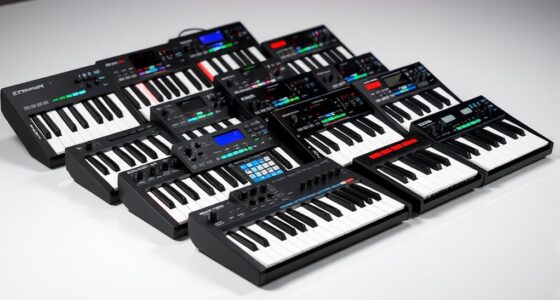
For musicians and producers seeking to create music without relying on a computer, standalone music production devices offer a compact and integrated solution. The Akai MPC Live III stands out as the best overall for its combination of portability, professional features, and ease of use. The Roland MC-101 is a strong contender for those prioritizing a compact design, while the Ableton Push 3 provides a powerful workstation for more advanced users. Each option balances performance, usability, and price differently, creating tradeoffs between features, portability, and learning curve. Continue reading for a detailed breakdown of how these products compare and which might be best for your music-making needs.

Get audio and creator gear delivered free — and shop member deals
- Fast, free delivery on millions of items
- Access to Prime Big Deal Days deals on October 6–7
- Prime Video, Amazon Music and more included
Complete the kit



Key Takeaways
- The top picks excel in balancing portability and feature set, making them suitable for mobile production or studio use.
- Price varies significantly; the most advanced models often cost more but provide deeper control and more onboard features.
- User interface and workflow are critical; devices with intuitive layouts save time and reduce frustration during creative sessions.
- Compatibility with external gear and software integration influences the versatility of each device.
- Tradeoffs often involve choosing between comprehensive features and compact size – prioritize based on your primary use case.
| Akai Professional MPC Key 37 Standalone Production Synthesizer, Drum Machine, MIDI Keyboard |  | Best Overall for Versatile Studio Integration | Number of Keys: 37 | Display: 7-inch Multi-Touch | Pads: 16 Velocity-Sensitive RGB MPC Pads | VIEW ON AMAZON | See Our Full Breakdown |
| Akai Professional MPC Live III – Standalone Portable Music Production Center with MPC Pads, Touchscreen, and Audio Interface |  | Best for Portable, High-Performance Music Production | Processor: 8-core | RAM: 8GB | Display: 7-inch multi-touch | VIEW ON AMAZON | See Our Full Breakdown |
| Ableton Push 3 Standalone Workstation with 64 MPE Pads, Audio Interface, and 256GB SSD |  | Best for Expressive Live Performance and Modular Control | Processor: Intel | RAM: 8GB | Storage: 256GB SSD | VIEW ON AMAZON | See Our Full Breakdown |
| Roland MC-101 Groovebox Compact Music Production Workstation |  | Best for Compact, On-the-Go Production | Track Types: Tone, Drum Kit, Looper | Connections: 1/4″ jacks, MIDI, USB | Storage: SD card | VIEW ON AMAZON | See Our Full Breakdown |
| Ableton Live 12 Intro Standalone Instrument and Groovebox |  | Best for Portable, All-in-One Music Creation | Power: Built-in rechargeable battery | Pads: 32 velocity-sensitive with polyphonic aftertouch | Storage: 64 GB onboard | VIEW ON AMAZON | See Our Full Breakdown |
| Roland VERSELAB MV-1 ZEN-Core Professional Song Production Studio for Songwriters and Singers |  | Best for Songwriters and Singers Seeking All-In-One Portability | Pads: 4×4 RGB-lit pads | Sound Engine: ZEN-Core Synthesis System | Inputs: XLR microphone input with effects | VIEW ON AMAZON | See Our Full Breakdown |
| Akai Professional MPC Sample Standalone Portable Sampler, Sequencer, and Effects Processor |  | Best for Beatmakers and Live Performers Who Need Versatile Sampling | Battery: Rechargeable lithium-ion | Display: 2.4″ full-color | Pads: 16 MPC pads | VIEW ON AMAZON | See Our Full Breakdown |
| standalone music production | Storage | Pads |
|---|---|---|
| Akai Professional MPC Key 37 S | 32GB (22GB available) | 16 Velocity-Sensitive RGB MPC Pads |
| Akai Professional MPC Live III | 128GB internal, expandable via SD or SSD | — |
| Ableton Push 3 Standalone Work | 256GB SSD | 64 MPE-enabled with XY sensors |
| Roland MC-101 Groovebox Compac | SD card | — |
| Ableton Live 12 Intro Standalo | 64 GB onboard | 32 velocity-sensitive with polyphonic aftertouch |
| Roland VERSELAB MV-1 ZEN-Core | — | 4×4 RGB-lit pads |
| Akai Professional MPC Sample S | microSD card | 16 MPC pads |
More Details on Our Top Picks
Akai Professional MPC Key 37 Standalone Production Synthesizer, Drum Machine, MIDI Keyboard
The Akai MPC Key 37 excels as a comprehensive standalone production tool, combining a 37-note synth-action keybed, a vivid 7-inch touchscreen, and extensive connectivity options like Wi-Fi, Bluetooth, and CV/Gate. Compared to the Akai MPC Live III, it offers a more integrated keyboard experience, though its larger size reduces portability. While it provides a robust MPC workflow and support for native instruments, the high price can be a barrier for beginners, and its limited storage (22GB usable) may restrict larger sample libraries. This device is ideal for producers who want a portable, all-in-one studio that emphasizes intuitive control and seamless instrument integration, but less suitable for those on a tight budget or seeking a compact setup.
Pros:- Standalone operation with a powerful multi-core processor
- Intuitive MPC workflow with touchscreen and extensive controls
- Supports Wi-Fi, Bluetooth, and native instrument integration
Cons:- High price may be prohibitive for entry-level users
- Large size could hinder portability for mobile use
- Limited user storage (22GB available)
Best for: Producers and beat makers seeking a portable, feature-rich standalone workstation with integrated keyboard and advanced connectivity.
Not ideal for: Beginners or budget-conscious users who need a more affordable, simplified setup without extensive connectivity or keyboard features.
- Number of Keys:37
- Display:7-inch Multi-Touch
- Pads:16 Velocity-Sensitive RGB MPC Pads
- Storage:32GB (22GB available)
- Connectivity:MIDI In/Out, 1/4″ TRS Audio Ins and Outs, CV/Gate Jacks, Headphones Out, USB-A, USB-B
- Supported Software:MPC2, MPC3, Ableton Link
Our verdict“This is an excellent choice for producers who need a versatile, portable production hub with integrated keyboard controls and advanced connectivity, despite its premium price.”
Akai Professional MPC Live III – Standalone Portable Music Production Center with MPC Pads, Touchscreen, and Audio Interface
The MPC Live III stands out for its robust hardware, featuring an 8-core processor, 8GB RAM, and a sizable 128GB internal storage, making it ideal for mobile producers who need power on the go. Its extensive connectivity, including XLR/TRS inputs, MIDI I/O, and built-in audio interface, surpasses many competitors like the Roland MC-101, which offers fewer input options. While its high-performance hardware delivers a seamless production experience, the device’s substantial size and weight make it less suitable for very mobile users. The included large sample library and expansion packs offer versatile sound design, but the learning curve can be steep for newcomers. This pick makes the most sense for serious producers seeking a truly portable studio with studio-quality I/O and expandable storage, though it might be overkill for casual users.
Pros:- Powerful hardware with 8-core processor and 8GB RAM
- 128GB internal storage with expandable options
- Comprehensive connectivity including XLR/TRS inputs and MIDI I/O
Cons:- Large size and weight reduce portability for some users
- Complex interface may require time to master
- Higher price point compared to simpler devices
Best for: Mobile producers and performers who need a powerful, all-in-one standalone device with extensive I/O and storage capacity.
Not ideal for: Beginners or those seeking a more compact, lightweight device for light use or casual music creation.
- Processor:8-core
- RAM:8GB
- Display:7-inch multi-touch
- Storage:128GB internal, expandable via SD or SSD
- Inputs:2 combo XLR/TRS, MIDI I/O, USB-C, CV/Gate outputs
- Outputs:6 TRS outputs, stereo monitors
Our verdict“This device is perfect for producers wanting a mobile, studio-grade production hub with extensive I/O and storage, despite its size and cost.”
Ableton Push 3 Standalone Workstation with 64 MPE Pads, Audio Interface, and 256GB SSD
The Ableton Push 3 offers a highly expressive setup with 64 MPE-enabled pads and XY sensors, making it ideal for finger drummers and performers seeking nuanced control without a laptop. Its built-in audio interface and 256GB SSD provide ample recording and storage options, surpassing simpler grooveboxes like the Roland MC-101 in terms of control depth. However, its setup complexity and high price may be daunting for newcomers or casual musicians, especially given the limited storage capacity in the included Ableton Live Intro. This device is best suited for advanced performers and producers who want a fully integrated, expressive controller with professional features, but it might be overkill for those new to music hardware.
Pros:- Fully standalone with built-in processor and large storage
- 64 MPE pads with XY sensors for nuanced expression
- Multiple connectivity options including audio, MIDI, and CV/Gate
Cons:- Complex setup may require familiarity with hardware
- Limited storage in Ableton Live 12 Intro
- High cost for entry-level users
Best for: Performers and producers who need expressive, modular control for live performance or detailed finger drumming, with integrated audio and storage.
Not ideal for: Beginners or casual hobbyists who prefer simple, plug-and-play solutions without a steep learning curve.
- Processor:Intel
- RAM:8GB
- Storage:256GB SSD
- Pads:64 MPE-enabled with XY sensors
- Audio Interface:2 inputs, 2 outputs
- Connectivity:WiFi, ADAT, MIDI, CV/Gate
Our verdict“This is an excellent choice for advanced performers seeking expressive control and professional features in a standalone format, though it demands some technical familiarity.”
Roland MC-101 Groovebox Compact Music Production Workstation
The Roland MC-101 is a portable, battery-powered groovebox designed for quick, on-the-fly music creation. Its four tracks and 128-step sequencer make it less suitable for complex arrangements compared to the Akai MPC Key 37 or MPC Live III, but its 90 effects and extensive onboard processing deliver a professional sound within a compact form. The absence of a dedicated display means users rely on external control or onboard buttons, which can slow workflow for detailed editing. Its limited track count and reliance on external devices for complex projects make it best suited for sketching ideas or live performances rather than full-scale studio production. This device is perfect for musicians seeking portability and simplicity, despite its restrictions on project complexity.
Pros:- Highly portable and battery-powered for outdoor use
- Wide range of built-in effects and processing tools
- Versatile connectivity options for external gear
Cons:- Limited to 4 tracks, which restricts complexity
- No built-in display for detailed editing
- Steeper learning curve for understanding all features
Best for: Musicians and performers needing a compact, battery-powered device for quick ideas or live sets, with minimal setup.
Not ideal for: Producers working on large projects or needing extensive track counts and detailed editing capabilities.
- Track Types:Tone, Drum Kit, Looper
- Connections:1/4″ jacks, MIDI, USB
- Storage:SD card
- Power:4 AA batteries or USB
- Effects:90 track effects, 90 master effects
- Sequencer:128-step
Our verdict“This groovebox is perfect for on-the-go musicians who prioritize portability and quick setup over extensive project capacity, despite its limited tracks.”
Ableton Live 12 Intro Standalone Instrument and Groovebox
The Ableton Live 12 Intro in the Push 3 configuration aims to deliver a portable, standalone music creation environment with a built-in rechargeable battery, speaker, microphone, and a suite of controls. Its 32 velocity-sensitive pads with polyphonic aftertouch and touch-sensitive encoders make it versatile for live performance and improvisation, while the 16-step sequencer facilitates quick pattern creation. Compared to larger setups like the MPC Key 37, it sacrifices some advanced features for portability and ease of use, but the limited instruments and effects in the Intro version may restrict creative scope. It’s best suited for mobile musicians who want a compact, integrated device with software support, despite its steep learning curve and higher entry price.
Pros:- Portable with built-in rechargeable battery and speaker
- Rich sound library with over 5 GB of samples
- Versatile controls including pads, encoders, and sequencer
Cons:- Limited tracks and instruments in Ableton Live 12 Intro
- High learning curve for beginners
- Premium price for entry-level features
Best for: Musicians seeking a portable, all-in-one device for live performance and sketching ideas, with integrated software and sound library.
Not ideal for: Producers needing deep editing, extensive sample libraries, or advanced sequencing for full studio projects.
- Power:Built-in rechargeable battery
- Pads:32 velocity-sensitive with polyphonic aftertouch
- Storage:64 GB onboard
- Included Software:Ableton Live 12 Intro
- Inputs:3.5 mm input, USB-C
- Effects:12 built-in effects
Our verdict“This device offers a convenient, portable environment for live and sketching use, though it may feel limited for detailed studio production in its intro form.”
Roland VERSELAB MV-1 ZEN-Core Professional Song Production Studio for Songwriters and Singers
The Roland VERSELAB MV-1 stands out as a dedicated songwriting tool that combines authentic Roland sounds with an intuitive workflow. Unlike the MPC Sample, which offers extensive sampling and effects for beatmakers, the MV-1 emphasizes vocal recording and song structure, making it ideal for singers and songwriters who want a portable, self-contained studio. Its built-in microphone input with effects and user-friendly templates accelerate the creative process, though it offers limited onboard storage unless expanded. While it doesn’t support advanced editing like some DAW-based setups, its simplicity and battery-powered design make it perfect for on-the-go ideas. However, beginners unfamiliar with music production may face a learning curve, and the sound library, though robust, could require expansion for extensive projects.
Pros:- Authentic Roland sounds with high-quality vocal effects
- Portable, battery-powered design for music creation anywhere
- Intuitive workflow with song templates and pattern generators
- Built-in microphone input with effects for immediate recording
Cons:- Limited onboard storage without expansion options
- Steep learning curve for users unfamiliar with music production
- Lacks advanced editing features found in more comprehensive DAWs
Best for: Songwriters and singers who need a portable, all-in-one production device focused on vocal work and song creation.
Not ideal for: Beatmakers and producers looking for extensive sampling, editing, or advanced sequencing features, as the MV-1 prioritizes simplicity over complex production tools.
- Pads:4×4 RGB-lit pads
- Sound Engine:ZEN-Core Synthesis System
- Inputs:XLR microphone input with effects
- Sounds:Over 3000 curated sounds
- Connectivity:USB, Zenbeats integration
- Power:Battery-powered portable design
Our verdict“This device is a strong choice for singers and songwriters who want a simple, portable studio focused on vocal and song creation without the complexity of traditional DAWs.”
Akai Professional MPC Sample Standalone Portable Sampler, Sequencer, and Effects Processor
The Akai MPC Sample excels as a portable, versatile sampler and sequencer, especially suited for beatmakers and performers looking for a compact device with extensive sound design capabilities. Compared with the Roland MV-1, which focuses on vocal-based songwriting, the MPC Sample emphasizes sampling, sequencing, and effects for beat production. Its 16 MPC pads and full-color display facilitate intuitive live programming, while the rechargeable battery and built-in speaker support on-the-fly creation. The device’s 60 effects types and multiple input/output options make it adaptable for studio and stage, though its internal storage is limited without a microSD card and MIDI in/out requires an extra adapter. For users new to MPC workflows, the learning curve can be steep, especially when managing larger sample libraries. Nonetheless, it offers a compelling balance of portability and creative power for on-the-go production.
Pros:- Rechargeable battery and built-in speaker for mobile use
- Responsive 16 MPC pads and full-color display enhance workflow
- Extensive effects library and sampling features for creative sound design
- Versatile connectivity options for studio and live setups
Cons:- MIDI in/out requires an additional adapter (not included)
- Limited internal storage capacity without microSD card
- Steeper learning curve for users new to MPC workflows
Best for: Beatmakers and live performers who need a portable sampler with extensive effects and flexible connectivity for on-stage and studio use.
Not ideal for: Users seeking a dedicated vocal recording device or a simple songwriting tool, as the MPC Sample is optimized for sampling, sequencing, and beat production rather than straightforward vocal recording.
- Battery:Rechargeable lithium-ion
- Display:2.4″ full-color
- Pads:16 MPC pads
- Storage:microSD card
- Inputs/Outputs:Stereo 1/4″ TRS line in/out, 1/8″ headphones, MIDI in/out, sync out, USB-C
- Effects:60 effect types with 4 internal FX processors
Our verdict“This device is ideal for beatmakers and performers seeking a portable, effect-rich sampler with flexible controls, though it may challenge newcomers to MPC systems.”
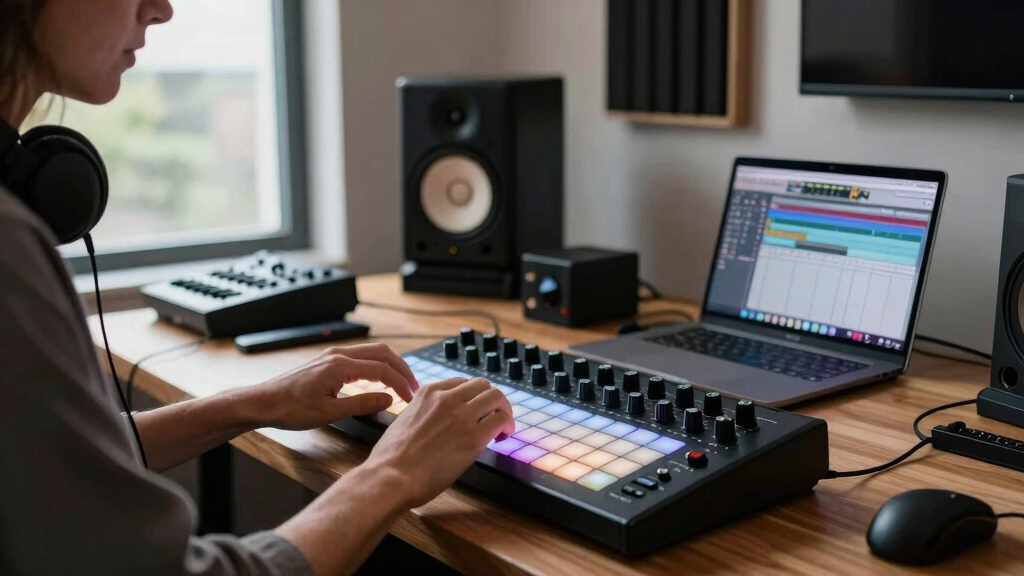
How We Picked
We evaluated standalone music production devices based on performance, usability, build quality, and feature set. Devices had to operate independently without requiring a computer, emphasizing real-time control, onboard storage, and sound engine quality. We prioritized models that offer a balance of portability and professional features, considering user interface design and overall value. Our rankings reflect which options provide the most versatile and reliable experience for different types of users, from beginners to seasoned producers. Devices with extensive connectivity options, intuitive controls, and strong sound engines naturally ranked higher, while those with limited features or awkward workflows fell lower in the list.Factors to Consider When Choosing Standalone Music Production
When choosing a standalone music production device, it’s important to consider several key factors to ensure it matches your creative style and needs. These devices vary widely in features, size, and complexity, so understanding your priorities can save you from buyer’s remorse. Think about how portable you need the unit to be, whether you want advanced control options, and if onboard storage and effects are essential. Additionally, compatibility with external gear and future expandability can influence your long-term satisfaction. Keep these factors in mind to select a device that enhances your music production process rather than complicates it.Portability and Size
One of the primary advantages of standalone music production gear is portability. If you plan to produce on the go, look for compact, lightweight options that include battery power or easy transport. However, smaller devices often sacrifice some features or controls, so balance size with your need for hands-on control and screen real estate. Larger units may offer more extensive controls and onboard storage but are less convenient for mobile use. Consider where you’ll use the device most—studio or field—before settling on size and weight.
Feature Set and Workflow
Different devices cater to different workflows. Some focus on pattern-based sequencing, while others emphasize sampling, synthesis, or live performance. Think about the types of music you want to produce and whether you need features like multiple pads, advanced effects, or comprehensive MIDI control. Overloading a device with features you won’t use can hinder your workflow, so aim for a balance—enough versatility to grow into but not so much that it becomes overwhelming for your skill level.
Sound Quality and Effects
Onboard sound engines and effects significantly impact the quality of your productions. Higher-end devices often provide more realistic synthesis, better sampling options, and professional-grade effects, which are worth the investment if sound fidelity is a priority. Cheaper models may rely more on external processing or offer limited onboard effects, potentially requiring additional gear or software. The right choice depends on whether you want a self-contained environment or plan to complement it with other tools.
Connectivity and Expandability
Consider how well the device integrates with your existing setup. Look for options like MIDI I/O, audio inputs/outputs, and USB connectivity for external gear. Devices with more connectivity options are more adaptable, especially if you plan to expand your setup later. However, more ports can also mean increased complexity and cost. Think about your current gear and whether future integration is a priority to avoid needing a new device down the line.
Learning Curve and User Interface
Ease of use varies widely among standalone music production units. Devices with intuitive layouts, clear controls, and helpful onboard tutorials reduce the time needed to become proficient. More complex units may offer deeper control but come with steeper learning curves, which could slow down your creative process initially. If you’re new to music production, prioritize user-friendly options that offer guided workflows, while experienced users might prefer more advanced controls for detailed editing.
Frequently Asked Questions
Can I produce professional-quality music with a standalone device?
Absolutely. Many standalone music production units feature high-quality sound engines, multiple effects, and professional-grade sequencing. While they might not match the raw power of a full DAW on a computer, these devices are capable of producing polished, professional tracks. The key is choosing a unit that matches your production style and understanding its limitations. With good workflow and external gear (if needed), you can achieve results suitable for commercial release or performance.
Are standalone devices better than using a computer-based setup?
This depends on your workflow preferences. Standalone devices excel in portability, immediate hands-on control, and reducing distractions from a computer screen. They are ideal for live performance or quick mobile production. However, they can be less flexible than software-based setups for complex editing or mixing. If your work requires deep editing and customization, a computer-based DAW might still be necessary. For many, a hybrid approach—using both—can offer the best of both worlds.
Do standalone music production devices support third-party plugins?
Most standalone units have limited support for third-party plugins compared to traditional DAWs. Instead, they offer onboard effects, synths, and sample libraries. Some high-end models include open environments or can connect externally via USB to run additional software, but this isn’t standard. If plugin support is essential, verify whether the device can connect to your computer or if it offers expandable onboard options. Otherwise, you’ll rely on the built-in features and onboard sound engines.
Is it worth investing in a high-end standalone device?
Investing in a premium model makes sense if you prioritize high sound quality, extensive control, and build durability. These units often include advanced features like better displays, more onboard storage, and comprehensive connectivity, making them suitable for professional use or serious hobbyists. However, they come at a higher cost, so assess whether their extra capabilities align with your production needs and budget. For casual or beginner producers, more affordable models may suffice while still delivering satisfying results.
How important is the user interface on a standalone music device?
The UI significantly impacts your workflow and enjoyment. Devices with intuitive interfaces, tactile controls, and clear visual feedback enable faster music creation and reduce frustration. Complex interfaces can slow down your process, especially if you’re new to hardware-based production. Prioritizing a device with a well-designed interface can make the difference between a tool that inspires creativity and one that hampers it. Consider trying out demo units or reading user reviews focused on ease of use before making a decision.
Conclusion
For those starting out or producing on the move, the Roland MC-101 offers a compact, straightforward solution with solid features at an accessible price. The Akai MPC Live III makes the most sense for users seeking a versatile, portable production hub with professional capabilities. If you want a high-end, feature-rich setup, the Ableton Push 3 provides extensive control for advanced users willing to invest more. Beginners should prioritize user-friendly interfaces; professionals and live performers will benefit from models emphasizing expandability and sound quality. Choose based on your skill level, budget, and specific production needs to get the most satisfying experience.
Halloween Picks
halloween
As an affiliate, we earn on qualifying purchases.