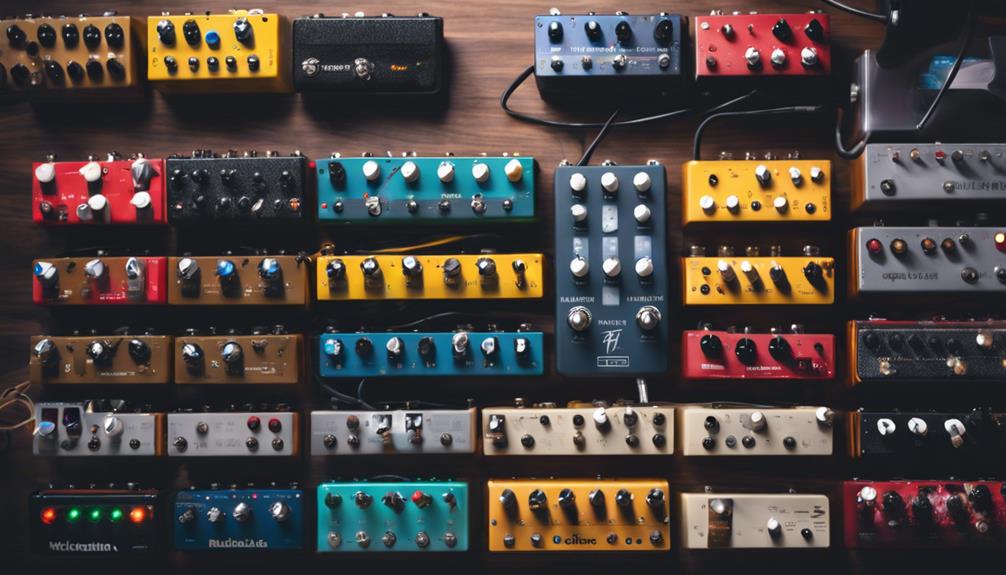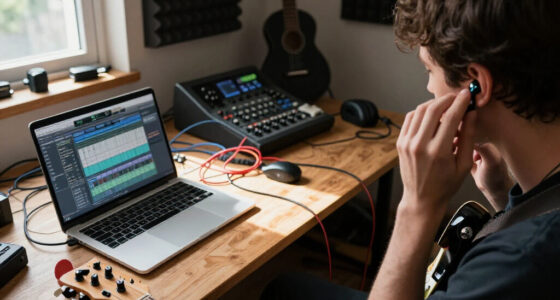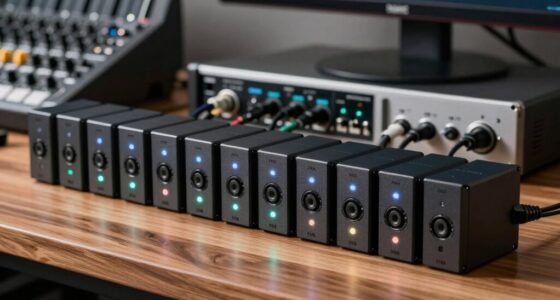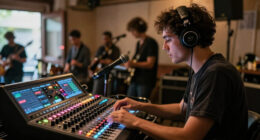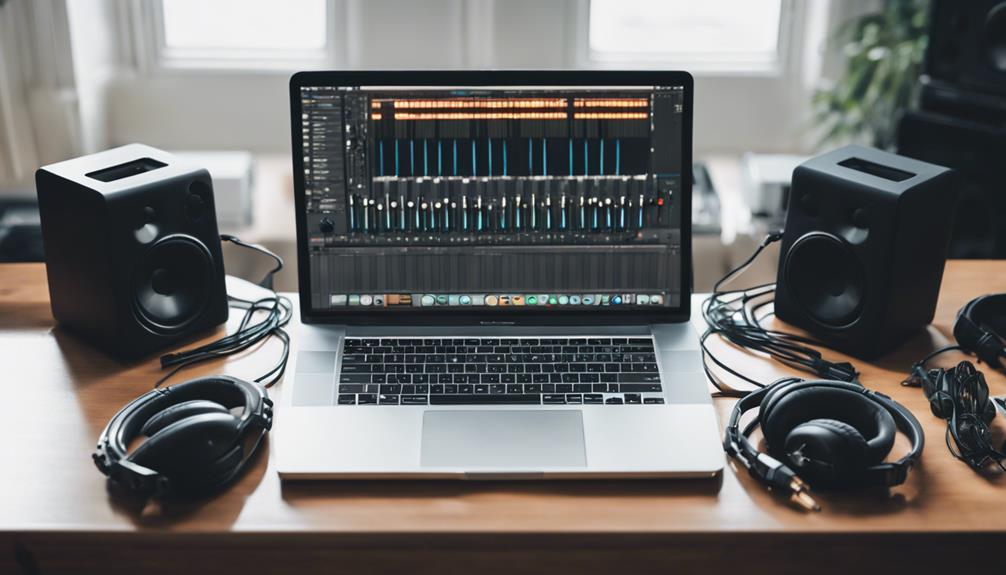
For a versatile MacBook Pro recording setup, I’d start with the MOTU M2 as the best overall pick: it combines two inputs with clear metering and USB-C connectivity. The Focusrite Scarlett Solo 4th Gen is a simpler choice for one microphone or instrument, while the Akai MPK Mini IV suits beatmakers who want keys and hands-on controls. The main tradeoffs are input count, workflow, portability, and whether you need recording hardware, a controller, or software. Some options are better suited to vocals and instruments; others focus on podcasting or production control. Read on for the full breakdown and guidance on matching each pick to your MacBook Pro setup.

Get audio and creator gear delivered free with Prime
- Fast, free delivery on millions of items
- Prime Video, Amazon Music and more included
- Member-only deals all year
Complete the kit


Key Takeaways
- The MOTU M2 is the strongest all-round interface pick in this lineup for producers who need two inputs and useful front-panel metering; the Scarlett Solo is more appropriate when one input is enough.
- The MPK Mini IV and MPK Mini MK3 serve a more focused role than an audio interface: they control MIDI instruments and production software, but do not replace hardware for recording microphones or instruments.
- MacBook Pro owners should check connection needs before choosing. USB-C models reduce adapter dependence, while other USB devices may need a hub or the right cable for the specific MacBook generation.
- The lineup spans studio production and content creation, not just music recording. The ZealSound USB mic and podcast bundle favor voice workflows, while the MPC Sample and nanoKONTROL2 offer more specialized hands-on control.
- Software and hardware are separate decisions. FL Studio 20 Producer Edition and MixPad support production in different ways, but neither substitutes for an interface, microphone, or controller when a project calls for those tools.
| Korg nanoKONTROL2 Slim-Line USB Control Surface, Black |  | Best Compact DAW Controller | Connectivity: USB | Mixer channels: 8 | Listed supported software: Ableton Live | VIEW ON AMAZON | See Our Full Breakdown |
| Focusrite Scarlett Solo 4th Gen USB-C Audio Interface |  | Best for Solo Recording | Channels: 2 | Connectivity: USB | Maximum sample rate: 192 kHz | VIEW ON AMAZON | See Our Full Breakdown |
| MAONO P2 Hybrid USB Audio Interface Dual XLR for PC, Phone, iPad, Guitar |  | Best for Cross-Device Recording | Channels: 2 | Connectivity: USB | Maximum sample rate: 192 kHz | VIEW ON AMAZON | See Our Full Breakdown |
| M-AUDIO M-Track Duo HD USB-C Audio Interface |  | Best for Beginner-Friendly Recording | Inputs: 2 combo inputs for mic, guitar, bass, and line-level sources | Outputs: Main L/R and headphone output | Connectivity: USB-C | VIEW ON AMAZON | See Our Full Breakdown |
| MOTU M2 USB-C Audio Interface |  | Best Premium Two-Channel Interface | Channels: 2-in/2-out | Preamps: 2 | Connectivity: USB-C | VIEW ON AMAZON | See Our Full Breakdown |
| MixPad Free Multitrack Recording Studio and Music Mixing Software |  | Best Free Starting Point | Platform: Download | Type: Music mixing software | Recording: Multitrack recording | VIEW ON AMAZON | See Our Full Breakdown |
| Piyone Q2 2×2 USB-C Audio Interface (Alloy Red) |  | Best Compact Two-Input Interface | Model: Q2 | Connectivity: USB-C | Channels: 2 input / 2 output | VIEW ON AMAZON | See Our Full Breakdown |
| Podcast Equipment Bundle with BM-800 Microphone, Voice Changer, and Audio Interface |  | Best All-in-One Podcast Starter Bundle | Microphone: BM-800 condenser microphone | Connectivity: USB | Audio input: 3.5mm jack | VIEW ON AMAZON | See Our Full Breakdown |
| Akai Professional MPK Mini MK3 25-Key USB MIDI Keyboard Controller |  | Best Portable MIDI Controller | Keys: 25 | Connectivity: USB | Key response: Velocity-sensitive | VIEW ON AMAZON | See Our Full Breakdown |
| FL Studio 20 Producer Edition |  | Best Full DAW for Building Tracks | Product type: Digital audio workstation software | Edition: Producer Edition | Operating system: macOS 10.11 or later; Windows 7/8/10 or later | VIEW ON AMAZON | See Our Full Breakdown |
| Akai Professional MPK Mini IV 25-Key USB-C MIDI Keyboard Controller, Black |  | Best Compact MIDI Keyboard | Keys: 25 velocity-sensitive mini keys | Key range: 10-octave up/down range | Pads: RGB MPC pads | VIEW ON AMAZON | See Our Full Breakdown |
| Akai Professional MPC Sample Portable Sampler |  | Best Standalone Beatmaking Companion | Display: 2.4-inch full-color display | Pads: 16 MPC pads | Power: Rechargeable lithium-ion battery | VIEW ON AMAZON | See Our Full Breakdown |
| ZealSound Podcast Microphone for PC, Noise Cancellation USB Mic with Gain, Volume Adjustment & Mute Button, Monitoring & Echo, for YouTube, TikTok, Podcasting, Streaming, iPhone, iPad, Android, Mac |  | Best for Vocals, Podcasting, and Streaming | Frequency response: 40 Hz–18 kHz | Sampling rate: 46 kHz | Sensitivity: –45 dB ±3 dB | VIEW ON AMAZON | See Our Full Breakdown |
| music production equipment for macbook pro | Connectivity |
|---|---|
| Korg nanoKONTROL2 Slim-Line US | USB |
| Focusrite Scarlett Solo 4th Ge | USB |
| MAONO P2 Hybrid USB Audio Inte | USB |
| M-AUDIO M-Track Duo HD USB-C A | USB-C |
| MOTU M2 USB-C Audio Interface | USB-C |
| MixPad Free Multitrack Recordi | — |
| Piyone Q2 2×2 USB-C Audio Inte | USB-C |
| Podcast Equipment Bundle with | USB |
| Akai Professional MPK Mini MK3 | USB |
| FL Studio 20 Producer Edition | — |
| Akai Professional MPK Mini IV | — |
| Akai Professional MPC Sample P | — |
| ZealSound Podcast Microphone f | USB-C with included Lightning adapter |
More Details on Our Top Picks
Korg nanoKONTROL2 Slim-Line USB Control Surface, Black
For a MacBook Pro setup that needs hands-on mixing rather than another audio input, the Korg nanoKONTROL2 adds eight mixer channel controls in a slim USB surface. Its buttons and touch-based controls can make common DAW tasks easier to manage without reaching for a trackpad, and its compact format suits a crowded desk or a portable rig. It fills a different role from the Focusrite Scarlett Solo 4th Gen and MOTU M2, which handle audio recording but do not replace a dedicated mixer control surface. The tradeoff is that this is not a keyboard or an audio interface: the listed single key does not make it a playable MIDI instrument, and the supplied details identify Ableton Live support rather than a wider compatibility list. Choose it to control a DAW, not to record microphones or instruments.
Pros:- Eight mixer channels provide physical control for common DAW mixing tasks.
- Slim, lightweight design takes little room beside a MacBook Pro.
- USB connection avoids the need for a separate hardware interface.
- Listed support for Ableton Live suits producers working in that DAW.
Cons:- It does not record audio or provide microphone and instrument inputs.
- The listed single key is not a substitute for a playable MIDI keyboard.
- The supplied compatibility details name Ableton Live but do not specify support for other DAWs.
Best for: MacBook Pro producers who already have an audio interface and want compact, physical control over DAW mixer channels.
Not ideal for: Musicians looking for playable keys, microphone or instrument inputs, or an all-in-one production controller.
- Connectivity:USB
- Mixer channels:8
- Listed supported software:Ableton Live
- Control method:Touch
- Listed keys:1
- Color:Black
- Warranty:1 year
Our verdict“Choose the nanoKONTROL2 if you want a small DAW mixing surface for your MacBook Pro, and skip it if you need recording inputs or playable keys.”
Focusrite Scarlett Solo 4th Gen USB-C Audio Interface
The Focusrite Scarlett Solo 4th Gen is the clearest fit here for a MacBook Pro musician recording one voice or instrument at a time. Its two-channel design, 120dB dynamic range, and Air mode target clean, detailed vocal and guitar capture, while the included recording software gives a new setup somewhere to start. Against the M-AUDIO M-Track Duo HD, the Solo emphasizes its specified dynamic range and Air mode; M-Audio instead lists two combo inputs, +48V phantom power, and zero-latency monitoring. The Solo’s compact size and listed support for Mac make it easy to build into a laptop-centered rig. Its limit is equally clear: two channels are not enough for a multi-microphone session, and it has no built-in MIDI support. I’d choose it for focused overdubbing, not growing ensemble recording.
Pros:- 120dB dynamic range supports detailed recording in a compact setup.
- Air mode is designed to add presence to vocal and guitar recordings.
- Includes Pro Tools Intro+, Ableton Live Lite, and Hitmaker Expansion.
- Portable form factor and Mac compatibility suit laptop-based recording.
Cons:- Two channels limit simultaneous recording options.
- No built-in MIDI support for connecting MIDI gear through the interface.
- USB connection may require an adapter or hub depending on the MacBook Pro setup.
Best for: MacBook Pro songwriters and solo musicians recording vocals, guitar, or another single source at a time.
Not ideal for: Bands or producers who need several simultaneous microphone inputs or MIDI connections built into the interface.
- Channels:2
- Connectivity:USB
- Maximum sample rate:192 kHz
- Dynamic range:120 dB
- Frequency response:20 kHz
- Dimensions:3.78 × 5.63 × 1.83 in
- Weight:14.4 oz
- Warranty:3 years
Our verdict“Pick the Scarlett Solo for compact, software-supported solo recording on a MacBook Pro, but choose a larger-input interface for group sessions.”
MAONO P2 Hybrid USB Audio Interface Dual XLR for PC, Phone, iPad, Guitar
The MAONO P2 stands apart from the Scarlett Solo and MOTU M2 by putting cross-device flexibility at the center: its listed compatibility spans macOS, phones, tablets, and a broad range of recording and streaming software. That makes it a fit for MacBook Pro creators who also record or stream from mobile devices, while its dual XLR inputs allow two microphone connections for a conversation or paired vocal setup. The listed 24-bit/192kHz recording and low-latency monitoring cover common home-studio needs, though the interface remains limited to two channels. Compared with the M-AUDIO M-Track Duo HD, the MAONO highlights a wider device and platform mix, while M-Audio specifies combo inputs, +48V phantom power, and 55dB of preamp gain. Routing features can add setup work, so I’d favor it for flexible creator workflows over a simple plug-in-and-record rig.
Pros:- Dual XLR inputs support two-microphone recording.
- Listed compatibility includes macOS, iOS, Android, and ChromeOS.
- Supports a broad selection of DAWs and streaming platforms.
- Low-latency direct monitoring helps when recording or streaming live.
Cons:- Two channels limit larger recording sessions.
- Flexible routing may take extra setup knowledge.
- The range of device and streaming functions may be unnecessary for Mac-only music production.
Best for: MacBook Pro creators who record with two microphones and also need to work across phones, tablets, streaming apps, and desktop DAWs.
Not ideal for: Musicians who want a straightforward Mac-only interface or need more than two channels for a band or multi-mic recording.
- Channels:2
- Connectivity:USB
- Maximum sample rate:192 kHz
- Supported operating systems:Android, ChromeOS, Windows, iOS, macOS
- Audio inputs:Microphone, guitar, PC, smartphone, iPad
- Supported software:Ableton Live, Studio One, Logic Pro, Cubase, GarageBand, FL Studio, YouTube, TikTok, OBS, Twitch, Discord
- Dimensions:6.42 × 8.27 × 3.23 in
- Weight:0.5 kg
Our verdict“Choose the MAONO P2 if your MacBook Pro is part of a multi-device recording or streaming setup; skip it for a simpler two-channel studio workflow.”
M-AUDIO M-Track Duo HD USB-C Audio Interface
For a MacBook Pro buyer who wants a conventional recording interface with clearly listed inputs and monitoring, the M-AUDIO M-Track Duo HD makes its appeal easy to read: two combo inputs accept microphones, guitar, bass, or line-level sources, and zero-latency monitoring lets performers hear input without depending on DAW playback. Its 24-bit/192kHz recording and software bundle give new producers a workable starting point. Compared with the Focusrite Scarlett Solo 4th Gen, M-Audio offers two combo inputs and specified +48V phantom power; the Scarlett’s standout details are its 120dB dynamic range and Air mode. The MAONO P2 offers broader mobile and streaming compatibility, but the Duo HD’s input format is more directly described for standard studio sources. The tradeoff is the two-input ceiling and possible need for external power in some setups.
Pros:- Two combo inputs accept microphone, guitar, bass, and line-level sources.
- Zero-latency monitoring supports comfortable recording without DAW monitoring delay.
- 24-bit/192kHz recording specification suits detailed home-studio work.
- Includes a professional software bundle for getting started.
Cons:- Two inputs restrict multi-microphone and band recording.
- Some setups may require external power.
- Microphone and speakers are not built in.
Best for: Beginning MacBook Pro producers who want two flexible inputs for a microphone and instrument, plus direct monitoring.
Not ideal for: Musicians needing several simultaneous inputs, an included microphone or speakers, or a setup that cannot accommodate possible external power.
- Inputs:2 combo inputs for mic, guitar, bass, and line-level sources
- Outputs:Main L/R and headphone output
- Connectivity:USB-C
- Sample rate:192 kHz
- Bit depth:24-bit
- Phantom power:+48V
- Preamp gain:55 dB
- Weight:0.47 kg
Our verdict“Choose the M-Track Duo HD for a straightforward two-source MacBook Pro recording setup with direct monitoring, and look elsewhere for more inputs.”
MOTU M2 USB-C Audio Interface
The MOTU M2 is the premium-leaning two-channel choice in this group for MacBook Pro producers who want a focused interface with two preamps and hardware monitoring. Its 24-bit/192kHz support covers high-resolution recording, while hardware monitoring offers a way to hear inputs without relying on software monitoring. Unlike the Korg nanoKONTROL2, which controls a DAW mixer but does not capture audio, the M2 is a recording interface; unlike the Focusrite Scarlett Solo, it is presented as a 2-in/2-out model with USB-C connectivity. That makes it a stronger fit for producers who value a dedicated interface over a control surface. The limits are straightforward: two channels cap simultaneous recording, there are no built-in DSP effects, and a USB-C port is required by the listed connection. Its appeal is focused recording, not expandability.
Pros:- Two preamps support microphone-based recording.
- Hardware monitoring provides direct input monitoring.
- 24-bit/192kHz support suits high-resolution recording workflows.
- Listed compatibility includes macOS, Windows, and iOS.
Cons:- Two input/output channels limit larger recording sessions.
- No built-in DSP or effects are specified.
- The listed USB-C connection requires a compatible port or adapter.
Best for: MacBook Pro musicians who want a dedicated two-channel interface with two preamps and hardware monitoring for solo or small-session recording.
Not ideal for: Producers who need more than two input/output channels, built-in effects, or a connection other than USB-C.
- Channels:2-in/2-out
- Preamps:2
- Connectivity:USB-C
- Maximum sample rate:192 kHz
- Compatible devices:macOS, Windows, iOS
- Dimensions:7.5 × 4.25 × 1.75 in
- Weight:612 g
- Warranty:2 years
Our verdict“Choose the MOTU M2 for a focused, USB-C two-channel MacBook Pro recording setup with hardware monitoring, not for expandable sessions or onboard effects.”
MixPad Free Multitrack Recording Studio and Music Mixing Software
MixPad is the software-first pick for MacBook Pro owners who want to arrange and edit multiple audio tracks without buying a hardware controller first. Its multitrack recording, effects, Beat Maker, and MIDI Creator give beginners room to sketch songs, record voice, and build simple arrangements. Compared with FL Studio 20 Producer Edition, MixPad is a low-commitment way to try a production workflow, but the free version has fewer advanced capabilities and may feel limiting as projects grow. It runs on a computer rather than working as a standalone device, so it depends on your MacBook Pro and compatible setup. I’d choose it for learning basic editing and mixing; producers who need a deeper production environment should look at FL Studio instead.
Pros:- Free to download and use
- Supports multitrack recording and editing
- Includes Beat Maker and MIDI Creator for basic musical sketches
- Effect Chain and multimedia application integration support a flexible computer-based workflow
Cons:- Free version has limited advanced features for expanding projects
- Requires a computer and cannot serve as a standalone recording device
Best for: MacBook Pro newcomers who want to learn multitrack editing and make basic recordings with free software before investing in a full DAW.
Not ideal for: Producers building complex arrangements or relying on advanced mixing tools, since the free version has limited advanced features.
- Platform:Download
- Type:Music mixing software
- Recording:Multitrack recording
- Editing:Audio editing tools
- Creative tools:Beat Maker and MIDI Creator
- Effects:Effect Chain and effects tools
- Integration:Integrates with multimedia applications
Our verdict“Choose MixPad to start recording and editing on a MacBook Pro without a software purchase; choose FL Studio 20 if you need a broader production toolkit.”
Piyone Q2 2×2 USB-C Audio Interface (Alloy Red)
The Piyone Q2 gives a MacBook Pro a straightforward two-input recording setup for vocals, instruments, and small podcast sessions. Its USB-C connection, stated driver-free operation, and lack of an external power requirement make it a tidy choice for a laptop desk or mobile recording kit. Two XLR/TRS combo inputs with 48V phantom power cover common microphones and instruments, while direct monitoring lets performers hear the input without relying on the computer’s playback path. Against the Focusrite Scarlett Solo 4th Gen, the Q2’s clearest practical distinction is its two inputs, which allow two sources to be connected at once; the tradeoff is that it remains a basic 2-in/2-out interface. Its 3.5mm headphone output may also call for an adapter with some studio headphones.
Pros:- USB-C connection is designed for plug-and-play use without external power or drivers
- Two XLR/TRS combo inputs accept microphones and instruments
- 48V phantom power supports condenser microphones
- Zero-latency direct monitoring helps performers hear their input while tracking
Cons:- Two input channels are not enough for larger ensemble recordings
- 3.5mm headphone output may require an adapter for professional headphones
Best for: MacBook Pro musicians or podcasters who need two microphone or instrument inputs, USB-C connection, and direct monitoring in a compact interface.
Not ideal for: Bands recording several performers at once, or headphone users who need a standard larger studio jack without an adapter.
- Model:Q2
- Connectivity:USB-C
- Channels:2 input / 2 output
- Inputs:2 XLR/TRS combo jacks
- Resolution:24-bit
- Maximum sample rate:192 kHz
- Phantom power:48V
- Monitoring:Zero-latency direct monitor
- Headphone output:3.5mm
Our verdict“Pick the Q2 for simple two-source recording with a MacBook Pro; look to a larger interface if your sessions need more channels.”
Podcast Equipment Bundle with BM-800 Microphone, Voice Changer, and Audio Interface
This bundle is aimed at voice content, not a full MacBook Pro music-production rig. It packages a BM-800 condenser microphone, suspension arm, shock mount, pop filter, foam cap, and live sound card, giving a new podcaster several pieces of desk gear in one kit. That makes it more ready for spoken-word recording than the Piyone Q2, which is an interface rather than a microphone-and-accessory bundle. But the compatibility details are less reassuring for Mac users: the supplied data lists Windows as the operating system and a 3.5mm audio input, while also describing USB connectivity and compatibility with multiple devices. I’d verify the connection path and Mac support before buying. Its single channel and voice-focused feature set also make it a poor fit for recording instruments or multiple performers.
Pros:- Includes a BM-800 condenser microphone and suspension arm
- Bundled shock mount, pop filter, and foam cap support a ready-to-assemble voice setup
- Sound card offers voice-changing features for streaming and spoken content
- Described for use with laptops, computers, and mobile phones
Cons:- Product data lists Windows as the operating system, leaving MacBook Pro compatibility unclear
- Single-channel setup is restrictive for music recording and multiple sources
- Initial charging and compatibility setup may add friction before recording
Best for: MacBook Pro users making solo podcasts or streams who want a microphone, mounting accessories, and a sound card in one bundle and can confirm Mac compatibility.
Not ideal for: Music producers recording instruments, multiple sources, or anyone who needs clearly specified macOS support and a conventional multi-input interface.
- Microphone:BM-800 condenser microphone
- Connectivity:USB
- Audio input:3.5mm jack
- Channels:1
- Maximum sample rate:192 kHz
- Compatible devices:Laptop, personal computer, mobile phone
- Listed operating system:Windows
- Included accessories:Suspension arm, shock mount, pop filter, foam cap, live sound card
- Weight:1.37 kg
Our verdict“Consider this kit for solo voice content only after confirming its sound card works with your MacBook Pro and intended connection.”
Akai Professional MPK Mini MK3 25-Key USB MIDI Keyboard Controller
The MPK Mini MK3 is a compact hands-on controller for triggering software instruments and drum parts on a MacBook Pro. Its 25 velocity-sensitive keys, MPC-style pads, assignable controls, and built-in arpeggiator give a small desk setup more ways to shape a performance than a keyboard alone. Unlike the Akai MPK Mini IV elsewhere in this roundup, this is the MK3 model, so buyers should compare the specific generation and connection details rather than assume the newer listing is identical. Its small key range is the central compromise: it travels easily and fits beside a laptop, but playing broad two-handed parts is less comfortable than on a full-size keyboard. It also has no sound engine, so it needs a DAW or plugins to make sound.
Pros:- Compact USB-powered design suits travel and small MacBook Pro workspaces
- Twenty-five velocity-sensitive keys support expressive software-instrument input
- MPC-style pads and assignable knobs add hands-on beat and parameter control
- Built-in arpeggiator supports quick melodic patterns
Cons:- Twenty-five keys limit range and can constrain two-handed playing
- No built-in sound engine; requires a DAW or software instruments
- Full functionality depends on software installation and setup
Best for: MacBook Pro producers who want a portable controller for beat programming, short melodic parts, and software instruments.
Not ideal for: Keyboard players who need full-size keys or a wider range for two-handed performances, and anyone expecting a controller with built-in sounds.
- Keys:25
- Connectivity:USB
- Key response:Velocity-sensitive
- Pads:MPC-style touch-sensitive pads
- Additional control:Assignable controls
- Built-in feature:Arpeggiator
- Supported platform:Mac and Windows
- Sound engine:No built-in sound engine
Our verdict“Choose the MPK Mini MK3 for portable beat-making and software control, but choose a larger keyboard if playing range matters more than desk space.”
FL Studio 20 Producer Edition
FL Studio 20 Producer Edition is the software centerpiece in this group, bringing multitrack recording, MIDI sequencing, mixing, effects, and VST plugin support to a compatible MacBook Pro. That makes it a more complete production choice than MixPad Free Multitrack Recording Studio, which is better suited to getting started with basic recording and editing. FL Studio can serve as the environment where a controller such as the Akai MPK Mini MK3 triggers instruments and drum parts, but it is software rather than recording hardware: it does not replace an audio interface or microphone. The product data lists macOS 10.11 or later, so buyers should check their MacBook Pro’s system version and current compatibility before purchasing. Its wide feature set also asks more of beginners during setup and learning.
Pros:- Combines multitrack recording, MIDI sequencing, and mixing in one DAW
- VST plugin support allows an expanded instrument and effects setup
- Mac and Windows compatibility supports use across both platforms
- Pairs naturally with a MIDI controller such as the Akai MPK Mini MK3
Cons:- Requires a compatible computer and operating-system setup
- Broad production feature set can take time for beginners to learn
- Does not provide microphone or instrument inputs without separate hardware
Best for: MacBook Pro producers who want a full DAW for arranging, MIDI work, multitrack recording, mixing, and adding VST plugins.
Not ideal for: Beginners seeking a simple, immediately familiar workflow or musicians who need physical recording inputs rather than production software.
- Product type:Digital audio workstation software
- Edition:Producer Edition
- Operating system:macOS 10.11 or later; Windows 7/8/10 or later
- Recording:Multitrack recording
- MIDI:MIDI sequencing and editing
- Production tools:Mixing and effects
- Plugin support:VST
- Compatible devices:PC and laptop
Our verdict“Choose FL Studio 20 if you want a feature-rich production workspace for your MacBook Pro and are ready to learn a full DAW.”
Akai Professional MPK Mini IV 25-Key USB-C MIDI Keyboard Controller, Black
For a MacBook Pro producer who wants keys and hands-on beat controls in one small controller, the MPK Mini IV is the most direct fit here. Its 25 velocity-sensitive mini keys, RGB MPC pads, arpeggiator, and chord modes give you ways to sketch melodies and rhythms without carrying a full-size keyboard. USB-C connectivity and pre-mapped DAW controls help keep a mobile setup straightforward, while the included virtual instruments add sounds to explore without another hardware purchase. Compared with the Korg nanoKONTROL2, this Akai can play notes and trigger pads rather than focusing on mixer control. The tradeoff is its compact keybed: players who need two-handed parts or a more comfortable playing surface may prefer a larger keyboard. It also depends on a connected computer or external power for full functionality.
Pros:- Compact, lightweight form suits mobile MacBook Pro sessions.
- Combines 25 velocity-sensitive keys with RGB MPC pads.
- USB-C connection and pre-mapped DAW controls simplify integration.
- Arpeggiator and chord modes support quick idea generation.
Cons:- 25 mini keys limit range and can feel cramped during extended playing.
- Full functionality depends on a computer connection or external power.
- Offers less dedicated mixer control than a control surface such as the Korg nanoKONTROL2.
Best for: MacBook Pro producers who travel, work at a small desk, and want one controller for basic keyboard parts, drum programming, and DAW controls.
Not ideal for: Keyboard players who regularly perform two-handed parts or need full-size keys, and producers seeking a mixer-focused control surface like the Korg nanoKONTROL2.
- Keys:25 velocity-sensitive mini keys
- Key range:10-octave up/down range
- Pads:RGB MPC pads
- Connection:USB-C
- Controls:Buttons, dial, keyboard, and touch pad
- Performance features:Built-in arpeggiator and chord modes
- Compatibility:Mac and Windows; compatible with supported DAWs
Our verdict“Choose the MPK Mini IV if portable keys and beat pads matter more than a full-size keyboard or dedicated mixing controls.”
Akai Professional MPC Sample Portable Sampler
The MPC Sample suits MacBook Pro owners who want to make and arrange beats away from the computer, then bring that work into a broader production setup. Its rechargeable battery, 16 MPC pads, onboard sequencing, and 60 effect types make it a self-contained sketching tool rather than a controller that relies on a DAW. Stereo line I/O also gives it a route for sampling external audio, while USB-C connects it to a laptop-based workflow. Compared with the Akai MPK Mini IV, it is better suited to pad-driven sampling and standalone sessions, but it does not provide a keyboard for playing melodies. The small 2.4-inch display and microSD-based storage mean it is less convenient for detailed editing and requires a card for expanded storage. MIDI connections need an adapter that is not included.
Pros:- Rechargeable battery supports music-making away from a MacBook Pro.
- Sixteen MPC pads and onboard sequencing enable standalone beat creation.
- Sixty effect types and four internal FX processors provide onboard sound shaping.
- Stereo line input and output support sampling and integration with other gear.
Cons:- MIDI in and out require an adapter that is not included.
- microSD storage is needed for expanded sample storage.
- The 2.4-inch display is less suited to detailed editing than a computer screen.
Best for: Beatmakers who want to sample, sequence, and use effects on battery power before moving ideas into a MacBook Pro DAW.
Not ideal for: Producers who need a keyboard controller, prefer detailed editing on a large screen, or want MIDI connections without buying an adapter.
- Display:2.4-inch full-color display
- Pads:16 MPC pads
- Power:Rechargeable lithium-ion battery
- Storage:microSD card
- USB connection:USB-C
- Audio connections:Stereo 1/4-inch TRS line in/out and 1/8-inch headphone output
- MIDI and sync:MIDI in/out with adapter required; sync out
- Effects:60 effect types and 4 internal FX processors
Our verdict“Pick the MPC Sample for portable, pad-based production that can happen without your MacBook Pro, rather than for keyboard playing or screen-led editing.”
The ZealSound K66 is a practical add-on when a MacBook Pro production setup also needs to capture spoken vocals, podcast segments, or streams. Its USB connection, included USB-C and Lightning adapters, and compatibility with Mac and mobile devices make it more flexible across recording locations than a studio microphone that depends on an XLR interface. Zero-latency monitoring and physical gain, volume, mute, and echo controls let you make basic adjustments at the mic, while noise reduction offers another option for voice-focused recording. Compared with the Focusrite Scarlett Solo 4th Gen, this is a simpler USB microphone rather than an audio interface for building an XLR-based recording chain. That simplicity narrows its role: it is not a substitute for an interface and external mic, and its noise-reduction mode may take some adjustment.
Pros:- USB connection and included adapters support Mac and compatible mobile devices.
- Zero-latency monitoring helps speakers hear their voice while recording.
- Physical gain, volume, mute, and echo controls allow quick adjustments.
- Noise reduction mode is available for voice-focused recording.
Cons:- USB-only design does not replace an XLR microphone and audio interface setup.
- Physical controls require manual adjustment rather than software-based control.
- Noise reduction mode may take some experimentation to operate to preference.
Best for: MacBook Pro users recording podcasts, streams, voiceovers, or spoken vocals who want a USB mic with direct monitoring and physical controls.
Not ideal for: Musicians building an XLR microphone setup, users who need interface inputs for multiple sources, or producers seeking a dedicated instrument-recording interface.
- Frequency response:40 Hz–18 kHz
- Sampling rate:46 kHz
- Sensitivity:–45 dB ±3 dB
- Connectivity:USB-C with included Lightning adapter
- Compatibility:Windows, Mac, iPhone, iPad, Android, PS4, and PS5
- Monitoring:Zero-latency monitoring
- Controls and processing:Adjustable gain, echo control, mute button, and noise reduction mode
Our verdict“Choose the K66 for straightforward voice capture on a MacBook Pro, but select an interface such as the Scarlett Solo if you need an XLR recording chain.”

How We Picked
I ranked these options by how directly they help a MacBook Pro owner make or record music, then weighed connectivity, workflow fit, versatility, and the amount of extra gear a buyer may need. For audio interfaces, input and output needs mattered more than feature counts: a solo recorder has different needs from someone tracking a microphone and instrument at once. For controllers and samplers, I focused on the kind of hands-on work they support and whether they complement rather than replace the rest of a setup.
I also separated music-production tools from voice and podcast gear, since a USB microphone or podcast bundle can suit spoken-word recording better than a flexible studio workflow. Mac compatibility and connection practicality matter, but buyers should verify current software support and included cables for their exact MacBook Pro and operating system. The ranking favors useful, adaptable starting points over products that are narrower, less clearly specified, or more dependent on a particular workflow; a lower-ranked pick can still be the better fit for its intended job.
| music production equipment for macbook pro | Connectivity |
|---|---|
| Korg nanoKONTROL2 Slim-Line US | USB |
| Focusrite Scarlett Solo 4th Ge | USB |
| MAONO P2 Hybrid USB Audio Inte | USB |
| M-AUDIO M-Track Duo HD USB-C A | USB-C |
| MOTU M2 USB-C Audio Interface | USB-C |
| MixPad Free Multitrack Recordi | — |
| Piyone Q2 2×2 USB-C Audio Inte | USB-C |
| Podcast Equipment Bundle with | USB |
| Akai Professional MPK Mini MK3 | USB |
| FL Studio 20 Producer Edition | — |
| Akai Professional MPK Mini IV | — |
| Akai Professional MPC Sample P | — |
| ZealSound Podcast Microphone f | USB-C with included Lightning adapter |
Factors to Consider When Choosing Music Production Equipment For Macbook Pro
Before choosing individual gear, decide what you want your MacBook Pro to do first: capture live sound, sequence virtual instruments, record a voice, or build a portable beatmaking setup. That choice determines which purchases solve a real bottleneck and which would duplicate tools you already have.
Start With the Job Your Setup Needs to Do
Write down the first recording or production task you want to complete, such as tracking vocals, recording guitar, programming drums, or mixing spoken-word audio. An interface helps bring microphones and instruments into the computer, while a MIDI controller sends performance data to software rather than recording sound itself. A USB microphone can simplify voice capture but offers a different workflow from an interface with an XLR microphone. Buyers often overbuy by choosing several devices before identifying which part of the process is missing. Build around that first task, then add gear when a real limitation appears.
Count Inputs for Today and the Next Project
Input count affects which sources you can record at the same time, not how many tracks your software can hold. A solo interface can suit one mic or instrument at a time, while two inputs allow combinations such as voice and guitar or a stereo source. Think about whether you need microphone preamps, instrument inputs, or both; connector labels and included features vary by model. A common mistake is to buy for a single recording session and then discover that simultaneous recording is part of the next one. If you rarely record live sources, extra inputs may add little value compared with a controller or software investment.
Plan the MacBook Pro Connection
MacBook Pro ports and cable requirements vary by model, so check the computer’s available ports alongside the device’s connection type. USB-C on an interface or controller can make a direct connection easier, but the connector alone does not describe every power or compatibility requirement. Older USB connections may work with an adapter or hub, adding another item to carry and another point to troubleshoot. If you plan to connect an interface, controller, external drive, and display at once, map the full setup before buying. Verify operating-system support and any required drivers or companion software with the manufacturer for your Mac and macOS version.
Choose Between Keys, Pads, Knobs, and a Sampler
A controller should match the way you like to make music, not just look useful on a desk. Keys help with melodic ideas, pads favor finger-drumming and clip triggering, and knobs or faders can put software controls within reach. A sampler centers the workflow on capturing, chopping, and triggering audio rather than playing a conventional keyboard part. Compact controllers save desk space but offer fewer physical controls than larger devices, so consider whether you are comfortable switching between hardware and the laptop screen. Skip a controller if you mainly record live instruments and do not expect to use MIDI input.
Separate Recording Hardware From Production Software
Production software hosts virtual instruments, records and arranges tracks, and shapes a project during editing and mixing. An interface, microphone, or MIDI controller serves a different purpose, so a software purchase will not solve a missing physical input or performance control. Check the software’s current macOS support, plug-in compatibility, and edition features before building a workflow around a named version. Beginners may prefer to learn one program’s recording and export process before adding a second application. If your immediate goal is only voice capture, a dedicated USB mic can be a simpler starting point than buying a complete studio chain.
Budget for the Whole Signal Path and Workspace
The device itself is only one part of a workable recording setup. Depending on the chosen tool, you may also need a microphone, headphones, a stand, cables, a hub, or acoustic treatment; check what is included rather than assuming a bundle covers every need. Monitoring matters because speakers or headphones let you hear recording problems and make mix decisions, while a mute button or gain control may be more useful for streaming than for instrument tracking. Portable producers should account for power, cable length, and setup time as well as device size. Paying more makes sense when a specific capability solves a repeated problem, not simply because a model has a longer feature list.
Frequently Asked Questions
Can I make music on a MacBook Pro with only a MIDI keyboard?
You can use a MIDI keyboard to play software instruments, but it does not capture the sound of a microphone or guitar by itself. You will need compatible music software and either built-in computer audio or an interface for external microphones and instruments. The MPK Mini models in this roundup are controllers, not audio interfaces. If your first projects use virtual instruments, a keyboard may be a practical first purchase. Add an interface when you need to record live sources or want a dedicated connection and monitoring setup.
Is an audio interface necessary if I already have a USB microphone?
Not for basic recording with a compatible USB microphone: the mic connects directly to the MacBook Pro and acts as its own audio device. An interface becomes useful when you want to connect XLR microphones, instruments, or multiple sources, or when you need a different monitoring and routing setup. Avoid buying an interface just because it is common studio gear if your USB mic already meets your recording needs. Also check how your recording software handles choosing separate input and output devices. Your next project, not a general rule, should decide whether the extra hardware earns its place.
How many interface inputs should I choose for home music production?
Choose based on the number of sources you need to record at the same time. One input can suit solo vocal or instrument recording, while two inputs offer more flexibility for simultaneous vocal-and-instrument takes or stereo recording. Larger input counts matter when recording several performers or microphones together, but they can be unnecessary for a mostly software-based workflow. Count microphone and instrument sources separately and check whether the interface has the input types you need. Track count in software does not increase the number of live sources the interface can capture at once.
Will USB-C music equipment work with every MacBook Pro?
USB-C equipment can connect directly only if your MacBook Pro has a compatible port, and device power, operating-system support, and software requirements still matter. MacBook Pro generations differ, so check the exact model and the manufacturer’s current compatibility notes before buying. Some USB devices use a different connector and may need an adapter or hub. If you expect to connect several peripherals, confirm that the hub supports the devices and power needs in your setup. A matching connector is helpful, but it is not a substitute for checking the full connection requirements.
Should I choose a USB microphone or an XLR microphone and interface for vocals?
A USB microphone is a straightforward route for spoken-word recording or simple vocal capture because it connects directly to the computer. An XLR microphone with an interface can better suit a setup that also records instruments, uses multiple microphones, or needs more flexible input and monitoring options. The right choice depends on the kind of recording you do, not a universal sound-quality rule. Before choosing, account for the extra interface, cables, and stand that an XLR setup may require. For music projects that combine vocals with instruments, an interface-based chain is often the more adaptable foundation.
Conclusion
For most MacBook Pro producers who need to record external sources, I’d choose the MOTU M2 as the best overall because its two-input format and metering suit a wider range of sessions than a one-input interface. The M-TRACK Duo HD or Piyone Q2 can be the best value direction for buyers who want a straightforward two-input USB-C interface, while checking current compatibility and included accessories before purchase. For a premium-leaning interface pick, the MOTU M2 is the clearest fit in this group; the list does not include a high-end multi-input studio interface. Beginners recording one source can start with the Scarlett Solo, while new beatmakers may get more use from the MPK Mini IV than from an interface. Choose the nanoKONTROL2 for fader-based software control, the MPC Sample for a sampler-centered workflow, and the ZealSound mic or podcast bundle for voice-focused content rather than a general music-recording setup.
Halloween Picks
halloween
As an affiliate, we earn on qualifying purchases.