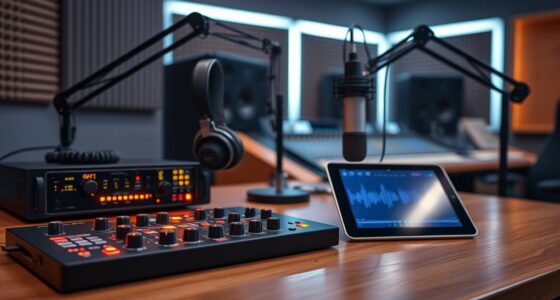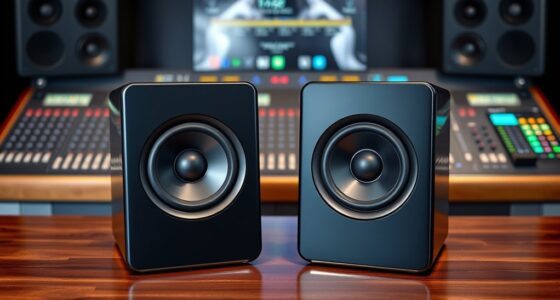
For PC speakers for music production, I’d start with the PreSonus Eris 3.5 as the best overall pick for near-field monitoring and practical desktop placement. The Edifier MR3 is a strong alternative if you want a more flexible mix of monitor-focused listening and Bluetooth, while the Edifier R1280T suits buyers who also want an enjoyable everyday listening setup. The main tradeoff is between speakers designed to reveal mix details and powered bookshelf models that favor convenience and a fuller casual-listening presentation. Desk space, connection needs, and how loudly you work also affect which pair makes sense. Continue reading for the full comparison, buying advice, and recommendations by setup.

Get audio and creator gear delivered free with Prime
- Fast, free delivery on millions of items
- Prime Video, Amazon Music and more included
- Member-only deals all year
Complete the kit


Key Takeaways
- PreSonus Eris 3.5 leads for near-field work: Its studio-monitor focus makes it the clearest starting point for a compact production desk.
- Edifier MR3 offers a useful middle ground: It combines a monitor-oriented role with Bluetooth convenience, unlike options aimed mainly at general computer listening.
- Bookshelf sound is not automatically mix-accurate: The R1280T and R980T may suit mixed listening needs, but buyers should prioritize placement and translation checks for production.
- Small speakers involve a low-end tradeoff: The compact Eris 3.5 and Sanyun SW208 can fit tighter desks, but limited cabinet size makes a subwoofer or headphone check relevant for bass-heavy work.
- Connectivity should match the workflow: Bluetooth can simplify casual playback, but a wired connection is usually the more dependable choice for tracking and editing.
| Sanyun SW208 3-inch Active Bluetooth 5.0 Bookshelf Speakers with Built-in 24bit DAC |  | Best Compact Desktop Pick | Speaker type: Active bookshelf speakers | Speaker unit: 3-inch carbon fiber | DAC: Built-in 24-bit DAC via USB | VIEW ON AMAZON | See Our Full Breakdown |
| Edifier MR3 Powered Studio Monitor – Hi‑Res Active Bluetooth Speaker |  | Best Connectivity for a Home Studio | Speaker type: Powered studio monitor | Woofer diameter: 3.5 inches | Frequency response: 52 Hz–40 kHz, as stated in the product description | VIEW ON AMAZON | See Our Full Breakdown |
| Edifier R1280T Powered Bookshelf Speakers – 2.0 Near Field Studio Monitor |  | Best for Beginners | Power output: 42 watts RMS | Driver: 4-inch full-range driver | Tweeter: 13 mm silk dome | VIEW ON AMAZON | See Our Full Breakdown |
| Edifier R980T 4-inch Active Bookshelf Speakers – 2.0 Computer Speakers – Powered Studio Monitors (Pair) |  | Best Wired Value | Speaker type: Powered 2.0 bookshelf pair | Power output: 24W RMS | Speaker size: 4 inches | VIEW ON AMAZON | See Our Full Breakdown |
| PreSonus Eris 3.5 Powered Studio Monitors, Pair – Active Near‑Field Desktop Speakers |  | Best Overall for Production | Speaker type: Active near-field studio monitors | Amplification: 50W Class AB | Woofer: 3.5 inches | VIEW ON AMAZON | See Our Full Breakdown |
| Powered Computer Speakers for Desktop PC and Music, White Pair |  | Best for Small, Multi-Device Desktops | Power output: 60W | Driver size: 3 inches | Connectivity: Bluetooth 5.3, RCA, USB-C, 3.5mm AUX | VIEW ON AMAZON | See Our Full Breakdown |
| Ortizan C7 Powered Studio Monitors Pair with Bluetooth 5.3, White |  | Best for Production-Focused Connectivity | Speaker type: Powered studio monitor | Woofer: 3.5-inch carbon-fiber mid-bass driver | Tweeter: 0.75-inch silk-dome | VIEW ON AMAZON | See Our Full Breakdown |
| pc speakers for music production | Speaker type | Inputs | Frequency response |
|---|---|---|---|
| Sanyun SW208 3-inch Active Blu | Active bookshelf speakers | USB and 3.5 mm AUX | — |
| Edifier MR3 Powered Studio Mon | Powered studio monitor | Balanced TRS, RCA, and AUX | 52 Hz–40 kHz, as stated in the product description |
| Edifier R1280T Powered Bookshe | — | Dual AUX, RCA, and PC audio | 80 Hz, as listed |
| Edifier R980T 4-inch Active Bo | Powered 2.0 bookshelf pair | RCA and 3.5 mm AUX | Up to 20 kHz, as listed |
| PreSonus Eris 3.5 Powered Stud | Active near-field studio monitors | RCA, 1/4-inch TRS, and front-panel AUX | 80 Hz–20 kHz |
| Powered Computer Speakers for | — | — | — |
| Ortizan C7 Powered Studio Moni | Powered studio monitor | — | — |
More Details on Our Top Picks
Sanyun SW208 3-inch Active Bluetooth 5.0 Bookshelf Speakers with Built-in 24bit DAC
The Sanyun SW208 fits a music-making desk where space and simple computer hookup matter more than bass extension. Its USB-connected 24-bit DAC gives a PC a direct audio path, while adjustable bass and treble let me make modest tonal corrections at the speakers. Bluetooth is handy for checking a phone mix, but I would use a wired connection for production work. Compared with the larger PreSonus Eris 3.5, the SW208 takes up less room, though its 3-inch drivers are less suited to judging low-end balance. It is also more flexible for casual listening than the wired Edifier R980T. The tradeoff is limited bass reach and less of a dedicated-monitor focus, so I would treat it as a compact editing and sketching option rather than a final-mix reference.
Pros:- Built-in 24-bit DAC supports direct USB audio from a computer.
- Compact cabinets suit crowded desks and small work areas.
- Treble and bass controls allow basic tonal adjustment.
- Bluetooth 5.0 adds convenient wireless playback for casual checks.
Cons:- Three-inch drivers have limited deep-bass output for low-end decisions.
- Bluetooth range is listed at only 7 meters.
- Less explicitly focused on production monitoring than the PreSonus Eris 3.5.
Best for: Bedroom producers and laptop-based creators who need compact speakers, USB audio, and occasional Bluetooth playback.
Not ideal for: Producers mixing bass-heavy music who need to hear deep lows reliably or want a purpose-built studio monitor.
- Speaker type:Active bookshelf speakers
- Speaker unit:3-inch carbon fiber
- DAC:Built-in 24-bit DAC via USB
- Wireless:Bluetooth 5.0
- Controls:On-speaker volume, bass, and treble adjustment
- Inputs:USB and 3.5 mm AUX
- Dimensions:5.35 x 4.64 x 7.48 inches
- Power source:AC
Our verdict“Choose the SW208 for a small computer setup where convenient connectivity matters more than full-range mix checking.”
Edifier MR3 Powered Studio Monitor – Hi‑Res Active Bluetooth Speaker
The Edifier MR3 is the most connection-flexible choice here for a home studio that also serves as a general listening setup. Balanced TRS, RCA, AUX, and Bluetooth make it easier to connect a production interface, computer, and mobile device without relying on one input type. Its stated 52 Hz–40 kHz response and app-based sound modes give it a more monitor-oriented brief than the Edifier R1280T, while Bluetooth multi-point adds everyday convenience the PreSonus Eris 3.5 does not provide. That flexibility does not automatically make it the most revealing option for every mix: the supplied data lists an 85 dB signal-to-noise ratio, and its larger footprint needs desk or stand space. I would shortlist it for creators who switch sources often, but favor a simpler wired monitor if wireless features are unnecessary.
Pros:- Balanced TRS, RCA, AUX, and Bluetooth support varied studio and everyday sources.
- Bluetooth multi-point makes switching between compatible devices more convenient.
- ConneX app provides customizable sound modes and EQ.
- Stated response range is suited to monitoring and general listening.
Cons:- Larger listed dimensions require more desk or stand space than the PreSonus Eris 3.5.
- Bluetooth is less suitable than a wired connection for dependable production playback.
- The listed signal-to-noise ratio is 85 dB.
Best for: Home-studio creators who connect an audio interface and other devices, and want Bluetooth available for non-critical listening.
Not ideal for: Producers with a very small desktop or those seeking a compact, strictly wired near-field monitor.
- Speaker type:Powered studio monitor
- Woofer diameter:3.5 inches
- Frequency response:52 Hz–40 kHz, as stated in the product description
- Inputs:Balanced TRS, RCA, and AUX
- Wireless:Bluetooth with multi-point connectivity
- Sound adjustment:Customizable modes and EQ via the ConneX app
- Signal-to-noise ratio:85 dB
- Dimensions:6.9 x 12.1 x 16.2 inches
Our verdict“Pick the MR3 if your studio needs several input options and wireless convenience in addition to production-focused listening.”
Edifier R1280T Powered Bookshelf Speakers – 2.0 Near Field Studio Monitor
The Edifier R1280T makes sense for a new producer who wants straightforward wired speakers that can handle both music work and everyday computer audio. Dual AUX inputs allow two sources to stay connected, and the remote plus bass and treble controls make quick listening adjustments easy without reaching behind the speakers. Its 4-inch driver and silk-dome tweeter give it a larger-driver approach than the compact Sanyun SW208, but the listed 80 Hz lower response limit means I would not rely on it to judge the deepest bass. Compared with the more studio-specific PreSonus Eris 3.5, the R1280T leans toward convenient home listening, with a wood cabinet and included remote rather than specified acoustic tuning controls. It is a friendly first setup, but serious mix decisions may call for monitors with more explicit room adjustment.
Pros:- Dual AUX inputs accommodate two connected audio sources.
- Remote control makes volume adjustments convenient from the listening position.
- Bass and treble controls support basic tonal changes.
- Wood enclosure and classic bookshelf form can suit a shared home workspace.
Cons:- Listed frequency response starts at 80 Hz, limiting deep-bass assessment.
- No balanced TRS input is listed for direct connection to many studio interfaces.
- Larger than compact options such as the Sanyun SW208.
Best for: First-time bedroom producers who want wired desktop speakers with simple controls for production, lessons, and general listening.
Not ideal for: Electronic and hip-hop producers who need confident deep-bass monitoring or creators who need balanced TRS inputs.
- Power output:42 watts RMS
- Driver:4-inch full-range driver
- Tweeter:13 mm silk dome
- Frequency response:80 Hz, as listed
- Inputs:Dual AUX, RCA, and PC audio
- Controls:Bass and treble adjustment
- Remote:Included
- Enclosure:Wood
Our verdict“Choose the R1280T as an accessible first pair for wired production and everyday listening, not as a deep-bass reference.”
Edifier R980T 4-inch Active Bookshelf Speakers – 2.0 Computer Speakers – Powered Studio Monitors (Pair)
The Edifier R980T is a no-wireless, no-frills option for a producer who wants a pair of powered speakers with conventional analog connections. Its 24W RMS output, 4-inch drivers, and wood cabinets provide a simple stereo setup for editing, arranging, and general playback. I would place it below the Edifier R1280T for a beginner who values a remote and dual AUX convenience; the R980T is the more stripped-back choice. Against the PreSonus Eris 3.5, it gives up balanced TRS connectivity and acoustic tuning, which matters when connecting studio gear or compensating for a difficult room. In exchange, RCA and 3.5 mm AUX keep setup uncomplicated with a computer or interface that has suitable outputs. Its main constraint is the sizeable cabinet, not a lack of everyday inputs.
Pros:- 24W RMS power supports a practical desktop and home-studio stereo setup.
- RCA and 3.5 mm AUX inputs cover common analog sources.
- Wood enclosure is suited to stationary indoor use.
- Input cables are included for a simpler initial setup.
Cons:- No Bluetooth or other listed wireless connectivity.
- No balanced TRS input or acoustic tuning controls are listed.
- The stated dimensions make it a bulky choice for small workspaces.
Best for: Budget-minded home producers with RCA or 3.5 mm outputs who want a basic powered stereo pair for editing and playback.
Not ideal for: Producers who need balanced TRS connections, wireless playback, acoustic tuning, or speakers for a crowded desk.
- Speaker type:Powered 2.0 bookshelf pair
- Power output:24W RMS
- Speaker size:4 inches
- Inputs:RCA and 3.5 mm AUX
- Enclosure:Wood
- Frequency response:Up to 20 kHz, as listed
- Input voltage:110–240 V
- Warranty:2 years
Our verdict“Choose the R980T for a straightforward wired setup with common analog inputs, and skip it if studio-interface features or desk space are priorities.”
PreSonus Eris 3.5 Powered Studio Monitors, Pair – Active Near‑Field Desktop Speakers
The PreSonus Eris 3.5 is my strongest fit here for production-first desktop monitoring because its features target near-field work rather than primarily casual playback. Balanced 1/4-inch TRS inputs suit common audio interfaces, while adjustable high- and low-frequency controls let me adapt the speakers to a desk or room that colors what I hear. Its 3.5-inch woofer keeps the pair compact, but that size also limits deep-bass confidence; producers working on sub-heavy tracks may want a larger monitor or a subwoofer. Compared with the Edifier MR3, the Eris trades Bluetooth and app control for direct acoustic tuning and a front headphone output. It is also a more production-oriented pick than the Edifier R980T, which lacks listed balanced inputs and tuning controls. The main compromise is modest low-frequency reach, not connectivity for a wired studio.
Pros:- Balanced TRS inputs pair well with common audio interfaces.
- High- and low-frequency controls offer practical adjustment for desk and room effects.
- Front headphone output makes private editing and monitoring convenient.
- Compact desktop dimensions suit smaller production spaces.
Cons:- The 3.5-inch woofer limits deep-bass monitoring.
- No Bluetooth connectivity is listed.
- The listed response begins at 80 Hz, so sub-bass decisions need another reference.
Best for: Desktop producers with an audio interface who want compact near-field monitors, room-response controls, and a front headphone output.
Not ideal for: Bass-focused producers needing extended low-end monitoring, or buyers who want Bluetooth for wireless playback.
- Speaker type:Active near-field studio monitors
- Amplification:50W Class AB
- Woofer:3.5 inches
- Tweeter:1 inch
- Frequency response:80 Hz–20 kHz
- Inputs:RCA, 1/4-inch TRS, and front-panel AUX
- Acoustic controls:Adjustable high- and low-frequency controls
- Headphone output:Integrated
- Dimensions:5.5 x 6 x 8.3 inches
Our verdict“Choose the Eris 3.5 for wired, space-conscious production monitoring with useful room tuning, but not for judging deep sub-bass alone.”
Powered Computer Speakers for Desktop PC and Music, White Pair
For a compact desk that needs to serve music playback, computer audio, and wireless listening, this pair is the most connection-flexible pick in this batch. USB-C, RCA, AUX, and Bluetooth 5.3 let it move between compatible sources without requiring a separate interface for basic listening. Its 3-inch drivers and MDF enclosure keep the footprint modest, but they offer less driver area than the Ortizan C7’s 3.5-inch woofer, a tradeoff that matters when judging low-end detail for production. The stated 60W output suits a small room better than a larger workspace, and the product data does not specify flat-response tuning or tone controls. Compared with the more production-focused Ortizan C7, I’d choose this pair for versatile desktop use rather than decisions that depend on a monitor’s accuracy.
Pros:- USB-C, RCA, 3.5mm AUX, and Bluetooth 5.3 support several desktop and wireless sources.
- Compact 3-inch drivers suit space-constrained desks.
- MDF enclosure is intended to reduce cabinet resonance.
- Plug-and-play setup with included cables lowers setup effort.
Cons:- No flat-response tuning or other production-oriented accuracy claims are provided.
- The 3-inch drivers may provide less low-frequency insight than the Ortizan C7’s 3.5-inch woofer.
- The 60W output is not aimed at filling a large room, and bass or treble controls are not specified.
Best for: Desktop producers in dorms or small offices who want one compact pair for wired computer audio and Bluetooth listening.
Not ideal for: Mixers working on bass-critical projects or in larger rooms who need stated neutral response, balanced TRS input, or more detailed monitoring specifications.
- Power output:60W
- Driver size:3 inches
- Connectivity:Bluetooth 5.3, RCA, USB-C, 3.5mm AUX
- Enclosure material:MDF wood
- Design:Space-saving desktop design
- Pair:Powered speaker pair
Our verdict“Choose this pair for a small desktop where flexible connections matter more than documented reference-style accuracy.”
Ortizan C7 Powered Studio Monitors Pair with Bluetooth 5.3, White
The Ortizan C7 makes the stronger case when a desktop speaker needs to function as a production monitor, not just a general-purpose PC speaker. Its 3.5-inch carbon-fiber mid-bass driver, silk-dome tweeter, and built-in 24-bit DAC are paired with a claimed flat frequency response, giving producers more relevant accuracy cues than the compact computer-focused model in this batch. A balanced 6.35mm TRS input is useful for connecting compatible studio gear, while USB-C, RCA, AUX, and Bluetooth broaden everyday use. Compared with the PreSonus Eris 3.5, the Ortizan adds Bluetooth and several input paths, though the supplied data does not establish which has the more dependable mixing response. It still needs corded power, and wireless playback should not replace wired monitoring for mix decisions.
Pros:- Balanced 6.35mm TRS joins RCA, AUX, USB-C, and Bluetooth 5.3 for flexible connections.
- Built-in 24-bit DAC supports digital playback through compatible connections.
- The 3.5-inch carbon-fiber driver and 0.75-inch silk-dome tweeter provide a two-way driver arrangement.
- Professional tuning is described as having a flat frequency response for production work.
Cons:- Requires corded electric power and is not battery-operated.
- Bluetooth is convenient for casual playback but is not the preferred connection for critical mix decisions.
- The supplied product data does not include measured frequency-response limits or room-correction controls.
Best for: Home producers and content creators who want compact monitors with balanced TRS input, USB-C, and a stated flat-response tuning.
Not ideal for: Buyers seeking battery-powered portability, or mixers who need independently verified response measurements and a clearly specified studio calibration system.
- Speaker type:Powered studio monitor
- Woofer:3.5-inch carbon-fiber mid-bass driver
- Tweeter:0.75-inch silk-dome
- DAC:Built-in 24-bit DAC
- Connectivity:Balanced 6.35mm TRS, RCA, 3.5mm AUX, USB Type-C, Bluetooth 5.3
- Tuning:Professional tuning described as flat frequency response
- Power source:Corded electric
- Color:White
Our verdict“Pick the Ortizan C7 if your compact production setup needs balanced TRS and a stated accuracy focus alongside everyday digital and wireless inputs.”
How We Picked
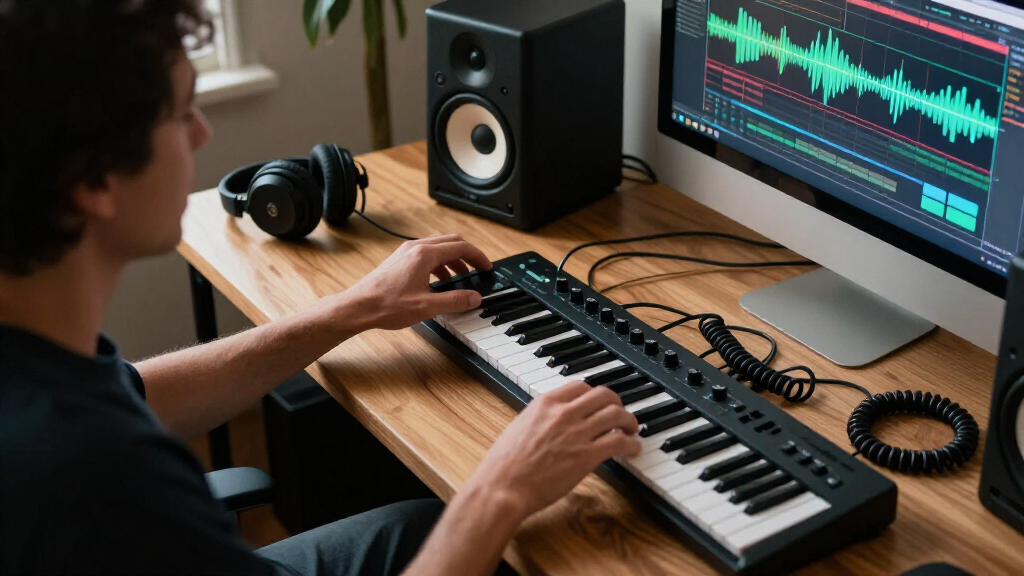
I ranked these speakers by how well their stated design and features fit music production at a PC desk, not by how many extra features they offer. I gave priority to near-field suitability, practical wired connections, usable controls, and a format that can work in a typical desktop setup. I also weighed whether each model’s role favors mix decisions, general listening, or a balance of both, since those priorities do not always point to the same speaker.
The order favors pairs with a clearer production-monitoring purpose and useful desktop fit, then models that make more sense as versatile or casual-listening options. Bluetooth and compact dimensions count as conveniences, but do not replace reliable wired monitoring or careful listening on other systems. Product descriptions alone cannot establish measured frequency response, room performance, or mix translation, so I avoid treating feature labels as proof of accuracy. Buyers should check current specifications and connection compatibility before choosing.
| pc speakers for music production | Speaker type | Inputs |
|---|---|---|
| Sanyun SW208 3-inch Active Blu | Active bookshelf speakers | USB and 3.5 mm AUX |
| Edifier MR3 Powered Studio Mon | Powered studio monitor | Balanced TRS, RCA, and AUX |
| Edifier R1280T Powered Bookshe | — | Dual AUX, RCA, and PC audio |
| Edifier R980T 4-inch Active Bo | Powered 2.0 bookshelf pair | RCA and 3.5 mm AUX |
| PreSonus Eris 3.5 Powered Stud | Active near-field studio monitors | RCA, 1/4-inch TRS, and front-panel AUX |
| Powered Computer Speakers for | — | — |
| Ortizan C7 Powered Studio Moni | Powered studio monitor | — |
Factors to Consider When Choosing Pc Speakers For Music Production
The right pair depends on the decisions you need to make at your desk, not on whether a speaker carries a studio label. I’d settle the following points before comparing individual models: what you need to hear accurately, how much room the speakers have, and how they will connect to your PC and other gear.
Decide Whether You Need Monitoring or Everyday Listening
Production speakers should help you notice balance, edits, and problematic frequencies, while everyday speakers often aim for a more pleasing presentation. Those goals can overlap, but they are not interchangeable. A bookshelf model may make music enjoyable without exposing the mix issues you need to fix. If you produce occasionally and also use the speakers for games or videos, a versatile pair may be a sensible compromise. For regular mixing, give more weight to near-field design and neutral playback than to convenience features. Check your work on headphones or another playback system before making final mix decisions.
Match Speaker Size to Your Desk and Listening Distance
Measure the available width and depth, including space for cables and controls, before choosing a pair. Speakers placed too close to a wall or squeezed against a monitor can change what you hear, even if the model itself is capable. Near-field monitors are intended for listening at a relatively short distance, so setup geometry matters as much as cabinet size. Compact speakers can be easier to position, but they may provide less convincing low-frequency information. Avoid choosing larger speakers on the assumption that they will automatically sound better in a small room. Leave room to angle the pair toward your listening position and keep both sides arranged as evenly as possible.
Plan for Bass Decisions Before Buying
Small desktop speakers can reveal plenty about mids and high frequencies while leaving deep bass harder to judge. This matters for electronic music, bass-heavy pop, and any work where kick and sub levels shape the mix. A common mistake is turning up low frequencies that the speakers cannot reproduce clearly, then ending up with an overly bass-heavy mix elsewhere. Consider whether headphones, a subwoofer, or regular checks on other playback systems will cover that gap. A subwoofer adds low-end reach but also takes space and requires careful level and placement choices. If bass accuracy is central to your work, treat it as a system decision rather than a feature of one small pair.
Choose Connections for Your Actual Workflow
Look at the outputs on your PC, audio interface, and any instruments you plan to connect, then confirm the speakers accept a suitable signal. A simple computer setup may work well over an available wired input, while a recording setup may benefit from connections that match an audio interface. Bluetooth is handy for casual playback, but it can add latency and is less suited to timing-sensitive recording or editing. Do not assume that a built-in DAC or wireless connection makes a speaker more accurate for mixing. If you switch between production and streaming, prioritize a reliable wired path and treat wireless playback as an extra. Cable access and front-panel controls can also make everyday changes less awkward.
Spend More Only When the Upgrade Solves a Real Problem
A more expensive or feature-rich pair is not automatically a better fit for a beginner’s desk. Extra connectivity may matter if you use multiple sources, while a compact design may matter more in a crowded workspace. Before paying for added features, identify what currently limits your decisions: poor placement, inadequate low-end reference, inconvenient connections, or speakers built mainly for casual listening. Room treatment and consistent speaker positioning can improve monitoring more than a feature you rarely use. If you are still learning to mix, a straightforward wired pair plus headphone checks may be a stronger use of your setup budget. Pay for capability you will use, not a longer feature list.
Frequently Asked Questions
Can I produce music on ordinary PC or bookshelf speakers?
Yes, especially for sketching, editing, and learning, but ordinary computer speakers may color the sound in ways that complicate mix choices. You can reduce the risk by listening at moderate levels, checking reference tracks, and comparing your work on headphones or another system. A speaker marketed as a monitor is not automatically accurate, so look at its intended use and connection options rather than relying on the label alone. If you already own speakers, use them while learning what their sound does to your decisions. Upgrade when you can name a limitation they create.
Is Bluetooth suitable for producing and mixing music?
Bluetooth is convenient for casual listening and checking how a finished mix sounds through a wireless path. For recording, playing instruments in real time, or editing to a beat, latency can make timing feel disconnected. A wired connection also removes one variable from the listening chain. If a speaker offers both, I’d use wired playback for production and keep Bluetooth for convenience. Wireless support should be a bonus, not the deciding feature for a production setup.
Do I need a subwoofer with compact desktop monitors?
Not necessarily; many producers can begin with compact monitors and use headphones or other playback systems to check deep bass. A subwoofer can help when low-frequency work is central, but it introduces another level and placement decision in the room. Poorly integrated bass can make mixes less reliable rather than more so. First learn what your main speakers can and cannot reproduce, then decide whether that gap regularly affects your work. If you add a sub, allow time to set its level and position with care.
Should I choose studio monitors or powered bookshelf speakers for a shared desk?
Choose based on the work you do most often. Studio monitors are the more direct fit when you want to judge mix balance at close range, while powered bookshelf speakers can suit a desk shared by music production and relaxed listening. A general-listening voicing may make music sound pleasing but can hide changes you need to hear in a mix. If you choose the more versatile option, build in regular checks on headphones or another playback system. Also compare connection types and speaker dimensions against your actual desk before deciding.
Can any of these speakers connect directly to my PC?
That depends on the specific model and your computer’s available outputs, so confirm the current input list before buying. Some pairs may accept a direct wired connection from a computer, while others may fit better with an audio interface or a suitable cable. Bluetooth can work for general playback when supported, but it is not my first choice for latency-sensitive tasks. Check whether the pair uses a powered speaker plus a passive partner, and plan for the required cable between them. Matching the signal path in advance avoids discovering that you need an adapter or interface after setup.
Conclusion
For a production-first desktop, I’d choose the PreSonus Eris 3.5 as best overall because its near-field monitor role aligns most directly with mixing at a PC. The Edifier MR3 is my best value-style all-rounder for buyers who want monitor-oriented use alongside Bluetooth convenience, while the Edifier R1280T makes more sense for a beginner splitting time between production and everyday listening. For a compact desk, consider the Sanyun SW208, but plan to check bass decisions elsewhere. The Edifier R980T, Powered Computer Speakers for Desktop PC and Music, and Ortizan C7 are alternatives for shoppers drawn to bookshelf or wireless features, though I’d verify their inputs and production fit against the needs above. I would reserve a premium-style choice for buyers who need the extra flexibility of the MR3 rather than paying for features they will not use.
Halloween Picks
halloween
As an affiliate, we earn on qualifying purchases.