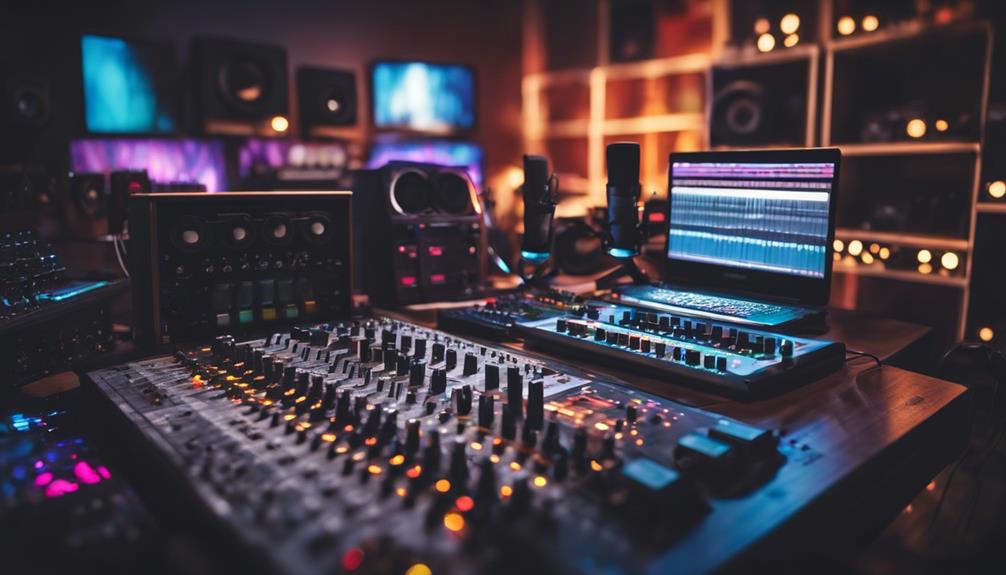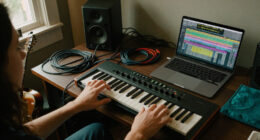

Choosing the right music production recording software in 2026 depends on your experience level, budget, and specific project needs. The best overall pick is PreSonus Studio One Pro 7, thanks to its intuitive interface and versatile features. For budget-conscious users, MixPad Free offers solid functionality without a price tag, while Avid Pro Tools Artist remains the standard for professional studios. The main challenge in this category is balancing feature depth with ease of use and cost. Keep reading for a detailed breakdown of each option and what makes them stand out.

Get audio and creator gear delivered free with Prime
- Fast, free delivery on millions of items
- Prime Video, Amazon Music and more included
- Member-only deals all year
Key Takeaways
- The top picks balance user experience with professional-grade features, making them suitable for a wide range of users.
- Price varies significantly, with free and entry-level options like MixPad competing closely with paid, advanced DAWs like Pro Tools.
- Compatibility with operating systems and hardware can be a decisive factor, especially for Mac versus Windows users.
- Ease of use is a common theme; more complex software offers greater control but requires a learning curve.
- Bundled hardware packages often include essential accessories, providing better value for newcomers.
| Music Maker 2026 Premium – Music Production Software for Windows 10/11 |  | Best for Beginners and Casual Creators | Platform: Windows 10/11 | License: 1 PC download | Includes: Soundpools, loops, virtual instruments, mixing and mastering tools, premium plug-ins | VIEW ON AMAZON | See Our Full Breakdown |
| PreSonus Studio One Pro 7 Music Production Software |  | Best for Professional and Collaborative Production | Platform Compatibility: macOS, Windows, Linux (public beta) | Processor Support: Intel, Apple Silicon, AMD | RAM Minimum: 8 GB | VIEW ON AMAZON | See Our Full Breakdown |
| Fender Studio Pro Perpetual License – Music Production Software & DAW |  | Best for Guitarists and Fender Sound Fans | License Type: Perpetual | Platform: Desktop | Includes: Guitar and Rumble Bass amp models, FX pedals, presets | VIEW ON AMAZON | See Our Full Breakdown |
| MAGIX Music Maker 2024 Premium – Music Production Software for Windows |  | Best for Versatile Song and Beat Creation | Compatibility: Windows 10/11 | Included Soundpools: 3 Soundpool bundles and 1 Soundpool Collection | Features: iZotope Ozone Elements, Song Maker AI, MIDI Multi Object Editing, Native Instruments Hybrid Keys | VIEW ON AMAZON | See Our Full Breakdown |
| MixPad Free Multitrack Recording Studio and Music Mixing Software |  | Best Free Multi-Track Mixer for Entry-Level Users | VIEW ON AMAZON | See Our Full Breakdown | |||
| Digital Audio Workstation USB for Windows & macOS – Complete Music Production Suite with LMMS |  | Best Value for Versatile Software with Broad Compatibility | Compatibility: Windows 32-bit, 64-bit, macOS | Includes: virtual instruments, synthesizers, effects, MIDI tools, VST plugins | Support: Free technical support | VIEW ON AMAZON | See Our Full Breakdown |
| Fender Studio Pro 8 – Music Production Software & Digital Audio Workstation |  | Best for Guitarists and Musicians Seeking Authentic Amp Models | License: Perpetual | Amp Models: Mustang Guitar and Rumble Bass | Effects: 45+ native effects, FX pedals, cabinets | VIEW ON AMAZON | See Our Full Breakdown |
| Avid Pro Tools Artist – Music Production Software – Perpetual License |  | Best for Professional-Grade Production with Industry Standard Support | License Type: Perpetual | Delivery Method: Download card with printed instructions | Includes: Serial key, plugins, instruments, sounds | VIEW ON AMAZON | See Our Full Breakdown |
| Image Line FL Studio 20 Producer Edition |  | Best for MIDI Sequencing and Live Performance on Mac/Windows | Platform: Mac/Windows | Type: Digital Audio Workstation | Features: Multi-track recording, MIDI support, live performance | VIEW ON AMAZON | See Our Full Breakdown |
| Focusrite Scarlett Solo 3rd Gen USB Audio Interface for Guitarists, Vocalists, Podcasters, and Producers |  | Best for High-Quality External Recording with Reliable Hardware | Inputs: 2 high-headroom instrument inputs | Outputs: 2 low-noise balanced outputs | Sample Rate: up to 192kHz | VIEW ON AMAZON | See Our Full Breakdown |
| MixPad Multitrack Recording Software for Sound Mixing and Music Production |  | Best for Budget-Friendly Multitrack Recording with Ease | Supported Formats: wav, mp3, vox, gsm, and more | Effects: EQ, compression, reverb, and others | System Requirements: Mac OS X (All) | VIEW ON AMAZON | See Our Full Breakdown |
| Fender Studio Pro 8 – Music Production Software for PC/Mac |  | Best for Professional-Grade Production with Authentic Fender Sound | Platform: PC/Mac | License: Perpetual | Includes: Fender amp modeling, FX pedals, presets, AI tools | VIEW ON AMAZON | See Our Full Breakdown |
| PreSonus AudioBox USB 96 25th Anniversary Studio Recording Package |  | Best for Complete Home Studio Setups with All-in-One Equipment | Audio Interface: AudioBox USB 96 | Microphone: M7 large-diaphragm condenser | Headphones: HD7 | VIEW ON AMAZON | See Our Full Breakdown |
More Details on Our Top Picks
Music Maker 2026 Premium – Music Production Software for Windows 10/11
This software stands out for its intuitive drag-and-drop interface, making it accessible to new users who want to start creating music quickly. Compared with MAGIX Music Maker 2024 Premium, it offers a straightforward experience but may lack some of the advanced VST support or extensive sound libraries found in MAGIX. Its large collection of genre-specific Soundpools and virtual instruments provide immediate creative options, yet the reliance on Windows 10/11 limits cross-platform flexibility. While suitable for hobbyists or those new to music production, the software’s complexity can still challenge absolute beginners. Overall, this pick is ideal for users seeking a user-friendly entry point into music creation without sacrificing professional-quality tools.
Pros:- User-friendly interface with intuitive drag-and-drop functionality
- Extensive library of loops, Soundpools, and virtual instruments
- Includes professional-grade plug-ins for enhanced production quality
Cons:- Limited to Windows 10/11, restricting cross-platform use
- Might be overwhelming for complete newcomers without prior music experience
Best for: Beginners or hobbyists who prioritize an easy, visual approach to music making on Windows.
Not ideal for: Advanced producers or Mac users who need more sophisticated mixing tools or cross-platform support.
- Platform:Windows 10/11
- License:1 PC download
- Includes:Soundpools, loops, virtual instruments, mixing and mastering tools, premium plug-ins
Our verdict“This is best suited for beginners or casual creators looking for an accessible yet capable music production tool on Windows.”
PreSonus Studio One Pro 7 Music Production Software
This DAW offers a comprehensive environment for recording, mixing, mastering, and even live performance, making it a strong contender against Fender Studio Pro. Unlike Fender’s dedicated guitar-centric tools, Studio One Pro provides an expansive range of virtual instruments and effects suitable for diverse genres, with seamless cloud collaboration via Splice. Its support for multiple platforms, including macOS and Windows, broadens flexibility—though Linux support remains in beta, which could be limiting for some users. The software’s robust features come with a steeper learning curve, particularly for those unfamiliar with professional DAWs. Overall, Studio One Pro 7 is ideal for serious producers who need a versatile, future-proof platform that supports complex workflows and collaboration.
Pros:- All-in-one platform for recording, mixing, and mastering
- Supports cloud collaboration and extensive virtual instrument libraries
- Regular updates and ongoing feature improvements
Cons:- Requires internet access for activation and updates
- Limited Linux support currently in beta, with possible stability issues
Best for: Professional producers or bands needing a full-featured DAW with collaboration tools across multiple OS.
Not ideal for: Beginners or users with limited hardware resources, as it demands at least 8 GB RAM and might be complex to learn.
- Platform Compatibility:macOS, Windows, Linux (public beta)
- Processor Support:Intel, Apple Silicon, AMD
- RAM Minimum:8 GB
- Storage:40 GB
- Display Resolution:1280 x 768 minimum
- License:Perpetual license with one year of updates
Our verdict“This software is excellent for professional and collaborative environments where versatility and ongoing updates matter most.”
Fender Studio Pro Perpetual License – Music Production Software & DAW
This DAW specializes in Fender amp modeling and guitar-centric effects, making it ideal for guitarists and producers focused on Fender tones. Its lifetime perpetual license offers a significant advantage over subscription models, providing ongoing access without recurring payments. Unlike Music Maker 2026 Premium, which is more geared toward general music creation, Fender Studio Pro emphasizes authentic Fender sounds and AI-powered creative tools like audio-to-MIDI and stems separation. However, its interface can be complex, and the focus on Fender-specific profiles limits genre versatility. It’s best for those who want a dedicated Fender sound palette and advanced editing capabilities in a straightforward workflow, provided they’re comfortable with the learning curve.
Pros:- Lifetime ownership with no subscription required
- Rich collection of Fender amp models and effects
- AI-powered tools for creative flexibility
Cons:- Complex interface may require time to master
- Less variety for genres outside Fender’s sound profiles
Best for: Guitarists and Fender aficionados seeking a lifetime license with authentic amp models and AI tools.
Not ideal for: Producers working across multiple genres or those seeking a broad range of virtual instruments beyond Fender sounds.
- License Type:Perpetual
- Platform:Desktop
- Includes:Guitar and Rumble Bass amp models, FX pedals, presets
- Features:AI audio-to-MIDI, chord detection, stems separation, video editing, live performance
- Tracks:Unlimited
- Workflow:Drag-and-drop, modern interface
Our verdict“This is a strong choice for Fender enthusiasts and guitarists wanting authentic tones and lifetime ownership.”
MAGIX Music Maker 2024 Premium – Music Production Software for Windows
This software makes music creation accessible for both beginners and experienced producers, especially with its support for VST plugins like Native Instruments Hybrid Keys and iZotope Ozone Elements. Compared to Music Maker 2026 Premium, it offers more in-depth VST support and multiple Soundpool bundles, broadening creative potential. Its interface is designed for quick song and beat development, but for complete beginners, the array of features and options can feel overwhelming. The software’s support for multicore processing and VST plugins means it scales well for more complex projects, yet it requires Windows 10/11, limiting Mac users. Overall, this pick strikes a balance between ease of use and expanded capabilities, making it suitable for users who want flexibility without complexity.
Pros:- User-friendly interface for quick music and beat creation
- Supports VST plugins and multicore processing for expanded capabilities
- Includes multiple Soundpools and professional sound tools
Cons:- Limited to Windows 10/11, excluding Mac users
- Potentially complex for those new to music production without prior experience
Best for: Intermediate producers and hobbyists who want a versatile, VST-compatible production environment on Windows.
Not ideal for: Mac users or absolute beginners who prefer a simpler, more guided experience.
- Compatibility:Windows 10/11
- Included Soundpools:3 Soundpool bundles and 1 Soundpool Collection
- Features:iZotope Ozone Elements, Song Maker AI, MIDI Multi Object Editing, Native Instruments Hybrid Keys
- Support:VST plugins, 64-bit & multicore support
- Made in:Germany
Our verdict“This software offers a flexible and expandable environment perfect for intermediate users seeking more advanced production tools on Windows.”
MixPad Free Multitrack Recording Studio and Music Mixing Software
MixPad provides a no-cost solution for multitrack recording and basic music production, making it appealing for beginners or those on a tight budget. Its interface is straightforward, and it includes effects, MIDI creation, and a beat maker, which can support simple projects. However, compared with paid options like Music Maker 2026 Premium or Studio One Pro 7, it lacks advanced features such as in-depth mixing tools, large sound libraries, or complex editing capabilities. Its limited feature set means it’s best suited for basic projects or educational use, and users with more ambitious goals may find it restrictive. Still, for free software, it provides a surprisingly capable entry point into multitrack recording.
Pros:- Free multitrack recording and mixing capabilities
- Includes effects, beat maker, and MIDI tools
- Simple interface suitable for beginners
Cons:- Limited advanced features compared to paid software
- Performance and stability depend on compatible hardware
Best for: Beginner musicians, podcasters, or students needing a free, straightforward multitrack recorder.
Not ideal for: Professional producers or users seeking advanced editing, mixing, or large-scale production features.
Our verdict“This free software is ideal for newcomers seeking a basic multitrack environment without cost, but not for complex or professional projects.”
Digital Audio Workstation USB for Windows & macOS – Complete Music Production Suite with LMMS
This DAW stands out for its support across both Windows and macOS, making it ideal for users who need cross-platform flexibility. Unlike FL Studio or Pro Tools, it offers a comprehensive suite of virtual instruments, effects, and MIDI tools without additional cost, and free technical support simplifies setup. However, the reliance on a USB connection can hinder portability, and its software-only approach may limit hardware integration for those seeking physical control surfaces. For budget-conscious producers and hobbyists, this package provides a strong feature set at a compelling price point, though beginners may face a learning curve due to the extensive features.
Pros:- Supports Windows and macOS, ensuring flexibility across systems
- Includes an extensive library of virtual instruments and effects
- Provides free technical support for installation and setup
Cons:- Requires USB connection, which limits portability
- May present a steep learning curve for newcomers
Best for: Budget-conscious musicians and producers wanting broad OS compatibility without hardware dependencies
Not ideal for: Pro studios or live performers who prioritize portable setups or hardware integration
- Compatibility:Windows 32-bit, 64-bit, macOS
- Includes:virtual instruments, synthesizers, effects, MIDI tools, VST plugins
- Support:Free technical support
Our verdict“This DAW offers excellent value for users seeking a feature-rich, cross-platform production environment without hardware dependencies.”
Fender Studio Pro 8 – Music Production Software & Digital Audio Workstation
This software excels for musicians looking to incorporate authentic Fender amp simulations and a wide array of effects, making it especially appealing to guitarists and bass players. Compared to FL Studio, which is more focused on MIDI sequencing and live performance, Fender Studio Pro 8 emphasizes realistic amp and effects modeling with AI-powered creative tools. Its unlimited tracks and mobile integration support creative flexibility, but the complex interface can be daunting for beginners, and the included subscription is only valid for 12 months, potentially adding costs later. This product is best suited for players who want authentic guitar tones and extensive effects without hardware, but less so for those new to digital audio workstations.
Pros:- Includes genuine Fender amp models and a variety of effects
- Unlimited tracks and flexible editing tools
- AI-powered creative features for innovative sound design
Cons:- Complex interface requiring a learning curve
- Subscription model limits software access after 12 months
Best for: Guitarists, bassists, and producers wanting authentic amp tones and mobile workflow
Not ideal for: Beginners or users seeking a simple, stand-alone DAW without a focus on guitar effects
- License:Perpetual
- Amp Models:Mustang Guitar and Rumble Bass
- Effects:45+ native effects, FX pedals, cabinets
- Tracks:Unlimited
- Video Playback:Supported
- Mobile Integration:Yes
Our verdict“This DAW provides authentic Fender tones and creative AI tools, perfect for guitarists and bass players ready for a feature-rich environment.”
Avid Pro Tools Artist – Music Production Software – Perpetual License
Pro Tools Artist is tailored for serious musicians and producers aiming for professional-quality results. It supports the entire workflow from initial ideas to polished mixes, similar to Studio One Pro but with a more established industry reputation. Its regular updates and broad plugin support make it appealing for those who want a future-proof platform, yet the need for internet connectivity for updates and a higher upfront cost compared to subscription options can be drawbacks. The limited system requirement details may also concern users with complex setups. This product suits those seeking a robust, industry-standard tool, though casual or beginner producers might find it overly complex and expensive.
Pros:- Industry-standard software trusted worldwide
- Supports full music production workflow from sketch to final mix
- Quarterly updates with new features and content
Cons:- Requires internet for updates and downloads
- Higher initial cost for perpetual license
Best for: Aspiring professionals and studios needing a reliable, industry-standard DAW
Not ideal for: Beginners or casual hobbyists seeking a more straightforward, less costly option
- License Type:Perpetual
- Delivery Method:Download card with printed instructions
- Includes:Serial key, plugins, instruments, sounds
- Update Policy:Quarterly
Our verdict“Pro Tools Artist is ideal for professionals and serious hobbyists aiming for a reliable, industry-standard production environment.”
Image Line FL Studio 20 Producer Edition
FL Studio 20 Producer Edition is renowned for its intuitive MIDI sequencing and live performance features, making it well-suited for electronic musicians and beatmakers. Unlike Pro Tools, which emphasizes recording and editing, FL Studio excels at pattern-based workflows and real-time MIDI control, appealing to producers who focus on electronic genres. While it supports both Mac and Windows, the setup process can be complex for newcomers, and mastering its workflows might take time. It’s a strong choice for live performers who want a flexible environment, but less ideal for users primarily interested in traditional recording or multi-instrument recording.
Pros:- Excellent MIDI sequencing and pattern-based workflow
- Supports both Mac and Windows platforms
- Ideal for live music performance
Cons:- Requires setup and learning curve for new users
- Less focused on audio recording and traditional multitrack editing
Best for: Electronic musicians, beatmakers, and live performers seeking intuitive MIDI and live tools
Not ideal for: Producers focused on traditional recording and multi-track live session recording
- Platform:Mac/Windows
- Type:Digital Audio Workstation
- Features:Multi-track recording, MIDI support, live performance
Our verdict“FL Studio 20 Producer Edition offers a highly flexible environment for MIDI-focused production and live performance, suitable for electronic music creators.”
Focusrite Scarlett Solo 3rd Gen USB Audio Interface for Guitarists, Vocalists, Podcasters, and Producers
The Focusrite Scarlett Solo 3rd Gen stands out as a compact, reliable interface for musicians and podcasters needing studio-grade recording quality. Compared to the software-only options like LMMS or FL Studio, this device provides essential hardware for capturing sound with clarity and minimal latency. Its high-quality pre-amps with Air mode add brightness to vocals and instruments, making it ideal for single-mic setups or guitar recording. However, its limited inputs restrict complex multi-mic recordings, and the lack of built-in MIDI support limits flexibility for keyboard or controller users. This interface makes the most sense for solo performers and content creators who prioritize sound quality and simplicity over extensive connectivity.
Pros:- High-quality pre-amps with Air mode for enhanced clarity
- Studio-grade 24-bit/192kHz recording quality
- Includes useful software and plugins
Cons:- Limited to two inputs, restricting multi-mic or instrument setups
- No built-in MIDI support
Best for: Solo musicians, vocalists, podcasters, and producers needing reliable, high-quality recording hardware
Not ideal for: Producers with complex multi-mic setups or those requiring extensive connectivity options
- Inputs:2 high-headroom instrument inputs
- Outputs:2 low-noise balanced outputs
- Sample Rate:up to 192kHz
- Bit Depth:24-bit
- Warranty:3 years
Our verdict“The Scarlett Solo provides dependable, professional sound quality in a portable form factor, ideal for solo recording setups.”
MixPad Multitrack Recording Software for Sound Mixing and Music Production
MixPad stands out for its affordability and user-friendly design, making it a popular choice for those who want to produce music without a steep learning curve. Compared with the more advanced Fender Studio Pro 8, MixPad offers a simpler interface but fewer professional tools, which can limit more complex projects. Its support for multiple formats and VST plugins allows for flexible sound design, while its built-in effects and royalty-free library add value. However, being Mac-only excludes Windows users, and some features may overwhelm beginners still learning the basics of multitrack editing. For those seeking straightforward multitrack recording on Mac, MixPad is a solid pick, but it may fall short for users needing deep editing capabilities or cross-platform compatibility.
Pros:- Supports a wide range of audio formats and high-quality exports
- Includes a variety of effects and VST plugin support
- User-friendly interface with drag-and-drop functionality
- Royalty-free sound library adds convenience
Cons:- Excludes Windows users, limiting platform flexibility
- Advanced features may have a steep learning curve for beginners
Best for: Mac users looking for an intuitive, cost-effective multitrack recorder for home studio projects.
Not ideal for: Windows users or advanced producers requiring extensive editing and mixing features.
- Supported Formats:wav, mp3, vox, gsm, and more
- Effects:EQ, compression, reverb, and others
- System Requirements:Mac OS X (All)
Our verdict“This software is ideal for Mac-based hobbyists or small-scale producers seeking simple multitrack recording and mixing.”
Fender Studio Pro 8 – Music Production Software for PC/Mac
Fender Studio Pro 8 earns its spot for offering a comprehensive DAW environment with authentic Fender amp modeling and a wealth of effects, making it suitable for serious musicians and producers. Unlike MixPad, which emphasizes ease of use and affordability, Fender Studio Pro 8 targets users who want top-tier sound quality and advanced editing tools, including unlimited tracks and AI-powered features. The inclusion of video support and seamless mobile integration expands its creative possibilities. However, the software’s complexity can be daunting for beginners, and it requires a prior version for upgrades, which could complicate adoption. This pick makes the most sense for experienced musicians or producers seeking a feature-rich platform for detailed mixing and mastering, provided they are ready for the learning curve.
Pros:- Full perpetual license with no subscription needed
- Authentic Fender amp and effects modeling
- AI-powered tools for innovative production
- Supports unlimited tracks and advanced editing
Cons:- Requires existing familiarity or a learning period to master features
- Upgrade process needs an existing version, which can be inconvenient
Best for: Experienced musicians and producers looking for a professional DAW with authentic Fender tones and advanced tools.
Not ideal for: Novice users or those seeking a simple, straightforward recording solution without a steep learning curve.
- Platform:PC/Mac
- License:Perpetual
- Includes:Fender amp modeling, FX pedals, presets, AI tools
- Tracks:Unlimited
- Effects:45+ native effects
- Video Support:Yes
Our verdict“This software is best suited for seasoned musicians and producers who want a deep, professional-grade DAW with authentic sound modeling.”
PreSonus AudioBox USB 96 25th Anniversary Studio Recording Package
This package appeals to beginners or small home studios by providing a ready-to-go setup, combining a durable AudioBox USB 96 interface with a versatile M7 condenser microphone and HD7 headphones. Unlike the software-only options like MixPad or Fender Studio Pro 8, this bundle delivers physical gear alongside professional software, making it easier to start recording immediately. The included Studio One Artist software offers a user-friendly DAW experience, though it may lack the advanced features found in higher-end options. The main tradeoff is that this package might be limited for users with more complex recording needs or those seeking extensive editing capabilities. However, it’s an excellent choice for newcomers or those looking for a complete, portable solution to produce music at home.
Pros:- Complete starter package with essential recording gear
- Includes professional-grade software valued over $1000
- Durable and versatile audio interface
- Cables and accessories included for immediate use
Cons:- Limited for advanced or large-scale recording projects
- Software may have a learning curve for complete beginners
Best for: Beginner musicians and home recording enthusiasts seeking an all-in-one starter kit.
Not ideal for: Professional producers or advanced users requiring extensive editing and mixing features.
- Audio Interface:AudioBox USB 96
- Microphone:M7 large-diaphragm condenser
- Headphones:HD7
- Software:Studio One Artist, Studio Magic
- Included Accessories:Cables, desktop mic stand
Our verdict“This package is ideal for newcomers or hobbyists wanting an easy entry into music production with all necessary equipment included.”
How We Picked
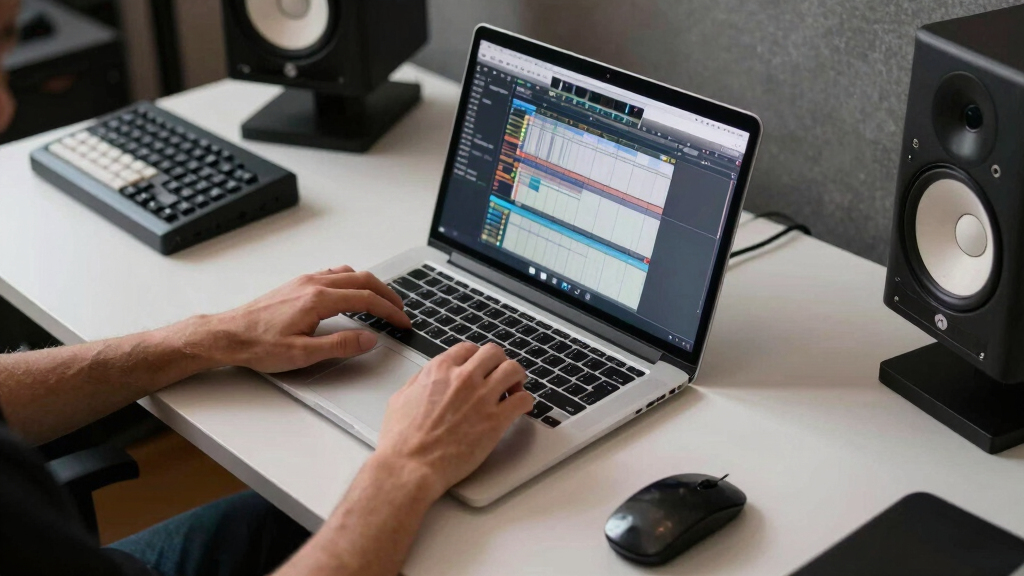
Our selection process focused on evaluating performance, usability, build quality, and value. We considered whether each software provides a comprehensive set of recording, editing, and mixing tools suitable for different skill levels. Compatibility with popular operating systems and hardware was essential, along with ongoing support and updates. Price-to-feature ratio played a key role, ensuring that each option offers worthwhile features relative to its cost. By comparing these factors, we ranked products that serve both hobbyists and professionals effectively.Factors to Consider When Choosing Music Production Recording Software
When choosing music production recording software, understanding your specific needs and workflow is vital. Consider your experience level, the types of projects you plan to produce, and your hardware setup. Not all DAWs are equal in terms of complexity or feature sets, so selecting one that matches your skill and goals will save you time and frustration. Additionally, think about budget constraints, future upgrade paths, and whether the software includes hardware bundles or requires separate purchases. Avoid the trap of overpaying for features you won’t use, and prioritize software that offers good support and community resources.Compatibility and Operating System Support
Before choosing a music production software, verify that it supports your operating system—Windows, macOS, or Linux. Some programs are exclusive to certain platforms, which can limit your options or require additional hardware. Compatibility also extends to your existing audio interfaces and MIDI controllers. Ensuring seamless integration minimizes setup issues and workflow disruptions, especially important for those with specific hardware preferences.
Ease of Use vs. Feature Depth
Beginners often prefer intuitive interfaces with guided workflows, while experienced producers may seek advanced features like multi-track editing, automation, and third-party plugin support. Some DAWs strike a balance, offering beginner-friendly modes that can be disabled as skills grow. Recognize that more complex software may require a steeper learning curve, but it often provides greater creative control. Choosing software aligned with your current skill level prevents frustration and accelerates your progress.
Budget and Total Cost of Ownership
Prices for music production software range from free to premium subscriptions or one-time purchases. Be aware of additional costs such as upgrade fees, plugin purchases, or hardware bundles. Free options like MixPad are attractive but may lack advanced features or support. Conversely, investing in a premium DAW can be worthwhile if you need professional tools and ongoing updates. Consider your budget carefully, balancing initial costs with long-term value and growth potential.
Hardware and Bundle Options
Some software comes bundled with audio interfaces, MIDI controllers, or microphones, offering a better overall value—especially for beginners. Hardware bundles can simplify setup and ensure compatibility, but they might also lock you into specific brands or configurations. Evaluate whether bundled hardware meets your needs or if separate purchases provide more flexibility. Compatibility with existing gear is another key factor to prevent future upgrade expenses.
Support, Community, and Updates
Reliable support and active user communities can significantly improve your experience and troubleshooting process. Check if the software provider offers regular updates, tutorials, and responsive customer service. A vibrant community can provide resources, plugins, and shared presets that enhance your workflow. Software with strong developer backing tends to stay current with industry standards, reducing the risk of obsolescence.
Frequently Asked Questions
Can I use free music production software for professional projects?
Free music production software can be suitable for professional projects, especially if the project requirements are modest or you’re just starting out. However, free options may lack advanced features, stability, or support needed for complex productions. Many professionals prefer paid DAWs because they offer more comprehensive tools, better reliability, and ongoing updates. Ultimately, the choice depends on your project scope, quality expectations, and whether the free software can meet those demands long-term.
What is the best DAW for beginners on a tight budget?
For newcomers with limited funds, free or low-cost options like MixPad Free or Magix Music Maker 2024 Premium are excellent starting points. These programs provide user-friendly interfaces and essential features to learn the basics of recording and editing. As skills improve, you might consider investing in more advanced software, but these initial choices allow you to develop your workflow without a significant financial commitment. Keep in mind, ease of use and supportive tutorials are key factors for beginners.
Is it better to buy a software bundle with hardware included?
Buying a bundle that includes hardware such as an audio interface or MIDI controller can be highly cost-effective and simplifies setup, especially for beginners. Bundles often ensure compatibility and reduce initial configuration time. However, they may also restrict your hardware choices or lock you into specific brands. If you already own suitable gear, purchasing software separately might give you more flexibility and potentially better performance. Consider your current setup and future needs before opting for a bundle.
How important are plugin compatibility and third-party support?
Plugin compatibility and third-party support are critical for expanding your creative options and customizing your workflow. Most professional-grade DAWs support a wide range of plugins, but some less expensive or simpler options might have compatibility limitations. Ensuring your chosen software can integrate with popular plugin formats like VST, AU, or AAX will allow you to access a broader ecosystem of effects, virtual instruments, and tools. This flexibility can significantly enhance your production quality and versatility.
Should I prioritize software with more features or simpler interfaces?
The decision depends on your current skill level and future ambitions. If you’re starting out, a simpler interface can help you learn the basics without feeling overwhelmed. As you gain experience, moving to software with more features becomes advantageous, offering greater control and creative options. Many DAWs now include modes or customizable layouts that grow with your skills. Balancing ease of use with the potential for expansion ensures your software remains useful as your projects evolve.
Conclusion
For those new to music production or on a tight budget, MixPad Free and Magix Music Maker offer accessible entry points. Intermediate users seeking a balance of power and usability should consider PreSonus Studio One Pro 7, which excels in versatility. Professionals requiring advanced features and industry-standard workflows will find Avid Pro Tools Artist and Fender Studio Pro 8 to be the best options. Ultimately, your choice hinges on your experience, production goals, and budget, but these picks provide solid guidance across the spectrum.
Halloween Picks
halloween
As an affiliate, we earn on qualifying purchases.