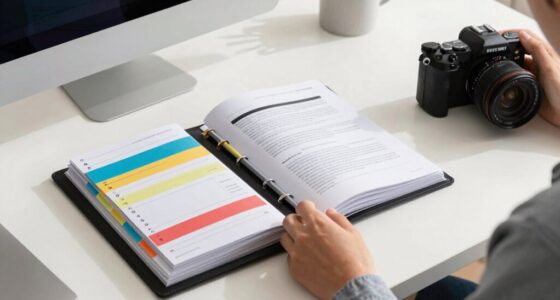

To build a personal project dashboard for music work, start by choosing a platform like Trello, Notion, or a customizable spreadsheet. Organize sections for project timelines, licensing details, file management, and collaboration tools. Use labels, tags, and reminders to track progress and deadlines. Keep everything simple, accessible, and easy to update as your project evolves. If you want to discover tips on setting up an efficient, sustainable workspace, keep going for more guidance.

Get audio and creator gear delivered free with Prime
- Fast, free delivery on millions of items
- Prime Video, Amazon Music and more included
- Member-only deals all year
Key Takeaways
- Choose a user-friendly platform (e.g., Notion, Trello, or spreadsheet) tailored to music project management needs.
- Structure the dashboard with sections for timelines, song progress, licensing statuses, and collaboration tools.
- Incorporate real-time updates, file attachments, and commenting features to facilitate team collaboration.
- Use tags, labels, and reminders to organize content, track milestones, and manage legal deadlines efficiently.
- Keep the dashboard simple, accessible, and adaptable to evolving project requirements to ensure sustainability.

Have you ever felt overwhelmed by the scattered notes, timelines, and files involved in managing your music projects? It’s a common struggle, especially when juggling multiple songs, collaborations, and licensing tasks. Building a personal project dashboard can help you regain control, streamline your workflow, and keep everything organized in one place. Start by defining what you need your dashboard to do. Think about the core elements: project timelines, song progress, licensing statuses, collaboration tools, and all your files. Once you have clarity, select a platform that fits your needs—whether that’s a spreadsheet, project management app, or a custom digital dashboard.
Incorporate collaboration tools to make working with others seamless. If you’re collaborating with musicians, producers, or licensing agents, you want a system that allows real-time updates and easy sharing. Tools like Trello, Notion, or Asana can serve as your central hub, where everyone can comment, upload files, and track deadlines. This not only saves you time but also minimizes miscommunication. When it comes to music licensing, your dashboard should have a dedicated section to track licensing agreements, rights clearances, and renewal dates. Keeping this info front and center reduces the risk of overlooking critical legal steps, and it ensures you’re always aware of the licensing status of each project. Additionally, understanding digital organization principles can help you create a more efficient workspace. Incorporating these principles will promote a more sustainable digital workspace, reducing digital clutter and supporting long-term productivity.
To keep everything manageable, set up clear categories within your dashboard. Use tags or labels for different stages—draft, review, finalized—or for various project types like singles, albums, or collaborations. Attach relevant files directly, like demo recordings, lyric sheets, or legal documents, so you’re not hunting through folders when you need them. Incorporate deadlines and reminders for licensing renewals or project milestones to stay on schedule. Regularly update your dashboard to reflect your project’s current state, and don’t hesitate to customize it as your needs evolve. Additionally, ensuring your system incorporates biodiversity principles, such as minimizing unnecessary digital clutter and promoting sustainable practices, can help you maintain a healthier digital workspace.
The key is simplicity and accessibility. You want a setup that’s quick to update and easy to navigate, so you’re not wasting time managing your tools instead of creating music. By integrating collaboration tools and keeping track of music licensing details within your dashboard, you create a comprehensive overview that enhances productivity and reduces stress. With a well-organized personal project dashboard, you’ll find it easier to focus on what you love—making music—while staying on top of all the logistics behind the scenes.
music project management software
As an affiliate, we earn on qualifying purchases.
As an affiliate, we earn on qualifying purchases.
Frequently Asked Questions
What Tools Are Best for Creating a Music Project Dashboard?
You should consider tools like Notion, Airtable, or Trello for creating a music project dashboard. They excel at music organization and support creative planning by allowing you to track progress, manage files, and set deadlines all in one place. With intuitive interfaces, these tools help you stay organized, prioritize tasks, and keep your music projects on track, making your workflow more efficient and creative.
How Do I Keep My Dashboard Updated Automatically?
To keep your music project dashboard updated automatically, integrate real-time data sources like music analytics platforms and social media APIs. Set up automatic data pulls and scheduled refreshes using tools like Zapier or IFTTT. This way, your dashboard reflects current fan engagement and streaming stats without manual updates. Regularly monitor and optimize these integrations to guarantee your data stays accurate, helping you make informed decisions for your music career.
Can I Integrate Collaboration Features Into My Dashboard?
You can definitely integrate collaboration features into your dashboard, making it a vibrant hub like a bustling studio. Imagine team members using collaboration tools, editing tracks and notes together in real time, as if you’re all in the same room. Incorporate real-time editing tools to enhance communication, streamline feedback, and keep everyone aligned. This way, your dashboard becomes more than just a tracker—it’s a dynamic space for creative teamwork and seamless music production.
How Do I Prioritize Tasks Within My Music Projects?
To prioritize tasks in your music projects, start by evaluating each task’s importance and deadline. Use your dashboard to delegate tasks effectively, guaranteeing responsibilities are clear. Set realistic deadlines and update them regularly to manage your workload efficiently. Focus on high-priority tasks first, and break larger projects into smaller, manageable steps. This approach keeps you organized, helps you meet deadlines, and ensures your music projects stay on track.
What Security Measures Should I Consider for My Dashboard?
Imagine your music project dashboard as the fortress guarding your creative empire. To keep it impenetrable, prioritize user privacy by implementing strict access controls and privacy settings. Use data encryption to turn your sensitive information into an unbreakable code, ensuring no intruder can steal your ideas. Regularly update your security measures and monitor for vulnerabilities, so your musical masterpieces stay protected from any digital threat.
Conclusion
Creating your personal music project dashboard is like assembling a well-organized toolbox—you’ll have everything you need at your fingertips, ready to inspire and streamline your work. By customizing it to your workflow, you stay motivated and focused, making your music journey smoother and more enjoyable. Keep updating it as you grow, and watch your creativity flourish like a garden in full bloom. Your dashboard isn’t just a tool—it’s your musical launchpad.
Halloween Picks
halloween
As an affiliate, we earn on qualifying purchases.