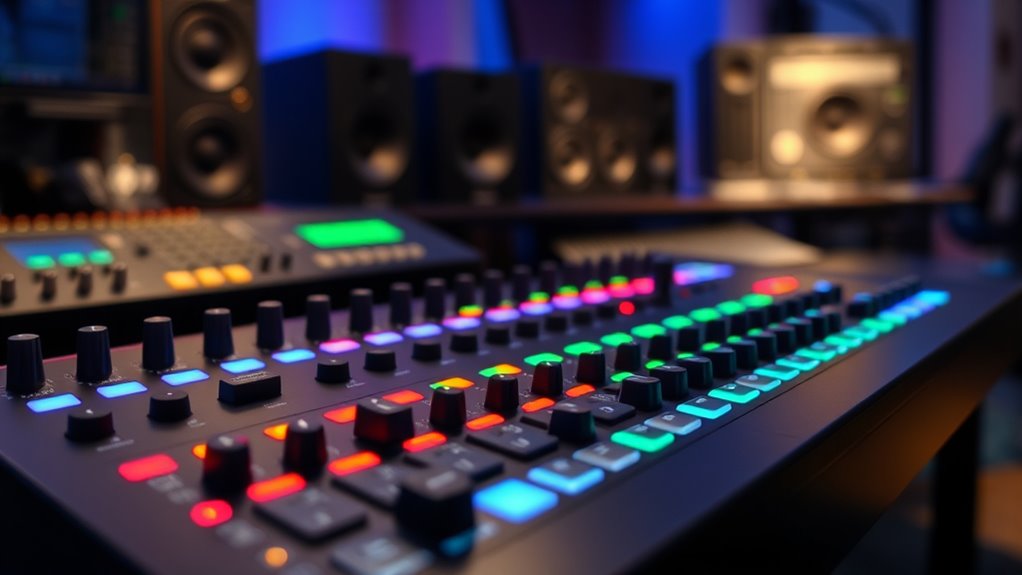

A MIDI control surface with faders can make mixing and DAW control more direct, but the right choice depends on whether you need motorized faders, portability, or a broad set of hands-on controls. My best overall pick is the Behringer X-TOUCH, whose nine touch-sensitive motor faders and scribble strips suit a full mixing workflow. The Novation Launch Control XL 3 stands out for assignable hands-on control, while the Korg nanoKONTROL2 is a compact option for basic transport and level adjustments. The main tradeoff is between motorized feedback and price, size, setup demands, and portability. Read on for the full breakdown and guidance on matching a controller to your DAW and desk.

Get audio and creator gear delivered free with Prime
- Fast, free delivery on millions of items
- Prime Video, Amazon Music and more included
- Member-only deals all year
Complete the kit



Key Takeaways
- The Behringer X-TOUCH leads this roundup for DAW mixing because its nine touch-sensitive motor faders and LCD scribble strips provide clear, two-way control; its larger footprint is the tradeoff.
- Motorized faders separate the desk-style options from compact controllers: they can reflect DAW levels, but add setup and space considerations that may not suit a portable rig.
- The Korg nanoKONTROL2 keeps the control surface simple and compact, while the Akai MIDImix and Novation Launch Control XL 3 offer more hands-on assignment possibilities for production workflows.
- The Korg nanoKONTROL Studio and Donner STARRYCTRL bring wireless operation into the comparison, but buyers should weigh battery use and connection preferences against a direct USB setup.
- Specialized picks fill different needs: the Behringer X-TOUCH EXTENDER adds faders to a compatible setup, the Grid PBF4 favors programmable hybrid control, and the SSL UF1 targets a more advanced DAW workstation.


| midi control surface with fader | Connectivity | Supported software | Faders |
|---|---|---|---|
| Korg nanoKONTROL2 Slim-Line US | USB | Ableton Live | — |
| Behringer X-TOUCH Universal Co | Ethernet, USB, MIDI | Ableton Live, Pro Tools, FL Studio | 9 |
| Donner STARRYCTRL Wireless MID | Wireless; USB Type-C connector | Ableton Live, FL Studio, Cubase, Logic Pro, Studio One, Bitwig, Reaper, Cakewalk | 8 |
| USB MIDI Controller with 9 Fad | USB | Ableton Live, Avid Pro Tools, FL Studio | 9 |
| Korg Nanokontrol Studio Blueto | Bluetooth, USB | Ableton Live, Avid Pro Tools, FL Studio | — |
| Wireless MIDI Controller Mixer | Bluetooth | Ableton Live, FL Studio, Cubase, Logic Pro X, Bitwig, Reason, Studio One, GarageBand (iOS) | — |
| Vangoa Wireless MIDI Controlle | Bluetooth and USB | Ableton Live | 8 channel faders with LED indicators |
| Mackie MCU Pro 8-channel Contr | USB | — | 9 touch-sensitive motorized faders |
| Behringer X-TOUCH EXTENDER wit | USB and Ethernet interface | — | 8 touch-sensitive motorized faders |
| Grid PBF4 Modular MIDI Control | USB-C | — | 4 linear faders with 30 mm travel |
| EM-12F MIDI Fader Controller | — | — | — |
| Akai Professional MIDImix USB | USB | Ableton Live | 8 |
| Solid State Logic UF1 Advanced | — | SSL Meter plug-in, SSL 360 software | — |
| Novation Launch Control XL 3 U | USB Type-C, 5-pin MIDI I/O | Ableton, Logic Pro, Cubase, HUI | 8 |
More Details on Our Top Picks
Korg nanoKONTROL2 Slim-Line USB Control Surface, Black
The Korg nanoKONTROL2 is the space-saving choice for producers who want hands-on DAW mixing without giving a desktop much room to a controller. Its eight-channel layout and mute controls provide a straightforward way to adjust levels and manage tracks, while USB keeps the setup simple. Compared with the Behringer X-TOUCH, it gives up motorized faders, scribble strips, and multiple connection options, but takes a much smaller, lighter approach. That makes it a better fit for a laptop rig or a crowded desk than for detailed, frequently changing mix sessions. Its controls are basic, so I would choose it for uncomplicated level and mute tasks, not as a feature-rich centerpiece or keyboard replacement.
Pros:- Slim, lightweight design suits tight desks and portable setups.
- Eight-channel mixer layout provides direct access to track levels.
- USB connection keeps the controller setup simple.
- Mute controls add useful hands-on track management.
Cons:- Lacks motorized faders and displays for visual or automated mix feedback.
- Basic controls offer less flexibility than the Behringer X-TOUCH.
- Does not provide a traditional keyboard for playing notes.
Best for: Laptop-based producers and mobile musicians who need a slim USB controller for basic eight-channel DAW mixing.
Not ideal for: Mix engineers who want motorized faders, track displays, or multiple connection types; the nanoKONTROL2 keeps control functions basic.
- Mixer channels:8
- Connectivity:USB
- Control type:Push buttons
- Additional feature:Mute controls
- Supported software:Ableton Live
- Color:Black
- Product style:Slim-line USB controller
- Warranty:1 year manufacturer
Our verdict“Choose the nanoKONTROL2 if you want a compact USB fader controller for simple DAW mixing and can do without motorized feedback.”
Behringer X-TOUCH Universal Control Surface with 9 Touch-Sensitive Motor Faders, LCD Scribble Strips, and Interface
For a buyer focused on a dedicated DAW fader controller, the Behringer X-TOUCH has the strongest mix-oriented feature set in this group. Its nine touch-sensitive motorized faders can follow software automation, while LCD scribble strips help identify tracks without relying only on memory. Ethernet, USB, and MIDI connections also give it more integration options than the USB-only Korg nanoKONTROL2 or compact 9-fader USB controller. That added feedback and connectivity come with a substantial footprint: at 21.9 inches deep and 9.4 pounds, it suits a permanent studio position better than a small mobile rig. I would pick it for hands-on DAW mixing, but skip it if portability, a compact desk, or standalone operation matters more.
Pros:- Nine touch-sensitive motorized faders support hands-on control of automated mixes.
- LCD scribble strips make track and parameter assignments easier to follow.
- Ethernet, USB, and MIDI offer flexible integration options.
- Supports Ableton Live, Pro Tools, and FL Studio.
Cons:- Large dimensions and 9.4-pound weight make it less suited to mobile setups.
- Its extensive DAW-focused controls may be more than a basic mixing workflow needs.
- Not a standalone mixer; it depends on a compatible software setup.
Best for: Studio and live-sound operators who want motorized DAW faders, track displays, and several connection options in a fixed setup.
Not ideal for: Laptop producers with limited desk space or musicians seeking a lightweight, wireless controller; this unit is large and designed for DAW control.
- Faders:9
- Fader type:Motorized, touch-sensitive
- Connectivity:Ethernet, USB, MIDI
- Supported software:Ableton Live, Pro Tools, FL Studio
- Dimensions:21.9 x 14.9 x 6.5 inches
- Weight:9.4 pounds
- Model:X-TOUCH
- Brand:Behringer
Our verdict“Choose the X-TOUCH if you want a full-size DAW controller with motorized faders and track displays, and have room for a permanent setup.”
Donner STARRYCTRL Wireless MIDI Controller, Portable USB Mixer for DAW with 43 Assignable Buttons, 8 Faders, 8 Knobs, Rechargeable Battery, Black
The Donner STARRYCTRL is the most flexible pick here for producers who want wireless control and more than faders alone. Its eight faders sit alongside eight knobs and 43 assignable controls, giving a mapped DAW setup room for mixing and other custom commands. That is a broader control surface than the straightforward Korg nanoKONTROL2, and it supports a wider list of software than the X-TOUCH data specifies. Wireless operation and a rechargeable battery can reduce cable clutter, but the product data does not state battery life, so I would not plan a long session around untethered use without checking that first. Its extensive mapping potential also asks more of the buyer: this is a better match for someone comfortable configuring MIDI assignments than for someone who wants a simple plug-in-and-mix controller.
Pros:- Wireless connectivity and a rechargeable battery support portable setups.
- Eight faders and eight knobs provide varied hands-on control.
- 43 assignable controls allow extensive MIDI mapping.
- Listed software compatibility includes Ableton Live, Cubase, Logic Pro, Reaper, and others.
Cons:- Advanced customization may require time and familiarity with MIDI mapping.
- Battery life is not specified in the supplied product data.
- Plastic construction may be less reassuring for heavy touring use.
Best for: MIDI-savvy producers and performers who want a portable wireless surface with faders, knobs, and assignable controls across several DAWs.
Not ideal for: Beginners seeking a fixed, clearly labeled mixing layout or users who need confirmed battery runtime for extended wireless sessions.
- Assignable controls:43
- Faders:8
- Knobs:8
- Connectivity:Wireless; USB Type-C connector
- Power:Rechargeable battery
- Supported software:Ableton Live, FL Studio, Cubase, Logic Pro, Studio One, Bitwig, Reaper, Cakewalk
- Platforms:Android, Mac, Windows, iOS
- Material:Plastic
Our verdict“Choose the STARRYCTRL if wireless flexibility and assignable controls matter more to you than a simple, ready-mapped fader layout.”
USB MIDI Controller with 9 Faders, 9 Knobs for Music Production
This compact USB controller makes a practical case for buyers who want faders plus knobs and transport buttons without stepping up to the Behringer X-TOUCH’s larger, motorized setup. Its 27 programmable controls combine nine faders, nine knobs, and nine buttons, so one small surface can handle track levels, parameter tweaks, and basic DAW navigation. At 13.4 inches wide and 15.2 ounces, it is easier to fit into a portable or crowded workstation than the X-TOUCH. The tradeoff is simpler hardware: the listed faders are not described as motorized, and the plastic body may be less suited to rough handling. USB plug-and-play operation and built-in presets make it a sensible pick for a straightforward controller workflow, though custom mappings may take some setup.
Pros:- Nine faders, nine knobs, and nine buttons cover several DAW tasks in one controller.
- Compact dimensions and low weight suit small desks and portable rigs.
- USB connection and built-in presets support a simple setup.
- Dedicated transport buttons provide direct DAW navigation.
Cons:- Faders are not specified as motorized, so they lack the X-TOUCH’s automatic position feedback.
- Plastic construction may be less durable under frequent transport.
- Does not offer the wireless operation of the Donner STARRYCTRL.
Best for: Home-studio producers who need a compact, wired DAW controller with separate faders, knobs, and transport buttons.
Not ideal for: Mixers who rely on motorized fader recall, track displays, or a more robust-feeling surface for demanding live use.
- Total controls:27
- Faders:9
- Knobs:9
- Buttons:9
- Connectivity:USB
- Supported software:Ableton Live, Avid Pro Tools, FL Studio
- Platforms:Windows, Mac
- Dimensions:13.4 x 3.9 x 0.8 inches
- Weight:15.2 ounces
Our verdict“Choose this USB controller if you want a compact, multi-control DAW surface and do not need motorized fader feedback.”
Korg Nanokontrol Studio Bluetooth/USB MIDI Control Surface with 8 Faders
The Korg nanoKONTROL Studio is aimed at producers who want an eight-fader controller that can move between a desktop and a mobile setup. Bluetooth and USB offer a choice between a wireless connection and a wired one, while its compact, 1.5-pound body is easier to carry than the Behringer X-TOUCH. Compared with the similarly compact nanoKONTROL2, its wireless option gives it more placement freedom, though the supplied data does not describe motorized faders or track displays. Its listed platform support emphasizes iOS, and setup may require consulting the manual, so I would check compatibility with a specific computer and DAW before buying. This is a portability-led control surface, not the strongest fit for studio users who need detailed visual feedback or a more advanced mixing workflow.
Pros:- Bluetooth and USB provide wireless and wired connection options.
- Eight faders give mobile users direct channel-level control.
- Compact dimensions and 1.5-pound weight make it portable.
- Listed software includes Ableton Live, Avid Pro Tools, and FL Studio.
Cons:- Motorized faders and track displays are not specified.
- The listed platform support emphasizes iOS, so other device compatibility needs checking.
- Setup may require referring to the user manual.
Best for: Mobile musicians and iOS-based producers who want eight faders with the option of Bluetooth or USB connection.
Not ideal for: Studio mixers who need motorized fader recall, detailed track displays, or a controller with broad computer-platform support confirmed in the supplied data.
- Mixer channels:8
- Connectivity:Bluetooth, USB
- Supported software:Ableton Live, Avid Pro Tools, FL Studio
- Listed platform:iOS
- Dimensions:6.81 x 13.5 x 1.65 inches
- Weight:1.5 pounds
- USB ports:1
- Materials:Stainless steel, plastic
Our verdict“Choose the nanoKONTROL Studio if you need a portable eight-fader controller with Bluetooth and USB, and confirm your device compatibility before buying.”
Wireless MIDI Controller Mixer with Bluetooth, 25-Key Semi-Weighted Dynamic Keybed, 8 Knobs, Software Included
This is the most keyboard-oriented pick in this group: its 25-key semi-weighted keybed and Bluetooth connection suit producers who want to play parts and adjust software controls without staying tethered to a desk. The rechargeable battery is listed for up to 16 hours, which gives it a portability advantage over the USB-connected Mackie MCU Pro. But the roundup is about faders, and this model’s supplied data lists eight knobs, not faders, so it is a weaker fit for hands-on channel-level mixing than the Vangoa or dedicated surfaces. Broad DAW support makes it flexible, while the compact key range and comparatively basic control set limit it as a central studio controller. I’d choose it for mobile production and occasional parameter control, not for a fader-led mixing workflow.
Pros:- Bluetooth connectivity and rechargeable battery support portable setups.
- Up to 16 hours of stated battery use suits sessions away from a power outlet.
- 25-key semi-weighted dynamic keybed adds playable input beyond a control-only surface.
- Supports several named DAWs, including Ableton Live, Logic Pro X, Cubase, and FL Studio.
Cons:- No faders are listed, making it a poor match for fader-focused mixing.
- The 25-key range is restrictive for parts that need a wider keyboard span.
- Its control set is less extensive for mixing than the Vangoa’s listed eight faders and eight knobs.
Best for: Mobile producers who want a compact Bluetooth keyboard controller for playing parts and adjusting DAW parameters away from a fixed workstation.
Not ideal for: Buyers whose priority is balancing several mixer channels with physical faders; this model lists knobs but no faders.
- Keys:25 semi-weighted keys
- Connectivity:Bluetooth
- Controls:8 knobs
- Battery life:Up to 16 hours
- Supported software:Ableton Live, FL Studio, Cubase, Logic Pro X, Bitwig, Reason, Studio One, GarageBand (iOS)
- Platforms:iOS, PC/Mac, Android
Our verdict“Choose this if wireless keyboard input matters more than physical faders; for channel mixing, the Vangoa is a closer fit.”
Vangoa Wireless MIDI Controller Mixer, USB MIDI Keyboard for PC & Mac
Among the wireless options here, the Vangoa makes the clearest case for the fader brief: it combines eight channel faders with eight assignable knobs and 43 backlit buttons, giving a DAW user more direct mixing control than the keyboard-focused wireless model in this batch. The faders’ LED indicators and illuminated buttons can help keep controls legible in a dim studio, while Bluetooth supports a less crowded desk. Its 25-key layout is secondary rather than a substitute for a full keyboard, and the supplied details name Ableton Live rather than a broad list of tested software integrations. Power and battery life are also unspecified. I’d favor it over the Mackie MCU Pro when wireless convenience matters more than motorized faders and extensive surface controls.
Pros:- Eight channel faders provide direct level control that the wireless keyboard model does not list.
- Eight assignable knobs add control for panning and other DAW parameters.
- 43 backlit buttons improve visibility in low-light setups.
- Bluetooth connectivity supports a less cable-dependent workstation.
Cons:- Battery life and power source are not specified in the supplied details.
- The listed software support focuses on Ableton Live, offering less documented breadth than the Mackie MCU Pro’s integration-focused description.
- The 25-key layout limits its use for extensive keyboard playing.
Best for: Ableton Live users who want a portable wireless controller with multiple physical channel faders, knobs, and illuminated buttons.
Not ideal for: Producers who need motorized faders, confirmed broad DAW support, or clear battery and power specifications.
- Keys:25
- Faders:8 channel faders with LED indicators
- Knobs:8 assignable
- Buttons:43 backlit buttons
- Connectivity:Bluetooth and USB
- Supported software:Ableton Live
- Compatible devices:Laptop, PC, tablet
- Platform details:Windows listed; PC/Mac hardware platform
Our verdict“Pick the Vangoa for wireless DAW control with eight physical faders, but choose a motorized surface if automated fader moves matter.”
Mackie MCU Pro 8-channel Control Surface with USB
The Mackie MCU Pro is the strongest choice here for a traditional hands-on mixing setup: nine touch-sensitive motorized faders cover eight channels plus a master-style fader, and the backlit LCD and V-Pots provide more feedback and parameter access than the Vangoa’s non-motorized fader layout. Motorization matters when a DAW session recalls different levels or automation; the faders can follow those changes rather than leaving the hardware positions out of sync. The tradeoff is a more involved, software-dependent setup, and its wired USB connection is less convenient than the Bluetooth options. Optional extension modules offer room to expand, though that adds to the system’s footprint. I’d put it ahead of the Behringer X-TOUCH EXTENDER for buyers seeking an established, expandable control-surface approach, while noting the Behringer’s stated protocol choices.
Pros:- Nine touch-sensitive motorized faders support level recall and hands-on automation.
- Backlit two-line LCD provides visual feedback during mixing.
- V-Pots, push-buttons, and transport controls extend operation beyond fader moves.
- Optional extension modules allow the surface to grow with a studio setup.
Cons:- Setup and software integration may require technical knowledge.
- USB connectivity is less flexible for mobile use than the Bluetooth options.
- Its extensive control surface can be more than a beginner needs.
Best for: Studio mixers who want motorized faders, DAW feedback, and an expandable USB control surface for supported software.
Not ideal for: Beginners seeking a simple portable controller, or users whose DAW does not support the surface’s integration features.
- Channels:8
- Faders:9 touch-sensitive motorized faders
- Display:Two-line, 55-character backlit LCD
- Additional controls:V-Pots, push-buttons, transport controls
- Connectivity:USB
- Expandability:Supports optional extension modules
Our verdict“Choose the MCU Pro for a feedback-rich, expandable motorized mixing surface; the Vangoa is simpler and wireless but lacks motorized faders.”
Behringer X-TOUCH EXTENDER with 8 Touch-Sensitive Motor Faders, LCD Scribble Strips, USB Hub, Ethernet/USB Interfaces
The X-TOUCH EXTENDER is a focused eight-fader module for buyers who already know how they want a control surface to fit their studio or live rig. Its eight 100 mm touch-sensitive motor faders and LCD scribble strips make channel identification and level changes more immediate than on the compact Grid PBF4, which offers only four short-travel faders and no listed channel displays. Support for Mackie Control, HUI, and MIDI gives it a useful range of control approaches, and multiple units can expand the channel count. The tradeoff is that it is an extender-style surface rather than a self-contained keyboard controller, and full operation depends on compatible software. At 6.8 pounds, it is also less suited to frequent travel than either wireless option. Compared with the Mackie MCU Pro, this is the more modular, protocol-explicit choice.
Pros:- Eight 100 mm touch-sensitive motorized faders offer substantial physical travel.
- LCD scribble strips help identify assigned channels.
- Mackie Control, HUI, and MIDI support provide multiple control-protocol options.
- Additional units can expand the surface for larger setups.
Cons:- Eight faders may be insufficient for larger sessions without another unit.
- Its 6.8-pound weight makes it less portable than the wireless controllers.
- Full functionality depends on compatible software and an appropriate setup.
Best for: Studio or live operators building a modular DAW surface who need eight motorized faders and support for several control protocols.
Not ideal for: Traveling producers or buyers wanting keys, a self-contained controller, or a larger channel bank without adding another unit.
- Faders:8 touch-sensitive motorized faders
- Fader length:100 mm
- Display:LCD scribble strips
- Control protocols:Mackie Control, HUI, MIDI
- Connectivity:USB and Ethernet interface
- Additional feature:USB hub
- Material:Stainless steel
- Weight:6.8 pounds
Our verdict“Choose the X-TOUCH EXTENDER for a modular eight-fader motorized rig with explicit protocol support, not for portable or all-in-one control.”
The Grid PBF4 takes a different route from the channel-strip surfaces: it puts four 30 mm-travel faders, four knobs, and four Hall effect switch buttons into a compact programmable unit. That makes it a better fit than the Mackie MCU Pro for a small desk or a custom music, editing, or streaming workflow, especially with its stated 14-bit MIDI resolution and RGB feedback. Magnetic modular connectivity and support for Mac, Windows, Linux, and mobile platforms add flexibility, while USB-C keeps the connection straightforward. The price of that compactness is limited channel coverage: four faders cannot match the Vangoa’s eight or the Mackie’s motorized bank. Configuration may also take scripting or MIDI knowledge, so this is less plug-and-play than a conventional DAW surface. I’d pick it for tailored control, not broad mix control.
Pros:- Compact four-fader layout suits small desks and focused control tasks.
- Four knobs and four Hall effect switch buttons add control options beyond the faders.
- 14-bit MIDI resolution and RGB feedback support detailed, visible control.
- Listed compatibility spans Mac, Windows, Linux, and mobile platforms.
Cons:- Four short-travel faders provide less channel coverage than the Vangoa or eight-channel surfaces.
- Advanced customization may require scripting or MIDI configuration knowledge.
- No motorized faders are listed for following DAW automation or recalled levels.
Best for: Makers with limited desk space who want a programmable USB-C controller for a small set of music, editing, or streaming parameters.
Not ideal for: Mixers who need eight or more channel faders, motorized faders, or a conventional ready-mapped DAW surface.
- Faders:4 linear faders with 30 mm travel
- Knobs:4 rotary knobs
- Buttons:4 Gateron Hall effect switches
- MIDI resolution:14-bit
- Connectivity:USB-C
- Platforms:Linux, Windows, Mac OS, mobile platforms
- Software:Grid Editor, MIDI
- Additional features:RGB feedback, modular magnetic connectivity
Our verdict“Choose the Grid PBF4 for compact, customizable control over a few parameters; choose the Mackie MCU Pro or X-TOUCH EXTENDER for full-bank motorized mixing.”
EM-12F MIDI Fader Controller, 12-Channel 100mm Motorized Slider, USB MIDI Control Surface for DAW Mixing
The EM-12F is the clearest fit here for buyers who want motorized faders rather than a broad array of knobs and buttons. Its 12 channels and 100mm slider travel offer more hands-on fader lanes than the eight-fader Akai MIDImix and Novation Launch Control XL 3, while position feedback can keep physical fader positions aligned with DAW changes. That makes it better suited to detailed mix adjustments than controllers built mainly around compact, fixed faders. The tradeoff is a sparse feature picture: the listed data does not establish screen feedback, transport controls, or the depth of its mapping tools. Its compact dimensions may also feel cramped for long mixing sessions. I’d choose it for fader-focused work, but favor the Novation when encoders and DAW workflow controls matter as much as fader count.
Pros:- 12 motorized faders provide more simultaneous channel control than the eight-fader MIDImix and Launch Control XL 3.
- 100mm travel and 12-bit resolution support finer physical adjustments.
- Position feedback can keep fader positions synchronized with DAW changes.
- USB Type-C connectivity and customizable MIDI mapping suit studio or stage setups.
Cons:- The compact 22.2 × 14.5 cm footprint may feel crowded during extensive mixing.
- Detailed information about build materials, weight, and advanced mapping is limited.
- The listed specifications do not establish displays, encoders, or dedicated transport controls.
Best for: Producers and live-sound users who want 12 motorized fader lanes in a compact USB-C controller for hands-on level automation.
Not ideal for: Buyers who need extensive visual feedback, documented DAW-specific integration, or a larger surface for prolonged mixing.
- Channels:12
- Fader type:Motorized
- Fader length:100 mm
- Resolution:12-bit
- Interface:USB Type-C
- Dimensions:22.2 × 14.5 × 1.8 cm
Our verdict“Choose the EM-12F if motorized, 12-channel fader control matters more than displays and extra DAW controls.”
Akai Professional MIDImix USB MIDI Mixer Controller
The MIDImix earns its place by pairing eight faders with 24 knobs and 16 buttons in a portable, metal-bodied controller. That wider set of hands-on controls makes it more versatile for balancing levels and tweaking effects than the fader-focused EM-12F, though it does not offer the EM-12F’s motorized faders or longer 100mm travel. Its Ableton Live integration is a practical plus for producers who want a familiar mixer-style layout without dedicating much desk space. The tradeoff is that this is a wired USB controller with no onboard effects or processing; its knobs and buttons send control rather than changing audio themselves. Compared with the Launch Control XL 3, the MIDImix has fewer stated feedback and customization features, so it suits straightforward mixing better than complex multi-mode setups.
Pros:- Eight faders, 24 knobs, and 16 buttons provide varied hands-on DAW control.
- Compact, lightweight format is convenient for portable production setups.
- Metal construction offers a sturdier feel than a basic lightweight plastic surface.
- Designed to map to Ableton Live and other compatible DAWs.
Cons:- Faders are not specified as motorized, unlike the EM-12F’s faders with position feedback.
- USB is the only listed connectivity, with no wireless option.
- No onboard effects or audio processing are included.
Best for: Ableton Live producers and mobile studio users who want a compact, tactile controller for mixer levels, effects, and button assignments.
Not ideal for: Mixers who need motorized faders, wireless operation, or a display showing parameter values and assignments.
- Faders:8
- Knobs:24
- Buttons:16
- Connectivity:USB
- Supported software:Ableton Live
- Construction:Metal
- Included components:MIDImix, USB cable, software download card, user guide, safety and warranty manual
Our verdict“Pick the MIDImix for portable, broad DAW control if you can do without motorized faders and visual feedback.”
Solid State Logic UF1 Advanced DAW Controller
The SSL UF1 stands apart from the other picks because its defining strength is screen-based feedback and metering, not a documented bank of multiple faders. Its dual displays, including a 4.3-inch TFT LCD, can make plug-in, pan, send, and instrument control easier to follow than the more minimal Akai MIDImix. That makes it a stronger candidate for users who want a dedicated DAW command center, especially within the SSL software ecosystem. But this roundup is about MIDI control surfaces with faders, and the supplied product details do not specify a fader count or motorized faders. I would not rank it ahead of the EM-12F or Launch Control XL 3 for hands-on fader mixing. The listed platform support is also Windows, which narrows its fit compared with the Novation’s stated DAW compatibility.
Pros:- Dual displays, including a 4.3-inch TFT LCD, provide substantial visual feedback.
- SSL 360 software and SSL Meter plug-in support suit users invested in SSL tools.
- Controls cover pans, sends, plug-ins, and virtual instruments.
- Compact design can fit beside a keyboard or other studio controls.
Cons:- The supplied product data does not specify a fader count or motorized faders.
- Listed platform support is Windows, limiting its stated compatibility.
- Its display- and software-focused approach is less directly suited to multi-channel fader mixing than the EM-12F.
Best for: Windows-based producers who prioritize SSL plug-in control, metering, and display feedback over a multi-fader mixing surface.
Not ideal for: Buyers specifically seeking several physical or motorized faders, or those who need confirmed Mac support.
- Displays:Dual displays, including a 4.3-inch TFT LCD
- Supported software:SSL Meter plug-in, SSL 360 software
- Controls:Pans, sends, plug-ins, virtual instruments
- Hardware interface:USB
- Listed platform:Windows
- Item weight:16 ounces
- Warranty:1 year
Our verdict“Choose the UF1 for SSL-centered visual DAW control, not as a replacement for a dedicated multi-fader controller.”
Novation Launch Control XL 3 USB MIDI Control Surface
The Launch Control XL 3 balances fader mixing with a much broader controller layout: eight faders, 24 endless encoders, 16 assignable buttons, transport controls, and an OLED display. Compared with the Akai MIDImix, its OLED feedback and 15 custom modes make it better suited to switching between DAW tasks or tailoring controls for a live set. It also names support for Ableton, Logic Pro, Cubase, and HUI, giving it a broader stated workflow fit than the SSL UF1’s listed Windows platform. The tradeoff is a steeper setup and mapping learning curve, and its faders are not described as motorized. So while it offers more configurable control than the MIDImix, the EM-12F is the more direct option for buyers who specifically need motorized fader movement.
Pros:- Eight faders, 24 endless encoders, and 16 assignable buttons cover multiple DAW tasks.
- OLED display provides real-time feedback that the MIDImix does not list.
- 15 custom modes and eight user templates allow tailored control layouts.
- Stated compatibility includes Ableton, Logic Pro, Cubase, and HUI.
Cons:- Faders are not specified as motorized, unlike those on the EM-12F.
- Custom modes and software mapping may take time to configure.
- USB connectivity is listed, with no wireless option.
Best for: Producers and performers who want one USB-C surface for fader mixing, encoder-based parameter control, transport, and custom DAW layouts.
Not ideal for: Buyers who require motorized faders, wireless use, or the simplest possible setup and mapping process.
- Faders:8
- Encoders:24 endless encoders
- Buttons:16 assignable buttons
- Display:OLED
- Connectivity:USB Type-C, 5-pin MIDI I/O
- Custom modes:15
- User templates:8
- Supported software:Ableton, Logic Pro, Cubase, HUI
Our verdict“Choose the Launch Control XL 3 if you want a customizable, display-equipped DAW controller with faders, encoders, and transport controls.”

How We Picked
I compared these products as MIDI control surfaces with faders, prioritizing the kind of hands-on control they offer rather than treating every keyboard or mixer-style device as equivalent. The main factors were fader count and type, motorized feedback, labeling and display clarity, control assignment, connection options, portability, and how well each product’s stated features support a DAW workflow. I also considered the practical cost of choosing a larger or more specialized unit: desk space, setup complexity, and whether the feature set serves a clear need.
The ranking puts the Behringer X-TOUCH first because its motorized faders and scribble strips make a strong all-around controller case. Compact and value-oriented devices rank well for simpler or mobile tasks, but not as substitutes for a motorized mixing surface. Expansion units and premium DAW controllers are placed according to their specific use cases, while wireless and hybrid products are judged on whether their added flexibility outweighs the compromises. Product claims are based on the supplied product information, not hands-on testing.
Factors to Consider When Choosing Midi Control Surface With Faders
Before choosing, decide what the faders need to do in your actual workflow. A controller for occasional level changes has different requirements from a surface meant to follow a DAW mix session. These broader checks can help avoid paying for features you will not use—or buying a compact unit that cannot handle the job.
Choose Motorized Faders Only If Feedback Matters
Motorized faders can move to reflect the levels or control values stored in a DAW, which helps when switching tracks or sessions. That two-way feedback is most useful if you regularly mix multiple channels and need the physical positions to match the software. A non-motorized fader can still send control changes, but its position may not show the current DAW value after a track change. Do not pay for motors solely because they sound like an upgrade; consider whether you will use the feedback often. Motorized surfaces can also be larger and more involved to integrate. For simple volume rides or portable control, a smaller non-motorized option may be the more practical choice.
Match the Fader Count to Your Sessions
Count the channels you tend to control at once, not the total tracks in your projects. A smaller bank can work well when you mix in groups or use bank switching, while a larger surface keeps more channels within reach. Bank switching is a reasonable compromise, but it adds button presses and can make track selection less immediate. Expansion units make sense when you already own a compatible primary surface and need more physical faders. Buying an extender as a standalone controller may not fit your intended workflow. Leave room in your calculation for master, bus, or subgroup control if those are central to your sessions.
Check DAW Support and Mapping Before You Buy
A controller’s knobs and faders only help when your DAW can receive and map their MIDI messages in a useful way. Check the product’s supported control protocols and your DAW’s control-surface options before choosing, especially for motorized or display-based features. Generic MIDI mapping can work, but it may require manual setup and may not provide automatic track names or fader-position feedback. Also check whether the software you use allows custom mappings to be saved and recalled. A large feature set can become frustrating if each session starts with remapping. When in doubt, prioritize reliable support for your main DAW over a long list of controls.
Treat Portability as More Than Physical Size
A compact controller is easier to carry, but portability also depends on power, cabling, and how quickly the device reconnects to your setup. USB models avoid battery management, while wireless models can reduce cable clutter and suit flexible desk layouts. Wireless operation may introduce charging routines or connection checks, so weigh that against the value of moving freely. A larger unit with a direct USB connection may be simpler in a fixed studio. Think about where you will store the controller between sessions and whether it needs to share space with a keyboard or audio gear. The best portable choice is the one that fits your full setup, not just the one with the smallest footprint.
Decide Whether Faders or Assignable Controls Come First
Some production tasks benefit more from knobs, buttons, and custom assignments than from having a long row of faders. If you mainly adjust software instruments, effects, or macros, a controller with versatile mapping may serve you better than a surface designed around channel mixing. For DAW mixing, prioritize fader feel, channel selection, and clear track identification. Hybrid devices can cover both kinds of work, but their controls may be shared across different modes. That can mean extra setup or less immediate access to a specific function. Write down the few actions you repeat most, then choose the surface that makes those actions easiest to reach.
Budget for Desk Space and Setup Time
The purchase decision includes more than the number of controls: a full-width surface can take over a desk and may change where your keyboard, mouse, and speakers sit. Measure the space available, including room for cables and comfortable hand movement. Add setup time to the equation if the device depends on custom MIDI mapping or a more involved DAW configuration. A simpler surface may be more useful if it is ready whenever you open a project. At the other end, a premium controller can make sense when its displays, motorized faders, or dedicated DAW controls reduce repeated work. Choose based on the time and space you can actually commit.
Frequently Asked Questions
Do I need motorized faders for mixing in a DAW?
No. Motorized faders are most useful when you want physical positions to follow levels or control values in your DAW, particularly after changing tracks or projects. Non-motorized faders can still send MIDI control data and handle level changes. The tradeoff is that their physical positions may not match the software values, which can cause jumps if you move a control without checking its mode. If you mainly adjust a few levels or use one setup consistently, non-motorized faders may be enough. Choose motors for feedback and a more desk-like mixing workflow, not as a default requirement.
Can one MIDI control surface work with any DAW?
Many MIDI controllers can send messages that a DAW can learn or map, but that does not mean every feature will work automatically in every program. Basic fader and knob assignments are often more straightforward than motor feedback, displays, or dedicated transport integration. Check the controller’s supported protocols and the DAW’s control-surface documentation before buying. If you use more than one DAW, look for saved mapping support or a setup you can reproduce without extensive reconfiguration. A broadly mappable controller can be flexible, but its setup may take more time than a surface with direct support for your main software.
Is a wireless fader controller a good choice for a studio desk?
It can be, especially if reducing cables or moving the surface between work areas matters to you. Wireless connection does not automatically make a controller easier to use: charging, pairing, and connection stability become part of the routine. A USB connection is usually simpler when the controller stays in one place and remains connected to a computer. Check whether the wireless model also supports wired operation if you want a fallback. For a fixed mixing desk, prioritize dependable connection and DAW integration over wireless convenience alone.
Should I buy an eight-fader surface or a larger one?
Base the choice on how many channels you need to adjust at the same time. An eight-fader bank may be enough if you work in groups and do not mind switching banks; a larger surface reduces those steps during sessions with many active channels. Consider how clearly the controller identifies tracks, since more faders are less useful if it is hard to tell what each one controls. Expansion can be a sensible route if your workflow grows, but confirm that the additional unit can integrate with your existing surface and DAW. Leave space for the whole setup before deciding that more faders are always better.
Is a fader controller with a keyboard better than a dedicated control surface?
A keyboard-controller combination can be a practical choice if you need to play notes as well as adjust parameters, and want fewer devices on your desk. A dedicated control surface usually puts more of its space and controls toward mixing or DAW operation. The combined option may offer fewer faders or require switching between keyboard and control modes, depending on its layout. Think about which task you perform most often: playing parts, mixing channels, or adjusting software controls. If mixing is the priority, a dedicated fader surface is often the clearer fit; if space and performance controls matter more, a combined unit may suit you better.
Conclusion
For most readers seeking a capable MIDI control surface with faders, I recommend the Behringer X-TOUCH as the best overall: its motorized faders and scribble strips make it the strongest all-around DAW mixing controller in this lineup. The Akai MIDImix is my best value pick for buyers who want direct, compact hands-on mixing controls without choosing a large motorized desk. Beginners who want a straightforward, space-conscious start should look at the Korg nanoKONTROL2. For a premium, more advanced DAW workstation, the SSL UF1 is the specialist choice; buyers wanting broader assignable control should compare it with the Novation Launch Control XL 3. Choose the X-TOUCH EXTENDER when expanding a compatible setup, and consider the Korg nanoKONTROL Studio or Donner STARRYCTRL when wireless operation is a real priority. The right pick is the one whose fader feedback, size, and setup match the way you work.
Halloween Picks

9 ft Halloween Inflatable Haunted Castle with Dragon and Ghost

Halloween Inflatable Haunted House Maze – 20×20 ft with Removable Roof and Blower

DomKom 6 ft Halloween Inflatable Ghosts Roasting Marshmallows
As an affiliate, we earn on qualifying purchases.