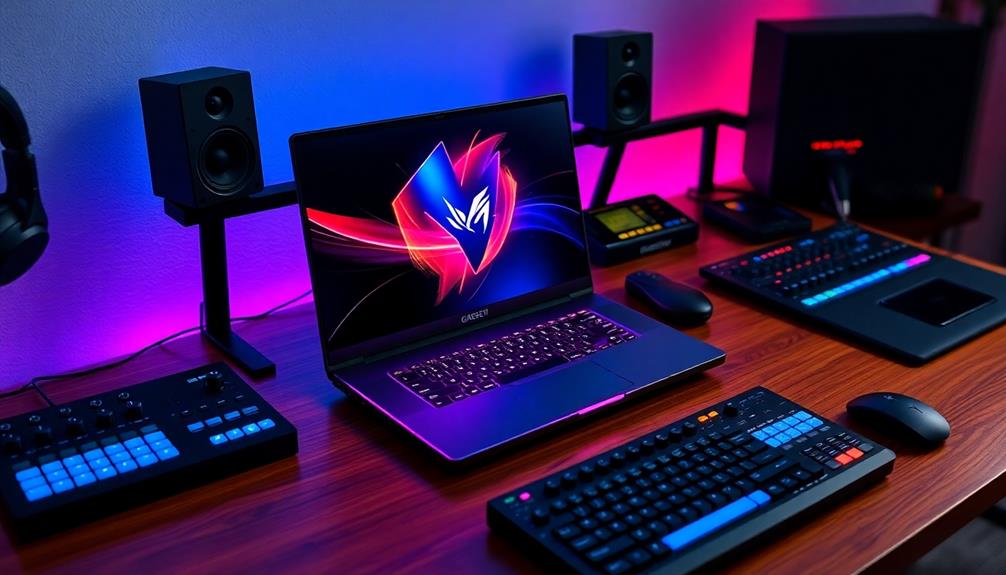

The ASUS ROG Strix G16 with RTX 5060 is my best overall pick among these gaming laptops for music production, pairing a capable Core i7 HX processor with 16GB of memory and a 1TB SSD. For larger sessions and demanding plug-in chains, the 32GB ASUS ROG Strix G16 with RTX 5070 Ti offers more headroom, while the Acer Nitro V 16S AI combines 32GB RAM and a 1TB SSD in a more balanced configuration. The main tradeoffs are memory capacity, processor performance, fan noise, portability, and how much gaming graphics power your audio work actually needs. A powerful GPU can help with games, but it does not replace enough RAM, fast storage, or a processor suited to real-time audio. Read on for my full comparison and guidance on choosing a laptop that fits your music workflow.

Get audio and creator gear delivered free with Prime
- Fast, free delivery on millions of items
- Prime Video, Amazon Music and more included
- Member-only deals all year
Complete the kit


Key Takeaways
- RAM separates several of the most useful studio configurations: the ROG Strix G16 RTX 5070 Ti, Acer Nitro V 16S AI, and multiple NIMO models list 32GB, while several higher-performance gaming options arrive with 16GB.
- The ROG Strix G16 models serve different budgets and workloads: the RTX 5060 version has an HX-class Core i7 and 1TB storage, while the RTX 5070 Ti version adds 32GB RAM, a higher-resolution display, and a stronger Ultra 9 processor.
- Integrated-graphics NIMO laptops make a different trade: their Ryzen processors and 32GB configurations may suit audio-first work, but they are not equivalent to RTX-equipped machines for demanding gaming or GPU-heavy creative tasks.
- Some listings pair capable processors with modest memory: models such as the HP OMEN Ultra 9 and MSI Cyborg RTX 5070 list 16GB, so buyers planning large sessions should check upgrade options rather than assume a premium CPU solves every limitation.
- Screen size and gaming refresh rate are secondary to audio workflow fit: 17.3-inch options offer more room for arranging tracks, while 15.6- and 16-inch models can be easier to carry; none of those display traits alone predicts low audio latency or quiet fan behavior.
| MSI Cyborg 15.6″ FHD 144Hz Gaming Laptop, Intel Core i7-1240H, NVIDIA GeForce RTX 5060, 32GB RAM, 1TB SSD, RGB Backlit Keyboard, Wi-Fi 6E, HD Webcam, Windows 11 Pro, Black (includes Mytrix Headset) |  | Best Overall for Multitasking | Processor: Intel Core i7-1240H | Graphics: NVIDIA GeForce RTX 5060, 8GB GDDR7 | Memory: 32GB | VIEW ON AMAZON | See Our Full Breakdown |
| MSI Cyborg 15.6″ AI Gaming Laptop (RTX 5070, Intel Core 7 240H, 16GB DDR5, 1TB SSD, 144Hz FHD, Wi-Fi 6E, Win 11 Home, w/ Res Cooler) |  | Best for GPU-Heavy Gaming | Processor: Intel Core 7 240H, 10 cores, 16 threads, up to 5.2GHz | Graphics: NVIDIA GeForce RTX 5070, 8GB GDDR7 | Memory: 16GB DDR5 | VIEW ON AMAZON | See Our Full Breakdown |
| NIMO 17.3″ FHD IPS Laptop – AMD Ryzen 7, 16GB DDR5, 1TB SSD, Radeon 680M GPU, 2-Year Warranty |  | Best Large-Screen Studio Workstation | Processor: AMD Ryzen 7 7735HS, up to 4.75GHz | Graphics: Integrated AMD Radeon 680M, RDNA 2 | Memory: 16GB DDR5 | VIEW ON AMAZON | See Our Full Breakdown |
| MSI Cyborg 17 17.3″ FHD 144Hz Gaming Laptop with Intel Core i7-12450H, NVIDIA GeForce RTX 5060, 16GB DDR5, 1TB NVMe SSD, Windows 11 Home, Translucent Black |  | Best for a Big DAW Screen and Gaming | Processor: Intel Core i7-12450H | Graphics: NVIDIA GeForce RTX 5060 | Memory: 16GB DDR5 | VIEW ON AMAZON | See Our Full Breakdown |
| NIMO 17.3″ Gaming Laptop 32GB DDR5 RAM 1TB SSD, AMD Ryzen 5 6600H, Win 11 |  | Best Value for RAM-Heavy Production | Processor: AMD Ryzen 5 6600H, 6 cores, 12 threads, up to 4.5GHz | Graphics: Integrated AMD Radeon 660M, RDNA 2 | Memory: 32GB DDR5, upgradeable to 64GB | VIEW ON AMAZON | See Our Full Breakdown |
| ASUS TUF Gaming F16 Gaming Laptop, 16” FHD+ 144Hz IPS-Level Display, Core 5 210H, RTX 4050 |  | Best Durable Entry Point | Processor: Intel Core 5 210H | Graphics: NVIDIA GeForce RTX 4050 laptop GPU, 6GB | Memory: 16GB DDR5 | VIEW ON AMAZON | See Our Full Breakdown |
| ASUS ROG Strix G16 (2025) Gaming Laptop, Core i7-14650HX, RTX 5060 |  | Best for CPU-Heavy Sessions | Processor: Intel Core i7-14650HX | Graphics: NVIDIA GeForce RTX 5060 | Memory: 16GB DDR5-5600MHz | VIEW ON AMAZON | See Our Full Breakdown |
| Alienware 16 Aurora Gaming Laptop with RTX 5050 and Intel Core i7-12450H |  | Best for a High-Resolution Workspace | Processor: Intel Core i7-12450H | Graphics: NVIDIA GeForce RTX 5050 | Memory: 16GB DDR5, listed capacity up to 32GB | VIEW ON AMAZON | See Our Full Breakdown |
| NIMO 15.6 FHD AI Gaming Laptop, Ryzen 7 8745HS, 32GB DDR5 |  | Best Value for DAW Memory | Processor: AMD Ryzen 7 8745HS, 8 cores, up to 4.9GHz | Graphics: Integrated AMD Radeon 780M | Memory: 32GB DDR5-5600MHz | VIEW ON AMAZON | See Our Full Breakdown |
| NIMO 17.3-inch FHD AI-Ready Laptop, Ryzen 7 8745HS, 32GB DDR5 |  | Best Large-Screen Production Workstation | Processor: AMD Ryzen 7 8745HS, 8 cores, 16 threads, up to 4.9GHz | Graphics: Integrated AMD Radeon 780M | Memory: 32GB DDR5-5600MHz, expandable to 64GB | VIEW ON AMAZON | See Our Full Breakdown |
| HP Omen 16″ Ultra 9 285H Gaming Laptop with RTX 5070, 16GB DDR5, 1TB SSD |  | Best for CPU-Heavy Projects | Processor: Intel Core Ultra 9 285H, 16 cores, up to 5.4GHz | Graphics: NVIDIA GeForce RTX 5070, 8GB GDDR7 | Display: 16-inch WUXGA IPS, 1920×1200, 144Hz, 300 nits, 62.5% sRGB | VIEW ON AMAZON | See Our Full Breakdown |
| ASUS ROG Strix G16 (2025) Gaming Laptop, 16” ROG Nebula 16:10 2.5K 240Hz/3ms, NVIDIA GeForce RTX 5070 Ti, Intel Core Ultra 9 275HX, 32GB DDR5, 1TB SSD, Wi-Fi 7, Win11 Home, G615LR-AS96 |  | Best Premium Performance | Processor: Intel Core Ultra 9 275HX | Graphics: NVIDIA GeForce RTX 5070 Ti Laptop GPU | Display: 16-inch ROG Nebula 2.5K, 16:10, 240Hz, 3ms | VIEW ON AMAZON | See Our Full Breakdown |
| NIMO 17.3″ Gaming Laptop, AMD Ryzen 9 8945HS, 32GB DDR5 RAM, 1TB SSD, Radeon 780M Graphics |  | Best for Audio-First Buyers | Processor: AMD Ryzen 9 8945HS, 8 cores/16 threads, up to 5.2GHz | Graphics: AMD Radeon 780M integrated graphics | Display: 17.3-inch FHD, 1920×1080 | VIEW ON AMAZON | See Our Full Breakdown |
| HP OMEN 16 Gaming Laptop with 16″ WQXGA Display and RTX 5070 |  | Best for DAW Screen Space | Processor: AMD Ryzen AI 9 365, 10 cores/20 threads, up to 5.0GHz | Graphics: NVIDIA GeForce RTX 5070, 8GB GDDR7; AMD Radeon 880M | Display: 16-inch WQXGA IPS, 2560×1600, 60–240Hz, 3ms, 500 nits, 100% sRGB | VIEW ON AMAZON | See Our Full Breakdown |
| Acer Nitro V 16S AI Gaming Laptop with AMD Ryzen 7 2600, NVIDIA GeForce RTX 5060, 16″ WUXGA 180Hz Display, 32GB DDR5, 1TB SSD |  | Best Midrange Gaming-and-Audio Balance | Processor: AMD Ryzen 7 2600 | Graphics: NVIDIA GeForce RTX 5060 Laptop GPU | Display: 16-inch WUXGA IPS, 1920×1200, 180Hz | VIEW ON AMAZON | See Our Full Breakdown |
| gaming laptops for music production | Processor | Graphics | Memory | Storage |
|---|---|---|---|---|
| MSI Cyborg 15.6" FHD 144Hz Gam | Intel Core i7-1240H | NVIDIA GeForce RTX 5060, 8GB GDDR7 | 32GB | 1TB SSD |
| MSI Cyborg 15.6" AI Gaming Lap | Intel Core 7 240H, 10 cores, 16 threads, up to 5.2GHz | NVIDIA GeForce RTX 5070, 8GB GDDR7 | 16GB DDR5 | 1TB PCIe SSD |
| NIMO 17.3" FHD IPS Laptop | AMD Ryzen 7 7735HS, up to 4.75GHz | Integrated AMD Radeon 680M, RDNA 2 | 16GB DDR5 | 1TB PCIe 4.0 SSD, dual M.2 slots |
| MSI Cyborg 17 17.3" FHD 144Hz | Intel Core i7-12450H | NVIDIA GeForce RTX 5060 | 16GB DDR5 | 1TB NVMe SSD |
| NIMO 17.3" Gaming Laptop 32GB | AMD Ryzen 5 6600H, 6 cores, 12 threads, up to 4.5GHz | Integrated AMD Radeon 660M, RDNA 2 | 32GB DDR5, upgradeable to 64GB | 1TB PCIe SSD, expandable up to 4TB |
| ASUS TUF Gaming F16 Gaming Lap | Intel Core 5 210H | NVIDIA GeForce RTX 4050 laptop GPU, 6GB | 16GB DDR5 | 512GB PCIe Gen4 SSD |
| ASUS ROG Strix G16 | Intel Core i7-14650HX | NVIDIA GeForce RTX 5060 | 16GB DDR5-5600MHz | 1TB PCIe Gen 4 SSD |
| Alienware 16 Aurora Gaming Lap | Intel Core i7-12450H | NVIDIA GeForce RTX 5050 | 16GB DDR5, listed capacity up to 32GB | 1TB SSD |
| NIMO 15.6 FHD AI Gaming Laptop | AMD Ryzen 7 8745HS, 8 cores, up to 4.9GHz | Integrated AMD Radeon 780M | 32GB DDR5-5600MHz | 1TB PCIe 4.0 NVMe SSD |
| NIMO 17.3-inch FHD AI-Ready La | AMD Ryzen 7 8745HS, 8 cores, 16 threads, up to 4.9GHz | Integrated AMD Radeon 780M | 32GB DDR5-5600MHz, expandable to 64GB | 1TB PCIe 4.0 NVMe SSD, dual M.2 slots |
| HP Omen 16" Ultra 9 285H Gamin | Intel Core Ultra 9 285H, 16 cores, up to 5.4GHz | NVIDIA GeForce RTX 5070, 8GB GDDR7 | 16GB DDR5-5600 | 1TB PCIe NVMe SSD |
| ASUS ROG Strix G16 | Intel Core Ultra 9 275HX | NVIDIA GeForce RTX 5070 Ti Laptop GPU | 32GB DDR5-5600 | 1TB PCIe Gen 4 SSD |
| NIMO 17.3" Gaming Laptop | AMD Ryzen 9 8945HS, 8 cores/16 threads, up to 5.2GHz | AMD Radeon 780M integrated graphics | 32GB DDR5 | 1TB SSD |
| HP OMEN 16 Gaming Laptop with | AMD Ryzen AI 9 365, 10 cores/20 threads, up to 5.0GHz | NVIDIA GeForce RTX 5070, 8GB GDDR7; AMD Radeon 880M | 32GB DDR5 | 1TB SSD |
| Acer Nitro V 16S AI Gaming Lap | AMD Ryzen 7 2600 | NVIDIA GeForce RTX 5060 Laptop GPU | 32GB DDR5-5600 | 1TB PCIe Gen 4 SSD |
More Details on Our Top Picks
MSI Cyborg 15.6″ FHD 144Hz Gaming Laptop, Intel Core i7-1240H, NVIDIA GeForce RTX 5060, 32GB RAM, 1TB SSD, RGB Backlit Keyboard, Wi-Fi 6E, HD Webcam, Windows 11 Pro, Black (includes Mytrix Headset)
I’d put this Cyborg near the top for a producer who also wants a capable gaming machine: its 32GB of RAM gives a DAW more room for sample libraries, plugins, and other open apps than the 16GB configurations in the MSI Cyborg 17 and RTX 5070 Cyborg 15.6-inch. The 1TB SSD offers a useful starting space for sessions and sound libraries, while the RTX 5060 is primarily a gaming advantage rather than a requirement for audio work. Its 15.6-inch display is easier to fit into a smaller workspace than the 17.3-inch alternatives, though the FHD resolution provides less screen area for arranging tracks. The tradeoff is portability: at 4.29 pounds, it is not especially light, and battery-life details are not provided. I’d choose it for balanced memory and gaming performance, not for a guaranteed all-day mobile studio.
Pros:- 32GB RAM gives sample-heavy DAW sessions more multitasking headroom than the 16GB MSI Cyborg alternatives.
- 1TB SSD provides room for software, projects, and a starter collection of sample libraries.
- 15.6-inch chassis is more compact than the 17.3-inch MSI Cyborg models.
- RTX 5060 and a 144Hz display suit gaming alongside music production.
Cons:- At 4.29 pounds, it is a substantial carry for frequent travel.
- FHD resolution provides less workspace for long timelines and many DAW tracks than a higher-resolution screen.
- Battery-life information is not supplied, making unplugged studio use difficult to judge.
Best for: Music producers who run sample-heavy sessions, keep several creative apps open, and also want RTX-class gaming performance in a mid-size laptop.
Not ideal for: Producers who need a light travel workstation, long unplugged sessions, or extra-large screen space for arranging and editing audio.
- Processor:Intel Core i7-1240H
- Graphics:NVIDIA GeForce RTX 5060, 8GB GDDR7
- Memory:32GB
- Storage:1TB SSD
- Display:15.6-inch FHD IPS, 1920 × 1080, 144Hz
- Operating system:Windows 11 Pro
- Connectivity:Wi-Fi 6E, Bluetooth 5.3
- Ports:1 USB-C, 2 USB-A, HDMI, RJ45 Ethernet, audio combo jack
- Weight:4.29 pounds
Our verdict“Choose this Cyborg if 32GB memory and gaming capability matter more than low carry weight or a high-resolution production display.”
MSI Cyborg 15.6″ AI Gaming Laptop (RTX 5070, Intel Core 7 240H, 16GB DDR5, 1TB SSD, 144Hz FHD, Wi-Fi 6E, Win 11 Home, w/ Res Cooler)
This Cyborg is the gaming-first pick in this group, pairing an RTX 5070 with a newer Core 7 240H processor. For music production, the processor and 1TB SSD are more directly relevant than the graphics card, while its 16GB of RAM leaves less room for large sample libraries than the 32GB MSI Cyborg 15.6-inch or NIMO 17.3-inch Ryzen 5. I’d plan on checking whether the memory can be upgraded before choosing it for demanding sessions. The 15.6-inch FHD screen keeps the laptop more manageable than the MSI Cyborg 17, but it gives less DAW workspace than that larger panel. The bundled Res Cooler may appeal for extended gaming, though it does not replace good studio airflow. The listing also states that the factory box was opened and resealed, a condition detail buyers should weigh.
Pros:- RTX 5070 offers stronger gaming-focused graphics than the RTX 5060 MSI models in this batch.
- Core 7 240H and 1TB PCIe SSD provide a modern platform for everyday production and gaming.
- 15.6-inch size is easier to place in a compact workspace than a 17.3-inch laptop.
- Includes a Res Cooler and provides HDMI 2.1 connectivity.
Cons:- 16GB RAM is less suitable for large sample libraries and heavy multitasking than the 32GB configurations.
- FHD resolution gives less room for DAW tracks and plugin windows than a higher-resolution screen.
- The listing describes an opened and resealed factory box, while battery-life details are absent.
Best for: Producers who prioritize modern gaming graphics, work mostly with moderate-sized DAW sessions, and are comfortable verifying memory upgrade options.
Not ideal for: Sample-library-heavy producers who need 32GB of RAM from the outset, or buyers who require a factory-sealed package and clearly documented battery performance.
- Processor:Intel Core 7 240H, 10 cores, 16 threads, up to 5.2GHz
- Graphics:NVIDIA GeForce RTX 5070, 8GB GDDR7
- Memory:16GB DDR5
- Storage:1TB PCIe SSD
- Display:15.6-inch FHD IPS, 1920 × 1080, 144Hz
- Operating system:Windows 11 Home
- Connectivity:Wi-Fi 6E, Bluetooth 5.3
- Ports:USB-C, 2 USB-A, HDMI 2.1, RJ45 Ethernet, audio combo jack
- Weight:4.29 pounds
Our verdict“Pick this Cyborg for its RTX 5070 gaming emphasis, but choose a 32GB model if your production sessions rely on large sample libraries.”
NIMO 17.3″ FHD IPS Laptop – AMD Ryzen 7, 16GB DDR5, 1TB SSD, Radeon 680M GPU, 2-Year Warranty
The NIMO is the clearest choice here for producers who value screen space and quieter, non-gaming priorities over discrete graphics. Its 17.3-inch FHD display gives a DAW more room for track lanes and mixer panels than the 15.6-inch MSI Cyborgs, and the Ryzen 7 7735HS with 16GB DDR5 suits general multitasking. Dual M.2 slots also offer a path to expand storage as projects and sample collections grow. Unlike the MSI gaming models, it uses integrated Radeon 680M graphics; that is adequate for everyday visuals and lighter games, but it is the weaker choice for demanding modern gaming or GPU-intensive creative work. At under 2.1kg, it is lighter than the 5.3-pound MSI Cyborg 17, though its large screen still makes it less compact. USB-C PD charging and a two-year warranty add practical appeal.
Pros:- 17.3-inch display gives more workspace for arranging tracks than the 15.6-inch MSI Cyborg laptops.
- Dual M.2 slots allow storage expansion for growing project and sample collections.
- USB-C supports 100W Power Delivery and DisplayPort.
- Under 2.1kg with a stated two-year warranty.
Cons:- Integrated Radeon 680M graphics are less suited to demanding gaming than the discrete RTX GPUs in the MSI models.
- 16GB RAM may constrain large sample libraries and extensive plugin-heavy sessions.
- FHD resolution across a 17.3-inch panel offers less workspace detail than higher-resolution alternatives.
Best for: Producers who want a roomy DAW display, expandable storage, and a lighter large-screen laptop for home, school, or studio use.
Not ideal for: Buyers who expect high-end gaming performance, use GPU-intensive creative software, or need 32GB RAM for extensive sample-based sessions.
- Processor:AMD Ryzen 7 7735HS, up to 4.75GHz
- Graphics:Integrated AMD Radeon 680M, RDNA 2
- Memory:16GB DDR5
- Storage:1TB PCIe 4.0 SSD, dual M.2 slots
- Display:17.3-inch FHD IPS, 1920 × 1080
- Battery:58Wh lithium-polymer
- Charging:100W USB-C Power Delivery
- Connectivity:Wi-Fi 6E, Bluetooth 5.2
- Weight and warranty:Under 2.1kg; two-year warranty
Our verdict“Choose the NIMO if a large DAW screen and expandable storage matter more than strong gaming graphics or 32GB of memory.”
MSI Cyborg 17 17.3″ FHD 144Hz Gaming Laptop with Intel Core i7-12450H, NVIDIA GeForce RTX 5060, 16GB DDR5, 1TB NVMe SSD, Windows 11 Home, Translucent Black
If a larger panel matters more than memory capacity, this Cyborg 17 offers a straightforward combination of a 17.3-inch display and RTX 5060 graphics. The extra screen area can make editing longer arrangements and keeping a mixer visible more comfortable than on the 15.6-inch MSI Cyborg. Its 1TB NVMe SSD is a sensible starting point for sessions and applications, but the included 16GB RAM is a step down from the 32GB Cyborg 15.6-inch for sample-heavy production. The discrete GPU makes this a more capable gaming option than the NIMO 17.3-inch models with integrated graphics. The cost of that larger gaming setup is a 5.3-pound chassis, making it the heaviest option in this batch. I’d favor it for a mostly desk-based setup and would check memory upgrade details before building a large virtual-instrument workflow around it.
Pros:- 17.3-inch screen offers more DAW workspace than the 15.6-inch MSI Cyborg.
- RTX 5060 provides stronger gaming capability than integrated-graphics NIMO alternatives.
- 1TB NVMe SSD gives room for projects, software, and sample content.
- Includes Wi-Fi 6E, Bluetooth 5.3, HDMI, and RJ45 Ethernet.
Cons:- 16GB RAM provides less headroom for sample-heavy sessions than the 32GB MSI Cyborg 15.6-inch.
- At 5.3 pounds, it is less convenient to carry than the NIMO 17.3-inch laptop.
- FHD resolution provides less detailed screen workspace than a higher-resolution display.
Best for: Desk-based producers who want a large display for DAW arrangement and also want discrete graphics for modern gaming.
Not ideal for: Frequent travelers or producers who want 32GB RAM without upgrading, particularly those working with large virtual-instrument libraries.
- Processor:Intel Core i7-12450H
- Graphics:NVIDIA GeForce RTX 5060
- Memory:16GB DDR5
- Storage:1TB NVMe SSD
- Display:17.3-inch FHD, 1920 × 1080, 144Hz
- Operating system:Windows 11 Home
- Connectivity:Wi-Fi 6E, Bluetooth 5.3
- Ports:USB-C, USB-A, HDMI, RJ45
- Weight:5.3 pounds
Our verdict“Choose this model for a large DAW workspace and discrete gaming graphics, provided its weight and 16GB starting memory fit your setup.”
NIMO 17.3″ Gaming Laptop 32GB DDR5 RAM 1TB SSD, AMD Ryzen 5 6600H, Win 11
This NIMO makes a practical case for producers who need 32GB of RAM and a large screen but do not need a discrete gaming GPU. That memory capacity matches the MSI Cyborg 15.6-inch and exceeds the 16GB in the MSI Cyborg 17, giving sample libraries and multitasking more breathing room on paper. The Ryzen 5 6600H and integrated Radeon 660M are a sensible fit for DAW work, everyday apps, and casual gaming, but they are not a substitute for the RTX 5060 or RTX 5070 in demanding games. Its 17.3-inch FHD display provides room for timelines and mixer views, while the 1TB SSD is listed as expandable up to 4TB. Wi-Fi 5 is a generation behind the Wi-Fi 6E MSI and NIMO Ryzen 7 options. I’d see it as a production-first choice, not a gaming-performance pick.
Pros:- 32GB DDR5 offers more multitasking and sample-library capacity than the 16GB MSI Cyborg 17.
- 17.3-inch FHD IPS display gives ample room for DAW tracks and mixer panels.
- 1TB PCIe SSD is described as expandable up to 4TB.
- USB-C 100W PD charging, fingerprint login, and a physical webcam shutter add practical features.
Cons:- Integrated Radeon 660M graphics are less capable for demanding gaming than the RTX GPUs in both MSI Cyborg models.
- Wi-Fi 5 is older than the Wi-Fi 6E connectivity listed on the MSI and NIMO Ryzen 7 options.
- The supplied spec data does not state the laptop’s weight or battery capacity.
Best for: Students and home producers who want 32GB RAM, a large DAW screen, and storage expansion for projects and sample libraries.
Not ideal for: Gamers seeking high settings in demanding titles, or producers who need Wi-Fi 6E and discrete graphics for their broader workflow.
- Processor:AMD Ryzen 5 6600H, 6 cores, 12 threads, up to 4.5GHz
- Graphics:Integrated AMD Radeon 660M, RDNA 2
- Memory:32GB DDR5, upgradeable to 64GB
- Storage:1TB PCIe SSD, expandable up to 4TB
- Display:17.3-inch FHD IPS, anti-glare
- Charging:100W USB-C Power Delivery
- Connectivity:Wi-Fi 5, Bluetooth 5.2
- Ports:USB-C, USB-A, HDMI 2.0, Micro SD, audio
- Warranty:Two-year manufacturer warranty
Our verdict“Pick this NIMO for 32GB memory and a large production workspace on a non-discrete-GPU platform, not for high-end gaming.”
ASUS TUF Gaming F16 Gaming Laptop, 16” FHD+ 144Hz IPS-Level Display, Core 5 210H, RTX 4050
The ASUS TUF Gaming F16 is a practical starting point for music production if you also want a dedicated GPU for gaming. Its Core 5 210H and 16GB DDR5 provide a capable base for recording, editing and moderate-sized sessions, while the 512GB SSD leaves less room for large sample libraries than the 1TB drives in the ROG Strix G16 and Alienware 16 Aurora. The 16-inch, 16:10 screen gives a little extra vertical workspace for a DAW timeline and mixer, and the stated MIL-STD-810H testing suits buyers who move their setup around. Its RTX 4050 is a less powerful gaming option than the other dedicated-GPU picks here, but music work rarely needs a high-end graphics chip. The tradeoff is limited out-of-box memory and storage for ambitious sessions, plus a 56Wh battery that may not last through intensive, unplugged work.
Pros:- Core 5 processor and 16GB DDR5 offer a workable foundation for everyday DAW sessions.
- 16-inch 16:10 display provides useful vertical space for tracks and editing controls.
- Dedicated RTX 4050 supports gaming and graphics-heavy tasks.
- MIL-STD-810H testing and a cooling system with four exhaust vents suit frequent transport and sustained workloads.
Cons:- 512GB SSD fills quickly with sample libraries, recordings and game installations.
- 16GB RAM can constrain large projects with many virtual instruments or plugins.
- 56Wh battery is modest for extended production away from an outlet.
Best for: Music-production beginners who want a durable 16-inch Windows laptop for recording, editing, moderate DAW sessions and gaming.
Not ideal for: Producers with large sample libraries or many virtual instruments who need more than 16GB RAM and 512GB storage without upgrading or using external drives.
- Processor:Intel Core 5 210H
- Graphics:NVIDIA GeForce RTX 4050 laptop GPU, 6GB
- Memory:16GB DDR5
- Storage:512GB PCIe Gen4 SSD
- Display:16-inch FHD+ 1920 x 1200, 144Hz
- Battery:56Wh
- Wireless:Wi-Fi 6
- Operating system:Windows 11 Home
Our verdict“Choose the TUF Gaming F16 for a sturdily built, entry-level production and gaming setup, but plan for storage needs beyond its 512GB SSD.”
ASUS ROG Strix G16 (2025) Gaming Laptop, Core i7-14650HX, RTX 5060
For producers who run demanding sessions and also want strong gaming performance, the ASUS ROG Strix G16 brings the most production-friendly processor specification among these dedicated-GPU picks: its Core i7-14650HX is paired with an RTX 5060 and cooling designed for sustained workloads. That extra CPU headroom can help when a project stacks software instruments, effects and real-time processing, while the 1TB SSD offers twice the listed capacity of the ASUS TUF Gaming F16. Its 16-inch FHD+ screen is fast for games, though the Alienware 16 Aurora offers a sharper 2560 x 1600 panel for detailed visual work. The main caveat for music is that 16GB RAM may become the limiting factor in large sample-based projects; the supplied information does not specify upgradeability. High-performance components can also draw more power, so this is a better desk-centered machine than an all-day mobile studio.
Pros:- Core i7-14650HX provides substantial CPU resources for demanding DAW workloads.
- RTX 5060 gives it stronger gaming graphics than the TUF Gaming F16’s RTX 4050.
- 1TB PCIe Gen 4 SSD offers more room for sessions and sound libraries than the TUF’s 512GB drive.
- Advanced cooling is designed to support performance during sustained workloads.
Cons:- 16GB RAM may restrict large sample-based sessions and extensive plugin use.
- High-performance components can mean greater power use and less convenient unplugged production.
- FHD+ resolution is less detailed than the Alienware 16 Aurora’s WQXGA display.
Best for: Producers who use CPU-intensive plugins and want a capable gaming laptop with a 1TB drive and strong sustained-performance cooling.
Not ideal for: Traveling producers who prioritize long unplugged sessions, or sample-heavy composers who need more than 16GB RAM without verifying an upgrade path.
- Processor:Intel Core i7-14650HX
- Graphics:NVIDIA GeForce RTX 5060
- Memory:16GB DDR5-5600MHz
- Storage:1TB PCIe Gen 4 SSD
- Display:16-inch FHD+, 165Hz
- Wireless:Wi-Fi 7
- Operating system:Windows 11 Home
Our verdict“Pick the ROG Strix G16 if CPU-heavy production and strong gaming matter more than low power use or a higher-resolution display.”
Alienware 16 Aurora Gaming Laptop with RTX 5050 and Intel Core i7-12450H
The Alienware 16 Aurora is the display-first choice for producers who want a roomier, sharper workspace for arranging tracks, editing waveforms and keeping multiple DAW panels visible. Its 2560 x 1600 WQXGA screen has more detail than the FHD+ panels on the ASUS ROG Strix G16 and TUF Gaming F16, while the 1TB SSD gives projects and sound libraries more breathing room than the TUF’s 512GB. The RTX 5050 supplies dedicated graphics for gaming, but the listed Core i7-12450H is less compelling for heavy real-time plugin workloads than the Strix’s Core i7-14650HX. RAM is 16GB, with capacity listed up to 32GB, which offers a more explicit path for memory-heavy production. At 5.5 pounds, it is also the least convenient choice here for a mobile recording setup; its screen and chassis favor desk use.
Pros:- WQXGA resolution gives more workspace detail than the FHD+ displays on the ASUS picks.
- 1TB SSD accommodates more sessions and libraries than the TUF Gaming F16’s 512GB drive.
- Memory is listed as upgradeable to 32GB, helpful for growing sample-based projects.
- RTX 5050 provides dedicated graphics for gaming and visual workloads.
Cons:- At 5.5 pounds, it is heavy for a laptop used in mobile recording setups.
- Core i7-12450H is a less powerful listed CPU than the ROG Strix G16’s Core i7-14650HX.
- The 16GB included memory may need an upgrade for demanding production projects.
Best for: Producers who want a detailed 16-inch display for DAW arrangement and editing, plus dedicated graphics and the option to expand memory to 32GB.
Not ideal for: Musicians who carry a laptop between studios regularly or need a lighter system for recording on location.
- Processor:Intel Core i7-12450H
- Graphics:NVIDIA GeForce RTX 5050
- Memory:16GB DDR5, listed capacity up to 32GB
- Storage:1TB SSD
- Display:16-inch WQXGA 2560 x 1600, 120Hz
- Weight:5.5 pounds
- Operating system:Windows 11 Home
- Audio:Two 2W speakers with Dolby Audio
Our verdict“Choose the Alienware 16 Aurora if screen resolution and a stated memory upgrade path matter more than portability or the fastest listed CPU.”
NIMO 15.6 FHD AI Gaming Laptop, Ryzen 7 8745HS, 32GB DDR5
The NIMO 15.6-inch takes a different route from the RTX-equipped ASUS TUF Gaming F16 and Alienware 16 Aurora: it prioritizes CPU, memory and storage over dedicated graphics. Its 32GB DDR5 and Ryzen 7 8745HS make it a natural fit for producers who load many plugins or virtual instruments, and the 1TB SSD is better suited to a growing library than the TUF’s 512GB. The Radeon 780M is integrated, so gaming performance will not match those machines’ dedicated GPUs; this is the tradeoff for a system aimed more squarely at production and everyday multitasking than demanding graphics. At 3.8 pounds, it is easier to carry than the 5.5-pound Alienware, though it is not the lightest possible recording companion. Its FHD anti-glare screen is practical, but offers less workspace detail than the Alienware’s WQXGA panel.
Pros:- 32GB DDR5 gives sample libraries and multiple plugins more memory headroom than the 16GB ASUS and Alienware configurations.
- Ryzen 7 8745HS has eight cores for multitasking and production workloads.
- 1TB PCIe 4.0 NVMe SSD provides useful space for sessions and sound libraries.
- At 3.8 pounds, it is more portable than the 5.5-pound Alienware 16 Aurora.
Cons:- Integrated Radeon 780M graphics are a weaker fit for demanding gaming than the dedicated GPUs in the ASUS and Alienware models.
- FHD resolution offers less detailed workspace than the Alienware’s WQXGA screen.
- The listed one-year warranty is shorter than the two-year warranty specified for the larger NIMO model.
Best for: Producers who want 32GB RAM and a 1TB SSD for plugin-heavy DAW sessions, with gaming as a secondary rather than graphics-intensive use.
Not ideal for: Gamers who want strong performance in demanding titles, or producers who need a dedicated GPU for graphics-heavy creative software.
- Processor:AMD Ryzen 7 8745HS, 8 cores, up to 4.9GHz
- Graphics:Integrated AMD Radeon 780M
- Memory:32GB DDR5-5600MHz
- Storage:1TB PCIe 4.0 NVMe SSD
- Display:15.6-inch FHD 1920 x 1080 anti-glare
- Battery:75Wh
- Weight:3.8 pounds
- Operating system:Windows 11
Our verdict“Choose this NIMO if production memory and storage matter more than dedicated graphics or a high-resolution display.”
NIMO 17.3-inch FHD AI-Ready Laptop, Ryzen 7 8745HS, 32GB DDR5
If your DAW layout benefits from a wide screen, the NIMO 17.3-inch offers the largest built-in workspace in this group without the discrete-GPU focus of the ASUS ROG Strix G16 or Alienware 16 Aurora. Its Ryzen 7 8745HS and 32GB DDR5 give it a strong production-oriented configuration for multitasking and plugin-heavy sessions, while the 1TB SSD and dual M.2 slots provide room to expand storage. The 180-degree hinge and extensive ports, including USB4, HDMI 2.1 and an SD reader, are useful for a fixed studio setup with external displays and gear. Its integrated Radeon 780M is the clear compromise: it cannot match the dedicated GPUs for demanding games. At 4.6 pounds it remains carryable, but its larger footprint is less convenient than the 15.6-inch NIMO, and the 58Wh battery may run down faster under intensive work.
Pros:- 17.3-inch display gives DAW tracks and mixer panels more room than the 15.6-inch NIMO.
- 32GB DDR5 and an eight-core Ryzen 7 suit multitasking and plugin-heavy production.
- Dual M.2 slots allow storage expansion beyond the included 1TB SSD.
- USB4, HDMI 2.1, three USB-A ports and an SD reader make studio connections easier.
Cons:- Integrated Radeon 780M graphics trail the dedicated GPUs in the ROG Strix G16 and Alienware 16 Aurora for gaming.
- The 17.3-inch chassis takes up more bag and desk space than the 15.6-inch NIMO.
- 58Wh battery may offer limited runtime during demanding production tasks.
Best for: Producers who want a large DAW workspace, 32GB RAM, expandable storage and broad wired connectivity for a home or project studio.
Not ideal for: Traveling musicians who need a compact laptop, or gamers who expect dedicated-GPU performance in demanding titles.
- Processor:AMD Ryzen 7 8745HS, 8 cores, 16 threads, up to 4.9GHz
- Graphics:Integrated AMD Radeon 780M
- Memory:32GB DDR5-5600MHz, expandable to 64GB
- Storage:1TB PCIe 4.0 NVMe SSD, dual M.2 slots
- Display:17.3-inch FHD, 180-degree hinge
- Battery:58Wh, up to 8 hours of work listed
- Weight:4.6 pounds
- Ports:USB4, USB-C 3.2 Gen 2, HDMI 2.1, three USB-A, SD card reader, 3.5mm audio
- Operating system:Windows 11
Our verdict“Pick the 17.3-inch NIMO for a spacious, well-connected studio laptop, not for demanding gaming or frequent compact travel.”
HP Omen 16″ Ultra 9 285H Gaming Laptop with RTX 5070, 16GB DDR5, 1TB SSD
I’d choose this Omen when music production puts more weight on processor headroom than on bundled memory. Its 16-core Core Ultra 9 285H and 1TB SSD give demanding sessions a strong foundation, while the RTX 5070 is useful for gaming and GPU-accelerated creative tasks rather than a requirement for audio work. The main compromise is 16GB of RAM: large sample libraries and busy projects may call for an upgrade, whereas the HP OMEN 16 with 32GB is more ready for that workload out of the box. Its 16-inch, 1920×1200 screen offers room for a DAW timeline, but the listed 62.5% sRGB coverage is less suited to color-focused visual work. At 5.35 pounds, it is better as a desktop replacement than a frequent travel studio.
Pros:- 16-core Core Ultra 9 processor suits demanding multitasking and CPU-intensive audio projects.
- 1TB PCIe NVMe SSD provides fast local storage for software and project files.
- Thunderbolt-compatible USB-C, HDMI 2.1, and three USB-A ports support a varied studio setup.
- 16-inch 16:10 display provides more vertical workspace than a typical 16:9 screen.
Cons:- 16GB RAM may constrain large sample libraries and complex sessions compared with the 32GB HP OMEN 16.
- The 5.35-pound chassis is cumbersome for regular travel.
- The display’s stated 62.5% sRGB coverage is limited for color-critical creative work.
Best for: Producers who prioritize a high-core-count CPU and want a gaming-capable laptop for plugin-heavy sessions, with the option to expand their workflow beyond audio.
Not ideal for: Sample-library-heavy producers who need 32GB RAM without upgrades, or musicians who carry their laptop to rehearsals and sessions often.
- Processor:Intel Core Ultra 9 285H, 16 cores, up to 5.4GHz
- Graphics:NVIDIA GeForce RTX 5070, 8GB GDDR7
- Display:16-inch WUXGA IPS, 1920×1200, 144Hz, 300 nits, 62.5% sRGB
- Memory:16GB DDR5-5600
- Storage:1TB PCIe NVMe SSD
- Ports:USB-C with Thunderbolt/DisplayPort, 3× USB-A, HDMI 2.1, RJ-45, headphone/mic combo
- Weight:5.35 pounds
- Operating system:Windows 11 Home
Our verdict“Pick this Omen for its strong CPU and connectivity if you can work within 16GB of RAM or plan to upgrade.”
ASUS ROG Strix G16 (2025) Gaming Laptop, 16” ROG Nebula 16:10 2.5K 240Hz/3ms, NVIDIA GeForce RTX 5070 Ti, Intel Core Ultra 9 275HX, 32GB DDR5, 1TB SSD, Wi-Fi 7, Win11 Home, G615LR-AS96
Among these picks, I’d place the ROG Strix G16 at the premium end for producers who also want substantial gaming and creation power. Its Core Ultra 9 275HX and 32GB DDR5 make it a stronger ready-to-go choice for dense sessions and multitasking than the HP Omen 16 with 16GB RAM. The 1TB PCIe Gen 4 SSD offers quick project access, though audio users with large sample collections may still need external or additional storage. The 2.5K 240Hz Nebula display gives a sharp, roomy workspace, but its speed is more valuable for gaming than DAW work. This configuration’s vapor-chamber and tri-fan cooling are aimed at sustained high performance; the tradeoff is a gaming-first system whose weight, fan behavior, and battery life are not specified here.
Pros:- 32GB DDR5 memory gives more room for sample instruments and multitasking than 16GB configurations.
- Core Ultra 9 275HX and RTX 5070 Ti deliver strong resources for demanding gaming and creative workloads.
- 16-inch 2.5K display offers a detailed workspace for arranging and editing.
- Vapor-chamber and tri-fan cooling are designed to manage sustained system loads.
Cons:- 1TB SSD may be restrictive for producers with extensive sample libraries.
- The 240Hz refresh rate adds more gaming value than practical benefit for most audio sessions.
- The supplied product details do not state weight or battery capacity, leaving portability harder to judge.
Best for: Producers running large projects who also want a high-performance gaming laptop and value 32GB RAM and a sharp, high-refresh display.
Not ideal for: Musicians seeking a lightweight, quiet, long-lasting mobile studio, or buyers whose audio workflow does not need premium gaming hardware.
- Processor:Intel Core Ultra 9 275HX
- Graphics:NVIDIA GeForce RTX 5070 Ti Laptop GPU
- Display:16-inch ROG Nebula 2.5K, 16:10, 240Hz, 3ms
- Memory:32GB DDR5-5600
- Storage:1TB PCIe Gen 4 SSD
- Wireless:Wi-Fi 7
- Cooling:End-to-end vapor chamber, tri-fan cooling, Conductonaut Extreme liquid metal on chipset
- Operating system:Windows 11 Home
Our verdict“Choose the ROG Strix G16 if you want 32GB RAM and premium gaming-class performance in a single creative workstation.”
NIMO 17.3″ Gaming Laptop, AMD Ryzen 9 8945HS, 32GB DDR5 RAM, 1TB SSD, Radeon 780M Graphics
The NIMO makes a different case from the RTX-equipped machines: it pairs a capable Ryzen 9 8945HS with 32GB RAM but relies on integrated Radeon 780M graphics. For a producer who wants memory for instruments and plugins without paying for graphics power that audio work rarely uses, that balance is appealing. Compared with the Acer Nitro V 16S, it is less suited to demanding AAA gaming, but the 17.3-inch FHD screen gives a DAW interface generous physical space. A 1TB SSD and user-replaceable RAM and storage add flexibility, while 100W USB-C Power Delivery can simplify charging with compatible gear. The tradeoffs are a 4.6-pound body and integrated graphics; it is a large-screen audio workstation with gaming capability, not a dedicated high-end gaming rig.
Pros:- 32GB DDR5 RAM supports larger plugin and sample workloads without a listed memory upgrade.
- Ryzen 9 8945HS offers strong CPU capability for multitasking and audio processing.
- 17.3-inch FHD display leaves ample room for DAW tracks, mixer panels, and editing windows.
- USB-C 100W Power Delivery and user-replaceable RAM and SSD add practical flexibility.
Cons:- Integrated Radeon 780M graphics are less capable for demanding games than the discrete RTX GPUs in the HP OMEN and Acer Nitro.
- The 4.6-pound weight and 17.3-inch chassis are less convenient for frequent travel.
- FHD resolution across a large 17.3-inch screen is less sharp than the 2.5K ASUS ROG Strix G16 display.
Best for: Audio producers who want 32GB RAM, a large display, and a strong processor for DAW work, with casual rather than demanding gaming.
Not ideal for: Gamers focused on graphics-intensive titles, or musicians who need a compact laptop for frequent travel and stage use.
- Processor:AMD Ryzen 9 8945HS, 8 cores/16 threads, up to 5.2GHz
- Graphics:AMD Radeon 780M integrated graphics
- Display:17.3-inch FHD, 1920×1080
- Memory:32GB DDR5
- Storage:1TB SSD
- Battery:75Wh
- Charging:100W USB-C Power Delivery
- Connectivity:Wi-Fi 6E, Bluetooth 5.2, USB4, HDMI
- Weight:4.6 pounds
Our verdict“Choose the NIMO if your priority is a roomy, 32GB audio-production setup and gaming is secondary.”
HP OMEN 16 Gaming Laptop with 16″ WQXGA Display and RTX 5070
I’d favor this OMEN over the Ultra 9 Omen when a producer wants more memory and a better display straight away. Its 32GB DDR5 RAM is a practical advantage for sample-heavy sessions, and the 16-inch 2560×1600 panel gives more detail and vertical room for tracks and controls than the 1920×1200 screen on its sibling. The 100% sRGB, 500-nit display also suits visual creative work, though its 240Hz ceiling is mainly a gaming benefit. The Ryzen AI 9 365 and RTX 5070 make it a well-rounded dual-purpose machine, but at 5.4 pounds it is not a light studio companion. Compared with the ASUS ROG Strix G16, it offers a similarly high-resolution display and 32GB memory, while its processor and GPU combination is less performance-focused on paper.
Pros:- 32GB DDR5 memory is better prepared for demanding sample and plugin sessions than the 16GB HP Omen configuration.
- WQXGA resolution provides more DAW workspace detail than standard WUXGA.
- 100% sRGB coverage and 500-nit brightness benefit visual creative work and bright environments.
- Ryzen AI 9 365 and RTX 5070 combine CPU and discrete GPU capability for gaming and content creation.
Cons:- At 5.4 pounds, it is a substantial load for musicians who travel often.
- The 240Hz refresh rate offers limited practical benefit for audio production.
- Battery-life details are not provided, which makes unplugged studio use harder to evaluate.
Best for: Producers who want 32GB RAM and a sharp, color-capable 16-inch screen for editing, arranging, and gaming.
Not ideal for: Musicians who carry their computer frequently, or buyers who prefer a lighter laptop and can do without a high-refresh gaming panel.
- Processor:AMD Ryzen AI 9 365, 10 cores/20 threads, up to 5.0GHz
- Graphics:NVIDIA GeForce RTX 5070, 8GB GDDR7; AMD Radeon 880M
- Display:16-inch WQXGA IPS, 2560×1600, 60–240Hz, 3ms, 500 nits, 100% sRGB
- Memory:32GB DDR5
- Storage:1TB SSD
- Ports:3× USB-A, HDMI 2.1, headphone/microphone combo, RJ-45, USB-C
- Weight:5.4 pounds
- Operating system:Windows 11 Home
Our verdict“Pick this OMEN for a high-resolution DAW workspace and 32GB RAM if portability is secondary.”
Acer Nitro V 16S AI Gaming Laptop with AMD Ryzen 7 2600, NVIDIA GeForce RTX 5060, 16″ WUXGA 180Hz Display, 32GB DDR5, 1TB SSD
The Acer Nitro V 16S is a balanced pick for someone who wants a discrete GPU and 32GB of RAM without stepping up to the RTX 5070 systems. For music production, that memory is the stronger selling point: it gives demanding sessions more room than the 16GB HP Omen 16, while the RTX 5060 makes this a more capable gaming choice than the integrated-graphics NIMO. Its 16-inch 1920×1200 display provides a useful 16:10 workspace, though the listed specifications do not give color coverage or brightness, so display quality for visual content work is harder to judge than on the HP OMEN with 100% sRGB. The 1TB PCIe Gen 4 SSD is a fast starting point. The tradeoffs are a Ryzen 7 2600 model designation that may lag newer processor options and potential heat under sustained loads.
Pros:- 32GB DDR5 memory gives more room for sample libraries and plugins than 16GB configurations.
- RTX 5060 discrete graphics make it more suitable for demanding games than the NIMO’s integrated Radeon 780M.
- 1TB PCIe Gen 4 SSD offers fast storage for applications and active projects.
- 16:10 WUXGA display provides more vertical workspace than a standard 16:9 FHD panel.
Cons:- The listed Ryzen 7 2600 processor designation is less reassuring than the newer high-end CPU options in the ASUS and HP models.
- Display brightness and color coverage are not specified, limiting confidence for visually focused creative work.
- The product data notes potential heat and power draw under intensive workloads.
Best for: Producers who want 32GB RAM for busy sessions and a discrete RTX GPU for gaming, without prioritizing premium display resolution.
Not ideal for: Buyers who need clearly documented display color performance, or who want the newest specified processor generation and quiet operation under long workloads.
- Processor:AMD Ryzen 7 2600
- Graphics:NVIDIA GeForce RTX 5060 Laptop GPU
- Display:16-inch WUXGA IPS, 1920×1200, 180Hz
- Memory:32GB DDR5-5600
- Storage:1TB PCIe Gen 4 SSD
- Wireless:Wi-Fi 6
Our verdict“Choose the Nitro V 16S if you want 32GB RAM and discrete gaming graphics in a practical audio-and-gaming combination.”

How We Picked
I ranked these laptops around the demands of music production rather than gaming specifications alone. Processor class, listed RAM, SSD capacity, and the balance between those components received the most weight because they affect how comfortably a system can handle instruments, plug-ins, samples, and active projects. I also considered screen size and resolution for arranging work, graphics capability for readers who want one machine for games and creative tasks, and whether a configuration appears balanced for its role.
The ranking favors machines with more memory and storage when their processor remains suitable for audio work, while recognizing that an RTX GPU is not a substitute for CPU and RAM headroom in a DAW. I placed premium options higher when their listed components justify the extra capability, but did not treat gaming refresh rates or graphics tiers as automatic advantages for recording and mixing. Product details vary by configuration, and the supplied listings do not establish acoustic noise, battery life under DAW workloads, port selection, upgrade access, or measured audio latency; buyers should verify those details before choosing.
| gaming laptops for music production | Operating system |
|---|---|
| MSI Cyborg 15.6" FHD 144Hz Gam | Windows 11 Pro |
| MSI Cyborg 15.6" AI Gaming Lap | Windows 11 Home |
| NIMO 17.3" FHD IPS Laptop | — |
| MSI Cyborg 17 17.3" FHD 144Hz | Windows 11 Home |
| NIMO 17.3" Gaming Laptop 32GB | — |
| ASUS TUF Gaming F16 Gaming Lap | Windows 11 Home |
| ASUS ROG Strix G16 | Windows 11 Home |
| Alienware 16 Aurora Gaming Lap | Windows 11 Home |
| NIMO 15.6 FHD AI Gaming Laptop | Windows 11 |
| NIMO 17.3-inch FHD AI-Ready La | Windows 11 |
| HP Omen 16" Ultra 9 285H Gamin | Windows 11 Home |
| ASUS ROG Strix G16 | Windows 11 Home |
| NIMO 17.3" Gaming Laptop | — |
| HP OMEN 16 Gaming Laptop with | Windows 11 Home |
| Acer Nitro V 16S AI Gaming Lap | — |
Factors to Consider When Choosing Gaming Laptops For Music Production
Gaming laptops can make strong music-production systems, but the best choice is rarely the one with the largest GPU number. I recommend matching the machine to your sessions, recording setup, and portability needs before paying for gaming features that may sit idle in a studio.
Match Processor Headroom to Your Session Size
Real-time audio processing can place sustained demands on the processor, especially when a project uses many virtual instruments or effects on a single signal path. A strong CPU helps reduce the need to freeze tracks or raise the audio buffer, but model names alone do not tell the whole story: power limits and cooling can change sustained performance. For smaller recording and editing projects, a midrange processor may be entirely workable, while large orchestral templates or dense mixes benefit from more headroom. Do not choose a machine solely by its gaming GPU, since many DAW tasks depend more directly on CPU performance. Look for independent tests that include sustained workloads rather than relying only on a processor’s headline boost frequency. If you use an audio interface, check its driver support and buffer performance on the laptop’s operating system as well.
Treat RAM as Working Room, Not a Luxury
Memory needs rise quickly when a session combines sample libraries, several soft synths, and a browser or notation app. Sixteen gigabytes can suit light production, but it leaves less room for large libraries and multitasking; 32GB gives more breathing space for complex projects. Before buying, confirm whether the memory is upgradeable, how many slots are available, and whether the advertised capacity is installed as one module or two. A soldered configuration can limit future expansion, while an easy upgrade may make a lower-memory laptop a sensible starting point. Avoid paying for a top-tier GPU while leaving too little RAM for the instruments you actually use. Check the requirements of your largest sample libraries, not just the DAW’s minimum system requirements.
Plan SSD Capacity Around Samples and Project Backups
A 1TB SSD is a useful starting point for active sessions, applications, and a moderate sample collection, but libraries can consume space faster than expected. Capacity also affects how easily you can keep current projects local instead of moving them between drives. Check whether the laptop has a second M.2 slot or whether its storage can be replaced, since an expansion path can matter more than a small speed difference on paper. Keep a separate backup drive or cloud backup plan; an internal SSD is not a backup. For portable recording, consider the added cables and power needs of external drives and interfaces. Buyers with extensive sample libraries should budget for storage expansion when comparing otherwise similar configurations.
Check Fan Noise and Thermal Behavior Before Studio Use
Gaming laptops can use aggressive cooling, and fan noise may become distracting when recording vocals or quiet acoustic instruments nearby. A powerful configuration is only useful in a recording room if its cooling profile can stay unobtrusive during the work you do. Look for independent noise measurements under light, sustained CPU, and combined workloads, since idle behavior does not predict what happens during a large session. A quiet performance mode can help, but it may reduce processing speed or change thermal behavior. If you record in the same room as the laptop, plan for microphone placement, acoustic separation, or a remote recording setup. Do not assume that a larger chassis is automatically quieter; cooling design and power limits both matter.
Choose Ports and Connectivity for Your Studio Gear
Your interface, MIDI controller, external storage, and monitor setup determine which connections you need more than a laptop’s gaming label does. Count the ports you will use at the same time, and check whether USB-C supports the functions you need rather than assuming every port handles charging, display output, and fast data. A hub can add flexibility, but it also creates another item to carry and may complicate a low-latency setup. Confirm compatibility with your interface manufacturer’s drivers and recommended connection type. Wireless networking is useful for downloads and collaboration, but core recording gear is usually more dependable over a direct wired connection. Prioritize a clean connection plan before adding accessories to compensate for missing ports.
Pay for the GPU Only When Your Other Work Needs It
Discrete RTX graphics make sense if you also play demanding games, edit GPU-accelerated video, or use software that benefits from graphics processing. For many audio-only workflows, integrated graphics can handle the display and DAW interface, leaving more of the purchase decision focused on CPU, RAM, storage, and noise. Stronger graphics can also bring higher power draw and more heat, though the actual effect depends on each laptop’s design and settings. Compare the total configuration instead of treating an RTX tier as a direct measure of studio performance. If gaming is a major use, an RTX model can be a practical shared-workstation choice; if music is the priority, spend first on memory and a processor that fits your sessions. This distinction explains why some 32GB integrated-graphics NIMO configurations remain relevant alongside the gaming-focused picks.
Frequently Asked Questions
Is 16GB of RAM enough for music production on these laptops?
It can be enough for recording, editing, and moderate projects with a limited number of sample-heavy instruments. Large sample libraries, many simultaneous plug-ins, and multitasking can use that memory quickly, making 32GB a more comfortable target for complex work. Several models here list 16GB even when paired with high-end processors or graphics, so do not infer memory capacity from the laptop’s gaming tier. Check whether the RAM can be upgraded and what the maximum supported capacity is before buying. If upgrades are not available, choose the configuration that matches your likely project size from the start.
Should I choose an RTX laptop or a NIMO model with integrated graphics for a DAW?
For audio production alone, an RTX GPU is often less important than processor performance, memory, storage, and quiet cooling. The NIMO Ryzen configurations with 32GB RAM may appeal to audio-first buyers who do not need demanding gaming graphics, while RTX models suit people who want one computer for music and more graphics-intensive games. Integrated graphics can limit gaming performance and some GPU-accelerated creative tasks, so it is not a like-for-like replacement for an RTX system. Compare CPU details and upgrade options as well as graphics, since the NIMO listings cover different processor configurations. Choose by your full workload rather than assuming a gaming GPU will improve every DAW task.
Can I record vocals beside a gaming laptop without fan noise becoming a problem?
Possibly, but the product specifications alone cannot tell you whether a particular laptop will be quiet enough in your room. Fan speed can rise during demanding sessions, and the result depends on the cooling design, power profile, workload, and room acoustics. Look for independent noise measurements and, if possible, recordings or reports made under sustained CPU load rather than idle conditions. You can also place the computer farther from the microphone or record in a separate room, though that may complicate a compact setup. Treat low-noise operation as a requirement to verify, not a feature guaranteed by a gaming laptop’s processor or chassis size.
Is the 32GB RTX 5070 Ti ROG Strix worth choosing over the RTX 5060 ROG Strix?
The RTX 5070 Ti version is the more capable choice on the listed configuration, with 32GB RAM, an Ultra 9 processor, and a higher-resolution 16:10 display. That extra memory and processor headroom can be useful for large sessions, while the graphics advantage matters more if you also play demanding games or use GPU-heavy software. The RTX 5060 ROG Strix still pairs an HX-class Core i7 with 1TB storage and may be a better fit when your DAW projects are moderate. For audio work, the difference in GPU tier should not be the deciding factor by itself. Compare the full system, your session demands, and verified noise behavior before choosing between them.
What should I verify before buying a laptop for an existing audio interface?
Check the interface maker’s current operating-system compatibility list and confirm that drivers are available for the laptop’s edition of Windows. Review the laptop’s USB port types and placement, then confirm that the interface can connect directly or through a supported adapter without competing with essential peripherals. Look for reports or tests of stable low-buffer playback with your interface, since advertised CPU and memory specifications do not guarantee a particular latency result. Confirm whether the computer’s power and performance settings affect USB stability or fan noise during sessions. If possible, keep a return window available so you can test your actual interface and DAW project before relying on the setup.
Conclusion
For a balanced music-and-gaming workstation, my best overall pick is the ASUS ROG Strix G16 with RTX 5060: its Core i7 HX processor, 1TB SSD, and 16-inch display make it a strong all-round configuration, though buyers with large sessions should check memory expansion. The best premium choice is the 32GB ROG Strix G16 with RTX 5070 Ti, which adds more session headroom and a sharper display. For best value on listed audio-friendly specs, the NIMO 17.3-inch Ryzen 7 8745HS model with 32GB RAM and 1TB SSD is worth a close look if gaming graphics are not a priority; the Acer Nitro V 16S AI is a more balanced gaming-oriented alternative with 32GB. Beginners with modest projects can start with the ASUS TUF Gaming F16, but should weigh its 16GB RAM and 512GB SSD against likely upgrades. If your specific need is a larger workspace, compare the 17.3-inch models; if gaming matters as much as music, favor an RTX configuration. Before making the final choice, verify fan noise, interface compatibility, and memory and storage upgrade paths.
Halloween Picks
halloween
As an affiliate, we earn on qualifying purchases.