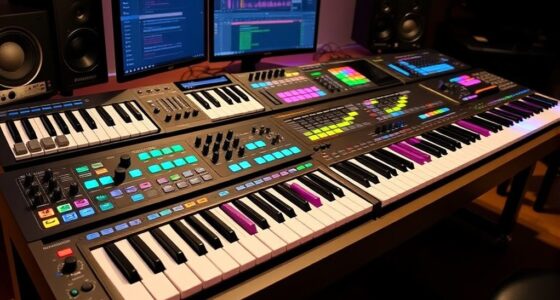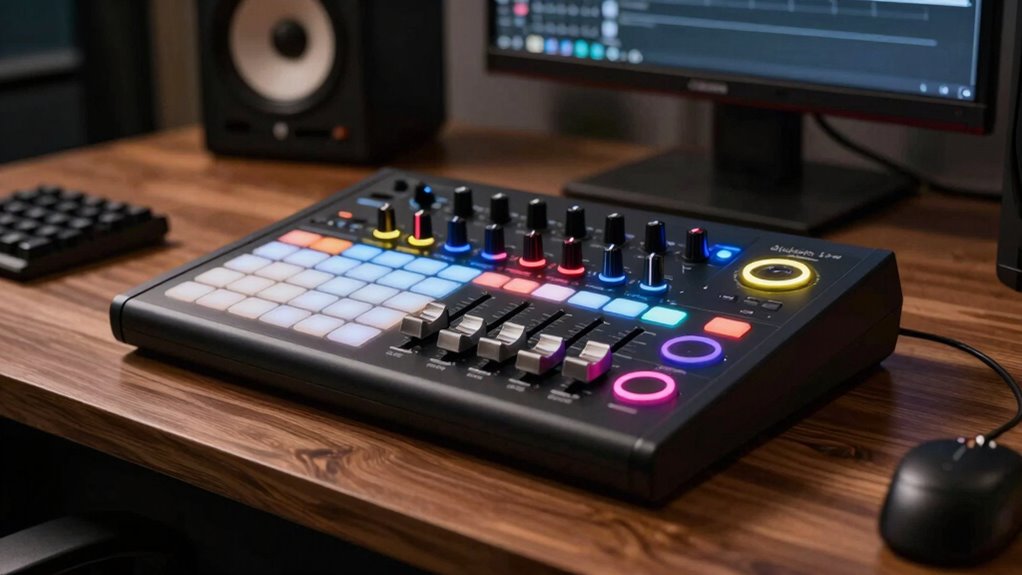

Finding the right DAW controller for Ableton Live can significantly enhance your music production workflow. The best overall pick is the Ableton Push 3, which offers seamless integration and advanced features tailored for Ableton users. For those on a budget, the Korg nanoKONTROL2 provides essential controls at a compact size, while the Novation Launchpad X is perfect for live performance with its grid layout. The main tradeoffs involve balancing features against cost, size, and ease of use. Keep reading to see how these options compare and find the best fit for your needs.

Get audio and creator gear delivered free with Prime
- Fast, free delivery on millions of items
- Prime Video, Amazon Music and more included
- Member-only deals all year
Complete the kit


Key Takeaways
- The Ableton Push 3 offers the most integrated experience, but comes with a higher price tag.
- The Korg nanoKONTROL2 is ideal for users seeking a compact, straightforward control surface.
- Grid controllers like the Novation Launchpad X excel in live performance scenarios, but may lack extensive tactile controls.
- Software bundles can add value but also increase overall cost—consider what you truly need.
- Build quality and responsiveness vary, making it important to choose a controller that matches your workflow style.
| Korg nanoKONTROL2 Slim-Line USB Control Surface, Black |  | Best Compact Control Surface for Space-Conscious Setups | Color: Black | Form Factor: Slim-line / low-profile | Connection: USB | VIEW ON AMAZON | See Our Full Breakdown |
| PreSonus ATOM Production & Performance MIDI Pad Controller with Studio One Artist and Ableton Live Lite Software |  | Best for Hands-On Creativity and Software Bundles | Pads: 16 full-size velocity- and pressure-sensitive RGB pads | Pad Banks: 8 assignable | Controls: 20 assignable buttons, 4 encoders | VIEW ON AMAZON | See Our Full Breakdown |
| Akai Professional APC Mini MK2 USB MIDI Pad Controller |  | Best for Ableton Live Clip Launching and Visual Feedback | Pads: 64 RGB pads (8×8 matrix) | Faders: 9 assignable + 1 master | Connectivity: USB | VIEW ON AMAZON | See Our Full Breakdown |
| Novation Launchpad X MIDI USB Grid Controller |  | Best for Deep Ableton Live Integration and Custom Modes | Pads: 64 RGB velocity- and pressure-sensitive | Connectivity: USB | Custom Modes: 4 (configurable via Novation Components) | VIEW ON AMAZON | See Our Full Breakdown |
| Ableton Push 3 Desktop Music Controller Workstation with Audio Interface |  | Best for Expressive Playing and Studio Integration | Pads: 64 MPE-enabled with XY sensors | Audio Inputs: 2 (switchable line/instrument) | Audio Outputs: 2 balanced | VIEW ON AMAZON | See Our Full Breakdown |
| USB MIDI Controller with 43 Buttons, 8 Knobs and Bluetooth |  | Best for Portable Flexibility and Custom Control | Buttons: 43 customizable/assignable | Knobs: 8 assignable rotary encoders | Connectivity: USB, Bluetooth | VIEW ON AMAZON | See Our Full Breakdown |
| daw controller for ableton live | Connectivity | Pads | Compatibility |
|---|---|---|---|
| Korg nanoKONTROL2 Slim-Line US | — | — | — |
| PreSonus ATOM Production & Per | USB | 16 full-size velocity- and pressure-sensitive RGB pads | — |
| Akai Professional APC Mini MK2 | USB | 64 RGB pads (8×8 matrix) | Ableton Live |
| Novation Launchpad X MIDI USB | USB | 64 RGB velocity- and pressure-sensitive | Windows, macOS |
| Ableton Push 3 Desktop Music C | Tethered, USB | 64 MPE-enabled with XY sensors | — |
| USB MIDI Controller with 43 Bu | USB, Bluetooth | — | Requires compatible DAW/software |
More Details on Our Top Picks
Korg nanoKONTROL2 Slim-Line USB Control Surface, Black
The Korg nanoKONTROL2 stands out for its ultra-slim, low-profile design that easily fits into tight workspaces, making it ideal for producers with limited desk space. Compared with larger controllers like the Ableton Push 3, it offers fewer physical controls, which limits detailed hands-on mixing but keeps things straightforward for basic clip launching and marker navigation. Its compatibility across major DAWs means it’s versatile, but the tradeoff is a more minimal control set, making it less suitable for those needing extensive parameter tweaking. If you prioritize simplicity and portability over extensive hands-on control, this pick delivers reliable basic functionality without clutter.
Pros:- Compact, space-saving design fits easily into any workspace
- Compatible with most major DAWs, including Ableton Live
- Multi-function controls for track select and marker navigation
Cons:- Limited number of physical controls restricts detailed editing
- Lacks dedicated faders and knobs for precise parameter adjustments
Best for: Producers with small setups or those new to hardware controllers needing quick, straightforward Ableton navigation
Not ideal for: Advanced users who require extensive tactile control for mixing and detailed parameter adjustments
- Color:Black
- Form Factor:Slim-line / low-profile
- Connection:USB
Our verdict“This controller is perfect for minimalists or mobile producers prioritizing portability over extensive control features.”
PreSonus ATOM Production & Performance MIDI Pad Controller with Studio One Artist and Ableton Live Lite Software
The PreSonus ATOM excels at combining tactile control with a rich software package, making it ideal for producers who want an all-in-one experience. Its 16 velocity- and pressure-sensitive pads with RGB feedback are more responsive than the simple button arrays found on controllers like the Akai APC Mini MK2, offering greater expressiveness for beat-making and live performance. The included software bundle, featuring Ableton Live Lite and Studio One, adds significant value, but the focus on pad-based controls means it lacks dedicated faders or knobs, unlike the Ableton Push 3. This pick suits those who prefer hands-on pad control with software integration, but less so for users needing detailed mixing controls.
Pros:- Responsive velocity- and pressure-sensitive RGB pads for expressive playing
- Includes over $1000 worth of software, adding great value
- Deep integration with Studio One and Ableton Live Lite
Cons:- No built-in keyboard, limiting melodic or harmonic control
- Small footprint may restrict complex performance setups
Best for: Beatmakers and performers seeking a tactile, software-integrated pad controller with a generous software bundle
Not ideal for: Producers requiring extensive fader and knob control for mixing and sound design
- Pads:16 full-size velocity- and pressure-sensitive RGB pads
- Pad Banks:8 assignable
- Controls:20 assignable buttons, 4 encoders
- Connectivity:USB
- Included Software:Studio One Artist, Ableton Live Lite, Studio Magic Plug-In Suite
- Velocity Curves:Selectable
Our verdict“This controller is best for beat-centric producers who want tactile control and bundled software, but it’s less suited for detailed mixer work.”
Akai Professional APC Mini MK2 USB MIDI Pad Controller
The Akai APC Mini MK2 is a favorite for live performers and Ableton users thanks to its 8×8 RGB pad matrix that visually cues clip status, a feature that outshines simpler button arrays like the nanoKONTROL2. Its pre-mapped Ableton integration means instant setup for clip launching, but it’s less adaptable to other DAWs compared to controllers like the Launchpad X. The 9 assignable faders are useful, but their small size can be a drawback for detailed mixing. This controller makes the most sense for Ableton users who want visual feedback and clip-focused control, though it’s less flexible for broader production tasks.
Pros:- Pre-mapped for seamless Ableton Live integration
- Bright RGB pads with visual feedback for clip status
- Plug-and-play USB bus-powered operation
Cons:- Limited to Ableton Live, less compatible with other DAWs
- Small faders may be less precise for detailed mixing
Best for: Ableton Live users focused on clip launching and session control, especially in live performance settings
Not ideal for: Producers needing extensive mixing controls or working with multiple DAWs
- Pads:64 RGB pads (8×8 matrix)
- Faders:9 assignable + 1 master
- Connectivity:USB
- Compatibility:Ableton Live
- Included Software:Ableton Live Lite
- Power:USB bus-powered
Our verdict“Ideal for live performers and Ableton-centric workflows, but less suitable for detailed mixing or multi-DAW setups.”
Novation Launchpad X MIDI USB Grid Controller
The Launchpad X is a versatile grid controller that offers deep Ableton Live integration, making it a strong choice for clip launching, MIDI sequencing, and creative performance. Its 64 velocity- and pressure-sensitive RGB pads provide a tactile and visually intuitive interface, comparable to the APC Mini but with more customizable modes via Novation Components. While the learning curve for mastering its four user-defined modes can be steep for beginners, it compensates with a flexible, driver-free setup. The controller’s focus on Ableton Live means it isn’t as seamless with other DAWs, but for dedicated Ableton users, it delivers a powerful, customizable experience.
Pros:- Deep Ableton Live integration for clip, mixer, and transport control
- RGB velocity- and pressure-sensitive pads with visual cues
- Four customizable modes for tailored workflows
Cons:- Requires some learning to master custom modes
- Less suited for users needing extensive fader or knob controls
Best for: Ableton Live users seeking a customizable grid controller with advanced modes and deep session control
Not ideal for: Producers needing multi-DAW compatibility or extensive fader and knob controls
- Pads:64 RGB velocity- and pressure-sensitive
- Connectivity:USB
- Custom Modes:4 (configurable via Novation Components)
- Software Integration:Ableton Live
- Driver Needed:No
- Compatibility:Windows, macOS
Our verdict“This controller is best for experienced Ableton users wanting customization and deep session control, but not ideal for beginners or multi-DAW setups.”
Ableton Push 3 Desktop Music Controller Workstation with Audio Interface
The Ableton Push 3 offers a comprehensive, hands-on experience for Ableton Live users who want expressive control with MPE-enabled pads and a built-in audio interface. Its 64 pads with XY sensors enable nuanced performances and finger drumming, surpassing simpler controllers like the nanoKONTROL2 in versatility. The onboard audio interface, with two inputs and outputs, makes it a true all-in-one hub, while the optional ADAT expansion allows for expanding your input/output capabilities. However, its tethered design means it must stay connected to a computer running Ableton, which limits portability. This device makes the most sense for producers who want expressive control and integrated audio but don’t mind being tethered to their studio setup.
Pros:- 64 MPE-enabled pads with XY sensors for expressive control
- Built-in audio interface supports external mics and instruments
- Expandable via ADAT for additional inputs/outputs
Cons:- Requires connection to a computer—less portable for mobile use
- Feature set can be overwhelming for beginners
Best for: Ableton Live performers seeking expressive playing, integrated audio, and modular expandability
Not ideal for: Travelers or producers needing a portable, wireless solution
- Pads:64 MPE-enabled with XY sensors
- Audio Inputs:2 (switchable line/instrument)
- Audio Outputs:2 balanced
- ADAT Expansion:8 additional channels
- MIDI:Standard in/out
- Connectivity:Tethered, USB
Our verdict“This controller is ideal for studio-based, expressive performers who want integrated audio and expandability, but less so for on-the-go producers.”
USB MIDI Controller with 43 Buttons, 8 Knobs and Bluetooth
This controller stands out for its high level of customization, with 43 assignable buttons and 8 rotary knobs that can be tailored to specific workflows. Unlike the Akai APC Mini MK2, which offers more dedicated control pads, this device’s extensive button layout makes it ideal for users who want to assign multiple functions without clutter. Its dual connectivity options—USB and Bluetooth—add versatility for live performances or mobile setups, a feature not available on the Novation Launchpad X, which relies solely on USB. However, this flexibility does come with some tradeoffs; full functionality depends on compatible software, and the lack of detailed user ratings makes it harder to gauge reliability. Overall, this pick is best for producers or performers who need adaptable, wireless control in a portable form factor, but it may not suit those seeking plug-and-play simplicity.
Pros:- Highly customizable with 43 assignable buttons
- Flexible connectivity via USB and Bluetooth
- Portable design with built-in rechargeable battery
Cons:- Requires compatible software for full functionality
- No detailed user ratings available, making reliability harder to gauge
Best for: Mobile producers, live performers, or anyone needing wireless control with extensive customization options
Not ideal for: Beginners or users with limited software compatibility who prefer a straightforward, plug-and-play device
- Buttons:43 customizable/assignable
- Knobs:8 assignable rotary encoders
- Connectivity:USB, Bluetooth
- Power:Built-in rechargeable battery, USB Type-C
- Portability:Yes
- Compatibility:Requires compatible DAW/software
Our verdict“This controller suits users who prioritize wireless flexibility and extensive customization, but it demands compatible software and may require setup effort.”
How We Picked
These products were evaluated based on performance, compatibility, build quality, and user interface. Priority was given to controllers that seamlessly integrate with Ableton Live, offering features that enhance creative control. We also considered value—balancing price against functionality—and the versatility of each device for different production and performance scenarios. Devices were ranked to highlight options for various user needs, from beginners to professional producers, ensuring a comprehensive overview.| daw controller for ableton live | Connectivity | Compatibility |
|---|---|---|
| Korg nanoKONTROL2 Slim-Line US | — | — |
| PreSonus ATOM Production & Per | USB | — |
| Akai Professional APC Mini MK2 | USB | Ableton Live |
| Novation Launchpad X MIDI USB | USB | Windows, macOS |
| Ableton Push 3 Desktop Music C | Tethered, USB | — |
| USB MIDI Controller with 43 Bu | USB, Bluetooth | Requires compatible DAW/software |
Factors to Consider When Choosing Daw Controller For Ableton Live
Choosing the right DAW controller for Ableton Live involves understanding several key factors that influence usability and workflow. While features matter, how a controller feels, how intuitive it is to use, and how well it integrates into your existing setup are equally important. Carefully considering these factors ensures you select a device that not only meets your current needs but also adapts as your skills grow.Compatibility and Integration
Ensure the controller is fully compatible with Ableton Live, ideally with dedicated mappings or deep integration like Ableton Push offers. Compatibility issues can lead to frustration and extra setup time, so check for official support or proven community profiles. Some controllers, especially grid-based ones, excel in performance but may lack advanced control features, so consider what aspects are most critical for your workflow.
Size and Portability
Size matters depending on your workspace and use case. Compact controllers like the Korg nanoKONTROL2 fit easily into small setups and are travel-friendly, but may sacrifice tactile feedback. Larger controllers often provide more controls and better ergonomics but can be cumbersome. Think about whether you prioritize mobility or full control surface features for studio-based work.
Control Options and Layout
Consider what controls you need: pads for triggering clips, knobs for effects, faders for volume, or buttons for navigation. Grid controllers excel at clip launching and live performance, while more traditional surfaces suit detailed mixing and editing. Misaligning your needs with a controller’s layout can hinder creativity, so match the control types with your production style.
Build Quality and Responsiveness
A controller’s durability and how it responds to your input directly affect your workflow. Cheap plastic builds might feel flimsy, leading to frustration during performances or long sessions. Responsiveness, especially for pads and knobs, impacts your ability to perform nuanced adjustments. Invest in a device that balances cost with solid feel and reliable operation.
Price and Value
While higher-priced controllers often include more features and better build quality, there are excellent budget options that cover essential controls. Consider what features are truly necessary for your level—overpaying for extras you won’t use wastes money, but skimping on necessary controls limits your creative potential. Finding the right balance depends on your specific needs and budget constraints.
Frequently Asked Questions
Will a controller improve my workflow in Ableton Live?
Yes, a dedicated controller can significantly streamline your workflow by providing tactile control over clips, effects, and mixer parameters. It reduces reliance on mouse and keyboard, allowing for more intuitive, hands-on manipulation of your music. This can lead to faster idea execution and a more engaging creative process, especially during live performances or complex sessions.
Should I get a controller with lots of buttons and knobs or a simple grid?
This depends on your primary use case. Grid controllers like the Launchpad X excel at triggering clips and performing live sets, offering quick visual feedback. More comprehensive controllers with knobs and faders are better suited for mixing and detailed editing. Consider your workflow—if you focus on live performance, the grid might be enough; for studio work, more controls can be beneficial.
Is it worth investing in a dedicated Ableton-specific controller?
Having a controller specifically designed for Ableton Live, like the Push series, offers tight integration and features tailored for Ableton workflows. This can make a noticeable difference in speed and ease of use, especially for complex projects. However, if your budget is limited or you prefer versatility across DAWs, a more general MIDI controller might be sufficient, even if it lacks some specialized features.
Can I use a regular MIDI controller with Ableton Live?
Absolutely, most MIDI controllers can work with Ableton Live, but you might need to manually map controls or use Ableton’s MIDI mapping features. Dedicated Ableton controllers often have pre-mapped controls that save setup time and improve usability. If you go with a regular controller, be prepared to spend some setup time configuring it to suit your workflow.
What’s more important: number of controls or build quality?
Both are important, but the right emphasis depends on your priorities. If you perform live or do extensive editing, more controls can enhance your flexibility. Conversely, if you value durability and consistent feel, build quality should take precedence. Ideally, choose a device that offers a good balance—robust construction with enough controls to meet your needs.
Conclusion
For casual producers or those just starting out, the Korg nanoKONTROL2 offers essential features at an affordable price. Serious Ableton users and performers will find the Ableton Push 3 to be the best overall choice, thanks to its seamless integration and advanced controls. If budget isn’t a concern and you want a versatile setup with a focus on performance, the Novation Launchpad X provides an excellent grid-focused experience. Beginners should prioritize ease of use, while professionals may prefer controllers with extensive tactile controls and durability. Ultimately, selecting the right DAW controller depends on your workflow style, budget, and experience level.