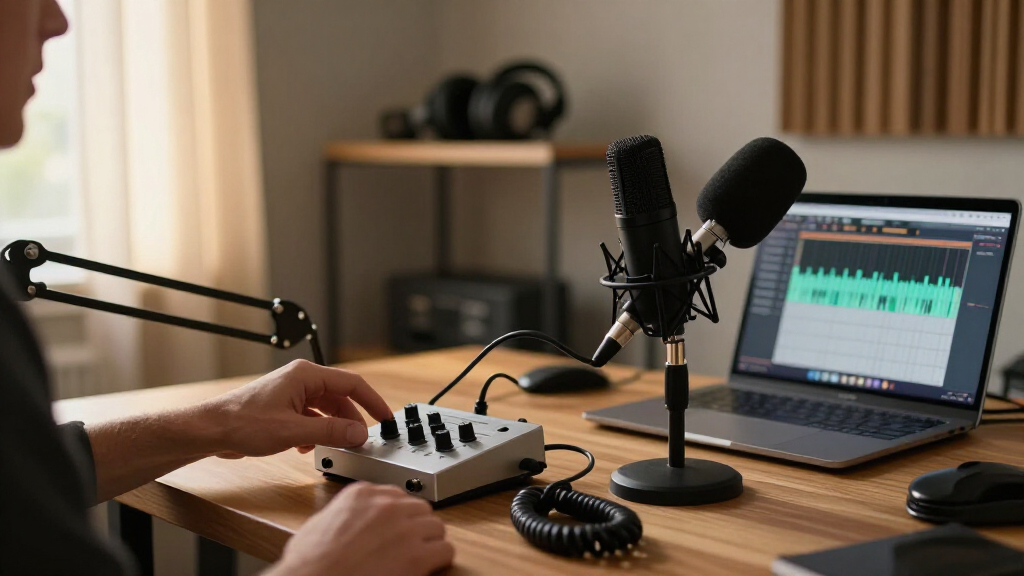
Shopping for audio interfaces for podcasting comes down to a few core tradeoffs: how many people you record at once, whether you need hardware monitoring and loopback for remote guests, and how much preamp quality matters for your final sound. The MOTU M2 earns the best overall spot thanks to its full-color display for setting levels precisely, clean preamps, and built-in loopback — a rare combination at its tier. The Universal Audio Volt 2 stands out for its vintage-inspired preamp character and polished software bundle, while the MAONO AME2 is the strongest pick for podcasters who want fader-style control and sound effects without touching software. Budget options like the M-Audio M-Track Solo can absolutely produce publishable voice audio, but you give up metering, loopback, and long-term headroom. Keep reading for the full ranked breakdown, including who each model is for and who should skip it.

Get audio and creator gear delivered free with Prime
- Fast, free delivery on millions of items
- Prime Video, Amazon Music and more included
- Member-only deals all year
Complete the kit


Key Takeaways
- Loopback functionality was the biggest dividing line in this lineup: the MOTU M2, MOTU M4, Antelope Zenith 2, and MAONO mixers can record remote guests and system audio internally, while most budget two-input boxes cannot without workarounds.
- A real level display changed how confidently you can set gain — the MOTU M2 and M4’s color screens were the most practical differentiators, since clipped or too-quiet recordings are the most common podcast audio failure.
- Dedicated podcast mixers like the MAONO AME2, E2 Gen2, and G1 Neo trade preamp refinement for hands-on control: faders, sound pads, and one-touch voice effects that suit live streaming more than edited narrative shows.
- The budget tier (M-Track Solo, M-Track Duo, PIYONE Q28, Jolgoo) is viable for solo podcasters using dynamic mics, but weak headphone outputs struggled with low-sensitivity mics — a hidden cost that pushes many buyers up a tier.
- Four-input models like the MOTU M4 only make sense for multi-person shows; solo podcasters gain nothing from the extra channels and are better off spending that budget on preamp and monitoring quality.
| PIYONE Q28 2×2 USB-C Audio Interface, 24-bit/192kHz, XLR/TRS Combo Inputs, 48V Phantom Power, Alloy Red |  | Best Compact Two-Mic Setup | Channel configuration: 2 x 2 | Audio resolution: 24-bit/192kHz | Inputs: 2 XLR/TRS combo jacks | VIEW LATEST PRICE | See Our Full Breakdown |
| MOTU M2 USB-C Audio Interface |  | Best Straightforward Two-Mic Interface | Connectivity: USB-C | Preamps: 2 | Inputs/outputs: 2-in/2-out | VIEW LATEST PRICE | See Our Full Breakdown |
| MOTU M4 4×4 USB-C Audio Interface |  | Best for Growing Podcast Setups | Inputs/outputs: 4-in/4-out | Connection: USB-C | Microphone preamps: 2 | VIEW LATEST PRICE | See Our Full Breakdown |
| MAONO AME2 Podcast Audio Interface Mixer |  | Best for Live Podcast Controls | Channels: 10 | Microphone inputs: 2 XLR inputs | Phantom power: 48V | VIEW LATEST PRICE | See Our Full Breakdown |
| MAONO PS22 Lite USB Audio Interface for Guitar, Vocals, and Streaming |  | Best Compact Mic-and-Instrument Interface | Recording resolution: Up to 24-bit/192kHz | Dynamic range: 106 dB | Microphone preamp gain: Up to 56 dB | VIEW LATEST PRICE | See Our Full Breakdown |
| M-Audio M-Track Duo USB Audio Interface |  | Best Budget Two-Mic Option | Audio Resolution: 48kHz | Inputs: 2x combo XLR/Line/Instrument | Phantom Power: Yes | VIEW LATEST PRICE | See Our Full Breakdown |
| Antelope Audio Zenith 2 USB-C Audio Interface for Streaming and Podcasting |  | Best Premium Pick | Connectivity: USB-C (bus-powered) | Channels: 2 | Maximum Sample Rate: 192 kHz | VIEW LATEST PRICE | See Our Full Breakdown |
| MAONO E2 Gen2 Podcast Audio Interface Mixer Bundle |  | Best for Live Show Production | Inputs: 2 XLR combo inputs | Preamp Gain: 60dB | Sound Effects: 8 customizable buttons, up to 20 seconds each | VIEW LATEST PRICE | See Our Full Breakdown |
| MAONO PS22 Lite USB Audio Interface for PC, Guitar, Vocals, and Streaming |  | Best Value for High-Resolution Recording | Channels: 2 | Bit Depth: 24-bit | Maximum Sample Rate: 192 kHz | VIEW LATEST PRICE | See Our Full Breakdown |
| PreSonus AudioBox USB 96 25th Anniversary 2-Channel USB Audio Interface |  | Best Built to Last | Channels: 2 | Connection: USB 2.0 (bus-powered) | Preamps: 2 Class-A mic preamps | VIEW LATEST PRICE | See Our Full Breakdown |
| Focusrite Scarlett Solo 4th Gen USB-C Audio Interface |  | Best Overall | Generation: 4th Gen | Connection: USB-C | Dynamic Range: 120 dB | VIEW LATEST PRICE | See Our Full Breakdown |
| Universal Audio Volt 2 USB Audio Interface |  | Best Premium Sound | Audio Quality: 24-bit / 192 kHz | Preamps: 610-style with Vintage mode | Channels: 2-in / 2-out | VIEW LATEST PRICE | See Our Full Breakdown |
| M-Audio M-Track Solo USB Audio Interface |  | Best Budget Pick | Compatibility: Mac or PC | Audio Resolution: 48 kHz | Inputs: One combo XLR/line input with phantom power; one line/instrument input | VIEW LATEST PRICE | See Our Full Breakdown |
| Jolgoo 2×2 USB Audio Interface |  | Best Value for Two Mics | Channel Configuration: 2×2 | Audio Resolution: 24-bit/192 kHz | Inputs: Dual XLR/line combo inputs with independent gain | VIEW LATEST PRICE | See Our Full Breakdown |
| MAONO G1 Neo Gaming Audio Mixer |  | Best for Streaming Podcasts | XLR Input: Yes, with built-in preamp | Phantom Power: 48V | Gain Range: -45 dB to -55 dB | VIEW LATEST PRICE | See Our Full Breakdown |
| audio interfaces for podcasting | Compatibility | Phantom power |
|---|---|---|
| PIYONE Q28 2×2 USB-C Audio Int | PC, Mac, and iOS | 48V |
| MOTU M2 USB-C Audio Interface | macOS, Windows, and iOS | — |
| MOTU M4 4×4 USB-C Audio Interf | — | — |
| MAONO AME2 Podcast Audio Inter | — | 48V |
| MAONO PS22 Lite USB Audio Inte | Mac, Windows, and iPad | 48V |
| M-Audio M-Track Duo USB Audio | Mac or PC | Yes |
| Antelope Audio Zenith 2 USB-C | — | — |
| MAONO E2 Gen2 Podcast Audio In | — | — |
| MAONO PS22 Lite USB Audio Inte | — | 48V |
| PreSonus AudioBox USB 96 25th | macOS (incl. Apple Silicon), Windows, iOS/iPadOS | +48V (global) |
| Focusrite Scarlett Solo 4th Ge | — | — |
| Universal Audio Volt 2 USB Aud | MacOS, Windows, iPad, iPhone (iOS 14+) | — |
| M-Audio M-Track Solo USB Audio | Mac or PC | — |
| Jolgoo 2×2 USB Audio Interface | Windows, macOS, iOS, Android | +48V |
| MAONO G1 Neo Gaming Audio Mixe | Phones, computers, tablets, PS4, PS5 | 48V |
More Details on Our Top Picks
PIYONE Q28 2×2 USB-C Audio Interface, 24-bit/192kHz, XLR/TRS Combo Inputs, 48V Phantom Power, Alloy Red
The PIYONE Q28 suits a podcast built around two microphones or a mic and an instrument, with two XLR/TRS combo inputs and 48V phantom power for condenser mics. Its bus-powered USB-C connection and zero-latency direct monitoring keep a small recording setup straightforward, while the monitor mix and loopback add flexibility for recording computer audio. Compared with the MOTU M4, the Q28 has fewer described routing and display features, but its compact, plug-and-play setup is a better fit for creators who want a simple interface to carry between locations. The tradeoffs are its two-input limit, which rules out larger roundtables, and a 3.5mm headphone output that may need an adapter for some headphones. Choose it for a small, mobile podcast rig; skip it if your sessions are likely to grow.
Pros:- Two combo inputs accept XLR microphones or TRS sources.
- 48V phantom power supports condenser microphones.
- Bus-powered USB-C design works across PC, Mac, and iOS.
- Zero-latency monitoring and loopback support recording and playback workflows.
Cons:- Two inputs limit recording more than two sources at once.
- The 3.5mm headphone output may require an adapter.
Best for: Solo hosts and two-person podcasts recording with XLR microphones in a compact home or mobile setup.
Not ideal for: Roundtable hosts who need more than two simultaneous inputs or users whose headphones require a larger jack.
- Channel configuration:2 x 2
- Audio resolution:24-bit/192kHz
- Inputs:2 XLR/TRS combo jacks
- Phantom power:48V
- Monitoring:Zero-latency direct monitoring, monitor mix, and loopback
- Headphone output:3.5mm
- Power:USB bus-powered
- Compatibility:PC, Mac, and iOS
Our verdict“Pick the Q28 for a portable two-source podcast rig; choose the MOTU M4 if you need more input and output capacity.”
MOTU M2 USB-C Audio Interface
The MOTU M2 is a focused choice for a host and co-host who want two mic preamps, USB-C, and hardware monitoring without stepping up to a larger mixer. Its 2-in/2-out layout covers a conventional two-person podcast, and 24-bit/192 kHz recording supports detailed capture. Compared with the MOTU M4, the M2 keeps the setup leaner, while the M4 offers four inputs and outputs for creators who need more connection options. The M2’s hardware monitoring is useful for hearing the recording feed as it happens, but the supplied details do not specify extras such as sound pads or built-in effects. That makes it less suited to hosts who want hands-on show controls like those on the MAONO AME2. The included content is an added resource, though the core appeal here is a compact interface for recording microphones cleanly.
Pros:- Two preamps support a two-microphone podcast setup.
- Hardware monitoring helps hosts hear the input while recording.
- 24-bit/192 kHz audio resolution.
- Works with macOS, Windows, and iOS.
Cons:- Two inputs do not accommodate larger multi-mic panels.
- The supplied product details do not list built-in effects or sound pads.
Best for: Two-person podcast hosts who want a conventional USB-C interface with hardware monitoring and two preamps.
Not ideal for: Live-show producers who want customizable sound pads, effects, or more than two inputs.
- Connectivity:USB-C
- Preamps:2
- Inputs/outputs:2-in/2-out
- Audio resolution:24-bit/192 kHz
- Monitoring:Hardware monitoring
- Compatibility:macOS, Windows, and iOS
- Included content:More than 6 GB of free content
Our verdict“Choose the M2 for a simple two-mic recording desk, or the M4 if you need four inputs and outputs.”
MOTU M4 4×4 USB-C Audio Interface
The MOTU M4 earns its place for podcasters who need room to expand beyond a basic two-mic recording. Its 4-in/4-out configuration gives more connection capacity than the MOTU M2, while two microphone preamps still cover a host and guest using XLR mics. The LCD screen provides a visible level display, and loopback can help capture computer audio for remote interviews or streamed segments. Compared with the MAONO AME2, the M4 emphasizes interface connections and loopback rather than listed sound pads, reverb, and tone controls; it is a better fit for recording-focused workflows than hosts seeking a performance mixer. There are still only two microphone preamps in the supplied specs, so four inputs do not mean four XLR mics. Its expanded I/O may be unnecessary for a simple two-person show.
Pros:- Four inputs and four outputs provide more connection capacity than the M2.
- Two microphone preamps support a host and guest on XLR mics.
- LCD screen offers a visible level display.
- Loopback supports capturing computer audio.
Cons:- The listed two microphone preamps limit simultaneous XLR mic recording.
- The supplied specs do not list built-in sound pads or voice effects.
Best for: Podcast hosts adding external sources, playback devices, or other gear who want four inputs and outputs.
Not ideal for: Hosts who need more than two microphone preamps or want built-in sound pads and voice effects.
- Inputs/outputs:4-in/4-out
- Connection:USB-C
- Microphone preamps:2
- Display:LCD screen
- Additional feature:Loopback
- Included content:More than 6 GB of free content
Our verdict“Choose the M4 if your podcast setup needs extra I/O and loopback, while a basic two-mic show may fit the M2 better.”
MAONO AME2 Podcast Audio Interface Mixer
The MAONO AME2 is aimed at hosts who want to shape a live show from the desk. Its 11 customizable sound pads, reverb, tone controls, noise reduction, and loopback offer more hands-on production options than the recording-focused MOTU M2. Two XLR inputs with 48V phantom power and up to 60 dB of mic gain accommodate a host and guest, while an instrument input adds another source. It also connects with computers and mobile devices, making it flexible for streaming setups. The tradeoff is that its mixer-style controls bring a different workflow from a simple interface, and USB microphones are not supported. Some pads also hold only 20 seconds of audio, limiting longer clips. This makes the AME2 a strong fit for shows that use cues and vocal effects, but less compelling for straightforward interview recording.
Pros:- Two XLR inputs with 48V phantom power and up to 60 dB mic gain.
- Eleven customizable sound pads support cues and looping.
- Reverb, tone controls, noise reduction, and loopback add live-show options.
- Instrument input and broad computer and mobile compatibility.
Cons:- USB microphones are not supported.
- Some sound pads are limited to 20 seconds of audio.
- The mixer controls may be unnecessary for a simple recording workflow.
Best for: Streamers and podcast hosts who want two XLR mics plus sound cues and voice processing at the desk.
Not ideal for: Creators using USB microphones or those who only need a simple interface for clean interview recording.
- Channels:10
- Microphone inputs:2 XLR inputs
- Phantom power:48V
- Maximum mic gain:60 dB
- Sound pads:11 customizable pads
- Reverb modes:6
- Instrument input:6.35 mm jack
- Connectivity:USB-C, LIVE-OUTPUT 1/2, MONITOR SPK, and AUX-IN
- USB microphone support:Not supported
Our verdict“Pick the AME2 for a cue-heavy live podcast or stream, and the MOTU M2 for a simpler recording interface.”
MAONO PS22 Lite USB Audio Interface for Guitar, Vocals, and Streaming
The MAONO PS22 Lite fits a creator who records a podcast voice alongside an instrument or wants one compact interface for both talking and music. It supports XLR microphones with 48V phantom power, offers up to 56 dB of preamp gain, and includes direct monitoring and loopback. The stated 106 dB dynamic range gives buyers a useful recording specification to compare, while ProStudio routing software adds control over the signal path. Against the PIYONE Q28, its described strengths include that dynamic-range figure and software, while both offer high-resolution recording and mobile-friendly potential. The PS22 Lite’s supplied compatibility lists Mac, Windows, and iPad, but not iPhone. Its package details do not establish how many microphone inputs it has, so podcasters planning a two-mic show should confirm the connection layout before choosing it. Its value is clearest for a solo creator who also records instruments.
Pros:- Records up to 24-bit/192kHz.
- 48V phantom power and up to 56 dB of mic preamp gain.
- Dedicated instrument input and direct monitoring suit voice-and-instrument recording.
- Loopback and ProStudio routing software support streaming workflows.
Cons:- The supplied product details do not specify the number of microphone inputs.
- Listed compatibility covers iPad but does not mention iPhone.
- The supplied content does not identify specific drawbacks or monitoring connection types.
Best for: Solo podcasters and singer-songwriters who need an XLR mic input, instrument input, and direct monitoring in a compact rig.
Not ideal for: Two-person podcast teams who need confirmed simultaneous dual-microphone recording or iPhone compatibility.
- Recording resolution:Up to 24-bit/192kHz
- Dynamic range:106 dB
- Microphone preamp gain:Up to 56 dB
- Phantom power:48V
- Connectivity:USB
- Compatibility:Mac, Windows, and iPad
- Software compatibility:Avid Pro Tools, Ableton Live, and Steinberg Cubase
- Package contents:Audio interface, USB-A/USB-C to USB-C cable, and user manual
Our verdict“Choose the PS22 Lite for a solo voice-and-instrument setup, but verify its mic-input layout before planning a co-host show.”
M-Audio M-Track Duo USB Audio Interface
Most cheap interfaces force you to choose between a mic channel and an instrument channel, but the M-Track Duo gives you two combo inputs with phantom power on both — which is exactly what a co-hosted podcast needs at an entry-level price. Compared with the M-Audio M-Track Solo, the extra channel here is the whole point: two hosts, or a host plus a guitar segment, without buying anything else. The USB/Direct switch handles zero-latency monitoring so your guests don’t hear themselves echo while recording.
The tradeoff is resolution. It caps out at 48kHz while the MAONO PS22 Lite records at 24-bit/192kHz, so if you ever plan to edit heavily or repurpose recordings for music production, the ceiling is real. There’s also no onboard processing — no loopback, no sound effects — so streamers wanting built-in showmanship tools should look at the MAONO E2 Gen2 instead.
Pros:- Two combo XLR/line/instrument inputs with phantom power at a budget price
- Zero-latency monitoring via USB/Direct switch
- Transparent Crystal preamps capture clean spoken-word audio
- Bundled MPC Beats software adds value for beginners
Cons:- 48kHz resolution ceiling limits future flexibility for music or heavy editing
- No loopback, sound effects, or onboard DSP for streaming workflows
Best for: Two-person podcast teams on a tight budget who just need clean dual-mic recording
Not ideal for: Streamers who want built-in sound pads and voice effects, or producers who need higher than 48kHz resolution
- Audio Resolution:48kHz
- Inputs:2x combo XLR/Line/Instrument
- Phantom Power:Yes
- Preamps:Crystal Preamps
- Latency:Zero latency monitoring (USB/Direct switch)
- Compatibility:Mac or PC
- Included Software:MPC Beats (Akai Professional)
Our verdict“This is the sensible pick for two hosts who need reliable dual XLR inputs and nothing more.”
Antelope Audio Zenith 2 USB-C Audio Interface for Streaming and Podcasting
The Antelope Zenith 2 plays in a different league from the rest of this lineup. Its 32-bit conversion at 192kHz and 75dB of clean preamp gain put it closer to the MOTU M4 tier than to budget boxes like the M-Audio M-Track Duo — and that gain range means power-hungry dynamic mics like an SM7B get driven properly without a separate booster. For a solo podcaster with a serious microphone, that headroom is the difference between clean levels and audible noise floor.
Where it stands apart even from premium rivals is flexibility: onboard DSP with real-time effects, guitar amp sims, loopback, and two independent headphone mixes, all driver-free across Windows, macOS, iOS, and Android. The tradeoff is complexity and cost — the control software is optional rather than integrated, and the warranty documentation is spotty. Buyers paying this much deserve clearer support terms.
Pros:- 32-bit conversion at up to 192kHz with professional-grade clarity
- 75dB preamp gain drives demanding dynamic microphones without a booster
- Two independent headphone mixes for host and guest
- Works driver-free across desktop and mobile platforms
Cons:- Optional control panel software adds setup complexity
- Incomplete warranty information for a premium-priced device
Best for: Podcasters and streamers with high-end dynamic microphones who want premium conversion and real-time DSP effects
Not ideal for: Beginners or casual recorders — you’re paying for conversion quality and DSP you may never use
- Connectivity:USB-C (bus-powered)
- Channels:2
- Maximum Sample Rate:192 kHz
- Conversion:32-bit
- Microphone Preamp Gain:75 dB
- Headphone Outputs:2 with independent mixes
- Operating Systems:Android, Windows, iOS, macOS
- Included Software:Bitwig Studio Essentials DAW plus 75+ effects
Our verdict“Buy this if audio quality is your top priority and your microphone deserves it; skip it if you’re still figuring out your workflow.”
MAONO E2 Gen2 Podcast Audio Interface Mixer Bundle
This option is less an audio interface and more a portable podcast production console. The eight customizable sound pad buttons, pitch effects, and six reverb presets put live-show energy at your fingertips — something no plain two-channel box like the PreSonus AudioBox USB 96 or M-Track Duo can touch. The built-in battery lasting up to eight hours means you can record an interview in the field with a phone and no laptop, which is a genuine differentiator in this lineup.
Its 60dB of gain handles most dynamic microphones well, though the Antelope Zenith 2 offers more headroom for the hungriest mics. The real tradeoff is focus: this is built for streaming and live performance flair, not pristine recording. Audio resolution specs take a back seat to effects, and the USB-C port can’t charge your phone while in use. There’s also no mic or headphones in the box despite the ‘bundle’ framing.
Pros:- Eight customizable sound buttons plus pitch effects and reverb presets for live production
- Built-in battery delivers up to 8 hours of untethered recording
- 60dB gain supports co-host setups with dynamic microphones
- USB-C, 3.5mm, and Bluetooth connectivity across phones, tablets, and computers
Cons:- No phone charging or power delivery over USB-C
- Effects-first design means recording fidelity isn’t its strongest suit
Best for: Streamers and live show hosts who want sound pads, voice effects, and battery-powered portable recording
Not ideal for: Podcasters prioritizing pure recording fidelity over effects — a dedicated interface like the PS22 Lite suits that better
- Inputs:2 XLR combo inputs
- Preamp Gain:60dB
- Sound Effects:8 customizable buttons, up to 20 seconds each
- Voice Effects:Pitch-changing effects and 6 preset reverbs
- Connectivity:USB-C, 3.5mm, Bluetooth, AUX-IN
- Battery:1500mA built-in, up to 8 hours
- Special Features:Loopback, monitoring, one-touch mute, SingAlong mode
Our verdict“This makes the most sense for creators whose shows are performances, not just conversations.”
MAONO PS22 Lite USB Audio Interface for PC, Guitar, Vocals, and Streaming
The PS22 Lite quietly undercuts most of this roundup on specs-per-dollar: 24-bit/192kHz recording and 106dB dynamic range at a price where the M-Audio M-Track Duo tops out at 48kHz. For spoken-word podcasts, that dynamic range translates to quieter noise floors between sentences — the thing listeners notice even if they can’t name it. With 48V phantom power and 56dB of gain, it drives both condenser and moderately demanding dynamic mics.
The ProStudio routing software adds loopback for call-in guests and streaming, closing the gap with the flashier MAONO E2 Gen2 for anyone who doesn’t need sound pads and voice tricks. Compared with the Jolgoo 2×2, its driver support across DAWs and OBS is more mature, though you’ll sometimes need to manually select the MAONO ASIO driver — a minor annoyance that beginners should expect. It’s also limited to two channels, like nearly everything at this price.
Pros:- 24-bit/192kHz recording with 106dB dynamic range at a budget price
- 48V phantom power plus 56dB gain supports both condenser and dynamic mics
- ProStudio routing software enables loopback for call-in episodes and streaming
- Plug-and-play compatibility across Windows, macOS, iOS, Android, and ChromeOS
Cons:- Requires manually selecting the MAONO ASIO driver in some recording software
- Two-channel limit rules out multi-mic roundtable formats
Best for: Budget-conscious podcasters and musician-creators who want high-resolution recording and streaming routing without paying premium prices
Not ideal for: Roundtable podcasts with three or more hosts — two channels won’t cut it
- Channels:2
- Bit Depth:24-bit
- Maximum Sample Rate:192 kHz
- Dynamic Range:106 dB
- Preamp Gain:Up to 56 dB
- Phantom Power:48V
- Connectivity:USB (plug-and-play)
- Operating Systems:Windows, macOS, iOS, Android, ChromeOS
Our verdict“This is the smart buy when recording quality matters more than live effects, and budget rules out premium brands.”
PreSonus AudioBox USB 96 25th Anniversary 2-Channel USB Audio Interface
While most entries here are plastic-bodied, the AudioBox USB 96 lives in a heavy-duty steel chassis that shrugs off the backpack-and-coffee-shop life of a working podcaster. It records at 24-bit/96kHz — more headroom than the M-Track Duo‘s 48kHz, if short of the PS22 Lite‘s 192kHz — and its MIDI In/Out ports are unique in this lineup, useful if your show incorporates a keyboard or sound module. The bundled Studio One Artist, Ableton Live Lite, and Studio Magic plugin suite give you a legitimate production environment on day one.
The honest tradeoff is age. Its USB 2.0 connection and gain range trail newer rivals like the Antelope Zenith 2, and it has no loopback for remote-guest streaming — you’ll need virtual audio routing software on your computer. Power comes only from USB bus, with no wall adapter option, which occasionally causes issues with low-power hubs. What you’re buying is dependability, not cutting-edge specs.
Pros:- Heavy-duty steel chassis survives mobile recording better than plastic rivals
- MIDI In/Out for integrating keyboards and controllers
- Generous software bundle including Studio One Artist and Studio Magic suite
- Bus-powered design eliminates the need for an external power supply
Cons:- No built-in loopback for remote-guest streaming workflows
- USB 2.0 connection and older preamp design trail newer competitors
Best for: Podcasters and mobile recorders who prioritize durability, MIDI connectivity, and a strong software bundle over the newest specs
Not ideal for: Streamers who need built-in loopback for remote guests — that requires extra software here
- Channels:2
- Connection:USB 2.0 (bus-powered)
- Preamps:2 Class-A mic preamps
- Sample Rate:up to 96 kHz / 24-bit
- MIDI:MIDI In/Out
- Phantom Power:+48V (global)
- Chassis:Heavy-duty steel
- Compatibility:macOS (incl. Apple Silicon), Windows, iOS/iPadOS
Our verdict“Choose this if you record in varied locations and want gear that outlasts trendier, more feature-laden alternatives.”
Focusrite Scarlett Solo 4th Gen USB-C Audio Interface
The Scarlett Solo 4th Gen earns the top spot because it nails the fundamentals podcasters actually care about: clean conversion, reliable drivers, and a vocal-friendly signal path. With a 120 dB dynamic range, it captures quiet speech passages without the noise floor creeping in — a real advantage when you’re recording solo episodes in an untreated room. The Air mode adds presence and harmonic drive to vocals, which means less EQ work in post compared with the flatter tone of the M-Audio M-Track Solo. The bundled software stack (Pro Tools Intro+, Ableton Live Lite, Hitmaker Expansion) is genuinely useful if you plan to edit and master your own episodes.
The tradeoff is capacity: this is a single-mic interface. If a co-host sits across the table, the Universal Audio Volt 2 or Jolgoo 2×2 handle two mics for similar effort.
Pros:- 120 dB dynamic range keeps quiet speech clean and noise-free
- Air mode adds vocal presence straight into the recording
- USB-C connection works with modern laptops and iPads
- Generous software bundle covers editing, effects, and mastering
Cons:- Single XLR input limits you to one microphone
- No built-in loopback or streaming-specific features unlike dedicated mixers
Best for: Solo podcasters and voiceover creators who want polished vocal sound with minimal post-production
Not ideal for: Two-person interview shows or roundtable formats — it has only one mic input
- Generation:4th Gen
- Connection:USB-C
- Dynamic Range:120 dB
- Air Mode:Enhanced presence and harmonic drive for vocals and guitars
- Inputs:One XLR mic input; one instrument input
- Included Software:Pro Tools Intro+, Ableton Live Lite, Cubecs LE, Hitmaker Expansion
Our verdict“If you record one voice at a time and want the cleanest path from mic to finished episode, this is the pick.”
Universal Audio Volt 2 USB Audio Interface
The Volt 2 sits higher in this lineup because of what happens before the converters: its 610-style preamps with Vintage mode emulate UA’s classic console hardware, giving voices a warmth and richness that the neutral Jolgoo 2×2 simply doesn’t aim for. For podcasters whose show is their brand, that polished, ‘album-ready’ character can reduce the amount of processing you do later. Recording at 24-bit/192 kHz also gives you headroom for archiving or repurposing audio.
Two inputs mean a guest or co-host gets their own channel, unlike the Scarlett Solo 4th Gen. The catches are real, though: it requires an external power supply, so it’s less grab-and-go than bus-powered rivals, and iPhone users with Lightning ports need a separate camera adapter. The bundled LUNA DAW and UAD plug-ins sweeten the deal if you’re building a longer-term production setup.
Pros:- 610-style preamps with Vintage mode deliver rich, analog-flavored vocals
- Two channels support co-hosted or interview formats
- 24-bit/192 kHz resolution provides ample recording headroom
- Works across MacOS, Windows, iPad, and iPhone
Cons:- External power supply required, limiting portability
- Lightning iPhone users must buy an additional adapter
- Premium price for features many casual podcasters won’t fully use
Best for: Podcasters and producer-creators who prioritize warm, professional vocal tone and plan to grow into a fuller production workflow
Not ideal for: Mobile recorders and minimalists — the wall-powered design and desktop footprint work against travel rigs
- Audio Quality:24-bit / 192 kHz
- Preamps:610-style with Vintage mode
- Channels:2-in / 2-out
- Included Software:LUNA DAW, UAD plug-ins and instruments
- Compatibility:MacOS, Windows, iPad, iPhone (iOS 14+)
- Power:External power supply required
Our verdict“This makes the most sense for creators who hear the difference a great preamp makes and record primarily from one desk.”
M-Audio M-Track Solo USB Audio Interface
At the entry level, the M-Track Solo’s job is to get a mic into a computer without fuss, and it does that competently. The combo XLR input with phantom power means you can run an affordable condenser mic from day one — something not every ultra-cheap interface offers — and the USB/Direct switch gives you zero-latency monitoring so you won’t hear distracting echo while recording. Compared with the Scarlett Solo 4th Gen, the compromises show up in fidelity: 48 kHz resolution and a more modest preamp mean a slightly noisier, flatter recording.
Compared with the M-Track Duo, you also give up a second combo input, so this is strictly a one-voice machine. Still, for someone testing whether podcasting sticks before investing, it’s a sensible first rung, and the included MPC Beats software covers basic editing needs.
Pros:- Phantom power supports affordable condenser microphones
- Zero-latency direct monitoring via USB/Direct switch
- Very small footprint fits any desk setup
- Includes MPC Beats production software
Cons:- 48 kHz audio resolution trails the 24-bit/192 kHz standard elsewhere in this roundup
- Single combo input prevents multi-person recording
Best for: First-time podcasters who already own (or will buy) an XLR mic and want the cheapest reliable path to recording
Not ideal for: Anyone chasing broadcast-grade clarity — the 48 kHz ceiling and budget preamp will be the first thing you outgrow
- Compatibility:Mac or PC
- Audio Resolution:48 kHz
- Inputs:One combo XLR/line input with phantom power; one line/instrument input
- Outputs:1/8-inch headphone output; stereo RCA outputs
- Monitoring:USB/Direct switch for zero-latency monitoring
- Preamplifier:Crystal Preamp
- Included Software:MPC Beats
Our verdict“A reasonable toe-in-the-water purchase, as long as you accept you may upgrade once the show gets serious.”
Jolgoo 2×2 USB Audio Interface
The Jolgoo 2×2’s pitch is simple: full-resolution recording and dual inputs at a price point where rivals like the M-Audio M-Track Solo offer only one channel and lower fidelity. With 24-bit/192 kHz recording, dual XLR/line combo inputs with independent gain, and 48V phantom power, it covers the co-hosted-show basics that single-channel budget interfaces can’t. Zero-latency direct monitoring means both speakers hear themselves clearly mid-conversation. The USB bus-powered, plug-and-play design spans Windows, macOS, iOS, and Android, which is broader compatibility than most name-brand options advertise.
Tradeoffs: there’s no bundled DAW, so you’ll source your own editing software, and no MIDI ports if you ever add a controller. Bus power is convenient but can prove marginal with power-hungry mics — the wall-powered Volt 2 is more dependable under sustained load.
Pros:- Two combo inputs with independent gain control for dual mics
- 24-bit/192 kHz recording matches interfaces costing far more
- Works with Windows, macOS, iOS, and Android
- Metal housing feels sturdier than typical budget plastic
Cons:- No bundled recording software or MIDI connectivity
- USB bus power may be insufficient for demanding phantom-power mics
Best for: Co-hosted or interview-style podcasters on a tight budget who need two independent mic channels
Not ideal for: Creators who want a software bundle and established driver support — you’ll supply your own DAW here
- Channel Configuration:2×2
- Audio Resolution:24-bit/192 kHz
- Inputs:Dual XLR/line combo inputs with independent gain
- Phantom Power:+48V
- Monitoring:Zero-latency direct monitoring; headphone output
- Power Source:USB bus-powered
- Compatibility:Windows, macOS, iOS, Android
- Build:Metal housing
Our verdict“The most affordable credible route to a two-microphone podcast setup, provided you already have editing software in mind.”
MAONO G1 Neo Gaming Audio Mixer
The G1 Neo answers a question the traditional interfaces here don’t: what if your podcast is also a live show? Where the Scarlett Solo 4th Gen records clean audio and stays out of the way, the G1 Neo puts live performance controls front and center — voice changing, reverb, sidechain, sound-effect buttons, loopback for mixing in music and calls, and Bluetooth accompaniment input. The XLR input with a built-in preamp and 48V phantom power handles proper broadcast mics, and compatibility reaches as far as PS4 and PS5 alongside OBS, Discord, Twitch, and Zoom.
It’s a different tool than a studio interface: no MIDI, no high-resolution recording claim, and it won’t accept USB microphones at all. Heavy sessions may need the included 5V adapter rather than USB power alone, and you must remember to switch phantom power off for dynamic mics.
Pros:- XLR input with built-in preamp and 48V phantom power supports broadcast condensers
- Live features include noise reduction, loopback, sidechain, and sound effects
- Bluetooth input for backing tracks and phone audio
- Works with consoles, phones, tablets, and all major streaming platforms
Cons:- Not compatible with USB microphones, Xbox, or other MAONO devices
- Requires the 5V power adapter for stable performance in long sessions
- Phantom power must be manually disabled for dynamic microphones
Best for: Streamer-podcasters who broadcast live on Twitch, YouTube, or Discord and want on-the-fly voice effects and sound pads
Not ideal for: Studio-focused editors who record clean audio for post-production — its effects and RGB focus add nothing there
- XLR Input:Yes, with built-in preamp
- Phantom Power:48V
- Gain Range:-45 dB to -55 dB
- Bluetooth:Accompaniment input
- Compatibility:Phones, computers, tablets, PS4, PS5
- Software Compatibility:OBS, Discord, Twitch, TikTok, YouTube, Streamlabs, Zoom, and more
- RGB Lighting:12 color variations
- Power:USB, with included 5V adapter recommended
Our verdict“Buy this if your podcast goes out live and you want a control surface, not just a converter.”
How We Picked
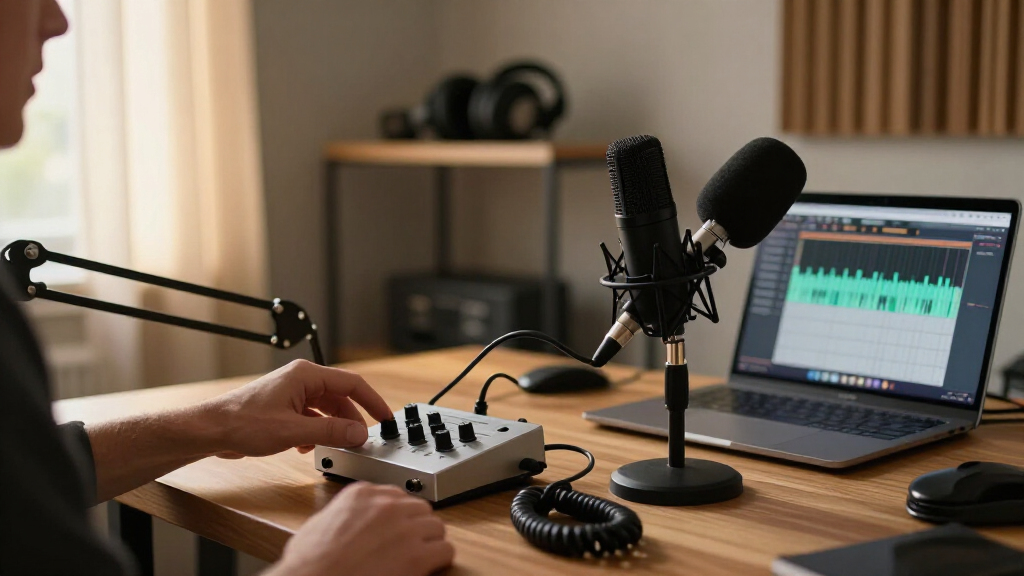
I judged every interface through one specific lens: recording clean, consistent podcast voice audio with minimal fuss. That meant prioritizing preamp gain and noise floor (dynamic mics like the SM7B need serious clean gain), direct monitoring with a usable headphone output, loopback for recording remote guests, and visible metering so you can set levels without guessing. Driver stability on both Windows and macOS mattered too, because a dropped USB connection mid-interview is worse than any spec sheet shortfall.
The ranking logic follows buyer outcomes rather than raw specs. Units that solve common podcast workflows — remote recording, multitrack separation, hands-on live control — ranked above cheaper boxes with similar sample rates but no monitoring feedback. I also weighed build quality and long-term headroom: an interface that still fits your needs after you add a second host or better mic ranks higher than one you outgrow in six months. Where a product has a genuine weakness, I state it plainly, because the right pick depends as much on what a model can’t do as what it can.
Factors to Consider When Choosing Audio Interfaces For Podcasting
Before settling on a specific model, it helps to understand what actually shapes podcast audio quality and workflow — a few decisions made here matter more than any spec on the box.Input Count Should Match Your Show Format
The most common buying mistake is paying for channels you’ll never use — or cheaping out and outgrowing the box within a year. A solo podcaster with one mic needs a single XLR input, full stop; the second channel on most 2×2 interfaces is only useful if you plan a co-host, a second mic for in-person guests, or an instrument. Four-input models like the MOTU M4 make sense for roundtable shows, and multitrack recording (each mic on its own file) is what saves you when two people talk over each other — you can fix levels after the fact instead of re-recording. A cheaper stereo-only interface that mixes everything to one file is a genuine limitation for edited shows. My advice: buy for the show you’ll be recording in twelve months, not the one you’re recording today, but don’t jump to four channels for a format that will stay solo.
Gain and the Dynamic Mic Problem
Many podcasters learn this the hard way: popular dynamic mics like the SM7B or MV7 need a lot of clean gain, and budget interfaces simply run out of it. When you max out a cheap preamp, the result is a noisy, thin recording that no amount of post-production fully removes. Look at how much gain an interface provides (60dB or more handles demanding mics comfortably) and whether it has a pad or boost switch to optimize the preamp’s sweet spot. A decent workaround at the budget tier is an inline booster like a Cloudlifter, but factor that cost in — it can erase the savings of a cheaper interface. If you already own or plan to buy a low-sensitivity dynamic mic, this single factor should drive your purchase more than sample rate or brand name.
Loopback and Remote Guest Recording
If your show involves interviewing people over Zoom, Riverside, or SquadCast, loopback may be the feature that matters most — and it’s absent from most entry-level interfaces. Loopback lets the interface mix your mic with your computer’s audio (the guest’s voice, sound effects, music) and route it back into your recording software as a single input. Without it, you’re forced into software workarounds like virtual audio cables, which are fragile and notoriously confusing to troubleshoot mid-session. The MOTU units, the Antelope Zenith 2, and the MAONO mixers all handle this in hardware. Decide your remote workflow before buying, because this is the feature most often missing when buyers realize they bought the wrong interface for their show’s format.
Metering, Monitoring, and Headphone Power
Two underrated specs decide whether your recordings are consistently usable: metering and headphone output strength. A screen showing exact input levels — like the MOTU M2’s full-color display — lets you set gain precisely instead of relying on a single clipping LED, which is the difference between catching a quiet guest and discovering it after the interview ends. Meanwhile, a weak headphone amp means you can’t hear yourself clearly while monitoring, which causes talkers to drift off-mic or unconsciously change their delivery. Closed-back headphones paired with a robust output let you monitor at proper volume without latency distracting you. Budget interfaces cut corners on exactly these two things, which is why they can record fine audio yet still make your sessions harder to run.
Interface Versus Podcast Mixer
This lineup includes two distinct product types, and mixing them up is a classic mistake. A traditional interface (Focusrite, MOTU, Volt, M-Audio) is transparent: it converts your mic to digital and gets out of the way, ideal for edited shows where you fix everything in post. A podcast mixer (the MAONO AME2, E2 Gen2, G1 Neo) puts control upfront: faders, sound effect pads, voice changers, and one-touch mute — built for live streaming and shows published with minimal editing. The tradeoff is that mixer preamps and converters are usually a step behind dedicated interfaces at the same price, and onboard effects can bake processing into your recording that you can’t undo later. If your podcast is edited, lean interface; if it’s live or lightly edited with jingles and effects, a mixer’s hands-on control wins.
When It’s Worth Paying More
The honest answer: quality gains flatten out quickly in this category. Moving from the cheapest tier to a mid-range interface buys real improvements — better preamps, loopback, proper metering, sturdier build — and that’s where most podcasters should land. Moving from mid-range to premium buys smaller, subtler gains: marginally cleaner converters, nicer encoders, bundled plugin suites. Those matter for music production far more than spoken word, because voice is forgiving and compression in post smooths a lot of imperfections. A smarter allocation for many buyers is a mid-tier interface plus a better mic or acoustic treatment, both of which affect perceived quality more than an upscale converter ever will. Pay up when you need specific features — four preamps, hardware DSP, broadcast-grade monitoring — not for a brand name on the enclosure.
Frequently Asked Questions
Do I need phantom power for podcasting?
Only if you use a condenser microphone, which requires 48V phantom power to operate. Dynamic mics — the SM7B, MV7, and most handheld broadcast styles — do not need it and should have it switched off, since some dynamic models can be damaged or produce noise when phantom power is applied. Every interface in this roundup except the most basic single-channel models includes a phantom power switch, so it’s rarely a deciding factor between them. What actually matters more is whether the interface has enough clean gain for your dynamic mic, since that’s the scenario where budget units fall short. If you’re recording in an untreated room with background noise, a dynamic mic without phantom power is usually the better podcast choice anyway.
Can I record two hosts and a remote guest at the same time?
Yes, but this is one of the most demanding setups and it exposes interface limits quickly. You’ll want at least two XLR inputs for the in-room mics plus loopback to capture the remote guest’s voice from your computer — the MOTU M4 handles this cleanly with four inputs and built-in loopback, giving each local mic its own track while the guest audio routes into your recording software. Without loopback, you’d need virtual audio software, which works but adds a fragile layer that can fail mid-session. The MAONO mixers can also pull this off with Bluetooth or USB playback channels, though with less multitrack flexibility. For this workflow specifically, buying more inputs than you currently need is justified, because a two-person show with guests is one format change away.
Is a 192kHz sample rate better for podcast recordings?
Not in any way a listener will ever notice. Podcast platforms deliver audio at compressed bitrates well below CD quality, so recording at 48kHz/24-bit already captures far more detail than the final product can carry. What higher sample rates do cost you: larger files, more CPU load during editing, and in some budget interfaces, marginally worse actual performance because the chip is being pushed. Manufacturers feature 192kHz prominently because it’s an easy number to market, not because spoken-word audio benefits from it. When comparing interfaces, preamp noise level, gain range, and driver stability all matter far more than the sample-rate ceiling printed on the box.
What’s the difference between the MAONO AME2 mixer and a regular interface like the Scarlett Solo?
They’re built for different post-production philosophies. The AME2 is a control surface: faders for live level rides, sound pads for jingles and effects, voice customization, and monitoring blends — everything is handled in the moment, which suits live streams and shows published with little editing. The Scarlett Solo is a straight converter with excellent preamps for its tier; it records a clean, unprocessed signal you shape later in editing software. The AME2’s tradeoffs are baked-in processing that can’t be undone after recording and preamps that don’t match dedicated interfaces for raw transparency. Choose the AME2 if your show is performed live; choose the Scarlett if you edit, because post-production gives you infinitely more control over the final sound than any real-time effects.
Will a better interface make my podcast sound noticeably better?
Up to a point, yes — and past that point, no. If you’re upgrading from a USB mic or a bottom-tier interface with a noisy preamp, moving to a mid-range unit like the MOTU M2 or Volt 2 produces an audible improvement in noise floor and clarity, especially with gain-hungry dynamic mics. Past that tier, gains become subtle enough that listeners on earbuds or car speakers won’t distinguish them. Your microphone choice and room acoustics influence perceived quality more than the interface does, and a mid-range interface in a treated room beats a premium interface in an echoey one every time. The best investment order for most podcasters: decent dynamic mic, then mid-tier interface, then acoustic treatment, then — only if you have a concrete need — a premium converter.
Conclusion
Matching the right interface to your situation closes this decision quickly. For best overall, the MOTU M2 hits the sweet spot of clean preamps, precise metering, and loopback for remote guests — it handles nearly every podcast workflow without a premium price. The Universal Audio Volt 2 is my best premium pick for podcasters who want richer preamp character and a serious software bundle, while the MOTU M4 takes the multi-person show slot with four inputs and per-track recording. For best value, the PreSonus AudioBox USB 96 and M-Audio M-Track Duo deliver dependable voice recording without paying for features you won’t use, and the M-Track Solo remains the floor for a functional solo setup. Beginners who want zero friction should look at the Focusrite Scarlett Solo 4th Gen, which pairs a proven preamp with the easiest setup experience in the lineup. And if your podcast is really a live show — faders, sound pads, voice effects, minimal editing — the MAONO AME2 or G1 Neo gives you the hands-on control a traditional interface deliberately leaves out. Buy for the show you’ll be recording a year from now, and every one of these picks will still make sense.
Halloween Picks
halloween
As an affiliate, we earn on qualifying purchases.