A word clock provides a precise timing signal that keeps your digital audio devices synchronized, preventing clicks, pops, or phase errors. If you’re working with multiple audio interfaces, digital gear, or professional studio equipment, external clocking is often essential to guarantee all devices stay perfectly in sync. Using an external word clock reduces jitter and improves overall sound quality. Want to learn more about when and why external clocking really matters? Keep exploring the details.
Key Takeaways
- External word clocks serve as master timing signals to synchronize digital audio devices for optimal performance.
- Using an external clock reduces timing errors, jitter, and improves overall audio fidelity in professional setups.
- Not all audio interfaces support external clock input; compatibility determines if external clocking is necessary.
- Internal clocks may suffice for casual use, but external clocking is essential for multi-device, high-precision environments.
- External clocking ensures consistent, stable synchronization across multiple devices, preventing audio glitches and degradation.
Have you ever wondered how digital clocks display the correct time so seamlessly? It’s all thanks to synchronization methods that keep all components aligned, guaranteeing accuracy across devices. When it comes to audio equipment or digital systems, this concept becomes even more essential. A word clock serves as a master timing signal, guiding various devices to operate in perfect harmony. Without proper synchronization, audio signals can become misaligned, resulting in clicks, pops, or timing errors that degrade sound quality. That’s where understanding audio interface compatibility and the role of external clocking comes into play. Proper synchronization is crucial for maintaining audio fidelity in complex setups.
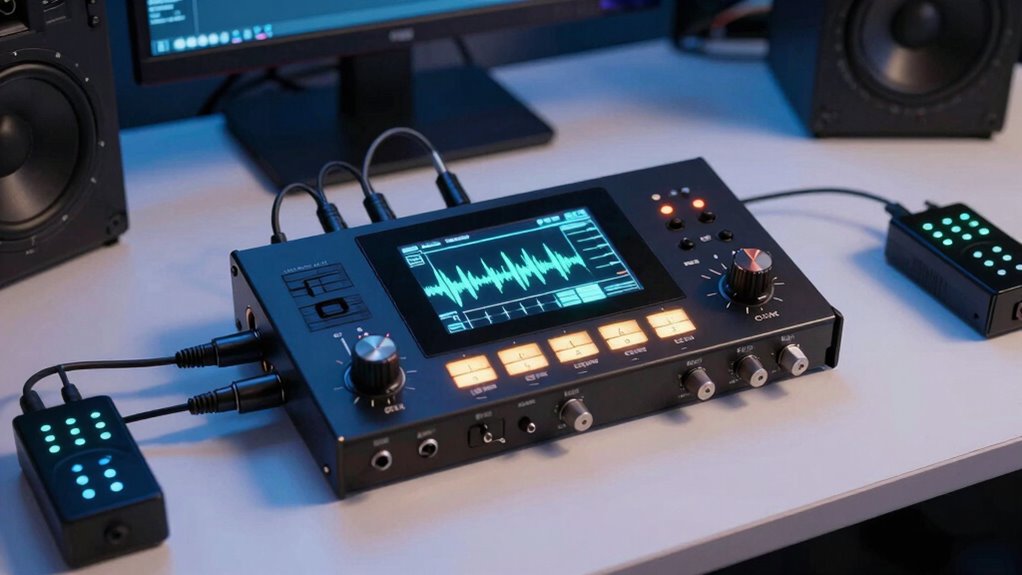
Synchronization methods vary, but the goal remains the same: to maintain a steady, precise timing reference. For many setups, especially in professional audio or digital recording environments, an external word clock generator acts as the master clock source. This device sends out a digital clock signal, which all connected gear—mixers, audio interfaces, digital recorders—use to stay in sync. When your audio interface supports this, it can accept an external clock signal, guaranteeing that all data streams stay perfectly timed. If your gear isn’t compatible, you might experience jitter or drift, causing timing issues that compromise sound quality.
Understanding audio interface compatibility is essential. Some interfaces have built-in word clock inputs, making it easy to connect an external clock source. Others might only sync internally, which could be sufficient for casual use but problematic in professional settings. If you’re working with multiple digital devices, having a compatible interface that can lock onto an external clock guarantees everything runs smoothly. It prevents timing discrepancies, reduces latency, and guarantees that your recordings or live performances stay tight.
Choosing to use external clocking isn’t always necessary, but in high-precision environments, it’s often the best choice. When multiple digital devices are involved, relying solely on internal clocks can lead to synchronization errors. External clocking provides a common timing reference, aligning all devices to the same standard. This is particularly essential for multi-track recording, mixing, or mastering, where even slight timing differences can affect the final sound. With reliable synchronization methods and audio interface compatibility, you gain confidence that your system will perform consistently, whether in a studio or live setting.
Frequently Asked Questions
Can I Use My Audio Interface Without an External Word Clock?
Yes, you can use your audio interface without external word clock, but it may have limitations. Most interfaces rely on their internal clock, which might not be as accurate as an external one, especially for multi-device setups. Without external clocking, you risk issues like jitter or timing inaccuracies that can affect your audio quality. If you’re working on critical recordings, consider external clocking to guarantee better synchronization and sound fidelity.
How Does Word Clock Improve Audio Synchronization in a Studio?
Word clock improves your studio’s digital audio by enhancing timing accuracy, ensuring all devices stay perfectly synchronized. When you use a high-quality external word clock, it minimizes timing errors and reduces digital clicks or pops. This leads to clearer, more precise recordings and mixes. Without proper synchronization, digital audio can become misaligned, causing phase issues. So, investing in a good word clock helps maintain seamless timing across your entire setup, boosting overall audio quality.
What Are the Signs of a Poor or Unstable Word Clock?
Did you know that over 60% of audio issues stem from poor timing? If you notice crackling, clicks, or dropouts, your word clock might be unstable. Signs include signal degradation and noticeable timing discrepancies between devices. These issues cause synchronization problems, making your recordings sound off. If you experience these signs, it’s time to verify or upgrade your word clock to ensure smooth, crystal-clear audio.
Is External Clocking Necessary for Live Sound Reinforcement?
External clocking isn’t always necessary for live sound reinforcement, but it can greatly improve clock stability and jitter reduction. If your system involves multiple digital devices, using an external clock helps ensure synchronization, minimizing digital errors and audio artifacts. For small setups with minimal digital gear, internal clocking usually suffices. However, for larger, more complex systems, external clocking enhances overall sound quality and reliability.
Can Multiple Digital Devices Share a Single Word Clock Source?
Sharing a single word clock source among multiple digital devices is like trying to choreograph a dance troupe with different steps. It’s possible, but synchronization challenges can arise if devices aren’t compatible or if timing drifts occur. To keep everything in perfect harmony, guarantee all devices support the same clock standards and are properly configured. This minimizes jitter and latency, making your digital setup perform smoothly like a well-rehearsed ensemble.
Conclusion
So, after all this talk about external clocking, you might think it’s just a fancy detail. But isn’t it ironic that the very thing meant to keep everything in sync can sometimes cause more headaches? Sometimes, trusting your gear’s internal clock feels easier—until it doesn’t. In the end, whether you need external clocking depends on how much you enjoy chasing perfect timing or just making music without obsessing over the clock.