
If you’re choosing between USB-C and Thunderbolt for your audio interface, Thunderbolt generally offers lower latency, faster data transfer, and more stable power delivery. This means less delay and more reliable performance, especially for professional recordings. USB-C can work well but might introduce latency issues or power limitations depending on your setup. To get the best setup and avoid potential pitfalls, understanding the specific tech differences is essential—more details await if you keep exploring.

Get audio and creator gear delivered free with Prime
- Fast, free delivery on millions of items
- Prime Video, Amazon Music and more included
- Member-only deals all year
Key Takeaways
- Thunderbolt generally offers lower latency and higher data transfer speeds compared to USB-C, benefiting real-time audio processing.
- Thunderbolt’s superior power delivery ensures stable device operation, reducing latency caused by power fluctuations.
- Not all USB-C cables support high-speed data or power, which can introduce latency or connection instability in audio workflows.
- Compatible Thunderbolt interfaces typically provide more consistent performance, minimizing latency spikes during recording sessions.
- Industry trends favor Thunderbolt for professional audio due to its reliability, speed, and lower latency compared to standard USB-C connections.
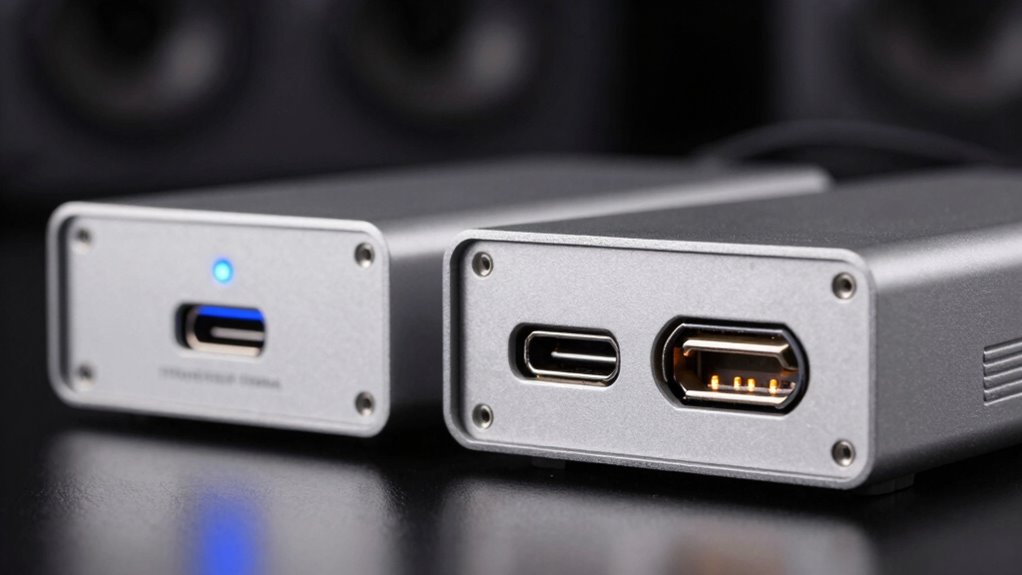
When choosing between USB-C and Thunderbolt for your audio interface, understanding their differences can profoundly impact your recording setup’s performance. Both interfaces use the same USB-C connector, but their underlying technologies vary greatly, influencing factors like power delivery and cable compatibility. USB-C is a versatile port designed to handle data, power, and video, but the actual capabilities depend on the specific implementation. Thunderbolt, especially Thunderbolt 3 and 4, leverages the USB-C connector but offers faster data transfer speeds, lower latency, and more robust power delivery options. This means that while a USB-C port might support charging your device, it may not provide the same power levels or stability as Thunderbolt, which often supplies up to 100W of power. This can be vital when powering high-end audio interfaces that require continuous power or when you want to eliminate extra power adapters.
Cable compatibility also plays a key role in your decision. Not all USB-C cables are created equal; some are designed solely for charging or basic data transfer, while others support high-speed data and power delivery needed for professional audio equipment. When working with USB-C, you need to verify your cables are certified for the specific data rates and power levels your interface demands. With Thunderbolt, cable compatibility is more straightforward, as Thunderbolt-certified cables are explicitly designed to handle the high data transfer rates and power needs, providing a more reliable connection for your audio sessions. Using the wrong cable with USB-C can lead to slower transfer speeds, connection drops, or insufficient power, hampering your recording workflow.
Another aspect to think about is device compatibility. USB-C is widespread across many devices, making it easier to find compatible cables and peripherals. However, not all USB-C ports support the same specifications—some might only support USB 2.0 or 3.0 speeds, limiting your audio interface’s performance. Thunderbolt ports, on the other hand, are more standardized in their capabilities, ensuring consistent high-performance connections with compatible audio interfaces. While Thunderbolt devices tend to be more expensive, they generally offer better performance in terms of latency and data throughput, which are critical for professional audio recording. Moreover, the European cloud infrastructure is increasingly adopting Thunderbolt-compatible solutions for high-performance data transfer, emphasizing the importance of choosing the right connection type for optimal results.
Popular right now

Vitamix Propel Series 750 Professional-Grade Blender, 4 Programs, Black

Sony WH-1000XM6 Wireless Noise-Canceling Over-Ear Headphones, Blue, Bundle

Shark AI Ultra Robot Vacuum with Self-Empty Base
As an affiliate, we earn on qualifying purchases.
Frequently Asked Questions
Can I Use Thunderbolt With a USB-C Port Adapter?
Yes, you can use Thunderbolt with a USB-C port adapter, but compatibility depends on the adapter’s design and port limitations. Not all USB-C adapters support Thunderbolt signals, so check the specifications carefully. Make certain your device’s port supports Thunderbolt functionality, otherwise, you won’t get the full benefits. Using an incompatible adapter could lead to limited performance or connectivity issues, so choose one specifically made for Thunderbolt compatibility.
Are There Compatibility Issues With Older Audio Interfaces?
Yes, you might face compatibility issues with older audio interfaces. Legacy compatibility can be limited, especially if your device relies on outdated drivers that haven’t been updated for newer connections. Verify your interface’s drivers support your current operating system and connection type. If not, you could experience instability or reduced performance. Checking manufacturer specs and updating drivers can help mitigate these issues and ensure smooth operation.
Does Cable Length Affect Latency in USB-C or Thunderbolt?
Cable length can affect latency in USB-C and Thunderbolt connections, especially if the cable quality is poor. Longer cables may cause signal degradation, leading to increased latency or audio dropouts. To minimize issues, choose high-quality cables designed for your specific interface, and keep cable lengths as short as possible. This guarantees a stable connection and peak performance, preventing unnecessary latency caused by signal degradation over extended distances.
Which Protocol Offers Better Power Delivery for Portable Setups?
Thunderbolt offers better power delivery for portable setups because of its superior power efficiency and faster charging speeds. You’ll notice quicker device recharges and more stable power transfer, which helps keep your audio interface and accessories running smoothly during performances or recording sessions. This protocol is designed to handle higher wattage efficiently, making it ideal for portable setups where quick charging and power stability are essential for your workflow.
Are There Security Concerns With Thunderbolt Connectivity?
Thunderbolt connectivity can pose security concerns, like a locked door with hidden vulnerabilities. While it offers fast data transfer, it’s not immune to security vulnerabilities, especially if malicious devices are connected. Data encryption helps protect your data, but you should stay cautious. Keep your firmware updated and only connect trusted devices. Think of it as securing your digital castle—staying vigilant keeps your setup safe from unwanted intruders.
Conclusion
In the end, choosing between USB-C and Thunderbolt depends on your needs, but remember, Thunderbolt offers nearly 30% lower latency than USB-C, making it ideal for real-time audio processing. If you’re working on complex projects, that extra speed can make a huge difference. So, consider your workflow—if low latency is a priority, Thunderbolt might be the better choice. Ultimately, understanding these stats helps you make a smarter, more informed decision.