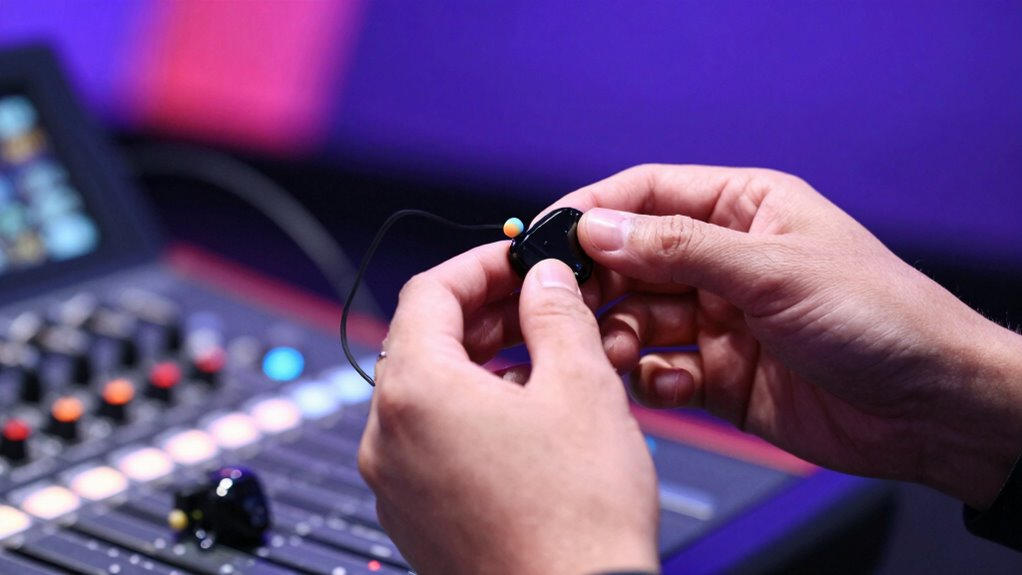
To create an effective in-ear monitor mix, include essential elements like vocals and main instruments to stay synchronized and focused. Skip background effects, ambient sounds, and secondary instruments that cause clutter. Prioritize clarity and simplicity to reduce fatigue and distraction. Communicate with the sound engineer to keep your mix balanced and natural. For proven tips on optimizing your IEM setup, explore further to improve your on-stage confidence and performance.
Key Takeaways
- Include essential elements like vocals and main instruments to ensure performers can stay in sync.
- Skip background effects and ambient sounds that can cause distraction or clutter the mix.
- Prioritize clarity by only including sounds necessary for the current performance.
- Regularly communicate with the sound engineer to adjust the mix for optimal balance.
- Keep the mix simple and natural to help performers focus and perform confidently.

Have you ever wondered how professional musicians achieve a perfect on-stage sound? It all starts with understanding the importance of managing stage volume and monitor calibration. When you’re on stage, loud instruments and crowd noise can create a chaotic environment that makes it tough to hear yourself and your bandmates clearly. That’s where a well-planned in-ear monitor (IEM) mix comes into play, allowing you to control what you hear and eliminate unnecessary noise. First, focus on controlling stage volume; if your stage is too loud, it becomes nearly impossible to achieve a clear, balanced mix. Excessive volume not only hampers your ability to hear yourself accurately but also causes monitor bleed, which can disrupt the entire sound system. To combat this, work with your sound engineer to set appropriate stage volumes and enforce consistent sound levels, ensuring everyone can perform at their best.
Monitor calibration is another critical element. It involves fine-tuning your monitor mix so that your ears receive the correct balance of instruments and vocals. Proper calibration ensures you’re not overwhelmed by loud guitar riffs or buried under drum crashes. When calibrating, prioritize the most essential elements for your performance—usually your voice or main instrument—and keep other sounds at a comfortable level. This helps prevent fatigue and maintains focus during long performances. It’s also crucial to communicate regularly with your sound engineer to adjust monitor settings as needed, especially if the stage setup changes or if you notice any imbalances during soundcheck. The goal is to create a personalized mix that feels natural and clear, so you can perform with confidence. Additionally, understanding auditory processing principles can help you better interpret what you hear from your monitors and make more effective adjustments.
Knowing what to put into your IEM mix and what to skip is equally important. Generally, you want to include the core elements you need to stay in sync and perform confidently—your vocals, main instruments, and critical cues. Avoid overloading your mix with every possible sound, which can be distracting and fatiguing. Instead, keep it simple and focus on clarity. For example, you might skip background effects, overly ambient sounds, or secondary instruments that aren’t essential to your performance. This streamlined approach reduces clutter and helps you focus on what matters most. Remember, the best IEM mixes are tailored to your needs—by managing stage volume and ensuring proper monitor calibration, you’re setting yourself up for a seamless, distraction-free performance. It’s about creating an environment where you can hear yourself perfectly, stay in sync, and deliver your best on stage.
Frequently Asked Questions
How Do I Prevent Feedback in My In-Ear Monitor Mix?
To prevent feedback in your in-ear monitor mix, start with monitor calibration—adjust levels carefully to avoid pushing mics or speakers too high. Use EQ cuts on problematic frequencies to reduce potential feedback points. Keep your gain levels balanced, and position microphones properly. Regularly check your mix for feedback risks, and consider using a feedback suppressor if needed. These steps help guarantee a clear, feedback-free in-ear experience.
What Are the Best Practices for Adjusting Monitor Mixes During a Show?
During a show, you should regularly adjust your monitor mixes by listening to stage volume and monitor placement. Keep the stage volume balanced so monitors aren’t overwhelmed, and reposition monitors to prevent feedback. Communicate with the performers to identify their needs, making quick modifications as needed. Stay attentive to sound changes and guarantee each performer hears what they need without causing stage noise or feedback issues.
How Can I Personalize Monitor Mixes for Different Performers?
Think of each performer as a unique instrument, and your goal is to craft a symphony tailored just for them. You personalize monitor mixes by adjusting the volume, EQ, and effects for each artist. Use personalized EQ to highlight their strengths, and create custom mixes that suit their preferences. This way, every performer hears what they need, making the stage feel like their own musical sanctuary.
What Equipment Is Essential for an Effective In-Ear Monitor Setup?
You need a reliable wireless system to guarantee clear, interference-free audio. Invest in quality earphones with a proper fit to block out noise and stay comfortable during performances. A good transmitter and receiver are essential for seamless signal transmission, while a personal mixer helps tailor the sound. Don’t forget to include accessories like ear tips and a charger. This setup guarantees consistent, personalized in-ear monitoring for every performer.
How Do I Troubleshoot Common In-Ear Monitor Issues Quickly?
Think of your in-ear monitors as a delicate garden; quick troubleshooting is like watering with the right tool. First, check for feedback—rotate or reposition the earphones to prevent it from echoing like a canyon. Make certain sound isolation is tight, sealing out external noise. If issues persist, verify cable connections and swap out ear tips for a better fit. These steps help you swiftly tame common problems, keeping your performance smooth and clear.
Conclusion
Remember, your in-ear mix should prioritize clarity, balance, and comfort. Focus on what helps you perform at your best—whether it’s vocals, click tracks, or essential instruments. Skip unnecessary elements that clutter your mix or distract your focus. Keep it simple, keep it clean, and keep it tailored to your needs. By doing so, you’ll enhance your performance, reduce fatigue, and stay fully immersed in the music, making every show sound better than the last.