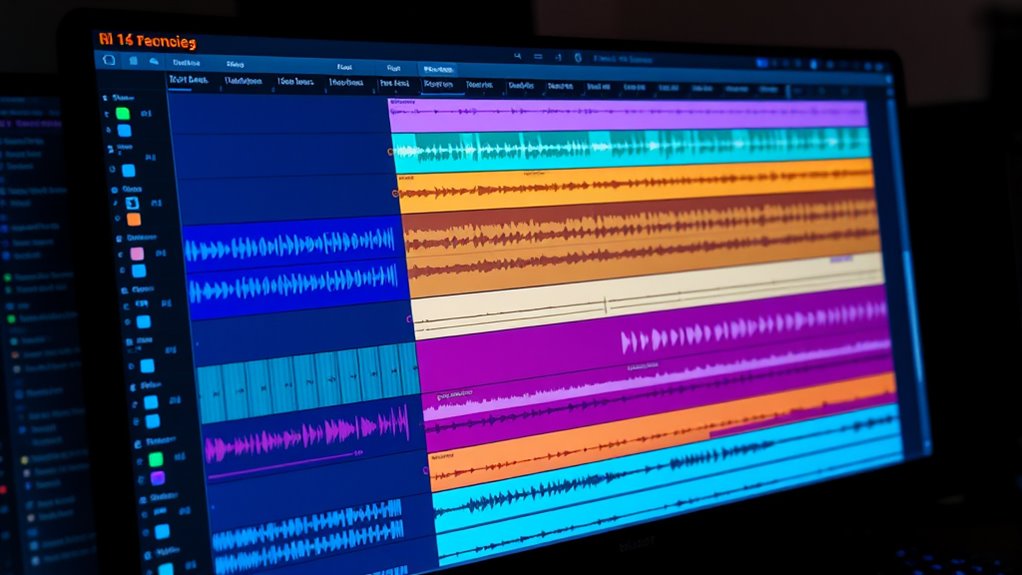

To comp efficiently, organize your takes using lanes and playlists to keep everything clear and accessible. Lanes act as virtual tracks for layering different performances, while playlists let you create multiple versions for comparison. Mute and solo tracks easily, auditioning takes without disrupting your flow. This setup helps you quickly select the best performances, ensuring natural, polished results. Keep experimenting with this method, and you’ll discover more tips to refine your editing process.

Get audio and creator gear delivered free with Prime
- Fast, free delivery on millions of items
- Prime Video, Amazon Music and more included
- Member-only deals all year
Key Takeaways
- Use lanes to organize different takes and layer performances for easy comparison and selection.
- Create playlists to develop multiple versions of a performance, facilitating quick audition and choice.
- Label and color-code takes and playlists for clear visual organization and efficient navigation.
- Mute, solo, and switch between lanes and playlists to find the best performance combination quickly.
- Maintain a clean session by regularly consolidating and pruning takes and playlists to streamline workflow.

Comping, or comping vocals and instruments, is a vital part of the mixing process that can markedly shape your final sound. When you’re working on a session, the key is to gather the best performances and seamlessly combine them. This involves vocal editing—carefully selecting the most compelling takes—so your vocals sound polished and expressive. As you listen through multiple recordings, you’re pinpointing the moments where the performance hits its peak, then editing out any imperfections. The goal is to craft a cohesive vocal line that feels natural and emotionally charged.
Comping vocals involves selecting and blending the best takes for an authentic, polished sound.
In addition to vocal editing, comping applies to drums, especially when you’re considering drum replacement. If your drum tracks aren’t quite hitting the mark—maybe they lack punch or clarity—you can replace or augment them with samples or programmed drums. This process allows you to achieve a consistent, powerful rhythmic foundation. You might select the best drum hits from various takes, aligning them precisely to maintain groove and feel. Drum replacement is a valuable technique when the original recording doesn’t meet your sonic standards, giving you more control over the final mix.
As you compile takes, using lanes or playlists becomes essential. These features enable you to organize multiple performances layer by layer, making it easier to compare, edit, and choose the strongest parts. Think of lanes as virtual tracks within your DAW; you can mute, solo, or audition different takes without disrupting your entire session. Playlists take this concept further by letting you create different versions of a performance—say, a verse with a more energetic vocal, or a chorus with a different drum feel. You can switch between these versions easily, experimenting until you find the perfect combination. This flexibility streamlines your workflow and helps you make informed decisions about which takes to keep and which to discard.
When you’re comping, focus on maintaining the song’s emotional core. Don’t just pick the cleanest takes—select the ones that feel most authentic and expressive. Use editing tools to crossfade between takes smoothly, avoiding abrupt transitions that can distract listeners. If necessary, apply subtle pitch correction or timing adjustments to tighten performances without sacrificing natural feel. For drums, consider replacing or layering hits to enhance clarity and impact, especially if the original recordings sound dull or boxy. This process can elevate your mix, giving it a professional polish that captures the energy you want. Additionally, understanding the importance of family dynamics in performances can help inform your editing choices to better serve the emotional intent of the song.
Ultimately, efficient comping is about organization, precision, and taste. By mastering the use of lanes, playlists, and takes, and understanding when to perform vocal editing or drum replacement, you set yourself up for a cleaner, more compelling mix. It’s a skill that transforms raw performances into a polished, cohesive sound that resonates with your audience.
audio editing lanes and playlists
As an affiliate, we earn on qualifying purchases.
As an affiliate, we earn on qualifying purchases.
Frequently Asked Questions
How Do I Choose the Best Comping Method for My Genre?
You should choose a comping method based on your genre’s specific techniques and the vibe you’re aiming for. For example, in pop, rapid takes and precise editing work well, while jazz may need more organic, spontaneous comping. Also, consider artist collaboration strategies; working closely with artists helps you select the best takes and adapt your approach to fit the genre’s style. This guarantees your comping enhances the overall sound.
What Software Tools Are Recommended for Efficient Comping?
You should try software like Ableton Live, Logic Pro, or Pro Tools, which excel at audio editing and MIDI integration. These tools let you quickly cut, move, and layer takes, making comping efficient. While Ableton’s session view offers fast clip management, Logic’s Flex Time helps with precise edits. Pro Tools provides robust audio editing features, perfect for seamless comping across genres. Pick the one that matches your workflow and creative style.
How Do I Train Singers or Musicians for Better Takes?
To train singers or musicians for better takes, start with vocal warm-ups to loosen their voices and improve control. Combine this with performance coaching to boost confidence and stage presence. Encourage consistent practice, focusing on breathing techniques and diction. Provide constructive feedback and record rehearsals so they can analyze their performance. This approach helps them develop better technique, expressiveness, and overall quality in their takes.
What Are Common Mistakes to Avoid During Comping?
When comping, avoid auto-tuning errors that distort the natural sound and watch for timing discrepancies that make the performance feel off. Don’t select takes based solely on pitch; consider rhythm and emotion. Steer clear of over-editing, which can make the performance sound unnatural. Keep the flow natural, and always listen critically before finalizing. Focus on maintaining authenticity while fixing these common mistakes for a polished, expressive result.
How Does Effective Comping Improve Overall Mix Quality?
Think of effective comping as fine-tuning a musical puzzle you’re assembling. By focusing on vocal timing and editing precision, you make certain each part fits seamlessly. This clarity enhances the overall mix quality, making vocals sound polished and cohesive. When you carefully select and refine takes, your mix becomes more engaging and professional, like a well-orchestrated performance that captures listeners’ attention and keeps them hooked.
Conclusion
By mastering lanes, playlists, and takes, you streamline your comping process and boost your creativity. Did you know that musicians who organize their sessions tend to finish projects 30% faster? Embracing these techniques keeps you focused and efficient, saving you time and frustration. Whether layering multiple takes or selecting the best parts, staying organized makes all the difference. Keep refining your workflow, and you’ll find your recordings sound even better—faster and more inspired.
Halloween Picks
halloween
As an affiliate, we earn on qualifying purchases.