

Building a personal patch library helps you organize your sounds for quick access and creative flow. Focus on categorizing patches by type—pads, basses, leads—and label them clearly. Incorporate version control and backups to keep everything safe and easy to find. Connect hardware synths for real-time tweaks and productivity. With a well-maintained library, you’ll save time, inspire new ideas, and enhance your music-making—if you keep exploring, you’ll discover even more ways to optimize your setup.

Get audio and creator gear delivered free with Prime
- Fast, free delivery on millions of items
- Prime Video, Amazon Music and more included
- Member-only deals all year
Key Takeaways
- Organize patches by categories such as genre, instrument, or sound type for efficient access.
- Label patches clearly with descriptive names and tags to facilitate quick identification.
- Regularly back up your library to prevent data loss and maintain version control.
- Integrate hardware synths and controllers for seamless real-time adjustments and performance.
- Continuously update and expand your library by adding new, compatible patches to inspire creativity.
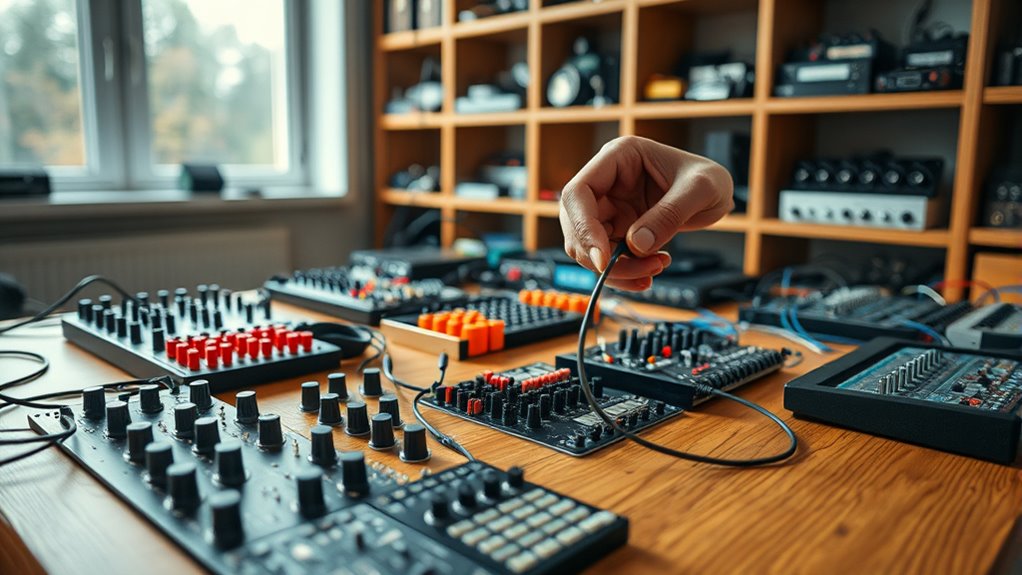
Creating a personal patch library can substantially streamline your workflow and foster creativity. When you build a well-organized collection of patches, you save time hunting for sounds and can focus more on your musical ideas. This is especially true if you immerse yourself in synth programming, where each patch can be tailored to specific moods, textures, or genres. By developing a library that’s tailored to your style, you’ll find yourself able to quickly recall sounds and make adjustments on the fly, rather than starting from scratch each time. This process becomes even more powerful when you consider hardware integration, connecting your software patches with hardware synths or effects for richer, more dynamic performances.
A well-organized patch library streamlines workflow and enhances creativity through quick sound recall and seamless hardware integration.
Designing your patch library begins with understanding your needs. Think about the kinds of sounds you use most—whether lush pads, punchy basses, or complex leads—and start creating patches that fit those categories. As you synth program, pay attention to parameters like oscillators, filters, modulation, and effects, making sure each patch is intentional and well-balanced. Label your patches clearly, perhaps with descriptive names or tags indicating their intended use, so you can locate them quickly later. Incorporate version control, saving multiple iterations of a patch to track your progress and refine your sound over time. Additionally, staying informed about industry trends and new techniques can inspire you to expand and improve your library continually.
Hardware integration plays a pivotal role in building a practical patch library. When you connect your hardware synths or controllers, you can directly assign MIDI controls, CV outputs, or automation parameters to your patches, making live tweaking seamless. For example, integrating a hardware sequencer with your software patches enables real-time performance adjustments, adding expressiveness to your music. The key is to guarantee that your software patches are compatible with your hardware setup—this might mean configuring MIDI mappings or using specific communication protocols so that hardware and software work in harmony. With a dedicated library, you can quickly recall patches that are already mapped and configured for your gear, reducing setup time and allowing more focus on your creativity.
Consistency is crucial. Develop a systematic approach to organizing your patches—whether by genre, function, or instrument type—and keep backups regularly. A well-maintained library not only speeds up your workflow but also helps you learn and understand your synths better. Over time, you’ll notice patterns in what sounds work best, and you’ll be able to expand your library efficiently, adding new patches that fit seamlessly into your existing setup. Ultimately, your personal patch library becomes a powerful tool—an extension of your musical identity that simplifies your process and sparks new ideas through thoughtful synthesis and hardware integration.
hardware synthesizer patch librarian
As an affiliate, we earn on qualifying purchases.
As an affiliate, we earn on qualifying purchases.
Frequently Asked Questions
How Do I Organize Patches for Easy Retrieval?
You should organize patches by creating a clear folder hierarchy that groups similar sounds together, making retrieval straightforward. Use consistent tagging conventions for each patch, including genre, instrument, or effect type, to enhance searchability. Regularly update and refine your folder structure and tags so you can quickly locate specific patches when needed, saving you time and streamlining your workflow.
What Software Is Best for Creating Patches?
You should try Bitwig Studio or VCV Rack for creating patches, as they excel in synth programming and patch management. Don’t worry about complexity—these programs offer intuitive interfaces and robust features that make designing sounds enjoyable. Imagine seamlessly tweaking your patches, organizing them effortlessly, and exploring endless sonic possibilities. With these tools, you’ll quickly craft and manage patches, transforming your creative ideas into reality without feeling overwhelmed.
How Can I Back up My Patch Library?
To back up your patch library, you should use cloud storage for easy access and safety. Save copies of your patches there regularly, and consider employing version control tools like Git to track changes over time. This way, you can restore previous versions if needed and keep your library protected. Automate backups when possible to ensure your patches are always safeguarded and up-to-date.
Should I Include Metadata With Each Patch?
Yes, you should include metadata with each patch. Metadata helps with patch categorization, making it easier to find and organize your library. Use metadata standards to guarantee consistency, such as labeling patches by type, purpose, or sound characteristics. This way, when your library grows, you can quickly locate the right patch without sifting through everything, saving you time and keeping your workflow efficient.
How Often Should I Update My Patch Library?
You should update your patch library at least quarterly, as consistent updates keep your categorization accurate and relevant. Remarkably, 60% of musicians find frequent updates improve their workflow. Regular updates help you refine patch categorization, ensure compatibility, and add new sounds. By setting a schedule, you stay organized and avoid missing important tweaks. Make it a habit to review and update your library often, ideally every few months.
Conclusion
As you browse through your personal patch library, imagine each patch as a brushstroke on your sonic canvas, ready to transform your soundscape. With every new addition, you’re weaving a vibrant tapestry of textures and tones, like colors blending on an artist’s palette. This library isn’t just a collection; it’s your creative sanctuary. Keep building, experimenting, and let your sonic imagination run wild, turning your ideas into a living, breathing masterpiece.
Halloween Picks
halloween
As an affiliate, we earn on qualifying purchases.