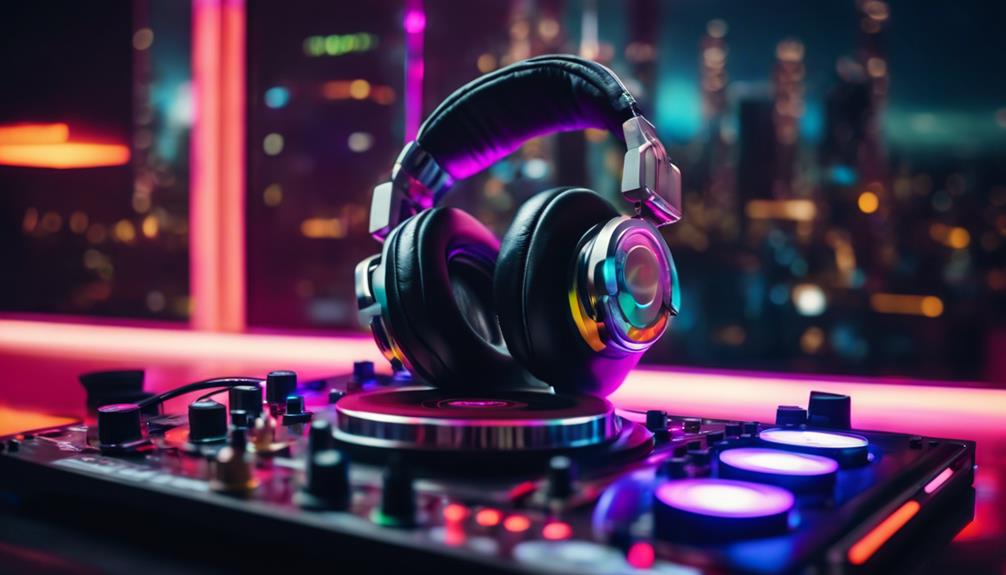
Building a music production setup starts with matching gear to how you actually make beats, and the Focusrite Scarlett Solo Studio 4th Gen bundle earns the best overall spot because it solves the recording problem in one box with an interface, mic, and headphones that work together from day one. If your focus is beat-making rather than recording, the Akai MPC Live III stands out as the strongest standalone option — a full production center that never needs a computer. Budget-conscious beginners should look at the Akai MPK Mini MK3, which packs pads, keys, and knobs into a portable controller at an accessible entry point. The main tradeoff in this category is power versus simplicity: standalone units like the MPC cost more but remove the computer from the equation, while controller-and-software combos scale better but demand more setup knowledge. Read on for the full breakdown of all fifteen picks.

Get audio and creator gear delivered free with Prime
- Fast, free delivery on millions of items
- Prime Video, Amazon Music and more included
- Member-only deals all year
Complete the kit


Key Takeaways
- Bundles won the value comparison: the Scarlett Solo Studio 4th Gen beat standalone interfaces because pairing a matched mic and headphones removes the guesswork beginners face when sourcing components separately.
- Standalone units (MPC Live III, MPC Key 37 G2) carry the highest cost but eliminate the latency, driver, and compatibility headaches that laptop-based producers deal with — a tradeoff worth understanding before buying.
- The 4th Gen Scarlett Solo outperforms the 3rd Gen on latency and clipping headroom, but the 3rd Gen remains relevant for producers who already own monitors and a mic.
- Controller choice should follow your DAW: the APC Mini MK2 is built around Ableton‘s session view, while the PreSonus ATOM pairs naturally with Studio One — buying the wrong one means fighting your software.
- The two books in this lineup proved the quiet performers: theory and DAW-specific guides deliver more improvement per dollar than any hardware upgrade for producers who already own basics.
| Focusrite Scarlett Solo Studio 4th Gen USB-C Audio Interface Bundle |  | Best Starter Recording Kit | Connectivity: USB-C | Dynamic Range: 120dB | Inputs: 1 XLR mic, 1 instrument | VIEW ON AMAZON | See Our Full Breakdown |
| Akai Professional APC Mini MK2 USB MIDI Pad Controller |  | Best Value Clip Launcher | Pads: 64 RGB-backlit (8×8 matrix) | Faders: 9 assignable (8 + master) | Connectivity: USB 2.0 Type B, bus-powered | VIEW ON AMAZON | See Our Full Breakdown |
| Akai Professional MPC Live III Portable Music Production Center |  | Best Standalone Production Station | Processor: 8-core with 8GB RAM | Operating System: MPC3 OS with MPC3 Pro Pack | Display: 7-inch multi-touch | VIEW ON AMAZON | See Our Full Breakdown |
| Music Theory for Electronic Music Producers: The Producer’s Guide to Harmony, Chord Progressions, and Song Structure in the MIDI Grid |  | Best Skills Upgrade | Format: Paperback book | Topics: Harmony, chord progressions, song structure | Teaching Framework: MIDI grid / piano roll | VIEW ON AMAZON | See Our Full Breakdown |
| Akai Professional MPC Key 37 G2 Next-Gen Standalone Production Keyboard |  | Best Premium All-in-One | Keybed: 37-key synth-action with pitch and mod wheels | Pads: 16 MPC pads | Display: 7-inch touchscreen | VIEW ON AMAZON | See Our Full Breakdown |
| Akai Professional MPK Mini Plus 37-Key USB MIDI Keyboard Controller |  | Best Compact Controller for Hybrid Setups | Number of Keys: 37 | Keybed: Gen 2 dynamic keybed | Octaves: 3 full octaves | VIEW ON AMAZON | See Our Full Breakdown |
| Akai Professional MPK Mini MK3 25-Key USB MIDI Keyboard Controller |  | Best Value for First-Time Beatmakers | Number of Keys: 25 velocity-sensitive mini keys | Pads: 8 backlit velocity-sensitive MPC-style pads | Knobs: 8 assignable 360-degree knobs | VIEW ON AMAZON | See Our Full Breakdown |
| Akai Professional MPC Sample Portable Sampler |  | Best DAWless Production Tool | Pads: 16 velocity-sensitive MPC pads | Display: 2.4-inch full color | Operation: Standalone, battery-powered with built-in speaker and mic | VIEW ON AMAZON | See Our Full Breakdown |
| 2×2 24-bit/192kHz USB C Studio Audio Interface with XLR/TRS Inputs (Alloy Red) |  | Best Budget Interface for Recording Vocals and Instruments | Resolution: 24-bit/192kHz | Inputs: 2 XLR/TRS combo jacks | Phantom Power: 48V | VIEW ON AMAZON | See Our Full Breakdown |
| Image Line FL Studio 20 Producer Edition |  | Best DAW for Melodic Beatmakers and Pattern-Driven Producers | Type: Digital Audio Workstation (full production software) | Capabilities: Multi-track recording, arranging, editing, mixing, mastering | MIDI Editing: Industry-leading piano roll editor | VIEW ON AMAZON | See Our Full Breakdown |
| Focusrite Scarlett Solo 3rd Gen USB-C Audio Interface |  | Best Interface for Vocal and Guitar Tracking | Connectivity: USB-C | Sample Rate: Up to 192kHz | Bit Depth: 24-bit | VIEW ON AMAZON | See Our Full Breakdown |
| Ableton Move Standalone Groovebox with Live 12 Intro |  | Best for Computer-Free Beat Making | Power: Built-in rechargeable battery | Pads: 32 velocity-sensitive pads with polyphonic aftertouch | Encoders: 9 touch-sensitive endless encoders | VIEW ON AMAZON | See Our Full Breakdown |
| The Music Producer’s Ultimate Guide to FL Studio 20 |  | Best Learning Resource for FL Studio Users | Format: Printed book | Software Covered: FL Studio 20 | Topics: Composing, arranging, mixing workflows | VIEW ON AMAZON | See Our Full Breakdown |
| PreSonus ATOM Production & Performance MIDI Pad Controller |  | Best Pad Controller for DAW Control | Pads: 16 full-size velocity- and pressure-sensitive RGB pads | Pad Banks: 8 assignable banks | Additional Controls: 20 assignable buttons, 4 endless rotary encoders | VIEW ON AMAZON | See Our Full Breakdown |
| Akai Professional LPD8 USB MIDI Pad Controller |  | Best Ultra-Portable Pick | Pads: 8 RGB-backlit velocity-sensitive MPC pads | Knobs: 8 assignable Q-Link rotary knobs | Presets: 4 programmable preset slots | VIEW ON AMAZON | See Our Full Breakdown |
| quality lapfor music production | Connectivity | Pads |
|---|---|---|
| Focusrite Scarlett Solo Studio | USB-C | — |
| Akai Professional APC Mini MK2 | USB 2.0 Type B, bus-powered | 64 RGB-backlit (8×8 matrix) |
| Akai Professional MPC Live III | — | — |
| Music Theory for Electronic Mu | — | — |
| Akai Professional MPC Key 37 G | USB-C (24×24 audio, 32ch MIDI, host/device) | 16 MPC pads |
| Akai Professional MPK Mini Plu | USB, MIDI I/O, CV/Gate | 8 RGB MPC pads |
| Akai Professional MPK Mini MK3 | USB 2.0 Type B | 8 backlit velocity-sensitive MPC-style pads |
| Akai Professional MPC Sample P | USB-C audio/MIDI, MIDI in/out via adapter, 1/4-inch TRS line I/O, headphone out, sync out | 16 velocity-sensitive MPC pads |
| 2×2 24-bit/192kHz USB C Studio | USB C | — |
| Image Line FL Studio 20 Produc | — | — |
| Focusrite Scarlett Solo 3rd Ge | USB-C | — |
| Ableton Move Standalone Groove | — | 32 velocity-sensitive pads with polyphonic aftertouch |
| The Music Producer’s Ultimate | — | — |
| PreSonus ATOM Production & Per | USB 2.0, bus-powered | 16 full-size velocity- and pressure-sensitive RGB pads |
| Akai Professional LPD8 USB MID | USB, bus-powered | 8 RGB-backlit velocity-sensitive MPC pads |
More Details on Our Top Picks
Focusrite Scarlett Solo Studio 4th Gen USB-C Audio Interface Bundle
Focusrite’s Scarlett Solo Studio 4th Gen is the entry point I point most new producers toward, because it removes the guesswork entirely: interface, condenser mic, and headphones arrive in one box, pre-mapped to work the moment they’re plugged in. The headline upgrade over the older Scarlett Solo 3rd Gen is the 120dB dynamic range borrowed from Focusrite’s flagship converters, which means quieter noise floors and cleaner vocal takes — a difference you actually hear once you start stacking tracks. Compared with the generic 2×2 USB-C interface elsewhere in this lineup, the Air mode and bundled Hitmaker plugin suite give recordings polish that budget interfaces can’t match without extra spending. The honest tradeoff: one mic input and one instrument input caps you at solo recording. Anyone tracking duets or multi-input sessions will outgrow this fast, and the included CM25 mic, while solid, is a stepping stone rather than a lifetime capsule.
Pros:- Complete bundle with interface, mic, and headphones — nothing else needed to start recording
- Flagship-grade converters with 120dB dynamic range for cleaner takes than the 3rd Gen
- Air mode adds presence and harmonic richness to vocals and guitars at no extra cost
- Bundles three DAWs (Pro Tools Intro+, Ableton Live Lite, Cubase LE) plus a full plugin suite
- USB-C connectivity works reliably across modern laptops
Cons:- Only one mic and one instrument input — a hard ceiling for multi-source recording
- Included CM25 MkIII mic will eventually need upgrading as your standards rise
Best for: Singer-songwriters and bedroom producers recording solo vocals and guitar who want a complete, plug-and-play studio in one purchase
Not ideal for: Producers tracking multiple sources at once — a single XLR and single instrument input means no simultaneous duet or drum-multitrack work
- Connectivity:USB-C
- Dynamic Range:120dB
- Inputs:1 XLR mic, 1 instrument
- Included Mic:CM25 MkIII condenser
- Included Headphones:SH-450
- Software:Pro Tools Intro+, Ableton Live Lite, Cubase LE, Hitmaker Expansion
Our verdict“Buy this if you want a true zero-to-recording studio in a single box; skip it if your sessions involve more than one input at a time.”
Akai Professional APC Mini MK2 USB MIDI Pad Controller
Not every producer needs keys or an interface — some just need a faster way to interact with their session, and APC Mini MK2 delivers that at the smallest possible footprint. The 64 RGB pad grid mirrors your Ableton session one-to-one, so launching clips stops being a mouse exercise and becomes musical. Compared with the Akai LPD8 also in this roundup, the APC Mini’s eightfold pad count and nine faders make it a genuine performance instrument rather than a pocketable trigger accessory. Its Note mode with Smart Scale View even lets you sketch melodies without a keyboard, which narrows the gap with the MPK Mini controllers — though those still win for serious melodic work. The tradeoff is focus: this is an Ableton device first and foremost. The 1-to-1 mapping is magical in Live but far less compelling in FL Studio or Logic, and the compact faders feel short-throw and fiddly for nuanced mixing.
Pros:- 64 RGB pads with true 1-to-1 Ableton Live session mapping
- Nine assignable faders for immediate hands-on mixer control
- Drum and Note modes with Smart Scale View let you play parts without a keyboard
- Bus-powered over USB with plug-and-play setup — no adapters or drivers
Cons:- Integration is heavily Ableton-centric; other DAW users lose most of the advantage
- Short mini faders lack the resolution for precise, expressive mixing moves
Best for: Ableton Live users and loop-based electronic producers who want hands-on clip launching and basic mixing control without a big desk footprint
Not ideal for: FL Studio or Logic-centric producers — the deep 1-to-1 Ableton mapping is the whole point, and it largely evaporates in other DAWs
- Pads:64 RGB-backlit (8×8 matrix)
- Faders:9 assignable (8 + master)
- Connectivity:USB 2.0 Type B, bus-powered
- Modes:Clip Launch, Drum, Note with Smart Scale
- Platforms:Mac, Windows
- Included Software:Ableton Live Lite, Hybrid 3, Mini Grand, Velvet
Our verdict“The most cost-effective way to get tactile control of Ableton Live — as long as Ableton is actually your DAW.”
Akai Professional MPC Live III Portable Music Production Center
MPC Live III answers a different question than everything else here: what if your studio needed no laptop at all? With an 8-core processor, 8GB of RAM, and MPC3 OS, it runs up to 32 plugin instances entirely on its own hardware, with a rechargeable battery and built-in stereo monitors meaning you can sketch beats on a couch or a train. Compared with the MPC Key 37 G2, the Live III trades the keybed for a more performance-oriented layout — the 3D-sensing MPCe pads with velocity, pressure, and X/Y control are the more expressive playing surface for beatmaking, while the Key 37 suits producers who think melodically. Against the APC Mini MK2, it’s not even the same category: the APC controls a computer, while this replaces one. The tradeoffs are weight, cost, and a 7-inch screen that makes deep editing slower than a laptop DAW. It also overlaps awkwardly if you already own a capable computer setup.
Pros:- Fully standalone operation with 8-core CPU and 8GB RAM — up to 32 plugin instances without a computer
- 3D-sensing MPCe pads offer velocity, pressure, and X/Y expression for dynamic performance
- 128GB internal storage expandable via SD or SSD for large sample libraries
- Rechargeable battery, built-in mic, and stereo monitors enable true mobile production
Cons:- 7-inch touchscreen makes extended editing slower than a full DAW on a laptop
- Substantial investment that overlaps with gear you may already own
Best for: Beatmakers and sample-based producers who want a computer-free workflow with battery power for producing anywhere
Not ideal for: Producers already comfortable in a laptop DAW — the standalone appeal shrinks if your computer is always within reach
- Processor:8-core with 8GB RAM
- Operating System:MPC3 OS with MPC3 Pro Pack
- Display:7-inch multi-touch
- Storage:128GB internal, expandable via SD/SSD
- I/O:2 combo XLR/TRS inputs, 6 TRS outputs, MIDI I/O, CV/Gate, USB-C
- Power:Rechargeable battery
Our verdict“The pick for producers who want to abandon the laptop entirely — overkill if a computer is already the center of your studio.”
Music Theory for Electronic Music Producers: The Producer’s Guide to Harmony, Chord Progressions, and Song Structure in the MIDI Grid
Software can only take you so far before the bottleneck becomes musical knowledge, and this book targets exactly that gap. What sets it apart from general theory texts is its MIDI-grid framing: harmony, chord progressions, and song structure are taught in the visual language of the piano roll, so concepts translate immediately into FL Studio, Ableton, or any DAW in this roundup without learning staff notation first. Paired with the FL Studio 20 Producer Edition and its companion guide elsewhere in this list, it fills the compositional side that software manuals ignore — the manual teaches buttons, this teaches what notes to press. The tradeoff is that it’s a supplement, not gear: it won’t record a single vocal or launch a single clip, and producers who already have solid theory training will find large sections repetitive. Complete beginners may also find the chord-progression material moves faster than expected.
Pros:- Theory taught directly in the MIDI grid, matching how electronic producers actually work
- Practical focus on chord progressions and song structure rather than abstract notation
- Immediately applicable to any DAW including FL Studio and Ableton Live
- Affordable skills investment relative to any hardware in this roundup
Cons:- Chord and harmony material can feel advanced for true beginners
- No audio or software companion — some learners will want examples to hear
Best for: Self-taught electronic producers who can operate their DAW fluently but feel stuck writing chord progressions and arrangements
Not ideal for: Classically trained musicians or producers seeking hardware — the content covers ground they may already know and adds nothing to a signal chain
- Format:Paperback book
- Topics:Harmony, chord progressions, song structure
- Teaching Framework:MIDI grid / piano roll
- Audience:Electronic music producers
- Skill Level:Intermediate (challenging for beginners)
Our verdict“The cheapest upgrade in this roundup is to your own ears — worth it for any producer whose loops are fine but whose songs go nowhere.”
Akai Professional MPC Key 37 G2 Next-Gen Standalone Production Keyboard
The MPC Key 37 G2 sits at the top of this roundup because it merges three instruments into one: a 37-key synth-action keybed, sixteen classic MPC pads, and a full standalone MPC3 computer behind a 7-inch touchscreen. Where the MPC Live III is pad-first, this model is built for producers whose ideas start as chords and melodies — pitch and mod wheels plus the keybed make harmonic work natural without bolting on a separate controller. Compared with the MPK Mini Plus, the difference is independence: the MPK needs a host computer, while the Key 37 G2 finishes entire tracks on its own hardware, then hands off via one-cable USB-C with 24×24 audio streaming and Ableton Control Mode when you want your DAW back. That flexibility is also the catch. It’s the heaviest investment here by a wide margin, 37 synth-action keys won’t satisfy pianists, and the compact keybed plus screen combo still can’t match a laptop for deep arrangement editing.
Pros:- True all-in-one: keys, MPC pads, sampling, and sequencing with no computer required
- One-cable USB-C delivers 24×24 multichannel audio and 32 channels of MIDI to a DAW
- Ableton Live Control Mode plus project import/export for smooth hybrid workflows
- Over 20GB of factory content including Native Instruments and Spitfire Audio MPC Editions
Cons:- Premium price that dwarfs every other option in this roundup
- 37 synth-action keys are compact and unweighted — limiting for trained pianists
- Screen-based arranging still lags a full DAW for long-form editing
Best for: Melody-driven producers who want to write, sample, sequence, and finish complete tracks on a single standalone instrument
Not ideal for: Budget-conscious beginners or weighted-key pianists — it’s the priciest item here and the synth-action keybed won’t suit serious keyboard technique
- Keybed:37-key synth-action with pitch and mod wheels
- Pads:16 MPC pads
- Display:7-inch touchscreen
- Processor:8-core, 4x previous generation performance
- Track Capacity:16 stereo audio tracks, 32 plugin instruments per project
- Connectivity:USB-C (24×24 audio, 32ch MIDI, host/device)
- Factory Content:Over 20GB including MPC3 Pro Pack, NI and Spitfire MPC Editions, 2-month Splice access
Our verdict“The one-piece studio for producers who think in chords and chops alike — a superb flagship if the budget exists, excessive if it doesn’t.”
Akai Professional MPK Mini Plus 37-Key USB MIDI Keyboard Controller
Most compact MIDI keyboards force a choice between portability and connectivity, but the MPK Mini Plus refuses to compromise. Its 37-key Gen 2 keybed gives producers a full three octaves without a desk-hogging footprint, and the CV/Gate outputs mean it can drive vintage or modular gear that most USB-only controllers simply can’t touch. Compared with its sibling, the MPK Mini MK3, the Plus trades a little desk space for a built-in 64-step sequencer and hardware MIDI I/O — features that matter if you ever want to escape the laptop. The RGB MPC pads and NKS support carry over nicely. The tradeoff is real, though: three octaves still runs out fast for two-handed playing, and the control surface is leaner than what a dedicated pad controller like the APC Mini MK2 offers.
Pros:- CV/Gate and MIDI I/O for controlling hardware and modular synths, rare at this size
- Built-in 64-step sequencer enables DAWless sketching
- 37-key Gen 2 keybed offers more playing range than 25-key competitors
- NKS integration and bundled software add immediate value
Cons:- Only 3 octaves limits complex arrangements
- Mini keys lack the feel of full-size semi-weighted keys
- Fewer hands-on controls than larger pad-focused controllers
Best for: Producers and live performers who want one travel-size controller that handles software, hardware MIDI, and modular gear
Not ideal for: Pianists who need expressive two-hand playing — the mini keys and 3-octave ceiling will frustrate anyone trained on full-size keys
- Number of Keys:37
- Keybed:Gen 2 dynamic keybed
- Octaves:3 full octaves
- Pads:8 RGB MPC pads
- Rotary Knobs:8 assignable
- Sequencer:64-step built-in
- Connectivity:USB, MIDI I/O, CV/Gate
- Software Included:MPC Beats
- Compatibility:Mac and PC
Our verdict“Buy this if you want the most connectivity per square inch of any compact controller; skip it if your style demands a full-size keybed.”
Akai Professional MPK Mini MK3 25-Key USB MIDI Keyboard Controller
When I weigh entry points into music production, the MPK Mini MK3 keeps winning on sheer practicality. It bundles a 25-key velocity-sensitive keybed, eight MPC-style pads with Note Repeat and Full Level, eight assignable knobs, and a 4-way thumbstick for pitch and modulation — essentially a complete control surface that fits in a backpack. Where the MPK Mini Plus adds a sequencer and CV/Gate for hardware rigs, the MK3 stays laser-focused on the laptop producer, and that focus keeps it simpler and cheaper. The included MPC Beats software, three virtual instruments, and 2GB of sounds mean a beginner can be making beats the same day it arrives, and NKS support keeps it relevant once they graduate to Native Instruments libraries. The honest tradeoff: 25 mini keys demand constant octave shifting, and the thumbstick is no substitute for real mod wheels.
Pros:- Everything a beginner needs in one box: keys, pads, knobs, and a full software suite
- Genuinely pocketable and USB-powered for travel production
- MPC pads include Note Repeat and Full Level for real beat programming
- NKS support for browsing Native Instruments presets from the hardware
Cons:- 25 mini keys restrict expressive playing
- 4-way thumbstick is less precise than dedicated pitch and mod wheels
- Plastic build feels functional rather than premium
Best for: Beginners and mobile producers who want an all-in-one starter controller with bundled software
Not ideal for: Players who want to perform melodic parts comfortably — 25 mini keys force constant octave jumping
- Number of Keys:25 velocity-sensitive mini keys
- Pads:8 backlit velocity-sensitive MPC-style pads
- Knobs:8 assignable 360-degree knobs
- Performance Controls:4-way thumbstick, arpeggiator, Note Repeat, Full Level
- Connectivity:USB 2.0 Type B
- Software Included:MPC Beats, 3 virtual instruments, 2GB sound content, 2 months Splice
- Compatibility:Mac and Windows, class-compliant with any DAW
Our verdict“The smartest first controller for laptop-based beatmakers — just don’t expect it to be your last if you fall in love with playing keys.”
Akai Professional MPC Sample Portable Sampler
The MPC Sample answers a question most controllers can’t: what if you want to make finished beats with no computer at all? With a rechargeable battery, built-in speaker, internal microphone, and microSD storage, this standalone sampler records, chops, and sequences entirely on its own — something neither the MPK Mini MK3 nor the APC Mini MK2 can claim, since both are useless without a host device. Sixteen genuine MPC pads and a 2.4-inch color display deliver the classic chopping workflow, backed by over 100 factory kits and 60 effect types across four internal processors. Compared with the much larger MPC Live III, this unit trades screen real estate and advanced arranging for pocketability. That tradeoff cuts both ways: the small display makes detailed editing tedious, and MIDI DIN connectivity requires an adapter that isn’t in the box.
Pros:- Fully standalone operation with battery, speaker, and internal mic
- Authentic MPC pad feel and chopping workflow in a pocketable body
- 60 effect types including Flex Beat and tape/vinyl emulations
- Melodics finger-drumming lessons included for skill building
Cons:- Tiny 2.4-inch display limits detailed editing and navigation
- MIDI DIN requires a separately sold 1/8-inch adapter
- No keyboard — melodic input relies on pads or external gear
Best for: DAWless creators, couch producers, and travelers who want to sample and sequence without opening a laptop
Not ideal for: Producers who do deep arrangement work — the 2.4-inch display makes extended editing sessions a slog compared with the MPC Live III
- Pads:16 velocity-sensitive MPC pads
- Display:2.4-inch full color
- Operation:Standalone, battery-powered with built-in speaker and mic
- Effects:4 internal FX processors, 60 effect types
- Content:100+ factory kits, 60 Melodics lessons
- Connectivity:USB-C audio/MIDI, MIDI in/out via adapter, 1/4-inch TRS line I/O, headphone out, sync out
- Storage:microSD card
- Dimensions:9.29 x 7.64 x 1.97 inches, 0.9 kg
Our verdict“The most complete computer-free beatmaking experience you can fit in a jacket pocket, as long as small-screen editing doesn’t deter you.”
2×2 24-bit/192kHz USB C Studio Audio Interface with XLR/TRS Inputs (Alloy Red)
Not every producer needs a channel strip fortress — sometimes two clean inputs and zero fuss is exactly the job. This alloy-red USB C interface delivers 24-bit/192kHz conversion, two combo jacks that accept XLR mics or line instruments, 48V phantom power, and zero-latency direct monitoring, which covers the entire home-recording checklist for singer-producers and guitar-tracking beatmakers. Against the Focusrite Scarlett Solo bundles elsewhere in this roundup, it counters with dual combo inputs instead of one, plus a loopback function that podcasters and streamers will appreciate. The monitor mix control makes tracking over headphones far less painful than cheap interfaces that force a latency compromise. The limits are structural, not incidental: two channels cap you at a mic-plus-instrument setup, and the brand’s thin documentation means you’re trusting the hardware without a deep support ecosystem behind it.
Pros:- 24-bit/192kHz resolution exceeds the 48kHz baseline of many budget interfaces
- Two combo inputs with phantom power handle condenser mics and instruments together
- Zero-latency monitor mix for comfortable overdubbing
- Loopback mode adds streaming and podcast capability
Cons:- Two-channel ceiling blocks multi-mic recording setups
- Lesser-known brand means sparser documentation and support than Focusrite or PreSonus
- Requires a USB C port or adapter on older machines
Best for: Singer-songwriters and producers who need to record one vocal and one instrument simultaneously on a budget
Not ideal for: Drummers or bands recording multiple sources at once — two channels simply won’t stretch that far
- Resolution:24-bit/192kHz
- Inputs:2 XLR/TRS combo jacks
- Phantom Power:48V
- Connectivity:USB C
- Monitoring:Zero-latency direct monitor mix
- Extra Features:Loopback, plug-and-play on Mac and PC
- Color:Alloy Red
Our verdict“A sensible no-driver workhorse for two-channel home recording, provided you never plan to mic a full drum kit.”
Image Line FL Studio 20 Producer Edition
Software shapes workflow more than any hardware choice, and FL Studio 20 Producer Edition earns its place by being the most pattern-friendly DAW on the market. The piano roll editor remains the benchmark that competitors chase — step sequencing, chord tools, and slide notes make melodic hip-hop, EDM, and trap construction remarkably fast. Unlike hardware in this roundup such as the MPC Sample, FL Studio handles the entire lifecycle: recording, arranging, time-stretching, mixing with automation, and even basic mastering. Pair it with a controller like the MPK Mini MK3 and you have a full studio for less than the cost of many standalone units. Be clear-eyed about the downsides, though: the interface is famously unconventional, so migrants from Ableton or Studio One face a genuine learning curve, and large projects with heavy VST loads will expose a weak laptop quickly.
Pros:- Industry-leading piano roll for fast, detailed MIDI composition
- Covers composing, recording, editing, mixing, and mastering in one package
- Time stretching, pitch shifting, and full VST plugin support
- Runs on both Windows and macOS with lifetime free updates from Image Line
Cons:- Unconventional interface creates a steep learning curve for DAW newcomers and switchers
- Demands a capable computer for smooth performance on large projects
- Producer Edition omits some advanced features reserved for higher tiers
Best for: Producers focused on melodic, pattern-based genres who want one program from first idea to finished master
Not ideal for: Producer-engineers who mainly record live bands — FL Studio’s linear audio workflow lags behind DAWs built around track-based recording
- Type:Digital Audio Workstation (full production software)
- Capabilities:Multi-track recording, arranging, editing, mixing, mastering
- MIDI Editing:Industry-leading piano roll editor
- Audio Tools:Time stretching, pitch shifting, multitrack mixer automation
- Plugin Support:VST plugins
- Operating System:Windows 7/8/10 or later; macOS 10.11 or later
- Delivery:Retail box with license
Our verdict“The strongest software foundation for beatmakers whose music starts at the piano roll — just budget patience for the learning curve and a machine that can keep up.”
Focusrite Scarlett Solo 3rd Gen USB-C Audio Interface
This option stands out as the simplest way to get a microphone and an instrument into a laptop with genuinely clean conversion. The 24-bit/192kHz converters and the switchable Air mode give vocals and acoustic guitars a brighter, more polished character without plugin trickery, which matters when a recording is only ever as good as its front end. Compared with the generic 2×2 USB-C interface elsewhere in this lineup, the Solo trades a second mic input for Focusrite’s more refined preamp and the gain Halo metering that makes setting levels almost foolproof. It pairs naturally with pad controllers like the PreSonus ATOM for a complete laptop rig. The honest tradeoff: one mic and one instrument input means anyone recording drums, a full band, or stereo sources will outgrow it quickly.
Pros:- Clean 24-bit/192kHz conversion with switchable Air mode for instant tonal character
- Gain Halo metering makes correct input levels nearly foolproof
- Generous software bundle covers recording from day one
- Compact, bus-powered chassis travels well in a laptop bag
Cons:- Single mic and single instrument input caps growth for multi-source sessions
- The large software bundle can feel like noise for buyers who just want to plug in and record
Best for: Singer-songwriters and podcasters who track one vocal and one instrument at a time
Not ideal for: Producers recording multiple simultaneous sources, like drum kits or duo sessions — two total inputs won’t stretch
- Connectivity:USB-C
- Sample Rate:Up to 192kHz
- Bit Depth:24-bit
- Inputs:1 microphone, 1 instrument
- Outputs:2 balanced line outputs
- Included Software:Pro Tools Intro+, Ableton Live Lite, Cubase LE, Hitmaker Expansion
- Warranty:3 years
Our verdict“Buy this if vocals or guitar are central to your productions and you want the cleanest single-channel front end for the footprint.”
Ableton Move Standalone Groovebox with Live 12 Intro
This pick makes the most sense for producers whose ideas happen away from a desk. The built-in battery, speaker, and microphone mean a sketch can go from hummed melody to sequenced pattern without opening a laptop — a workflow the pad controllers in this roundup, like the Akai LPD8 or ATOM, simply can’t replicate since they need a host computer. The 32 aftertouch pads, 16-step sequencer, sample slicing, and full Drift synth editing add up to real production depth, and Wi-Fi sync with Ableton Live keeps sessions portable between device and desktop. The catches are real: the bundled Live 12 Intro limits track counts, the onboard speaker is for sketching rather than mixing decisions, and the workflow assumes at least a passing familiarity with Ableton’s session view.
Pros:- Fully standalone operation with rechargeable battery, speaker, and mic
- 64 GB storage plus 1,500+ samples and 12 built-in effects
- Pads with polyphonic aftertouch and touch encoders give expressive control
- Wireless Ableton Cloud and Link integration for moving sessions to a desktop
Cons:- Live 12 Intro’s track and instrument limits eventually force an upgrade
- Beginners face a genuine learning curve with the session-based workflow
Best for: Ableton-curious beat makers and melody writers who want to capture ideas on the couch, on transit, or outdoors
Not ideal for: Producers rooted in FL Studio or Studio One — the deep Live integration is largely wasted outside that ecosystem
- Power:Built-in rechargeable battery
- Pads:32 velocity-sensitive pads with polyphonic aftertouch
- Encoders:9 touch-sensitive endless encoders
- Sequencer:16-step
- Storage:64 GB onboard
- Sound Library:5+ GB, 1,500+ samples, 12 effects
- Inputs:3.5 mm input, USB-C, built-in microphone
- Included Software:Ableton Live 12 Intro
Our verdict“This is the pick for capturing and shaping ideas entirely away from a computer, provided you live in — or plan to live in — Ableton’s world.”
The Music Producer’s Ultimate Guide to FL Studio 20
Hardware gets all the attention in a roundup like this, but workflow knowledge is what separates demos from finished tracks, and this guide is the only product here that addresses that gap. It walks through composing, arranging, and mixing inside FL Studio 20, making it a natural companion to the FL Studio 20 Producer Edition software also featured in this guide — the software gives you the tools, this book explains what to do with them. Compared with the Music Theory for Electronic Music Producers book in the lineup, which teaches underlying harmonic concepts, this one is purely operational: DAW-specific workflows rather than universal theory. That focus is its strength and its ceiling. It’s useless to Ableton or Studio One users, it targets a version of FL Studio that predates FL 21, and buyers comfortable improvising their way through YouTube tutorials may find a printed workflow guide redundant.
Pros:- Dedicated specifically to FL Studio 20 rather than generic DAW advice
- Covers complete workflows from composing through arranging and mixing
- Structured for achieving release-ready results, not just feature tours
Cons:- Zero relevance outside FL Studio
- Tied to FL Studio 20, so newer-version features aren’t covered
Best for: FL Studio 20 owners who prefer structured, start-to-finish instruction over scattered video tutorials
Not ideal for: Producers on Ableton, Logic, or Studio One, or anyone already fluent in FL’s workflow
- Format:Printed book
- Software Covered:FL Studio 20
- Topics:Composing, arranging, mixing workflows
- Skill Focus:Production-quality output
Our verdict“Worth it only if FL Studio 20 is your DAW and you want a guided path from rough idea to mixed track.”
PreSonus ATOM Production & Performance MIDI Pad Controller
Where most pad controllers stop at triggering samples, this one doubles as a hands-on DAW command surface. Beyond its 16 velocity- and pressure-sensitive RGB pads, the 20 assignable buttons and 4 endless encoders let you run the transport, set loop points, navigate the timeline, and edit MIDI without touching the mouse — the core argument for choosing it over the simpler Akai LPD8, which offers knobs but no navigation controls. Its tight integration with Studio One Artist (included, along with Ableton Live Lite and a plug-in suite) means it’s practically turnkey for Studio One users. The tradeoffs are the flip side of that focus: it’s USB-only with no standalone mode unlike the Ableton Move, it still requires a computer, and the deepest integration benefits evaporate if your DAW is something other than Studio One or Live.
Pros:- Transport, loop, timeline, and MIDI edit controls keep hands off the mouse
- 16 full-size velocity- and pressure-sensitive pads with 8 assignable banks
- Bundles Studio One Artist, Ableton Live Lite, and a large plug-in suite
- Bus-powered and compact enough for a backpack laptop setup
Cons:- Deepest features depend on Studio One or Ableton Live
- Requires a computer — no standalone or battery operation
Best for: Studio One or Ableton Live users who want to program beats and steer their DAW without reaching for the mouse
Not ideal for: Producers on FL Studio or Logic — the navigation and transport magic is mostly locked to Studio One and Live
- Pads:16 full-size velocity- and pressure-sensitive RGB pads
- Pad Banks:8 assignable banks
- Additional Controls:20 assignable buttons, 4 endless rotary encoders
- Connectivity:USB 2.0, bus-powered
- Modes:MIDI keyboard, Note Repeat, Full Velocity
- Included Software:Studio One Artist, Ableton Live Lite, Studio Magic Plug-In Suite, MVP Loops
- Compatibility:macOS, Windows, iOS, Android
- Dimensions:9.9 x 9.9 x 2.7 inches, 16 oz
Our verdict“Choose this over simpler pad controllers if you live in Studio One and want a single surface for beats and session navigation.”
Akai Professional LPD8 USB MIDI Pad Controller
This model is better suited to producers for whom space and weight are the deciding factors. At roughly a foot wide and well under a pound, it slips into a laptop sleeve next to the computer — something the roomier PreSonus ATOM, with its 20 buttons and DAW navigation, can’t do as invisibly. What you keep is quality: the 8 RGB MPC pads share their feel with Akai’s flagship standalone units, and the 8 Q-Link knobs handle plugin and mixer mapping for tactile control anywhere. Setup is genuinely plug-and-play across every major DAW, so it works as the one controller that travels between a home FL Studio rig and a friend’s Live session. What you give up is capacity and control depth — 8 pads mean constant bank or kit switching for full drum patterns, and there’s no transport or navigation layer at all.
Pros:- Genuinely pocketable at 12 inches wide and under a pound
- Flagship-grade MPC pads with RGB feedback in a compact body
- 8 assignable Q-Link knobs map to plugins and mixer parameters
- Driverless plug-and-play with every major DAW on Mac and PC
Cons:- Only 8 pads forces bank switching for complete drum kits
- No transport buttons or DAW navigation — you still reach for the mouse constantly
Best for: Traveling producers and DJs who need real MPC-style pads and knob control in a sleeve-sized footprint
Not ideal for: Anyone building a fixed studio rig — 8 pads and no transport controls get limiting fast compared with 16-pad options
- Pads:8 RGB-backlit velocity-sensitive MPC pads
- Knobs:8 assignable Q-Link rotary knobs
- Presets:4 programmable preset slots
- Connectivity:USB, bus-powered
- Compatibility:Mac and Windows; all major DAWs including Live, Logic, FL Studio, Pro Tools
- Build:Metal and plastic, MPC-inspired construction
- Dimensions:12.12 x 3.24 x 1.32 inches, 0.4 kg
Our verdict“Grab this if pads and knobs matter most in the smallest possible package; pick a 16-pad controller if your rig stays on a desk.”

How We Picked
I evaluated each product through one lens: how well it serves a home music producer building or upgrading a rig. That meant judging audio interfaces on latency, preamp quality, and bundled software; MIDI controllers on pad feel, key action, and DAW integration; standalone units on workflow independence and expandability; and software and books on how quickly they translate into finished tracks. No product was judged on specs alone — a 192kHz interface means nothing to a beginner who just needs clean vocal recordings without dropout.
Ranking logic followed practical value. Products that solve complete problems (bundles, standalone workstations) placed above products that solve partial ones (bare controllers, single interfaces). Within similar categories, I favored versatility and longevity over headline features, which is why the 4th Gen Scarlett outranks the 3rd Gen and why the MPC Key 37 G2 sits above smaller Akai controllers despite its steeper learning curve. Learning resources ranked lower on raw excitement but earned their spots because skill gaps, not gear gaps, stall most home productions.
Factors to Consider When Choosing Quality Lapfor Music Production
Before buying anything in this category, step back and think about your signal chain as a system rather than a shopping list. These are the factors that actually determine whether a purchase moves your productions forward.Standalone Versus Computer-Based Workflow
The single biggest fork in the road is whether you want to produce on a dedicated device or inside a laptop. Standalone units like the MPC line boot instantly, never crash mid-session from a background update, and travel without cables or drivers — but they lock you into one ecosystem and cost more upfront. Computer-based rigs built around an interface, a controller, and a DAW scale better over time, since you can upgrade each piece independently, and plugin libraries dwarf what any standalone box offers. The mistake I see most often is beginners buying standalone gear for its simplicity, then hitting its ceiling within a year when they want third-party plugins or advanced mixing. If you already own a capable laptop, the computer route almost always delivers more long-term capability per dollar.
Latency and Monitoring Quality
Latency is the invisible spec that ruins recording sessions — when you hear your own voice delayed in your headphones, performing naturally becomes nearly impossible. A round-trip latency under 10ms keeps overdubs feeling immediate, and interface quality matters more here than raw sample rate. The monitor mix knob found on better interfaces lets you blend your direct input against the computer’s playback, sidestepping latency entirely while tracking. This is a real reason to prefer the 4th Gen Scarlett or a quality 2×2 interface over cheap unbranded alternatives that omit this control. Producers who only program MIDI and never record audio can deprioritize this entirely, which is why beat-makers and singer-songwriters in this lineup justify very different purchases.
Controller Layout and DAW Integration
A MIDI controller is only as good as its fit with your software. Pad-focused grids like the APC Mini map naturally to clip-launching workflows, keyboard controllers suit melodic composition, and knob-heavy units reward producers who tweak filters and effects in real time. Buying a controller designed for a different DAW than yours means hours of manual MIDI mapping that never quite feels right. Key count matters less than people assume — 25 keys handle basslines and chord stabs fine, while 37 keys become necessary for two-handed playing. Also consider whether pads or keys match your actual style: sample-choppers and finger-drummers get more from eight good pads than 37 mediocre keys, and vice versa for pianists.
Software Bundles and Ecosystem Lock-In
Many hardware purchases here include stripped-down DAWs, and these bundles shape your next several years more than the hardware itself. Ableton Live Lite, Studio One Artist, and FL Studio Producer each represent genuinely different production philosophies, and the version you learn first tends to become the one you stay with. A full DAW like FL Studio Producer Edition or Ableton Live 12 Intro removes upgrade friction later, which is why software-only picks earned spots in a gear roundup. The trap to avoid is buying hardware purely for its bundled software when the hardware itself doesn’t fit your needs — you end up paying twice. Weigh the bundle as a real part of the purchase value, but never the primary reason for it.
Upgrade Path and Total Cost of Ownership
Cheap gear that gets replaced in six months costs more than good gear bought once. The producers who spend wisely buy at the tier they’ll grow into, not the tier they’ve outgrown. A 2-in interface covers solo production, but the moment a second person or a hardware synth enters the picture, you’re rebuying. Similarly, entry-level pads with no velocity sensitivity teach bad finger-drumming habits that take months to unlearn. That said, overbuying is its own failure mode — a full MPC Key workstation for someone who isn’t sure they’ll stick with production is money parked in a drawer. Match the purchase to a commitment level you can honestly assess, and budget for the accessories nobody mentions: cables, mic stands, acoustic treatment, and monitoring.
Knowledge as Gear
The least glamorous purchases in this roundup — music theory and DAW guidebooks — consistently deliver the largest jumps in output quality. Most home productions plateau not because of converters or preamps but because the producer can’t finish songs, can’t write compelling chord progressions, or doesn’t know their DAW’s workflow deeply enough to move at the speed of their ideas. A theory book written specifically for the MIDI grid speaks electronic producers’ language in a way classical training doesn’t. DAW-specific guides pay off similarly, since every DAW hides workflow shortcuts that shave hours off repetitive tasks. Before upgrading hardware, honestly ask whether skill or equipment is the actual bottleneck — it’s usually the former.
Frequently Asked Questions
Should I buy a standalone MPC or a laptop setup with an interface and controller?
It comes down to how you work and where. Standalone units like the MPC Live III win on reliability and portability — no drivers, no latency settings, no OS updates breaking your session — and they’re unbeatable for producing on a couch or while traveling. A laptop setup wins on ceiling: unlimited plugins, unlimited tracks, better mixing tools, and cheaper incremental upgrades. If you already own a decent computer, the laptop route delivers more capability per dollar and grows with you. Choose standalone only if you value the distraction-free, boot-and-go workflow enough to accept its ecosystem limits, or if you perform live and need a rig that can’t crash.
Is the Scarlett Solo 4th Gen worth it over the 3rd Gen?
For most new buyers, yes. The 4th Gen brings lower latency, better preamps with more headroom, and an improved clip-catching input stage that rescues loud vocal takes that would have distorted on the older model. It also ships with a more current software bundle. The 3rd Gen still makes sense in one scenario: you already own a microphone, headphones, and a monitoring path, and you found it deeply discounted — the core sound quality remains perfectly usable for demos and home production. But if you’re buying fresh with nothing to reuse, the 4th Gen’s improvements compound over years of use, and the Studio bundle version eliminates component-matching guesswork entirely.
Do I need keys on my controller, or are pads enough?
Match the controller to how you compose. If you write melodies, basslines, and chords by playing them, keys are non-negotiable, and 37 keys like on the MPK Mini Plus or MPC Key 37 G2 allow proper two-handed playing that 25 keys can’t. If your style is sample-chopping and finger-drumming, pads matter more, and a compact pad unit like the LPD8 or APC Mini MK2 is the better spend — spending on keys you never play is wasted budget. Many producers end up with both eventually, but starting with the one that matches your current style gets you making music faster. Also check pad velocity response if dynamics matter to your drum programming; not all entry-level pads capture nuance well.
Can I realistically produce music with just FL Studio or Ableton Intro and no hardware?
Absolutely — every sound these controllers trigger can be drawn or programmed with a mouse and laptop keyboard, and plenty of released tracks were made exactly that way. What hardware adds is speed and expression: pads for drumming in grooves with human feel, keys for capturing melodic ideas at performance speed, and knobs for recording automation as gestures rather than drawing curves. FL Studio Producer Edition in particular includes enough instruments and effects to finish complete tracks without buying anything else. The honest sequence is software first, learn it deeply, then add the controller whose absence you actually feel. Skipping that step is why so many home studios have gear that’s never left its box.
What should my first purchase actually be if I’m starting from zero?
If you’ll record audio — vocals, guitar, anything with a microphone — start with an all-in-one bundle like the Scarlett Solo Studio 4th Gen, because a matched mic, interface, and headphone set removes compatibility guessing and works immediately. If you’re purely electronic and beat-focused, start with a DAW plus a small controller like the MPK Mini MK3, and add an interface only when recording enters your picture. In both cases, pair the hardware with one of the learning resources in this roundup, because unstructured beginners quit from frustration more often than from gear limitations. The one purchase I’d avoid first is an expensive standalone workstation — it’s a commitment better made once you know production will stick.
Conclusion
Best overall goes to the Focusrite Scarlett Solo Studio 4th Gen bundle — it covers recording, monitoring, and software in one coherent package that fits the widest range of producers. Best value is the Akai MPK Mini MK3, which delivers pads, keys, and control in a portable format that punches far above its price tier. Best premium belongs to the MPC Live III, the most complete production environment here for producers who want a computer-free rig with genuine professional pedigree. Best for beginners is a tie between the Scarlett Studio bundle for recorders and the FL Studio Producer Edition plus MPK Mini path for electronic producers. For specific needs: finger-drummers and compact-desk producers should grab the LPD8, Ableton users building a clip-launching workflow want the APC Mini MK2, producers needing a hybrid keyboard workstation will love the MPC Key 37 G2, and anyone whose bottleneck is knowledge rather than gear should pick up the theory and FL Studio guides before buying another piece of hardware. Whatever you choose, buy for the producer you are today with a clear path to the one you’re becoming.
Halloween Picks
halloween
As an affiliate, we earn on qualifying purchases.