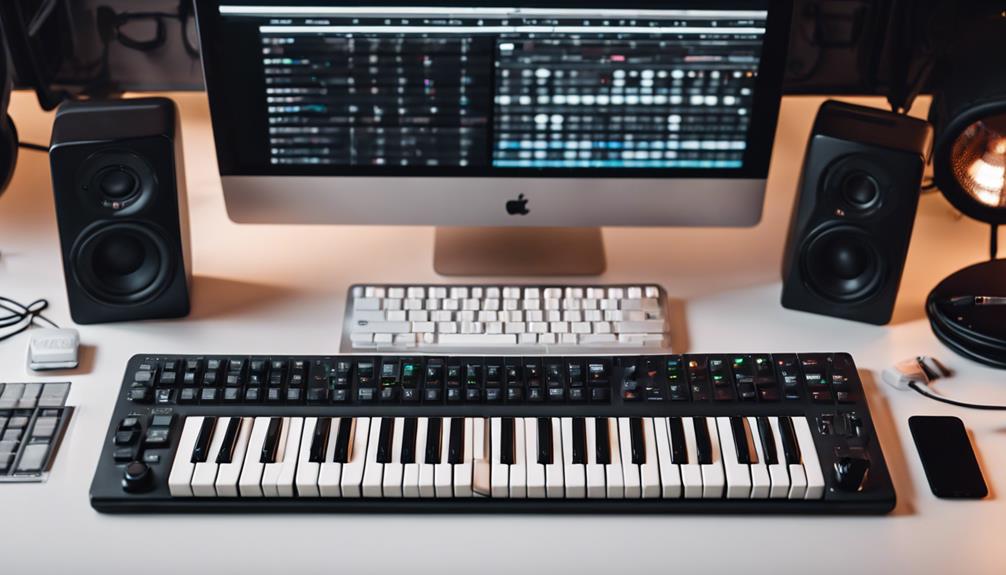

A mini keyboard for music production is the fastest way to turn a laptop into a portable studio, but the options vary widely in keybed feel, DAW integration and hands-on control. My top pick is the Novation Launchkey Mini MK4, which pairs deep Ableton integration with pads, knobs and a scale mode that punches above its size. The Akai MPK Mini Plus stands out if you want onboard sequencing and CV ports in a still-compact frame, while the budget-friendly M-VAVE 25-key with Bluetooth proves wireless control no longer costs a premium. The main tradeoff in this category is portability versus control: 25-key models slip into a backpack but limit two-handed playing, while 32- and 37-key boards add range and controls at the cost of desk space. Continue reading for the full breakdown of all 15 models, including who each one suits and who should skip it.

Get audio and creator gear delivered free — and shop member deals
- Fast, free delivery on millions of items
- Access to Prime Big Deal Days deals on October 6–7
- Prime Video, Amazon Music and more included
Key Takeaways
- DAW-specific integration was the biggest differentiator: the Novation FLkey Mini and Launchkey Mini MK4 offer dedicated controls for FL Studio and Ableton respectively, while generic controllers like the M-AUDIO Keystation Mini 32 rely on manual MIDI mapping.
- Three Akai MPK variants made the list, and the MPK Mini Plus earned the premium slot mainly through its built-in sequencer, CV/gate outputs and true 37-key range — features no other sub-$200 board here matches.
- Budget Bluetooth models from M-VAVE and Donner delivered surprising functionality, but their mini-spring keybeds and thinner software bundles keep them best suited to beginners rather than daily production work.
- A built-in screen separated the Synido TempoKEY K25 and M-VAVE models from blind-programming boards — genuinely useful for editing CC values without a computer display, but not a substitute for physical controls.
- Keybed quality, not key count, drove my rankings most: semi-weighted or properly velocity-scaled mini keys (M-VAVE, MiniLab 3) felt playable, while ultra-flat keys on the LPK25 and microKEY 25 fell behind for expressive playing.
| Akai Professional MPK Mini Play MK3 25-Key USB MIDI Keyboard Controller |  | Best Overall | Keys: 25 velocity-sensitive mini keys (Gen 2 keybed) | Pads: 8 backlit MPC pads, velocity sensitive | Controls: 4 encoder knobs, arpeggiator, note repeat | VIEW ON AMAZON | See Our Full Breakdown |
| M-VAVE 25 Key USB MIDI Keyboard Controller (Black) |  | Best Budget Bluetooth Pick | Keys: 25 velocity-sensitive semi-weighted mini keys | Pads: 8 RGB backlit velocity-sensitive pads | Controls: 8 assignable rotary encoders, 2 capacitive pitch bend touch strips | VIEW ON AMAZON | See Our Full Breakdown |
| Novation Launchkey Mini 25 MK4 USB MIDI Keyboard Controller |  | Best for Ableton Live | Keys: 25 mini synth-action keys | Pads: 16 FSR pads with polyphonic aftertouch | Controls: Scale Mode, 3 Chord Modes, editable arpeggiator, Chord Detector | VIEW ON AMAZON | See Our Full Breakdown |
| M-VAVE 25 Keys Mini Keyboard – Beat Maker and Keytar |  | Best for Wireless Mobile Production | Keys: 25 velocity-sensitive mini keys | Pads: 16 RGB backlit velocity-sensitive pads | Controls: 8 assignable encoders, 2 capacitive pitch bend strips, pitch bend and modulation wheels | VIEW ON AMAZON | See Our Full Breakdown |
| Akai Professional LPK25 25-Key USB MIDI Keyboard Controller |  | Best Ultra-Minimal Controller | Keys: 25 velocity-sensitive mini keys | Controls: Octave up/down buttons, sustain button, arpeggiator with clock | Presets: 8 programmable preset slots | VIEW ON AMAZON | See Our Full Breakdown |
| Korg microKEY 25 USB MIDI Keyboard |  | Best Bare-Bones Portable Pick | Keys: 25 velocity-sensitive Natural Touch mini keys | Connectivity: USB 2.0, bus-powered | Controls: Joystick, arpeggiator buttons, sustain/tap button | VIEW ON AMAZON | See Our Full Breakdown |
| Akai Professional MPK Mini Plus 37-Key USB MIDI Keyboard Controller |  | Best for Hardware-Integrated Studios | Keys: 37 velocity-sensitive Gen 2 mini keys | Connectivity: USB, MIDI I/O, CV/Gate | Controls: 8 RGB MPC pads, 8 assignable endless rotary knobs, DAW transport | VIEW ON AMAZON | See Our Full Breakdown |
| Arturia MiniLab 3 — Limited Edition Mint Green 25 Key USB MIDI Keyboard Controller |  | Best Overall Workflow Feel | Keys: 25 velocity-sensitive slim keys | Controls: 8 RGB pads (2 banks), 8 rotary encoders, 4 faders, mini display | Features: Arpeggiator, Hold and Chord modes, touch pitch/mod sensors | VIEW ON AMAZON | See Our Full Breakdown |
| Novation FLkey Mini USB MIDI Controller Keyboard |  | Best for FL Studio Users | Keys: 25 mini keys | Controls: 16 pads, 8 encoders, touch strips | Features: Scale mode, Chord modes, arpeggiator, Note Repeat | VIEW ON AMAZON | See Our Full Breakdown |
| Synido TempoKEY K25 — 25 Key USB MIDI Keyboard Controller with Drum Pads |  | Best Feature-Per-Dollar Contender | Keys: 25 velocity-sensitive spring-loaded keys, 0.59-inch travel | Controls: 8 RGB pads (dual banks), 8 assignable knobs, 6 transport buttons, 2 touch bars | Display: OLED with 360° push encoder | VIEW ON AMAZON | See Our Full Breakdown |
| M-AUDIO Oxygen Pro Mini 32 USB MIDI Keyboard Controller |  | Best Full-Featured Mini Workstation | Keys: 32 velocity-sensitive semi-weighted mini keys | Pads: 8 RGB backlit, velocity-sensitive, with Note Repeat | Controls: 4 assignable knobs, 4 faders, assignable buttons | VIEW ON AMAZON | See Our Full Breakdown |
| M-AUDIO Keystation Mini 32 MK3 USB MIDI Controller |  | Best Bare-Bones Portable Keybed | Keys: 32 velocity-sensitive mini keys, piano-style | Controls: Pitch bend/mod buttons, volume knob, octave up/down, sustain button | Velocity: Selectable velocity curves | VIEW ON AMAZON | See Our Full Breakdown |
| Donner Mini MIDI Keyboard N-25, 25 Key MIDI Controller |  | Best Budget Learning Bundle | Keys: 25 velocity-sensitive mini keys | Controls: Pitch-bend wheel, light-up buttons, 4 programmable banks | Features: Arpeggiator, sustain, octave, tap tempo | VIEW ON AMAZON | See Our Full Breakdown |
| Akai Professional MPK Mini IV 25-Key USB-C MIDI Keyboard Controller, Black |  | Best Overall for Beat Makers | Keys: 25 velocity-sensitive mini keys | Pads: 8 velocity- and pressure-sensitive MPC pads with RGB feedback | Controls: 8 assignable 360-degree knobs, push/turn encoder, DAW-mapped transport | VIEW ON AMAZON | See Our Full Breakdown |
| 25 Key MIDI Keyboard Controller Portable USB MIDI Controller with Arpeggiator (Rhymo) |  | Best Wireless-Friendly Compact Pick | Keys: 25 velocity-sensitive keys | Controls: X-Y joystick for pitch bend and modulation, octave/transpose buttons | Features: Arpeggiator with latch and multiple modes, loop function, tap tempo, Full Level mode, 16 MIDI channels | VIEW ON AMAZON | See Our Full Breakdown |
| mini keyboard for music production | Keys | Controls | Connectivity | Compatibility |
|---|---|---|---|---|
| Akai Professional MPK Mini Pla | 25 velocity-sensitive mini keys (Gen 2 keybed) | 4 encoder knobs, arpeggiator, note repeat | USB Type-B to A; battery power supported (batteries not included) | Mac and PC, NKS-ready |
| M-VAVE 25 Key USB MIDI Keyboar | 25 velocity-sensitive semi-weighted mini keys | 8 assignable rotary encoders, 2 capacitive pitch bend touch strips | USB and Bluetooth MIDI | Windows, macOS, Android, iOS; all major DAWs |
| Novation Launchkey Mini 25 MK4 | 25 mini synth-action keys | Scale Mode, 3 Chord Modes, editable arpeggiator, Chord Detector | USB-C, MIDI via 3.5mm | Mac, Windows; Ableton, Logic, Cubase, Reason, Reaper, FL Studio, Ardour |
| M-VAVE 25 Keys Mini Keyboard | 25 velocity-sensitive mini keys | 8 assignable encoders, 2 capacitive pitch bend strips, pitch bend and modulation wheels | USB Type-C and Bluetooth wireless | Windows, macOS, Android, iOS; FL Studio, Ableton Live, Cubase, Logic Pro, and more |
| Akai Professional LPK25 25-Key | 25 velocity-sensitive mini keys | Octave up/down buttons, sustain button, arpeggiator with clock | USB, bus-powered plug-and-play | Mac and PC; GarageBand, Logic, Studio One, Cubase, Ableton Live, Pro Tools, FL Studio, and more |
| Korg microKEY 25 USB MIDI Keyb | 25 velocity-sensitive Natural Touch mini keys | Joystick, arpeggiator buttons, sustain/tap button | USB 2.0, bus-powered | — |
| Akai Professional MPK Mini Plu | 37 velocity-sensitive Gen 2 mini keys | 8 RGB MPC pads, 8 assignable endless rotary knobs, DAW transport | USB, MIDI I/O, CV/Gate | — |
| Arturia MiniLab 3 | 25 velocity-sensitive slim keys | 8 RGB pads (2 banks), 8 rotary encoders, 4 faders, mini display | USB-C, MIDI Out | — |
| Novation FLkey Mini USB MIDI C | 25 mini keys | 16 pads, 8 encoders, touch strips | USB-C, bus powered | — |
| Synido TempoKEY K25 | 25 velocity-sensitive spring-loaded keys, 0.59-inch travel | 8 RGB pads (dual banks), 8 assignable knobs, 6 transport buttons, 2 touch bars | USB-C, 1/8-inch MIDI Out, 1/4-inch sustain input, DC 5V | Mac, Windows, iOS, Android; all major DAWs |
| M-AUDIO Oxygen Pro Mini 32 USB | 32 velocity-sensitive semi-weighted mini keys | 4 assignable knobs, 4 faders, assignable buttons | USB bus-powered, Mac and Windows | — |
| M-AUDIO Keystation Mini 32 MK3 | 32 velocity-sensitive mini keys, piano-style | Pitch bend/mod buttons, volume knob, octave up/down, sustain button | USB, bus-powered, plug-and-play | Mac and Windows |
| Donner Mini MIDI Keyboard N-25 | 25 velocity-sensitive mini keys | Pitch-bend wheel, light-up buttons, 4 programmable banks | USB-MIDI, plug and play; OTG for smartphones | Mac, Windows, iOS, Android; major DAWs including Live, Logic Pro, Cubase, Studio One |
| Akai Professional MPK Mini IV | 25 velocity-sensitive mini keys | 8 assignable 360-degree knobs, push/turn encoder, DAW-mapped transport | USB-C, full-size MIDI Out, plug-and-play on Mac, PC, and mobile | — |
| 25 Key MIDI Keyboard Controlle | 25 velocity-sensitive keys | X-Y joystick for pitch bend and modulation, octave/transpose buttons | USB-C, Bluetooth MIDI, 3.5mm TRS MIDI Out, 6.35mm sustain pedal input | Mac, PC, iOS; GarageBand, FL Studio, Ableton Live, Logic Pro, Cubase and more |
More Details on Our Top Picks
Akai Professional MPK Mini Play MK3 25-Key USB MIDI Keyboard Controller
The MPK Mini Play MK3 earns the top spot because it solves the biggest limitation of every other mini keyboard here: it works without a computer. With over 100 internal sounds and a built-in speaker, this model doubles as a sketchpad you can play on a train, while rivals like the Novation Launchkey Mini MK4 are paperweights the moment they leave your DAW. As a controller, the package is strong too — eight MPC-style pads, four encoders, an arpeggiator, and an OLED screen for navigation. Compared with the bare-bones Akai LPK25, you get far more hands-on control for the same footprint. The tradeoffs are real: the onboard speaker sounds thin, there are only four knobs versus eight on the M-VAVE K5, and the bundled NKS software requires registration hoops that some buyers find annoying.
Pros:- Built-in speaker and 100+ internal sounds allow computer-free playing and sketching
- Genuine MPC heritage pads with velocity sensitivity and note repeat
- NKS integration makes browsing Native Instruments presets effortless
- Generous software bundle including MPC Beats, Melodics lessons, and Splice access
- Battery power option for true portability
Cons:- Only four encoder knobs, fewer than competing controllers in this price band
- Internal speaker quality is thin and best treated as a practice convenience
- Software redemption process involves multiple registrations to unlock everything
Best for: Beat makers and songwriters who want a controller that also works standalone for sketching ideas away from the computer
Not ideal for: Producers who need deep knob-per-function control — four encoders is limiting for mixing and sound design
- Keys:25 velocity-sensitive mini keys (Gen 2 keybed)
- Pads:8 backlit MPC pads, velocity sensitive
- Controls:4 encoder knobs, arpeggiator, note repeat
- Display:OLED screen
- Connectivity:USB Type-B to A; battery power supported (batteries not included)
- Onboard Sounds:100+ internal drum and instrument sounds with built-in speaker
- Software:MPC Beats, MPC expansion packs, AIR instruments, Melodics, 2 months Splice, NKS Komplete 15 Select bundle
- Compatibility:Mac and PC, NKS-ready
Our verdict“This pick makes the most sense for producers who want one device that covers both DAW control and couch-friendly standalone play.”
M-VAVE 25 Key USB MIDI Keyboard Controller (Black)
Where the Akai MPK Mini Play MK3 relies on a USB cable and a famous name, the M-VAVE K5 bets everything on wireless freedom: Bluetooth connectivity, a 2,000 mAh battery good for roughly 16 hours, and eight assignable encoders — twice what Akai’s flagship mini offers. The smart chord and scale functions let you play in key from a single finger, which beginners will appreciate more than the MPK’s deeper DAW integration. Build and software polish are where the savings show. The semi-weighted mini keys feel serviceable rather than inspiring next to the Novation Launchkey Mini MK4‘s refined keybed, and the bundled software is generic compared with Akai’s MPC Beats or Novation’s Ableton Live Lite. Bluetooth MIDI also adds slight latency, so tight rhythmic playing is better over USB.
Pros:- Bluetooth wireless with a 16-hour built-in battery for cable-free sessions
- Eight assignable encoders exceed the control count of pricier rivals
- Smart chord and scale modes make music theory optional for beginners
- Works across Windows, macOS, Android, and iOS
Cons:- Keybed feel is noticeably cheaper than Akai or Novation alternatives
- Bundled software lacks the recognisable DAWs and instruments rivals include
- Bluetooth MIDI introduces latency that matters for tight playing
Best for: Mobile producers and beginners who want wireless control of an iPad or laptop DAW without paying brand-name prices
Not ideal for: Players who need rock-solid timing for recorded performances — Bluetooth latency and lightweight keys work against expressive playing
- Keys:25 velocity-sensitive semi-weighted mini keys
- Pads:8 RGB backlit velocity-sensitive pads
- Controls:8 assignable rotary encoders, 2 capacitive pitch bend touch strips
- Connectivity:USB and Bluetooth MIDI
- Battery:2,000 mAh internal battery, approx. 16 hours
- Features:Smart chord, smart scale, performance modes
- Compatibility:Windows, macOS, Android, iOS; all major DAWs
- Warranty:1 year manufacturer warranty
Our verdict“A sensible pick if wireless convenience and control count matter more to you than keybed feel and software bundle quality.”
Novation Launchkey Mini 25 MK4 USB MIDI Keyboard Controller
The Launchkey Mini MK4 is the clear choice if Ableton Live is your home. Its 16 pads double as clip launchers with polyphonic aftertouch — something no other keyboard in this lineup offers at this size — and Scale, Chord, and Arpeggiator modes are baked into the hardware rather than hidden in an app. Compared with the M-VAVE K5, the integration is on another level: mixer, device, and transport control map automatically across Ableton, Logic, Cubase, and more, no manual mapping required. Against the Akai MPK Mini Play MK3, you trade the onboard speaker for a far better creative toolset: an editable arpeggiator, three chord modes, and a chord detector on the OLED display. The drawback is that it’s USB-only — no batteries, no Bluetooth — so it lives at your desk, and the mini keys won’t suit players with larger hands.
Pros:- Deepest Ableton Live integration in its class with automatic control mapping
- 16 FSR pads with polyphonic aftertouch for expressive drumming and clip launching
- Scale and Chord modes plus editable arpeggiator spark ideas without theory knowledge
- OLED display with chord detector is rare at this size
Cons:- No battery or Bluetooth option — strictly a desk-bound USB controller
- 25 mini keys feel cramped for larger hands and two-handed playing
- Feature depth rewards Ableton users most; other DAWs get lighter integration
Best for: Ableton Live users, especially clip-based performers, who want pads that launch scenes and a controller that maps itself
Not ideal for: Producers who want to sketch away from a computer — there’s no battery power, Bluetooth, or onboard sound generation
- Keys:25 mini synth-action keys
- Pads:16 FSR pads with polyphonic aftertouch
- Controls:Scale Mode, 3 Chord Modes, editable arpeggiator, Chord Detector
- Display:OLED screen
- Connectivity:USB-C, MIDI via 3.5mm
- Software:Ableton Live Lite, Cubase LE, Novation Play, GForce/Klevgrand/Orchestral Tools sounds, Melodics lessons, NKS-ready
- Compatibility:Mac, Windows; Ableton, Logic, Cubase, Reason, Reaper, FL Studio, Ardour
- Warranty:3 years
Our verdict“This model is better suited to Ableton-centered producers than anything else here, thanks to aftertouch pads and self-configuring DAW control.”
M-VAVE 25 Keys Mini Keyboard – Beat Maker and Keytar
This M-VAVE variant targets a different buyer than its sibling, the M-VAVE K5: instead of blending in on a desk, it’s built to be played standing up. The keytar-friendly design pairs a pitch bend wheel and modulation wheel with 16 RGB pads, and the 2,000 mAh battery runs roughly 18 hours over a wireless connection — an hour or two more than the K5. Type-C to Type-C support means it hooks straight into Android phones and tablets without adapters, which the USB-B-only Akai LPK25 simply can’t do. The compromises mirror most budget gear: the ABS plastic build flexes under heavy playing, the encoder count is generous but the editing workflow is menu-diving rather than the one-button access of the Novation FLkey Mini, and there’s no display for feedback, so you’re mapping parameters partly blind.
Pros:- Keytar-style playing position with pitch bend and modulation wheels for expressive solos
- 18-hour battery life with Bluetooth wireless for cable-free mobility
- Type-C to Type-C connection works directly with Android devices
- 16 RGB pads and 8 encoders give full control surface despite the compact body
Cons:- Plastic construction feels less rugged than brand-name alternatives
- No display means less feedback when assigning controls
- Wireless performance features are wasted value if you only produce at a desk
Best for: Mobile musicians and performers who want a strap-friendly, battery-powered controller for phone and tablet production
Not ideal for: Studio-focused producers who never leave the desk — the wireless and keytar features add cost without daily benefit
- Keys:25 velocity-sensitive mini keys
- Pads:16 RGB backlit velocity-sensitive pads
- Controls:8 assignable encoders, 2 capacitive pitch bend strips, pitch bend and modulation wheels
- Connectivity:USB Type-C and Bluetooth wireless
- Battery:2,000 mAh internal battery, approx. 18 hours
- Compatibility:Windows, macOS, Android, iOS; FL Studio, Ableton Live, Cubase, Logic Pro, and more
- Material:ABS plastic housing
- Warranty:1 year manufacturer
Our verdict“Choose this one when portability and performance play matter more than studio polish — it’s the most playable-on-your-feet option here.”
Akai Professional LPK25 25-Key USB MIDI Keyboard Controller
The LPK25 is the honest minimalist of the group: keys, an arpeggiator, octave buttons, and a sustain button — nothing else. That restraint is the point. Compared with the Akai MPK Mini Play MK3, you give up pads, encoders, the display, and the onboard sounds, but you get a controller slim enough to slide into a laptop sleeve alongside your computer, something chunkier units like the Arturia MiniLab 3 can’t match. The 8 programmable preset slots are a thoughtful touch for a board this small, letting you recall mappings per instrument instead of remapping constantly. Where it falls short is expression: no pads means no finger drumming, and unlike the M-VAVE K5 there’s no wireless option or scale/chord assistance, so beginners may outgrow it quickly. It’s a tool for people who already know exactly what they need.
Pros:- Extremely slim and light — the most laptop-bag-friendly option in this lineup
- Built-in arpeggiator with clock is rare on a keys-only controller
- 8 programmable preset slots save mapping setups for different instruments
- True plug-and-play setup with no drivers or power supply needed
Cons:- No drum pads or knobs limits it to melodic duties only
- No display, Bluetooth, or battery — strictly USB-tethered
- Feature set can be outgrown quickly as production needs expand
Best for: Songwriters and travelers who play melodies and bass lines on the go and want the smallest possible footprint
Not ideal for: Beat makers — with no drum pads or knobs, this can’t be your only controller for full productions
- Keys:25 velocity-sensitive mini keys
- Controls:Octave up/down buttons, sustain button, arpeggiator with clock
- Presets:8 programmable preset slots
- Connectivity:USB, bus-powered plug-and-play
- Compatibility:Mac and PC; GarageBand, Logic, Studio One, Cubase, Ableton Live, Pro Tools, FL Studio, and more
- Pads/Knobs:None
Our verdict“Skip the extras and pick this if you want the leanest possible 25-key board for sketching melodies beside a laptop.”
Korg microKEY 25 USB MIDI Keyboard
Among all the controller options here, the Korg microKEY 25 takes the most stripped-down approach, and that is exactly its appeal. Where the MPK Mini Plus and MiniLab 3 pack pads, encoders, and sequencers onto the panel, this model gives you 25 velocity-sensitive Natural Touch keys, a joystick, and little else — which keeps it thin, light, and genuinely laptop-bag friendly. The keybed itself is the standout: Korg’s mini-key feel, borrowed from its synths, is more natural than the generic keybeds found on budget units like the M-VAVE controllers. The tradeoff is real, though: no pads, no knobs, and no DAW transport means you will be reaching for your mouse constantly for anything beyond note entry.
Pros:- Korg’s Natural Touch mini keybed feels better than typical budget mini keys
- Extremely thin, light, and USB-powered with no driver installation
- Octave shift and transpose give full MIDI note range from 25 keys
- Joystick handles pitch bend and modulation in one control
- Bundled software package adds real value
Cons:- No drum pads, knobs, faders, or DAW transport controls
- 25 keys feel cramped for two-handed chord playing
- Dated design with USB-B port rather than modern USB-C
Best for: Producers and players who want a plug-and-play keybed for melody and bass input while traveling, with zero setup friction
Not ideal for: Beat makers and anyone who wants pads, knobs, or transport control on the panel — this keyboard has none of them
- Keys:25 velocity-sensitive Natural Touch mini keys
- Connectivity:USB 2.0, bus-powered
- Controls:Joystick, arpeggiator buttons, sustain/tap button
- Features:Octave shift, key transpose
- Platforms:Mac, Windows
- Driver:Class-compliant, plug-and-play
Our verdict“This pick makes the most sense for producers who prioritize key feel and portability over on-panel control.”
Akai Professional MPK Mini Plus 37-Key USB MIDI Keyboard Controller
The MPK Mini Plus is the most ambitious controller in this batch, and it earns its spot by being the only one that speaks to gear beyond your laptop. With MIDI I/O and CV/Gate outputs, it can drive modular rigs, vintage synths, and sound modules — something the FLkey Mini and microKEY 25 simply cannot do. The built-in 64-step sequencer means you can sketch patterns without a computer at all, and the 37 keys finally give you enough room for two-handed chords on a mini footprint. All that capability comes with complexity: the panel is dense, the mini keys still feel like mini keys, and there is a genuine learning curve before the sequencer and mapping feel fluid.
Pros:- CV/Gate plus MIDI I/O for controlling hardware outside the computer
- 64-step onboard sequencer enables computer-free pattern writing
- 37 keys allow two-handed playing unlike 25-key rivals
- 8 RGB MPC pads with genuine Akai pad feel
- NKS integration and a strong bundled software suite
Cons:- Dense control surface has a real learning curve
- Heavier and less bag-friendly than 25-key competitors like the microKEY 25
- Mini keybed still falls short of full-size keys for expressive playing
Best for: Producers with hybrid setups — modular gear, synths, or sound modules — who want one portable controller that runs the whole room
Not ideal for: Absolute beginners or laptop-only producers; the extra I/O and sequencer add cost and complexity they will never touch
- Keys:37 velocity-sensitive Gen 2 mini keys
- Connectivity:USB, MIDI I/O, CV/Gate
- Controls:8 RGB MPC pads, 8 assignable endless rotary knobs, DAW transport
- Sequencer:Built-in 64-step, one drum track and one melodic track
- Platforms:Mac, Windows
- Software:MPC Beats, Komplete 15 Select bundle, 2 months Splice
Our verdict“Compared with every other option here, this is the one for producers whose gear extends past the laptop screen.”
Arturia MiniLab 3 — Limited Edition Mint Green 25 Key USB MIDI Keyboard Controller
This limited edition MiniLab 3 stands out for having the most balanced control layout of any 25-key option in this roundup. Unlike the bare-bones Korg microKEY 25, it gives you 8 RGB pads, 8 encoders, 4 faders, a mini display, and a clickable browsing knob — enough to mix and navigate sessions without a mouse, yet not so much panel that it overwhelms a newcomer the way the MPK Mini Plus can. Its deep integration with Ableton Live, Logic Pro, FL Studio, Reason, and Bitwig means controls actually work the moment you plug in. The touch sensors replacing a traditional pitch wheel will divide opinions, and the slim keys lack the substance of larger keybeds. The 5-year warranty and bundled Analog Lab V software make the long-term value case unusually strong.
Pros:- Best-in-class out-of-the-box DAW integration across five major DAWs
- Unusually complete control set for a compact 25-key board
- 5-year warranty and eco-designed build with recycled materials
- Strong software bundle including Analog Lab V and Ableton Live Lite
Cons:- Touch sensors for pitch/mod lack the precision of physical wheels
- Slim keys feel shallow for expressive playing
- No MIDI input or hardware connectivity beyond MIDI Out
Best for: Producers who want a compact, do-everything controller with polished DAW integration and a generous software bundle
Not ideal for: Players who dislike touch strips for pitch bend, or anyone needing more than 25 keys for two-handed parts
- Keys:25 velocity-sensitive slim keys
- Controls:8 RGB pads (2 banks), 8 rotary encoders, 4 faders, mini display
- Features:Arpeggiator, Hold and Chord modes, touch pitch/mod sensors
- Connectivity:USB-C, MIDI Out
- DAW integration:Ableton Live, Logic Pro, Reason, Bitwig, FL Studio
- Warranty:5 years
Our verdict“If you want one compact controller that handles notes, drums, and mixing with minimal setup, this is the most sensible all-rounder in the lineup.”
Novation FLkey Mini USB MIDI Controller Keyboard
The FLkey Mini is a purpose-built tool, and that focus is both its superpower and its ceiling. Its pads map directly to FL Studio’s step sequencer, its 8 knobs control the Mixer and Channel Rack out of the box, and Note Repeat makes hi-hat rolls trivial — none of which the more generalist Arturia MiniLab 3 matches without manual mapping. For an FL Studio producer, this eliminates the tedious controller-assignment work that eats a first week with other keyboards. The compromise: outside FL Studio, much of that magic disappears, and you are left with a fairly standard 25-key board. Compared with the Synido TempoKEY K25, it offers fewer raw features but far tighter software cohesion within its home DAW.
Pros:- Native, zero-setup control of FL Studio’s sequencer, Mixer, and Channel Rack
- 16 pads with Sequencer mode and Note Repeat for beat programming
- Scale and Chord modes keep melodic work in key
- Genuinely portable at 1.6 pounds
Cons:- Integration benefits largely vanish outside FL Studio
- 25 mini keys limit melodic range without octave shifting
- No display, so deeper editing still happens on screen
Best for: FL Studio producers who want their Channel Rack, Mixer, and step sequencer under their fingers immediately
Not ideal for: Ableton, Logic, or Cubase users — the deep integration is FL Studio-only and you would get more from the MiniLab 3 or MPK Mini Plus
- Keys:25 mini keys
- Controls:16 pads, 8 encoders, touch strips
- Features:Scale mode, Chord modes, arpeggiator, Note Repeat
- Connectivity:USB-C, bus powered
- DAW integration:FL Studio, HUI
- Weight:1.6 pounds
Our verdict“This model is better suited to devoted FL Studio users than any general-purpose rival in this lineup.”
Synido TempoKEY K25 — 25 Key USB MIDI Keyboard Controller with Drum Pads
On paper, the Synido TempoKEY K25 undercuts the established brands with a spec sheet that reads like a flagship: an OLED display with a 360° push encoder, 8 RGB pads across dual banks, 8 assignable knobs, 6 transport buttons, a built-in arpeggiator, and even a sustain pedal input. Neither the Novation FLkey Mini nor the Korg microKEY 25 offers that combination of screen plus pedal jack at this size. The 0.59-inch key travel with spring-loaded keys is also deeper than most mini boards, giving a more deliberate playing feel. The catch is pedigree: Synido lacks the DAW integration depth and long track record of Arturia, Akai, or Novation, so expect more manual mapping and less community support when something misbehaves.
Pros:- OLED display and push encoder make parameter editing possible without a screen dive
- Deep 0.59-inch key travel feels more substantial than typical mini keys
- Sustain pedal input and 1/8-inch MIDI Out are rare at this size
- Works across all major DAWs plus tablets and phones
Cons:- No native deep DAW integration; mapping falls on you
- Younger brand with less proven reliability and support than Akai, Novation, or Arturia
- High-gloss finish attracts fingerprints and shows wear
Best for: Budget-conscious beginners who want a screen, pads, knobs, and pedal input without paying flagship prices
Not ideal for: Producers who depend on flawless out-of-the-box DAW integration — you will spend time mapping controls that Arturia or Novation handle automatically
- Keys:25 velocity-sensitive spring-loaded keys, 0.59-inch travel
- Controls:8 RGB pads (dual banks), 8 assignable knobs, 6 transport buttons, 2 touch bars
- Display:OLED with 360° push encoder
- Features:Built-in arpeggiator with tempo, swing, latch; 4 velocity curves
- Connectivity:USB-C, 1/8-inch MIDI Out, 1/4-inch sustain input, DC 5V
- Compatibility:Mac, Windows, iOS, Android; all major DAWs
Our verdict“This option stands out for first-time producers chasing maximum hardware features per dollar, provided they accept some DIY setup.”
M-AUDIO Oxygen Pro Mini 32 USB MIDI Keyboard Controller
The Oxygen Pro Mini stands out for squeezing a near-complete control surface into a 32-key footprint: 8 RGB pads, 4 knobs, 4 faders, an OLED screen for DAW auto-mapping, and Smart Chord/Smart Scale modes that let theory-light producers play convincing parts fast. Compared with the M-Audio Keystation Mini 32 MK3, which is essentially keys and nothing else, this model trades simplicity for genuine hands-on control of your DAW transport, plugins, and mixer. NKS integration also means it browses Native Instruments presets directly, something only the Akai MPK Mini IV matches in this batch. The tradeoff is a busier control layout that takes an evening to learn, and semi-weighted mini keys still won’t satisfy pianists.
Pros:- Full control surface with pads, knobs, faders, and buttons in a compact chassis
- OLED screen plus auto-mapping for every major DAW removes manual MIDI-assign drudgery
- NKS support allows browsing Native Instruments sound libraries from the keyboard
- Smart Chord, Smart Scale, arpeggiator, and Note Repeat speed up idea generation
- Strong bundled software including MPC Beats, Ableton Live Lite, and AIR instruments
Cons:- Dense control layout has a real learning curve before everything feels intuitive
- Mini keys, even semi-weighted, limit expressive two-handed playing
- Only 4 knobs and 4 faders, which feels tight if you mix extensively from hardware
Best for: Producers who want pads, faders, and DAW auto-mapping in one portable board without stepping up to a 49-key controller
Not ideal for: Players who mainly want a clean, distraction-free keybed — the Keystation Mini 32 does that job with less clutter and less setup
- Keys:32 velocity-sensitive semi-weighted mini keys
- Pads:8 RGB backlit, velocity-sensitive, with Note Repeat
- Controls:4 assignable knobs, 4 faders, assignable buttons
- Display:OLED screen for mapping selection
- Integration:DAW auto-mapping, NKS support
- Extras:Arpeggiator, Smart Chord, Smart Scale, pitch/mod wheels, sustain input, 1/8-inch MIDI Out
- Connectivity:USB bus-powered, Mac and Windows
- Software:MPC Beats, Ableton Live Lite, AIR and MPC expansions, Komplete 15 Select bundle
Our verdict“The most complete mini workstation in this lineup — buy it if you want to produce whole tracks without touching your mouse, skip it if you just need keys.”
M-AUDIO Keystation Mini 32 MK3 USB MIDI Controller
Where the Oxygen Pro Mini piles on controls, the Keystation Mini 32 MK3 takes the opposite bet: 32 velocity-sensitive keys, pitch/mod buttons, a volume knob, and octave shift — nothing else. That restraint is the point. It slips into a laptop bag more easily than pad-laden rivals, and its true plug-and-play operation means no drivers, no mapping menus, no fuss. Selectable velocity curves help the mini keys feel more natural than the fixed response on cheaper boards like the Donner N-25. The compromise is real, though: no pads for finger drumming, no knobs for plugin tweaking, and sustain is a button rather than a pedal input. Anyone building beats or mixing from hardware will outgrow it quickly.
Pros:- Extremely compact and lightweight for genuine travel use
- Plug-and-play on Mac and PC with no drivers or power supply
- Selectable velocity curves tailor the mini-key feel to your playing style
- 32 keys give more melodic range than typical 25-key competitors
Cons:- No drum pads, knobs, or faders — software control is essentially mouse-only
- Pitch bend and modulation are buttons, which feels less expressive than wheels or a joystick
- No sustain pedal input
Best for: Melody-focused producers and mobile musicians who want the lightest, simplest 32-key input for sketching ideas on a laptop
Not ideal for: Beat makers and mixers who need drum pads and assignable knobs — the Akai MPK Mini IV or Oxygen Pro Mini cover far more ground
- Keys:32 velocity-sensitive mini keys, piano-style
- Controls:Pitch bend/mod buttons, volume knob, octave up/down, sustain button
- Velocity:Selectable velocity curves
- Connectivity:USB, bus-powered, plug-and-play
- Compatibility:Mac and Windows
- Software:MPC Beats, 60 Melodics lessons
Our verdict“The right pick if you want a no-frills, travel-ready keybed and nothing more; the wrong one if pads and knobs are part of your workflow.”
Donner Mini MIDI Keyboard N-25, 25 Key MIDI Controller
The Donner N-25 is aimed squarely at the first-time producer. Its pitch isn’t hardware depth — it’s the complete on-ramp: 40 built-in teaching courses, an arpeggiator, sustain, tap tempo, and four programmable banks, all in a board that costs far less than an Akai MPK Mini IV. Compared with the M-Audio Keystation Mini 32, you give up seven keys but gain mobile flexibility, since the N-25 connects to iPhones and iPads over USB-OTG, letting beginners produce on a phone before owning a computer setup. The light-up buttons add a bit of encouragement for learners. Honest tradeoffs: the 25 mini keys feel light and cramped, there are no drum pads or knobs, and Donner’s 90-day warranty is much shorter than M-Audio’s or Akai’s.
Pros:- 40 structured teaching courses take novices from zero to arranging basics
- Works with Mac, PC, iPhone, and iPad via USB or OTG adapter
- Arpeggiator, sustain, tap tempo, and 4 programmable banks exceed expectations at this tier
- Very low cost of entry with included production software
Cons:- No drum pads, knobs, or faders limits beat-making and hands-on control
- 25 small keys feel cramped for two-handed playing
- Only a 90-day warranty, well short of the year-plus coverage from Akai and M-Audio
Best for: Complete beginners and younger producers who want guided lessons, mobile compatibility, and a low-cost way to start making music
Not ideal for: Anyone past the beginner stage — no pads, no encoders, and cramped 25 keys make it a board you’ll replace within a year of steady producing
- Keys:25 velocity-sensitive mini keys
- Controls:Pitch-bend wheel, light-up buttons, 4 programmable banks
- Features:Arpeggiator, sustain, octave, tap tempo
- Connectivity:USB-MIDI, plug and play; OTG for smartphones
- Compatibility:Mac, Windows, iOS, Android; major DAWs including Live, Logic Pro, Cubase, Studio One
- Learning:40 included keyboard-teaching courses
- Warranty:90 days
Our verdict“A sensible first keyboard for learners on a budget, provided you accept that its feature set is a starting point rather than a long-term studio tool.”
Akai Professional MPK Mini IV 25-Key USB-C MIDI Keyboard Controller, Black
The MPK Mini IV is the most refined beat-making board in this batch. Its 8 pressure-sensitive MPC pads carry Akai’s finger-drumming legacy, and the new full-color screen with push/turn encoder plus 8 assignable 360-degree knobs put editing front and center — a clear generational jump over the MPK Mini Play MK3 and a more modern interface than the Oxygen Pro Mini’s OLED. Pre-mapped transport for Ableton, Logic, and FL Studio means you’re producing within minutes, and USB-C, full-size MIDI Out, and mobile support make it the most future-proof connectivity package here. The counterweights: 25 keys constrain melodic work compared with the Oxygen Pro Mini’s 32, and the deep software bundle (Melodics trial, Splice subscription) is partly time-limited rather than owned outright.
Pros:- Pressure-sensitive MPC pads with RGB feedback offer the best finger-drumming feel in its class
- Full-color screen and push/turn encoder make preset and setting changes fast without a computer
- Modern connectivity: USB-C, full-size MIDI Out, and mobile device support
- Pre-mapped transport for major DAWs plus NKS integration and a large instrument bundle
Cons:- 25 keys force frequent octave jumping for melodic arrangements
- Some bundled software is subscription or trial-based rather than a permanent license
- Feature-dense surface costs more than simpler boards like the Keystation Mini 32
Best for: Beat makers and finger drummers who want the best pads, modern connectivity, and fast DAW integration in one grab-and-go controller
Not ideal for: Melody-first producers who need wider key range without constant octave shifting — the Oxygen Pro Mini’s 32 keys handle that better
- Keys:25 velocity-sensitive mini keys
- Pads:8 velocity- and pressure-sensitive MPC pads with RGB feedback
- Controls:8 assignable 360-degree knobs, push/turn encoder, DAW-mapped transport
- Display:Full-color screen
- Features:Arpeggiator with Pattern/Freeze/Mutate, Chord and Scale modes, NKS integration
- Connectivity:USB-C, full-size MIDI Out, plug-and-play on Mac, PC, and mobile
- Software:Ableton Live Lite 12, Studio Instrument Collection (1000+ sounds), 2 months Splice, 30 days Melodics, NKS bundle
Our verdict“If beats are your priority and you want a controller you won’t outgrow, this is the strongest all-round mini in the roundup.”
25 Key MIDI Keyboard Controller Portable USB MIDI Controller with Arpeggiator (Rhymo)
This Rhymo 25-key earns its slot through connectivity options the big brands don’t offer at this size: Bluetooth MIDI alongside USB-C, plus a 3.5mm TRS MIDI output for driving external synths without a computer. Its X-Y joystick handles pitch bend and modulation in one motion — a smoother solution than the Keystation Mini 32’s twin buttons — and a latching arpeggiator, loop function, and 16 MIDI channels give it more creative depth than the Donner N-25. It clearly targets tablet-first producers sketching in GarageBand or FL Studio Mobile. The compromises are typical of newer brands: no drum pads, no knobs for mixing, a short track record compared with Akai or M-Audio, and a sustain pedal jack is included but the keybed itself is basic.
Pros:- Bluetooth MIDI plus USB-C gives cable-free connection to iPads and computers
- X-Y joystick combines pitch bend and modulation more fluidly than buttons
- Latching arpeggiator, loop, tap tempo, and 16 MIDI channels offer genuine creative depth
- 3.5mm TRS MIDI Out and sustain pedal jack support hardware and external synths
Cons:- No drum pads or assignable knobs for beat making and mixing
- Unproven brand with a shorter support and documentation history than Akai or M-Audio
- Basic keybed feel won’t satisfy experienced players
Best for: Tablet and mobile producers who want Bluetooth MIDI, an expressive joystick, and arpeggiator tools for sketching anywhere
Not ideal for: Studio-centric producers who need pads, encoders, and established brand support — the MPK Mini IV or Oxygen Pro Mini are safer long-term choices
- Keys:25 velocity-sensitive keys
- Controls:X-Y joystick for pitch bend and modulation, octave/transpose buttons
- Features:Arpeggiator with latch and multiple modes, loop function, tap tempo, Full Level mode, 16 MIDI channels
- Connectivity:USB-C, Bluetooth MIDI, 3.5mm TRS MIDI Out, 6.35mm sustain pedal input
- Compatibility:Mac, PC, iOS; GarageBand, FL Studio, Ableton Live, Logic Pro, Cubase and more
- Power:USB-C bus-powered, no batteries or adapters
Our verdict“A smart pick for mobile, Bluetooth-first workflows — just don’t expect it to replace a full control surface in a desktop studio.”
How We Picked
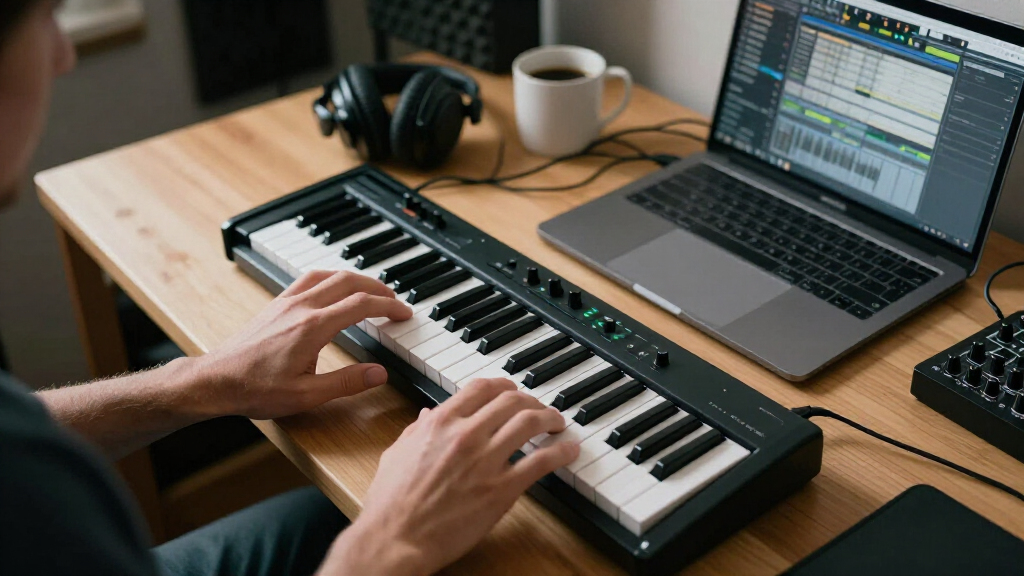
I evaluated each keyboard through the lens of a producer working at a desk or on the go: keybed feel and velocity response, hands-on control surface (pads, knobs, faders and arpeggiators), DAW and hardware integration, build quality and portability, and the real-world value of the included software. A board with a mediocre keybed but excellent control mapping can still win for beatmakers who trigger samples more than they play keys, so I weighted categories according to how each product is actually used — not by spec-sheet length.
The ranking order reflects a simple logic: controllers that combine durable builds, tight DAW integration and room to grow sit at the top; niche winners (best for a single DAW, best wireless pick, best ultra-budget option) fill the middle; and bare-bones boards that trade controls for a low price or extreme portability round out the bottom. Every product here earned its place by doing at least one thing better than the alternatives, and each entry names who it suits and who should skip it.
Factors to Consider When Choosing Mini Keyboard For Music Production
Before settling on a specific model, it helps to understand what actually separates a useful production keyboard from one that gathers dust. These are the factors I weighed during the comparison — and the mistakes buyers most often make.Key Count Versus Real Playing Range
The most common mistake is assuming 25 keys is ‘enough for anyone’ because producers mostly program one hand at a time. In practice, 25 mini keys cover just two octaves, which gets cramped fast for chord voicings, splits or playing bass with your left hand while tweaking with your right. Boards like the MPK Mini Plus at 37 keys or the Oxygen Pro Mini at 32 buy you meaningful breathing room without giving up desk portability. My advice: choose 25 keys only if backpack travel or tight studio space is a weekly reality, not a hypothetical. Also check the octave-shift buttons — cheap implementations that require holding a function key mid-performance are genuinely disruptive.
Keybed Type and Velocity Curves
Mini keys fall into two camps: ultra-flat synth-action keys (LPK25, microKEY 25) and slightly taller, semi-weighted or contoured mini keys (M-VAVE, Arturia MiniLab 3). The difference matters more than any other spec on the box, because a keybed you don’t enjoy touching will quietly kill your practice sessions. Velocity scaling is the hidden variable — a keyboard with fixed or coarse velocity response makes soft passages sound mechanical no matter how well you play. Look for adjustable velocity curves, and read whether the manufacturer offers a software editor for them. If expressive playing is your priority, prioritize feel over control count; you can always add a pad controller later, but you can’t upgrade the keys.
Software Integration and Mapping
Generic MIDI works with every DAW, but ‘works’ and ‘feels native’ are different experiences. Controllers designed for a specific DAW — the FLkey Mini for FL Studio, the Launchkey Mini for Ableton — automatically bind pads, knobs and transport to the right functions, which saves hours of mapping and makes the hardware feel like an extension of the software. Before buying, check whether the manufacturer publishes deep integration for your DAW, not just a compatibility claim. A common trap is buying a controller bundled with attractive software that doesn’t match your workflow; the bundle value evaporates if you never open it. MIDI-mappable boards remain perfectly viable for tinkerers, but expect to invest an evening in setup.
Pads, Knobs and Expandability
Eight drum pads and a handful of knobs is the standard mini-keyboard formula, but implementation quality varies enormously. Pads with adjustable aftertouch and clear velocity response change how a beat feels under your fingers, while mushy pads make finger drumming frustrating. Knobs matter most if you automate filters, effects or mixer levels in real time — if you mostly arrange in the piano roll, you can deprioritize them and save money. Also consider whether the controller supports MIDI over Bluetooth or 5-pin DIN outputs if you ever plan to drive hardware synths. Buyers frequently overpay for control surfaces they never touch; honest assessment of your workflow beats spec sheets every time.
Power, Connectivity and Portability
USB bus power is standard here, but details differ: older micro-USB ports (LPK25, original microKEY) are fragile and increasingly annoying to find cables for, while the MPK Mini IV’s USB-C is a small quality-of-life win that will matter for years. Bluetooth models like the M-VAVE open up genuine couch-and-laptop workflows, though expect occasional latency and the need to recharge. Built-in batteries and speakers (the MPK Mini Play) blur the line between controller and instrument, which is either a feature or dead weight depending on your setup. Weigh how often you’ll actually travel with the board — a 25-key model that never leaves the desk is just a compromised keyboard.
Included Software and Long-Term Value
Bundles can swing real value: several boards here ship with DAWs, sample packs and synth plugins that would cost more than the hardware itself. The catch is redundancy — if you already own Ableton or FL Studio, a bundle built around a different DAW adds little. Check whether the included licenses are full versions or limited trials disguised as bundles, and whether they’re tied to the serial number (which complicates resale). Over a multi-year production habit, build quality and continued firmware support usually matter more than the software box. A controller that still receives editor updates three years after purchase protects your investment far better than a flashier bundle.
Frequently Asked Questions
Is a 25-key keyboard enough for serious music production, or will I outgrow it?
For beatmaking, basslines and melody sketching, 25 keys handle the majority of production tasks, and octave-shift buttons let you reach any note. Where 25 keys fall short is two-handed playing, wide chord voicings and live performance of composed parts. Many producers never hit that ceiling because they edit notes in the piano roll anyway. If you play piano背景 or plan to perform, a 32- or 37-key board like the Oxygen Pro Mini or MPK Mini Plus is the safer call from day one — upgrading later means rebuying and remapping, which is more expensive than buying slightly bigger the first time.
Are Bluetooth MIDI keyboards reliable for production, or should I stick with USB?
Bluetooth MIDI has improved considerably, and models like the M-VAVE 25-key handle note input without noticeable lag for most users. That said, USB remains the safer choice for timing-critical work like recording tight quantized parts or finger drumming, where even a few milliseconds of jitter becomes audible. Bluetooth also introduces battery management and occasional re-pairing hassles. The practical split: use Bluetooth for couch sketching, mobile setups and controlling synths at a distance, and keep a USB cable on hand for tracking sessions. If you only ever work at a desk, paying extra for wireless is wasted budget.
What’s the actual difference between the Novation FLkey Mini and the Launchkey Mini MK4?
They’re siblings tuned for different software. The FLkey Mini maps its pads, knobs and sequencer controls directly to FL Studio’s channel rack, step sequencer and plugins, so it feels native the moment you plug in. The Launchkey Mini MK4 does the same for Ableton Live, with dedicated clip-launch behavior, scale and chord modes built around Live’s session view. Choose based on the DAW you actually use — buying a controller designed for the other platform means losing most of the integration advantage and falling back on manual mapping. Both are well built, so the software decision should drive the hardware decision, not the reverse.
Do I need drum pads on my mini keyboard, or is that a gimmick at this size?
Pads on mini keyboards vary in quality, but on the better implementations (Akai MPK series, Arturia MiniLab 3) they’re genuinely useful for triggering samples, drum hits and clip launches — arguably more useful than the keys themselves for hip-hop and electronic workflows. On cheaper boards the pads can feel shallow and inconsistent, which is where the gimmick criticism comes from. If your style is finger drumming or sample chopping, treat pad quality as a first-tier criterion. If you compose mostly melodies and harmonies, mediocre pads are an acceptable compromise for a better keybed at the same price.
Should a beginner buy the cheapest option and upgrade later, or spend more upfront?
The cheapest boards in this lineup — the generic 25-key arpeggiator model and the Donner N-25 — will teach you MIDI basics, but their stiffer keybeds and thin software support can make learning feel harder than it should. The sweet spot for beginners is one tier up: a Launchkey Mini MK4, MiniLab 3 or MPK Mini Play gives you scale modes, better-feeling keys and software that grows with you for a modest premium. The real risk of the ultra-budget route is that a frustrating controller discourages practice, which costs more than any price difference. Spend enough that the hardware gets out of the way; upgrade later only if your needs genuinely outgrow it.
Conclusion
After comparing all 15 keyboards, my recommendations map cleanly to buyer types. For best overall, the Novation Launchkey Mini MK4 wins on integration depth, scale and chord modes, and a keybed that holds up to daily use. The Akai MPK Mini Plus is my best premium pick — its onboard sequencer, CV outputs and 37 keys make it the only board here that can anchor a hardware setup as well as a laptop rig. For best value, the M-VAVE 25-key with Bluetooth delivers semi-weighted keys, wireless control and eight knobs at a price that undercuts better-known brands. Beginners get the friendliest start with the Akai MPK Mini Play MK3, whose onboard sounds and speaker let you play before you’ve even opened a DAW, while the Donner N-25 suits the tightest budgets. For specific needs: FL Studio users should buy the FLkey Mini, travelers will appreciate the USB-C MPK Mini IV, and anyone wanting a screen for standalone editing should look at the Synido TempoKEY K25. Match the pick to your DAW and your desk, and you can’t go far wrong.
Fall Picks
fall essentials
As an affiliate, we earn on qualifying purchases.