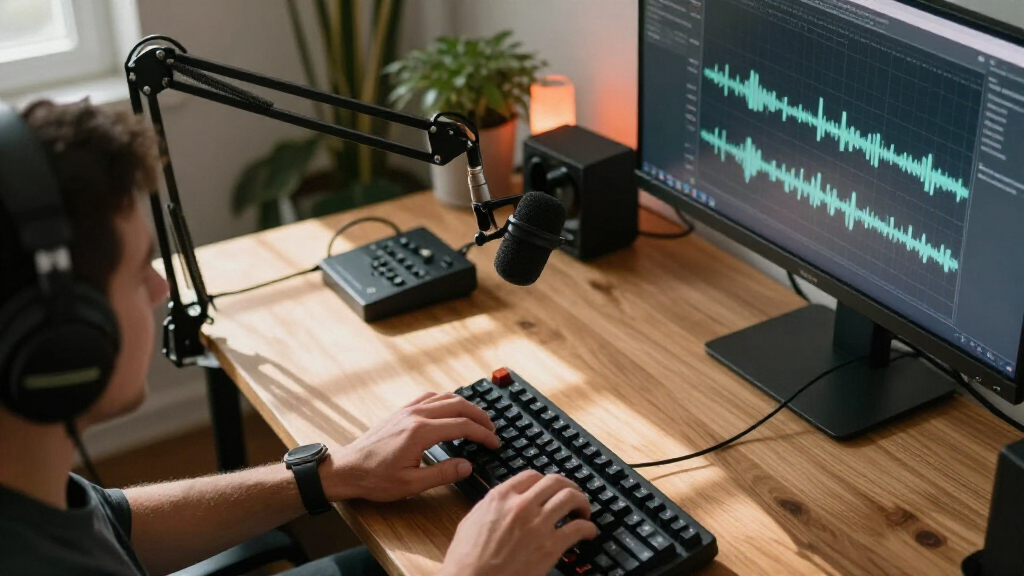

For streaming, a USB microphone is the simplest path to broadcast-quality sound — no audio interface, no phantom power, just plug in and go. The FIFINE AmpliTank K688CT stands out as the best overall pick because its dynamic capsule rejects room noise better than any condenser here, which matters more than most streamers realize. If budget is the deciding factor, the TONOR TC-777 and FIFINE K669B deliver surprising clarity for the money, while the Logitech Blue Yeti remains the recognizable all-rounder with multiple pickup patterns. The main tradeoff in this category is simple: condenser mics like the Yeti capture more detail but also more keyboard clatter and echo, while dynamic mics like the AmpliTank line sound tighter in untreated rooms. Keep reading for the full breakdown of all 14 mics and which one fits your room, budget, and streaming style.

Get audio and creator gear delivered free with Prime
- Fast, free delivery on millions of items
- Prime Video, Amazon Music and more included
- Member-only deals all year
Complete the kit



Key Takeaways
- Dynamic capsules (amazon.com/dp/B09Q2ZZGH2?tag=the-sound-of-music-guide.com-20&ascsubtag=dc-1114469″ target=”_blank” rel=”nofollow sponsored noopener”>FIFINE AmpliTank K688, K688CT, AM8, AM8T) outperformed condensers for streamers in untreated rooms because they reject keyboard noise and echo — this drove the top rankings.
- FIFINE dominates this lineup with seven entries, but the models differ enough that picking the right FIFINE matters more than picking FIFINE at all.
- Every mic under the budget tier bundles a boom arm or tripod, so paying less here does not mean buying accessories separately — the tradeoff is capsule quality, not included hardware.
- The Blue Yeti is the only mic in the roundup with multiple pickup patterns, making it the most versatile for streamers who also record podcasts or interviews — but the worst choice for noisy rooms.
- USB/XLR hybrid models (AM8, AM8T, K688, K688CT) protect your investment: you can start on USB today and move to an audio interface later without replacing the mic.
| FIFINE AmpliGame A6T USB Gaming Microphone Kit with Boom Arm and RGB Lighting |  | Best Complete Starter Kit | Type: USB Condenser Microphone | Polar Pattern: Cardioid | Connectivity: USB-C to USB-A/C | VIEW LATEST PRICE | See Our Full Breakdown |
| TONOR TC-777 USB Cardioid Condenser Microphone with Tripod and Pop Filter |  | Best Budget Entry Point | Connectivity: USB 2.0 (Type-A) | Polar Pattern: Unidirectional cardioid | Compatible Devices: PC, laptop, PS4, PS5 | VIEW LATEST PRICE | See Our Full Breakdown |
| FIFINE AmpliGame AM8T XLR/USB Dynamic Gaming Microphone Set |  | Best for Future XLR Upgraders | Microphone Type: Dynamic | Connectivity: USB and XLR | Polar Pattern: Cardioid | VIEW LATEST PRICE | See Our Full Breakdown |
| FIFINE AmpliGame AM8 USB/XLR Dynamic Microphone |  | Best Value Dynamic Mic Body | Connectivity: USB, XLR | Microphone Type: Dynamic | Polar Pattern: Cardioid, unidirectional | VIEW LATEST PRICE | See Our Full Breakdown |
| SUDOTACK ST-800 Podcast Microphone Kit with Boom Arm |  | Best for Podcast-Style Audio Fidelity | Type: USB Condenser Microphone | Sample Rate: 192kHz | Bit Depth: 24-bit | VIEW LATEST PRICE | See Our Full Breakdown |
| NEEWER UM04 USB Omnidirectional Desktop Microphone |  | Best for Group Streams | Connectivity: USB-C | Polar Pattern: Omnidirectional | Sample Rate / Bit Depth: 48 kHz / 24-bit | VIEW LATEST PRICE | See Our Full Breakdown |
| ZealSound K66 USB Podcast Microphone with Noise Cancellation and Zero-Latency Monitoring |  | Best for Mobile Streaming | Type: USB Condenser Microphone | Polar Pattern: Cardioid | Frequency Response: 40 Hz – 18 kHz | VIEW LATEST PRICE | See Our Full Breakdown |
| Amazon Basics Condenser Microphone for PC |  | Best Budget Starter Mic | Connectivity: USB | Polar Pattern: Cardioid (Unidirectional) | Diaphragm Size: 14 mm | VIEW LATEST PRICE | See Our Full Breakdown |
| FIFINE AmpliTank K688CT USB/XLR Dynamic Podcast Microphone Kit |  | Best Upgrade Path | Connectivity: USB, XLR | Microphone Type: Dynamic | Polar Pattern: Unidirectional (cardioid) | VIEW LATEST PRICE | See Our Full Breakdown |
| COCONISE USB Condenser Microphone with RGB Lights, Mute Button, and Pop Filter |  | Best Aesthetic Pick for Gamers | Connectivity: USB | Polar Pattern: Cardioid (Unidirectional) | Frequency Response: 20 Hz – 20 kHz | VIEW LATEST PRICE | See Our Full Breakdown |
| FIFINE AmpliGame A6V USB Gaming Microphone |  | Best RGB Streaming Pick | Type: Condenser Microphone | Connection: USB | Sampling Rate: 192kHz | VIEW LATEST PRICE | See Our Full Breakdown |
| FIFINE AmpliTank K688 Dynamic Microphone with XLR and USB |  | Best Hybrid XLR/USB Upgrade Path | Microphone Type: Dynamic | Pickup Pattern: Cardioid | Connections: XLR and USB-C | VIEW LATEST PRICE | See Our Full Breakdown |
| Logitech Blue Yeti USB Microphone – Blackout |  | Best Versatile All-Rounder | Type: USB Condenser Microphone | Pickup Patterns: Cardioid, Omni, Bidirectional, Stereo | Connectivity: USB | VIEW LATEST PRICE | See Our Full Breakdown |
| FIFINE K669B USB Condenser Microphone |  | Best Budget Starter Mic | Type: Condenser Microphone | Connection: USB-B to USB-A/C cable included | Polar Pattern: Cardioid | VIEW LATEST PRICE | See Our Full Breakdown |
| USB microphones for streaming | Polar Pattern | Connectivity | Compatibility | Included Accessories |
|---|---|---|---|---|
| FIFINE AmpliGame A6T USB Gamin | Cardioid | USB-C to USB-A/C | Windows, Mac OS, PS4, PS5 | Shock Mount, Pop Filter, Boom Arm Stand, User’s Manual |
| TONOR TC-777 USB Cardioid Cond | Unidirectional cardioid | USB 2.0 (Type-A) | — | Foldable tripod, mini shock mount, pop filter, manual |
| FIFINE AmpliGame AM8T XLR/USB | Cardioid | USB and XLR | — | Boom arm stand, C-clamp, USB to USB-C cable, user manual |
| FIFINE AmpliGame AM8 USB/XLR D | Cardioid, unidirectional | USB, XLR | — | — |
| SUDOTACK ST-800 Podcast Microp | — | — | Windows, Mac OS (not compatible with Xbox) | Shock mount, table clamp, anti-wind foam cap, pop filter, scissor boom arm |
| NEEWER UM04 USB Omnidirectiona | Omnidirectional | USB-C | — | — |
| ZealSound K66 USB Podcast Micr | Cardioid | USB-C, Lightning (adapters included) | Windows, Mac, PS4, PS5, iPhone, iPad, Android | — |
| Amazon Basics Condenser Microp | Cardioid (Unidirectional) | USB | Windows 7/8/10+, Mac OS 10.10+ | — |
| FIFINE AmpliTank K688CT USB/XL | Unidirectional (cardioid) | USB, XLR | — | Metal boom arm, shock mount, windscreen |
| COCONISE USB Condenser Microph | Cardioid (Unidirectional) | USB | PC, PS4, PS5, Laptop | — |
| FIFINE AmpliGame A6V USB Gamin | Cardioid | — | PC, PS4, PS5, Mac OS, Windows | Shock mount, pop filter, tripod stand, USB cable |
| FIFINE AmpliTank K688 Dynamic | — | — | — | Shock mount, windscreen, USB-C cable, 5/8 to 3/8 adapter |
| Logitech Blue Yeti USB Microph | — | USB | PC, Mac | — |
| FIFINE K669B USB Condenser Mic | Cardioid | — | PC, Mac, PS4, PS5 | — |
More Details on Our Top Picks
FIFINE AmpliGame A6T USB Gaming Microphone Kit with Boom Arm and RGB Lighting
This option stands out for bundling everything a new streamer needs in one box: boom arm, shock mount, pop filter, and a generous 8.2ft cable. Compared with the TONOR TC-777, which relies on a short desk tripod, the A6T’s boom arm frees up desk space and positions the mic at a proper speaking height. The touch-mute panel and gain knob sit right on the mic body, so muting mid-broadcast is a one-tap affair rather than a software scramble. The tradeoff is aesthetic and practical: the RGB lighting is baked into the design, so viewers with minimalist setups get a glow they can’t fully tone down, and the C-clamp only fits desks under 2 inches thick.
Pros:- Complete kit includes boom arm, shock mount, and pop filter
- Plug-and-play on Windows, Mac, PS4, and PS5
- Touch-mute button and volume knob are within easy reach
- Reversible USB-C connector makes setup forgiving
Cons:- RGB lighting can’t be fully removed for minimalist setups
- C-clamp boom arm limits desk compatibility to 2-inch thickness
Best for: New streamers who want a full desk setup — arm, filters, and all — without buying accessories separately
Not ideal for: Streamers with thick or irregular desks, or anyone who wants a clean, lighting-free background for their camera feed
- Type:USB Condenser Microphone
- Polar Pattern:Cardioid
- Connectivity:USB-C to USB-A/C
- Cable Length:8.2 ft (2.5 m)
- Compatibility:Windows, Mac OS, PS4, PS5
- Mounting:Boom Arm with C-Clamp (fits desks up to 2″ thick)
- Included Accessories:Shock Mount, Pop Filter, Boom Arm Stand, User’s Manual
Our verdict“Buy this if you’re starting from zero and want one purchase to cover your entire streaming mic setup.”
TONOR TC-777 USB Cardioid Condenser Microphone with Tripod and Pop Filter
For anyone testing the streaming waters, this model makes the most sense as a low-commitment first microphone. It still covers the basics the Amazon Basics Condenser omits — a shock mount, pop filter, and built-in mute and volume controls — while staying genuinely plug-and-play across PC and PlayStation. Compared with the FIFINE A6T, the sacrifice is clear: a folding tripod instead of a boom arm means the mic sits flat on your desk, closer to keyboard clacks and desk bumps, and the 1.9m cord constrains where you can place it. As a condenser it will also pick up more room noise than the FIFINE AM8’s dynamic capsule, so untreated rooms will show in the recording.
Pros:- Includes tripod, shock mount, and pop filter despite the budget positioning
- Mute and volume controls are built into the mic
- Plug-and-play on PC, laptop, PS4, and PS5
- Works with all common communication apps out of the box
Cons:- Not compatible with Xbox
- Desk tripod picks up more vibration and keyboard noise than a boom arm
- Fixed 1.9m cord limits placement flexibility
Best for: Budget-conscious beginners or casual streamers who want essential accessories included without paying for a boom arm
Not ideal for: Untreated echoey rooms, or Xbox streamers — it simply won’t connect to Microsoft consoles
- Connectivity:USB 2.0 (Type-A)
- Polar Pattern:Unidirectional cardioid
- Compatible Devices:PC, laptop, PS4, PS5
- Frequency Response:20 kHz
- Signal-to-Noise Ratio:80 dB
- Cable Length:1.9 m
- Included Accessories:Foldable tripod, mini shock mount, pop filter, manual
Our verdict“A sensible first mic for cautious buyers — just know a boom-arm upgrade is likely in your future.”
FIFINE AmpliGame AM8T XLR/USB Dynamic Gaming Microphone Set
This pick earns its spot by solving a specific problem: you want simple USB today and an XLR audio interface tomorrow, without rebuying your microphone. Unlike the AmpliGame A6T, the AM8T uses a dynamic capsule, which rejects room echo and background noise far better in untreated bedrooms — a meaningful advantage for streamers without acoustic panels. The set includes a boom arm, and unlike the bare FIFINE AM8, it arrives ready to mount. The annoyances are real, though: the XLR cable isn’t included, so the upgrade path requires one more purchase, and on-mic controls like gain and monitoring only function in USB mode. Plan for the 2-inch desk clamp limit too.
Pros:- Dual USB and XLR connectivity protects your investment long-term
- Dynamic capsule rejects background noise better than condenser rivals
- On-mic mute, gain, and headphone volume controls in USB mode
- RGB lighting can be switched off entirely
Cons:- XLR cable is not included
- Desk clamp only fits desktops under 2 inches thick
- Advanced controls don’t carry over to XLR mode
Best for: Streamers who plan to add a mixer or audio interface later and want one mic that grows with the setup
Not ideal for: Buyers expecting a fully XLR-ready package — the missing cable and inactive controls in XLR mode mean extra spend and adjustment
- Microphone Type:Dynamic
- Connectivity:USB and XLR
- Polar Pattern:Cardioid
- Sensitivity:-50 dB
- Lighting:Customizable RGB (can be disabled)
- Boom Arm Clamp Capacity:Desktops up to 2 inches thick
- USB Cable Length:8.2 ft
- Included Accessories:Boom arm stand, C-clamp, USB to USB-C cable, user manual
Our verdict“The right choice if a mixer is on your roadmap and you want a noise-rejecting dynamic mic now.”
FIFINE AmpliGame AM8 USB/XLR Dynamic Microphone
Compared with the AM8T set, this version strips out the boom arm and delivers just the dynamic mic body at a friendlier price point — ideal if you already own a stand or plan to choose your own mounting hardware. The built-in 3/8-inch and 5/8-inch threads mean it attaches to nearly any common mic stand without adapters. Like its pricier sibling, the cardioid dynamic design tolerates messy rooms in a way condensers like the TONOR TC-777 can’t, and the tap-to-mute with indicator light is a genuine safeguard against hot-mic moments. Note the 2–6 inch recommended speaking distance — dynamic mics demand close positioning, so it won’t suit streamers who lean back or move around.
Pros:- USB and XLR dual connectivity at a lower price than full kits
- Tap-to-mute with a visual indicator prevents on-air slip-ups
- Fits both 3/8-inch and 5/8-inch stand threads without adapters
- Dynamic capsule handles untreated rooms well
Cons:- No boom arm or mounting hardware included
- RGB and function controls are inactive in XLR mode
- XLR cable is not included
- Requires very close 2–6 inch mic positioning
Best for: Streamers who already own a mic stand and want dynamic-mic noise rejection at the lowest entry cost
Not ideal for: Hands-off or animated streamers — the required 2–6 inch speaking distance keeps you tethered close to the capsule
- Connectivity:USB, XLR
- Microphone Type:Dynamic
- Polar Pattern:Cardioid, unidirectional
- Frequency Response:50 Hz–16 kHz
- Signal-to-Noise Ratio:80 dB
- Controls:Tap-to-mute, RGB lighting, headphone jack, monitoring volume, gain (USB mode only)
- Stand Threads:3/8-inch and 5/8-inch
- Enclosure Material:ABS plastic and metal
Our verdict“Grab this over the AM8T if you have your own stand; skip it if you like your personal space while streaming.”
SUDOTACK ST-800 Podcast Microphone Kit with Boom Arm
Where most picks here are tuned for game chat, this one leans toward broadcast-style recording quality, with 24-bit/192kHz sampling that captures more detail than the TONOR TC-777 or FIFINE A6T can resolve. The metal scissor boom arm is sturdier and quieter than the tripods bundled with cheaper rivals, and the full accessory load — shock mount, pop filter, and windscreen — arrives ready for serious voice work. The honest caveat is the 16kHz frequency ceiling, which flattens the airy top end that professional voiceover work sometimes demands. And unlike the dynamic FIFINE AM8T, this condenser hears everything, so a noisy mechanical keyboard or bare-walled room will land in your track.
Pros:- 24-bit/192kHz sampling captures noticeably more vocal detail
- Durable metal scissor boom arm enables quiet, precise positioning
- Full accessory bundle including shock mount, pop filter, and windscreen
- True plug-and-play on Windows and Mac with no drivers
Cons:- Not compatible with Xbox consoles
- Frequency response caps at 16kHz, limiting high-frequency detail
- Condenser design is unforgiving in untreated, noisy rooms
Best for: Streamers who also record podcasts or voiceovers and prioritize clean, high-resolution vocal capture
Not ideal for: Noisy gaming setups or untreated rooms — the sensitive condenser capsule will pick up keyboards, fans, and echo
- Type:USB Condenser Microphone
- Sample Rate:192kHz
- Bit Depth:24-bit
- Frequency Response:30 Hz – 16 kHz
- Pickup Pattern:Cardioid
- Compatibility:Windows, Mac OS (not compatible with Xbox)
- Included Accessories:Shock mount, table clamp, anti-wind foam cap, pop filter, scissor boom arm
Our verdict“The strongest pick here for audio fidelity on a stream-and-podcast dual workflow, provided your room is quiet.”
NEEWER UM04 USB Omnidirectional Desktop Microphone
Most microphones in this roundup, like the ZealSound K66 and Amazon Basics condenser, use a cardioid pattern that captures one voice from one direction. The NEEWER UM04 takes the opposite approach: its 360° omnidirectional pickup hears everyone within about five feet, which makes this pick make the most sense for couch co-op streams, podcast panels, or IRL setups where multiple people talk at once. The AI noise cancellation helps tame the room noise that omnidirectional mics naturally invite, and the 3.5 mm jack allows zero-latency monitoring. The tradeoff is unavoidable: solo streamers will pick up keyboard clatter and room reflections a cardioid mic would reject. Compared with the K688CT, it also lacks boom-arm flexibility, sitting as a fixed desktop puck.
Pros:- 360° pickup captures multiple speakers without repositioning
- AI noise cancellation and adjustable gain in a budget mic
- One-touch mute with RGB status feedback
- 3.5 mm headphone jack for real-time monitoring
Cons:- Omnidirectional pattern picks up keyboard and room noise during solo use
- Some phones require OTG activation before the mic works
Best for: Streamers and podcasters recording two or more people around one desk who don’t want to buy multiple mics
Not ideal for: Solo streamers in untreated rooms — omnidirectional pickup will happily broadcast your mechanical keyboard and background hum
- Connectivity:USB-C
- Polar Pattern:Omnidirectional
- Sample Rate / Bit Depth:48 kHz / 24-bit
- Signal-to-Noise Ratio:80 dB
- Pickup Distance:4.9 ft (1.5 m)
- Headphone Output:3.5 mm TRS
- Volume Adjustment:10 levels
- Weight:5.29 oz
Our verdict“Buy this only if your stream involves multiple voices at one desk; solo streamers should choose a cardioid option like the ZealSound K66 instead.”
ZealSound K66 USB Podcast Microphone with Noise Cancellation and Zero-Latency Monitoring
What separates the K66 from desktop-bound picks like the Amazon Basics condenser is included Lightning and USB-C adapters, meaning you can plug straight into an iPhone, iPad, or Android phone and stream from anywhere — a rarity at this price. The cardioid pattern keeps the focus on your voice, and the intelligent noise reduction mode is a genuine asset if you stream from a bedroom rather than a treated studio. Physical knobs for gain, monitoring volume, and echo give you hands-on control that cheaper rivals bury in software. The tradeoff: activating noise reduction means holding the mute button rather than flipping a dedicated switch, an awkward mid-stream gesture, and unlike the COCONISE, there’s no visual RGB cue confirming your mic state at a glance.
Pros:- Includes Lightning and USB-C adapters for direct mobile streaming
- Noise reduction mode genuinely helps in untreated rooms
- Dedicated knobs for gain, monitoring, and echo adjustment
- Zero-latency headphone monitoring with independent volume
Cons:- Noise reduction requires holding the mute button, which is unintuitive mid-broadcast
- No boom arm or shock mount included, limiting setup flexibility
Best for: Streamers who broadcast from phones or tablets — or split time between PC and mobile — and want hardware controls without software fuss
Not ideal for: Console streamers and anyone wanting a boom-arm setup; there’s no included mount, and PS4/PS5 support is secondary to its mobile focus
- Type:USB Condenser Microphone
- Polar Pattern:Cardioid
- Frequency Response:40 Hz – 18 kHz
- Sampling Rate:46 kHz
- Sensitivity:-45dB ±3dB
- Connectivity:USB-C, Lightning (adapters included)
- Compatibility:Windows, Mac, PS4, PS5, iPhone, iPad, Android
- Features:Noise Reduction Mode, Zero-Latency Monitoring, Mute with LED, Echo Adjustment
Our verdict“This option stands out for mobile-first streamers who need one mic to travel between phone and desktop without adapting their workflow.”
Amazon Basics Condenser Microphone for PC
This is the lowest-commitment entry point in the lineup for someone testing whether streaming sticks. The 14 mm diaphragm and cardioid pattern deliver noticeably cleaner voice capture than a gaming headset mic, which is really the comparison that matters at this tier — and its 20 Hz–20 kHz frequency response is actually broader on paper than the more expensive FIFINE K688CT. The one-tap mute with visual sync means you won’t accidentally broadcast during bathroom breaks. But the compromises are real: there’s no gain knob or headphone jack, so you can’t monitor yourself in real time like you can on the ZealSound K66 or COCONISE, and the build feels like the budget product it is. The 5/8 inch thread at least lets you upgrade to a boom arm later.
Pros:- Plug-and-play with no drivers on Windows and Mac
- One-tap mute with visual sync confirmation
- Broad 20 Hz–20 kHz frequency response for the price
- 360° adjustable stand plus 5/8 inch thread for future boom-arm upgrades
Cons:- No headphone jack, so zero-latency self-monitoring is impossible
- No physical gain or volume control
- Build quality reflects its budget positioning
Best for: First-time streamers on a tight budget who want better-than-headset audio and can live without monitoring
Not ideal for: Anyone serious about audio quality control — no headphone monitoring or gain knob means you’re mixing blind
- Connectivity:USB
- Polar Pattern:Cardioid (Unidirectional)
- Diaphragm Size:14 mm
- Frequency Response:20 Hz – 20 kHz
- Signal-to-Noise Ratio:75 dB
- Impedance:2.2 kiloohms
- Mounting Thread:5/8 inch
- Compatibility:Windows 7/8/10+, Mac OS 10.10+
Our verdict“A sensible first mic to confirm you enjoy streaming before spending more — upgrade candidates should start with the ZealSound K66 instead.”
FIFINE AmpliTank K688CT USB/XLR Dynamic Podcast Microphone Kit
The K688CT solves a problem no other mic in this batch does: what happens when you outgrow USB. Start on plug-and-play USB with tap-to-mute, gain control, and headphone monitoring, then later plug into an XLR audio interface without replacing the mic — something the Amazon Basics and COCONISE simply can’t offer. It’s also one of the few complete kits here, shipping with a metal boom arm, shock mount, and windscreen, so there’s nothing else to buy on day one. The dynamic capsule is the right call for streamers in noisy rooms, rejecting far more background sound than condensers like the K66. The catch: every onboard control goes dark once you switch to XLR, and the desk clamp won’t grip anything thicker than two inches.
Pros:- Dual USB and XLR connectivity protects your investment long-term
- Complete kit includes metal boom arm, shock mount, and windscreen
- Dynamic capsule handles loud sources up to 130 dB SPL and rejects room noise
- Full onboard controls in USB mode: tap-to-mute, gain, and monitoring
Cons:- All onboard controls are disabled when using XLR
- Desk clamp only fits desktops under 2 inches thick
- 16 kHz frequency ceiling is lower than condenser rivals like the Amazon Basics
Best for: Streamers planning to eventually move to an XLR interface and mixer who want one mic and a full kit that grows with them
Not ideal for: Mobile streamers and anyone on thick or irregular desks — there’s no phone support and the clamp tops out at 2 inches
- Connectivity:USB, XLR
- Microphone Type:Dynamic
- Polar Pattern:Unidirectional (cardioid)
- Frequency Response:50 Hz – 16 kHz
- Maximum SPL:130 dB
- Signal-to-Noise Ratio:80 dB
- Controls:Tap-to-mute, gain, headphone volume (USB only)
- Included Accessories:Metal boom arm, shock mount, windscreen
Our verdict“This model is better suited to streamers building toward a professional XLR chain than anyone who wants a simple set-and-forget USB mic.”
COCONISE USB Condenser Microphone with RGB Lights, Mute Button, and Pop Filter
If your stream is as much about the visuals as the audio, the COCONISE earns its slot through presence: gradient RGB lighting that doubles as a mute indicator, and a weighted carbon steel base that stays planted when gameplay gets rowdy — a genuine advantage over tripod-mounted rivals like the TONOR TC-777. The touch-sensor mute is faster and quieter than the physical button on the Amazon Basics mic, and the 3.5 mm monitoring jack plus volume knob gives it control the Basics lacks. Compared with the FIFINE AmpliGame A6T, it’s the more desk-minimal choice with its integrated base rather than a boom arm. The caveats: the fixed 180 cm USB cable limits desk layouts, and the build is more “streamer aesthetic” than studio-grade.
Pros:- RGB mute indicator gives instant at-a-glance mic status
- Weighted carbon steel base resists tipping during intense sessions
- Touch-sensor mute is faster and quieter than physical buttons
- Includes 3.5 mm monitoring jack, volume knob, and pop filter
Cons:- Fixed 180 cm USB cable restricts desk placement options
- Build quality prioritizes looks over studio durability
Best for: Visual-first gaming streamers who want their mic to match an RGB battlestation and never tip over mid-match
Not ideal for: Streamers with large or unusual desk layouts — the non-detachable 180 cm cable may not reach your PC
- Connectivity:USB
- Polar Pattern:Cardioid (Unidirectional)
- Frequency Response:20 Hz – 20 kHz
- Sample Rate:192 kHz
- Signal-to-Noise Ratio:78 dB
- Cable Length:180 cm
- Compatibility:PC, PS4, PS5, Laptop
- Features:RGB lights, touch mute, volume knob, 3.5 mm headphone jack, pop filter
Our verdict“This pick makes the most sense for gamers who want reliable voice capture and a mic that looks the part on camera — serious audio upgraders should look at the FIFINE K688CT.”
FIFINE AmpliGame A6V USB Gaming Microphone
FIFINE’s AmpliGame A6V stands out for streamers who want their audio setup to look as good as it sounds. The customizable RGB lighting syncs with a gaming aesthetic, while the 192kHz sampling rate delivers a level of detail most budget USB mics — including the TONOR TC-777 — simply don’t attempt. On-mic mute and gain controls mean you never have to fumble through OBS mid-broadcast to silence yourself after a cough. Compared with the K669B, the A6V adds instant muting and a richer feature set, which explains its step up this list. The tradeoffs are real, though: the tripod stand wobbles during animated commentary, and buyers wanting a clean, understated desk will find the lighting distracting with no way to make it truly minimalist.
Pros:- 192kHz sampling rate captures noticeably more vocal detail than typical budget USB mics
- On-mic mute button and gain knob allow instant control without touching streaming software
- Plug-and-play works across PC, Mac, PS4 and PS5
- Shock mount and detachable pop filter included, sparing extra accessory purchases
Cons:- Included tripod is less stable than a boom arm during energetic streams
- RGB lighting can be visually distracting and offers limited subdued modes
Best for: PC and console streamers who want broadcast detail and visual flair in one plug-and-play package
Not ideal for: Minimalist setups or professional calls — the RGB lighting looks out of place in an office context
- Type:Condenser Microphone
- Connection:USB
- Sampling Rate:192kHz
- Polar Pattern:Cardioid
- Compatibility:PC, PS4, PS5, Mac OS, Windows
- Cable Length:6.6 ft
- Included Accessories:Shock mount, pop filter, tripod stand, USB cable
Our verdict“Buy this if you stream games and want detailed sound plus on-mic controls; skip it if RGB clashes with your setup.”
FIFINE AmpliTank K688 Dynamic Microphone with XLR and USB
The AmpliTank K688 is the rare microphone that grows with you. Start streaming over USB-C today, then later plug into an audio interface via XLR without buying a new mic — something the USB-only Blue Yeti can never offer. Its dynamic capsule rejects room noise far better than condensers like the A6V, making it a smarter match for untreated bedrooms or shared apartments. The tap-to-mute, gain control, and headphone monitoring are genuinely useful, but only while connected over USB. The catch: dynamic mics demand close-mouth positioning, and FIFINE ships no stand or boom arm, so the true cost includes mounting hardware. If you’re committing to streaming long-term, this flexibility beats cheaper one-connection alternatives.
Pros:- Dual XLR and USB-C connections let you upgrade your audio chain without replacing the mic
- Dynamic capsule with cardioid pattern handles untreated, noisy rooms well
- Tap-to-mute, gain control and zero-latency headphone monitoring built in over USB
- 130 dB max SPL handles loud, energetic streams without distortion
Cons:- Mute, gain, and monitoring controls only function in USB mode
- No stand, boom arm, or XLR cable included
- Dynamic design requires speaking within a few inches of the grille
Best for: Streamers in noisy rooms who plan to upgrade to an XLR audio interface eventually
Not ideal for: Buyers wanting everything in the box — no stand, boom arm, or XLR cable is included
- Microphone Type:Dynamic
- Pickup Pattern:Cardioid
- Connections:XLR and USB-C
- Maximum SPL:130 dB
- Monitoring:3.5 mm headphone jack (USB only)
- Cable Length:8.2 ft USB-C cable
- Included Accessories:Shock mount, windscreen, USB-C cable, 5/8 to 3/8 adapter
Our verdict“This makes the most sense for streamers building toward a professional XLR setup; casual users should grab an all-in-one kit instead.”
Logitech Blue Yeti USB Microphone – Blackout
Blue’s Yeti remains the default answer when a streamer also podcasts, records interviews, or sings, because its four selectable pickup patterns — cardioid, omni, bidirectional, stereo — cover recording scenarios single-pattern mics like the K669B or K688 can’t touch. Bidirectional mode alone makes two-person, one-mic podcasting possible. The Blue VO!CE software adds broadcast-style effects and cleaning that no other mic in this lineup matches out of the box. That said, the Yeti’s condenser design picks up keyboard clacks and room echo more eagerly than the dynamic K688, so noisy rooms suffer. It’s also physically large, and full functionality hinges on installing Logitech G HUB — an annoyance for anyone who dislikes extra software lingering on their system.
Pros:- Four pickup patterns handle streaming, interviews, music, and room recording
- Blue VO!CE software adds broadcast-quality vocal effects and noise cleanup
- Onboard controls for gain, mute, headphone volume, and pattern selection
- Plug-and-play on PC and Mac with adjustable desktop stand included
Cons:- Full feature set requires installing Logitech G HUB software
- Bulky footprint crowds small desks
- Condenser sensitivity captures keyboard noise and untreated-room echo
Best for: Multi-purpose creators who stream, podcast, record interviews, and want one mic for everything
Not ideal for: Cramped desks or noisy rooms — the wide footprint and sensitive condenser both work against you
- Type:USB Condenser Microphone
- Pickup Patterns:Cardioid, Omni, Bidirectional, Stereo
- Connectivity:USB
- Software:Blue VO!CE, Logitech G HUB
- Controls:Headphone volume, pattern selector, instant mute, mic gain
- Compatibility:PC, Mac
Our verdict“The Yeti is the pick for creators whose audio needs go beyond solo streaming; pure gamers in loud rooms should favor a dynamic mic.”
FIFINE K669B USB Condenser Microphone
For a first streaming setup, the K669B gets the fundamentals right without asking much. Metal construction and a stable tripod give it a sturdier feel than plasticky entry-level rivals like the Amazon Basics condenser, and the on-mic volume knob doubles as a quick mute when you twist it down — a surprisingly handy privacy trick at this price. Compared with the A6V, you lose RGB flair, a dedicated mute button, and high-resolution sampling, but none of those affect whether your voice sounds clean on Twitch. Compatibility covers PC, Mac, PS4, and PS5. The limits: Xbox and phones are off the table, and apps like Zoom may apply automatic gain adjustments you’ll have to disable manually to avoid inconsistent volume.
Pros:- Plug-and-play with no drivers or phantom power required
- Durable all-metal build feels more premium than typical starter mics
- On-mic volume knob enables instant level changes and quick muting
- Cardioid pattern keeps background noise reasonably controlled
Cons:- Incompatible with Xbox consoles and smartphones
- Some software (e.g., Zoom) needs manual disabling of automatic volume adjustment
- No dedicated mute button or gain control beyond the volume knob
Best for: First-time streamers and students who want reliable voice quality without a big spend
Not ideal for: Xbox or mobile streamers — the mic simply won’t connect to those devices
- Type:Condenser Microphone
- Connection:USB-B to USB-A/C cable included
- Polar Pattern:Cardioid
- Compatibility:PC, Mac, PS4, PS5
- Cable Length:5.9 ft
- Power Source:USB-powered, no 48V phantom power needed
- Material:Metal
Our verdict“The K669B is the sensible first microphone for PC or PlayStation streamers testing the waters; upgrade later if you stick with it.”

How We Picked
I evaluated each microphone through the single lens that matters for streaming: how it will actually sound coming out of viewers’ speakers during a live broadcast. That meant prioritizing background noise rejection over raw detail (since most streamers work in echoey bedrooms, not treated studios), zero-latency monitoring (so you can hear yourself without headset-only workarounds), and on-mic gain and mute controls (because fumbling through software mid-stream kills momentum). Included accessories like boom arms and pop filters were weighed as real value, not bonus fluff.
I also factored in upgrade paths: hybrid USB/XLR models ranked higher than USB-only equivalents at similar quality because they survive a setup evolution. Condenser mics were not penalized for their sensitivity in absolute terms — only for how that sensitivity behaves in a typical untreated streaming room. Mics that repeated another entry’s strengths at a worse value were ranked below the model they duplicated, which is why some near-identical FIFINE siblings appear far apart in the ordering.
| USB microphones for streaming | Polar Pattern |
|---|---|
| FIFINE AmpliGame A6T USB Gamin | Cardioid |
| TONOR TC-777 USB Cardioid Cond | Unidirectional cardioid |
| FIFINE AmpliGame AM8T XLR/USB | Cardioid |
| FIFINE AmpliGame AM8 USB/XLR D | Cardioid, unidirectional |
| SUDOTACK ST-800 Podcast Microp | — |
| NEEWER UM04 USB Omnidirectiona | Omnidirectional |
| ZealSound K66 USB Podcast Micr | Cardioid |
| Amazon Basics Condenser Microp | Cardioid (Unidirectional) |
| FIFINE AmpliTank K688CT USB/XL | Unidirectional (cardioid) |
| COCONISE USB Condenser Microph | Cardioid (Unidirectional) |
| FIFINE AmpliGame A6V USB Gamin | Cardioid |
| FIFINE AmpliTank K688 Dynamic | — |
| Logitech Blue Yeti USB Microph | — |
| FIFINE K669B USB Condenser Mic | Cardioid |
Factors to Consider When Choosing USB Microphones For Streaming
Before clicking buy on any mic in this roundup, step back and think about your room, your desk, and where your streaming setup is headed. These are the factors that actually separate a satisfying purchase from a returned one.Your Room Decides Your Capsule Type
The single biggest mistake streamers make is buying a sensitive condenser mic for an untreated room. Condenser capsules (Yeti, TC-777, K669B, most budget kits) capture fine detail but also faithfully record your ceiling fan, mechanical keyboard, and bare-wall echo. Dynamic capsules (the AmpliTank and AmpliGame AM8 lines) pick up far less room sound and put your voice front and center. A cheap dynamic in a bad room beats an expensive condenser in the same room almost every time — this principle drove more of my ranking than any spec sheet.
Zero-Latency Monitoring Is Not Optional
Listening to yourself through your streaming software introduces a delay that makes most people stumble over their own words. A headphone jack on the mic itself with direct, zero-latency monitoring solves this completely. Models like the ZealSound K66 and the AmpliTank kits include it; the most basic budget options often omit it. If you plan to stream without a headset — using speakers for game audio and the mic jack for your voice — this feature becomes non-negotiable, so check for it before anything else.
USB/XLR Hybrids: Paying for the Future
Several mics here offer both USB and XLR connections, and buyers often dismiss XLR as something they’ll never use. My advice: treat it as insurance. The moment your channel grows and you want an audio interface, better preamps, or a hardware mixer, a hybrid mic slots straight in — a USB-only mic becomes a paperweight. The price gap between USB-only and hybrid versions of essentially the same mic (compare the AM8 and AM8T) is usually small relative to replacing the mic later. If two mics sound equally good to you, take the hybrid.
On-Mic Controls Change How You Stream
A touch-to-mute button and a physical gain knob seem like minor conveniences until you’re live. Coughing fits, doorbells, and unexpected interruptions happen mid-broadcast, and reaching for software settings takes ten seconds you don’t have. Gain control on the mic itself also lets you compensate for talking quietly at night or leaning back in your chair. The cheapest models in this roundup skip these controls entirely, which is the real cost of the budget tier — not sound quality.
Included Hardware: The Hidden Value Math
Nearly every budget kit here ships with a tripod or boom arm, and buyers often assume these are throwaway. In practice, a bundled boom arm is a genuine upgrade over a desk tripod: it gets the mic off your desk (less keyboard vibration), positions it close to your mouth (better signal-to-noise), and frees desk space. Before paying more for a bare mic, price out the arm and shock mount you’d need separately — bundled kits often win the total-cost comparison even when the mic alone is unremarkable.
RGB and Aesthetics: Worth It or Marketing?
Streaming is a visual medium, and your mic is on camera — so aesthetics are a legitimate buying factor, not vanity. That said, RGB lighting should never be the reason you accept a worse capsule. The right approach: narrow your choices by sound and controls first, then let looks break ties. Several FIFINE AmpliGame models offer lighting without a price penalty, which is why they rank well for camera-facing streamers. If a mic’s only distinguishing feature is lighting, skip it.
Frequently Asked Questions
Is a USB microphone good enough for streaming, or do I need XLR?
For the vast majority of streamers, USB is genuinely sufficient — viewers listen through phone speakers and earbuds, not studio monitors, so the quality ceiling of a good USB mic is well above what your audience can perceive. XLR setups shine when you add hardware mixers, multiple microphones, or broadcast-grade processing, which is a pro-level problem. The smart middle path is a hybrid USB/XLR mic like the FIFINE AmpliTank K688 or AM8: you get plug-and-play simplicity today and the option to upgrade to an interface later without rebuying the mic. Only go pure XLR if you already own an interface or plan to buy one within months.
Why does my new mic pick up my keyboard and fan — is it broken?
No, and this is the most common disappointment in the category. Condenser microphones are designed to be sensitive, and that sensitivity works against you in an untreated room with a mechanical keyboard and ambient noise. You have three fixes: move the mic within a few inches of your mouth and lower the gain, add soft furnishings to reduce echo, or switch to a dynamic microphone like the FIFINE AmpliTank line, which naturally ignores off-axis sound. The third option is why dynamic mics dominate the top of my rankings for streamers specifically — even though condensers often look better on spec sheets.
Do I need a boom arm, or is the included tripod fine?
A desk tripod works for getting started, but it has two weaknesses that show up fast: it transmits keyboard thumps directly into the mic through the desk, and it forces you to lean toward a fixed position for hours. A boom arm decouples the mic from the desk and lets you position the capsule close to your mouth, which improves your voice-to-noise ratio more than any software setting can. Several kits in this roundup — the FIFINE A6T, AM8T, K688CT, and SUDOTACK ST-800 — bundle a usable arm, which makes them better total packages than a slightly better bare mic plus a separate arm purchase. If your kit only includes a tripod, budget for an arm as your first upgrade.
Is the Blue Yeti still worth buying in 2026?
Yes, but for a narrower group than its reputation suggests. The Yeti’s multiple pickup patterns remain unique in this lineup — bidirectional mode for two-person podcasts and stereo mode for music make it the most versatile mic here for creators who stream and do other formats. But its condenser capsule is unforgiving in untreated rooms, it’s large and heavy on camera, and its price sits above the budget tier without the noise rejection of the dynamic FIFINE options. Buy it if versatility across formats is your priority; skip it if your only use case is solo streaming in a normal bedroom.
What’s the difference between the FIFINE AmpliGame AM8 and AM8T, or the AmpliTank K688 and K688CT?
These are sibling pairs where the T and CT suffix versions are full kits: they add a boom arm and typically a shock mount and pop filter, while the base models are bare microphones. The capsules and sound are essentially the same, so the decision is purely about hardware you already own. If you have no arm, the kit versions almost always cost less than buying the pieces separately — that’s why the K688CT ranks above the bare K688 in my ordering despite identical audio. If you already own a decent arm and accessories, save the money and buy the bare mic.
Conclusion
Match the mic to the streamer, not the spec sheet. For best overall, the FIFINE AmpliTank K688CT wins on noise rejection, USB/XLR flexibility, and a complete kit — the strongest all-around package for real streaming rooms. The best value pick is the TONOR TC-777 for entry-level clarity on a tight budget, while the best upgrade path goes to the bare AmpliTank K688 for anyone who already owns a boom arm. Beginners who want to start today with zero decisions should grab the FIFINE K669B or the FIFINE AmpliGame A6V — plug in, position, stream. The Blue Yeti is the right call only if you record multi-format content beyond solo streaming, and the AmpliGame AM8T is the niche winner for dynamic-capsule fans who also want RGB on camera. Whatever you pick, remember the pattern this comparison made clear: your room and your mic position matter more than your budget — buy for the room you actually stream in.
Halloween Picks
halloween
As an affiliate, we earn on qualifying purchases.