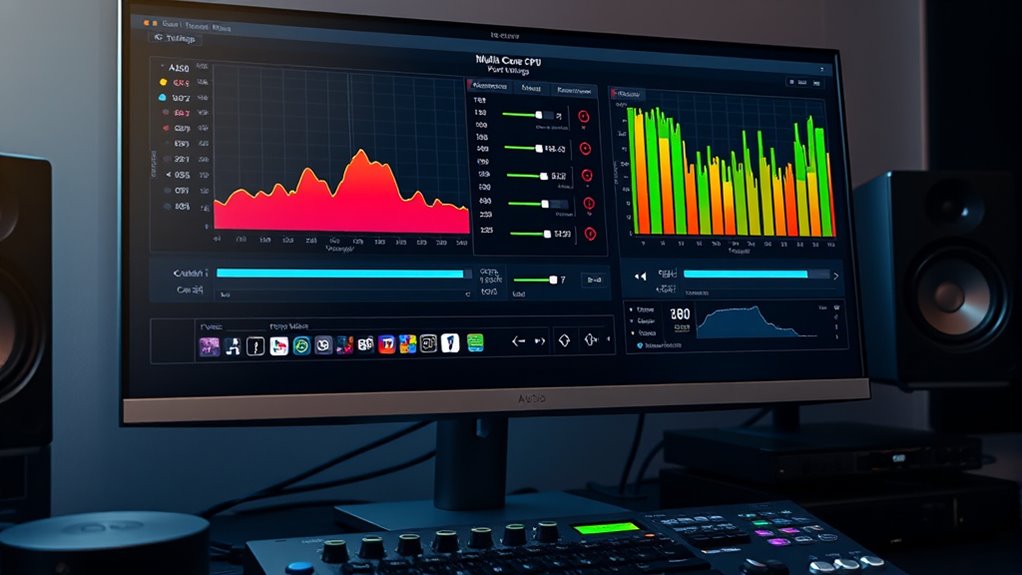

To optimize your multi-core CPU for audio workstations, set your system for performance mode and tweak thread priorities and processor affinity in your DAW. Disable or limit hyper-threading if it causes issues, and keep your drivers and BIOS updated. Use monitoring tools to track performance and make adjustments as needed. Fine-tuning these settings reduces latency, prevents dropouts, and boosts responsiveness so your system handles demanding projects smoothly—more tips await to help you get the best from your CPU.
Key Takeaways
- Configure CPU power settings to prioritize performance over energy savings for optimal audio processing.
- Adjust thread priorities and processor affinity in your DAW to optimize multi-threading efficiency.
- Test both enabled and disabled hyper-threading to determine the best setup for your audio workload.
- Keep system BIOS and drivers updated to ensure maximum CPU performance and stability.
- Monitor system response using DAW tools and make incremental adjustments to reduce latency and dropouts.
Optimizing your multi-core CPU settings is essential for achieving smooth and efficient audio production on your workstation. When you fine-tune how your CPU handles tasks, you can reduce latency, improve stability, and maximize overall performance. A key factor in this process is understanding CPU core latency, which refers to the delay between when a process is initiated and when it begins execution. Lower core latency means your system responds more quickly to real-time audio demands, reducing glitches and dropouts. To optimize this, you should ensure that your CPU’s power management settings are configured to favor performance over energy savings, as aggressive power-saving modes tend to increase latency and diminish multi threading efficiency.
Optimizing CPU core latency boosts real-time audio response and overall system stability.
Multi threading efficiency is another critical aspect. Modern CPUs are designed to distribute workloads across multiple cores, but not all software, including many DAWs and plugins, automatically takes full advantage of multiple cores. You need to verify that your DAW is configured to utilize multiple cores effectively. This often involves adjusting the thread priority settings or processor affinity, which assigns specific CPU cores to handle audio processing tasks. Properly balancing these can help prevent bottlenecks where some cores are overburdened while others sit idle. When multi threading efficiency is maximized, your system can handle more plugins, virtual instruments, and complex mixes without sacrificing responsiveness.
It’s also worth examining your CPU’s hyper-threading capabilities. Hyper-threading allows each physical core to run multiple threads, effectively increasing the number of tasks your CPU can handle simultaneously. While enabling hyper-threading can boost performance in many cases, it can sometimes cause issues with audio latency or stability, especially if your DAW isn’t optimized for it. Testing both configurations—hyper-threading on and off—can help you determine what works best for your specific setup. Additionally, understanding CPU core latency and how it impacts real-time audio processing can help you fine-tune your system more effectively.
Finally, keep your drivers and BIOS updated, as these updates often include improvements for CPU performance and latency. When tweaking your settings, monitor system performance using dedicated tools or your DAW’s built-in meters. Adjust in small increments, testing your system’s response after each change. With careful tuning, you’ll notice a smoother workflow, fewer audio dropouts, and better handling of demanding projects. By focusing on CPU core latency and enhancing multi threading efficiency, you’ll get the most out of your multi-core CPU, ensuring your audio workstation runs at peak performance.

MUSIC MAKER 2026 Premium – Music made easy | Music Production Software | Audio Program | Windows 10/11 | 1 PC download License
Drag and drop music production: Easily arrange pre-made loops into complete songs with just a few clicks in...
As an affiliate, we earn on qualifying purchases.
Frequently Asked Questions
How Do Multi-Core CPUS Affect Latency in Audio Processing?
Multi-core CPUs can help reduce latency in audio processing by increasing core utilization, allowing your system to handle more tasks simultaneously. This means your audio software can process multiple tracks and effects more efficiently, leading to lower latency. When you optimize core utilization, you’ll notice smoother playback and quicker response times, making your workflow more seamless. Properly configured multi-core CPUs are essential for achieving latency reduction in demanding audio production environments.
Can Overclocking Improve Multi-Core CPU Performance for Audio Tasks?
Overclocking can boost your multi-core CPU’s performance for audio tasks, but it also risks affecting stability and increasing power consumption. If you’re comfortable tuning your system carefully, you might see faster processing and lower latency. However, make certain your cooling is adequate, and monitor stability closely. Remember, overclocking can lead to crashes or overheating if not managed properly, so weigh the potential gains against these risks.
What Are the Best Multi-Core CPU Brands for Audio Workstations?
You should consider AMD Ryzen and Intel Core i9 processors for your audio workstation. Both brands excel in performance benchmarks, offering powerful multi-core options suited for demanding audio tasks. AMD’s Ryzen series provides excellent value and multi-threading capabilities, while Intel’s Core i9 line delivers top-tier speed and efficiency. Comparing these brands helps you choose based on performance, price, and compatibility, ensuring your setup meets your creative and technical needs effectively.
How Does CPU Thermal Management Impact Multi-Core Performance?
You need to understand that CPU thermal management directly affects multi-core performance. When your processor overheats, thermal throttling kicks in, slowing down cores to prevent damage. Using effective cooling solutions, like high-quality heatsinks or liquid cooling, helps maintain ideal temperatures. This guarantees your CPU runs efficiently, preventing performance dips during demanding audio tasks. Proper thermal management keeps all cores working at their best, boosting your workstation’s overall performance.
Are There Specific Multi-Core Settings for Different Types of Audio Projects?
Think of your CPU as a symphony conductor, adjusting core utilization for different projects. For simple recordings, you can limit core usage to save resources. Complex mixes with many plugins benefit from maximizing core utilization to handle project complexity smoothly. Tailoring multi-core settings ensures peak performance, preventing bottlenecks and glitches, so you can focus on your music without technical distractions.

Labstandard Professional Wireless Lavalier Lapel Microphone for iPhone, iPad, mini Video Recording Mic forInterview Video Podcast Vlog YouTube&Livestream, Noise Reduction, Plug &Play
Dual Wireless Microphones for iPhone(Both for Lightning and Type C Port Devices) This dual wireless lavalier microphone set...
As an affiliate, we earn on qualifying purchases.
Conclusion
By optimizing your multi-core CPU settings, you can dramatically improve your audio workstation’s performance. Did you know that audio processing can utilize up to 80% of CPU resources during intense sessions? Adjusting core affinity and thread priorities ensures smoother recording and mixing. Take control of your system, and you’ll experience fewer glitches and better latency. With the right setup, your creative flow stays uninterrupted—making every project sound just as good as you imagined.

ordele Wireless Lavalier Microphone for iPhone - iPad, Android Phone Computer, Mini Microphone for Live Streaming, Video Recording, Outdoor or Indoor Interviews, YouTube, TikTok, Vlog (Black)
【New Model Lavalier Wireless Microphone】: utilizes state-of-the-art Series V 2.4GHz digital transmission and proprietary , it delivers crystal-clear,...
As an affiliate, we earn on qualifying purchases.

Wireless Mini Microphone for iPhone, Android - 2 Pack Lavalier Microphone for Video Recording, 2 In 1 Noise Reduction Lapel Mic for Ipad, Clip-on Mini Mic with USB-C for Content Creators Podcast
Studio-Quality Sound: Experience broadcast-ready audio with the ZOPPLM mini microphone. This high-sensitivity microphone delivers recording studio vocal clarity,...
As an affiliate, we earn on qualifying purchases.