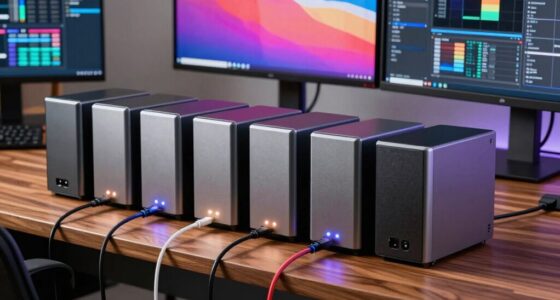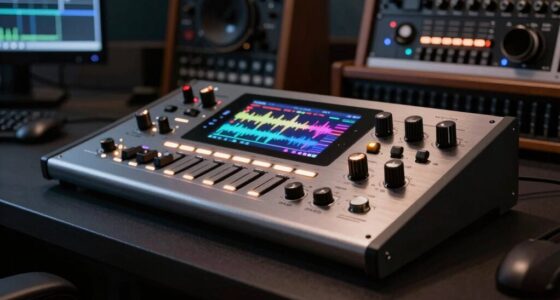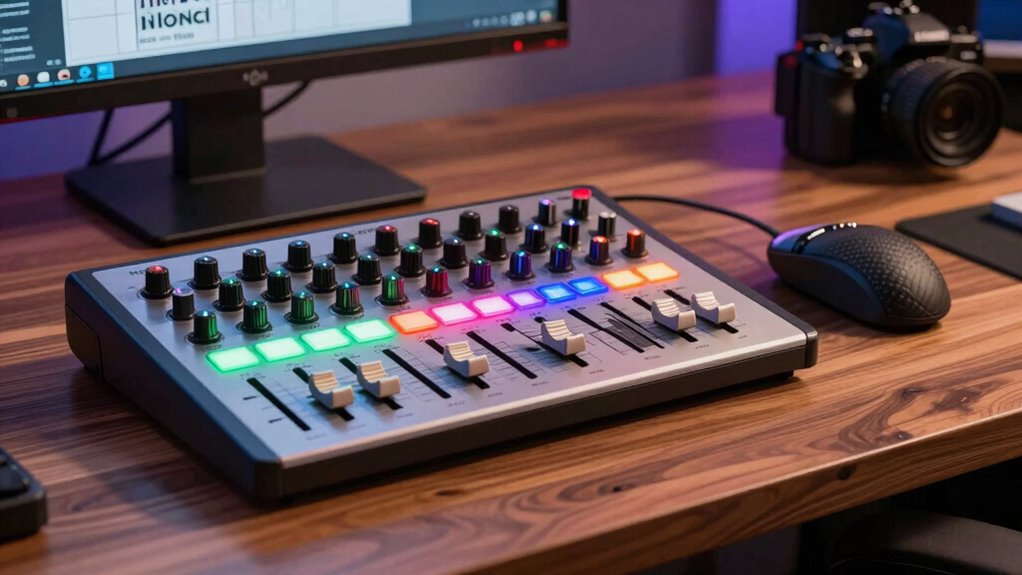
Finding the right DAW controller for Logic Pro involves balancing functionality, ease of use, and budget. The Behringer X-TOUCH stands out as the best overall due to its extensive control surface with motorized faders and customizable LCDs, ideal for detailed mixing. The Solid State Logic UF8 offers a premium experience with highly tactile controls, perfect for professional studios. Meanwhile, the PreSonus FaderPort V2 delivers reliable performance at an accessible price, making it a great choice for those just starting out. These options highlight the main tradeoffs: feature depth versus simplicity and cost. Continue reading for a full breakdown of each model and how to find your ideal DAW controller for Logic Pro.

Get audio and creator gear delivered free with Prime
- Fast, free delivery on millions of items
- Prime Video, Amazon Music and more included
- Member-only deals all year
Complete the kit


Key Takeaways
- Controllers with motorized faders provide more precise control for mixing, but typically come at a higher cost.
- Build quality and tactile feedback are critical for a professional experience, especially for long sessions.
- Compatibility and software integration with Logic Pro vary, so choosing a controller with robust support pays off.
- Budget options can still offer essential controls, but often lack advanced features like LCD displays and motorized faders.
- User interface and layout consistency influence how quickly you can adapt your workflow, especially for complex projects.
| Behringer X-TOUCH Universal Control Surface with 9 Touch-Sensitive Motor Faders and LCD Scribble Strips |  | Best Overall DAW Controller for Logic Pro | Number of Faders: 9 | Fader Type: Touch-sensitive, motorized | Fader Length: 100 mm | VIEW ON AMAZON | See Our Full Breakdown |
| Solid State Logic Advanced DAW Controller Bundle |  | Best for Professional Mixing and Recording | Control Type: DAW Controller | Compatibility: Major DAW software platforms | Build Quality: Studio-grade, SSL standards | VIEW ON AMAZON | See Our Full Breakdown |
| Solid State Logic UF8 Advanced DAW Controller |  | Best for Customizable Workflow and Multi-DAW Support | Assignable Keys: 43 | Banks of User Keys: 5 | Quick Keys: 3 | VIEW ON AMAZON | See Our Full Breakdown |
| iCON Pro Audio P1 Nano Compact USB-C MIDI Control Surface |  | Best Compact Control Surface for Portability | Display: 4-inch touchscreen with 5 color-coded layers | Connectivity: USB-C | Compatibility: MacOS, Windows, Mackie Control, HUI | VIEW ON AMAZON | See Our Full Breakdown |
| Nektar Panorama CS12 Channel Strip Controller |  | Best for Deep DAW Integration and Visual Feedback | Display: 3.5″ TFT | Fader: Motorized | Controls: Rotary encoders, transport buttons | VIEW ON AMAZON | See Our Full Breakdown |
| Novation Launch Control XL 3 USB MIDI Control Surface |  | Best for Versatile DAW Integration and Customization | Number of Faders: 8 | Number of Encoders: 24 | Customizable Buttons: 16 | VIEW ON AMAZON | See Our Full Breakdown |
| iCON Pro Audio P1-M DAW Control Surface with Motorized Faders |  | Best for Precision Control and Expandability | Faders: 8 touch-sensitive motorized | Display: 4-inch, 16-panel touchscreen | Resolution: 12-bit | VIEW ON AMAZON | See Our Full Breakdown |
| PreSonus FaderPort V2 DAW Controller |  | Best for Compact, Focused Control and Automation | Fader Length: 100 mm | Connectivity: USB 2.0 | Number of Buttons: 24 | VIEW ON AMAZON | See Our Full Breakdown |
| Solid State Logic UF1 Advanced DAW Controller |  | Best for Visual Feedback and Comprehensive Metering | Displays: 2 high-resolution, 4.3″ TFT LCD | Metering Tools: Peak, RMS, K-System, stereo, phase, Lissajous, RTA, VU, PPM | Control Features: DAW Pans, Sends, Plug-ins, Virtual Instruments, Fader Mode | VIEW ON AMAZON | See Our Full Breakdown |
| Korg nanoKONTROL2 Slim-Line USB Control Surface, Black |  | Best Budget, Compact Control for Basic DAW Control | Type: Control Surface | Color: Black | Connectivity: USB | VIEW ON AMAZON | See Our Full Breakdown |
| daw controller for logic pro | Connectivity | Compatibility |
|---|---|---|
| Behringer X-TOUCH Universal Co | — | — |
| Solid State Logic Advanced DAW | — | Major DAW software platforms |
| Solid State Logic UF8 Advanced | — | — |
| iCON Pro Audio P1 Nano Compact | USB-C | MacOS, Windows, Mackie Control, HUI |
| Nektar Panorama CS12 Channel S | DAW integration | — |
| Novation Launch Control XL 3 U | MIDI In, Out, Out2/Thru ports | — |
| iCON Pro Audio P1-M DAW Contro | USB-C, USB-MIDI | Mac, Windows, DAWs like Pro Tools, Logic Pro, Ableton Live |
| PreSonus FaderPort V2 DAW Cont | USB 2.0 | Mac, Windows, iPad |
| Solid State Logic UF1 Advanced | — | Most DAWs with compatible plugins |
| Korg nanoKONTROL2 Slim-Line US | USB | — |
More Details on Our Top Picks
Behringer X-TOUCH Universal Control Surface with 9 Touch-Sensitive Motor Faders and LCD Scribble Strips
The Behringer X-TOUCH stands out for its versatile connectivity options and broad protocol support, making it an adaptable choice for Logic Pro users who need flexible hardware integration. Unlike the SSL UF8, it offers multiple interface options including Ethernet, USB, and MIDI, which can be a game-changer in complex studio setups. However, its setup can be daunting for those unfamiliar with technical configurations, and its bulky design might not suit small studios. The LCD scribble strips provide quick visual feedback, and the touch-sensitive motorized faders allow precise adjustments, but the absence of included software means users need to invest extra time or resources to fully utilize its features. This model is ideal for users who value compatibility and multiple connectivity options over sleek design or plug-and-play simplicity.
Pros:- Supports multiple control protocols (HUI, Mackie Control) for broad compatibility
- Includes touch-sensitive, motorized faders for precise control
- LCD scribble strips provide clear track information
- Multiple interface options (Ethernet, USB, MIDI) for flexible connectivity
Cons:- Setup may require technical knowledge, which can be intimidating for novices
- Design is bulky, potentially problematic for small spaces
- No included software, requiring additional setup
Best for: Producers and engineers needing a flexible, multi-protocol control surface for Logic Pro in both studio and live environments
Not ideal for: Beginners or small home studio owners with limited space who prefer plug-and-play simplicity
- Number of Faders:9
- Fader Type:Touch-sensitive, motorized
- Fader Length:100 mm
- LCD Scribble Strips:8
- Interfaces:Ethernet, USB, MIDI
- Protocols Supported:HUI, Mackie Control
Our verdict“This controller is best suited for experienced users needing versatile connectivity and protocol support in a flexible control surface for Logic Pro.”
Solid State Logic Advanced DAW Controller Bundle
The SSL Advanced DAW Controller Bundle delivers the high-end tactile control that professional studios demand, with high-precision controls and seamless DAW integration. Compared to the Nektar Panorama CS12, it offers a more comprehensive control surface designed for detailed mixing, but at a much higher price point. This bundle provides dedicated controls for mixing, recording, and automation, making it perfect for complex projects. However, its cost can be prohibitive for casual home users, and it requires familiarity with SSL workflows to maximize its capabilities. Its build quality and reliable performance justify the investment for serious professionals seeking a tactile experience that enhances workflow efficiency in Logic Pro.
Pros:- Provides precise, hands-on control for mixing and recording
- Includes all essential components for a complete professional setup
- Built with SSL’s renowned high-quality standards, ensuring durability and reliability
- Intuitive controls streamline workflow for experienced users
Cons:- Expensive, making it less accessible for casual users
- Requires familiarity with DAW software to use effectively
- Designed mainly for professional environments, less portable
Best for: Professional producers and engineers looking for a premium, reliable DAW control solution
Not ideal for: Beginners or budget-conscious hobbyists, due to its high price and complexity
- Control Type:DAW Controller
- Compatibility:Major DAW software platforms
- Build Quality:Studio-grade, SSL standards
Our verdict“This bundle is ideal for seasoned professionals seeking a robust, high-quality control surface for Logic Pro mixing and production.”
Solid State Logic UF8 Advanced DAW Controller
The SSL UF8 excels at offering highly customizable workflows, thanks to its 43 assignable keys and multiple banks, which makes it a strong contender for Logic Pro users who want tailored control. Unlike the SSL bundle, the UF8 focuses more on flexibility and multi-DAW support, including seamless switching between three different DAWs. Its durable all-metal construction adds to its reliability in busy studio environments, but this comes with a learning curve for new users who might find the extensive features overwhelming initially. While it doesn’t include extensive bundled software, its deep customization makes it perfect for advanced users who want to fine-tune their control experience.
Pros:- Highly customizable with 43 assignable keys
- Supports switching between 3 DAWs for versatile use
- Durable all-metal enclosure for professional environments
- Multiple banks and quick keys for efficient workflow
Cons:- Steep learning curve for new users due to extensive features
- Premium price may be a barrier for some
- Limited to DAW control functions, no additional hardware integration
Best for: Advanced users who want a highly customizable, multi-DAW compatible controller for Logic Pro and other software
Not ideal for: Beginners or users seeking a straightforward, out-of-the-box control surface
- Assignable Keys:43
- Banks of User Keys:5
- Quick Keys:3
- Enclosure:All metal with brushed, anodized top
- Control Features:Mouse scroll emulation, plugin parameter control
- DAW Compatibility:All major DAWs
Our verdict“Best suited for experienced producers who need a customizable, multi-DAW control platform for Logic Pro and beyond.”
iCON Pro Audio P1 Nano Compact USB-C MIDI Control Surface
The iCON Pro Audio P1 Nano offers a portable solution for Logic Pro users who need precise control on the go. Its compact size makes it ideal for mobile producers or limited-space setups, with a motorized fader and a customizable touchscreen that surpasses the simplicity of smaller controllers like the Korg nanoKONTROL2. The multi-DAW support makes it flexible across different software environments, but firmware updates via USB-C can be tricky for some users unfamiliar with firmware management. Its optional D5 display adds customization potential, but at an extra cost. While not as feature-rich as larger controllers, the P1 Nano strikes a balance between portability and functionality, making it suitable for those who need high-quality control in tight spaces.
Pros:- Highly portable and compact, ideal for mobile setups
- Customizable touchscreen with multiple layers for flexible workflow
- High-precision motorized fader for accurate adjustments
- Supports multiple DAWs for versatile use
Cons:- Firmware updates via USB-C may be complex for some users
- Limited to specific DAWs, may not support all software
- Additional purchase required for optional display
Best for: Mobile producers and small studio owners seeking a portable, feature-rich MIDI control surface for Logic Pro
Not ideal for: Users requiring extensive hardware controls or advanced modulation features, due to its compact design
- Display:4-inch touchscreen with 5 color-coded layers
- Connectivity:USB-C
- Compatibility:MacOS, Windows, Mackie Control, HUI
- Control Features:Motorized fader, 8 encoder knobs, jog wheel
- Dimensions:8.38 x 7.1 x 2.36 inches
- Weight:1.97 pounds
Our verdict“Perfect for portable production setups that demand flexible, high-precision control in a compact form factor for Logic Pro.”
Nektar Panorama CS12 Channel Strip Controller
The Nektar Panorama CS12 appeals to users who want deep DAW integration combined with visual feedback, featuring a 3.5-inch TFT display and motorized fader that make controlling mixes intuitive. Compared with the SSL UF8, it offers a more streamlined interface focused on plugin and channel control, but with a simpler setup that might require some learning to fully map controls for different plug-ins. Its dedicated transport controls and rotary encoders streamline common tasks in Logic Pro, making it a practical choice for users seeking hands-on control without extensive customization. However, it’s less suited for complex multi-DAW workflows or those needing extensive customization, making it ideal for specific mixing tasks.
Pros:- Motorized fader for precise automation
- Built-in TFT display for visual feedback
- Deep DAW integration with dedicated transport controls
- Rotary encoders for detailed control
Cons:- Learning curve for mapping controls with different plug-ins
- Limited customization compared to more advanced controllers
- Less suited for complex multi-DAW workflows
Best for: Mixing engineers who want visual feedback and dedicated channel control for Logic Pro
Not ideal for: Producers needing extensive customization or multi-DAW switching capabilities
- Display:3.5″ TFT
- Fader:Motorized
- Controls:Rotary encoders, transport buttons
- Connectivity:DAW integration
Our verdict“Ideal for mixing-focused users who want integrated visual feedback and hands-on control for Logic Pro.”
Novation Launch Control XL 3 USB MIDI Control Surface
The Novation Launch Control XL 3 stands out for its deep integration with major DAWs like Logic Pro, offering extensive control with 8 faders, 24 encoders, and customizable buttons. Its OLED display provides real-time feedback, making it ideal for complex workflows. Compared with the SSL UF1, it doesn’t offer high-resolution visual metering but excels in flexibility and user customization. The tradeoff is a steeper learning curve for new users unfamiliar with MIDI control surfaces, and it doesn’t function as a standalone instrument. This pick is best for producers seeking a highly adaptable control surface that can mold to various DAWs and workflows.
Pros:- Deep integration with major DAWs for streamlined workflow
- Multiple hardware connectivity options for versatile setups
- Customizable controls and modes for personalized workflows
- Real-time feedback via OLED display
Cons:- May have a learning curve for new users
- Limited to MIDI control surface functions, not a standalone instrument
Best for: Producers and live performers who need customizable, multi-DAW control for complex projects
Not ideal for: Beginners or those seeking a simple, plug-and-play device with minimal setup
- Number of Faders:8
- Number of Encoders:24
- Customizable Buttons:16
- Display:OLED
- Connectivity:MIDI In, Out, Out2/Thru ports
- Software Compatibility:Ableton Live, Logic Pro, FL Studio, Cubase, HUI
Our verdict“This controller is perfect for experienced producers who want flexible, customizable control across multiple DAWs.”
iCON Pro Audio P1-M DAW Control Surface with Motorized Faders
The iCON Pro Audio P1-M offers 8 touch-sensitive, motorized faders and a 4-inch touchscreen, making it highly suited for detailed mixing and automation. Its high-resolution touchscreen and 12-bit resolution provide precise visual and tactile control, surpassing simpler models like the Korg nanoKONTROL2. While it boasts excellent expandability options, such as P1-X extenders, this complexity may be overwhelming for beginners. Compared to the FaderPort V2, it excels in visual feedback and expandability but requires more setup and understanding of DAW protocols. This model is best for professional producers who value precision and future-proof features.
Pros:- Precise control with motorized faders and high-res touchscreen
- Seamless integration with multiple DAWs and protocols
- Durable build with expandability options for future upgrades
- High-resolution visual feedback
Cons:- May be complex for users unfamiliar with DAW controllers
- Additional accessories like P1-X incur extra costs
Best for: Experienced producers and studio engineers needing detailed, expandable control surfaces
Not ideal for: Beginners or casual users who prefer straightforward plug-and-play solutions
- Faders:8 touch-sensitive motorized
- Display:4-inch, 16-panel touchscreen
- Resolution:12-bit
- Connectivity:USB-C, USB-MIDI
- Compatibility:Mac, Windows, DAWs like Pro Tools, Logic Pro, Ableton Live
- Expansion Options:P1-X extender, D-4T display
Our verdict“Ideal for professionals seeking a high-precision, expandable control surface for complex production workflows.”
PreSonus FaderPort V2 DAW Controller
The PreSonus FaderPort V2 is a compact yet powerful controller featuring a 100 mm motorized fader and a large push-button encoder, making it a favorite for real-time fader automation. Its 24 multifunction buttons and Session Navigator streamline workflow, especially for users of Studio One, which it integrates seamlessly with. Compared to larger controllers like the Launch Control XL, it offers a more focused experience but sacrifices some physical controls. Its limited connectivity—USB 2.0 only—and absence of a footswitch might be drawbacks for some. Nonetheless, its simplicity and bundled software make it an excellent choice for those prioritizing ease of use and precision. This device suits solo producers and small studios needing reliable automation controls.
Pros:- Touch-sensitive, motorized fader for precise automation
- Multiple customizable buttons and workflow features
- Includes valuable bundled software like Studio One Artist
- Compact and portable design
Cons:- Footswitch not included
- Limited to USB 2.0 connectivity
- Some features may not work with all DAWs
Best for: Solo producers or small project studios requiring precise, portable control over automation
Not ideal for: Large studios with extensive control needs or those requiring extensive physical controls
- Fader Length:100 mm
- Connectivity:USB 2.0
- Number of Buttons:24
- Included Software:Studio One Artist, Ableton Live Lite
- Compatibility:Mac, Windows, iPad
- Features:Session Navigator, large encoder
Our verdict“A solid choice for small studios or mobile producers seeking precise, portable control with minimal complexity.”
Solid State Logic UF1 Advanced DAW Controller
The SSL UF1 offers a unique experience with its dual high-resolution displays, including a large 4.3-inch TFT LCD that provides detailed visual feedback on track names, parameters, and metering. Its extensive metering tools—covering peak, RMS, stereo balance, phase, and more—make it ideal for mixing engineers who rely on precise visual data. Compared to the Launch Control XL, the UF1 emphasizes visual feedback over extensive physical controls, but its setup can be complex for beginners. It’s best suited for those who need detailed metering alongside DAW control, rather than a broad control surface. This pick is perfect for engineers prioritizing visual feedback and metering over many physical controls.
Pros:- High-resolution dual displays for detailed visual info
- Seamless integration with SSL Meter plug-in
- Compact, fully featured control surface
- Versatile control options including V-Pots and Fader Mode
Cons:- Requires compatible DAW for full functionality
- Complex setup for new users
- Limited physical controls compared to larger consoles
Best for: Mix engineers and producers focused on detailed metering and visual monitoring within their DAWs
Not ideal for: Beginners or those seeking a simple, all-in-one control surface without detailed visual feedback
- Displays:2 high-resolution, 4.3″ TFT LCD
- Metering Tools:Peak, RMS, K-System, stereo, phase, Lissajous, RTA, VU, PPM
- Control Features:DAW Pans, Sends, Plug-ins, Virtual Instruments, Fader Mode
- Control Surface:Compact, with versatile controls
- Compatibility:Most DAWs with compatible plugins
Our verdict“Best suited for professionals needing in-depth visual feedback and accurate metering in their control setup.”
Korg nanoKONTROL2 Slim-Line USB Control Surface, Black
The Korg nanoKONTROL2 is a compact, budget-friendly option that offers basic control with multi-function knobs, track selection, and marker controls. Its small footprint makes it ideal for portable setups or users with limited space. While it supports multiple DAWs, it lacks the physical heft and extensive controls of larger units like the Launch Control XL or P1-M, which may limit its usefulness for complex automation tasks. Its plug-and-play nature makes it accessible for beginners, but experienced users may find it too limited for advanced workflows. This is best for casual producers or mobile musicians needing simple, reliable DAW control on a budget.
Pros:- Compact and portable design
- Supports multiple DAWs with basic control features
- Easy to set up and use
Cons:- Limited physical controls compared to larger controllers
- Requires USB connection, no standalone operation
Best for: Beginners or producers with minimal control needs and limited space
Not ideal for: Professional studios or users requiring extensive physical controls and customization
- Type:Control Surface
- Color:Black
- Connectivity:USB
- Features:Multi-function controls, track select, marker advance
Our verdict“A practical, affordable choice for beginners or mobile musicians needing straightforward DAW control.”
How We Picked
These products were selected based on their compatibility with Logic Pro, build quality, control surface features, and value for different user needs. We prioritized controllers that offer tactile feedback, motorized faders, and additional controls like knobs and buttons to enhance mixing and editing. Ease of setup, durability, and software support also played a significant role in ranking. Our evaluation aimed to identify options suitable for a range of users—from beginners to professionals—ensuring each product’s strengths align with specific workflows and budgets.| daw controller for logic pro | Compatibility | Connectivity |
|---|---|---|
| Behringer X-TOUCH Universal Co | — | — |
| Solid State Logic Advanced DAW | Major DAW software platforms | — |
| Solid State Logic UF8 Advanced | — | — |
| iCON Pro Audio P1 Nano Compact | MacOS, Windows, Mackie Control, HUI | USB-C |
| Nektar Panorama CS12 Channel S | — | DAW integration |
| Novation Launch Control XL 3 U | — | MIDI In, Out, Out2/Thru ports |
| iCON Pro Audio P1-M DAW Contro | Mac, Windows, DAWs like Pro Tools, Logic Pro, Ableton Live | USB-C, USB-MIDI |
| PreSonus FaderPort V2 DAW Cont | Mac, Windows, iPad | USB 2.0 |
| Solid State Logic UF1 Advanced | Most DAWs with compatible plugins | — |
| Korg nanoKONTROL2 Slim-Line US | — | USB |
Factors to Consider When Choosing Daw Controller For Logic Pro
Choosing the right DAW controller for Logic Pro involves understanding your workflow needs, budget, and how much control you want at your fingertips. Consider factors like control surface features, build quality, and how seamlessly the device integrates with Logic Pro’s environment. Making informed decisions helps avoid common pitfalls such as overpaying for unnecessary features or selecting a controller that doesn’t suit your setup. The following sections highlight key considerations to keep in mind during your search.Compatibility and Software Integration
Ensure the controller is fully compatible with Logic Pro and supports its native protocols. Some controllers offer dedicated integrations that provide smoother automation and mapping, reducing setup time. Avoid models that require complicated workarounds or third-party software, as these can introduce latency or stability issues. Compatibility is especially important if you plan to expand your gear or switch DAWs later.
Control Surface Features
Look for controllers with motorized faders if hands-on mixing precision is important. Additional controls like knobs, buttons, and rotary encoders can streamline editing and parameter adjustments. Consider the control layout—more tactile options help reduce menu-diving and speed up workflow. However, more controls often mean higher costs and increased complexity, so balance features with your comfort level and needs.
Build Quality and Durability
Investing in a sturdy build ensures your controller withstands daily use. Metal chassis and high-quality faders contribute to longevity and consistent performance. Cheaper plastic models may save money upfront but can wear out quickly, especially with frequent use. Think about your studio environment and how portable you need the device to be for live setups or mobile recording.
Budget and Value
While premium controllers offer advanced features, they come at a premium price. Conversely, budget options provide essential controls suitable for beginners or casual users. Determine what features are non-negotiable for your workflow and avoid overspending on extras you won’t use. Balancing cost against needed features ensures you get the best value without sacrificing critical functionality.
Workflow and User Interface
An intuitive layout and logical control grouping can significantly improve your efficiency. Check if the controller’s interface matches your workflow style—some favor dedicated transport controls, others prioritize customizable mappings. Compatibility with your existing setup, including MIDI mapping and automation features, influences how quickly you can adapt and start working productively. Keep in mind that a steep learning curve can hinder your creative flow.
Frequently Asked Questions
Can I use any DAW controller with Logic Pro?
Most DAW controllers use standard MIDI or HID protocols, so they can work with Logic Pro. However, full integration, including features like automatic mapping and dedicated controls, depends on whether the controller offers specific support for Logic Pro. It’s best to choose models that explicitly mention compatibility or offer customizable mapping options to maximize workflow efficiency.
Is a motorized fader necessary for mixing in Logic Pro?
Motorized faders provide real-time feedback and precise control during mixing, especially when automating levels or adjusting multiple tracks. While not essential for basic editing, they significantly enhance workflow for professional or complex projects. If budget constraints are tight, manual faders can suffice, but for advanced work, motorized faders are highly recommended.
How important are build quality and durability in choosing a DAW controller?
Build quality directly influences the longevity and reliability of your controller, especially if you plan to use it daily or transport it frequently. A sturdy, well-constructed device reduces the risk of mechanical failures and ensures consistent performance over time. Investing in quality materials can save money and frustration in the long run, particularly in a professional setting.
Should I prioritize price or features when selecting a DAW controller?
Balancing price and features depends on your specific needs and budget. Beginners or casual users may find that budget models with essential controls meet their requirements, while professionals should consider investing in models with advanced features like motorized faders and extensive control layouts. Prioritize features that directly enhance your workflow to avoid overspending on unnecessary extras.
Can I customize controls on a DAW controller for Logic Pro?
Many controllers offer MIDI mapping or customizable controls, allowing you to adapt the device to your preferred workflow. This flexibility can streamline your process, especially if you work with complex projects or different DAWs. However, the extent of customization varies; check if the model supports easy reconfiguration and how intuitive the software is for mapping controls to Logic Pro functions.
Conclusion
The best overall choice for most users is the Behringer X-TOUCH, offering a balanced mix of features, build quality, and value. For those seeking a premium experience, the Solid State Logic UF8 provides advanced tactile controls and durability. Beginners or budget-conscious buyers should consider the PreSonus FaderPort V2, which delivers reliable performance at an accessible price point. If portability and simplicity are priorities, the Korg nanoKONTROL2 makes a compact, straightforward option. Ultimately, your selection depends on your workflow complexity, budget, and how much control you need to enhance your music production in Logic Pro.
Evergreen bestsellers Picks
bestsellers
As an affiliate, we earn on qualifying purchases.