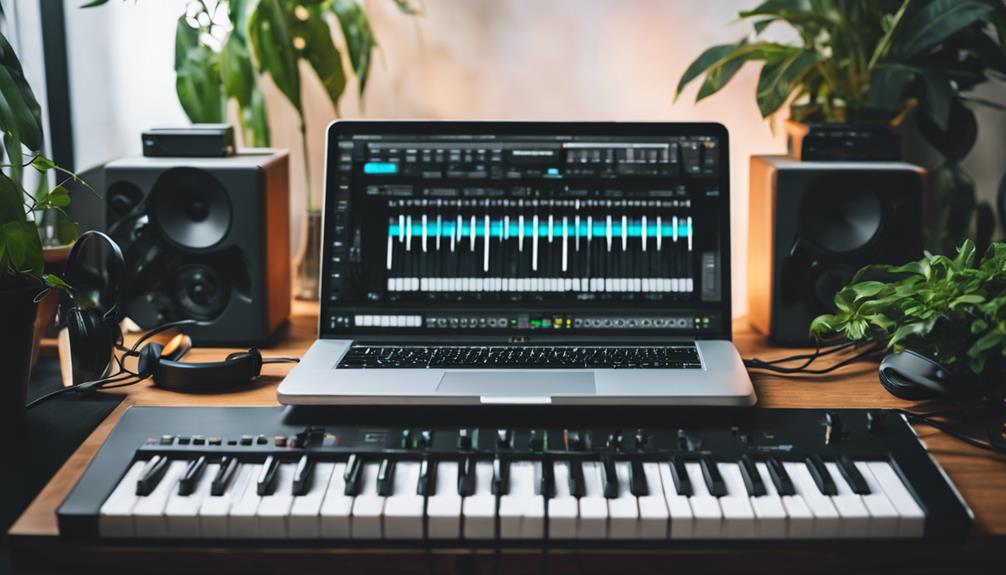
Starting in music production can feel overwhelming, especially with so many hardware options designed for beginners. The best choices combine ease of use, affordability, and enough features to grow with your skills. The Akai Professional MPK Mini Plus stands out as the overall top pick for its versatility and compact design, while the Focusrite Scarlett Solo 4th Gen offers a straightforward audio interface for clear sound. Meanwhile, some beginner-friendly controllers sacrifice advanced features for simplicity, which might limit growth. Continue reading for a detailed breakdown of each product and what makes them suitable for new producers.

Get audio and creator gear delivered free with Prime
- Fast, free delivery on millions of items
- Prime Video, Amazon Music and more included
- Member-only deals all year
Complete the kit


Key Takeaways
- The best beginner hardware balances simplicity with enough features to support learning and growth.
- Compact controllers like the MPK Mini Plus are ideal for limited space but may lack advanced controls found in pricier models.
- Audio interfaces are crucial for quality sound recording, and affordability doesn’t mean sacrificing clarity.
- Wireless and Bluetooth options are increasingly common but may introduce latency issues for some users.
- Choosing hardware with included software or learning resources can help new producers start making music faster.


More Details on Our Top Picks
Akai Professional MPK Mini Plus 37-Key USB MIDI Keyboard Controller
The Akai MPK Mini Plus stands out for its full octave 37-key keyboard, offering more range than typical 25-key controllers like the MPK Mini MK3. Its advanced connectivity options, including CV/Gate and MIDI I/O, make it ideal for users who want to integrate hardware synths and modular gear, unlike simpler controllers that rely solely on USB. The built-in 64-step sequencer provides standalone music creation, which is a major advantage over models lacking this feature. However, its extensive controls and features can be overwhelming for absolute beginners, and it requires a connection to a computer or sound modules to produce sound, adding complexity. This pick is perfect for aspiring producers who want flexibility and hardware integration without sacrificing performance options.
Pros:- Full octave 37-key keyboard for versatile playing
- Advanced connectivity including CV/Gate and MIDI I/O
- Built-in 64-step sequencer for standalone creativity
- NKS integration for seamless Native Instruments library control
Cons:- Complex features may intimidate total beginners
- No onboard sounds, needs external sound modules or DAW
Best for: Beginners interested in both software and hardware music production, including those who want to experiment with modular synths
Not ideal for: Absolute novices seeking a plug-and-play MIDI controller with minimal setup and learning curve
- Number of Keys:37
- Connectivity:USB, CV/Gate, MIDI I/O
- Sequencer:64-step
- Pads:8 RGB MPC pads
- Rotary Knobs:8
- Software Included:MPC Beats
Our verdict“This controller is best suited for beginners ready to explore both software and hardware integration with a wider range of features.”
JP-1 MIDI Pad Controller with Wireless Connection, 16 RGB Beat Pads for Music Production, Portable Beat Maker for Beginners
The JP-1 MIDI Pad Controller excels in portability, with a wireless design and 16 RGB pads that make it perfect for finger drumming and sampling on the move. Compared to the Akai MPK Mini series, it specializes in rhythmic performance rather than melodic control, making it an excellent choice for beginners focusing on beat making. Its wireless feature offers freedom of movement, but this can introduce latency issues in some setups, especially with unstable connections. It lacks advanced controls or a keyboard, meaning it’s not suited for melodic playing or complex compositions. This device is ideal for new users who want a simple, portable way to create beats without a lot of extra features.
Pros:- Lightweight and portable for mobile production
- Responsive RGB pads for expressive beat creation
- Wireless connectivity for freedom of movement
- Compatible with major DAWs and music apps
Cons:- Limited to MIDI pad functions, no keyboard or control surface
- Potential latency issues with wireless connection
Best for: Beginners interested primarily in finger drumming, sampling, and portable music creation
Not ideal for: Producers needing a full keyboard or complex control surface for melodic or harmonic work
- Number of Pads:16
- Connectivity:Wireless
- Compatibility:Major DAWs and music apps
Our verdict“This controller is best for beginners who want a simple, portable device focused on beat making and performance.”
M-VAVE 25-Key USB MIDI Keyboard Controller with 8 Backlit Drum Pads, Bluetooth, Semi-Weighted Keys, and Software Included
The M-VAVE 25-Key MIDI Controller offers a compact design with Bluetooth connectivity, making it highly portable for music production on the go. Its 25 velocity-sensitive keys are suitable for basic melodic work, but may fall short for more complex compositions, especially compared with larger controllers like the Akai MPK Mini Plus. The inclusion of 8 backlit drum pads and multiple control features allows for expressive performance, yet some users might find the controls initially confusing. Its wireless feature is convenient, but battery life and connectivity stability can vary. This model makes sense for beginners who prioritize mobility and wireless operation over extensive control options.
Pros:- Wireless Bluetooth connection for mobility
- Includes 8 backlit drum pads for expressive performance
- Compact and lightweight for portability
- Compatible with multiple OS including iOS and Android
Cons:- Limited to 25 keys, restricting complex melodies
- Controls may feel overwhelming for complete beginners
- Battery life can vary
Best for: Beginners needing a portable, wireless MIDI controller for simple melodies and practice
Not ideal for: Advanced users or those requiring extensive controls and a full keyboard for complex production
- Number of Keys:25
- Backlit Pads:8
- Connectivity:USB and Bluetooth
- Compatibility:Windows, Mac OS, Android, iOS
- Battery Life:16 hours
Our verdict“This controller is ideal for beginners seeking a wireless, portable option for simple melodic and rhythmic practice.”
Akai Professional MPK Mini Play MK3 25-Key USB MIDI Keyboard Controller
The Akai MPK Mini Play MK3 distinguishes itself as a standalone device with a built-in speaker, making it perfect for mobile musicians and beginners who want immediate sound without extra gear. Its 25 keys and versatile controls, including drum pads and an arpeggiator, rival the MPK Mini MK3 but add the convenience of battery operation and onboard sounds. However, this added portability and functionality come with a more complex interface that could be daunting for absolute beginners. Its limited 25-key range might also restrict more advanced melodic work. This is best for beginners craving a portable, all-in-one solution to practice and perform anywhere.
Pros:- Built-in speaker for instant sound without external gear
- Battery operation for true portability
- Versatile controls including pads and arpeggiator
- Supports NKS for Native Instruments integration
Cons:- Limited to 25 keys, which may restrict melodic complexity
- Complex interface might overwhelm beginners
- Requires separate purchase for batteries
Best for: Beginners seeking a portable, standalone MIDI keyboard with built-in sounds and minimal setup
Not ideal for: Producers needing a full-range keyboard for complex melodies or studio-based work
- Number of Keys:25
- Built-in Speaker:Yes
- Power Source:USB or batteries
- Included Software:MPC Beats, software instruments
Our verdict“This controller is ideal for beginners who want an all-in-one portable device for practice and light production on the move.”
25-Key MIDI Keyboard Controller Portable USB MIDI Controller with Arpeggiator, Velocity Sensitive Keys, Beat Maker for Beginners
The 25-Key MIDI Controller offers a compelling option for beginners seeking a versatile and affordable device. Its arpeggiator, velocity-sensitive keys, and plug-and-play compatibility with major DAWs like FL Studio make it highly functional for mobile music production. Compared with the Akai MPK Mini, it emphasizes performance features like the arpeggiator, which encourages musical experimentation. Its compact size and USB-C connection make it easy to use anywhere, though the limited 25 keys may constrain more complex compositions. Additionally, it lacks onboard sounds, so you’ll need an external sound source. This controller makes the most sense for beginners wanting a feature-rich, portable solution without a hefty price tag.
Pros:- Compact and lightweight for mobile use
- Includes arpeggiator for creative melodies
- Velocity-sensitive keys for expressive playing
- Plug-and-play with major DAWs like FL Studio
Cons:- Limited to 25 keys, restricting complex pieces
- No onboard sounds, needs external sound sources
- Requires external power via USB-C
Best for: Beginners who want a versatile, affordable, and portable controller with performance features
Not ideal for: Users needing a full-range keyboard or onboard sounds for standalone use
- Number of Keys:25
- Connectivity Technology:USB
- Additional Features:Arpeggiator, velocity-sensitive keys
- Compatible Software:FL Studio
- Connector Type:USB Type C
Our verdict“This controller is perfect for beginners seeking an affordable, portable device with performance features like arpeggiation.”
Donner Mini MIDI Keyboard N-25, 25-Key Velocity-Sensitive Controller with Light-up Buttons and Teaching Courses
The Donner N-25 stands out as an accessible starting point for newcomers thanks to its compact size and user-friendly features. Its 25 velocity-sensitive keys allow for expressive playing, which is essential for beginners learning dynamics. Unlike larger controllers like the Akai MPK Mini MK3, it offers integrated teaching courses and light-up buttons that foster guided learning, making it ideal for absolute beginners. However, its limited key count may not satisfy those aiming for more complex arrangements or piano training. Compared with the Akai MPK Mini MK3, it lacks extensive control options like MPC pads or knobs, but its straightforward design emphasizes ease of use. This pick makes the most sense for learners seeking an affordable, portable MIDI controller with built-in educational support.Pros:- Compact and lightweight design perfect for small spaces and portability
- Velocity-sensitive keys promote expressive playing
- Includes 40 teaching courses for guided learning
- Seamless compatibility with Mac, iOS, PC, and smartphones
Cons:- Limited to 25 keys, restricting more advanced or pianistic playing
- Basic features might require additional software for full functionality
Best for: Beginners who want an easy, portable MIDI keyboard with learning features and minimal setup.
Not ideal for: Intermediate or advanced users needing more keys or extensive control features for complex production.
- Number of Keys:25
- Key Type:Velocity-sensitive
- Connectivity:USB-MIDI
- Compatibility:Mac, iOS, PC, iPhone, iPad
- Additional Features:Light-up buttons, pitch-bend wheel, 40 teaching courses
Our verdict“Best suited for absolute beginners seeking an affordable, portable MIDI controller with educational features.”
FL Studio Music Production for Beginners: Step-by-Step Guide to Making Beats, Melodies, and Full Songs
This step-by-step guide makes music production approachable by focusing on FL Studio, one of the most popular DAWs for beginners. It’s ideal for those who prefer visual workflows and practical tutorials, especially compared to books like ‘Beginner’s Guide to Music Production’ that tend to be more conceptual. While it doesn’t include hardware or technical specifications, it excels at demystifying the process of creating beats, melodies, and full songs. However, its content might be too basic for users who already have some experience or want advanced techniques. This guide is best for beginners eager to learn FL Studio through straightforward, practical lessons without technical overload.Pros:- Clear, step-by-step instructions tailored for beginners
- Covers a wide range of music production topics
- Focuses on practical workflows and tools
- Helps new users quickly produce their first tracks
Cons:- No technical specifications or hardware details provided
- Could be too basic for users with some prior experience
Best for: Beginners interested in learning FL Studio and electronic music production through hands-on tutorials.
Not ideal for: Users seeking comprehensive hardware recommendations or advanced production techniques.
Our verdict“Ideal for beginners wanting a practical, easy-to-follow introduction to making music in FL Studio.”
Beginner’s Guide to Music Production
This book offers a comprehensive introduction to music production fundamentals, making it a strong choice for those just starting out. Unlike more technical resources, it emphasizes clear explanations of core concepts suitable for complete beginners. While it doesn’t include multimedia or digital tools, it provides a solid foundation for understanding basic techniques. Compared with the guide focused on FL Studio, it’s better suited for those who prefer reading and conceptual learning rather than hands-on tutorials. Its main tradeoff is the absence of multimedia content or updates that many modern learners might find beneficial. This book makes sense for newcomers seeking a broad, easy-to-understand overview of music production.Pros:- Clear, beginner-friendly explanations of music production concepts
- Covers essential techniques without overwhelming detail
- Suitable for readers preferring traditional learning methods
Cons:- Lacks in-depth technical content or multimedia resources
- No included digital tools or updated content
Best for: Absolute beginners who prefer reading and foundational concepts over technical software training.
Not ideal for: Intermediate users or those looking for detailed technical skills or digital resources.
Our verdict“Perfect for complete beginners seeking a straightforward, conceptual overview of music production.”
Akai Professional MPK Mini MK3 25-Key USB MIDI Keyboard Controller
The Akai MPK Mini MK3 offers a significant step up in control capabilities, combining 25 velocity-sensitive keys with MPC-style drum pads, knobs, and an arpeggiator. It’s particularly suited for users who want more hands-on control and versatility than basic controllers like the Donner N-25. Its extensive features allow for dynamic beat-making, virtual instrument control, and detailed parameter tweaking, making it ideal for those ready to explore more complex production workflows. However, its limited keys mean it’s less suited for piano-focused tasks or advanced arrangements requiring more range. Unlike hardware with built-in screens or displays, it relies on software for detailed control, which can add complexity for absolute beginners. This controller makes the most sense for users who want a portable, feature-rich device to expand their creative options.Pros:- Compact, portable design ideal for studio and mobile use
- Includes MPC-style drum pads and 8 assignable knobs
- Built-in arpeggiator and NKS support for seamless software integration
- Extensive included virtual instruments and sound content
Cons:- Limited number of keys for complex piano arrangements
- Requires software setup and configuration for full use
- No built-in display, which may slow workflow for some users
Best for: Beginners ready to advance their control setup with a versatile, portable MIDI controller with extensive features.
Not ideal for: Purely piano-focused learners or those who prefer simple, plug-and-play hardware without extensive setup.
- Number of Keys:25
- Keys Type:Mini velocity-sensitive keys
- Pads:8 backlit MPC-style MIDI pads
- Knobs:8 assignable 360-degree knobs
- Arpeggiator:Yes, adjustable modes
- NKS Support:Yes
Our verdict“Best suited for beginners wanting a versatile, portable MIDI controller with deep control options to grow with their skills.”
Music Production for Beginners 2020 Edition: How to Produce Music, The Easy-to-Read Guide for Music Producers
This straightforward guide concentrates on producing electronic dance music, making it a good fit for aspiring EDM producers. Its easy-to-understand language simplifies technical concepts, similar to the beginner’s book but with a specific focus on electronic styles. Unlike hardware-centric picks, it offers conceptual guidance and practical tips for creating tracks from scratch. Its main limitation is the lack of technical depth or updates, which may leave more advanced learners wanting more. Compared to hardware options like the Donner N-25 or Akai MPK Mini, this book centers on the creative process rather than control surfaces or instruments. It’s best for those who want a clear, focused introduction to EDM production techniques rather than equipment specs.Pros:- Simple, easy-to-follow instructions tailored for beginners
- Focuses on electronic dance music production techniques
- Provides practical advice for creating tracks from scratch
Cons:- Lacks detailed technical content or software specifics
- No associated multimedia or updated resources
Best for: Beginners interested in mastering the basics of EDM and electronic music production without heavy technical investment.
Not ideal for: Users seeking comprehensive hardware guidance or broader music genres beyond EDM.
Our verdict“Ideal for beginners wanting a clear, focused introduction to producing EDM and electronic styles with minimal technical complexity.”
Focusrite Scarlett Solo 4th Gen USB-C Audio Interface Bundle
This bundle stands out for delivering professional-grade sound quality in a straightforward package, making it ideal for beginners who want a complete setup. Compared with the Akai MPC Sample, which excels in portability and sampling features, the Scarlett Solo offers a more polished recording experience suited for vocals and instruments. The inclusion of industry-standard software like Pro Tools Intro+ and Ableton Live Lite simplifies the process of learning music production, but it might be overkill for casual hobbyists who only want basic playback or light editing. Its 120dB dynamic range ensures clear, detailed recordings, and the Air mode helps add warmth to vocals and guitars, elevating the quality of home recordings. However, it is limited to solo recording setups and requires a USB-C port, which could be restrictive for some systems.
Pros:- High-quality studio sound with 120dB dynamic range
- Includes comprehensive recording software and plugins
- User-friendly interface suitable for beginners and pros alike
Cons:- Limited to solo recording setups
- Requires a compatible USB-C port, which may not be available on all computers
Best for: Beginners setting up a home recording studio who want high-quality audio and professional software
Not ideal for: Casual hobbyists who only want simple playback or minimal recording, due to its more advanced feature set and cost
- Dynamic Range:120dB
- Connectivity:USB-C
- Included Software:Pro Tools Intro+, Ableton Live Lite, Cubase LE, Hitmaker Expansion
- Microphone:CM25 MkIII
- Headphones:SH-450
Our verdict“This bundle is best for beginners who want a complete, professional-quality recording setup at home.”
Akai Professional MPC Sample Portable Sampler
The Akai MPC Sample is a compact, standalone sampler that shines for portability and intuitive controls, making it perfect for beginners exploring beat-making outside the studio. Unlike the Focusrite Scarlett Solo, which focuses on recording, the MPC is more about creating and manipulating samples, with an emphasis on ease of use through its responsive pads and vivid color display. Its onboard effects and versatile connectivity allow for rich sound design, but it lacks internal storage details and requires familiarity with MPC workflows for advanced features. The rechargeable battery makes it suitable for mobile production, yet it doesn’t include a MIDI DIN adapter, which might limit integration with other gear. This makes it a strong choice for those who want a portable, all-in-one device, but less ideal for users seeking detailed recording or comprehensive studio control.
Pros:- Portable and battery-powered for on-the-go music creation
- Intuitive workflow with responsive pads and colorful display
- Rich onboard effects and extensive connectivity options
Cons:- MIDI DIN adapter not included for MIDI in/out
- Limited internal storage details; some features may require MPC familiarity
Best for: Beginners interested in portable beat-making and sampling on the move
Not ideal for: Users primarily focused on high-quality vocal recording or studio mixing, due to its focus on sampling and portability
- Display:2.4″ full-color
- Pads:16 responsive MPC pads
- Power:Rechargeable lithium-ion battery
- Inputs/Outputs:Stereo 1/4″ TRS, 1/8″ headphones, MIDI in/out, sync out, USB-C
- Effects:60 effect types with 4 FX processors
- Included Lessons:60 Melodics lessons
Our verdict“This sampler is ideal for beginners wanting a portable device for creative sampling and beat-making outside the studio.”
Arturia MiniLab 3 Universal MIDI Controller, White
The Arturia MiniLab 3 offers a compact, versatile MIDI control surface that enhances creative workflows with its velocity-sensitive keys, 8 drum pads, and 4 faders. Compared to the Akai LPK25, which has fewer controls and no pads, the MiniLab 3 provides more hands-on control for expressive playing and mixing. Its premium feel and intuitive layout make it a great choice for beginners who want to experiment with MIDI programming and instrument control, but limited details on software compatibility and connectivity options might cause some uncertainty for new users. Without built-in sounds, it relies entirely on your computer or software, making it less standalone than other options like the MPC. It’s an excellent tool for those who want tactile control but less suited for those seeking an all-in-one production device.
Pros:- Easy to use and highly adaptable to various workflows
- Premium velocity-sensitive keys for expressive playing
- Includes 8 drum pads and 4 faders for versatile control
Cons:- Limited details on software compatibility and connectivity
- No built-in sounds or speakers, relies on computer
Best for: Beginners aiming to control virtual instruments and tweak parameters with a tactile interface
Not ideal for: Users needing a standalone device or built-in sounds, as it functions solely as a MIDI controller
- Color:White
- Number of Pads:8
- Number of Faders:4
- Key Type:Velocity-sensitive
Our verdict“This MIDI controller is best for beginners who want tactile control over virtual instruments and parameters in their DAW.”
Akai Professional LPK25 25-Key USB MIDI Keyboard Controller
The Akai LPK25 offers a straightforward, portable MIDI keyboard with 25 keys, suited for songwriting, sketching melodies, or controlling software instruments. Unlike the Arturia MiniLab 3, which includes additional controls like faders and pads, the LPK25 focuses solely on playing melodies and chords, making it simpler but less versatile for mixing or detailed control. Its responsive keys allow for expressive playing, but the lack of velocity sensitivity—if applicable—may hinder dynamic performances. With plug-and-play USB connectivity, setup is quick, but it does not include sounds or built-in effects, meaning users need a computer with compatible software. This makes it ideal for beginners with limited space and basic needs, though advanced users may find its features too sparse.
Pros:- Compact and portable, perfect for small spaces or mobile use
- Responsive keys for expressive playing
- Easy to set up with USB plug-and-play
Cons:- Limited keys may restrict complex performances
- Lacks velocity sensitivity (if applicable), reducing dynamic control
Best for: Beginners needing a simple, portable MIDI keyboard for basic composition and MIDI control
Not ideal for: Producers looking for a full-featured MIDI controller with faders, pads, or built-in sounds, due to its simplicity
- Number of Keys:25
- Power Source:USB
- Compatibility:Mac, PC, all major DAWs
- Features:Arpeggiator, programmable presets, octave controls, sustain button
Our verdict“This MIDI keyboard is best for beginners seeking a simple, portable device for melody writing and basic MIDI control.”

How We Picked
Products were selected based on their suitability for beginners, focusing on ease of use, affordability, and potential for growth. We prioritized hardware that offers straightforward setup and operation, along with features that support learning music production fundamentals. Build quality and reliability were also key, along with compatibility with common digital audio workstations (DAWs). The ranking reflects a balance between price, functionality, and user-friendliness, ensuring that new producers get value without unnecessary complexity or cost.Factors to Consider When Choosing Music Production Hardware For Beginners
Choosing the right music production hardware as a beginner involves understanding what features truly matter, avoiding common pitfalls, and balancing cost with future needs. Hardware should be intuitive and versatile enough to support your learning curve while being affordable. Investing in quality components like a reliable audio interface can significantly improve your sound quality. It’s also wise to consider compatibility with your preferred DAW and whether the hardware includes helpful learning resources. Understanding these factors can help prevent costly mistakes and ensure your setup grows with your skills.Ease of Use and Learning Curve
For beginners, hardware should be straightforward, with intuitive controls and minimal setup complexity. Devices with dedicated software, tutorials, or bundled learning resources can accelerate your progress. Avoid overly complex controllers that may overwhelm new users or require significant technical knowledge to operate effectively.
Compatibility and Connectivity
Ensure your hardware works seamlessly with your chosen DAW and operating system. USB connectivity is standard and usually reliable, but wireless options might introduce latency. Compatibility also extends to software bundles included with hardware, which can provide valuable starting points for creating music without extra purchases.
Size and Portability
Many beginners prefer compact, portable controllers for limited space or mobile setups. However, smaller devices may lack some controls found on larger models, which could limit creative options later. Balance portability with the features you need to learn effectively.
Build Quality and Durability
While affordability is key, choosing hardware with solid construction ensures it can withstand regular use. Cheap plastic components may break or wear out quickly, leading to additional costs. Read reviews to gauge longevity and user satisfaction.
Price and Value
Investing in hardware that offers good value is wise; avoid the temptation to buy the cheapest options that might lack essential features. Look for models that include software or learning resources, as these can save money and time. Remember, a slightly higher upfront cost can pay off as your skills develop.
Frequently Asked Questions
Is it better to start with a MIDI controller or an audio interface?
Choosing between a MIDI controller and an audio interface depends on your immediate needs. A MIDI controller allows you to create melodies and beats easily and is ideal if you’re focusing on composing and producing music digitally. An audio interface is essential if you want to record live instruments or vocals with high sound quality. Many beginners benefit from starting with a basic MIDI controller paired with a simple audio interface, as this covers both composing and recording needs without overwhelming complexity.
Can I produce professional-sounding music with beginner hardware?
Yes, many beginner hardware options are capable of producing professional-quality music, especially when paired with good software and learning resources. While advanced producers use high-end gear, entry-level controllers and interfaces are designed to deliver clear sound and reliable performance. Your skill and understanding of music production techniques matter more than the hardware itself. Starting with quality beginner gear allows you to develop your skills without being hindered by technical limitations.
How much should I spend on beginner music production hardware?
Beginners should aim to spend between $100 and $300 on hardware that offers good functionality and durability. This range typically includes reliable MIDI controllers and audio interfaces that support learning and experimentation. Spending less might result in hardware that feels cheap or doesn’t last, while spending more can provide features that aren’t immediately necessary. Focus on getting a balanced setup that covers your core needs and can scale as you improve.
Is wireless connectivity a good feature for beginners?
Wireless connectivity can be convenient, especially for portable setups, but it often introduces latency which can disrupt workflow. For precise control, wired connections tend to be more reliable and responsive. Beginners should prioritize wired controllers for accurate timing and minimal delay, reserving wireless options for casual or mobile use where latency is less critical.
Should I buy a bundle with software included?
Buying hardware with bundled software is usually a smart move for beginners, as it provides tools to start making music right away. Many controllers come with free DAWs or sample packs, saving you money and time in setup. However, ensure the included software is compatible with your operating system and suits your musical style. This added value can accelerate your learning curve and help you produce complete projects sooner.
Conclusion
For those just starting out, the Akai Professional MPK Mini Plus offers a versatile, portable option that balances features with ease of use—ideal for beginners wanting to explore different instruments and controls. The Focusrite Scarlett Solo 4th Gen stands out as the best choice for users prioritizing high-quality audio recording without complexity. For those ready to invest in a premium setup, the Arturia MiniLab 3 provides excellent build quality and software integration. Beginners with limited space or budget should consider compact controllers like the Akai LPK25, while those seeking a comprehensive starter kit may find bundles including software and accessories most beneficial. Your ideal hardware depends on your specific goals and setup constraints, but prioritizing intuitive design and reliable performance will set you up for success.Halloween Picks
halloween
As an affiliate, we earn on qualifying purchases.