
Finding the right control surface for Studio One depends on your workflow, budget, and production style. The Behringer X-TOUCH ONE stands out as the best overall choice, offering a versatile touch-sensitive fader and LCD display that suits most studio setups. For those prioritizing tight integration and streamlined control, the PreSonus FaderPort 8 provides extensive features, while the Softube Console 1 Fader Mk III excels for users who want a tactile mixing experience. Each option presents tradeoffs: some emphasize affordability, others focus on depth of control or compact design. Continue reading for a detailed breakdown of these options to find the best fit for your studio setup.

Get audio and creator gear delivered free — and shop member deals
- Fast, free delivery on millions of items
- Access to Prime Big Deal Days deals on October 6–7
- Prime Video, Amazon Music and more included
Complete the kit



Key Takeaways
- Top control surfaces balance extensive hardware controls with seamless Studio One integration.
- Fader count and layout significantly impact workflow efficiency—more isn’t always better if space is limited.
- Build quality and tactile feel are crucial for long sessions, especially for professional mixing.
- Compatibility and software integration vary, so ensure the control surface supports your system and workflow.
- Price ranges reflect features—premium models offer more control but may be overkill for casual or beginner users.
| Behringer X-TOUCH ONE Universal Control Surface with Touch-Sensitive Motor Fader and LCD Scribble Strip |  | Best Overall Control Surface for Versatile Compatibility | Power Adapter: Included | Protocols Supported: HUI, Mackie Control | Features: Touch-sensitive motor fader, LCD scribble strip, assignment presets | VIEW ON AMAZON | See Our Full Breakdown |
| PreSonus FaderPort Single-Fader USB Control Surface with Studio One, DAW Studio Magic, Plug-in Suite, and LyxPro Headphones |  | Best for Solo Producers and Small Studios | Fader Type: Motorized, touch-sensitive, 100mm | Control Surface: Single-fader USB | Includes: Studio One, DAW Studio Magic, Plug-in Suite, LyxPro Headphones | VIEW ON AMAZON | See Our Full Breakdown |
| PreSonus FaderPort 8 DAW Controller |  | Best for Professional Multi-Track Control | Faders: 8 touch-sensitive, 100 mm motorized | Displays: 8 high-definition Scribble strip | Connectivity: USB 2.0 | VIEW ON AMAZON | See Our Full Breakdown |
| Avid S1 EUCON Enabled Control Surface, USB, Windows Compatible |  | Best for Extended Modular Control | Number of Keys: 8 | Connectivity Technology: USB | Additional Features: Buttons, Dial, Touchscreen | VIEW ON AMAZON | See Our Full Breakdown |
| PreSonus FaderPort V2 DAW Controller |  | Best for Compact, High-Precision Automation | Fader Length: 100 mm | Connectivity: USB 2.0 | Included Software: Studio One Artist, Ableton Live Lite, Studio Magic | VIEW ON AMAZON | See Our Full Breakdown |
| Softube Console 1 Fader Mk III 10-channel Fader Control Surface |  | Best Overall for Integrated Workflow and Visual Feedback | Connectivity Technology: USB | Additional Features: Studio Recording | Supported Software: Ableton Live | VIEW ON AMAZON | See Our Full Breakdown |
| PreSonus ATOM Production & Performance MIDI Pad Controller with Software |  | Best for Beat Makers and Live Performers | Pads: 16 velocity- and pressure-sensitive RGB | Assignable Buttons: 20 | Rotary Encoders: 4 | VIEW ON AMAZON | See Our Full Breakdown |
| Softube Flow Studio Control Surface |  | Best Compact Control with Visual Feedback | Number of Knobs: 5 | Screen Size: 4.3 inches | Buttons: 9 | VIEW ON AMAZON | See Our Full Breakdown |
More Details on Our Top Picks
Behringer X-TOUCH ONE Universal Control Surface with Touch-Sensitive Motor Fader and LCD Scribble Strip
This control surface stands out for its support of multiple DAW protocols like HUI and Mackie Control, making it highly adaptable across different software environments. Its touch-sensitive motorized faders provide precise tactile feedback, which is essential for nuanced mixing tasks. Compared to the PreSonus FaderPort 8, it offers more extensive protocol support but lacks the dedicated high-resolution displays and extensive fader count. The LCD scribble strips facilitate quick track identification, streamlining workflow. However, its reliance on compatible DAW software and absence of wireless connectivity introduce some setup complexity and limit mobility. This makes the X-TOUCH ONE ideal for users who need flexible integration with multiple DAWs and are comfortable with initial configuration.
Pros:- Supports multiple DAW protocols for broad compatibility
- Touch-sensitive motorized faders enable precise control
- Includes labeled DAW templates for quick setup
- Supports user presets for customization
Cons:- Requires compatible DAW software for full functionality
- No wireless or Bluetooth connectivity options
Best for: Producers and engineers working across various DAWs who value flexibility and protocol compatibility.
Not ideal for: Beginners or those seeking a plug-and-play solution, since setup and protocol support may be intimidating.
- Power Adapter:Included
- Protocols Supported:HUI, Mackie Control
- Features:Touch-sensitive motor fader, LCD scribble strip, assignment presets
- Warranty:3 years
Our verdict“This pick suits versatile users seeking a highly adaptable control surface with broad protocol support.”
PreSonus FaderPort Single-Fader USB Control Surface with Studio One, DAW Studio Magic, Plug-in Suite, and LyxPro Headphones
This compact, single-fader control surface makes precision automation accessible without overwhelming your workspace. Its 100mm motorized fader delivers accurate volume and parameter adjustments, making it perfect for detailed editing. Unlike the FaderPort 8, which offers multiple faders for mixing, the FaderPort V2 emphasizes focused control for one track at a time, ideal for solo producers or those with limited space. The included software bundle amplifies its value, providing a full recording environment. However, its single-fader design limits its use in complex mixing scenarios and may introduce latency issues on some systems. Overall, this makes the FaderPort V2 an excellent choice for tight budgets or dedicated editing workflows.
Pros:- High-precision, motorized 100mm fader for detailed control
- Includes extensive software bundle for versatility
- Compact design fits easily into small studios
- Supports Mac, Windows, and iPad
Cons:- Limited to single-fader operation, restricting complex mixing
- Potential latency issues depending on system setup
Best for: Solo producers or content creators who need precise control over individual tracks or edits.
Not ideal for: Larger mixing sessions requiring multiple faders, as it cannot control several channels simultaneously.
- Fader Type:Motorized, touch-sensitive, 100mm
- Control Surface:Single-fader USB
- Includes:Studio One, DAW Studio Magic, Plug-in Suite, LyxPro Headphones
Our verdict“This device is perfect for solo producers needing precise, dedicated track control in a compact form.”
PreSonus FaderPort 8 DAW Controller
With its eight motorized faders and high-definition displays, the FaderPort 8 offers a significant step up for users who need to manage multiple tracks simultaneously. Its comprehensive transport controls and session management tools streamline complex workflows, making it suitable for professional studios. Compared to the Behringer X-TOUCH ONE, it provides dedicated high-resolution displays for clear track info, although it requires specific system requirements for optimal performance and doesn’t function as a standalone mixer. The FaderPort 8’s extensive features come with a steeper learning curve and higher price point, but it shines in environments where detailed control over many channels is essential.
Pros:- Eight motorized, touch-sensitive faders for multi-track control
- High-definition displays for clear track info
- Supports multiple operating systems and DAWs
- Comprehensive transport and session controls
Cons:- Requires specific system specs for smooth operation
- Lacks standalone mixer functionality
Best for: Professional producers and engineers managing multi-track sessions who need dedicated faders and clear visual feedback.
Not ideal for: Casual users or small studios with limited budgets, due to its higher cost and system requirements.
- Faders:8 touch-sensitive, 100 mm motorized
- Displays:8 high-definition Scribble strip
- Connectivity:USB 2.0
- Compatibility:Mac macOS 10.11+, Windows 7/8.1/10 x64
- Processor Requirements:Intel Core 2 Duo or AMD Athlon X2 (recommended Intel Core i3 or better)
Our verdict“Ideal for professionals demanding multi-channel control with detailed visual feedback and extensive session management.”
Avid S1 EUCON Enabled Control Surface, USB, Windows Compatible
The Avid S1 offers a flexible modular approach with 8 keys and the ability to connect up to four units, creating a larger control surface suited for extensive editing and mixing tasks. Its USB connection guarantees compatibility with Windows systems, but it’s limited to 8 keys and lacks motorized faders or high-res displays found in larger setups. This makes it a solid choice for users who want expandable control without the bulk of full-sized consoles, but it’s less suitable for complex workflows requiring extensive visual feedback or fader automation. Its ergonomic design ensures comfort during long sessions, but the limited number of keys restricts its use in detailed multi-track control.
Pros:- Supports connection of up to four units for larger control surface
- USB connectivity compatible with Windows
- Ergonomic design for comfortable use
Cons:- Limited to 8 keys, restricting workflow complexity
- No motorized faders or LCD screens
- Requires Windows platform only
Best for: Studio operators needing expandable, modular control surfaces for multi-unit setups on Windows.
Not ideal for: Mac users or those needing motorized faders and detailed visual feedback, as these features are absent.
- Number of Keys:8
- Connectivity Technology:USB
- Additional Features:Buttons, Dial, Touchscreen
- Platform:Windows
- Item Weight:1.89 kg
Our verdict“This control surface suits users seeking expandable, modular control options primarily within Windows environments.”
PreSonus FaderPort V2 DAW Controller
The FaderPort V2 offers a focused, high-precision control experience with its large 100mm motorized fader and multifunction buttons. Its Session Navigator simplifies project management, making it ideal for quick, accurate automation and real-time fades. Compared to the single-fader FaderPort, the V2 provides more buttons and user-definable controls, giving it the versatility needed in busy workflows. Its inclusion of over $1000 worth of software enhances its value, but the necessity of a USB connection and some features not being available in all DAWs can be limiting. This makes the FaderPort V2 a smart choice for users who prioritize detailed automation in a compact device.
Pros:- Large, touch-sensitive 100mm fader for accurate automation
- Includes over $1000 worth of professional software
- Multiple multifunction buttons and user-definable controls
- Session Navigator for efficient project management
Cons:- Footswitch not included, reducing some workflow options
- Some features may not be fully supported in all DAWs
Best for: Producers seeking precise, real-time automation control with a compact footprint and software bundle.
Not ideal for: Large mixing engineers or users needing multi-channel control, as it offers only one fader.
- Fader Length:100 mm
- Connectivity:USB 2.0
- Included Software:Studio One Artist, Ableton Live Lite, Studio Magic
- Compatibility:Mac, Windows, iPad, DAWs via Mackie Control Universal and Mackie HUI
- Additional Features:24 buttons, user-definable buttons, Session Navigator, footswitch jack
Our verdict“This device is perfect for producers who need precise automation and comprehensive control in a compact form factor.”
Softube Console 1 Fader Mk III 10-channel Fader Control Surface
The Softube Console 1 Fader Mk III stands out for its high-resolution capacitive-touch faders and customizable workflow options that appeal to professional mix engineers. Compared to the PreSonus FaderPort series, this surface offers a more comprehensive visual interface with 10 high-res screens, facilitating detailed monitoring. However, its reliance on a USB connection and exclusive compatibility with DAWs like Ableton Live limits its standalone versatility. This model is ideal for those seeking a seamless, intuitive control surface integrated deeply into their DAW environment, especially if visual feedback is a priority. The inclusion of Softube’s Core Mixing Suite enhances its appeal for versatile audio production, but it may be overkill for beginners or users who prefer straightforward controls without a visual interface.Pros:- High-resolution capacitive-touch faders with tactile feedback
- Customizable workflow with Parameter mode
- Includes Softube’s Core Mixing Suite for versatile mixing
- Visual feedback with 10 high-resolution screens
Cons:- Requires USB connection to compatible DAW, limiting mobility
- Limited to DAW ecosystem, no standalone mode
- Higher price point may be prohibitive for some users
Best for: Professional mixers and studio engineers who prioritize visual feedback and customizable workflows within their DAW environment.
Not ideal for: Home studio owners with basic needs or users seeking standalone hardware without computer dependence.
- Connectivity Technology:USB
- Additional Features:Studio Recording
- Supported Software:Ableton Live
- Control Method:Touch, Buttons, Dial
- Hardware Interface:USB
- Platform:Windows, Mac
Our verdict“This control surface is best suited for advanced users who need detailed visual feedback and deep DAW integration in their workflow.”
PreSonus ATOM Production & Performance MIDI Pad Controller with Software
The PreSonus ATOM excels as an expressive MIDI pad controller, with 16 velocity- and pressure-sensitive RGB pads that are ideal for triggering samples and playing virtual instruments. Unlike the Softube Console 1 Fader Mk III, which emphasizes detailed mixing controls, the ATOM is designed for performance and beat production, making it more portable and versatile for live settings. Its deep integration with Studio One and Ableton Live ensures quick setup for producers who want immediate control over their software instruments, but its feature set can be overwhelming for beginners. This pick makes the most sense for producers and performers who need tactile control for creative workflows, though those seeking detailed mixing controls might prefer a dedicated fader surface. Its reliance on software familiarity can be a barrier for newcomers.Pros:- Highly expressive velocity and pressure-sensitive pads
- Includes professional software and sample libraries
- Compact, portable design for studio and stage
- Deep software integration for quick control
Cons:- Requires familiarity with DAW software for full utilization
- Limited hardware controls beyond pads and assignable buttons
- USB bus power may limit extensive use without additional power sources
Best for: Beat makers, electronic musicians, and live performers who need expressive control over samples and virtual instruments.
Not ideal for: Mix engineers or users primarily focused on mixing and detailed control surfaces, as it lacks dedicated faders and advanced mixing features.
- Pads:16 velocity- and pressure-sensitive RGB
- Assignable Buttons:20
- Rotary Encoders:4
- Included Software:Studio One Artist, Ableton Live Lite
- Power:USB bus-powered
- Compatibility:macOS, Windows
Our verdict“This controller is perfect for musicians and performers seeking tactile control for beats and samples in live or studio settings, rather than detailed mixing.”
Softube Flow Studio Control Surface
The Softube Flow offers a straightforward control solution with 5 knobs, a 4.3-inch high-resolution screen, and 9 buttons, making it suitable for users who want a compact yet capable interface. Compared to the Console 1 Fader Mk III, Flow’s limited number of knobs restricts complex mixing, but its high-res display provides clear visual feedback for essential parameters. It connects via USB-C, ensuring fast, reliable integration, though its feature set might feel sparse for those needing extensive controls. This model is ideal for small studios or users who prefer a minimalist, visually informative control surface, but it may fall short for those managing large mixes or requiring more physical controls for detailed tasks.Pros:- High-resolution 4.3-inch screen for clear visual feedback
- Multiple knobs and buttons for flexible control
- Compact size fits easily into small setups
- Includes software bundle for enhanced control
Cons:- Limited number of knobs for complex mixing tasks
- Potential learning curve with software integration
- Lacks extensive physical controls for detailed adjustments
Best for: Small studio owners or solo producers who need a compact control surface with visual feedback for basic mixing and project control.
Not ideal for: Engineers working on complex projects requiring numerous physical controls, as its limited knobs and buttons can restrict workflow efficiency.
- Number of Knobs:5
- Screen Size:4.3 inches
- Buttons:9
- Connectivity:USB-C
Our verdict“This control surface suits small studios or minimalist setups where visual feedback and compact size are priorities over extensive physical controls.”
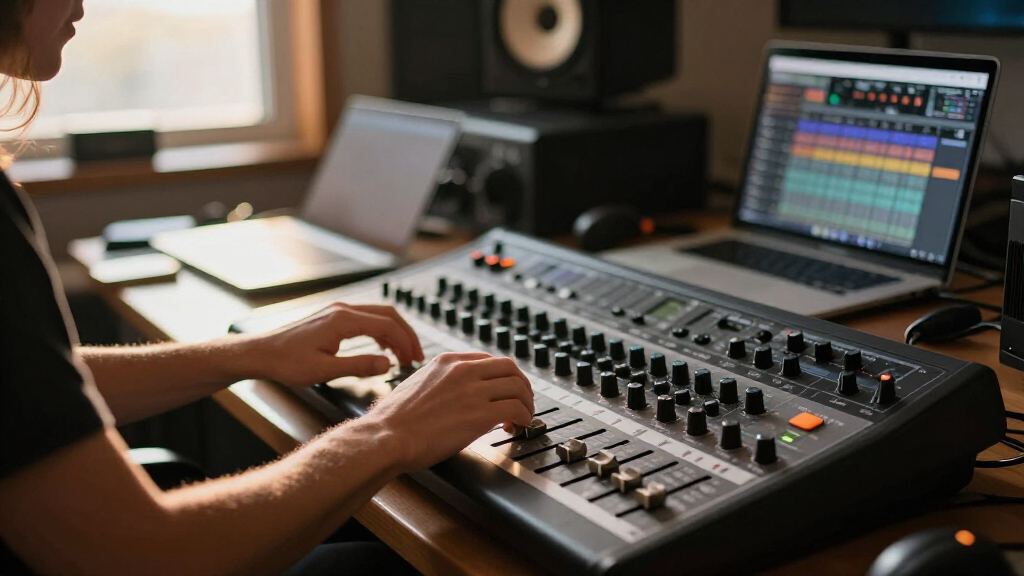
How We Picked
These products were evaluated based on their compatibility with Studio One, build quality, control features, ease of use, and value for different user needs. Priority was given to controls that provide tactile feedback, reliable integration, and versatility. We also considered the overall usability for different skill levels, from beginners to seasoned professionals. The ranking reflects a balance between feature set, price, and user experience, aiming to guide buyers toward options that suit various production environments and budgets.Factors to Consider When Choosing Control Surface For Studio One
Choosing the right control surface for Studio One requires understanding key factors that influence your workflow, budget, and preferences. Not all control surfaces are created equal, and making the wrong choice can lead to frustration or limited flexibility. Consider these important factors to ensure your investment enhances your music production process.Number of Faders and Controls
The number of physical faders and controls directly impacts your workflow efficiency. More faders allow for mixing multiple tracks simultaneously, which is ideal for complex projects. However, larger control surfaces tend to be bulkier and more expensive. Think about your typical session size—if you mainly work on small projects, a compact model with fewer controls might suffice, whereas larger setups benefit from extensive control options.
Integration and Compatibility
Ensure the control surface seamlessly integrates with Studio One. Features like dedicated knobs, transport controls, and customizable mappings can streamline your workflow. Compatibility with your operating system is also crucial; some models work best with Windows, others with macOS. Avoid models that require complicated setups or lack official support for Studio One, as that can hinder your productivity.
Build Quality and Tactile Feel
Since control surfaces are primarily tactile tools, the feel of the faders, knobs, and buttons matters. High-quality controls reduce fatigue during long sessions and provide precise adjustments. Cheaper plastic controls may feel imprecise or break over time, which can disrupt your workflow. Consider models with metal or well-constructed controls if durability and feel are priorities.
Software Features and Customization
Look for control surfaces that offer customizable mappings, macro controls, and deep software integration. These features allow you to tailor the hardware to your specific workflow, speeding up your mixing and editing processes. Some models come with companion software that enhances control and automation, adding further flexibility. Be cautious of models with limited customization options or poor software support.
Price and Overall Value
Control surfaces vary widely in price, from budget options to premium rigs. Higher-priced models often provide more controls, better build quality, and advanced features but may be overkill for casual users. Conversely, cheaper models might lack depth or durability. Consider your needs, budget, and how much you’ll use the device—sometimes investing a bit more yields long-term benefits.
Frequently Asked Questions
Do I need a control surface if I already use a MIDI controller?
While MIDI controllers can provide some control over Studio One, dedicated control surfaces are designed for tactile mixing and often offer motorized faders, real-time feedback, and dedicated transport controls. They can significantly speed up your workflow and provide more precise control. If your production involves extensive mixing, a control surface can be a worthwhile upgrade, though for basic editing, a MIDI controller might suffice.
Can I use a control surface with other DAWs besides Studio One?
Many control surfaces are compatible with several DAWs, but their functionality can vary. Some models, like those with EUCON support, work best with compatible software and may offer limited control over Studio One. Check the manufacturer’s specifications to confirm multi-DAW support if you plan to switch or use different software regularly. Compatibility often depends on drivers and software integration, so research your preferred setup.
Is it worth investing in a high-end control surface for beginner use?
High-end control surfaces tend to be more expensive and feature-rich, which can be beneficial for professional or heavy users. For beginners, these models might offer more controls than needed, leading to a cluttered workspace and higher investment. Starting with a more affordable, streamlined model allows learning the essentials without overwhelming your setup. You can always upgrade as your skills and demands grow.
How important is motorized fader feedback in a control surface?
Motorized faders provide real-time feedback, automatically adjusting to match your DAW’s track levels. This feature is especially helpful during mixing and automation, saving you from manual readjustments. While not absolutely necessary for all users, motorized faders improve accuracy and workflow speed. If you perform frequent adjustments or automation, prioritizing a model with motorized controls makes sense.
What should I consider if I have limited space in my studio?
If space is tight, opt for compact control surfaces with fewer controls but still offering essential features. Many manufacturers now produce mini or portable models designed for smaller setups. Balance size with functionality; sacrificing some controls for a smaller footprint can make your workspace more manageable without severely impacting your workflow. Also, consider models that are easily mountable or have detachable components.
Conclusion
Choosing the right control surface depends on your specific needs and budget. The Behringer X-TOUCH ONE makes a great all-around choice for most users, offering a balanced mix of features and affordability. The PreSonus FaderPort 8 is ideal for those who want extensive control without overwhelming complexity, making it perfect for serious producers. If you’re new to control surfaces or work mainly on small projects, a more compact model like the PreSonus FaderPort V2 or Softube Flow might be best. For professionals requiring deep integration and durability, the Softube Console 1 Fader Mk III stands out as a premium option. Ultimately, your choice should align with your workflow, space, and budget to enhance your Studio One experience.
As an affiliate, we earn on qualifying purchases.Fall Picks
fall essentials