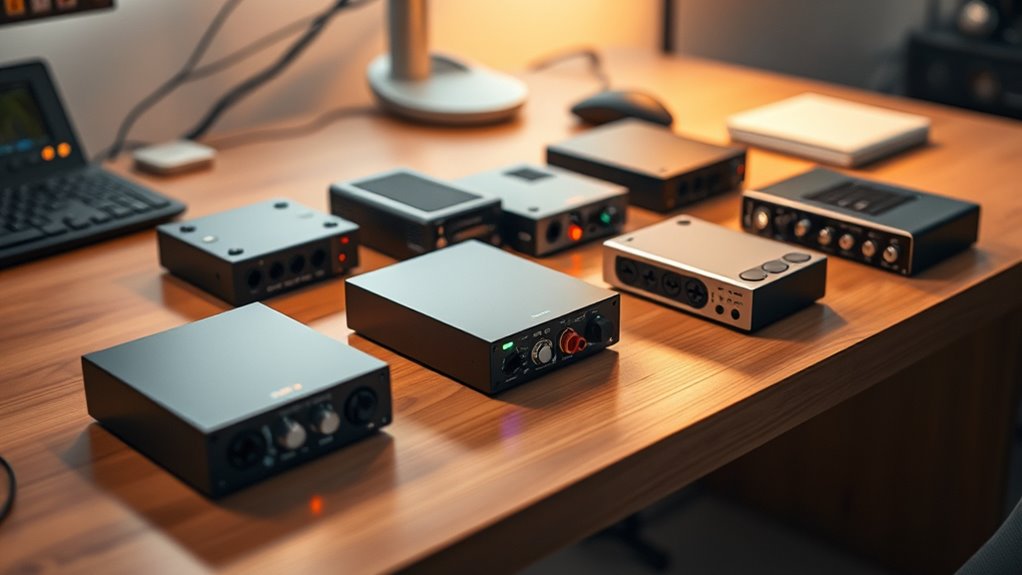

Finding a reliable budget audio interface under 100 can be challenging, as many options sacrifice features or build quality at this price point. The Focusrite Scarlett Solo 3rd Gen stands out for its solid preamps and overall performance, making it a favorite for beginners and hobbyists. Other notable picks like the Behringer UMC22 offer good value with Midas preamps, while the MAONO PS22 Lite is a compact choice perfect for streaming. Tradeoffs usually involve fewer inputs, limited software features, or lower build durability. Keep reading for a detailed breakdown to find the best fit for your needs.

Get audio and creator gear delivered free with Prime
- Fast, free delivery on millions of items
- Prime Video, Amazon Music and more included
- Member-only deals all year
Complete the kit



Key Takeaways
- The top picks balance performance and affordability, with the Focusrite Scarlett Solo leading for overall quality.
- Many budget interfaces compromise on inputs or output options, making it important to prioritize your recording needs.
- Build quality varies—some models are plastic and lightweight, which may affect durability over time.
- Features like phantom power and direct monitoring are often included but may be limited or less robust in lower-priced models.
- Choosing the right interface depends heavily on your use case—whether streaming, podcasting, or multi-instrument recording.
| MAONO PS22 Lite USB Audio Interface for PC, Guitar & Vocals Streaming |  | Best for Beginners and Streamers on a Budget | Resolution: 24-bit/192kHz | Dynamic Range: 106dB | Preamp Gain: up to 56 dB | VIEW ON AMAZON | See Our Full Breakdown |
| Focusrite Scarlett Solo 3rd Gen USB-C Audio Interface |  | Best for Serious Beginners and Home Studios | Pre-amps: High-performing with switchable Air mode | Inputs: 2 high-headroom instrument inputs | Outputs: 2 low-noise balanced outputs | VIEW ON AMAZON | See Our Full Breakdown |
| Behringer UMC22 Audiophile 2×2, 48 kHz USB Audio Interface |  | Best for Microphone and Instrument Recording with Industry-Standard Preamps | Pre-amps: Midas-designed | Inputs: XLR and ¼” combo | Outputs: 2 balanced outputs | VIEW ON AMAZON | See Our Full Breakdown |
| Cubilux CB5 USB Audio Interface for Recording, Streaming, and Podcasting |  | Best for Portable Multi-Channel Recording on a Budget | Compatible Devices: Computer, Microphone, Instrument, Headphone | Supported Software: Most recording software | Connectivity Technology: USB | VIEW ON AMAZON | See Our Full Breakdown |
| BOMGE USB Audio Interface (32bit/192 kHz) with XLR, Phantom Power, Direct Monitoring, Loopback for PC Recording, Streaming, Guitar, Vocal, Podcasting |  | Best for High-Resolution Streaming and Podcasting | Supported Devices: PC | Supported Software: Pro Tools, Ableton Live Lite, Reaper | Connectivity Technology: USB | VIEW ON AMAZON | See Our Full Breakdown |
| BOMGE Mini 2 Channel USB Audio Interface for Recording, Streaming, and Podcasting |  | Best Compact and Portable | Connectivity Technology: USB | Number of Channels: 2 | Maximum Sample Rate: 48 KHz | VIEW ON AMAZON | See Our Full Breakdown |
| USB C Audio Interface for Recording Music, Streaming, Podcasting |  | Best for Versatile Device Compatibility | Compatible Devices: Computer, iPhone, Android | Supported Software: Any DAW | Connectivity Technology: AUX, USB | VIEW ON AMAZON | See Our Full Breakdown |
| M-AUDIO M-Track Duo USB Audio Interface |  | Best for Versatile Instrument and Microphone Recording | Audio Resolution: 48kHz | Inputs: 2 combo XLR/Line/Instrument | Outputs: Stereo main, headphone | VIEW ON AMAZON | See Our Full Breakdown |
| BOMGE USB Audio Interface SOLO with XLR/48V Phantom Power, 32Bit/192kHz High-Fidelity, for Studio Recording, Guitar, Vocal, Podcast, Producer |  | Best for High-Resolution Studio Recording | Audio Resolution: 32Bit/192kHz | Inputs: 2 combo XLR/Line with 48V | Outputs: Two balanced 1/4″ main, 1/4″ headphone | VIEW ON AMAZON | See Our Full Breakdown |
| Kmise USB Audio Interface with 48V Phantom Power for Recording and Studio Quality Sound |  | Best for Budget-Friendly Studio Quality | Audio Input: 2 combo XLR/Line | Maximum Sample Rate: 48 KHz | Phantom Power: 48V | VIEW ON AMAZON | See Our Full Breakdown |
| Jolgoo 2×2 USB Audio Interface, 24-Bit/192kHz Phantom Power Recording Card |  | Best Overall for Versatile Professional Use | Supported Devices: Laptop, Microphone, Guitar, Headphone, Smartphone, Tablet | Supported Software: DAW, Avid Pro Tools, Ableton Live, Steinberg Cubase, GarageBand, Audacity | Connectivity Technology: USB | VIEW ON AMAZON | See Our Full Breakdown |
| Rockville ROCK-U MINI 2×2 USB Computer Recording Interface, 24Bit/192kHz |  | Best Compact & Portable for Mobile Recording | Bit Depth: 24-bit | Sample Rate: 192kHz | Inputs: XLR/1/4″ combo, Hi-Z switch | VIEW ON AMAZON | See Our Full Breakdown |
| MAONO PS22 Lite USB Audio Interface for PC, Guitar & Vocals Streaming |  | Best for Beginners and Streaming Content Creators | Supported Devices: Guitar, Headphone, Laptop, Smartphone, Microphone, Speaker | Supported Software: Ableton Live, Studio One, Logic Pro, Cubase, GarageBand, FL Studio, TikTok, OBS | Connectivity Technology: USB | VIEW ON AMAZON | See Our Full Breakdown |
| XTUGA USB Audio Interface for PC, 2-Channel Recording Studio Sound Card with XLR and 3.5mm Microphone Input, 48V Phantom Power, Low Latency, Plug & Play |  | Best for Beginners Prioritizing Simplicity and Basic Quality | Resolution: 16-Bit/48kHz | Inputs: XLR and 3.5mm microphone jack | Phantom Power: 48V | VIEW ON AMAZON | See Our Full Breakdown |
| budget audio interface under 100 | Inputs | Maximum Sample Rate |
|---|---|---|
| MAONO PS22 Lite USB Audio Inte | XLR microphone, instrument | — |
| Focusrite Scarlett Solo 3rd Ge | 2 high-headroom instrument inputs | — |
| Behringer UMC22 Audiophile 2×2 | XLR and ¼" combo | — |
| Cubilux CB5 USB Audio Interfac | — | 192 KHz |
| BOMGE USB Audio Interface | — | 192 KHz |
| BOMGE Mini 2 Channel USB Audio | — | 48 KHz |
| USB C Audio Interface for Reco | — | 48 KHz |
| M-AUDIO M-Track Duo USB Audio | 2 combo XLR/Line/Instrument | — |
| BOMGE USB Audio Interface SOLO | 2 combo XLR/Line with 48V | — |
| Kmise USB Audio Interface with | — | 48 KHz |
| Jolgoo 2×2 USB Audio Interface | — | 192 KHz |
| Rockville ROCK-U MINI 2×2 USB | XLR/1/4" combo, Hi-Z switch | — |
| MAONO PS22 Lite USB Audio Inte | — | 192 KHz |
| XTUGA USB Audio Interface for | XLR and 3.5mm microphone jack | — |
More Details on Our Top Picks
MAONO PS22 Lite USB Audio Interface for PC, Guitar & Vocals Streaming
The MAONO PS22 Lite stands out for its high-resolution 24-bit/192kHz audio quality and user-friendly design, making it an excellent choice for newcomers who want clear sound without complexity. Compared to the Focusrite Scarlett Solo, it offers comparable audio specs but with fewer advanced control features, which could be a tradeoff for those needing more professional mixing options. Its compact size and included software make setup straightforward for streaming and casual recording. However, the lack of advanced control and the need for external power for phantom mics may challenge users seeking a more integrated experience. This pick makes the most sense for hobbyists and podcasters starting out with limited budget but wanting decent quality and portability.
Pros:- High-resolution audio for clear recordings
- Compact, portable, and easy to set up
- Supports various input types including microphone and instrument
- Compatible with Mac, Windows, and iPad
Cons:- Limited control features and no advanced mixing options
- Requires external power for phantom microphones
- Software setup may be complex for some users
Best for: Beginners, hobbyist podcasters, and streamers who prioritize ease of use and affordability
Not ideal for: Advanced musicians or producers needing multiple channels and extensive control features
- Resolution:24-bit/192kHz
- Dynamic Range:106dB
- Preamp Gain:up to 56 dB
- Phantom Power:48V
- Inputs:XLR microphone, instrument
- Outputs:Headphone monitoring
- Compatibility:Mac, Windows, iPad
- Included Software:ProStudio Routing Software
Our verdict“A solid entry-level interface ideal for beginners focused on streaming and basic recording needs.”
Focusrite Scarlett Solo 3rd Gen USB-C Audio Interface
The Focusrite Scarlett Solo 3rd Gen makes a compelling case for anyone wanting professional-quality sound at a budget price. Its high-quality pre-amps with the unique Air mode deliver a brighter, more open sound—something the MAONO PS22 Lite lacks. Supporting up to 24-bit/192kHz, it ensures clear, studio-grade recordings, and comes with popular DAW software, making it easier for newcomers to produce polished tracks. Compared to the Cubilux CB5, its build quality and preamp performance are notably superior, though it offers fewer inputs. Its USB-C connectivity is a plus, but some users might find its single combo input limiting for multi-mic setups. This device is best suited for musicians and podcasters aiming for high-quality recordings without complex controls.
Pros:- Excellent pre-amps with Air mode for clarity
- Supports professional recording quality up to 24-bit/192kHz
- Includes DAW software for immediate use
- Compact design with modern USB-C port
Cons:- Limited to two inputs which may restrict multi-mic recordings
- Requires USB-C connection, might need adapters for older devices
- No built-in advanced mixing controls
Best for: Musicians and podcasters seeking high-quality audio in a compact, easy-to-use interface
Not ideal for: Multi-mic recording setups or users needing more than two inputs
- Pre-amps:High-performing with switchable Air mode
- Inputs:2 high-headroom instrument inputs
- Outputs:2 low-noise balanced outputs
- Sample Rate:Up to 24-bit/192kHz
- Software Included:Pro Tools Intro+, Ableton Live Lite
- Warranty:3 years
Our verdict“Ideal for musicians and podcasters who want studio-quality sound in a portable, straightforward package.”
Behringer UMC22 Audiophile 2×2, 48 kHz USB Audio Interface
The Behringer UMC22 offers a compelling mix of professional sound quality and affordability, especially with its Midas-designed mic preamp, which outperforms many competitors like the Cubilux CB5 in clarity and warmth. Its 2×2 channel setup makes it suitable for solo musicians or podcasters, but it’s less flexible than larger interfaces, restricting multi-mic arrangements. The device supports up to 48kHz — a decent but lower maximum sample rate compared to some others in this roundup. Its straightforward design and compatibility with major DAWs make it a strong choice for those who prioritize sound quality over extensive control. The cons include limited channels and no advanced onboard mixing, which might be a drawback for more complex recording projects.
Pros:- High-quality Midas preamp for professional sound
- Supports up to 48kHz for clear recordings
- Compatible with most popular DAWs
- Simple, rugged design
Cons:- Limited to two channels, restricting multi-mic setups
- No advanced onboard controls for mixing
- Maximum sample rate of 48kHz, lower than some alternatives
Best for: Solo musicians, podcasters, and home studio users needing high-quality mic and instrument inputs
Not ideal for: Multichannel recording projects or users who want built-in mixing features
- Pre-amps:Midas-designed
- Inputs:XLR and ¼” combo
- Outputs:2 balanced outputs
- Sample Rate:48 kHz
- Phantom Power:Yes
- Compatibility:Mac, Windows
Our verdict“A reliable, high-quality interface suited for solo recording and streaming tasks with a focus on sound clarity.”
Cubilux CB5 USB Audio Interface for Recording, Streaming, and Podcasting
The Cubilux CB5 offers versatility with multi-channel support up to 96 KHz/24-bit, making it suitable for on-the-go recording and streaming. Its multiple input/output options and compatibility with both Windows and macOS provide flexibility that the MAONO PS22 Lite doesn’t match, especially for users needing more than basic single-channel recording. The compact and lightweight design enhances portability, but its limited number of channels—just three—restricts more complex setups. While it supports high sample rates, it doesn’t offer advanced control features or onboard effects, which could be a downside for users seeking more professional mixing. This interface works best for podcasters and solo musicians who need a portable, multi-channel device on a budget.
Pros:- Supports high sample rates up to 192 KHz
- Multiple input/output options for versatile recording
- Very portable and lightweight
- Plug-and-play with most software
Cons:- Limited to 3 channels, not suitable for multi-mic setups
- Line-out and headphone outputs cannot be used simultaneously
- Basic multi-channel support without advanced controls
Best for: Podcasters, vloggers, and solo musicians needing portable multi-channel recording
Not ideal for: Multi-mic live recording or studio engineers requiring extensive routing options
- Compatible Devices:Computer, Microphone, Instrument, Headphone
- Supported Software:Most recording software
- Connectivity Technology:USB
- Number of Channels:3
- Frequency Response:96 KHz
- Maximum Sample Rate:192 KHz
- Item Dimensions:0.59″D x 1.38″W x 1.4″H
- Item Weight:0.11 kg
Our verdict“A portable, multi-channel interface perfect for solo creators who need flexible recording on the go.”
BOMGE USB Audio Interface (32bit/192 kHz) with XLR, Phantom Power, Direct Monitoring, Loopback for PC Recording, Streaming, Guitar, Vocal, Podcasting
The BOMGE BMG22 offers impressive 32-bit/192kHz audio resolution and versatile features like loopback for streaming and podcasting. Its combo inputs with gain control and phantom power support condenser microphones, making it suitable for high-quality vocal and instrument recordings. Unlike the Cubilux CB5, it provides zero-latency direct monitoring, which is critical for live performances and real-time editing. However, it’s limited to two channels, which could be a drawback for users with multiple mics or instruments. The lack of included DAW software means additional purchases might be necessary for beginners. Its external power option adds flexibility but slightly reduces portability. Overall, this interface is best for streamers and podcasters who need professional-level sound with minimal latency on a budget.
Pros:- High-resolution 32-bit/192kHz audio quality
- Supports phantom power for condenser mics
- Zero-latency direct monitoring
- Loopback feature ideal for streaming
Cons:- Limited to two channels, not suitable for multi-mic recordings
- No included DAW software, requiring extra purchase
- External power needed for some setups
Best for: Podcasters, streamers, and solo musicians focused on high-resolution audio and live performance
Not ideal for: Multi-mic recording setups or users needing extensive channels and onboard mixing
- Supported Devices:PC
- Supported Software:Pro Tools, Ableton Live Lite, Reaper
- Connectivity Technology:USB
- Number of Channels:2
- Frequency Response:192 KHz
- Maximum Sample Rate:192 KHz
- Power Supply:USB or external 5V DC
Our verdict“A high-quality, feature-rich interface perfect for streamers and solo creators who value professional sound and low latency.”
BOMGE Mini 2 Channel USB Audio Interface for Recording, Streaming, and Podcasting
The BOMGE Mini 2 Channel USB Audio Interface stands out for its ultra-lightweight design, making it perfect for creators who need a portable solution. Compared with the M-Audio M-Track Duo, it offers similar 48 kHz resolution but emphasizes ease of transport over expandability. Its two combo inputs with phantom power are sufficient for basic recording and streaming needs but limit multi-mic setups. The plug-and-play nature simplifies setup, yet it lacks built-in microphones or speakers, so users must provide their own. It’s ideal for podcasters or solo musicians who prioritize mobility and straightforward operation.
Pros:- Extremely portable and lightweight design
- Supports high-quality 48 kHz audio recording
- Multiple output options including XLR and RCA
- No driver installation needed for easy use
Cons:- Limited to 2 channels, restricting complex setups
- No built-in microphone or speakers
Best for: Traveling podcasters or solo content creators needing a lightweight, plug-and-play interface
Not ideal for: Multi-mic recording setups or users seeking bundled software or advanced features
- Connectivity Technology:USB
- Number of Channels:2
- Maximum Sample Rate:48 KHz
- Supported Devices:PC, iPhone
- Phantom Power:48V
- Item Weight:0.32 kg
Our verdict“This is best suited for users who prioritize mobility and simple recording over expandability.”
USB C Audio Interface for Recording Music, Streaming, Podcasting
The Synido 2×2 USB C Audio Interface offers flexible device support, making it a strong choice for users with diverse equipment. Unlike the Kmise USB Audio Interface with its simpler setup, Synido’s support for iOS, Android, and MacOS broadens its appeal for mobile and desktop use. Its three monitoring modes and professional phantom power enhance its versatility, yet it requires a third-party ASIO driver for optimal DAW integration, which can be confusing for beginners. It’s well-suited for creators who need a reliable, multi-platform interface but don’t mind a slightly more complex setup process.
Pros:- Supports multiple devices including iOS and Android
- High-quality 24-bit, 48kHz audio with low latency
- Multiple monitoring modes for flexible use
- Includes professional phantom power
Cons:- Requires third-party ASIO driver for best DAW compatibility
- Setup instructions may be unclear for some users
Best for: Musicians and streamers using a variety of devices and operating systems
Not ideal for: Beginners seeking a plug-and-play experience without driver setup
- Compatible Devices:Computer, iPhone, Android
- Supported Software:Any DAW
- Connectivity Technology:AUX, USB
- Number of Channels:2
- Maximum Sample Rate:48 KHz
- Item Dimensions:4.53″D x 5.51″W x 1.77″H
Our verdict“Ideal for multi-platform creators who value device flexibility over simplicity.”
M-AUDIO M-Track Duo USB Audio Interface
The M-Audio M-Track Duo is a reliable portable interface, especially suited for musicians and podcasters. Its two combo inputs with phantom power make it more versatile than the BOMGE Mini, accommodating both microphones and instruments. Zero-latency monitoring enhances real-time playback, yet its basic software bundle means users might need extra plugins for advanced production. While it’s compatible with most systems, its limited inputs restrict multi-mic or complex recording setups, making it less ideal for multi-source projects.
Pros:- Versatile combo inputs with phantom power
- Zero-latency direct monitoring
- Lightweight and portable design
- Wide OS compatibility
Cons:- Limited to 2 inputs, restricting multi-mic setups
- Basic included software
Best for: Musicians and podcasters needing versatile inputs on a budget
Not ideal for: Multi-mic recording projects or users requiring advanced bundled software
- Audio Resolution:48kHz
- Inputs:2 combo XLR/Line/Instrument
- Outputs:Stereo main, headphone
- Compatibility:Windows, Mac, iOS
- Power:USB powered
- Software Included:MPC Beats, ProTools First
Our verdict“Best for solo musicians or podcasters who need flexible inputs and real-time monitoring.”
BOMGE USB Audio Interface SOLO with XLR/48V Phantom Power, 32Bit/192kHz High-Fidelity, for Studio Recording, Guitar, Vocal, Podcast, Producer
The BOMGE USB Audio Interface SOLO offers professional-grade 32-bit/192kHz sound quality, making it appealing for serious musicians and producers. Compared to the Kmise USB Interface, it emphasizes higher fidelity and more robust monitoring options. Its compact form belies its capabilities, but it doesn’t include software or advanced controls, which could limit functionality for users seeking more editing features. It’s best for those who want high-resolution recording in a portable package, but may require external gear for complex workflows.
Pros:- Excellent 32-bit/192kHz audio quality
- Multiple inputs with phantom power
- Plug-and-play compatibility
- Compact and portable design
Cons:- Lacks advanced controls or bundled software
- May need external power for some setups
Best for: Musicians and producers focused on high-fidelity recording in a portable format
Not ideal for: Beginners or users needing bundled software or advanced controls
- Audio Resolution:32Bit/192kHz
- Inputs:2 combo XLR/Line with 48V
- Outputs:Two balanced 1/4″ main, 1/4″ headphone
- Compatibility:Mac, Windows
- Size:Mini & Portable
- Phantom Power:48V
Our verdict“Ideal for users who prioritize professional sound quality in a portable device without extra features.”
Kmise USB Audio Interface with 48V Phantom Power for Recording and Studio Quality Sound
The Kmise USB Audio Interface delivers solid 24-bit/192kHz sound at an accessible price point. Its straightforward plug-and-play setup is ideal for beginners or budget-conscious users who want decent audio quality without fuss. The dual combo inputs with phantom power support condenser mics and instruments, making it versatile for vocals and guitar recordings. However, it’s limited in features and lacks bundled software, which might leave advanced users wanting more. Its simple design makes it perfect for basic home studio use or streaming, but it’s not suited for multi-mic or complex production workflows.
Pros:- High-quality 24-bit/192kHz audio resolution
- Supports condenser microphones with 48V phantom power
- Plug-and-play with broad device compatibility
- Affordable price for decent studio sound
Cons:- Limited features and no bundled software
- No advanced controls or extra outputs
Best for: Beginners and hobbyists seeking high-quality sound without extra bells and whistles
Not ideal for: Professional studios or multi-mic recording needs
- Audio Input:2 combo XLR/Line
- Maximum Sample Rate:48 KHz
- Phantom Power:48V
- Connectivity:USB
- Supported Devices:PC, Mac, mobile
- Size:Compact
Our verdict“Great for entry-level users looking for reliable, studio-quality sound on a tight budget.”
Jolgoo 2×2 USB Audio Interface, 24-Bit/192kHz Phantom Power Recording Card
The Jolgoo 2×2 USB Audio Interface stands out for its high-fidelity 24-bit/192kHz recording quality combined with professional features like XLR/Line combo inputs and +48V phantom power. Its compatibility across multiple operating systems and DAWs makes it versatile for musicians, podcasters, and home studio users. Compared to the smaller MAONO PS22 Lite, Jolgoo offers more input options and higher channel count, but it trades off some portability and simplicity. Its main drawback is the limited 4-channel capacity, which might restrict more complex setups. The zero-latency monitoring ensures real-time playback, making it a solid choice for serious recording. However, Mac users might face reformatting hurdles, and the interface’s weight and size could be less ideal for mobile use. This pick makes the most sense for those seeking professional-level sound quality and flexible connectivity without exceeding budget.Pros:- High-quality 24-bit/192kHz audio recording for clear sound
- Zero-latency direct monitoring for real-time playback
- Versatile XLR/Line combo inputs with +48V phantom power
Cons:- Limited to 4 channels, restricting complex setups
- May require reformatting for MacOS compatibility
Best for: Musicians and podcasters who need professional-quality recording with multiple inputs and phantom power.
Not ideal for: Travelers or mobile content creators who prioritize compactness and simplicity, as this interface is bulkier than smaller models.
- Supported Devices:Laptop, Microphone, Guitar, Headphone, Smartphone, Tablet
- Supported Software:DAW, Avid Pro Tools, Ableton Live, Steinberg Cubase, GarageBand, Audacity
- Connectivity Technology:USB
- Number of Channels:4
- Maximum Sample Rate:192 KHz
- Item Weight:0.81 kg
Our verdict“This device is best for users who need professional-grade audio quality and multiple inputs in a budget-friendly package.”
Rockville ROCK-U MINI 2×2 USB Computer Recording Interface, 24Bit/192kHz
The Rockville ROCK-U MINI offers studio-quality sound with 24-bit/192kHz conversion in a small, portable form factor. Its dual XLR/1/4″ combo inputs with phantom power and Hi-Z switching cater well to guitarists and mobile content creators who need flexibility on the go. Compared to the Jolgoo, it’s more portable and easier to carry, but it sacrifices some features like higher channel count and broad OS compatibility. Its limited to 2 inputs and 2 outputs, which may be a dealbreaker for those needing multi-mic setups or more complex configurations. The bus-powered design is convenient, but it means less power for future expansion. The low-latency monitoring is a plus, yet the basic build quality might not suit professional studio environments. This model is ideal for musicians and streamers seeking a lightweight, straightforward interface that delivers quality sound without extra bulk.Pros:- High-quality 24-bit/192kHz audio conversion
- Compact, lightweight, and portable for mobile use
- Real-time zero-latency monitoring
Cons:- Limited to 2 inputs and 2 outputs, not suitable for multi-mic setups
- No external power option, which limits future expandability
Best for: Guitarists, podcasters, and streamers who need a portable, easy-to-use interface for on-the-move recording and streaming.
Not ideal for: Users requiring multiple input channels or advanced features for professional recording, as this is limited to 2 channels and basic controls.
- Bit Depth:24-bit
- Sample Rate:192kHz
- Inputs:XLR/1/4″ combo, Hi-Z switch
- Outputs:Balanced monitor outputs, headphone jack
- Power:USB bus-powered
- Dimensions:3.1″ x 4.5″ x 1.8″
Our verdict“This interface is perfect for mobile musicians and streamers who prioritize portability and decent audio quality within a tight budget.”
MAONO PS22 Lite USB Audio Interface for PC, Guitar & Vocals Streaming
The MAONO PS22 Lite provides a straightforward 24-bit/192kHz recording experience with essential inputs for vocals and instruments. Its compatibility across multiple OS, including Android and iOS, makes it highly versatile for newcomers and streamers. Compared with the Rockville, it offers similar high-resolution quality but with a more compact, user-friendly design tailored for solo artists and casual creators. Its dual channels are enough for basic podcasts or streaming, yet it’s limited for multi-mic setups or complex studio work. The driver setup can be a hurdle for some users, and the included software is basic, often requiring additional investment for advanced features. This makes it ideal for entry-level users who want decent sound quality at a low cost, without the need for professional-grade features.Pros:- High-resolution 24-bit/192kHz recording quality
- Compact and simple to use with versatile device support
- Good for streaming, podcasting, and casual recording
Cons:- Limited to 2 channels, not suitable for multi-mic setups
- Requires driver setup on some systems, which might be confusing for beginners
Best for: Beginners, podcasters, and streamers seeking an easy, portable interface that delivers good sound without complexity.
Not ideal for: Users with multi-mic or multi-instrument needs, or those requiring extensive software options, as this is quite basic in features.
- Supported Devices:Guitar, Headphone, Laptop, Smartphone, Microphone, Speaker
- Supported Software:Ableton Live, Studio One, Logic Pro, Cubase, GarageBand, FL Studio, TikTok, OBS
- Connectivity Technology:USB
- Number of Channels:2
- Maximum Sample Rate:192 KHz
- Item Dimensions:6.29″D x 5.19″W x 2″H
Our verdict“This interface is best for beginners and casual creators looking for an affordable, straightforward recording solution.”
XTUGA USB Audio Interface for PC, 2-Channel Recording Studio Sound Card with XLR and 3.5mm Microphone Input, 48V Phantom Power, Low Latency, Plug & Play
The XTUGA Q-12 offers a simple, no-fuss approach with 16-bit/48kHz resolution, making it suitable for newcomers needing decent sound without complexity. Its straightforward plug-and-play setup with XLR and 3.5mm inputs, plus 48V phantom power, covers basic microphone needs. Compared with the MAONO, it provides a slightly lower resolution but may be more accessible for absolute beginners. Its main limitations include the lower 16-bit/48kHz resolution, which falls short for high-fidelity recordings, and basic build quality that might not withstand heavy professional use. Zero latency monitoring is a plus, but the device’s minimal feature set is best suited for simple podcasts or home projects. This model is ideal for beginners who want an easy, affordable entry point into audio recording, accepting some quality tradeoffs.Pros:- Easy plug-and-play setup with no external power needed
- Supports condenser microphones with 48V phantom power
- Low latency for real-time monitoring
Cons:- Limited to 16-bit/48kHz resolution, lower than competing options
- Build quality may be basic, less suited for heavy use
Best for: Beginners and home studio enthusiasts who want a simple, inexpensive interface for basic recording and streaming.
Not ideal for: Users needing high-resolution audio or professional-grade durability, as this is a basic, entry-level device.
- Resolution:16-Bit/48kHz
- Inputs:XLR and 3.5mm microphone jack
- Phantom Power:48V
- Latency:Zero latency
- Power:USB powered
Our verdict“This interface is suitable for beginners who want simple, straightforward recording at an affordable price point.”