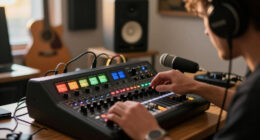

Choosing an Apple computer for music production comes down to one core tradeoff: raw track-count headroom versus portability and price. My top pick overall is the Apple 2026 Mac Studio with M5 Max chip, because a desktop form factor buys you sustained performance during long mix sessions that laptops simply can’t match at the same price. If you need to record on the go, the 2024 MacBook Pro with M4 Max (renewed) delivers near-desktop power in a portable chassis, while the 2024 Mac mini M4 is the smartest entry point for home producers building their first Logic Pro rig. Renewed M1 Max MacBook Pros also remain surprisingly capable value plays in 2026. The right choice depends on your session size, plugin habits, and whether your studio lives on a desk or in a bag — read on for the full breakdown.

Get audio and creator gear delivered free with Prime
- Fast, free delivery on millions of items
- Prime Video, Amazon Music and more included
- Member-only deals all year
Complete the kit


Key Takeaways
- Unified memory is the single biggest differentiator in this lineup: 16GB configs handle demo work fine, but 32GB-plus models (the renewed M1 Max and M4 Max MacBook Pros) keep large orchestral template sessions from choking.
- Desktops dominated the top of the ranking for sustained mixing performance — the Mac Studio M5 Max and M3 Ultra outperform every laptop here when sessions run hot for hours.
- Renewed 2021 M1 Max MacBook Pros are the value story of 2026, offering more RAM and ports than new base-model machines at comparable cost, with the caveat of shorter remaining lifespan.
- The two Intel iMacs in this lineup ranked last for music production: older CPUs, limited macOS support, and weak headroom for modern plugins make them false economies despite low cost.
- Small storage (256GB) on the iMac M4 and Mac mini M4 base configs is workable only if you commit to external SSD sample libraries — a hidden cost many first-time buyers underestimate.
| Apple 2026 MacBook Air 15-inch Laptop with M5 chip |  | Best Portable Pick for Home Studios | Processor: Apple M5 chip | Display: 15.3-inch Liquid Retina | Memory: 16GB unified memory | VIEW ON AMAZON | See Our Full Breakdown |
| 2021 Apple MacBook Pro 16-inch with M1 Max Chip, 64GB RAM, 2TB SSD (Renewed) |  | Best Value Workhorse for Large Sessions | Processor: Apple M1 Max | Display: 16.2-inch Liquid Retina XDR | RAM: 64GB | VIEW ON AMAZON | See Our Full Breakdown |
| Apple 2024 iMac 24-inch with M4 chip, 16GB Unified Memory, 256GB SSD |  | Best Desktop for the Dedicated Home Studio | Processor: Apple M4, 8-core CPU / 8-core GPU | Display: 24-inch 4.5K Retina, 500 nits | Memory: 16GB unified memory | VIEW ON AMAZON | See Our Full Breakdown |
| Apple 2024 MacBook Pro 16.2-inch with M4 Max, 48GB RAM, 1TB SSD (Renewed) |  | Best Premium All-Rounder | Processor: Apple M4 Max | Display: 16.2-inch Liquid Retina XDR | Memory: 48GB unified memory | VIEW ON AMAZON | See Our Full Breakdown |
| 2021 Apple MacBook Pro 16-inch with M1 Max, 32GB RAM, 512GB SSD (Renewed) |  | Best Budget Entry to Pro-Level Power | Processor: Apple M1 Max | Display: 16-inch | RAM: 32GB | VIEW ON AMAZON | See Our Full Breakdown |
| Apple 2017 iMac with 2.3GHz Intel Core i5, 21.5-inch, 8GB RAM, 256GB SSD (Renewed) |  | Best Ultra-Budget Starter Studio | Processor: 2.3GHz Intel Core i5 | Display: 21.5-inch | RAM: 8GB | VIEW ON AMAZON | See Our Full Breakdown |
| Apple iMac 21.5in 2.7GHz Core i5 (ME086LL/A) All In One Desktop, 8GB Memory, 256GB Solid State Drive, MacOS 10.12 Sierra (Renewed) |  | Cheapest Entry — Buy With Eyes Open | Processor: 2.7GHz Intel Core i5 | Display: 21.5-inch | RAM: 8GB | VIEW ON AMAZON | See Our Full Breakdown |
| Apple 2026 Mac Studio Desktop Computer with M5 Max Chip |  | Best Overall for Serious Studios | Chip: Apple M5 Max | Max Unified Memory: 128GB | Memory Bandwidth: Up to 614GB/s | VIEW ON AMAZON | See Our Full Breakdown |
| Apple Mac Studio, M3 Ultra 28-Core CPU / 60-Core GPU, 256GB Unified Memory, 2TB SSD |  | Best Premium Pick for Orchestral and Score Work | Chip: Apple M3 Ultra, 28-core CPU / 60-core GPU | Unified Memory: 256GB | Storage: 2TB SSD (configurable up to 16TB) | VIEW ON AMAZON | See Our Full Breakdown |
| 2023 Apple MacBook Pro with M2 Max Chip (16.2-inch, 32GB, 1TB SSD Storage) – Space Gray (Renewed) |  | Best Portable Studio Value | Processor: M2 Max, 12-core CPU, up to 38-core GPU | Memory: 32GB unified memory | Storage: 1TB SSD | VIEW ON AMAZON | See Our Full Breakdown |
| Apple 2026 Mac mini Desktop Computer M6 chip |  | Best Desktop for Future-Proof Studios | Chip: Apple M6 | Memory: Up to 32GB unified memory | Memory Bandwidth: 170GB/s | VIEW ON AMAZON | See Our Full Breakdown |
| Apple 2022 Mac Studio with Apple M1 Max Chip 10-Core CPU (32GB RAM, 512GB SSD) (Renewed) |  | Best Budget Powerhouse | Chip: Apple M1 Max, 10-core CPU | Memory: 32GB LPDDR4 | Storage: 512GB SSD | VIEW ON AMAZON | See Our Full Breakdown |
| Apple 2026 MacBook Air 13-inch Laptop with M5 chip (16GB RAM, 512GB SSD) – Silver |  | Best Portable for Mobile Producers | Chip: Apple M5 | Display: 13.6-inch Liquid Retina | Memory: 16GB unified memory | VIEW ON AMAZON | See Our Full Breakdown |
| Apple 2024 Mac mini Desktop Computer with M4 chip, 16GB Unified Memory, 256GB SSD |  | Best Entry-Level Studio Desktop | Chip: Apple M4, 10-core CPU, 10-core GPU | Memory: 16GB unified memory | Storage: 256GB SSD | VIEW ON AMAZON | See Our Full Breakdown |
| apple computer for music production | Storage | Display | Processor | Memory |
|---|---|---|---|---|
| Apple 2026 MacBook Air 15-inch | 512GB SSD | 15.3-inch Liquid Retina | Apple M5 chip | 16GB unified memory |
| 2021 Apple MacBook Pro 16-inch | 2TB SSD | 16.2-inch Liquid Retina XDR | Apple M1 Max | — |
| Apple 2024 iMac 24-inch with M | 256GB SSD | 24-inch 4.5K Retina, 500 nits | Apple M4, 8-core CPU / 8-core GPU | 16GB unified memory |
| Apple 2024 MacBook Pro 16.2-in | 1TB SSD | 16.2-inch Liquid Retina XDR | Apple M4 Max | 48GB unified memory |
| 2021 Apple MacBook Pro 16-inch | 512GB SSD | 16-inch | Apple M1 Max | — |
| Apple 2017 iMac with 2.3GHz In | 256GB SSD | 21.5-inch | 2.3GHz Intel Core i5 | — |
| Apple iMac 21.5in 2.7GHz Core | 256GB SSD | 21.5-inch | 2.7GHz Intel Core i5 | — |
| Apple 2026 Mac Studio Desktop | — | — | — | — |
| Apple Mac Studio | 2TB SSD (configurable up to 16TB) | — | — | — |
| 2023 Apple MacBook Pro with M2 | 1TB SSD | 16.2-inch Retina | M2 Max, 12-core CPU, up to 38-core GPU | 32GB unified memory |
| Apple 2026 Mac mini Desktop Co | — | — | — | Up to 32GB unified memory |
| Apple 2022 Mac Studio with App | 512GB SSD | — | — | 32GB LPDDR4 |
| Apple 2026 MacBook Air 13-inch | 512GB SSD | 13.6-inch Liquid Retina | — | 16GB unified memory |
| Apple 2024 Mac mini Desktop Co | 256GB SSD | — | — | 16GB unified memory |
More Details on Our Top Picks
Apple 2026 MacBook Air 15-inch Laptop with M5 chip
This model stands out for producers who want a studio that travels without giving up modern performance. The M5 chip handles Logic Pro sessions with dozens of tracks comfortably, and 16GB of unified memory is workable for most electronic and indie productions. Compared with the 2021 MacBook Pro 16-inch M1 Max, the Air trades raw plugin headroom for portability and battery life — up to 18 hours means sessions on the move without a charger. The 15.3-inch display gives more arrangement-window room than the 13-inch Air, though it still lags the Pro’s XDR panel for critical visual work. Fanless design means sustained heavy loads can throttle, which matters for long mixdowns with software amps or orchestral libraries.
Pros:- Highly portable at 3.32 pounds with up to 18 hours of battery
- M5 chip runs current DAWs and plugins smoothly
- Headphone jack plus two Thunderbolt 4 ports for audio interfaces
- Six-speaker system useful for quick reference playback
Cons:- Fanless design can throttle during sustained, CPU-heavy mixdowns
- 16GB unified memory caps large sample-library projects
- Only two Thunderbolt ports limits interface-plus-display-plus-drive setups
Best for: Producers and beatmakers who record in different locations and work on moderate-sized sessions
Not ideal for: Composers running massive orchestral sample libraries or heavy analog-modeled mixes — 16GB and passive cooling will bottleneck
- Processor:Apple M5 chip
- Display:15.3-inch Liquid Retina
- Memory:16GB unified memory
- Storage:512GB SSD
- Ports:2x Thunderbolt 4, MagSafe, headphone jack
- Wireless:Wi-Fi 7, Bluetooth 6
- Weight:3.32 pounds
Our verdict“This is the right pick if your studio fits in a backpack and your sessions stay in the mid-size range.”
2021 Apple MacBook Pro 16-inch with M1 Max Chip, 64GB RAM, 2TB SSD (Renewed)
For raw music-production muscle per dollar, this configuration is hard to beat. 64GB of unified memory and 2TB of storage solve the two biggest problems producers face: sample libraries that eat RAM and sessions that eat disk space. The M1 Max still outperforms many newer chips in sustained multicore audio rendering, and unlike the MacBook Air M5, the active cooling keeps long mixdowns from throttling. Compared with the 2024 MacBook Pro M4 Max, it gives up some single-core speed and Thunderbolt 5, but the doubled RAM at a lower renewed price makes it the smarter buy for orchestral or film-scoring work. The real tradeoff is buying renewed — battery health and cosmetic condition vary, so check the seller’s policy before committing.
Pros:- 64GB RAM handles enormous orchestral sample libraries
- 2TB SSD stores large template sessions and sample collections
- Full pro connectivity: HDMI, SDXC, MagSafe, three Thunderbolt ports
- Excellent XDR display for detailed waveform and mixer editing
Cons:- Renewed condition and battery health can vary by unit
- Older chip generation than current M4/M5 machines
- Heavy and bulky for frequent travel
Best for: Film composers and producers with huge sample libraries who need RAM and storage over the newest silicon
Not ideal for: Buyers who want a pristine new machine with full warranty and the latest features like Thunderbolt 5
- Processor:Apple M1 Max
- Display:16.2-inch Liquid Retina XDR
- RAM:64GB
- Storage:2TB SSD
- Ports:Thunderbolt 4, HDMI, SDXC, MagSafe 3, headphone jack
- Color:Space Grey
Our verdict“If RAM capacity matters more than having the newest chip, this renewed M1 Max is the smartest value in serious music production.”
Apple 2024 iMac 24-inch with M4 chip, 16GB Unified Memory, 256GB SSD
A fixed studio space changes what you need: no battery, more screen, less clutter. This iMac delivers that with a gorgeous 4.5K 24-inch display that makes mixer windows and plugin interfaces genuinely easier to read than any laptop panel here. The M4 chip is newer and faster than the M1 Max in single-core work, so most DAW tasks feel snappy — but the 256GB SSD is the elephant in the room. Compared with the renewed MacBook Pro M1 Max 64GB/2TB, you get modern silicon and a bigger screen but far less storage and RAM, meaning an external drive becomes mandatory for anyone with a real sample collection. The excellent built-in mic array and speakers also make it a solid choice for podcasters who also produce music.
Pros:- 4.5K Retina display is superb for dense mixer and arrangement views
- M4 chip offers fast current-generation performance
- Four Thunderbolt 4 ports for interfaces, drives, and displays
- Studio-quality mics and six-speaker system in one clean unit
Cons:- 256GB internal storage is very tight for sample-heavy workflows
- 16GB RAM limits large orchestral templates
- Not portable — tied to one location by design
Best for: Producers with a permanent home studio who keep samples on an external SSD
Not ideal for: Anyone with large local sample libraries — 256GB fills up after the OS, DAW, and a few Kontakt instruments
- Processor:Apple M4, 8-core CPU / 8-core GPU
- Display:24-inch 4.5K Retina, 500 nits
- Memory:16GB unified memory
- Storage:256GB SSD
- Ports:Up to 4x Thunderbolt 4
- Wireless:Wi-Fi 6E, Bluetooth 5.3
- Camera:12MP Center Stage
Our verdict“This is the pick for a tidy fixed studio where the screen does the heavy lifting and samples live on external drives.”
Apple 2024 MacBook Pro 16.2-inch with M4 Max, 48GB RAM, 1TB SSD (Renewed)
This is the machine that says yes to nearly everything: M4 Max power, 48GB of RAM, Thunderbolt 5, and the best display in Apple’s laptop lineup. Compared with the renewed 2021 M1 Max 64GB, it trades 16GB of memory for meaningfully faster single-core speed, better efficiency, and a newer port standard — a worthwhile swap for most producers, since 48GB still covers large templates. Against the MacBook Air M5, it is simply a different class: active cooling, double the RAM, and a brighter XDR panel justify the premium for anyone mixing professionally. The drawbacks are real though — renewed warranty coverage is limited, and at 16 inches it is a machine you carry between studios, not one you sling into a tote daily.
Pros:- M4 Max delivers elite performance for demanding mixes and masters
- 48GB unified memory handles large sample libraries comfortably
- Three Thunderbolt 5 ports plus SDXC and HDMI cover any studio rig
- Outstanding 16.2-inch Liquid Retina XDR display
Cons:- Premium cost even in renewed condition
- Bulky and heavy compared with Air models
- Renewed units carry limited warranty protection
Best for: Professional producers and mix engineers who need top-tier performance in a portable chassis
Not ideal for: Budget-conscious beginners or anyone wanting a lightweight everyday laptop for light production
- Processor:Apple M4 Max
- Display:16.2-inch Liquid Retina XDR
- Memory:48GB unified memory
- Storage:1TB SSD
- Ports:3x Thunderbolt 5, MagSafe 3, SDXC, HDMI, headphone jack
- Camera:12MP Center Stage
- Speakers:Six speakers with Spatial Audio
Our verdict“If professional-grade mixing power must travel with you and budget allows, this is the strongest all-around machine in the lineup.”
2021 Apple MacBook Pro 16-inch with M1 Max, 32GB RAM, 512GB SSD (Renewed)
Not everyone needs 64GB of RAM, and this configuration proves it. It keeps the same M1 Max grunt and pro port selection as its 64GB sibling while trimming cost and storage, making it the most accessible route into a genuinely professional music laptop. Thirty-two gigabytes comfortably runs most hybrid productions — big plugin counts, moderate orchestral work — though it sits below the M4 Max’s 48GB for extreme templates. The 512GB SSD is the tightest constraint here: expect to pair it with an external drive almost immediately if you keep sample libraries locally. Battery life up to 17 hours still outlasts a full tracking day. As with other renewed units, condition varies, so this pick makes the most sense for value-driven buyers willing to accept that variability.
Pros:- M1 Max performance at a more accessible renewed price
- Pro ports including HDMI and SDXC for studio peripherals
- Up to 17 hours of battery for long sessions
- Active cooling sustains long renders without throttling
Cons:- 512GB SSD fills quickly with modern sample libraries
- Renewed condition and battery health vary between units
- Older generation chip than current M4/M5 options
Best for: Emerging producers who want professional M1 Max performance without the top-tier price
Not ideal for: Sample-library-heavy composers — 512GB storage and 32GB RAM will feel cramped fast
- Processor:Apple M1 Max
- Display:16-inch
- RAM:32GB
- Storage:512GB SSD
- Battery Life:Up to 17 hours
- Camera:1080p FaceTime HD
- Color:Space Gray
Our verdict“The smartest low-cost way into a true pro-level music laptop, provided you budget for an external drive.”
Apple 2017 iMac with 2.3GHz Intel Core i5, 21.5-inch, 8GB RAM, 256GB SSD (Renewed)
This option stands out purely on cost of entry, and for someone recording their first demos in GarageBand or Logic, that matters more than raw speed. The SSD boot drive is the saving grace here — compared with the older renewed ME086LL/A iMac elsewhere in this roundup, which pairs a spinning-era platform with its SSD upgrade, this 2017 model at least keeps session loading and sample streaming reasonably responsive. But make no mistake: the Intel Core i5 and 8GB of RAM will strain under large orchestral libraries or heavy plugin chains. Buyers should treat this as a learning machine, not a lifelong studio hub. Compared with the renewed 2023 MacBook Pro M2 Max also featured here, the performance gap is enormous — this pick makes sense only if the budget genuinely cannot stretch further.
Pros:- SSD storage keeps session loading and boot times tolerable
- All-in-one design means no separate monitor purchase needed
- Cheapest gateway into macOS music production in this lineup
- Cosmetic condition described as clean at arm’s length
Cons:- 8GB of non-upgradeable-in-practice RAM is the bare minimum for modern DAWs
- Intel architecture lacks the plugin efficiency and headroom of Apple Silicon
- 256GB fills up fast once sample libraries enter the picture
Best for: Beginners or students recording simple podcast, vocal, or MIDI projects who need the cheapest workable macOS entry point
Not ideal for: Producers using large sample libraries or running 20+ track sessions — the 8GB RAM ceiling and aging Intel chip will bottleneck quickly
- Processor:2.3GHz Intel Core i5
- Display:21.5-inch
- RAM:8GB
- Storage:256GB SSD
- Condition:Renewed
- Warranty:Amazon Renewed guarantee applies
Our verdict“A bare-minimum macOS studio for first-timers who will outgrow it within a couple of years — and know it going in.”
Apple iMac 21.5in 2.7GHz Core i5 (ME086LL/A) All In One Desktop, 8GB Memory, 256GB Solid State Drive, MacOS 10.12 Sierra (Renewed)
This is the floor of the roundup, and I include it only because some readers need to know where the floor is. Shipping with macOS 10.12 Sierra is the headline problem: that OS predates modern DAW versions, current plugin installers, and Apple Silicon-era updates, so buyers will need to check compatibility for their entire toolchain before committing. Compared with the 2017 iMac renewed model above, this older platform gives up both CPU generation and software runway. On the plus side, the 90-day Renewed warranty and full diagnostic testing mean it will power on and behave — the question is whether your music software will still install on it. For a dedicated offline machine running legacy Logic projects or an old favorite plugin, it can still earn its keep.
Pros:- Lowest-cost macOS option in the entire lineup
- Inspected and tested with a minimum 90-day supplier-backed warranty
- All-in-one format includes display, speakers, and webcam in one box
- SSD storage instead of a mechanical hard drive
Cons:- macOS 10.12 Sierra cannot run current DAW releases or most modern plugins
- 2.7GHz Core i5 with 8GB RAM offers minimal headroom even for lighter sessions
- Generic packaging and accessories are the norm for this tier
Best for: Tinkerers who need a cheap legacy macOS machine to run older DAW versions, archived projects, or discontinued plugins
Not ideal for: Anyone planning to run current versions of Logic Pro, Ableton, or modern plugins — the Sierra-era OS blocks most current software
- Processor:2.7GHz Intel Core i5
- Display:21.5-inch
- RAM:8GB
- Storage:256GB SSD
- Operating System:macOS 10.12 Sierra
- Condition:Renewed, 90-day warranty minimum
Our verdict“Only worth it as a legacy-project rescue machine — spend slightly more on the 2017 iMac or an M4 Mac mini if you plan to make current music.”
Apple 2026 Mac Studio Desktop Computer with M5 Max Chip
This is the machine I’d point most committed producers toward, and the reasoning comes down to balance. The M5 Max delivers more single-track plugin headroom than most home studios will ever use, while Thunderbolt 5 and Wi-Fi 7 future-proof your audio interface and network storage for years. Compared with the M3 Ultra Mac Studio below, this model gives up some extreme multitasking ceiling but is far more sensibly priced for people who don’t render 200-track film scores. The silent thermal design is a genuinely musical feature — no fan noise bleeding into vocal mics — something the renewed Intel iMacs in this roundup simply cannot promise. The tradeoff is real: at high unified-memory configurations it gets expensive, and there’s no internal expandability after purchase, so configure RAM and storage carefully on day one.
Pros:- M5 Max handles large orchestral templates and heavy plugin chains without breaking a sweat
- Near-silent cooling is ideal for recording with open mics
- Four Thunderbolt 5 ports support multiple audio interfaces, displays, and SSD arrays
- Compact 7.7-inch chassis tucks under any studio monitor arm
Cons:- High unified-memory configurations push the price steeply upward
- Zero internal upgrade path — you’re locked into your launch configuration
- No display, keyboard, or mouse included, adding to the real cost
Best for: Producers and mix engineers building a permanent home studio who want Apple Silicon power without Ultra-tier pricing
Not ideal for: Laptop-based musicians or anyone needing to record on location — the Studio is desk-bound by design
- Chip:Apple M5 Max
- Max Unified Memory:128GB
- Memory Bandwidth:Up to 614GB/s
- Thunderbolt Ports:4 (Thunderbolt 5)
- Other Ports:2 USB-C, 2 USB-A, HDMI, SDXC, headphone jack
- Wireless:Wi-Fi 7 (Apple N1), Bluetooth 6
- Dimensions:7.76 x 7.76 x 3.74 inches
- Operating System:macOS
Our verdict“The smartest long-term studio purchase in this roundup for producers who need serious power at a price that stops short of Ultra money.”
Apple Mac Studio, M3 Ultra 28-Core CPU / 60-Core GPU, 256GB Unified Memory, 2TB SSD
This configuration exists for one buyer: the composer whose template has thousands of sample patches loaded at once. The 256GB of unified memory is the whole story — it lets you keep an entire orchestral library resident in RAM, eliminating the disk-streaming stutters that plague even capable machines like the M5 Max Mac Studio above when templates balloon past 150GB. Compared with that M5 Max pick, this M3 Ultra trades some per-core speed for sheer scale: more cores, more memory ceiling, more simultaneous outputs. For film scorers and post houses running multi-screen cue setups, the support for up to eight displays and Thunderbolt 5 at 120Gb/s for NVMe sample arrays is workflow-defining. The drawbacks are obvious — this is the most expensive way into macOS music production here, and 256GB of memory is wasted money for anyone producing beats or mixing bands.
Pros:- 256GB unified memory holds entire sample libraries in RAM with no streaming glitches
- 28-core CPU / 60-core GPU architecture absorbs extreme plugin and virtual instrument loads
- Supports up to eight external displays for multi-screen scoring setups
- Thunderbolt 5 and 10Gb Ethernet handle large networked sample storage
Cons:- Flagship pricing that only pays off for genuinely enormous workloads
- Massive overkill for typical bedroom-studio production
- Like all Studios, no internal expandability once configured
Best for: Film composers and sample-heavy producers running massive orchestral templates that need hundreds of gigabytes of RAM
Not ideal for: Beatmakers, singer-songwriters, and mix engineers — the memory ceiling is paid for but never used, making the M5 Max Studio or M2 Max MacBook better value
- Chip:Apple M3 Ultra, 28-core CPU / 60-core GPU
- Unified Memory:256GB
- Storage:2TB SSD (configurable up to 16TB)
- Max External Displays:Up to 8
- Thunderbolt:Thunderbolt 5 up to 120Gb/s
- Networking:10Gb Ethernet
- Form Factor:Compact desktop, macOS
Our verdict“A no-compromise scoring machine for professionals whose templates are measured in hundreds of gigabytes — everyone else should step down a tier.”
2023 Apple MacBook Pro with M2 Max Chip (16.2-inch, 32GB, 1TB SSD Storage) – Space Gray (Renewed)
This pick occupies a sweet spot the desktop Studios can’t touch: studio-grade power that travels. The M2 Max with 38 GPU cores and 32GB of unified memory comfortably runs full Logic or Ableton sessions with room for third-party plugins, and the built-in six-speaker system and SDXC card slot mean you can sketch, sample, and reference mixes without hauling accessories. Compared with the renewed M1 Max MacBook Pros elsewhere in this roundup, the M2 Max buys meaningfully better plugin headroom and efficiency; compared with the 2026 Mac Studio, you trade peak performance for a screen, keyboard, trackpad, and battery — a fair swap for anyone who records outside their home. The renewed status is the main caveat: cosmetic wear and shorter warranty coverage come with the territory, and at 16 inches it’s a shoulder-strap machine, not a café laptop.
Pros:- M2 Max with 38 GPU cores handles dense sessions and virtual instruments
- Up to 22 hours of battery life covers full days away from outlets
- SDXC slot, HDMI, and three Thunderbolt 4 ports cover most audio rigs without dongles
- Excellent built-in speakers make rough mix referencing possible anywhere
Cons:- Renewed condition means possible cosmetic imperfections and limited warranty
- 16.2-inch size and weight make it awkward for everyday carry
- Not the value leader against newer Apple Silicon at full retail configurations
Best for: Mobile producers and location recordists who need near-desktop session capability in a single portable chassis
Not ideal for: Producers who never leave the studio — the Studio models deliver more power per dollar without the renewed-condition gamble
- Processor:M2 Max, 12-core CPU, up to 38-core GPU
- Memory:32GB unified memory
- Storage:1TB SSD
- Display:16.2-inch Retina
- Battery Life:Up to 22 hours
- Ports:MagSafe, 3x Thunderbolt 4, SDXC, HDMI, headphone jack
- Condition:Renewed
Our verdict“The best mobile value in this roundup — near-top-tier production power in one portable box, provided you accept renewed-condition risk.”
Apple 2026 Mac mini Desktop Computer M6 chip
The M6 Mac mini is the desktop I would point most home studio owners toward, because it delivers current-generation performance in a chassis that disappears under a monitor. For music production, the 170GB/s memory bandwidth and up to 32GB of unified memory matter more than the AI marketing — that bandwidth is what keeps large sample libraries and dense Logic sessions from choking. Compared with the M4 Mac mini further down this list, the M6 buys you meaningful headroom for years of macOS updates and heavier plugin loads, though the M4 handles lighter projects fine. Against the renewed M1 Max Mac Studio, the mini trades raw multicore muscle for newer architecture, faster storage, and Thunderbolt 4 connectivity across three ports plus front-facing USB-C — a genuinely practical layout for audio interfaces and dongle-heavy rigs.
Pros:- Current M6 chip with fast unified memory keeps large sessions responsive
- Three Thunderbolt 4 ports plus front USB-C and headphone jack for interface-heavy setups
- Supports up to three external displays for mixer and plugin windows
- 2.5Gb Ethernet and Wi-Fi 7 for fast file transfers and remote collaboration
Cons:- 32GB memory ceiling may frustrate heavy virtual-instrument users
- No display, keyboard, or mouse included, so the true cost of a full setup runs higher
Best for: Home studio owners building a long-term desktop rig around Logic Pro or Ableton with expanding sample libraries
Not ideal for: Producers who need maximum core counts for orchestral templates — the Mac Studio options in this roundup outrun it on sustained multicore work
- Chip:Apple M6
- Memory:Up to 32GB unified memory
- Memory Bandwidth:170GB/s
- Ports:3x Thunderbolt 4, 2x USB-C, HDMI, headphone jack
- Networking:2.5Gb Ethernet, Wi-Fi 7, Bluetooth 6
- Displays:Up to 3 external displays
- Form Factor:5 x 5-inch desktop
Our verdict“This pick makes the most sense for producers who want a modern, compact desktop that will stay capable through several years of plugin and OS evolution.”
Apple 2022 Mac Studio with Apple M1 Max Chip 10-Core CPU (32GB RAM, 512GB SSD) (Renewed)
This renewed Mac Studio with the M1 Max chip is the smartest route into serious track counts without paying new-flagship money. The 32GB of unified memory is the headline here: that is the spec that determines how many orchestral patches and sampler instances you can hold before the system starts swapping, and it out-specs the 16GB base configs of the M4 Mac mini and 13-inch MacBook Air M5 in this roundup. The M1 Max still holds up well for audio — its strength is sustained multicore throughput, which is exactly what bouncing stems and running virtual instruments demands. The tradeoff is obvious: this is a professionally refurbished unit, not Apple certified, with a 90-day return window rather than a full warranty, and the 512GB SSD will need external storage almost immediately for anyone with a real sample library.
Pros:- 32GB unified memory handles large orchestral and sampler templates comfortably
- Mac Studio’s port selection supports multiple displays and peripherals without hubs
- M1 Max delivers strong sustained multicore performance for mixing and rendering
- Compact tower design fits tighter desk spaces than a full workstation
Cons:- Renewed status means no Apple warranty, non-original accessories, and only a 90-day guarantee
- 512GB internal storage fills quickly with sample libraries and project files
Best for: Intermediate producers who need 32GB of RAM for big sample libraries and will accept refurbished hardware to get it affordably
Not ideal for: Buyers who want a full manufacturer warranty and the latest platform — the newer Mac mini or a new MacBook Air fits that better
- Chip:Apple M1 Max, 10-core CPU
- Memory:32GB LPDDR4
- Storage:512GB SSD
- Graphics:Integrated Apple GPU
- Condition:Amazon Renewed (professionally inspected, 90-day guarantee)
- Form Factor:Compact desktop tower
Our verdict“A sensible compromise for producers who prioritize memory capacity over having the newest chip and are comfortable with refurbished hardware.”
Apple 2026 MacBook Air 13-inch Laptop with M5 chip (16GB RAM, 512GB SSD) – Silver
For producers who write music on the move, the 13-inch MacBook Air M5 hits a balance the desktop options here simply cannot: it is light, silent under typical loads, and runs up to 18 hours on battery — long enough to finish arrangements on a flight or between classes. The M5 chip handles Logic sessions with dozens of tracks without fanning noise, because there is no fan, and a fanless design means no rumble picked up by your microphone during vocal takes. Compared with the 15-inch MacBook Air M5 elsewhere in this roundup, this smaller model is easier to sling in a bag, though the reduced screen area makes plugin-dense mixing more scroll-heavy. The limits are real, though: 16GB of memory and two Thunderbolt ports mean large orchestral templates and multi-interface rigs are off the table, which is exactly why the renewed Mac Studio ranks higher for studio-bound work.
Pros:- Up to 18 hours of battery life for genuinely mobile sessions
- Fanless silent operation avoids noise interference during recording
- Light 13-inch design is the most portable option in this lineup
- Wi-Fi 7, Thunderbolt 4, and MagSafe cover modern connectivity needs
Cons:- Only two Thunderbolt ports force a hub for interface plus storage setups
- 13.6-inch screen feels cramped for dense mixing workflows
- 16GB memory limits large sample library use
Best for: Songwriters and beatmakers who produce on the go and value portability and battery life over raw studio power
Not ideal for: Orchestral or heavy sample-based composers — the 16GB memory ceiling and two-port layout will bottleneck big templates
- Chip:Apple M5
- Display:13.6-inch Liquid Retina
- Memory:16GB unified memory
- Storage:512GB SSD
- Battery Life:Up to 18 hours
- Ports:2x Thunderbolt 4, MagSafe, headphone jack
- Wireless:Wi-Fi 7, Bluetooth 6
- Weight Class:Ultralight laptop
Our verdict“This model suits mobile producers who want quiet, all-day portability and can live within its memory and port constraints.”
Apple 2024 Mac mini Desktop Computer with M4 chip, 16GB Unified Memory, 256GB SSD
The M4 Mac mini is the cheapest credible way into a modern Apple studio setup, and for a first home studio it gets the fundamentals right. The M4 chip runs Logic Pro and Ableton fluidly at moderate track counts, and the front-facing USB-C ports and headphone jack are a small change that makes a big difference when you are plugging in an audio interface daily. Compared with the M6 Mac mini, this model gives up memory bandwidth and headroom, but for bedroom producers tracking vocals and programming drums, the gap rarely shows. Compared with the renewed M1 Max Mac Studio, the M4 wins on platform freshness and warranty while losing on raw memory — 16GB versus 32GB — which is the spec to watch if your projects lean sample-heavy. The 256GB SSD is the real constraint; budget for an external drive from day one.
Pros:- Modern M4 chip runs major DAWs smoothly at hobbyist and semi-pro workloads
- Front USB-C and headphone ports make daily interface connections convenient
- Compact 5×5-inch body fits any desk setup
- Gigabit Ethernet and HDMI included without extra adapters
Cons:- 256GB storage is too small for serious sample libraries and project archives
- 16GB unified memory caps how far you can grow before upgrading again
Best for: Beginners setting up a first home studio who want new hardware with a full warranty at the lowest entry point
Not ideal for: Producers with large Kontakt or orchestral libraries — the 16GB memory and 256GB storage will feel restrictive fast
- Chip:Apple M4, 10-core CPU, 10-core GPU
- Memory:16GB unified memory
- Storage:256GB SSD
- Ports:Thunderbolt, HDMI, front USB-C, headphone jack
- Networking:Gigabit Ethernet, Wi-Fi
- Form Factor:5 x 5-inch desktop
- Sustainability:Carbon neutral
Our verdict“The right starting point for newcomers who want dependable new hardware now and can expand storage externally as their needs grow.”

How We Picked
I ranked these machines on four factors that directly affect music production: CPU/GPU headroom for running dozens of plugins and virtual instruments without dropouts, unified memory capacity for large sample libraries and orchestral templates, I/O and expandability (Thunderbolt ports for audio interfaces, external drives, and monitors), and value over time, which accounts for chip generation, macOS support runway, and the tradeoffs of buying renewed. Sustained thermal performance mattered more than peak benchmarks, because a three-hour mix bounce behaves differently than a short render.
The ranking logic favors machines that will still feel fast in three years over machines that feel adequate today. That’s why the Studio desktops lead, high-RAM renewed MacBook Pros sit in the middle, and the Intel-based iMacs land at the bottom despite their low entry cost. Portability was treated as a feature rather than a performance advantage — laptops were ranked on what they can do, not where they can go.
Factors to Consider When Choosing Apple Computer For Music Production
Before picking a specific machine, it helps to understand what actually limits a Mac during music production. These are the factors that separate a smooth session from a frustrating one.Unified Memory: Where Sessions Live or Die
RAM on Apple Silicon is shared between the CPU and GPU, and it’s not upgradeable after purchase — whatever you buy is permanent. Sample-heavy workflows like orchestral scoring or hip-hop production with large Kontakt libraries can consume 20GB or more before you’ve printed a single track. A 16GB machine is fine for singer-songwriter demos and modest pop arrangements, but once you load multiple orchestral instances or memory-hungry synth plugins, you’ll hit swap and start hearing glitches. 32GB is the practical sweet spot for serious producers, and 64GB or more only makes sense for film scoring or heavy sound design. A common mistake is maxing out storage while skimping on RAM — the opposite allocation usually ages better for music work.
Chip Class Matters More Than Chip Generation
Buyers often assume the newest chip is automatically the best, but Apple’s naming separates performance tiers that matter more than the year. A base M-series chip in a MacBook Air will always trail an older Max-tier chip from two generations back when it comes to plugin count and render speed. An M1 Max with 64GB still outperforms an M5 base chip for large sessions, which is why renewed 2021 MacBook Pros remain compelling. The practical rule: match the chip tier to your session size first, then worry about generation. Pro-tier and Max-tier chips also handle heat better during long bounces, while fanless Airs throttle under sustained load — a real issue during extended mixing sessions.
Sustained Performance vs. Portability
Laptops and desktops behave differently during multi-hour sessions, not just in benchmarks. Desktop Macs like the Studio and mini have thermal headroom to run at full speed indefinitely, while laptops throttle to protect themselves, causing performance dips partway through a long mix or mastering session. If your studio is permanent, a desktop gives you more capability per dollar and better longevity. If you record at rehearsal spaces, tour, or collaborate in different rooms, a MacBook Pro’s mobility outweighs the thermal penalty — but budget for a dock and consider that you’ll be plugging and unplugging your interface constantly. The worst compromise is buying a laptop you never move; that’s a desktop’s performance left on the table.
The Storage Math Nobody Does Upfront
Apple’s storage upgrades are expensive, which pushes buyers toward small internal drives, but music production consumes storage in two ways: applications and sessions on the internal drive, plus sample libraries that can easily exceed 500GB on their own. The workable strategy for 256GB or 512GB machines is keeping your OS, DAW, and active sessions internal while housing libraries on a Thunderbolt external SSD, which loads samples nearly as fast as internal storage. What you should avoid is running libraries off a cheap USB drive or a spinning hard disk — slow sample streaming causes the dropouts people wrongly blame on their CPU. Factor the cost of a good external drive into your budget before choosing a small internal config.
Buying Renewed: Genuine Value with Real Caveats
Several strong picks here are renewed machines, and the savings can fund better monitors or an interface upgrade. The upside of renewed Apple Silicon is that these chips age gracefully — a well-cared-for M1 Max is still a genuinely fast production machine in 2026. The caveats: battery health on used laptops is a lottery, cosmetic wear varies by seller, and you should verify the seller’s return window and warranty terms before committing. Intel-based renewed Macs are a different story entirely, since macOS support for Intel is winding down and plugin developers are increasingly dropping Intel builds. A renewed M-series machine is a smart buy; a renewed Intel machine is a dead end for new software.
Ports, Displays, and the Studio Ecosystem
Audio interfaces, control surfaces, external drives, and monitors all compete for ports, so port count shapes your daily workflow more than it seems. Desktop Macs win here — the Mac Studio and Mac mini both offer more Thunderbolt ports plus Ethernet, which means a stable, wired connection for networked audio and sample servers. A laptop used as a desktop replacement will need a dock, adding cost and a potential point of failure in your signal chain. Display matters too: a 24-inch iMac or 16-inch MacBook Pro gives you comfortable mixer-window real estate, while a 13-inch Air forces constant window juggling unless you add a monitor. Think of the computer as the hub of a studio ecosystem, not an isolated purchase.
Frequently Asked Questions
Is a MacBook Air good enough for music production, or do I need a MacBook Pro?
A MacBook Air can absolutely run Logic Pro for songwriting, demos, and modest arrangements of 20–30 tracks, especially the 16GB M5 models in this lineup. The limitations appear in two places: the fanless design throttles during long bounces and heavy plugin loads, and the smaller internal storage of thinner configs fills up fast with sample libraries. If you mostly produce at a desk, the Air’s portability advantage disappears and a Mac mini becomes the better buy. The Air makes the most sense for producers who travel, write on couches and trains, and finish heavier sessions elsewhere or accept longer render times. For anyone mixing full arrangements daily, the Pro’s cooling and port selection justify the step up.
Is 16GB of unified memory enough for producing music in 2026?
For most hobbyists and many working producers, yes — 16GB comfortably handles rock, pop, and electronic productions with reasonable plugin counts. Where it falls short is sample-heavy work: orchestral templates, large Kontakt libraries, and layer-heavy hip-hop or film scoring can push past 16GB quickly, forcing the system into swap and producing audio glitches. The risk is that memory is soldered and non-upgradeable, so a 16GB machine that’s adequate today may feel cramped as your library collection grows over five years. If you’re between configs and plan to keep the machine long-term, spending on 32GB is the safer allocation. If your sessions stay lean, 16GB paired with an external SSD for libraries is a perfectly rational choice.
Should I buy a renewed M1 Max MacBook Pro or a new M4/M5 machine?
This depends almost entirely on RAM needs. A renewed M1 Max with 64GB will outperform a new base M4 or M5 with 16GB for large sample-based sessions, because memory capacity becomes the bottleneck before chip speed does. For lighter workloads, the newer chips are faster, more power-efficient, and come with full warranties plus longer macOS support runway — likely seven-plus more years versus four or five for a 2021 machine. Battery health is the biggest gamble on a used laptop, so verify the seller’s return policy and check cycle count if possible. The renewed route is best for producers who need maximum memory per dollar; the new route is best for buyers who value longevity and predictability over raw capacity.
Do I need a Mac Studio, or is a Mac mini enough for my home studio?
The Mac mini handles most home studio workloads without breaking a sweat — a base M4 mini runs substantial Logic sessions and pairs beautifully with any display and interface you already own. The Studio becomes worthwhile when you’re running 100+ track mixes, heavy mastering chains, or large orchestral templates where its Max and Ultra chips and higher memory ceilings keep buffer sizes low and latency stable. There’s also a longevity argument: the Studio’s thermal headroom means it sustains peak performance for years without strain, while a fully loaded mini works harder to deliver the same results. If your sessions are tracked, mixed, and bounced in a bedroom or project studio, the mini is the smarter spend. If music is your profession or you score to picture, the Studio’s extra headroom pays for itself in avoided frustration.
Can I use one of the older Intel iMacs for music production to save money?
I’d steer clear for a new production build, even though the prices look tempting. The core issue is software runway: Apple has been phasing out Intel support in macOS, and plugin and DAW developers are increasingly shipping Apple Silicon-only versions, so an Intel iMac’s software ecosystem is shrinking. Beyond that, the 8GB of RAM in these particular configs is genuinely limiting even for moderate sessions, and the older quad-core CPUs struggle with modern plugin loads. They can still work as a secondary machine for editing podcasts or running legacy 32-bit tools, but as a primary studio computer they’ll need replacing within a couple of years. A base-model Mac mini or a renewed M1 machine costs more upfront and lasts dramatically longer.
Conclusion
Matching the right Mac to your production style closes this decision quickly. For the best overall choice, the Mac Studio M5 Max stands apart — sustained desktop performance and serious headroom make it the machine professionals will outgrow last. The best value pick is the 2021 MacBook Pro M1 Max 64GB (renewed), which delivers more memory and mixing capacity than most new machines at its price point, provided you accept the battery and lifespan tradeoffs. Best premium honors go to the Mac Studio M3 Ultra with 256GB of memory, a no-compromise machine for film scorers and anyone whose templates terrify lesser computers.
Beginners and home producers should start with the Mac mini M4 — it runs Logic Pro beautifully, pairs with any screen, and leaves budget for monitors, an interface, and an external SSD for samples. Producers who need mobility get the MacBook Pro M4 Max (renewed), while songwriters on the go will be happy with the MacBook Air 15-inch M5. The renewed M2 Max MacBook Pro and 2022 Mac Studio M1 Max slot in as middle-ground options that split the difference on price and power. Whatever you choose, prioritize memory over storage, avoid the Intel machines, and your Mac will still feel fast when your skills have outgrown your current sessions.
Halloween Picks
halloween
As an affiliate, we earn on qualifying purchases.