
To set a reference level that works, start by using your calibration tools to measure each speaker’s output at the listening position. Adjust the volume controls so that all speakers sound balanced without any one overpowering the others. Aim for a level that produces clear dialogue and immersed effects without distortion. Achieving this balance guarantees your system sounds natural and cohesive. Keep exploring to discover more tips on fine-tuning your setup for perfect sound.
Key Takeaways
- Establish a consistent volume level using calibration tools to create a balanced, natural sound across all speakers.
- Use test tones to measure and adjust each speaker’s output at the listening position for even sound distribution.
- Set your reference level where dialogue is clear, music sounds rich, and effects are immersive without distortion.
- Focus on balancing low frequencies (subwoofer) and overall speaker levels during calibration for optimal sound quality.
- Incorporate room acoustic treatments alongside calibration to enhance clarity and reduce reflections, ensuring a more accurate reference level.
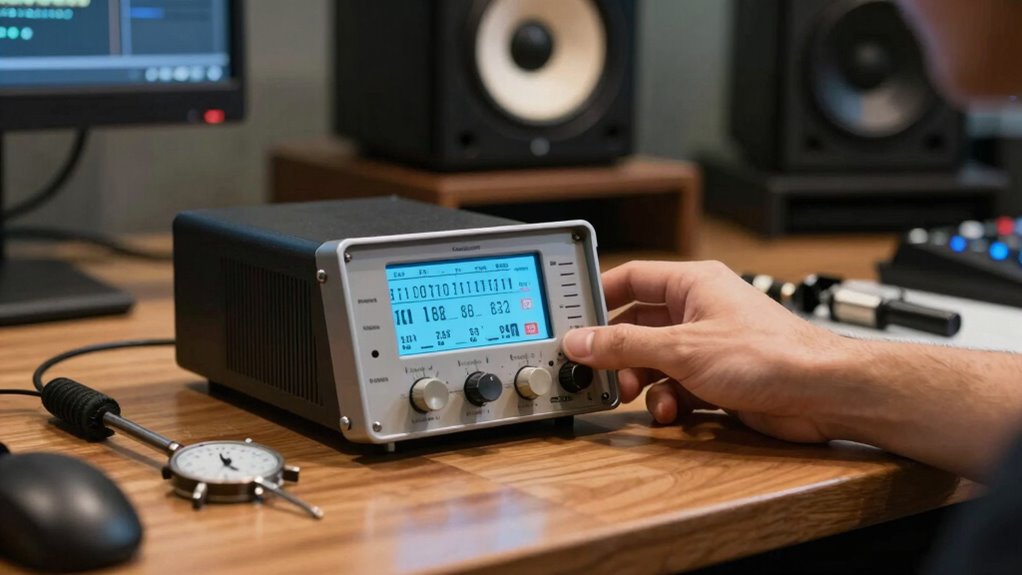
Have you ever wondered why your home theater sounds less immersive than in a professional setting? The answer often lies in room acoustics and how well your system has been calibrated. When you set up your speakers, it’s essential to consider your room’s characteristics—its size, shape, furnishings, and surfaces all influence how sound waves travel and reflect. Poor room acoustics can cause echoes, dead spots, or overly bright sounds, making your listening experience less clear and engaging. That’s where calibration tools come into play. These devices help you identify how your speakers interact with your space and allow you to fine-tune the settings for ideal sound.
Using calibration tools, whether automatic room correction systems or manual measurement microphones, is the most effective way to start. These tools measure the sound output from each speaker at your listening position, revealing discrepancies in volume, timing, and frequency response. Once you have this data, you can adjust your system to compensate for the room’s unique acoustic properties. For example, if your subwoofer’s bass response is overly boomy or weak, calibration tools can help you set a proper reference level that balances the low frequencies. Similarly, if your front left and right speakers aren’t producing consistent sound levels, you can tweak their output until they match seamlessly.
Calibration tools identify discrepancies and balance sound levels for a seamless, immersive home theater experience.
Setting a proper reference level is vital. It’s the baseline volume at which your system sounds balanced and natural. To do this, you’ll want to start with a calibration microphone and follow the instructions on your calibration software or receiver. Typically, you’ll play test tones or audio signals through each speaker and adjust their volume controls accordingly. This process ensures that no speaker dominates or gets drowned out, creating a cohesive soundstage. Remember, the goal isn’t just loudness but clarity, depth, and accurate sound reproduction. When your system is calibrated to a proper reference level, dialogue becomes clearer, music richer, and effects more immersive.
In addition to calibration tools, paying attention to your room’s acoustics can dramatically improve your setup. Adding soft furnishings, carpets, or acoustic panels can reduce unwanted reflections and echo, further enhancing sound quality. Combining these adjustments with precise calibration ensures your home theater approaches the quality of professional environments. It’s also helpful to understand the importance of proper speaker placement, which can significantly influence your calibration results. Once you get the hang of it, calibrating your system becomes a straightforward process that considerably elevates your overall listening experience. Ultimately, understanding and managing room acoustics and using calibration tools empowers you to set a reference level that truly works for your space, delivering the immersive audio you crave.
Frequently Asked Questions
What Tools Are Needed for Speaker Calibration?
To calibrate your speakers, you’ll need measurement tools like a sound level meter or calibration microphone to accurately gauge audio levels. Additionally, calibration software is essential to analyze and adjust your speaker settings precisely. These tools help you set a consistent reference level, ensuring ideal sound quality. With the right measurement tools and calibration software, you can achieve a balanced and professional listening experience effortlessly.
How Often Should I Recalibrate My Speakers?
You should recalibrate your speakers whenever you change their placement or notice sound quality issues. Regular recalibration helps maintain ideal audio, especially if you tweak equalization settings or move speakers around. Typically, doing it every few months or after significant setup changes ensures consistent sound. Keep an ear out for uneven volume or clarity, and recalibrate as needed to keep your audio experience balanced and true to your preferences.
Can Calibration Fix Sound Quality Issues?
Yes, calibration can fix sound quality issues by guaranteeing your speakers produce balanced, accurate audio. The calibration benefits include improved clarity, better bass response, and consistent sound across your setup. When you calibrate properly, it adjusts for room acoustics and speaker placement, helping you enjoy a richer, more immersive listening experience. Regular calibration ensures your system maintains ideal sound quality over time, preventing minor issues from becoming bigger problems.
Is Professional Calibration Necessary for Home Setups?
Professional calibration isn’t always necessary for your home setup, but it can make a big difference. If you’re comfortable with DIY adjustments, you can fine-tune your speakers and save money. However, investing in quality equipment and professional calibration guarantees *ideal* sound quality, especially for larger or more complex setups. Ultimately, it depends on your desired sound experience and whether you’re willing to spend time or money to achieve it.
How Do Room Acoustics Affect Calibration Accuracy?
Did you know that up to 60% of sound quality issues come from room acoustics? Room reflections and uneven surfaces can distort your calibration, making your speakers sound off. Acoustic treatment helps reduce these reflections, ensuring your calibration is accurate. Without addressing room acoustics, even the best calibration tools may give misleading results, so take the time to treat your space for a true listening experience.
Conclusion
Now that you’ve set your reference level, you might think your setup is complete. But remember, calibration isn’t just about numbers; it’s about creating an experience. Like tuning an instrument, even the slightest adjustment can transform your sound from good to extraordinary. So, don’t settle for just “okay.” Aim for harmony, because in audio as in life, precision and passion make all the difference—turning mere sound into something truly immersive.