
To create a rack layout that makes troubleshooting easy, position high-priority and frequently accessed equipment at the top or front for quick access. Keep related devices grouped together, like servers, switches, and storage, to simplify adjustments. Place power supplies and UPS units near the equipment they support. Organize cables neatly with labels and maintain clear pathways to improve airflow. Continuing with best practices will help you stay organized and troubleshoot efficiently.
Key Takeaways
- Position high-priority and frequently accessed equipment at the top or front of the rack for quick access.
- Group related devices together, such as servers, switches, and storage, to simplify troubleshooting.
- Keep power supplies and UPS units near supported equipment to streamline power management.
- Arrange equipment systematically to minimize disassembly during repairs or upgrades.
- Maintain clear pathways and organized cable routes to facilitate airflow and easy identification during maintenance.
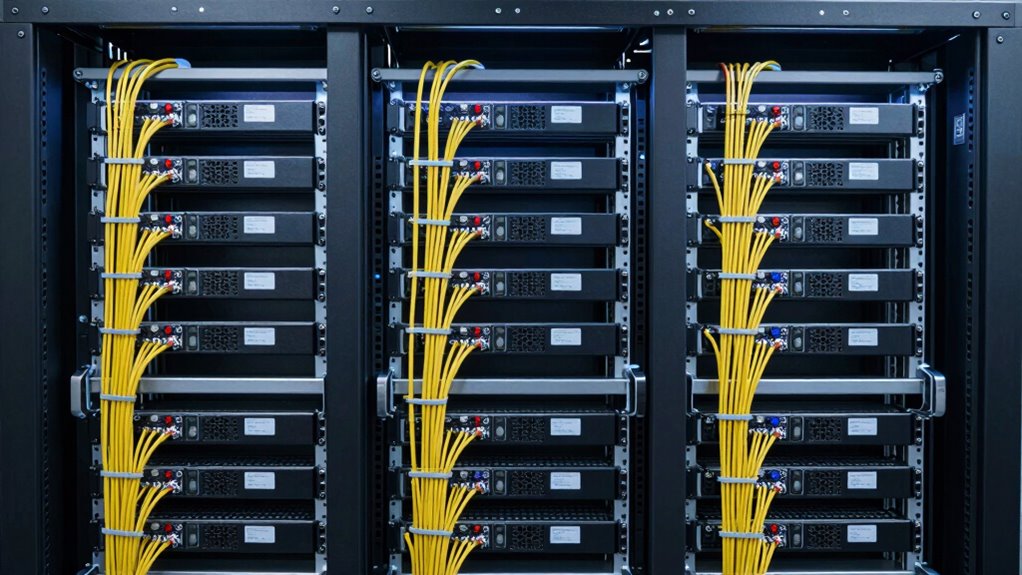
Organizing your rack efficiently can substantially streamline your workflow and improve accessibility. When you prioritize proper cable management and equipment labeling, you set yourself up for easier troubleshooting and maintenance. Good cable management isn’t just about aesthetics; it reduces clutter, prevents accidental disconnections, and makes it easier to identify cables during repairs or upgrades. Use cable ties or Velcro straps to bundle cables neatly, running them along the edges or behind the rack to keep pathways clear. Label each cable clearly at both ends with durable tags or color-coded sleeves. This way, whenever you need to troubleshoot, you won’t waste time tracing cables blindly or disconnecting the wrong one.
Efficient rack organization simplifies troubleshooting and maintenance through proper cable management and clear labeling.
Equipment labeling plays a crucial role in creating an organized rack. Every piece of hardware should have a clear, consistent label indicating its function, network connection, or location within your setup. Use label makers or printed tags for clarity, and affix them prominently on the front or top of each device. When labels are visible and standardized, you can quickly identify equipment’s purpose without deciphering obscure serial numbers or guessing. This becomes especially useful when dealing with multiple servers, switches, or patch panels. Proper labeling also helps prevent accidental disconnections or misconfigurations, as you’ll always know exactly what each component does and how it connects to others.
Creating a logical layout for your rack is equally important. Position high-priority or frequently accessed equipment towards the top or front for easy reach. Reserve the lower sections for less frequently used gear or for devices that require more airflow. Keep power supplies and UPS units close to the equipment they support, minimizing cable lengths and reducing clutter. Group related devices together—such as servers, switches, and storage—so troubleshooting involves minimal disassembly. When everything is arranged systematically, you’ll find it easier to pinpoint issues, replace faulty components, or add new gear without disrupting your entire setup. Additionally, considering natural airflow can help prevent overheating and maintain optimal performance.
Finally, maintaining this organization requires regular review and updates. As your system grows or changes, revisit your cable management and labeling strategies. Update labels if devices are replaced or moved, and re-tidy cables to prevent tangling or interference. An organized rack isn’t a one-time task but a continuous process that ensures your troubleshooting remains straightforward, your workflow smooth, and your equipment well-maintained. When you follow these principles, you’ll spend less time fixing problems and more time focusing on what matters—keeping your system running efficiently.
Frequently Asked Questions
How Often Should Rack Layouts Be Reviewed or Updated?
You should review and update your rack layouts at least annually or whenever you add new equipment, change power distribution, or notice rack safety issues. Regular reviews guarantee ideal airflow, prevent overheating, and maintain an organized setup. By keeping your rack layout current, you reduce troubleshooting time, improve safety, and ensure efficient power distribution. Don’t wait for problems to arise—schedule routine assessments to keep everything running smoothly and safely.
What Tools Are Best for Organizing Rack Equipment?
Think of your rack like a well-organized library. Use labels on racks and clear cable routing to quickly find what you need. The best tools include color-coded cable ties, label makers for rack labeling, and cable organizers to keep everything neat. These tools help you maintain order, simplify troubleshooting, and guarantee quick access. With proper organization, your rack becomes a reliable, efficient system rather than a chaotic maze.
How Do You Prioritize Devices in a Rack for Troubleshooting?
You should prioritize devices in your rack by labeling each clearly and organizing them based on airflow management. Start with the devices that are most critical or prone to issues, ensuring they’re easily accessible. Proper device labeling helps you quickly identify components, while good airflow management prevents overheating, making troubleshooting smoother. Keep cables tidy and devices in logical order to minimize downtime and speed up problem resolution.
Are There Industry Standards for Rack Labeling Systems?
You might wonder if there are strict industry standards for rack labeling systems. The answer is yes—these standards help guarantee consistency and efficiency. Industry standards for rack labeling include clear, logical labels like alphanumeric codes, color-coding, and standardized placement. These conventions make troubleshooting faster because you instantly recognize device locations. Following these accepted practices not only streamlines maintenance but also helps everyone work seamlessly together, avoiding confusion and saving valuable time.
How Can Cable Management Be Optimized Within Rack Organization?
To optimize cable management, focus on organized cable routing by using cable ties and Velcro straps to keep cables neat and avoid tangles. Maintain labeling consistency across all cables, so troubleshooting is quicker and easier. Use clearly marked labels at both ends of each cable, and implement a structured routing path within the rack. This approach minimizes clutter, improves airflow, and simplifies identification during maintenance or troubleshooting.
Conclusion
Implementing a clear rack organization order isn’t just about neatness; it can markedly speed up troubleshooting and reduce errors. Some believe that a well-structured rack reflects a logical flow, making problems easier to identify. While opinions vary, evidence suggests organized racks improve efficiency. So, next time you arrange your equipment, remember—order isn’t just aesthetic; it’s a practical tool that could save you time and frustration when issues arise.