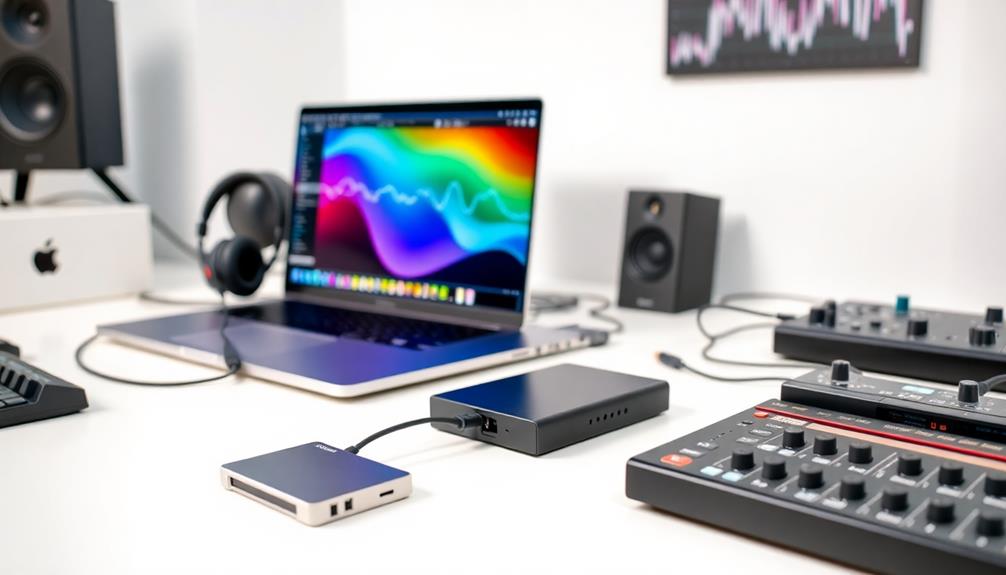

To keep your projects and samples tour-ready, use multiple backup methods like external drives, cloud storage, and portable SSDs to guarantee redundancy. Regularly update and verify your backups, and keep physical copies on hand during gigs for quick access. Maintain your gear with routine checks to prevent failures that could threaten your backups. Following these steps will help you stay prepared, and exploring further will reveal more strategies to safeguard your data on the road.
Key Takeaways
- Use multiple backup methods like external drives, cloud storage, and backup servers for redundancy.
- Regularly verify backup integrity and test restore processes to ensure data accessibility during tours.
- Keep physical copies of essential files and templates on portable drives for quick recovery on stage.
- Maintain and update gear regularly to prevent hardware failures that could compromise backups.
- Organize backups systematically, including labeling and scheduling routine backups for consistent data safety.

Having reliable backups is essential for any touring musician or band, as technical failures or data loss can quickly derail a performance or disrupt your entire schedule. When you’re on the road, ensuring your projects and samples are safe isn’t just about convenience—it’s a matter of live performance safety. If your main drive crashes or your files become corrupted, the impact could be catastrophic, forcing you to improvise or cancel shows. That’s why maintaining a robust backup system is crucial before you hit the stage. Regular equipment maintenance plays a vital role here, as it helps prevent unexpected failures that could jeopardize your backups. Keep your gear clean, update firmware, and run diagnostics to spot issues early. This proactive approach minimizes the risk of hardware malfunction during live performances, which could compromise your data or leave you scrambling for solutions.
When preparing for a tour, you should establish a clear backup strategy. Use multiple storage options, such as external drives, cloud services, or dedicated backup servers, to ensure redundancy. Don’t rely solely on a single device or location; instead, spread your projects and samples across different media. This way, if one backup fails or gets corrupted, you still have a secondary copy accessible. Always verify your backups after creation to confirm that files are intact and accessible. Testing restores periodically ensures your backup process is reliable, giving you confidence that your data can be recovered quickly if needed. Remember, in live performance scenarios, time is critical—being able to swiftly recover your files can mean the difference between a seamless show and a stressful disaster.
Additionally, it’s wise to keep physical copies of your most essential files and project templates on hand during gigs. Having a dedicated, portable backup drive on stage or in your gear bag means you can troubleshoot and recover data on the spot if something goes wrong. Keep your equipment well-maintained so that your backups aren’t compromised by faulty hardware. Small issues like loose connections or outdated firmware can lead to data loss or equipment failure at the worst possible moment. By integrating routine equipment maintenance into your preparation process, you reduce the risk of unexpected technical glitches that could threaten your live performance safety. Moreover, understanding the importance of essential oils for equipment maintenance can help in maintaining optimal functioning of your gear, reducing the likelihood of failures. Ultimately, a well-organized, regularly tested backup system combined with diligent equipment maintenance keeps your projects safe, your performances smooth, and your mind at ease on the road.
Frequently Asked Questions
How Often Should I Update My Tour Backups?
You should update your tour backups regularly, ideally after every significant change or new project. Your backup frequency depends on your update schedule; if you add or modify files often, consider daily or weekly updates. This way, your backups stay current, minimizing data loss during unforeseen issues. Stick to a consistent routine to guarantee your project and sample data are always protected and ready for your next performance.
What Are the Best Storage Devices for Touring Backups?
You should choose rugged, shockproof external drives like SSDs with backup redundancy and data encryption for touring backups. These devices withstand the harshest conditions, preventing data loss during earthquakes or meteor showers. Opt for brands like Samsung T7 or SanDisk Extreme Pro, ensuring your backups are secure and encrypted. With reliable storage, your projects and samples stay safe no matter where your tour takes you, giving you peace of mind on the road.
How Do I Ensure Fast Restore Times During a Tour?
To guarantee fast restore times during a live performance, you should establish backup redundancy with multiple copies on different devices. Keep your backups updated regularly and test restore procedures beforehand. Use high-speed storage devices like SSDs to minimize delays. Also, organize your files logically, so you can quickly locate what you need during a show. This approach guarantees minimal downtime and smooth live performance playback.
Can Cloud Backups Replace Physical Drives for Touring?
Yes, cloud backups can substitute physical drives for touring, but you need to prioritize digital redundancy and cloud security. Cloud backups offer quick access and easy updates, reducing the need for bulky drives. Make sure your cloud provider has strong security measures to protect your data. While they’re convenient, always keep a local physical backup as a fail-safe, especially in areas with limited internet connectivity.
What Security Measures Protect My Backup Data on the Road?
You safeguard your backup data on the road through robust encryption protocols that keep your files confidential, even if lost or stolen. Implement strict access controls to verify only authorized personnel can retrieve sensitive information. Use password protection and multi-factor authentication for added security. Regularly update your security measures, and consider remote wipe options, so your data remains protected, letting you focus on your performance without worries about potential breaches.
Conclusion
By creating tour-ready backups, you guarantee your projects and samples are always protected and ready to go, reducing stress and delays. Did you know that 60% of artists experience data loss during tours? Staying prepared with reliable backups not only safeguards your work but also keeps your tour running smoothly. Invest a little time now, and you’ll thank yourself later—because nothing beats the peace of mind that comes with knowing your creative assets are secure.