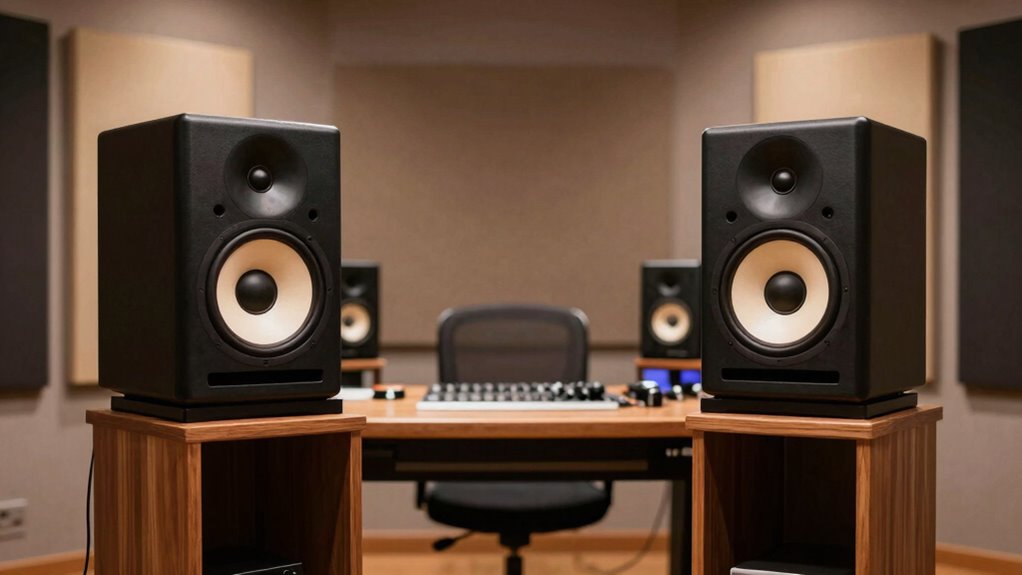

To place your studio monitors for better translation, form an equilateral triangle with your listening position and keep the monitors at ear level, aimed directly at you. Maintain about 3 feet between monitors, avoiding placement too close to walls or corners to prevent bass buildup. Properly positioning and aligning your monitors reduces reflections and phase issues, helping you hear a balanced, clear sound. If you want to refine your setup further, there’s more to explore.

Get audio and creator gear delivered free — and shop member deals
- Fast, free delivery on millions of items
- Access to Prime Big Deal Days deals on October 6–7
- Prime Video, Amazon Music and more included
Key Takeaways
- Arrange monitors at ear level, forming an equilateral triangle with the listening position.
- Keep monitors about 3 feet apart, avoiding placement too close to walls or corners.
- Angle monitors inward to direct sound precisely toward your ears.
- Maintain proper distance from walls and corners to prevent bass buildup.
- Use measurement tools to fine-tune placement for optimal stereo imaging and sound clarity.
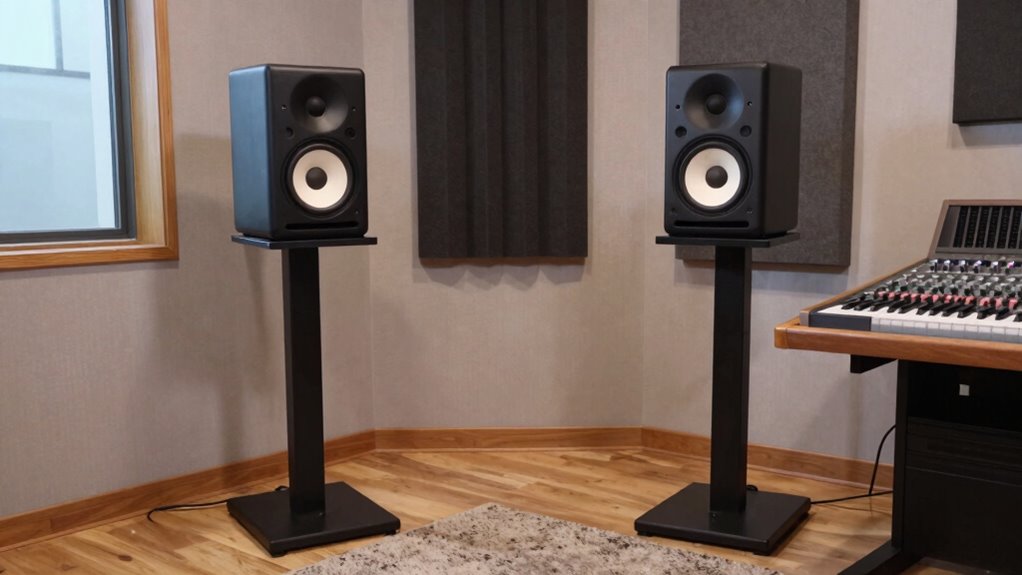
Ever wonder why your mixes don’t sound right on other systems? The answer often lies in how you’ve set up your studio monitors. Proper placement is essential because room acoustics and monitor calibration directly influence how accurately you hear your music. If your monitors aren’t positioned correctly, you risk misjudging your mix’s balance, clarity, and dynamics. To improve translation, start by understanding your room’s acoustics. Every room has its unique sound characteristics, influenced by the size, shape, and materials. Soft furnishings like carpets and curtains absorb high frequencies, while hard surfaces reflect sound, creating unwanted echoes or dead spots. You need to identify these acoustic quirks and address them, perhaps with bass traps or diffusers, to create a neutral listening environment. Once your room is acoustically balanced, focus on monitor placement. Position your monitors so they form an equilateral triangle with your listening position. Keep them at ear level, pointed directly at your ears, and about 3 feet apart—adjust based on your room size. Avoid placing monitors too close to walls or corners, as this can cause bass buildup and muddy your sound. Instead, leave some space behind and to the sides of your monitors, allowing sound waves to disperse naturally. room acoustics significantly impact how you perceive your sound, so understanding and optimizing them is crucial. Additionally, consider the speaker positioning to ensure your monitors are aligned for optimal stereo imaging. Proper monitor placement also involves experimenting with different angles and distances to find the sweet spot for your specific room. It’s also beneficial to use measurement tools to accurately assess your acoustic environment and make informed adjustments. Monitor calibration is the next essential step. Use a calibration microphone and a software tool to measure your monitors’ response across the frequency spectrum. This process helps you identify and correct any tonal imbalances caused by your room or speaker characteristics. Proper calibration ensures your monitors produce a flat, honest sound, which is crucial for accurate translation. Remember, even the best monitors won’t perform well if they’re not calibrated correctly. Regularly check and adjust your calibration as your room or setup changes over time. Also, consider the height and angle of your monitors; they should be aligned with your ears and tilted slightly upward if needed. This minimizes ear fatigue and maintains a consistent stereo image. Combining good room acoustics, precise monitor placement, and regular calibration creates an ideal listening environment. This setup allows you to hear your mixes more accurately, making your edits translate better across different audio systems. Ultimately, investing time in proper monitor placement isn’t just about hearing more detail—it’s about making confident, precise decisions that will improve your overall sound quality and guarantee your music sounds great everywhere.
As an affiliate, we earn on qualifying purchases.
Frequently Asked Questions
How Do Room Acoustics Affect Monitor Placement?
Room acoustics greatly affect monitor placement because reflections from walls, ceilings, and floors can distort your listening experience. You should position your monitors to minimize these reflections, which is where acoustic treatment comes in. Adding bass traps and diffusers helps control room reflections, allowing your monitors to produce a more accurate sound. Proper placement ensures you get a clear, balanced mix without interference from room acoustics, improving translation accuracy.
What Is the Ideal Height for Studio Monitors?
Imagine your monitors floating just above your ears, perfectly aligned with your ear level. That’s the ideal height, ensuring best monitor calibration and accurate sound. Keep the speakers’ tweeters at ear height and angle them toward you, maintaining proper speaker orientation. This setup minimizes sound distortion, helping you hear every nuance clearly and make precise mixing decisions. Proper height and orientation are key to achieving the most effective translation of your audio.
Should Monitors Be Angled or Straight?
You should angle your monitors rather than keep them straight to optimize monitor positioning and speaker orientation. Angling directs sound waves toward your ears, ensuring clearer audio and better translation of mixes. Proper monitor positioning involves angling the speakers so the tweeters are at ear level and pointing directly at your listening position. This setup minimizes reflections and enhances stereo imaging, giving you an accurate soundstage essential for precise audio work.
How Far Apart Should Monitors Be Placed?
You should place your studio monitors about 3 to 4 feet apart, forming an equilateral triangle with your listening position. This distance helps maintain clear sound and minimizes speaker interaction. Use speaker isolation pads and proper acoustic treatment to reduce reflections and standing waves. Proper spacing ensures accurate translation of sound, making your mixes true to the original. Adjust as needed based on your room size and acoustic environment for ideal results.
Does Monitor Placement Influence Mixing Accuracy?
Your monitor placement definitely influences mixing accuracy, as it affects sound reflection and speaker isolation. When you position your monitors correctly, you reduce unwanted reflections that can distort your perception. Proper placement helps you hear true audio without interference, making your mixes more precise. By minimizing sound reflection and maximizing speaker isolation, you gain a clearer, more reliable translation of your sound, ultimately improving your mixing decisions.
Conclusion
Now that you know how to position your studio monitors for ideal sound, aren’t you enthusiastic to experience clearer, more accurate mixes? Proper placement isn’t just about technical precision; it’s about truly hearing your music the way it was meant to be heard. With these tips, you’ll enhance your translation skills and take your audio projects to the next level. So, why settle for less when perfect sound is within your reach?
Halloween Picks
halloween
As an affiliate, we earn on qualifying purchases.